
The Oculus Quest 2 has gained significant popularity as a virtual reality (VR) headset, primarily due to its impressive standalone capabilities. This innovative device allows users to dive into various captivating games and immersive experiences without needing a computer connection or any cumbersome wires. One notable feature of the Oculus Quest 2 is its ability to connect to a television screen, even if you don’t possess a Chromecast device. This article aims to provide a comprehensive guide on how to cast your Oculus Quest 2 to a TV without using Chromecast. Following these steps, you can stream and enjoy your favorite VR content on a larger screen, enhancing your overall virtual reality experience.
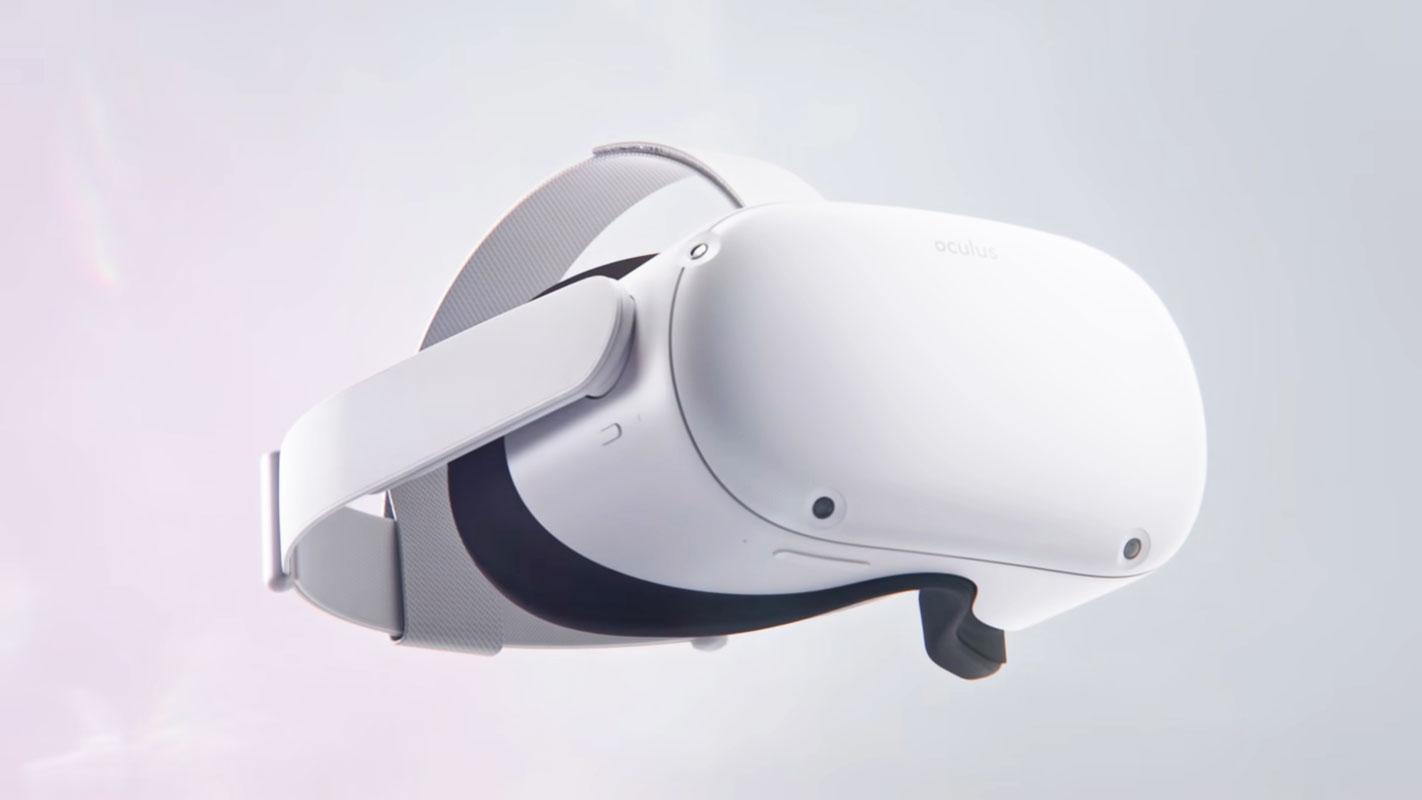
Cast Meta Oculus Quest 2 to TV Without Chromecast
The Oculus Quest 2 offers an immersive VR experience, and sharing that experience with others on a TV screen can enhance overall enjoyment. While Chromecast is a popular choice for casting content to a TV, not all modern-day TVs support it. If your TV doesn’t support Chromecast or you are experiencing issues, you can follow the alternative method below to cast your Oculus Quest 2 to a TV.
Casting Oculus Quest 2 to TV using a PC
To cast your Oculus Quest 2 to a TV without Chromecast, ensure your VR headset, Smart TV, and mobile device are connected to the same WiFi network. Additionally, ensure you use the same account on your VR headset and the casting website. Once these prerequisites are met, you can proceed with the following steps:

- Connect your PC, TV, and Oculus Quest 2 to the same WiFi network.
- Open your web browser and navigate to Meta’s casting website.
- Log in to the casting website using your Meta (previously known as Facebook) account.
- You may be prompted to grant some permissions if it’s your first time casting. Accept them if you’re comfortable.
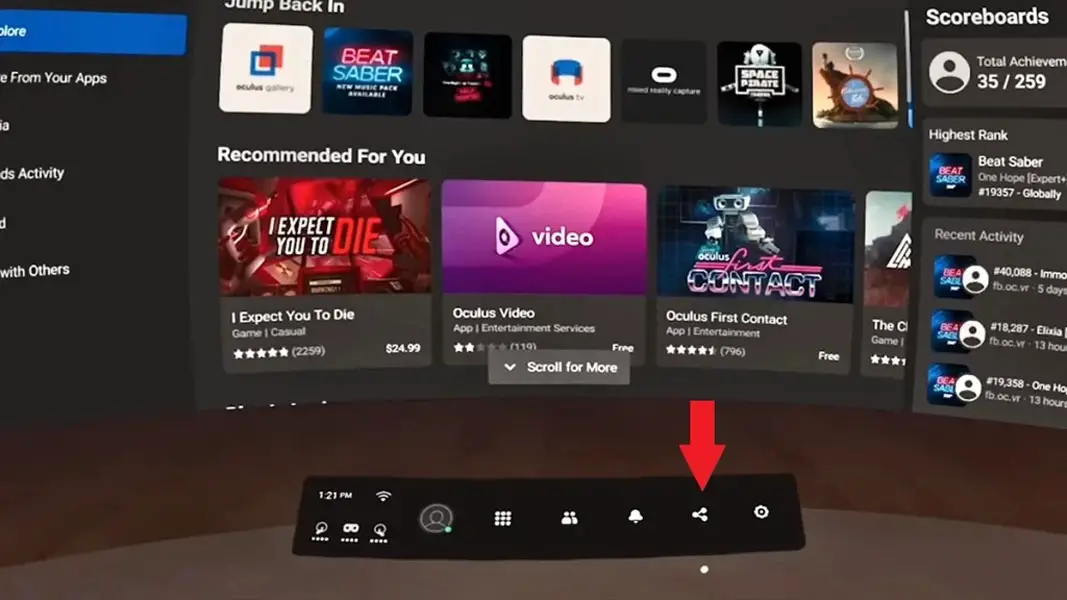
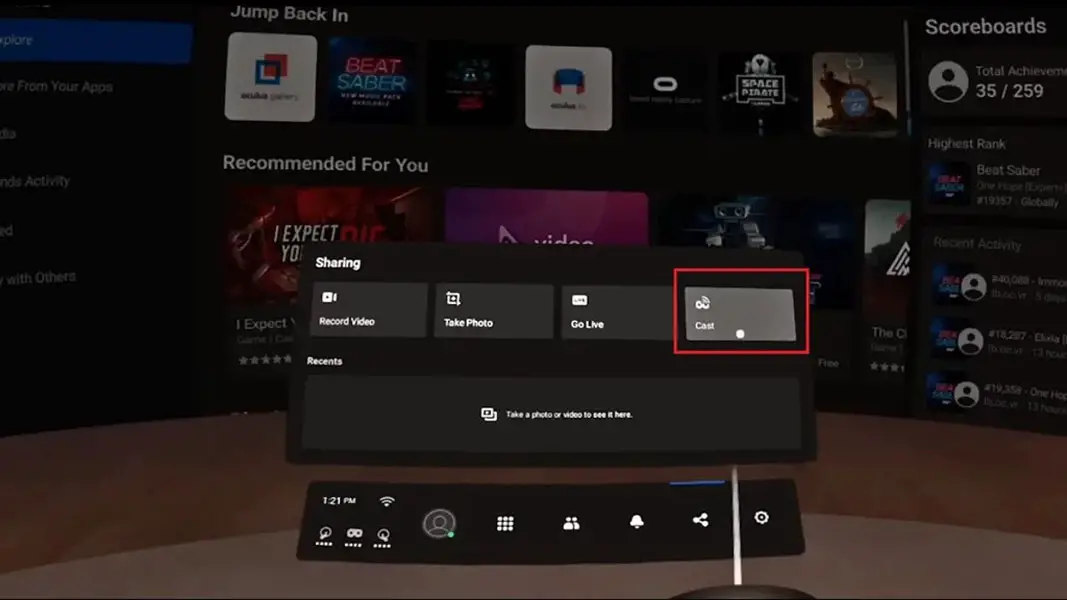
- To initiate casting, press the Oculus button on your controller to open the universal menu.
- Select the “Sharing” option from the menu displayed on your VR headset.
- Choose the “Cast” option to start the casting process.
- On the next screen, select your computer as the casting destination.
- The Oculus Quest 2 will now begin to cast to your PC.
- If you have a Windows PC, you can cast to your TV using Chrome. For Mac users, screen mirroring can be utilized.
- Follow the appropriate steps based on your operating system to cast the VR content from your PC to your TV.
- Enjoy your Oculus Quest 2 VR experience on the larger screen of your TV.
FAQs
Can I cast my Oculus Quest 2 to a TV without a PC?
Yes, you can. While Method 1 in this article requires a PC, alternative methods are available. One such process involves using a streaming device or a smart TV that supports casting directly from the Oculus Quest 2.
Is Chromecast the only option for casting VR content on a TV?
No, Chromecast is a popular choice, but there are alternatives available. The method described in this article allows you to cast your Oculus Quest 2 to a TV without relying on Chromecast.
What if my TV doesn’t support casting?
If your TV doesn’t support casting, you can explore other options, such as using streaming devices like Apple TV, Roku, or Amazon Fire TV, which offer casting capabilities.
Can I cast VR content on a TV with a wired connection?
It is possible to cast VR content on a TV using a wired connection. However, the specific steps and requirements may vary depending on the hardware and software involved.
Can I cast my Oculus Quest 2 to multiple TVs simultaneously?
At present, the casting functionality of the Oculus Quest 2 supports casting to a single device at a time. Simultaneous casting to multiple TVs is not supported natively.
Wrap Up
You can cast your Oculus Quest 2 to a TV without needing Chromecast. We utilize your PC and Meta’s casting capabilities in the above method. Following the step-by-step instructions in the previous section, you can seamlessly stream and display your favorite VR games and experiences on a larger TV screen. This enhances the overall immersion level and allows others to join in and share the excitement of your virtual-reality adventures. Following a Few Steps, you can unlock a new dimension of enjoyment by bringing your Oculus Quest 2 VR content to life on the big screen.

Selva Ganesh is a Computer Science Engineer, Android Developer, and Tech Enthusiast. As the Chief Editor of this blog, he brings over 10 years of experience in Android development and professional blogging. He has completed multiple courses under the Google News Initiative, enhancing his expertise in digital journalism and content accuracy. Selva also manages Android Infotech, a globally recognized platform known for its practical, solution-focused articles that help users resolve Android-related issues.