
In today’s fast-paced digital world, smartphones have become integral to our lives. From communication to entertainment, we rely heavily on these devices. However, one aspect that often gets overlooked is battery health. Over time, batteries can degrade, affecting the overall performance and lifespan of our devices. To ensure that your Android device’s battery remains in optimal condition, monitoring its health regularly is essential. In this article, we will walk you through monitoring the battery cycle health of your Android 14 device using Shizuku and Batt.
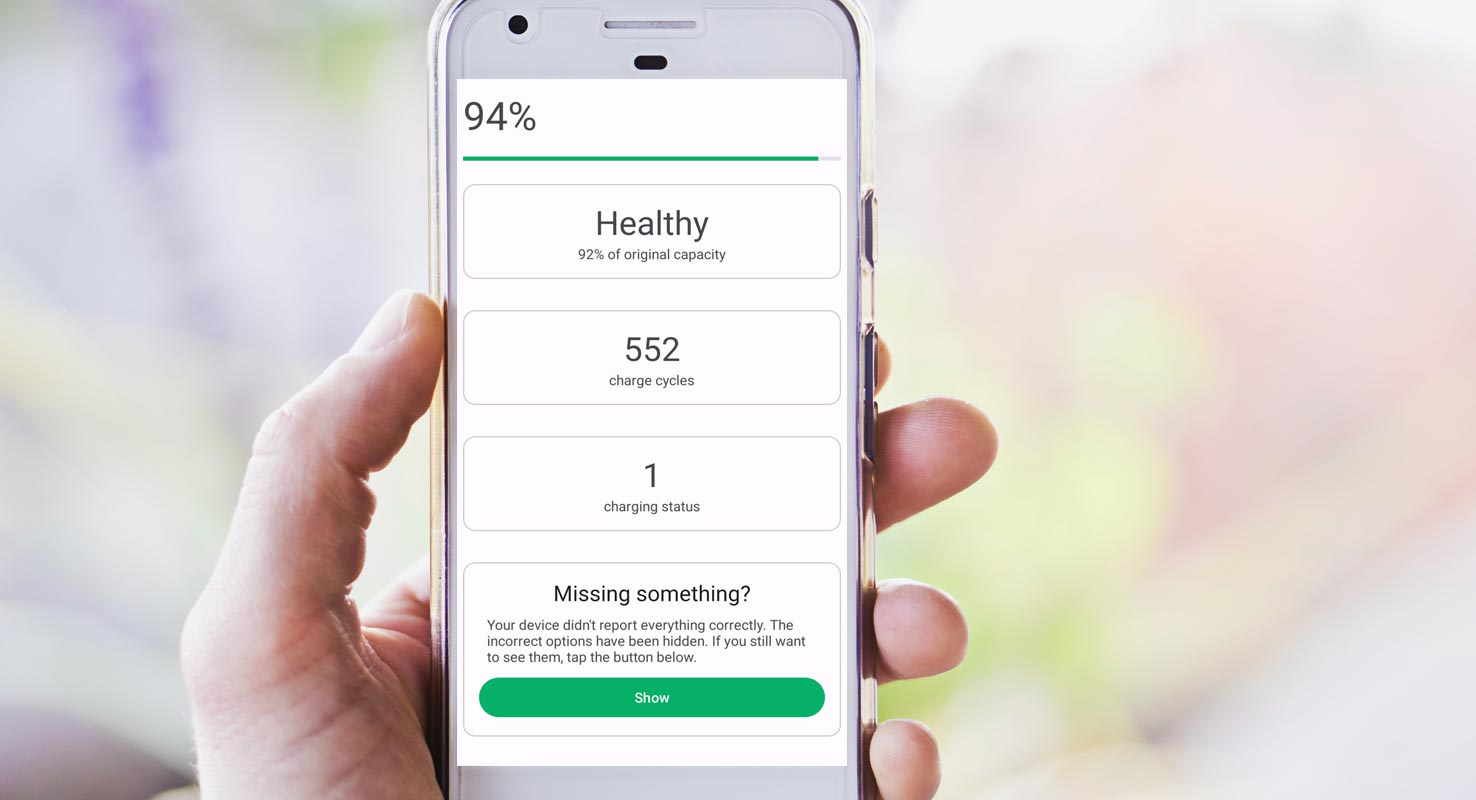
Battery Charge Cycles in Android 14
In this fast-paced world, where we rely heavily on smartphones, keeping our devices in optimal condition is crucial. One vital aspect of maintaining a smartphone is monitoring its battery health. By regularly checking the battery’s health, we can ensure its longevity and prevent any unexpected shutdowns. This article will walk you through monitoring battery health on your Android device using Shizuku and Batt.
Downloading and Installing Shizuku
- Visit the official Shizuku GitHub repository.
- Download the Shizuku APK file.
- Go to your device’s settings and enable installation from unknown sources.
- Open the downloaded APK file and proceed with the installation of Shizuku on your device by following the instructions displayed on the screen.
Installing the Batt App
- To begin, open the Browser on your Android device. Next, search for the Batt app using the search function.
- Once you find the app in the search results, tap on it. Finally, tap the “Install” button to initiate the download and installation of Batt on your device.
Launching Batt and Granting Permissions
- Locate the Batt app icon on your device’s home screen or drawer.
- Please tap on the Batt app to launch it.
- Follow the initial setup instructions provided by the app.
- When prompted, grant the necessary permissions to Batt to function correctly.
- Tap on “Let’s Go” to proceed.
Checking Battery Health
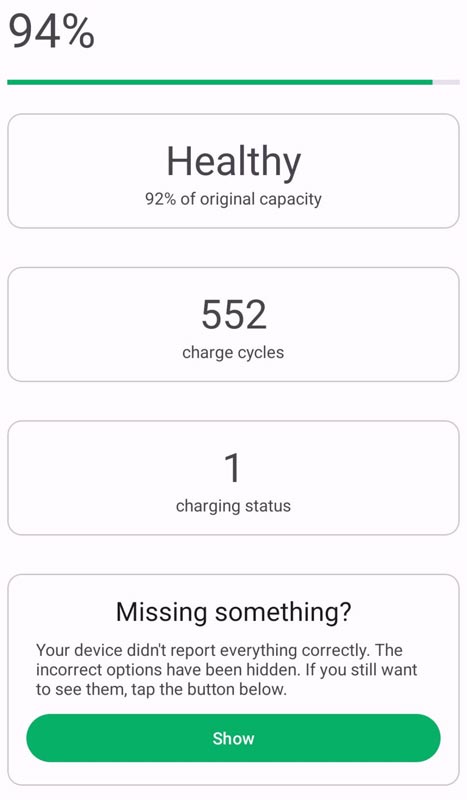

- After granting the required permissions, Batt will display the current battery health level at the top of the app interface.
- Take note of the battery health percentage, which indicates the current state of your device’s battery.
- A higher percentage signifies a healthier battery, while a lower ratio indicates a degraded battery.
Accessing Additional Information
- To access more detailed information about your battery, tap the “Show” option within the Batt app.
- This will bring up additional details, such as your device’s battery’s manufacturing date and first usage date.
- These details can provide insights into your battery’s age and usage history, helping you assess its overall health.
FAQs
Is Shizuku compatible with all Android devices?
Shizuku is compatible with most Android devices. However, some device models or Android versions may have specific requirements or limitations. It is recommended to check the official Shizuku documentation for compatibility details.
Can I use Batt without Shizuku?
No, Batt requires Shizuku to function correctly. Shizuku provides the necessary framework for Batt to access battery health information and other related data.
How often should I check my Android device’s battery health?
It is recommended to check your device’s battery health periodically, such as once a month or every few weeks. Regular monitoring will help you identify any significant changes in battery health and take appropriate actions if needed.
Are there any other battery monitoring apps available for Android?
Yes, several battery monitoring apps are available on the Google Play Store. However, Shizuku and Batt are open-source and provide a reliable and comprehensive solution for monitoring battery health on Android devices.
Can monitoring battery health improve battery performance?
Monitoring battery health alone does not directly improve battery performance. However, by monitoring battery health, you can identify any issues or degradation early on, allowing you to take appropriate actions such as optimizing device settings or replacing the battery if necessary.
Wrap Up
Monitoring the battery health of your Android device is crucial to ensure its longevity and optimal performance. By using Shizuku and Batt, you can easily track and monitor your battery’s health status. Regularly checking the battery health percentage and accessing additional information like manufacturing and usage dates can help you make informed decisions regarding your device’s battery usage. By taking proactive measures to maintain your battery health, you can extend the lifespan of your Android device and enhance your overall user experience.

Selva Ganesh is a Computer Science Engineer, Android Developer, and Tech Enthusiast. As the Chief Editor of this blog, he brings over 10 years of experience in Android development and professional blogging. He has completed multiple courses under the Google News Initiative, enhancing his expertise in digital journalism and content accuracy. Selva also manages Android Infotech, a globally recognized platform known for its practical, solution-focused articles that help users resolve Android-related issues.