
Convert Black and White Photo into Color Using Google Gemini Nano Banana– Restoring black-and-white photos into color has always been a fascinating way to bring history back to life. With the power of Google Gemini Nano Banana, we can achieve stunningly accurate results that maintain the natural skin tones, backgrounds, and objects while preserving every fine detail. This advanced AI model specializes in generating realistic, high-resolution colorized photos that look as if they were captured with modern cameras. We provide a step-by-step tutorial on transforming your black-and-white images into fully colored masterpieces using Google Gemini Nano Banana.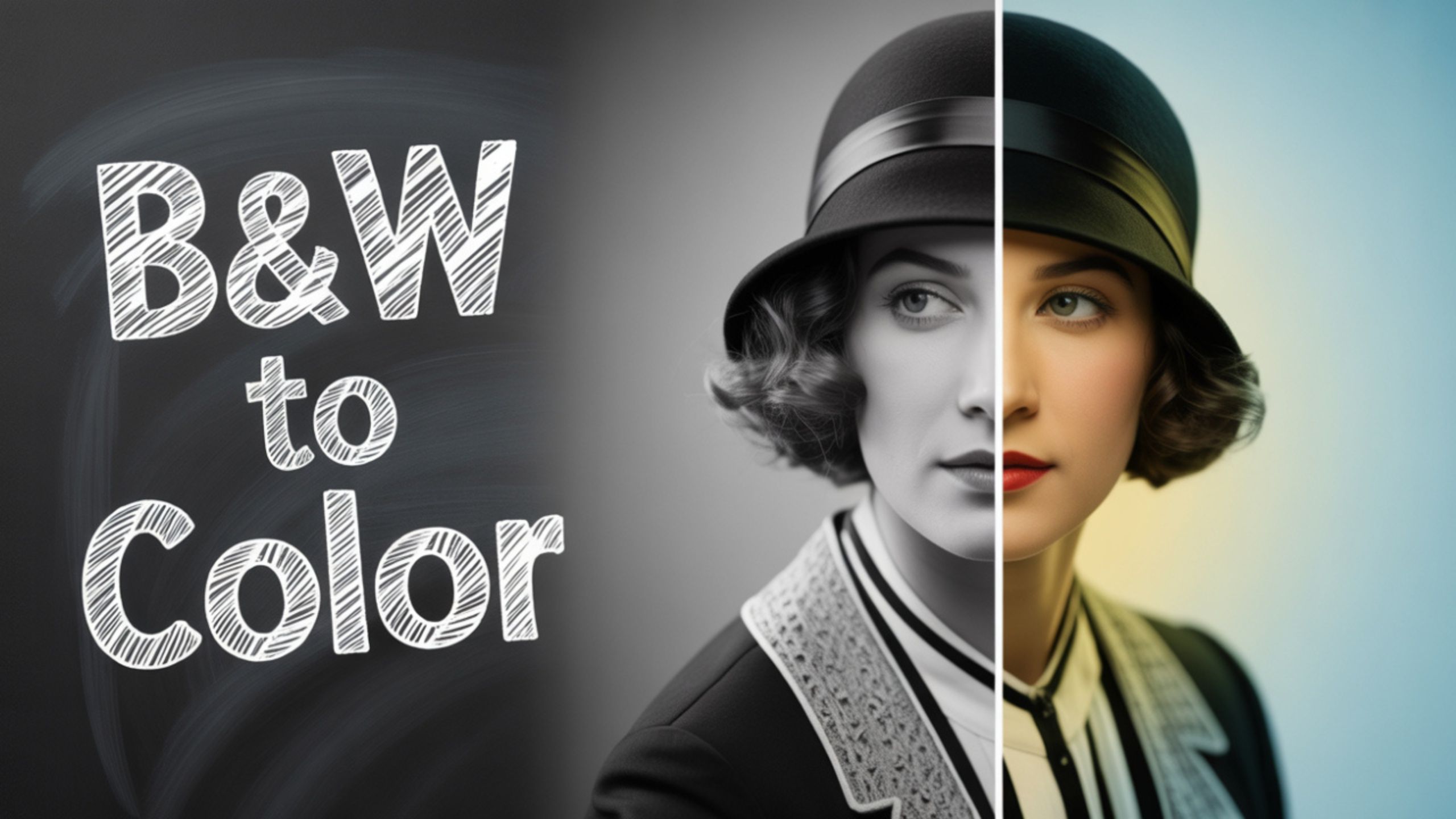
Why Choose Google Gemini Nano Banana for Photo Colorization?
Google Gemini Nano Banana stands out from other colorization tools because of its cutting-edge AI algorithms. Unlike traditional apps that add flat or artificial-looking colors, Gemini Nano Banana ensures:
- Realistic skin tones that capture natural warmth and texture.
- Accurate object colors that reflect how they would appear in reality.
- Sharp details that remain crisp even after the colorization process.
- Balanced background shades that enhance depth and vibrancy.
This technology is helpful for personal photos and archival restoration, historical documentation, and creative projects.

Preparing Your Black and White Photo for Colorization
Before using Google Gemini Nano Banana, you must prepare your photo properly.
- Scan or digitize your black-and-white photo in high resolution. The higher the quality, the better the results.
- Clean up dust, scratches, and noise using any photo editing tool. AI colorization works best with clear images.
- Crop and straighten your photo to frame the subject correctly.
Once your image is prepared, you’re ready to move forward.
Step-by-Step Guide to Colorize Photos with Google Gemini Nano Banana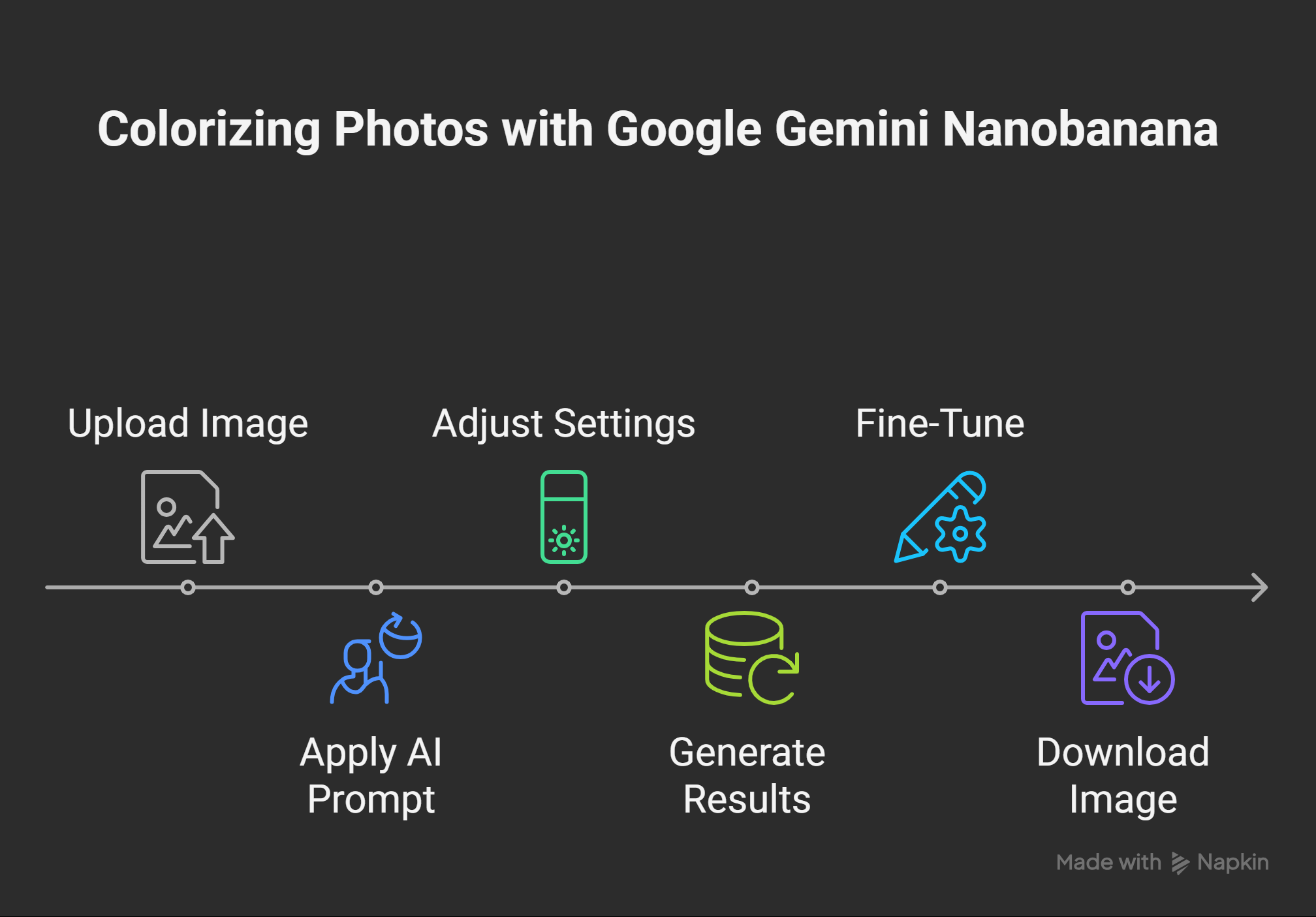
Step 1: Upload the Black-and-White Image
- Go to the Google Gemini Nano Banana workspace.
- Select the image enhancement feature.
- Upload your black-and-white photo in JPEG or PNG format.
Step 2: Apply the AI Colorization Prompt
Use the following detailed prompt for the best results:
“Enhance this black-and-white photo by restoring it into a natural colored version. Apply realistic skin tones, natural background shades, and accurate object colors while preserving fine details and sharpness.”
This ensures the AI understands that you want natural and professional-quality results.
Step 3: Adjust the Settings
- Skin Tone Calibration – Choose warm, medium, or cool tones depending on the original subject.
- Background Rendering – Adjust the depth and saturation of skies, landscapes, or interiors.
- Object Precision – Enhance specific objects like clothing, furniture, or vehicles for accurate representation.
Step 4: Generate and Preview Results
Click Generate to process the image. Within seconds, you’ll see a fully colored version of your black-and-white photo. Compare the output with the original to ensure authenticity.
Step 5: Fine-Tune and Download
- If some areas look slightly off, you can regenerate with refined prompts.
- Once satisfied, download the final image in high resolution.

Tips for Achieving the Best Colorization Results
- Use High-Quality Images: Grainy or blurry photos may not give optimal results.
- Provide Contextual Hints: If you know the original colors (e.g., a red dress, green car), include those details in the prompt.
- Experiment with Multiple Variations: Generate different versions to choose the most natural outcome.
- Focus on Lighting: Good contrast enhances how colors blend into the photo.
Applications of Google Gemini Nano Banana Colorization
- Family Photo Restoration – Bring old family albums back to life with natural color.
- Historical Projects – Revive archival images with accurate details for educational and cultural preservation.
- Creative Content – Use colorized photos for storytelling, blogs, or documentaries.
- Professional Use – Photographers, designers, and marketers can enhance visual appeal for clients.
Comparing Google Gemini Nano Banana with Other Tools
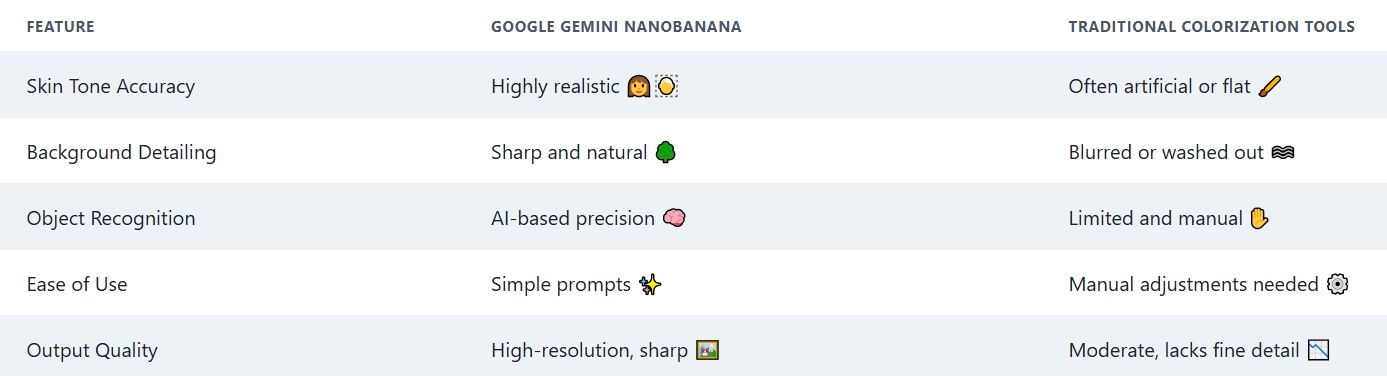
Clearly, Gemini Nano Banana provides superior performance with minimal effort.
Common Mistakes to Avoid When Colorizing Photos
- Over-saturation – Makes images look fake and unnatural.
- Ignoring details – Small objects like jewelry or accessories need careful attention.
- Low-resolution uploads – Results in pixelated and unclear colorization.
- Not refining prompts – Generic prompts may lead to unrealistic results.
Future of AI Photo Colorization with Google Gemini
With continuous updates, Google Gemini Nano Banana is set to become even more powerful. Upcoming advancements may include:
- Automatic historical color matching for greater authenticity.
- 3D photo rendering for immersive restoration.
- Batch processing for multiple images simultaneously.
These innovations will further revolutionize how we restore and relive moments from the past.
Wrap Up
Converting black-and-white photos into full color using Google Gemini Nano Banana is one of the most effective ways to revive precious memories with modern AI. This tool ensures professional-grade results with minimal effort by applying realistic tones, enhancing object colors, and maintaining sharpness. Whether for personal keepsakes, historical archives, or creative projects, Gemini Nano Banana sets a new benchmark in AI-driven photo restoration.

AITeam is the dedicated editorial team of Android Infotech, consisting of experts and enthusiasts specialized in Android-related topics, including app development, software updates, and the latest tech trends. With a passion for technology and years of experience, our team aims to provide accurate, insightful, and up-to-date information to help developers, tech enthusiasts, and readers stay ahead in the Android ecosystem.
For more about our team, visit our About Us page.