
I know Google tracks some of our data If we used Google Products. Google Knows our location, Daily activities, Our Flight Schedule like that. On the one side, it is beneficial for making our daily life without worry about missing things. On the other hand, If you worry about your data, Google gives the option to delete your data for their server. One of the compelling reasons to use Google products is because they are flexible and easy to handle the data by Owners. Google Home is a smart assistant that helps its users to do quite a lot of things. However, Google Home stores a lot of data, and if you’re not comfortable with the way it stores your data, you can quickly delete the data at any time. Google Home functions with commands, and if you’re going to delete your data, you can also use commands. But why does Google Home or Assistant store your data?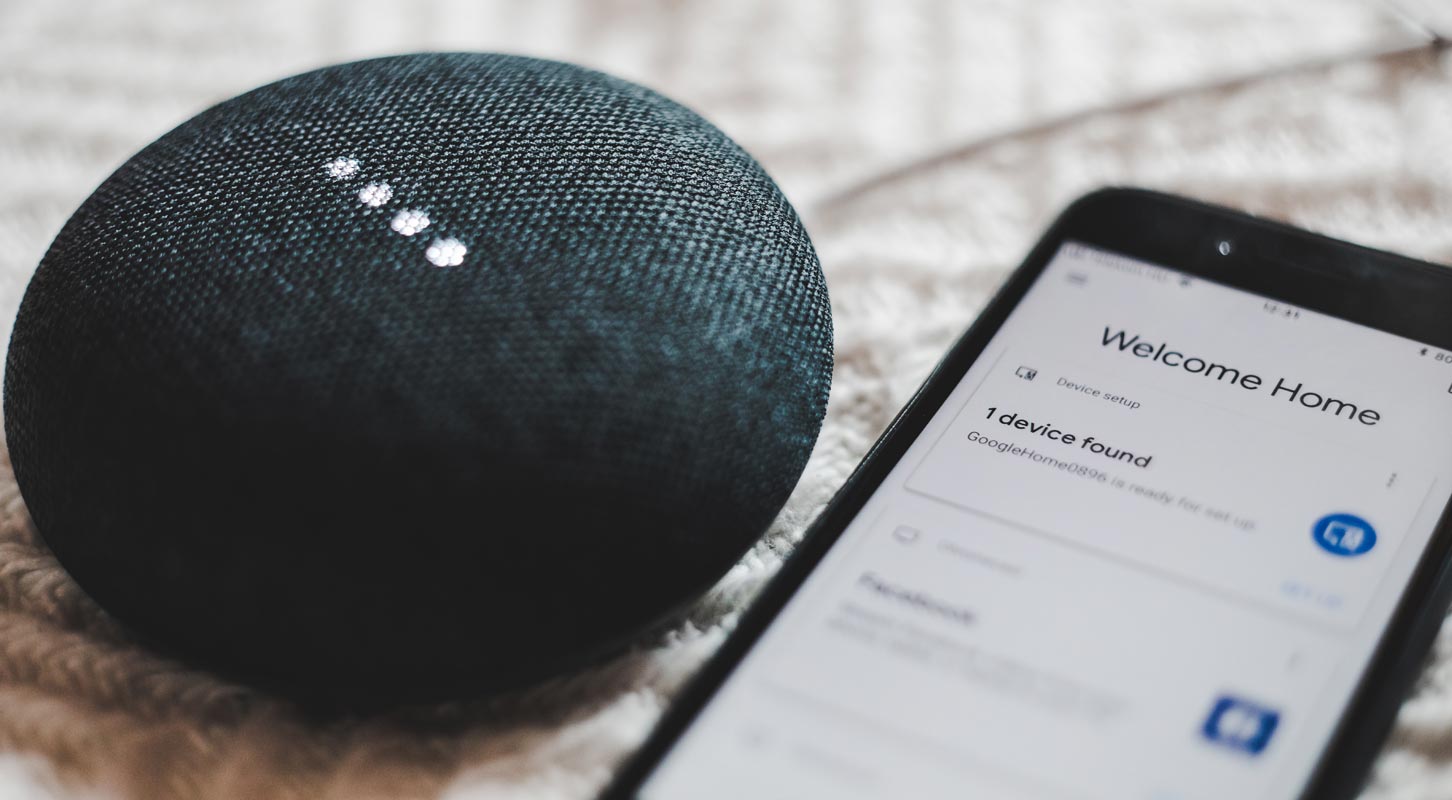
Why Google Home saves your data?
Without saving your previous data, Google assistant may not be very accurate in recognizing your subsequent voice commands. Almost all your online and most offline activities and searches are recorded by Google to offer more personalized assistant services. Also, Google Home connects with a lot of other compatible smart devices in your home; it’s more like a hub per se.
How to delete your Google Assistant data on Google Home using commands
Some commands can make Google Assistant delete your latest data at the instant. Below are some commands you can use to delete Google Home data.

-
“Hey, Google, delete my last conversation.”
-
“Hey, Google, delete today’s activity.”
The first command will delete the last conversation you said, while the second command deletes your daily activity. Well, not like it removes the data entirely, but these commands flag the data for manual review, and you can’t see when you check your history.
Also, the most common “Hey Google, That Wasn’t for You“ is a command used to delete the last you said Google’s Assistant captured that. With these three commands, you will delete your data from Google Home. You can also use these commands on your Chromecast built-in Android TVs.
Delete your data from the Google Home app
Heading over to the settings menu, navigate to apps, then clicking on the Google Home App to clear its app’s data and cache won’t clear your Google Home data. Follow one of the below methods to remove your data from Google’s server.
Remove Single Conversation
-
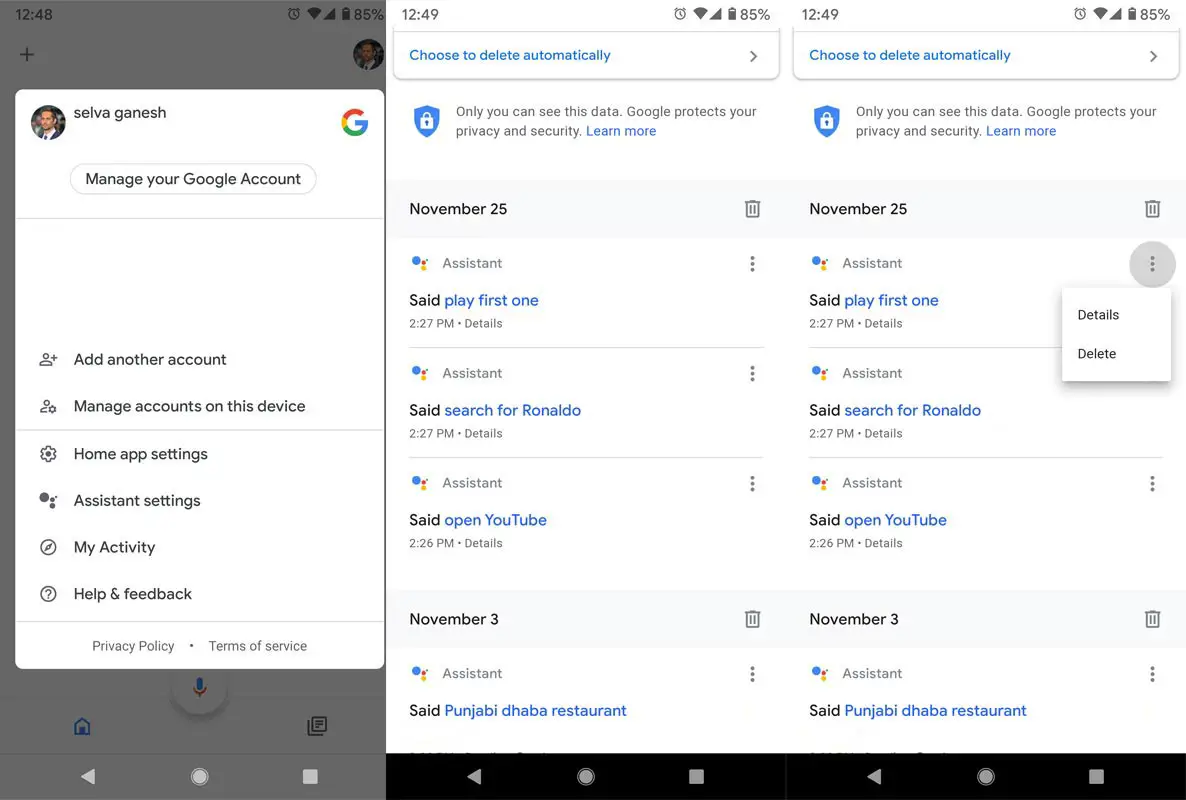
Open the Google Home app
-
Tap on My Account> My Activity Tab.
-
Scroll down to all recorded voice recordings.
-
Tap on the three-dot icon. You will get two options Details and Delete. Select “Delete” to remove the specific recording.
Setup Automatic Deletion
If you want to remove specific services that you add from third parties, you can follow the below steps to remove them.
-
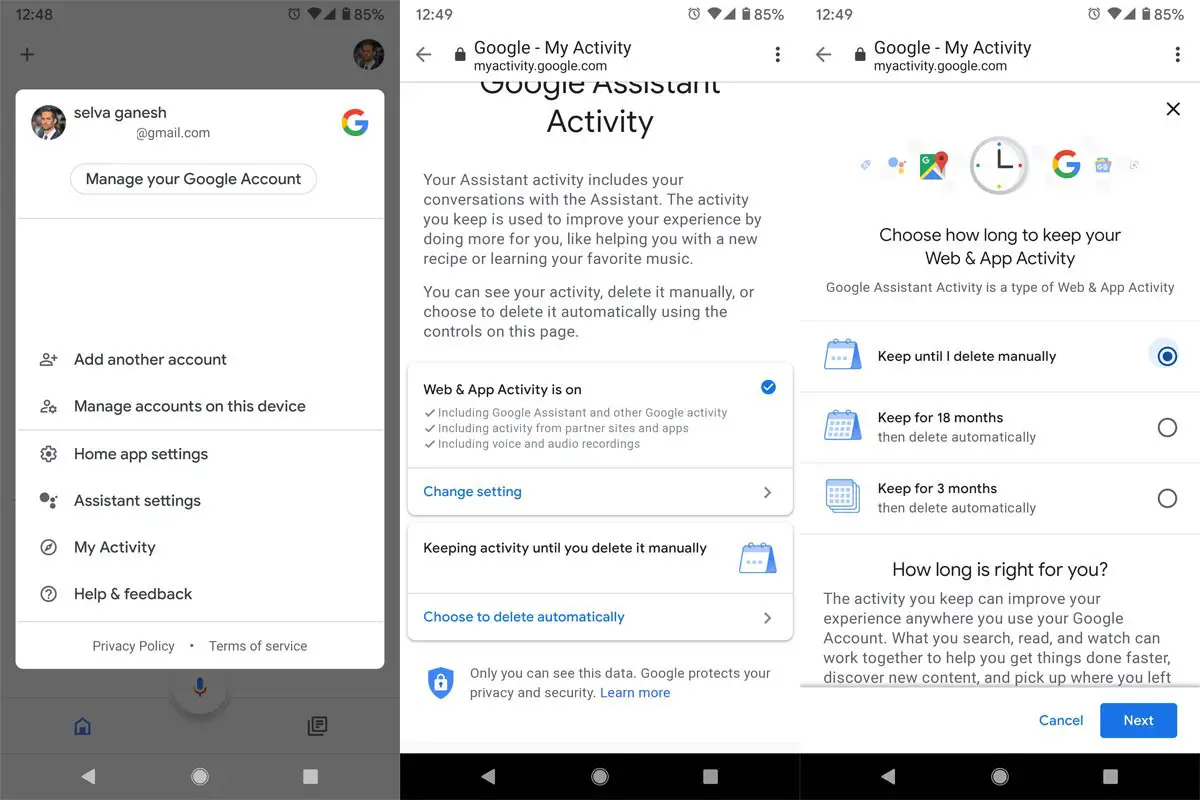
Open the Google Home app
-
Tap on My Account> My Activity Tab.
-
Scroll down and select “Choose to delete automatically.”
-
On the Next Screen, select the frequency you want to delete your data. You will get three Options- Keep for three months, Keep for 18 months and Keep until I delete manually. You can select one of the options from these based on your comfort.
Remove specific services
If you want to remove particular services that you add from third parties, you can follow the below steps to remove them.
-
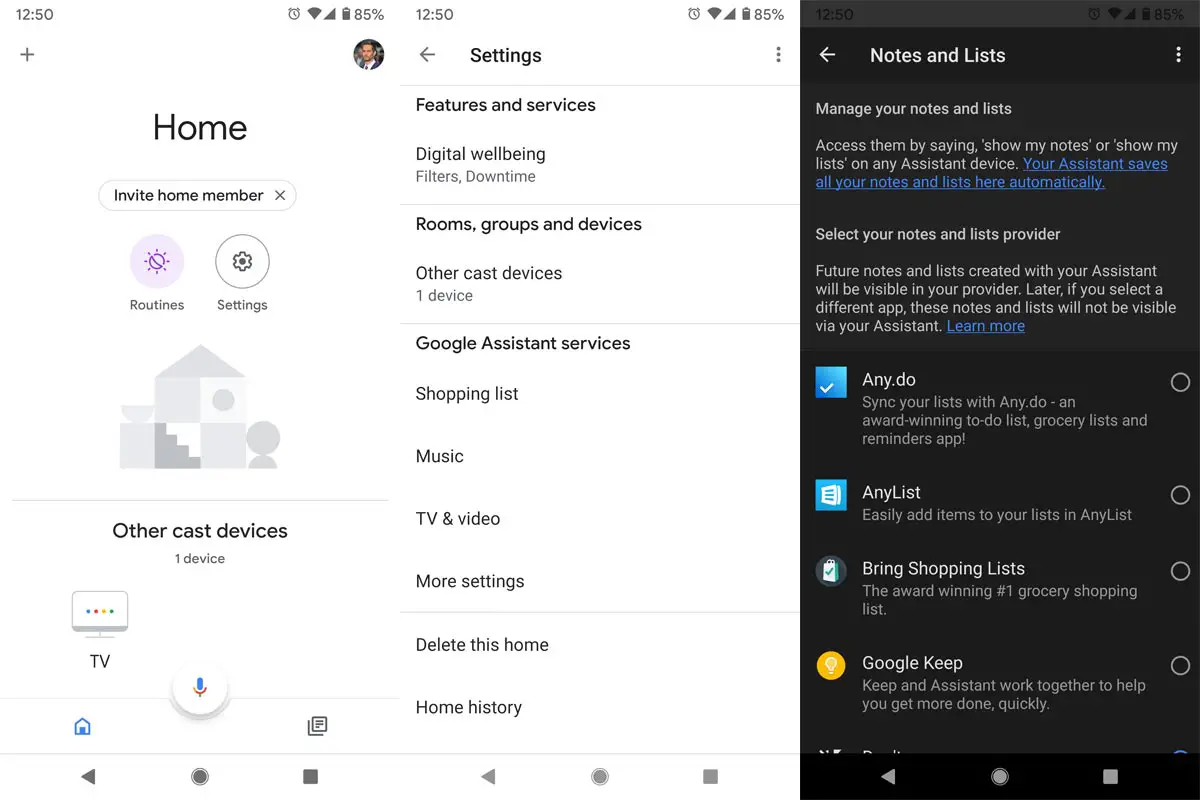
Open the Google Home app
-
Select on the Settings with a gear icon.
-
Select on the “Google assistant services” and More settings. You’ll get all the services and devices linked to your Google Home
-
You can remove sync and link it from that list.
Note: you must disconnect any connected household member before deleting a home.
Delete your data using Your Mobile
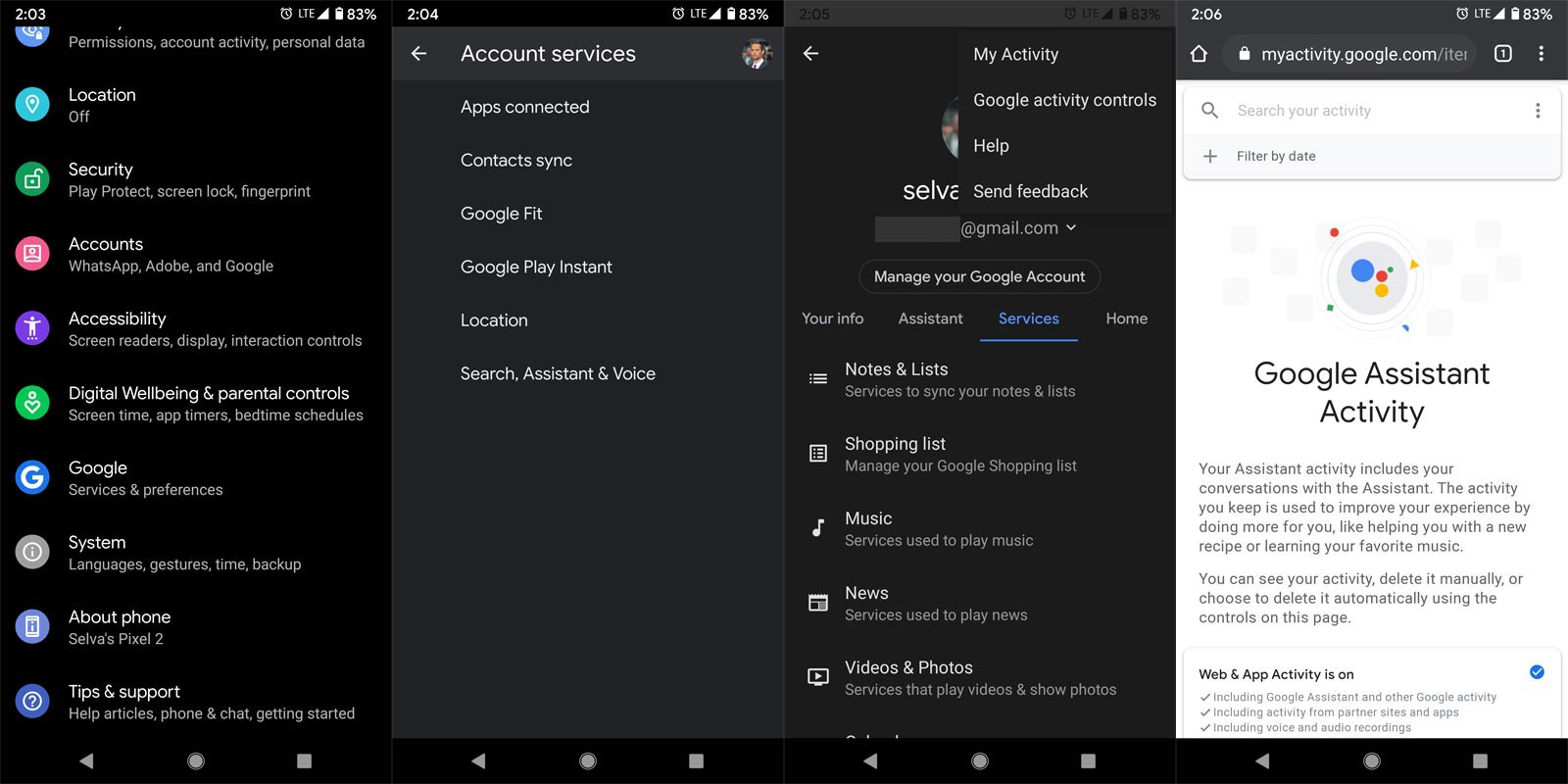
You can also use your mobile to remove Google Assistant data.
-
Open the Settings>Google>Services and Preferences.
-
Select Search, Assistant, and Voice> Google Assistant. You will get the Google Assistant menu.
- Tap on the three-dot icon on the right top corner. You will get the option “My Activity.” Select that option. It will redirect you to Goole Assistant Activity.
- You can filter the Voice and Audio using the filters in the “search your activity.” Select “+” symbol. You will get Date and Type filters — select Voice and Audio. Google will result in the Audio-based files.
- From the results, Tap on the three-dot icon. You will get two options Details and Delete. Select “Delete” to remove the specific recording.
Delete your Google Assistant data using Web View version
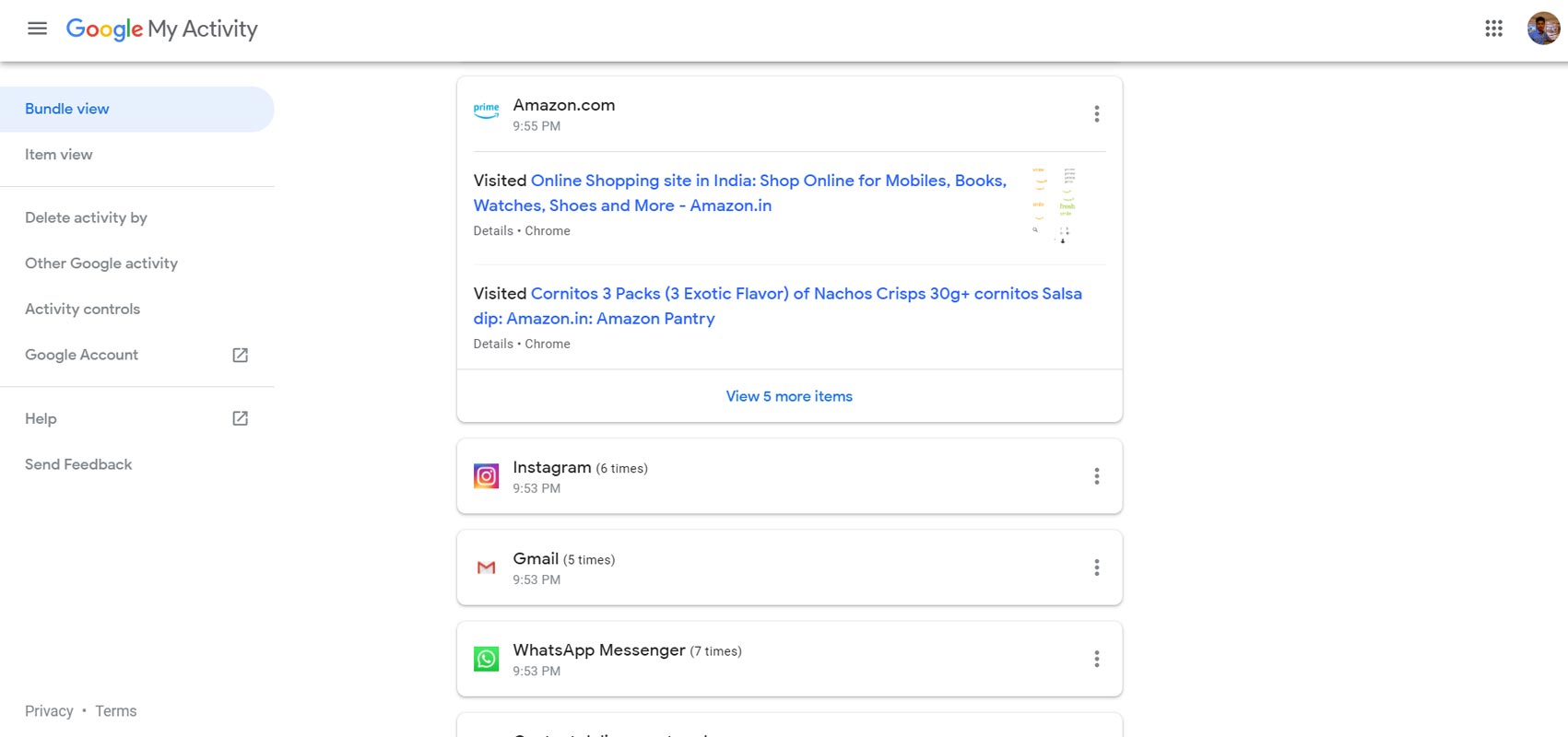
You can also use standard Web Browsers to access your data. There you can find not only Google Home Data, but Also, your entire Google Account Data.
Note: Care when deleting data. Deleting Wrong information may affect your Google Experience.
-
Go to myactivity.google.com. Sign in With your Account. The Sign-in account in the Google Home and my activity account should be the same to get the correct data.
-
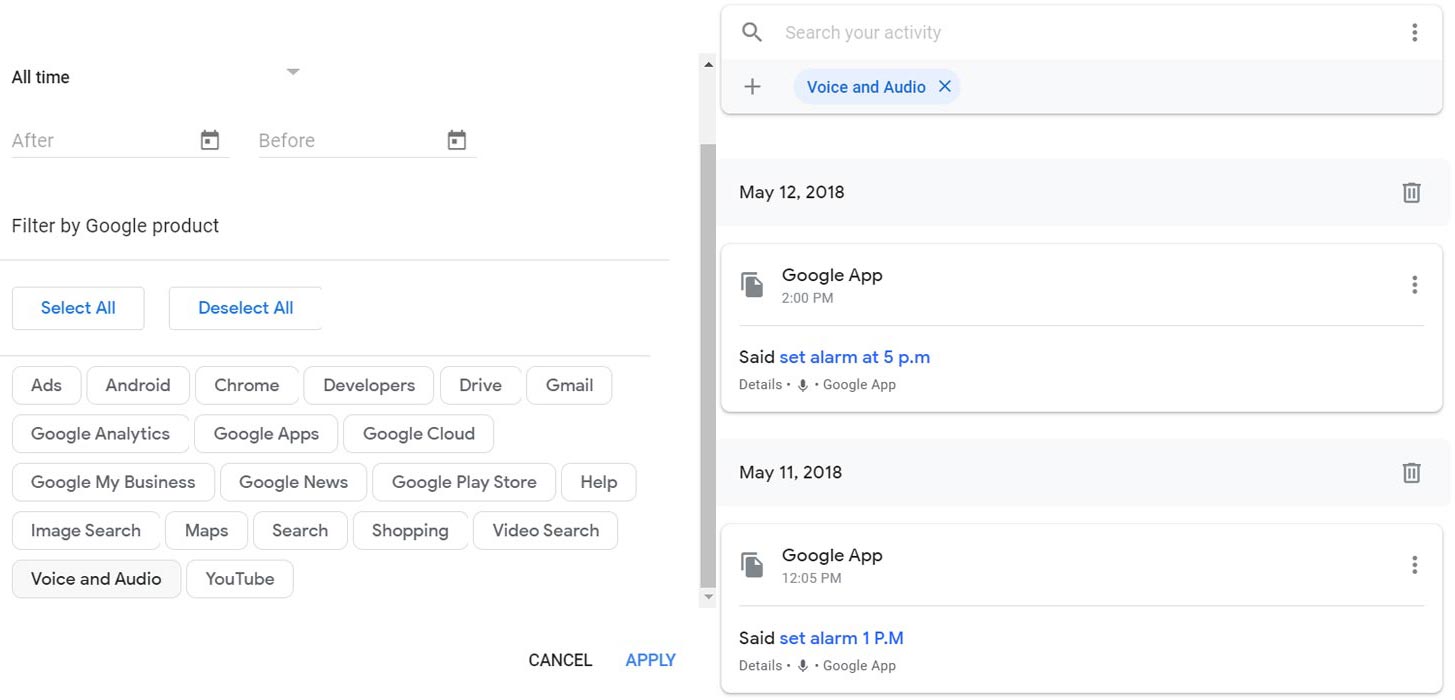
You can filter the Voice and Audio using the filters in the “search your activity.” Select “+” symbol. You will get Date and Type filters.
-
After Selecting voice and audio, you will get the list of recorded voices.
- Tap on the three-dot icon. You will get two options Details and Delete. Select “Delete” to remove the specific recording.
Remove Google Home From Your Account
You can also use regular Web Browsers to access your data. There you can find not only Google Home Data, but Also, your entire Google Account Data.
Note: It will remove all data linked to that particular Google Home device.
-
Open the Google Home app
-
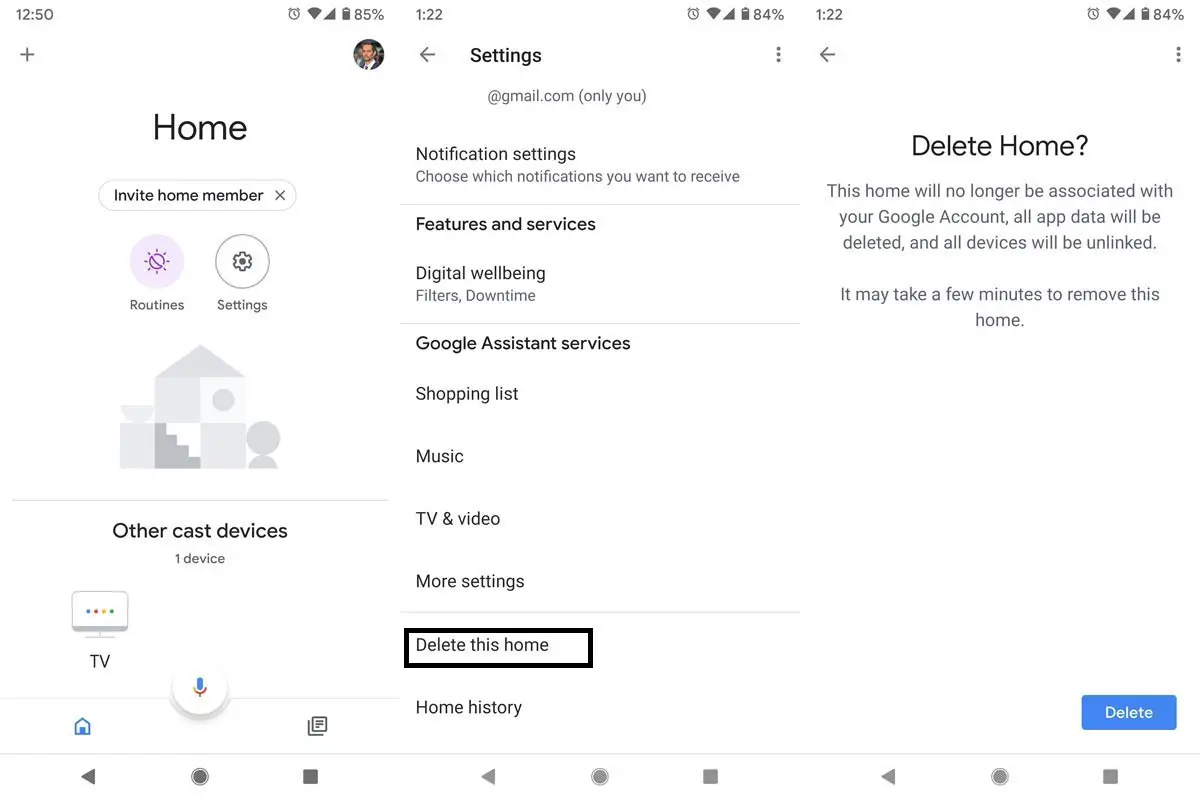
Click on the + button
-
Select “Set up device.” This option is available at the bottom, and you’ll see a link with the write-up “Have something already set up?”
-
Click on the link, and you’ll be faced with all the services and devices linked to your Google Home
-
There’s another settings option here, click on the icon and scroll down until you meet the “Delete this home” option.
-
You have successfully deleted one Google Home service/device. At this time, Google Home will start recording new data, and the old one is removed.
Wrap Up
Compare with other Smart Home devices, Google Home products are better. Each one is different for a specific purpose, other than Google Home Mini and Nest Mini. If you’re not convenient that those commands can delete your Google Home data, then you should try the app method. For more convenience, you can go ahead to clear the app’s data also. Hopefully, this article would help anyone looking for how to delete Google Home data with commands or from the app. If you know of other commands, you can comment on them below.

Selva Ganesh is a Computer Science Engineer, Android Developer, and Tech Enthusiast. As the Chief Editor of this blog, he brings over 10 years of experience in Android development and professional blogging. He has completed multiple courses under the Google News Initiative, enhancing his expertise in digital journalism and content accuracy. Selva also manages Android Infotech, a globally recognized platform known for its practical, solution-focused articles that help users resolve Android-related issues.