
In today’s era of digital connectivity, our social media accounts have become an integral extension of our identities, allowing us to share our lives with friends and family. Among these platforms, Instagram is among the most popular choices for visually chronicling our experiences. However, there inevitably comes a time when you may contemplate parting ways with your Instagram account. Whether it’s a quest for a digital detox or personal considerations that drive this decision, the good news is that deleting your Instagram account is refreshingly straightforward. In this comprehensive step-by-step guide, we aim to demystify this process, providing clear instructions for users of both Android and iOS smartphones, as well as those opting for account deletion through their computers. This guide equips you with the knowledge needed to navigate this decision and execute it smoothly.
Deleting Your Instagram Account on Android
- Start the Instagram app on your Android device.
- Tap the profile icon positioned at the bottom of the screen.
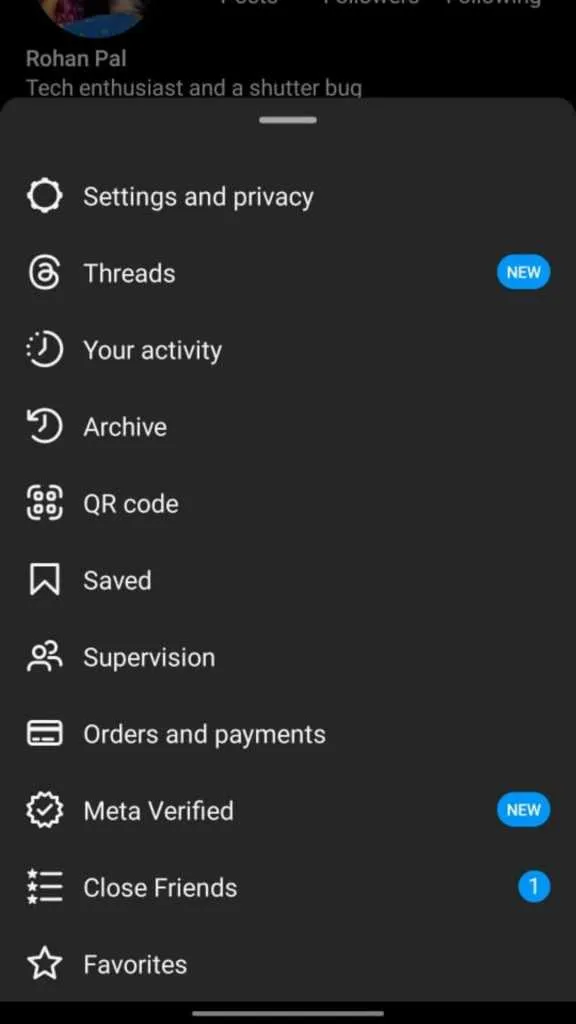
- On your profile section, click on the hamburger menu in the top-right corner.
- Select “Settings and Privacy.”
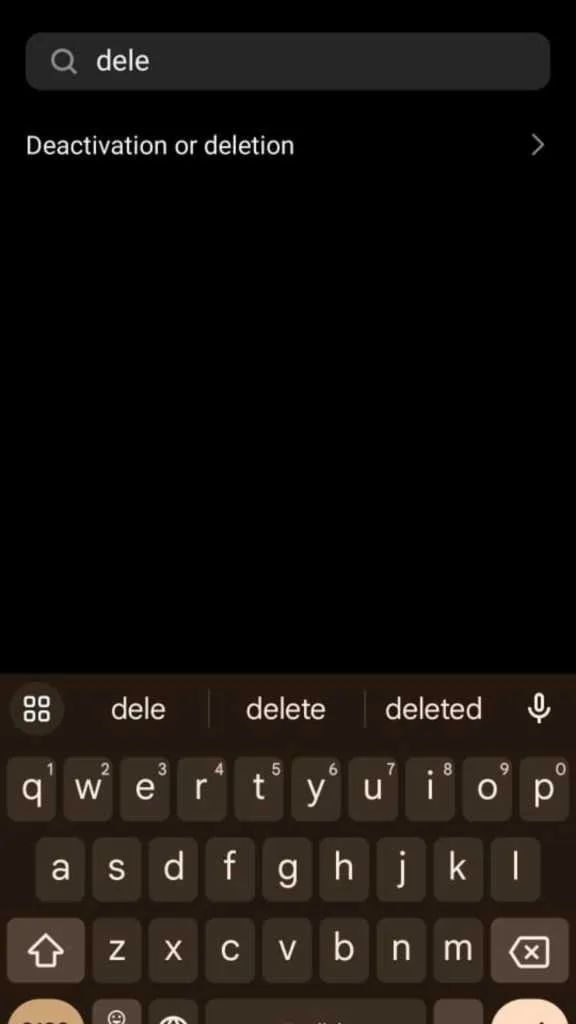
- In the search bar, type “Deletion or deactivation.”

- Select your profile from the available list of choices.
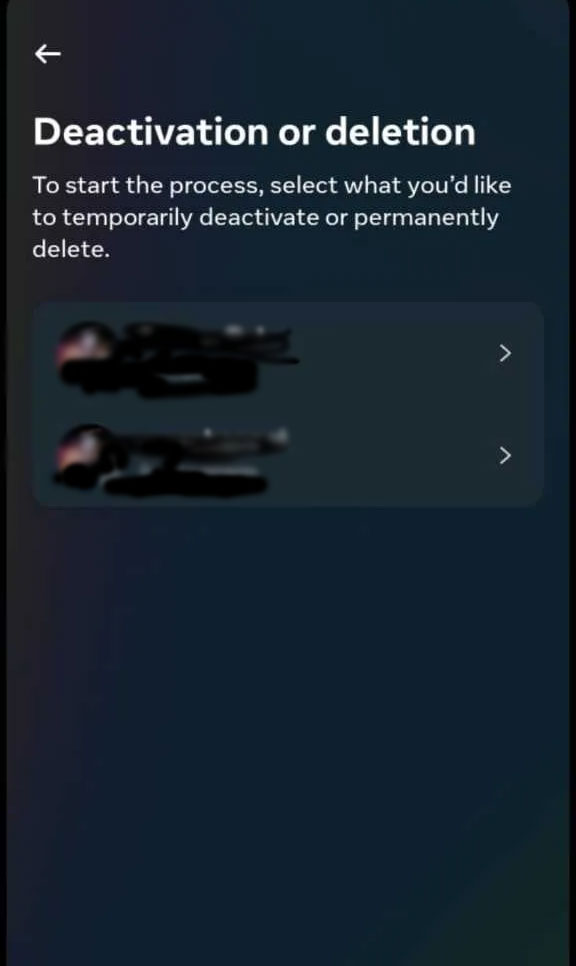
- Tap on “Delete Account.”
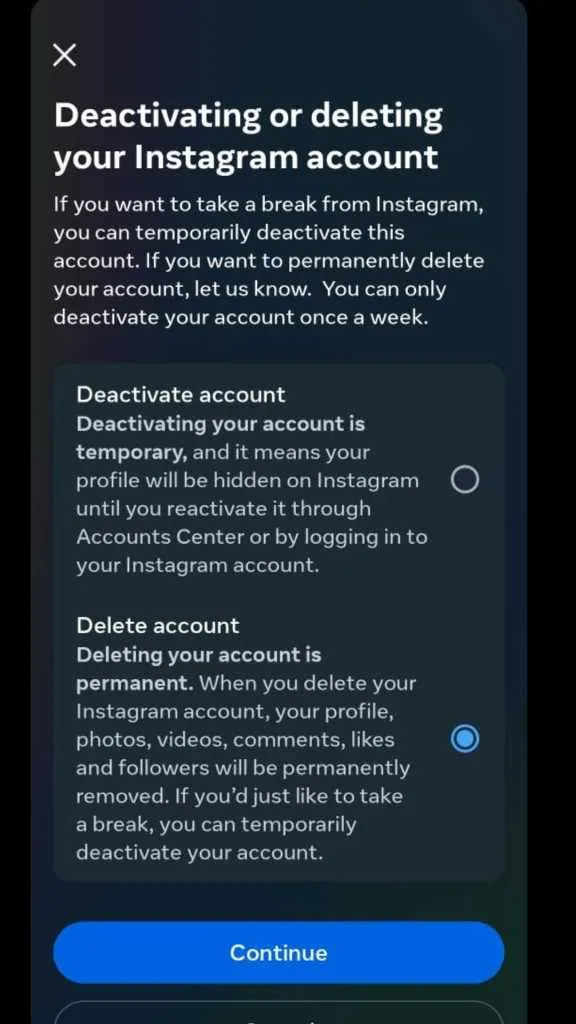
- Instagram will ask for the reason behind deleting your account.
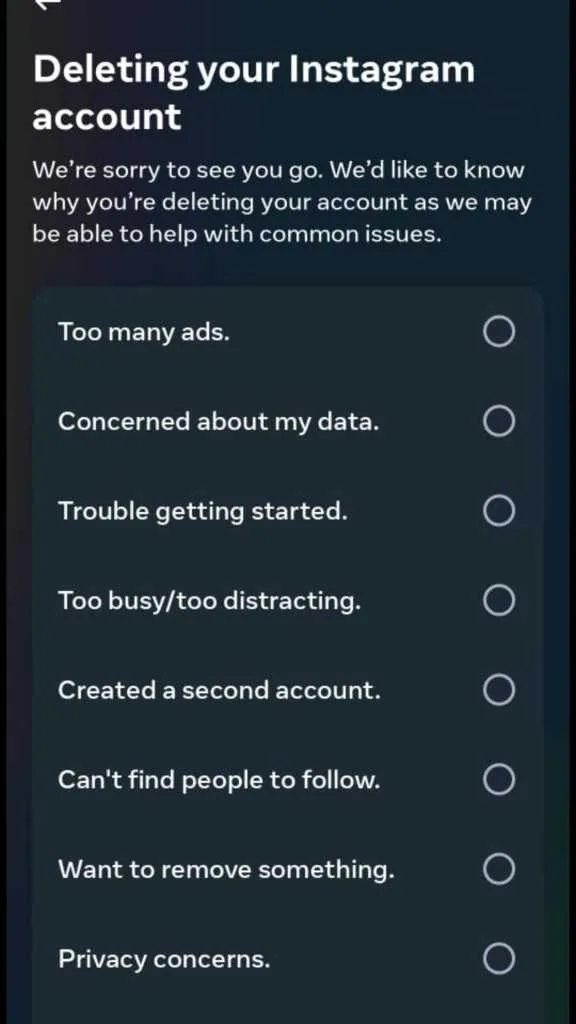
- Select your reason and tap on “Continue.”
- Follow the on-screen instructions provided, and your Instagram account will be deleted.
Deleting Your Instagram Account on iPhone
- Open the Instagram application on your iOS device.
- Tap the profile icon situated on the screen’s bottom.
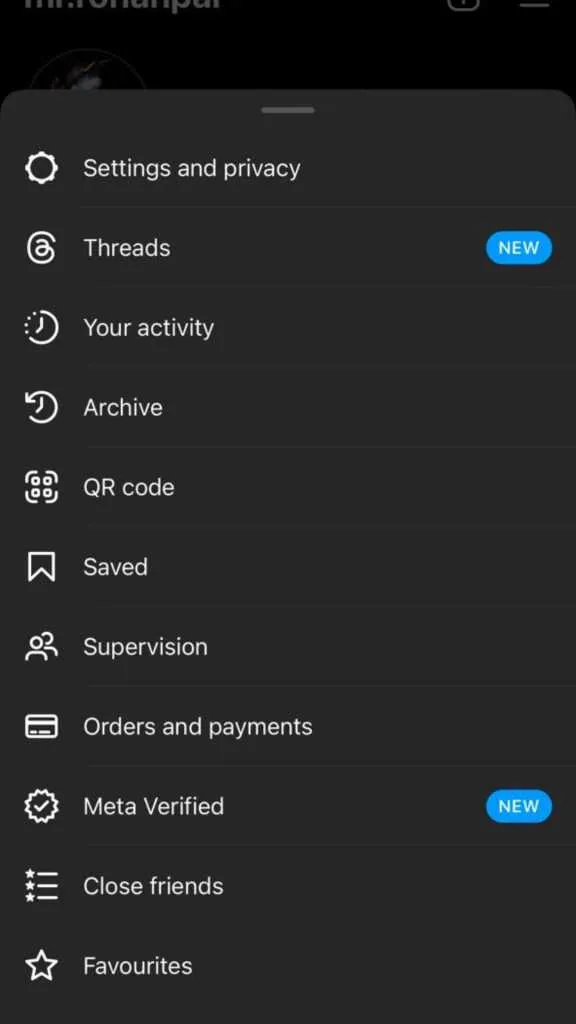
- On your profile section, click on the hamburger menu in the top-right corner.
- Select “Settings and Privacy.”
- In the search bar, type “Deletion or deactivation.”
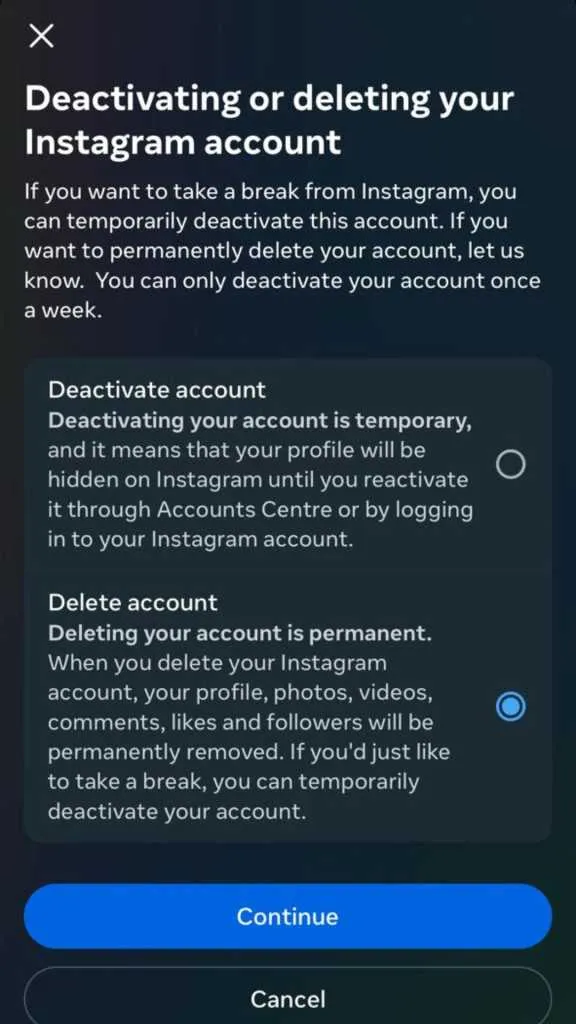
- Pick your profile from the available list of options.
- Tap on “Delete Account.”
- Instagram will ask for the reason behind deleting your account.
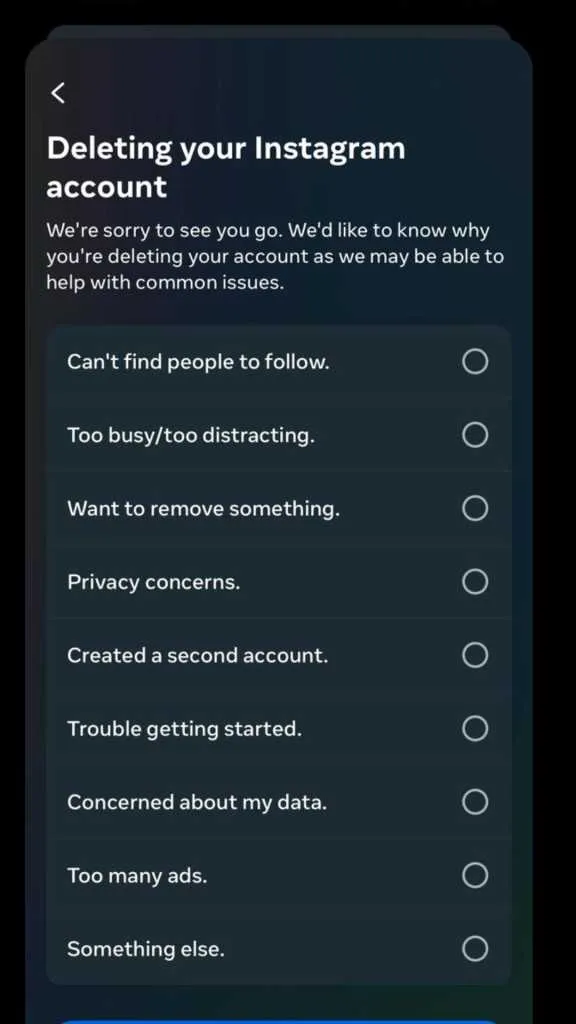
- Select your reason and tap on “Continue.”
- Your Instagram account will be deleted after completing the steps mentioned above.
How to Delete Your Instagram Account on a Computer
- Log into Instagram.com using your computer or mobile browser.
- Go to the “Delete Your Account” page on Instagram.
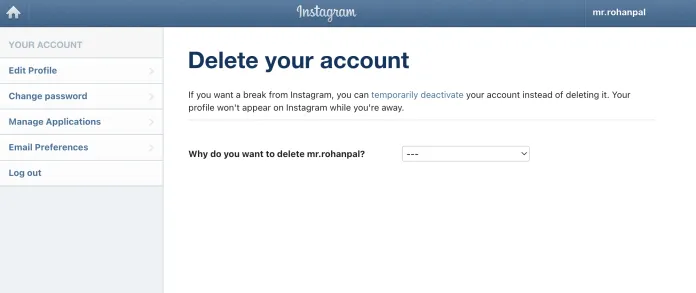
- Choose an option from the drop-down menu next to ‘Why are you deleting your account?’
- Select the reason from the list.
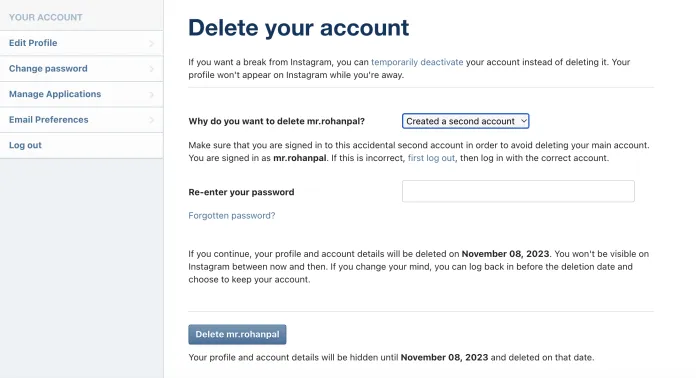
- Re-enter your password for verification.
- Click or tap on “Permanently delete my account” to complete the deletion process.
It’s important to note that the deletion process is not instantaneous. Instagram mentions that it may take up to 90 days from the initiation of the process to remove your Instagram account. During the first 30 days, if you change your mind, you can retrieve your account. However, after these 30 days, all your information will be permanently deleted.
FAQs
Can I recover my Instagram account after deletion?
Yes, you have a 30-day window to recover your account after deletion.
How long does it take to delete my Instagram account?
Instagram mentions it may take up to 90 days to obliterate your account.
Can I deactivate my account instead of deleting it?
Yes, Instagram provides an option to deactivate your account temporarily.
Will all my data be deleted after 30 days?
Yes, Instagram permanently deletes all your information after the 30-day recovery period.
Is there a way to download my Instagram data before deletion?
Indeed, Instagram allows you to download a copy of your data before account deletion.
Wrap Up
The decision to delete your Instagram account is a highly personal one, and the good news is that the platform has designed the process to be user-friendly, making it relatively easy for users to part ways with their accounts. Whether you’re using an Android or iOS device or prefer to do it from your computer, the steps are straightforward to follow. Instagram understands that people’s circumstances change, and the need to step away from the platform may arise. By providing clear and accessible steps for account deletion, they ensure that users have control over their digital presence.
So, if you find yourself in a position where you want to bid farewell to Instagram, rest assured that the process is well-documented and designed to be hassle-free, allowing you to make this personal choice with ease.

Selva Ganesh is a Computer Science Engineer, Android Developer, and Tech Enthusiast. As the Chief Editor of this blog, he brings over 10 years of experience in Android development and professional blogging. He has completed multiple courses under the Google News Initiative, enhancing his expertise in digital journalism and content accuracy. Selva also manages Android Infotech, a globally recognized platform known for its practical, solution-focused articles that help users resolve Android-related issues.