
After Magisk was released, the root process becomes more simple, and it does not depend on every device developer to work with custom recovery and other root file installation. Magisk developer topjohnwu also release very versions with additional features and error fix. The developer always releases two files. One is the direct Magisk Manager APK file which we can install like regular apps. The other one is a custom recovery flash file that we can flash in the recovery to gain root access. It may look confused sometimes and cause some issues with some early root apps users. Now, after Magisk Manager V 22.0, Both files are the same. When you want to flash the file, you can flash the same .apk file inside the .zip extension. To make the process simple, we here provide both .zip and .apk files for your installation.
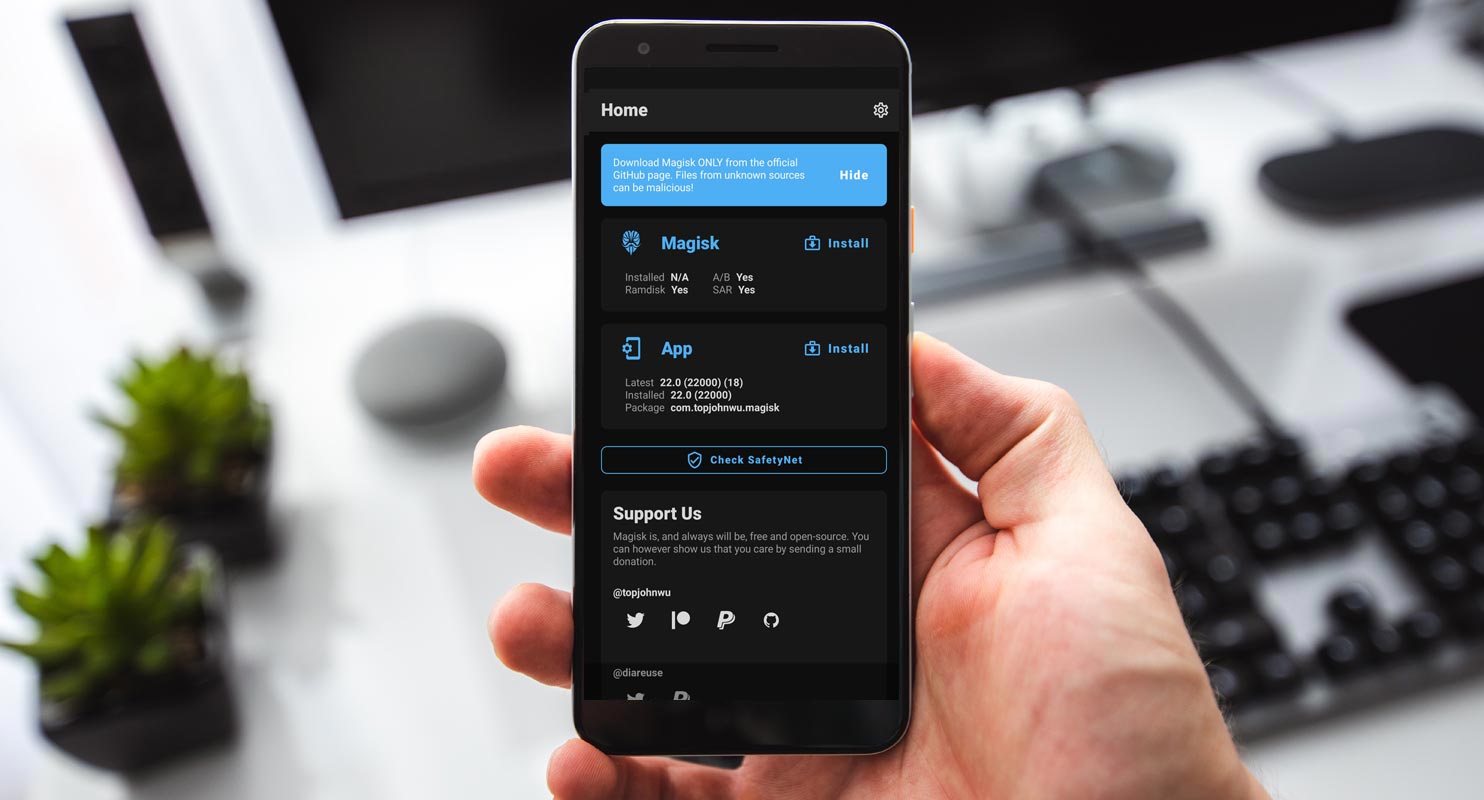
Interestingly, this app helps an Android user to hide the root from certain Apps. This rooting app functions in a unique way that distinguishes it from other rooting apps out there. It does not affect your system partition; so, you’ll still retain your device’s benefits, such as receiving OTA updates from your device manufacturer. Even the app skips practically all security checks involved in rooting Android devices, making the process more accessible and straightforward. When this app is used in rooting a device, the Android device will still receive OTA updates.
There are many features of this app, and we have listed them in this article. It is a comprehensive article for Magisk and Manager.

Supporting Android Versions
-
All Android devices are running on custom recovery installations.
Things to note
-
Check the mobile device number.
-
Make sure the mobile Android device is charged above 50% (a fully charged battery will be best)
-
Because running advanced user actions on Android devices can lead to unrecoverable data loss, run a full backup of the device files.
Download Magisk 22.0.zip
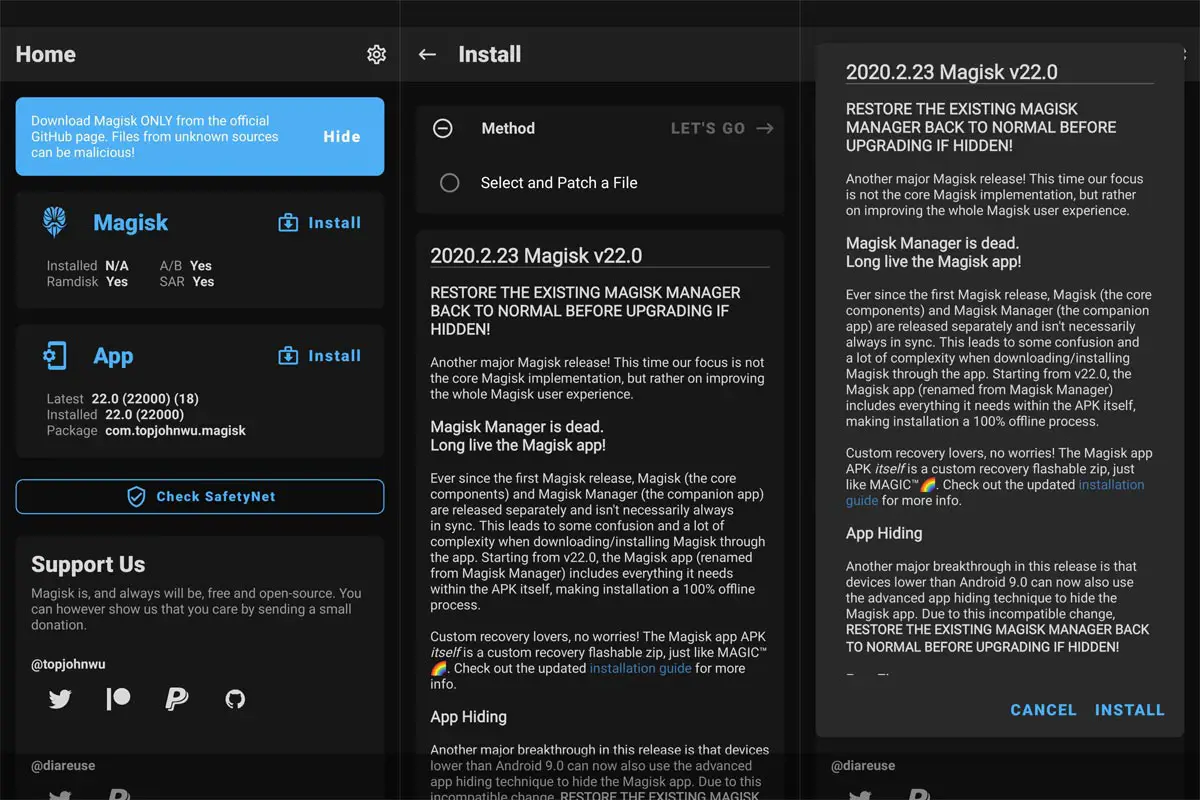
Below are the links to download the available Magisk app versions. If you can’t download the file below, you can try our AFH Mirror.
- Magisk Version Latest
Magisk 22.0 Features
- Starting from Magisk V 22.0, There are no separate Magisk Manager App and Installation files. Both Magisk Manager APK and Flashable .zip files are the same.
- Magisk Hide fix implemented that prevent the feature does take effect.
- lz4_lg compressed file unpacking issue fix.
- Samsung Galaxy S21 series support.
- APEX paths fix added that cause libsqlite.so fail to load.
How to flash and root Android devices using Magisk.zip file
It is relatively easy to use this flexible app to root or flash Android mobile devices using this app, unlike other Android rooting apps.
-
You have to download Magisk.Zip from any of the links above and then copy it to its internal memory.
-
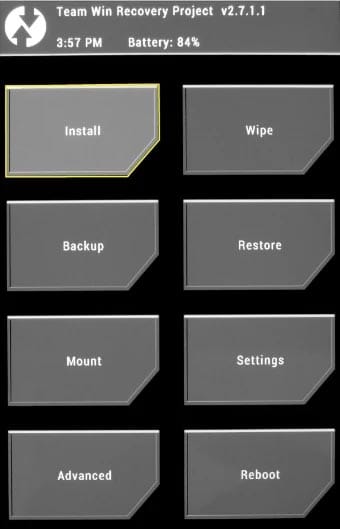
After that, power off the Android mobile device and boot into recovery mode. To boot an Android device into recovery mode, press the Volume Up + Power buttons at the same time for some seconds. Your device will boot into recovery mode when you press those buttons.
-
In the recovery mode, select Wipe >>> advance wipe >>> select cache data.
-
Return to the main menu in recovery mode and choose the “Install” option. Select Magisk.Zip from the file browser.
Note: Magisk.Zip has to be installed on your device’s internal memory to see it when choosing the “install” option in recovery mode.
-
After installing Magisk.Zip, reboot the Android device.
-
When the device is formerly booted up, you will find the SuperSu app icon in your app drawer.
How to uninstall Unwanted apps with root access
Typically, Android devices come with a lot of bloatware apps that are un-useful to the device owner. The sad news is that you can’t remove these apps unless you root your device. So, if you have rooted your device, here is removing unwanted apps from Android devices.
-
To uninstall unwanted apps, use Root Cleaner.
-
Copy the downloaded “Root Cleaner” files to your mobile internal memory
-
Run the install file and install Root Cleaner on your device
If you get the “Installation Blocked” message, click on settings and activate “Unknown Sources.”
-
After installing this app, go ahead to launch it and remove the bloatware apps on your rooted Android device.
-
Please check very well before uninstalling an app. If you uninstall a system or OS app, your device functionality will be severely affected.
-
With this “Root Cleaner” app, you can move apps installed on your phone memory to an SD card to free up more space for your device to function seamlessly. However, this may depend on system permission.
Download Magisk Manager V 22.0.apk
Here are the direct links to download Magisk Manager App for Android devices. The Magisk manager works just like the SuperSU manager. If you can’t download the file below, you can try our AFH Mirror.
- Magisk Manager Version Latest
Installation Method
-
Download the Magisk Manager APK file and copy it to the device’s internal memory.
-
Select and Install it on your mobile.
-
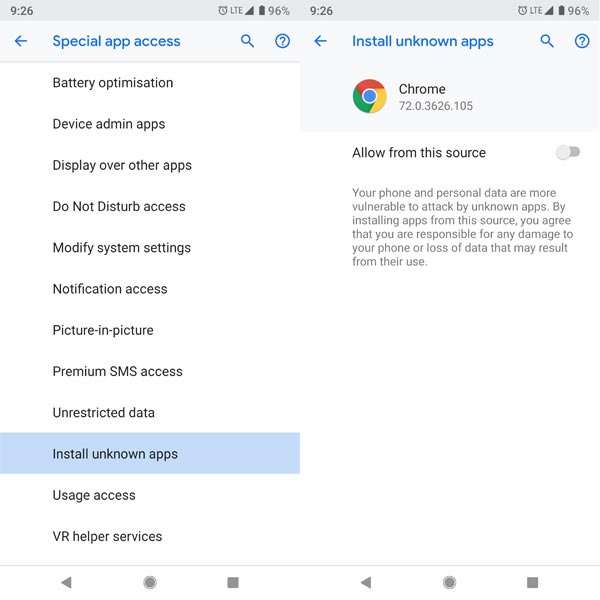
If you get the “Installation Blocked” message, click on settings and activate “Unknown Sources.”
-
Allow all permissions that the app will request. Granting these permissions will make the app function as expected.
-
We can even use this app to upgrade the Magisk version on your device. It works exactly like the SuperSu but with more intuitive features for more functions.
Magisk Manager Features
As said earlier, there are quite a variety of enticing features you’ll find on the Magisk Manager App.
-
Systemless rooting
-
Magisk hides
-
Zip file Installation
-
System partition
-
Root your device Easily
-
Hide root
-
Custom recovery Installation
-
Boot image Installation
-
Xposed framework
-
Magisk modules
-
Safetynet checks
-
System files Installation
Magisk Manager Un-Installation Method
In case you wish to uninstall Magisk from an Android device, follow the steps below;
-
Download Magisk Uninstaller APK and copy it to your internal memory.
-
Run the installer file to install it on the Android mobile.
-
If you get the “Installation Blocked” message, click on settings and activate “Unknown Sources.”
-
Grant required permission to access the app.
-
Then, select “Uninstall Magisk.”
Wrap Up
When you need other Magisk versions, You can refer to Download All Magisk versions. This article is created for advanced Android users who want to root their mobile devices via the systemless method. Magisk is a tested and trusted app for rooting Android devices faster. We have also included detailed processes on how to flash and root Android devices using this app. We also covered how you can uninstall the app if you do not want to have it anymore. With this Magisk 22.0 version Systemless root methods, We can almost root any android mobile by patching boot.img, Vbmeta.img, and recovery.img files. Even if they don’t give features like custom recovery, this method is enough to install your favorite root apps.
Thanks to XDA Developer- topjohnwu.

Selva Ganesh is a Computer Science Engineer, Android Developer, and Tech Enthusiast. As the Chief Editor of this blog, he brings over 10 years of experience in Android development and professional blogging. He has completed multiple courses under the Google News Initiative, enhancing his expertise in digital journalism and content accuracy. Selva also manages Android Infotech, a globally recognized platform known for its practical, solution-focused articles that help users resolve Android-related issues.