
Pokémon Go, the viral augmented reality game, isn’t immune to issues, and one everyday challenge users face is authentication problems hindering logins. If you find yourself grappling with the frustrating “Failed to Authenticate” error, don’t worry. This article comes to the rescue with a comprehensive guide, delving into the intricacies of identifying and resolving this issue. Acknowledging the widespread occurrence of this problem, the guide navigates users through a troubleshooting journey, offering insights into potential solutions. By understanding the nuances of authentication errors, users can empower themselves to overcome obstacles and fully immerse in the captivating Pokémon Go experience, ensuring uninterrupted access to the virtual realm.
Turning Off WiFi: A Quick Fix
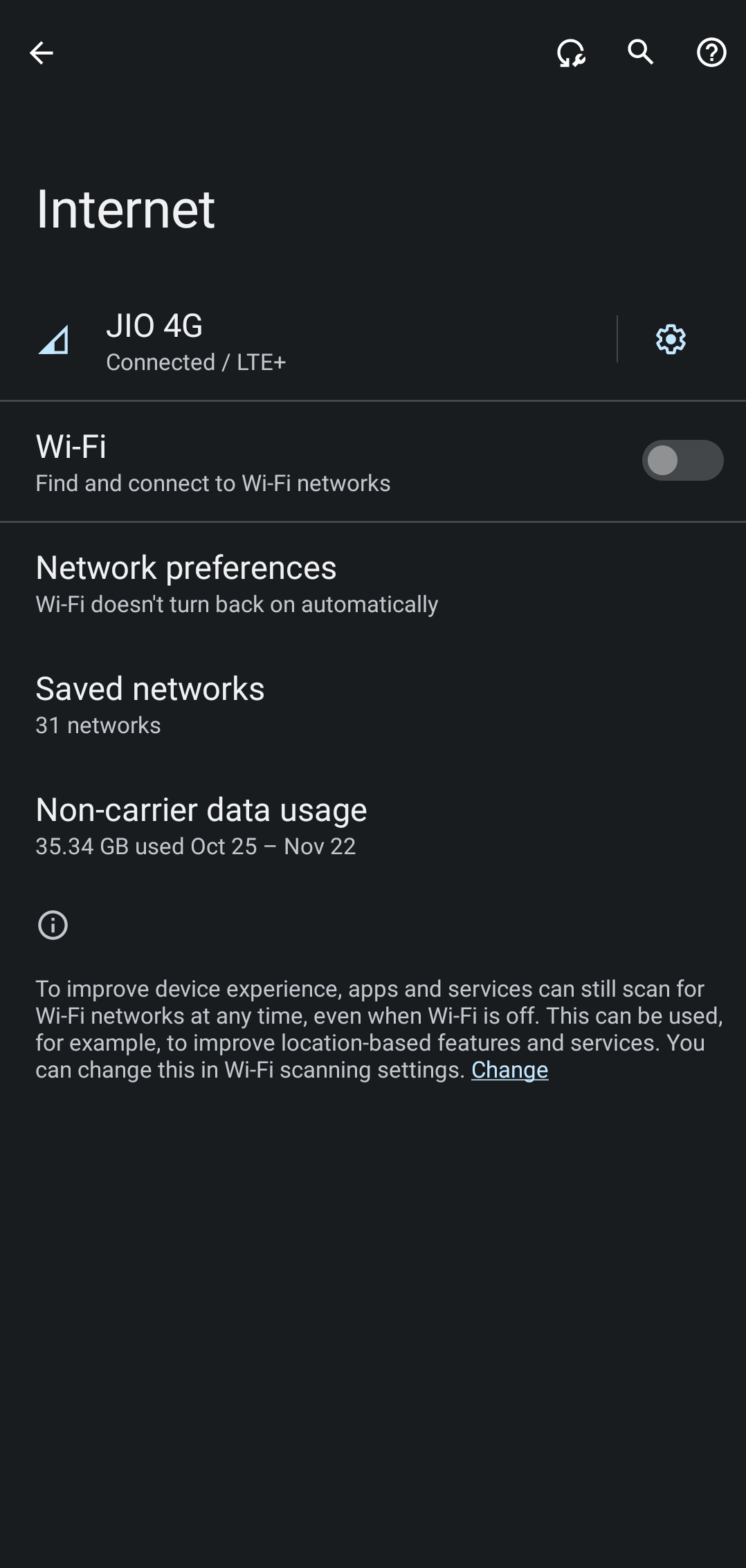
The first course of action is a simple yet effective step. Turn off WiFi on your device, wait for a few seconds, and then turn it back on. This quick maneuver refreshes the underlying settings and may rectify the authentication problem. Give it a try and check if it fixes the issue.

Removing Battery Restrictions
Sometimes, the game’s performance is hindered by battery-related restrictions. Let the game run in the background without any limits to resolve this. Follow these steps:
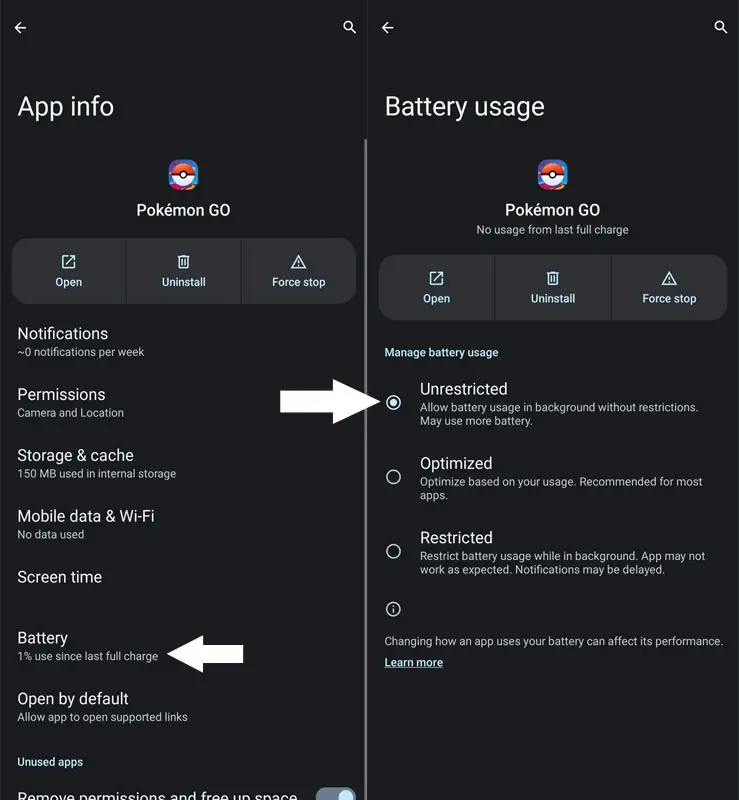
- Head over to Settings > Apps > All Apps > Pokemon Go.
- Go to its App, Battery Usage, and select Unrestricted.
- Check if this resolves the “Failed to Authenticate” error.
App Corruption and Outdated Versions
If the app becomes corrupted or outdated, it can lead to authentication issues. Consider deleting the app and letting it re-populate a fresh instance. Follow these steps:
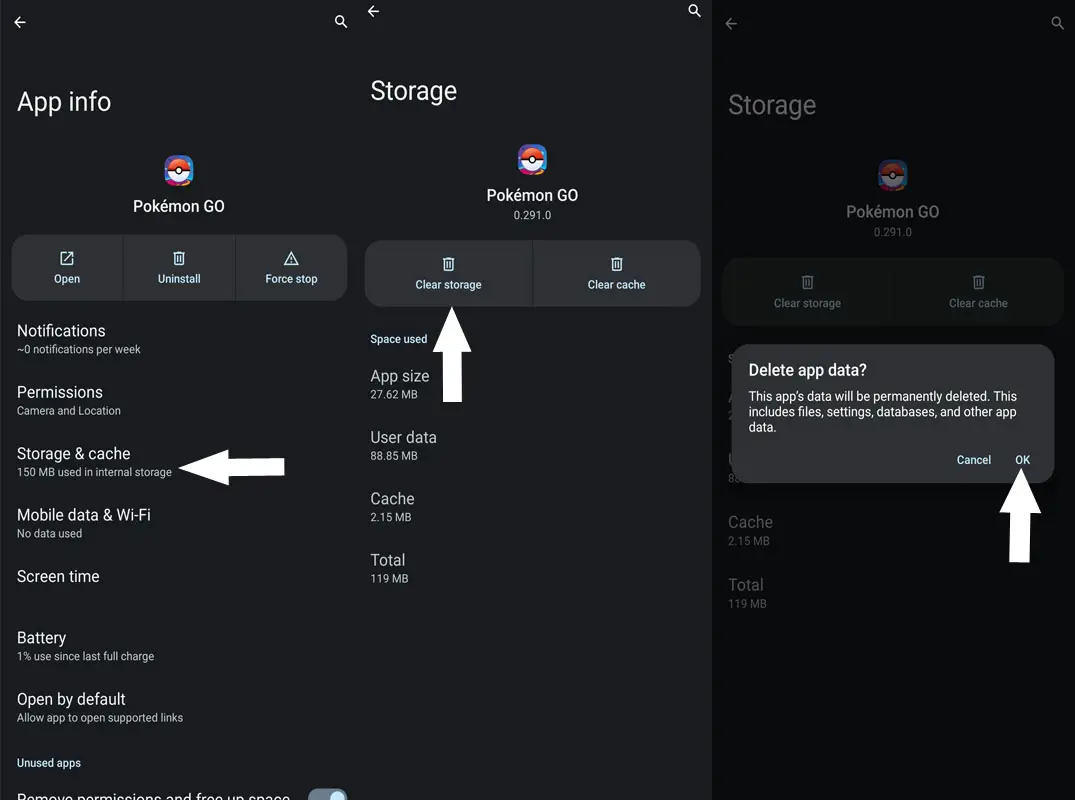
- Head over to Settings > Apps > All Apps > Pokemon Go.
- Go to its Storage and Cache section and select Clear Storage > Delete.
- Check if this fixes the authentication error.
Uninstall and Reinstall: The Last Resort
If none of the abovementioned tweaks work, your last action should be to uninstall and reinstall the app from scratch. Follow these steps:
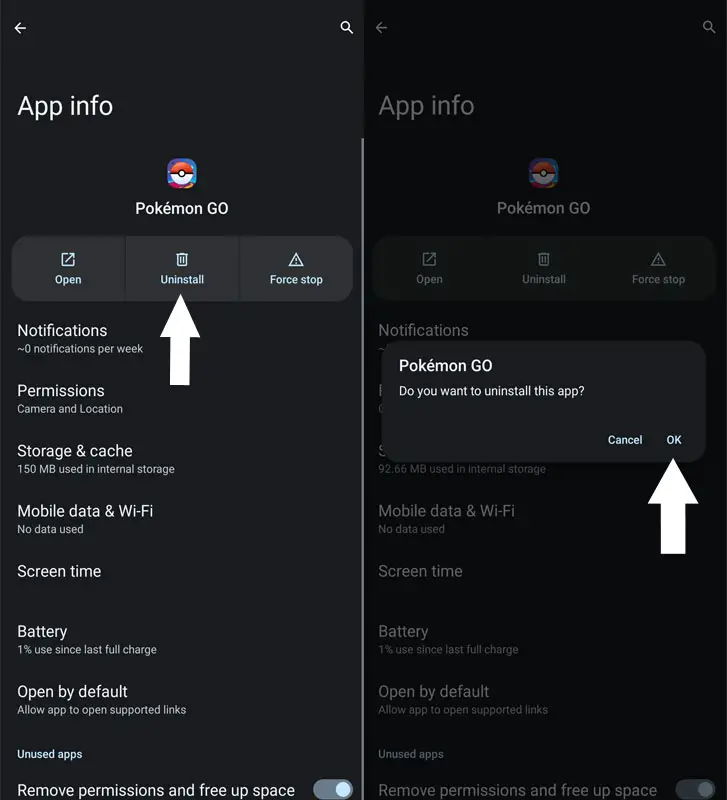
- Head over to Settings > Apps > All Apps > Pokemon Go.
- Tap Uninstall > OK in the confirmation prompt.
- Check if this resolves the underlying authentication issue.
FAQs
Why am I encountering authentication issues in Pokémon Go?
Authentication issues can arise for various reasons, including connectivity problems, app corruption, or outdated versions.
What should I do if turning off WiFi doesn’t work?
If turning off WiFi doesn’t work, consider removing battery restrictions, clearing app storage and cache, or ultimately uninstalling and reinstalling the app.
How do I remove battery restrictions for Pokémon Go?
Navigate to Settings > Apps > All Apps > Pokemon Go, go to App Battery Usage, and select Unrestricted.
Is it safe to clear the storage and cache of Pokémon Go?
Clearing storage and cache is safe and can resolve authentication issues caused by corrupted app data.
Why should I consider uninstalling and reinstalling the app?
Uninstalling and reinstalling the app creates a fresh installation, eliminating any corrupted or outdated files that may be causing authentication issues.
Wrap Up

Selva Ganesh is a Computer Science Engineer, Android Developer, and Tech Enthusiast. As the Chief Editor of this blog, he brings over 10 years of experience in Android development and professional blogging. He has completed multiple courses under the Google News Initiative, enhancing his expertise in digital journalism and content accuracy. Selva also manages Android Infotech, a globally recognized platform known for its practical, solution-focused articles that help users resolve Android-related issues.