
The tech community buzzed with anticipation when Apple launched the much-anticipated iOS 17.1.1 update, boasting improved performance and bug fixes. Enthusiastic users promptly updated their iPhones, envisioning a seamless experience. However, the reality unfolded differently, with a noteworthy glitch surfacing in the sound domain. Eager users soon grappled with unexpected challenges, ranging from muted sounds to irregular volume levels. This unforeseen turn of events highlighted the intricate nature of software updates, where even the most promising enhancements can inadvertently introduce new issues. As iPhone users navigated these unanticipated sound problems, the tech world collectively reflected on the unpredictable journey of device updates and the importance of promptly addressing and resolving emerging challenges.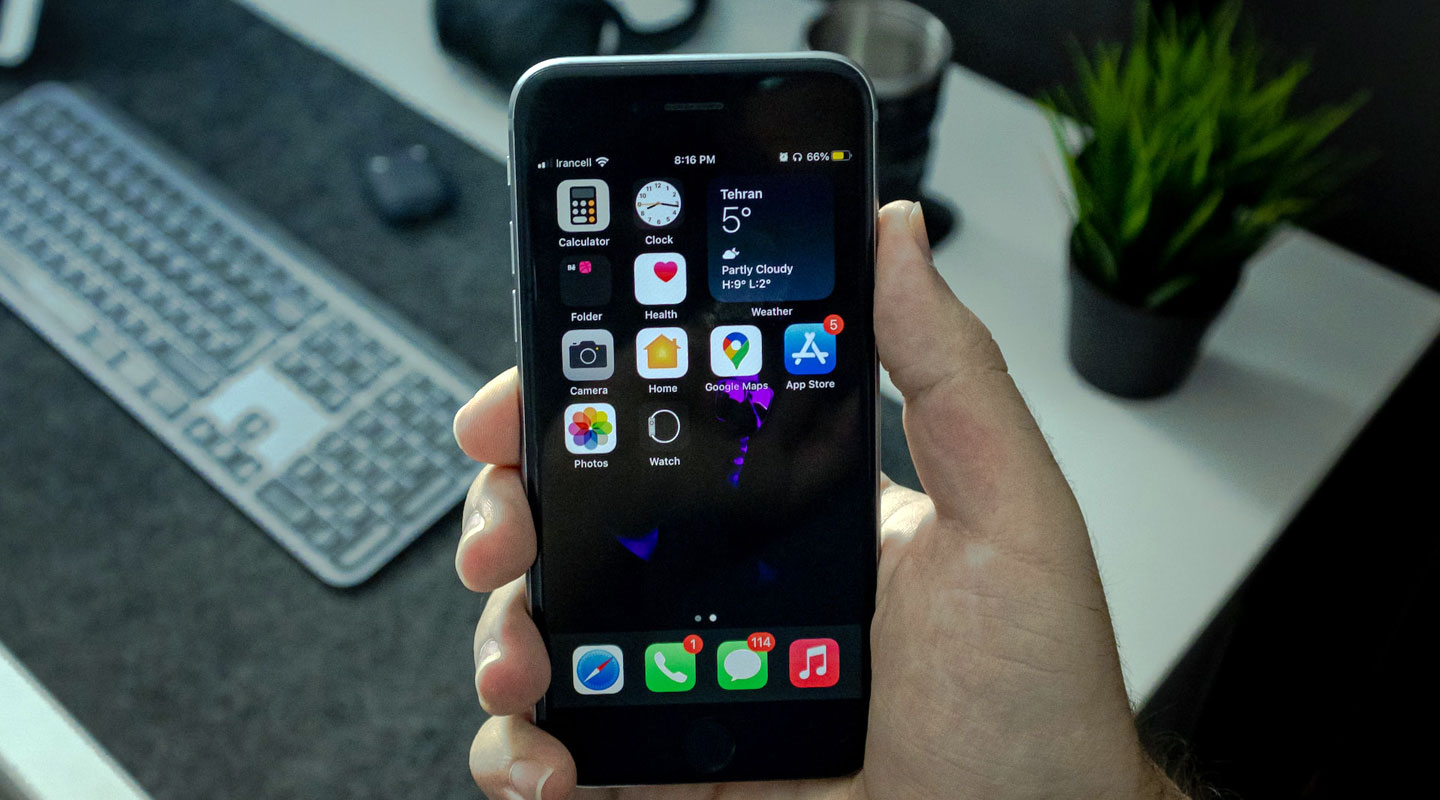
The Significance of iOS Updates
Before delving into the solutions, let’s understand why iOS updates are crucial. Apple consistently releases updates to address security concerns, improve system stability, and introduce new features. However, the reality often falls short of expectations, and users grapple with unforeseen issues.
Volume Issues on iPhone
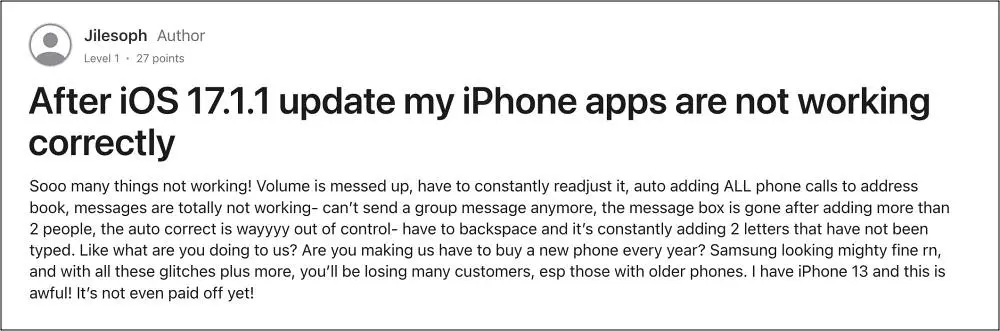

Volume issues have taken center stage among the various problems post iOS 17.1.1. Users have reported muted sounds, irregular volume levels, and distorted audio. It’s perplexing for iPhone enthusiasts who expected a seamless experience with the latest update.
Disabling Sound Check
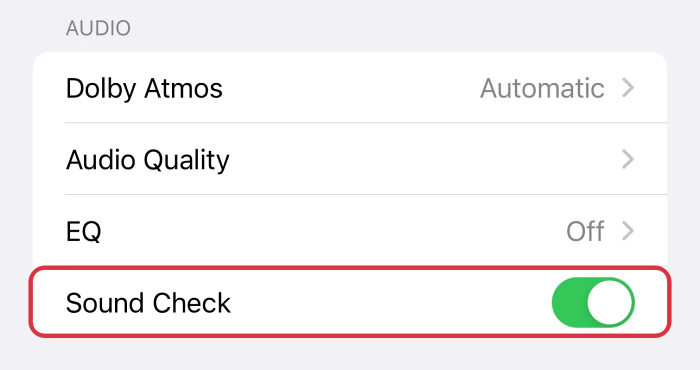
- The Sound Check feature, designed to equalize audio playback, might be the core of your sound problems.
- To troubleshoot, head to Settings > Music and turn off Sound Check.
- Test your device to see if the volume behaves as expected.
Mono Audio Feature
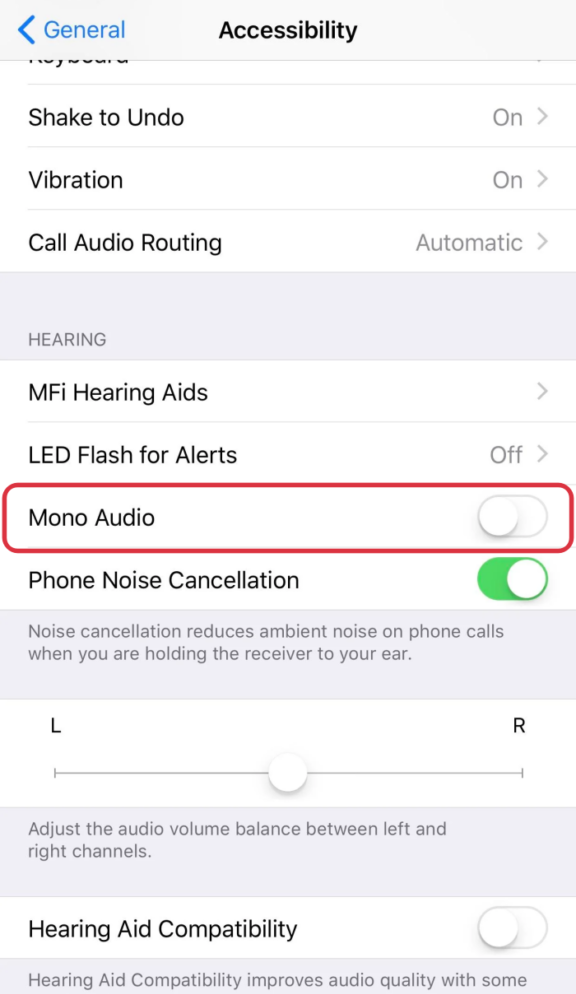
- Another workaround involves enabling the Mono Audio feature.
- This can be done through Settings > Accessibility > Audio/Visual.
- Turn on Mono Audio and observe if it resolves your sound issues.
- Sometimes, the simplest tweaks can yield the most significant results.
Real-World Testing
- It’s essential to put these solutions to the test.
- Try different scenarios – playing music, watching videos, making calls – to ensure a comprehensive assessment of the fixes.
- Remember, every iPhone may react differently, so be patient in finding the ideal solution for your device.
Additional Troubleshooting Tips
- For persistent sound problems, explore alternative solutions.
- Check community forums for user-generated fixes and hacks.
- Sometimes, the iPhone community is an invaluable resource for navigating technical challenges.
User Feedback
- Real-life user experiences can provide valuable insights.
- Several users have successfully overcome sound issues by following the suggested fixes.
- The sense of community support in resolving these challenges adds a positive aspect to the troubleshooting journey.
Staying Informed
- Stay informed about Apple’s support channels.
- Keep an eye on announcements for future updates that may address sound issues.
- Being proactive in seeking information ensures you’re well-prepared for any technological hiccups.
FAQs
Why did the sound issues occur after the iOS 17.1.1 update?
iOS updates can sometimes introduce unexpected bugs or conflicts, leading to challenging problems.
Do I need to contact Apple support for sound issues?
While community-driven solutions exist, reaching out to Apple support is advisable for comprehensive assistance.
Are there any risks in disabling Sound Check or enabling Mono Audio?
Disabling Sound Check or enabling Mono Audio carries minimal risk and can be easily reverted.
How long does it take for Apple to address such issues in future updates?
Apple typically addresses reported issues in subsequent updates, but the timeframe may vary.
Can I downgrade to a previous iOS version to resolve sound problems?
Downgrading is possible, but it’s a complex process and may not guarantee a solution. Proceed with caution.
Wrap Up
Addressing sound issues after the iOS 17.1.1 update necessitates a strategic and patient approach, acknowledging the potential for a trial-and-error process. Adherence to the provided steps becomes crucial as users grapple with unexpected audio challenges. Disabling the Sound Check feature via Settings and enabling Mono Audio through Accessibility are initial troubleshooting measures. However, the variability in individual iPhone responses underscores the importance of systematic testing and experimentation. The collective intelligence of the iPhone community becomes an invaluable resource in this journey, offering insights, alternative solutions, and shared experiences. By engaging with this collaborative knowledge base, users significantly improve their chances of pinpointing effective fixes tailored to their situations. Ultimately, this concerted effort not only resolves sound anomalies but fosters a sense of community support, ensuring a smoother and more enjoyable audio experience on devices running iOS 17.1.1.

Selva Ganesh is a Computer Science Engineer, Android Developer, and Tech Enthusiast. As the Chief Editor of this blog, he brings over 10 years of experience in Android development and professional blogging. He has completed multiple courses under the Google News Initiative, enhancing his expertise in digital journalism and content accuracy. Selva also manages Android Infotech, a globally recognized platform known for its practical, solution-focused articles that help users resolve Android-related issues.