
The primary purpose of free platforms for users is to make them comfortable with the venue and insists they buy enterprise editions. So, When it comes to paid plans, They have to provide better options to make the price worthy. Google Workspace platforms like Docs, Sheet, and Slides are famous among users because of their AI functions. Google Docs comes with lots of additional features. People who prefer Microsoft word early, Now feel google Docs make more sense and are easy to use. Now, Google Workspace Docs can suggest Alternate Words, Active Voice, and Sentence Structure. This kind of add-on comes as paid subscriptions on many platforms. But, Google is now rolling out these features for free.
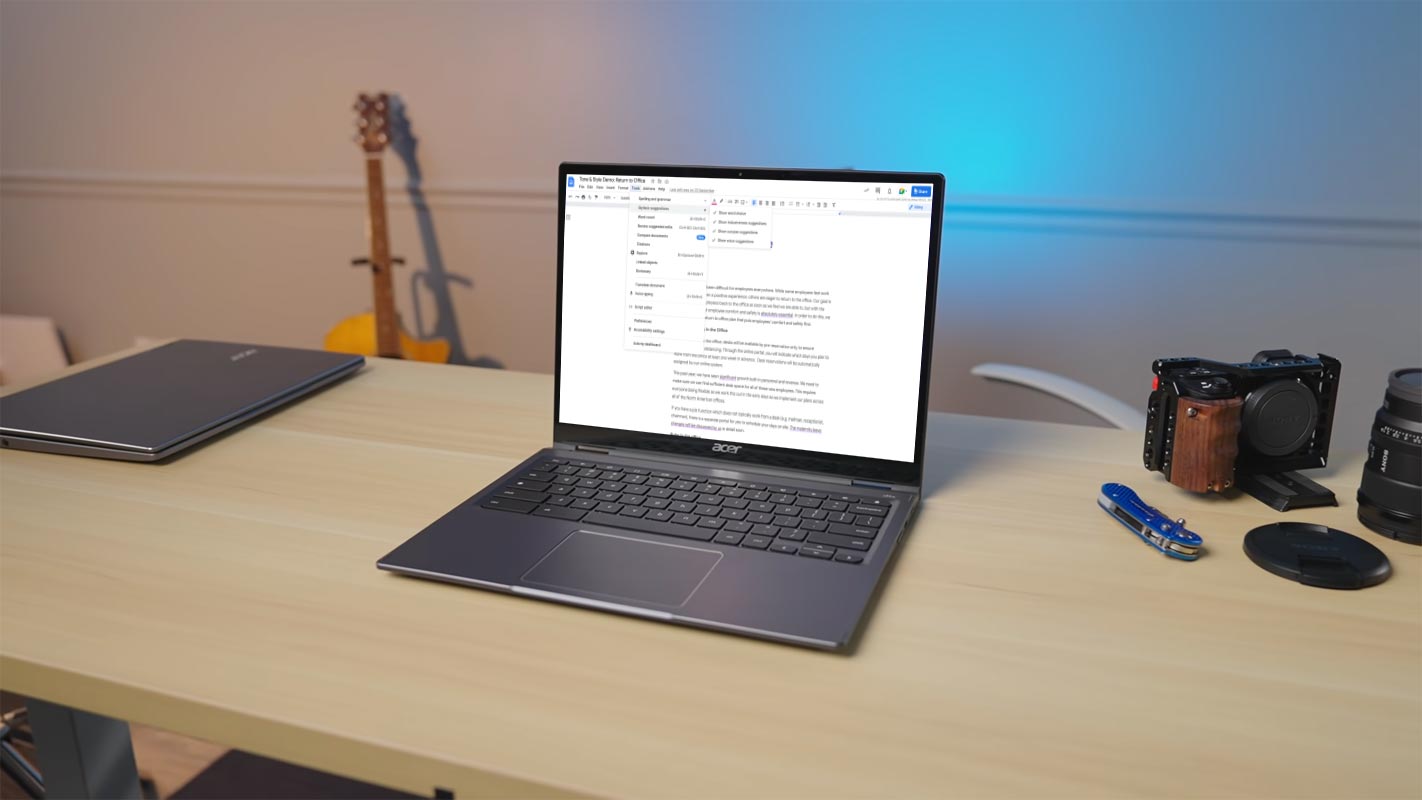
Google Workspace Docs Alternate Words, Active Voice, and Sentence Structure Options
A Workspace blog post will provide all you need to know about what to expect from this feature. If activated, you’ll notice jagged purple lines that indicate the words or phrases you type into Google Docs. Underlines will appear when the algorithm suggests alternative words to prevent unnecessary repetition or chances of making the active voice more prominent or more concise texts that are more inclusive or flag words that might be inappropriate. Google is hoping it will assist users in diversifying their writing and ensure that they’re making use of the most efficient word in any given circumstance.
New Word Suggestion Features
Google introduced several new assistive writing features to Google Docs, offering various style and tone suggestions to help you make impactful documents more quickly. Mainly, you’ll find tips for:

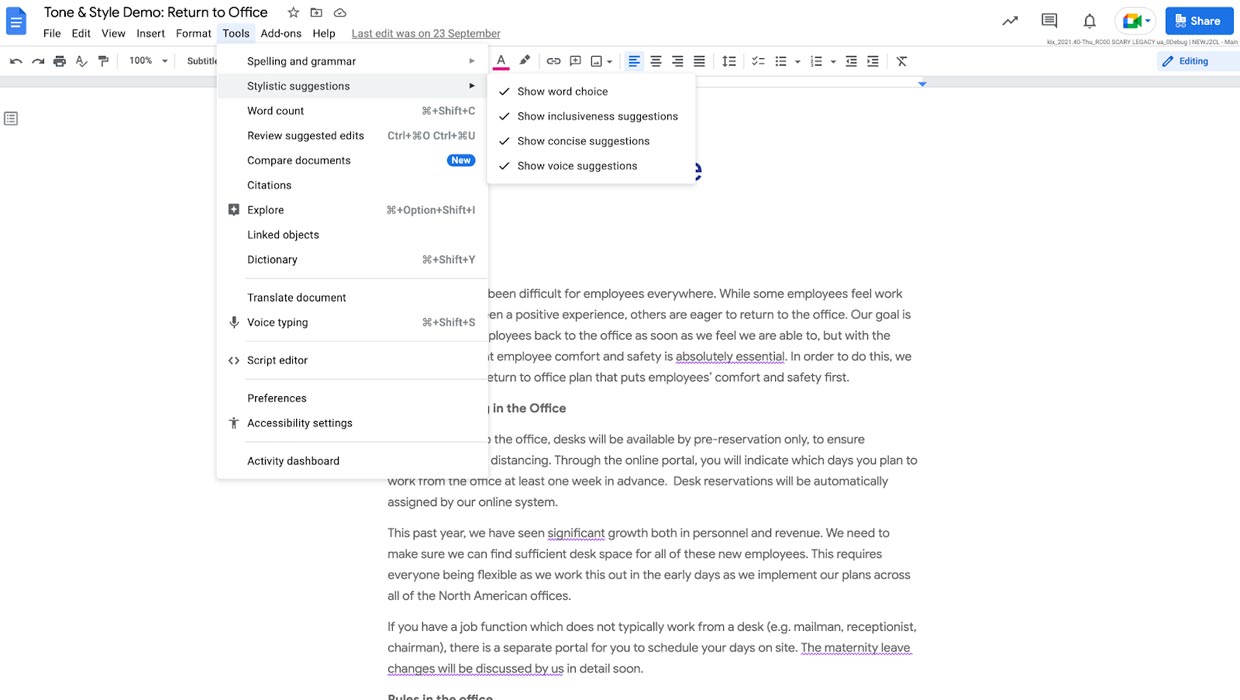
- Word option: More dynamic or contextually appropriate choice of words
- Active Voice: Active as opposed to passive
- Clarity: More concise phrases
- Inclusionary Language: More inclusive words or phrases
- Word Warnings: Reconsidering potentially inappropriate words
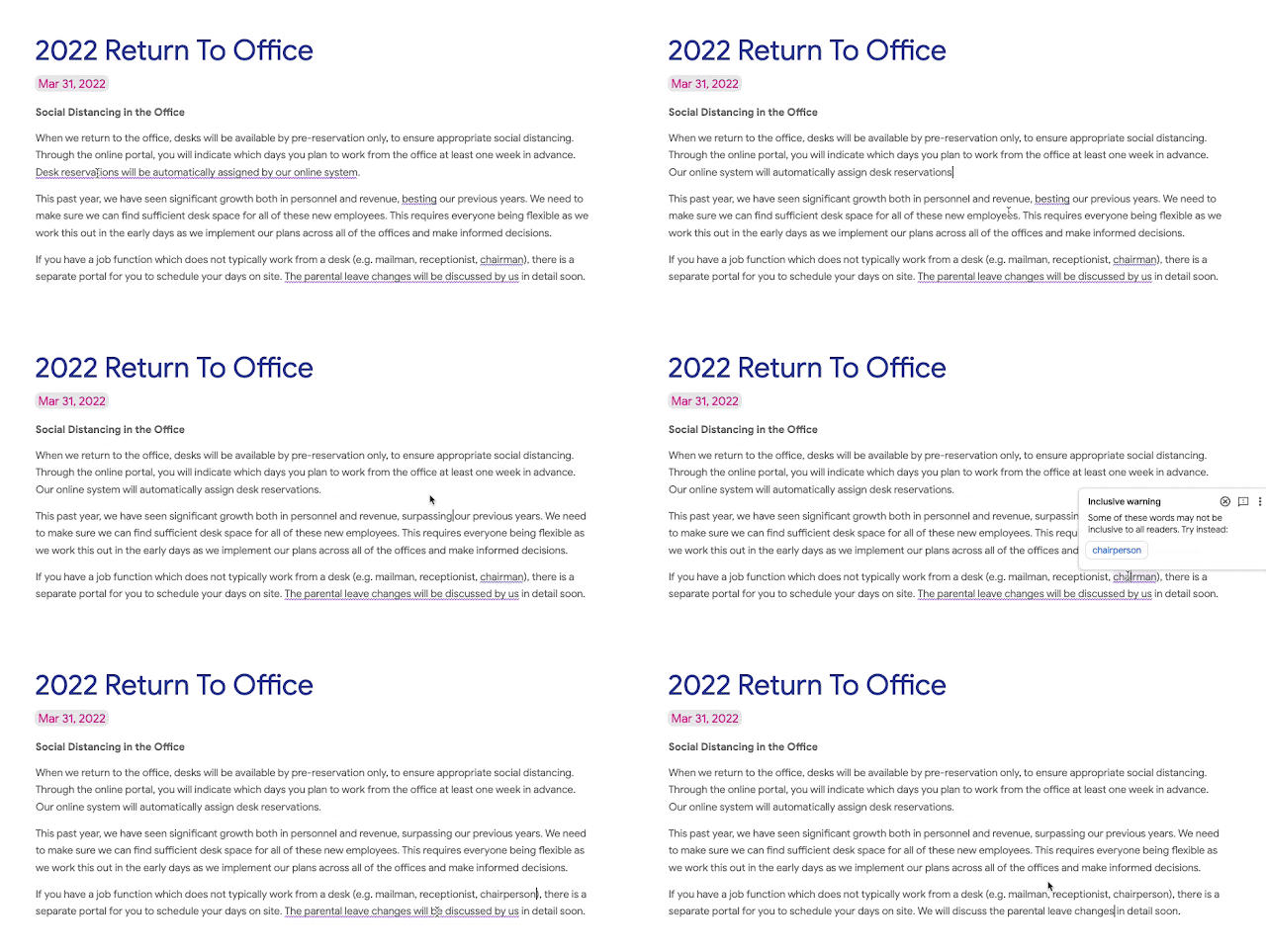
Google Docs has had different colored squiggly lines indicating incorrect content for an extended period. The red ones show up for spelling errors and blue flags grammar mistakes. Purple is an excellent alternative that could decrease the need for writers to use third-party tools. The way that these underlines behave remains the same, however. Click on the underline using your mouse, and a dialog box will pop up with the recommended change and the option to reject it to send feedback or change options.
Availability
The new feature of stylistic suggestions is rolling out now; however, you might not see it until the last day of April. It will be enabled by default for users once it’s available. You can turn it off for any reason by going into Tools > Style suggestion and choosing the features you don’t prefer. Some or all of these features might not be available according to your selected plan. Workspace plan. See the announcement update for more details.
How to Use Google Docs Suggestions?
Admins
- The features are enabled by default and can be disabled in the admin console; to choose Google Workspace educational editions, check out the details on availability below.
- We’ll introduce these administrative controls for the remaining Google Workspace editions in the next few months. These features will turn activated by default in those eligible editions but can be disabled at the domain, OU, and group levels. Please refer to the details on availability below.
End Users
- The feature will be enabled by default but can be turned off at the request of users. Go to Google Docs’ Help Center to learn more about managing writing suggestions within Google Docs.
- When you type into Docs, Tone and style suggestions are highlighted by an underline in purple. By clicking the underline, you will see an explanation of the offer. You can accept or deny the proposal here.
Wrap Up
Currently, the features will be rollout to Workspace users. We can expect the same options for regular Google Docs users soon. But there will be some reduced options. The success of any platform is to reduce the usage of third-party alternatives. Most of the users who have typing-related works, Use paid subscriptions like Grammarly. With the new Google Docs Word suggestions, Companies don’t need to put vast amounts on their employees for business plans. All of the required basic features now come with Google Docs. Did you feel the new features provide the same feel as paid alternatives? Share your thoughts below.

Selva Ganesh is a Computer Science Engineer, Android Developer, and Tech Enthusiast. As the Chief Editor of this blog, he brings over 10 years of experience in Android development and professional blogging. He has completed multiple courses under the Google News Initiative, enhancing his expertise in digital journalism and content accuracy. Selva also manages Android Infotech, a globally recognized platform known for its practical, solution-focused articles that help users resolve Android-related issues.