
Viewing content on Big Screen always gives us a great experience. But, The only problem with Big Screen is navigation. Using Remote in Android TVs is always a complex process compared with mobiles. That’s why most apps offer URL verifications instead of entering user names and passwords. Also, With Limited control buttons in some Android TVs, the process becomes further complicated. Searching and installing apps in Android TVs from Play Store is not as convenient as mobile. That’s why Google offers Install Apps on Android TV from your Mobile Google Play Store. So, Without searching and installing apps from Android TV, You can initiate the app installation from your Android Mobile.
Install Google Play Store Apps remotely from different devices
You may already be familiar with the desktop option that allows you to install and initiate apps to your mobile from the desktop version of the Play Store. After you start, the apps will be installed automatically one by one when they get an internet connection. The option is already available for years. In Google I/O 2021 event, Google announced further additional steps to install apps into your Wear OS from your mobile with the drop-down menu to see supported apps. Now, Google announced a new feature that will allow you to install apps to your Android TV from your mobile. But to do this process, You should meet some criteria.
How to Install Apps in Android TV from your Mobile Google Play Store?
- To Install the app from your mobile, Your mobile and Android TV should have the same Google account. To check your current Google account in the mobile Play Store, follow the below steps.
- Go to Play Store> Select profile> You will get your account name and email address.
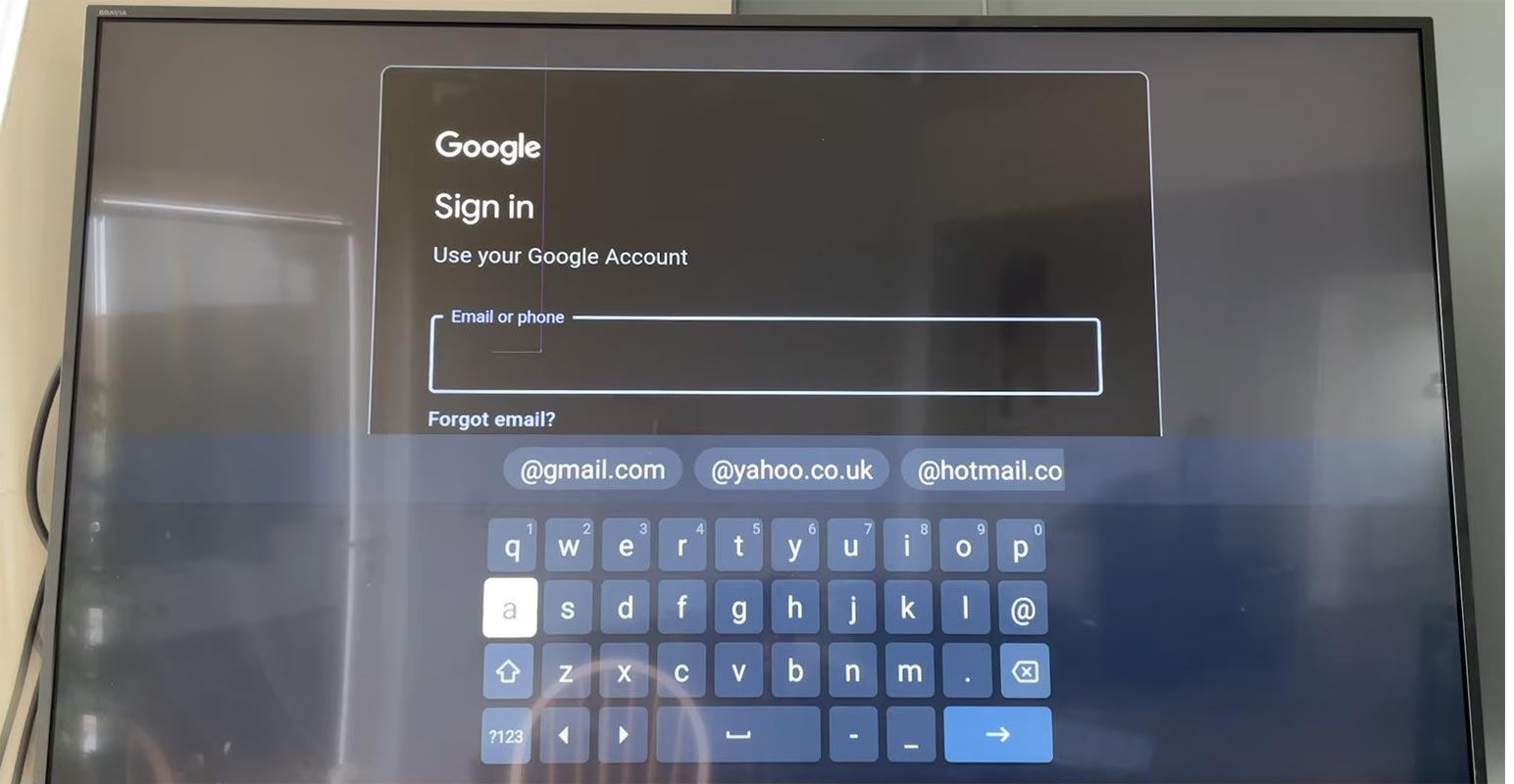

- You should log in to the same account on your Android TV.
- Go to Settings> Accounts>Google> Log in with your details.
- After successful login into your Android TV, open the Play Store and Search for the app installed on the Android TV.
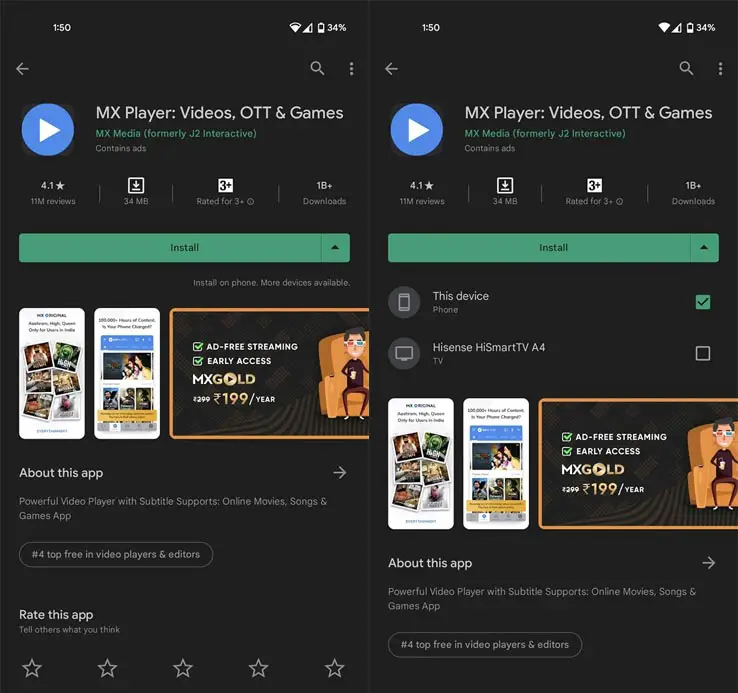
- When you find supportive Apps, You will get the Drop-Down menu in the install option.
- There you can select whether you want to install the app on a current device or your Android TV.
- Select Android TV. The app will be installed when your Android TV is connected to the Internet connection.
How to Install Apps in Android TV from your Desktop Google Play Store?
- When you can’t install apps using the above method, Don’t worry; another alternative option is available to install the app.
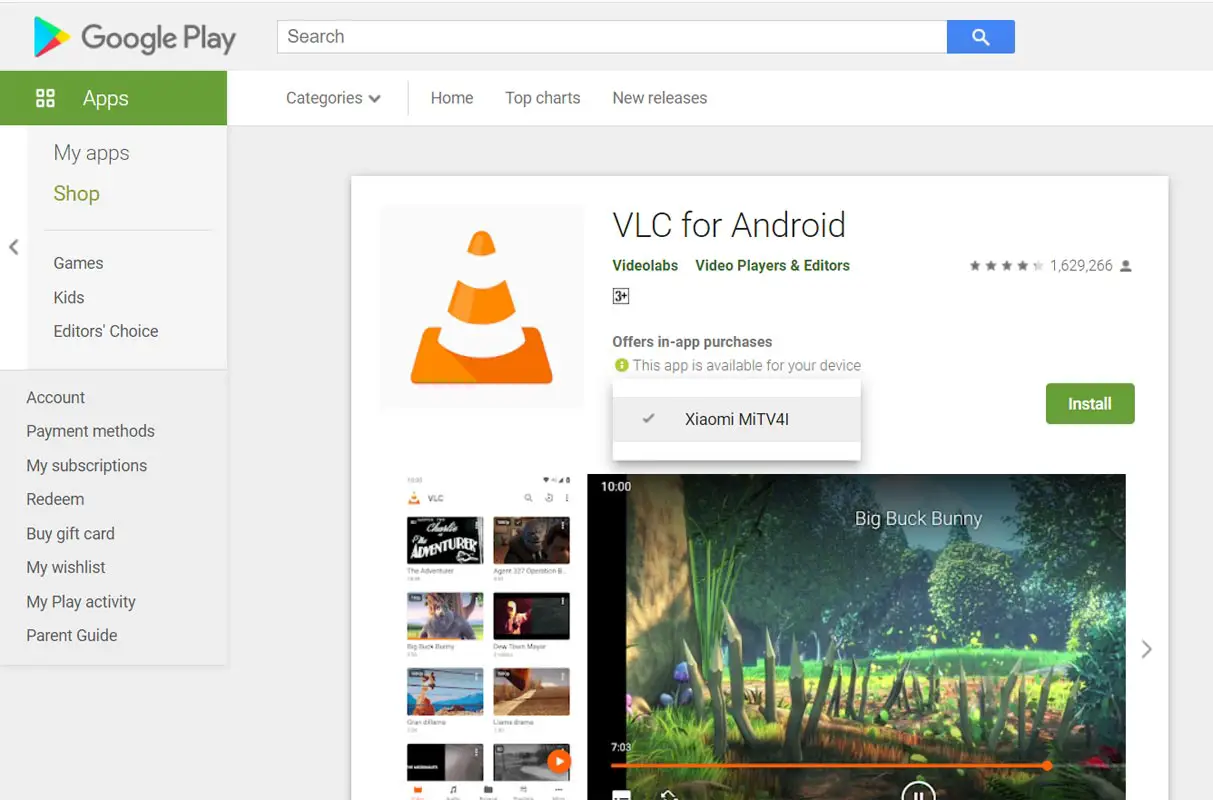
- Go to Play Store and log in with your Android TV Google account.
- Search for your apps. When you find supported apps, You will get the option of Install.
- Select Android TV. The app will be installed when your Android TV is connected to the Internet connection.
Wrap Up
Compared with Mobiles and Tablets, Android TV navigation still lacks comfortable. That’s why developers are releasing separate apps for controlling with easy navigation and limited options. We can find plenty of supported apps in the Play Store for Android TV. But when you don’t see any apps, you can sideload apps on your Android TV. Allowing Apps installation from mobile is a good initiative from Google. Rolling out new things and products can grab new users to Google. But adding new essential features in the existing platforms makes users stay on the platform and make them use other Google platforms. Did you try the latest Android TV apps Installation from your Mobile Google Play Store? Share your thoughts below.

Selva Ganesh is a Computer Science Engineer, Android Developer, and Tech Enthusiast. As the Chief Editor of this blog, he brings over 10 years of experience in Android development and professional blogging. He has completed multiple courses under the Google News Initiative, enhancing his expertise in digital journalism and content accuracy. Selva also manages Android Infotech, a globally recognized platform known for its practical, solution-focused articles that help users resolve Android-related issues.