
Google Finance, a service initiated by Google in 2006, has seen considerable evolution. Initially offering business and enterprise headlines, stock information, and charts, it has adapted over time. There isn’t a separate app for Google Finance on Android devices. However, thanks to its Progressive Web App (PWA) feature, users can still access it akin to a native app experience, receiving notifications and other app-like features. Google Finance emerged in 2006, providing financial news and stock information, incorporating Flash-based stock price charts and news event markers. It amalgamated Google News and Google Blog Search articles, although link credibility wasn’t guaranteed.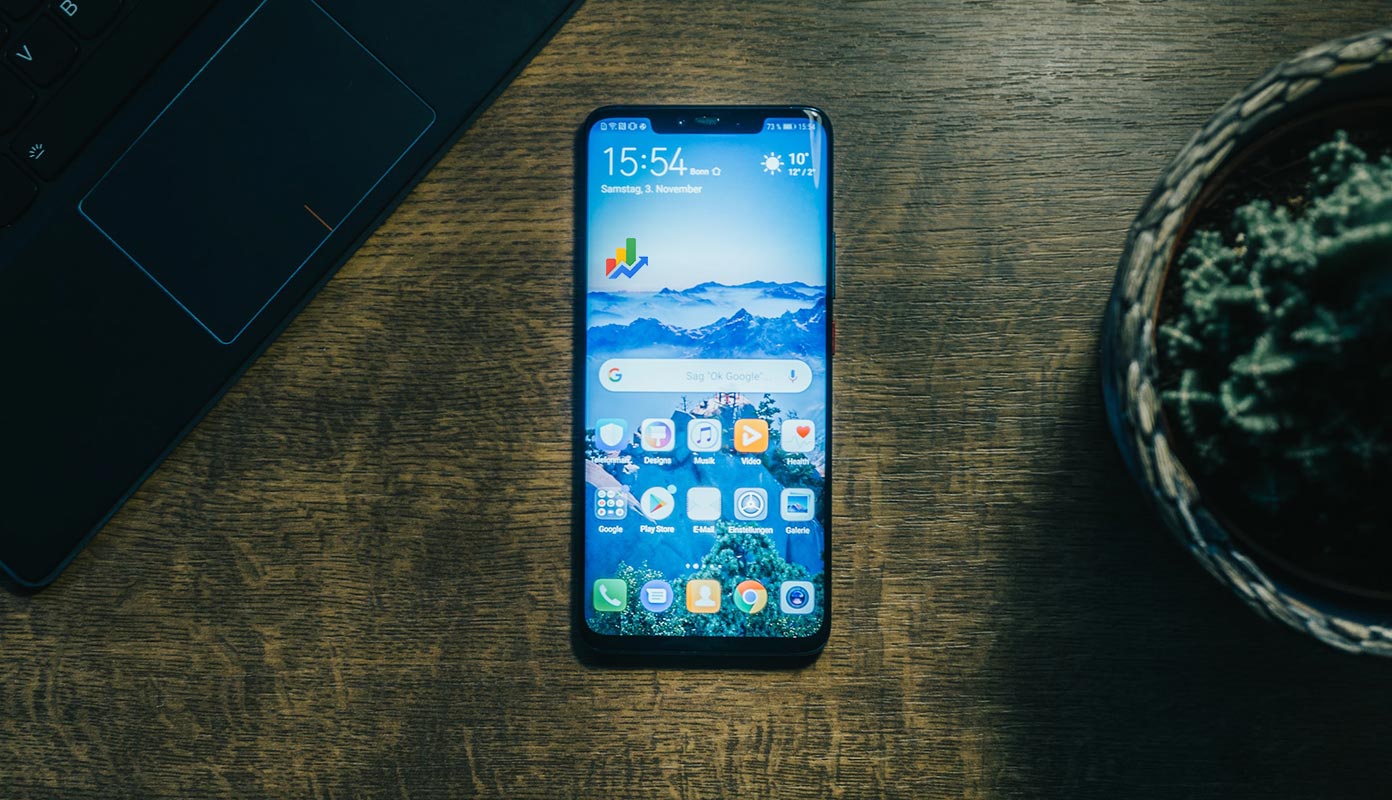
The Absence of a Separate Google Finance App
Despite the lack of a standalone app, the PWA functionality of Google Finance permits Android users to install and operate it as an app, offering a seamless experience akin to a native application.
Advantages of Using Google Finance on Android
The ability to receive notifications and enjoy a user-friendly interface adds significant value to accessing Google Finance through a browser on Android devices. It provides accessibility and convenience without the necessity of a dedicated app installation.

Step-by-Step Guide: Installing Google Finance on Android as a PWA
Users can follow a straightforward process to install Google Finance as a PWA on an Android device. This involves accessing the website and creating a shortcut on the device’s home screen for quick access.
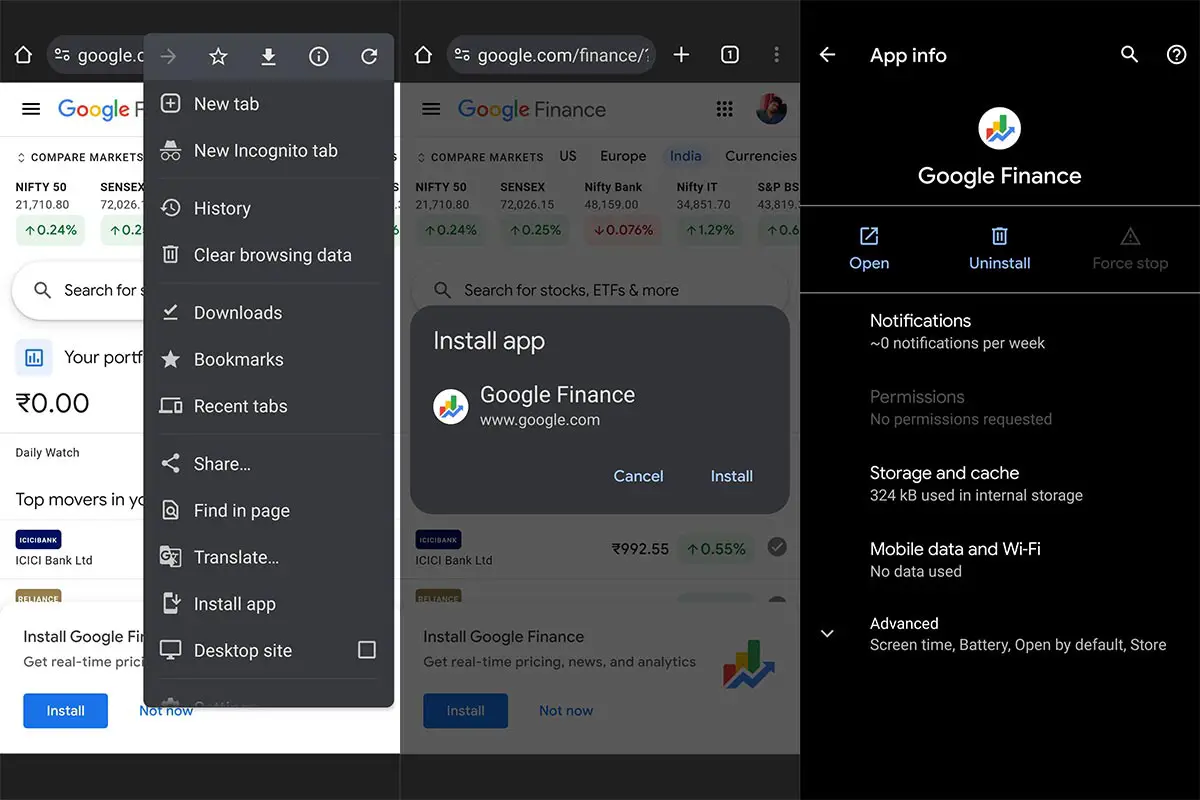
- Open Google Chrome: Unlock your Android device and launch the Google Chrome browser. Ensure you have a stable internet connection.
- Visit Google Finance: Type “Google Finance” into the search bar or enter the URL “finance.google.com” directly into the browser’s address bar.
- Access the Website: Once on the Google Finance website, explore the features and options available. Navigate through the various sections to familiarize yourself with the interface.
- Look for the Three Dots Menu: In the top right corner of the browser window, you’ll find three vertical dots. Tap on these dots to open the browser menu.
- Locate “Add to Home Screen.”: From the dropdown menu, look for the option “Add to Home Screen” or “Install Google Finance.” Tap on it to proceed.
- Confirm Installation: A prompt will appear, asking for confirmation to add Google Finance to your home screen. Confirm by tapping “Add” or “Install.”
- Shortcut Created: Google Finance will now be added to your device’s home screen as a shortcut, resembling a regular app icon.
- Access Google Finance PWA: You can now access Google Finance by tapping the newly created shortcut on your home screen, just like any other app.
- Enjoy the PWA Experience: Open Google Finance from the shortcut, and you’ll experience it as a Progressive Web App, providing features similar to a native app, including notifications and offline access.
- Customize as Needed: Explore the settings within the PWA to customize notifications, watchlists, and other preferences according to your preferences.
Following these steps, you’ll have successfully installed Google Finance as a Progressive Web App on your Android device, allowing you to enjoy its features without needing a separate installation.
User Experience and Interface of Google Finance PWA on Android
Navigating through Google Finance’s PWA on an Android device showcases a user-friendly interface. Users can easily access various features, track stocks, and leverage the service without the constraints of a dedicated app.
FAQs
Can I get real-time stock updates through Google Finance’s PWA on Android?
Yes, Google Finance’s PWA on Android provides real-time stock updates. It offers timely information on stock prices, market trends, and other financial data.
Does installing Google Finance as a PWA consume more data than a dedicated app?
Installing Google Finance as a PWA doesn’t typically consume more data than a dedicated app. PWAs are optimized to use minimal data, ensuring an efficient browsing experience.
Can I customize notifications for specific stocks on Google Finance PWA?
Yes, Google Finance’s PWA allows you to customize notifications for specific stocks. You can set alerts for price changes, market movements, or news updates on chosen stocks.
Are all features of Google Finance available through its PWA version on Android?
Most of Google Finance’s features are available through its PWA version on Android. However, some advanced functionalities or features might be more limited than the desktop version.
Does Google Finance PWA on Android support offline access to previously viewed data?
Yes, Google Finance’s PWA on Android supports offline access to previously viewed data. It caches data, allowing you to access recent information even when offline. However, real-time updates might not be available without an internet connection.
Wrap Up
Despite the lack of an exclusive Google Finance app for Android, users can still relish its functionalities through the Progressive Web App (PWA) feature. This absence doesn’t impede access; instead, the PWA ensures a seamless experience akin to a dedicated app. Users benefit from features like notifications and other app-like functionalities, offering convenience without requiring a separate installation.
The PWA technology bridges the gap, allowing users to access Google Finance effortlessly through their web browsers on Android devices. Through this method, users can receive timely updates, track stocks, and explore financial information just as they would with a native app. The PWA’s adaptability enhances accessibility, ensuring that users can utilize Google Finance without the constraints of a standalone application, enabling a user-friendly and feature-rich experience on their Android devices.

Selva Ganesh is a Computer Science Engineer, Android Developer, and Tech Enthusiast. As the Chief Editor of this blog, he brings over 10 years of experience in Android development and professional blogging. He has completed multiple courses under the Google News Initiative, enhancing his expertise in digital journalism and content accuracy. Selva also manages Android Infotech, a globally recognized platform known for its practical, solution-focused articles that help users resolve Android-related issues.