
When LG Released LG G6 in 2017, It got everyone’s eye with dual Camera Setup and Perfect rear fingerprint sensor. It has Decent 4 GB RAM with Clean software. You can update your LG G6 using official Software update. But, in certain conditions, if you need a manual update, you can use the below method. We provided all variant firmware for your device. Follow every step carefully to achieve the process.

Unlock Bootloader
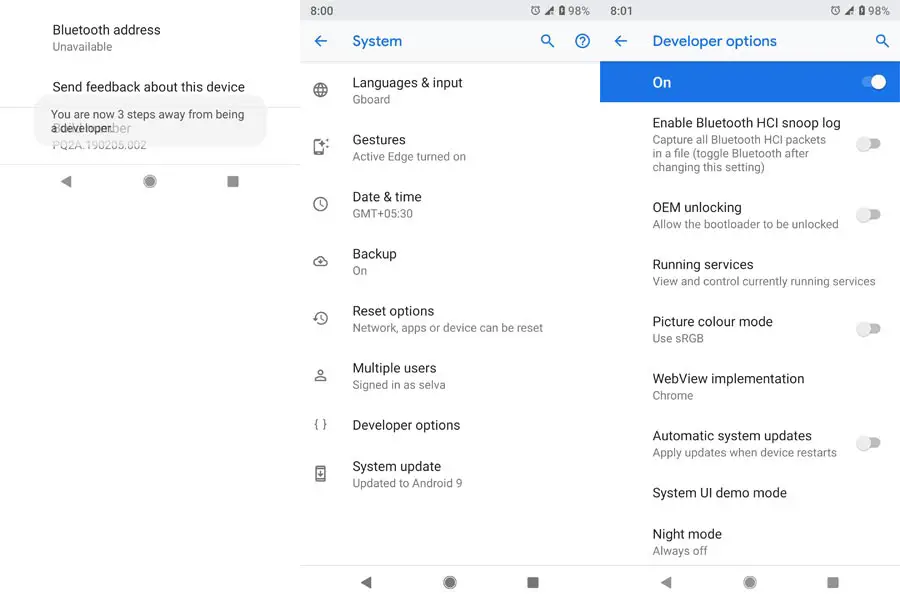
Bootloader unlock is a necessary step for flashing firmware in your LG G6 device. Some International versions can be unlocked quickly by enabling OEM to unlock in Developer settings. But, some US Variant Devices need to be unlocked using Device ID and some fastboot steps. Before everything, Please enable OEM to unlock in settings.

Go to settings >>> about >>> Tap on the “Build Number” 7-10 times consistently to enable “Developer Options,” then go to the “Developer Options” and enable USB Debugging Mode and OEM Unlock.
You can refer- Unlock Bootloader.
Flash Firmware in LG G6 devices
Run a backup
Always and always, it is essential you run a comprehensive backup of all files, document, and data on the Android device to be worked on. While the action may be done by a professional, if there be any mistake, all data on the device will be lost.
So, to be on the safe side, do run a backup first before continuing.
Charge the device fully
A lot of people will say you should charge the device up to 50% battery percentage or more, but we recommend a fully loaded device so that there won’t be any stories.
Download LG USB drivers
Yeah, it is essential. You must Download and install LG USB driver on the PC which you’ll be using for this action.
Get a suitable LGUP version
It is a mandatory step to select the correct version for your device. LG V40 ThinQ Supports 1.14 release, which can work well with Uppercut 1.0 Tool.
Steps
-
Follow this link to Download LGUP_Lab_Frame_Ver_1_14.msi and install on your computer
-
Also, download the Uppercut Tool and install on your computer.
-
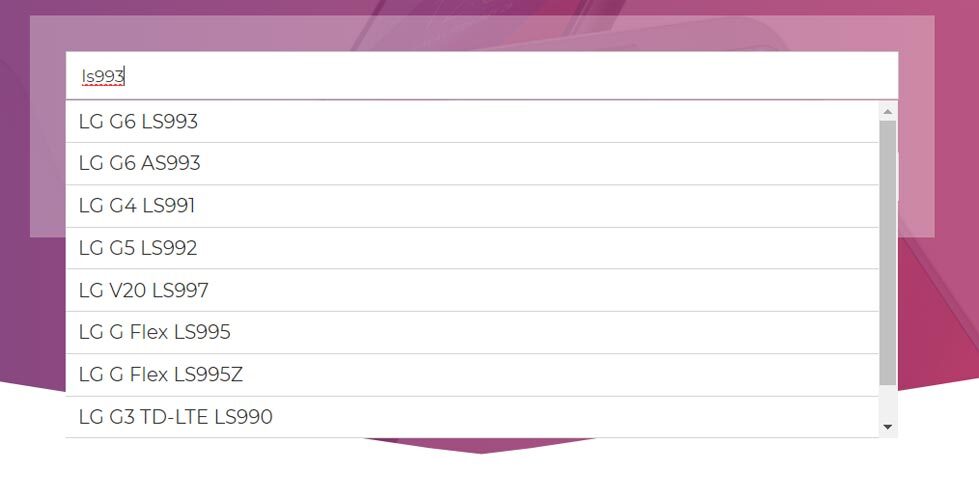
Now, download the official firmware for LG smartphones. For Proper firmware refer below model numbers.
- H870 (Europe)
- H871 (AT&T)
- H872 (T-Mobile)
- H873 (Canada)
- H870K (Australia)
- LS993 (Sprint)
- US997 (U.S. Cellular)
- VS988 (Verizon Wireless)
Make sure you install all the tools above on the PC, then, get the phone and follow the steps below;
-
Switch off your LG G6.
-
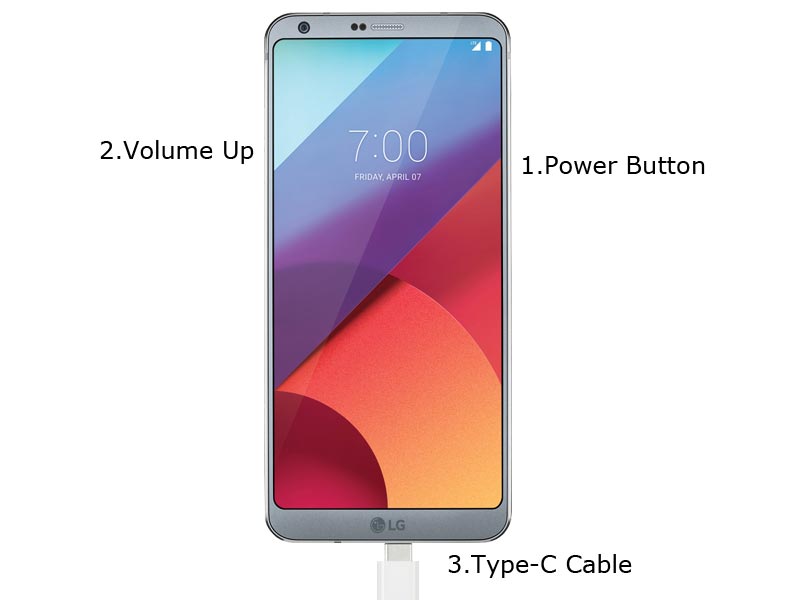
Connect your PC with Type C Cable. Boot the device into download mode by holding down the power button and volume up button at the same time. Continue holding down these keys, Now connect Type C Cable which is already connected with the PC. Wait, until the LG Logo appears on the device screen and it will say “Download Mode.” Now, release the power button while still holding on volume up button.
-
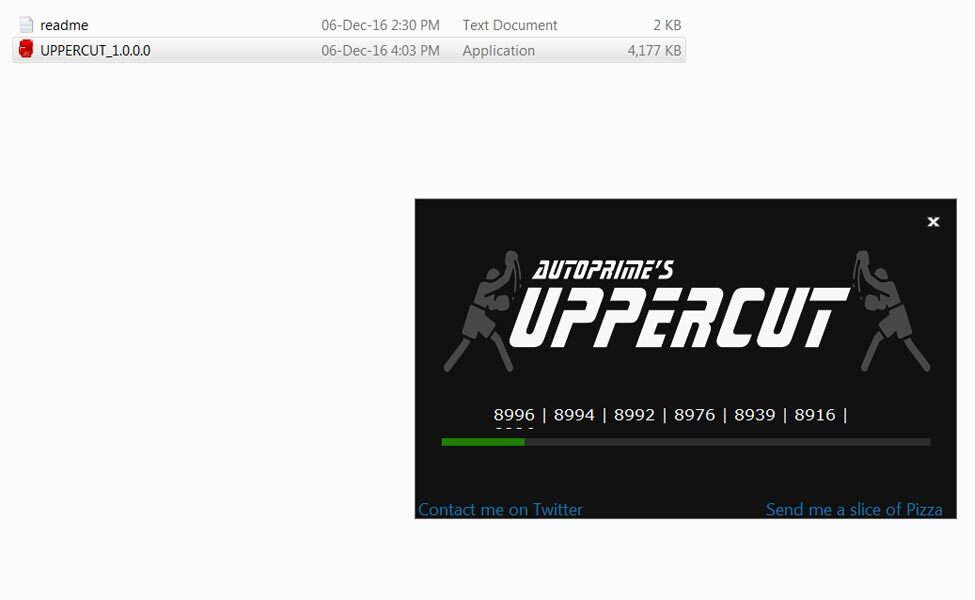
Open Uppercut Tool and tap on the Upgrade Option, then choose the firmware you downloaded initially.
-
Tap on the Start option and wait for the process to complete.
-
After the process is completed, reboot your smartphone.
Check Firmware
Since you have just flashed a new firmware to your LG device, you may want to check if the firmware is actually what you installed. Follow the guide below to check your device firmware version.
You can check the firmware details >>> settings >>> about >>> version.
Final Words
Some USA Devices doesn’t support Bootloader unlock function, for those devices you can try with LG Bridge Tool. Download and install the LG driver from this article and install LG bridge. Most of the time, It will work great. If the device doesn’t work Comment below with Model number. We will figure out, what we can do.

Selva Ganesh is a Computer Science Engineer, Android Developer, and Tech Enthusiast. As the Chief Editor of this blog, he brings over 10 years of experience in Android development and professional blogging. He has completed multiple courses under the Google News Initiative, enhancing his expertise in digital journalism and content accuracy. Selva also manages Android Infotech, a globally recognized platform known for its practical, solution-focused articles that help users resolve Android-related issues.