
You know the adb and fastboot commands if you are an Android Developer. We can’t make those commands work without the compatiblcan’tvers on your PC. Most middle users using the adb commands for rooting and flashing firmware don’t need the Studio. The other choice is SDK platform tools; they also have more than 50MB, and configuration may be complex compared with this minimal adb and fastboot method. So, the software should be simple, like installing a driver. There should be no mess with the USB Port configurations and System Configurations. This is the place where you can use these drivers. When you test the app or something, this will not suffice for you. It would be best if you had other tools. When your work is Root and Flashing firmware, you can use this minimal method.
What are ADB and Fastboot?
Every mobile device has its USB driver. This driver allows your mobile to communicate with the PC. Most of the time, you don’t have to install this driver. They came in with the PC suites. But, adb and fastboot drivers are for particular tasks. These drivers can help you to interact with the mobile at the core level. These are binaries that can directly communicate with your Mobile OS. We can define this as a General Language between PC and Android Mobiles. You can use these commands to return to the previous patch updates, flash new firmware, and Root.
Note

- The ADB commands can control your mobile from the core level. Don’t experience the device if you don’t know what you are doing.
- Keep the Battery Percentage Above 50 during the process.
- Backup Your Device.
Download Minimal ADB and Fastboot Drivers Installation Files
Please refer to the Android License for the software before downloading.
Windows
Other Download links
Installation Instructions
I will explain the individual steps for Windows, Mac, and Linux. Based on your machine, choose the appropriate steps.
Pre-Requirement Steps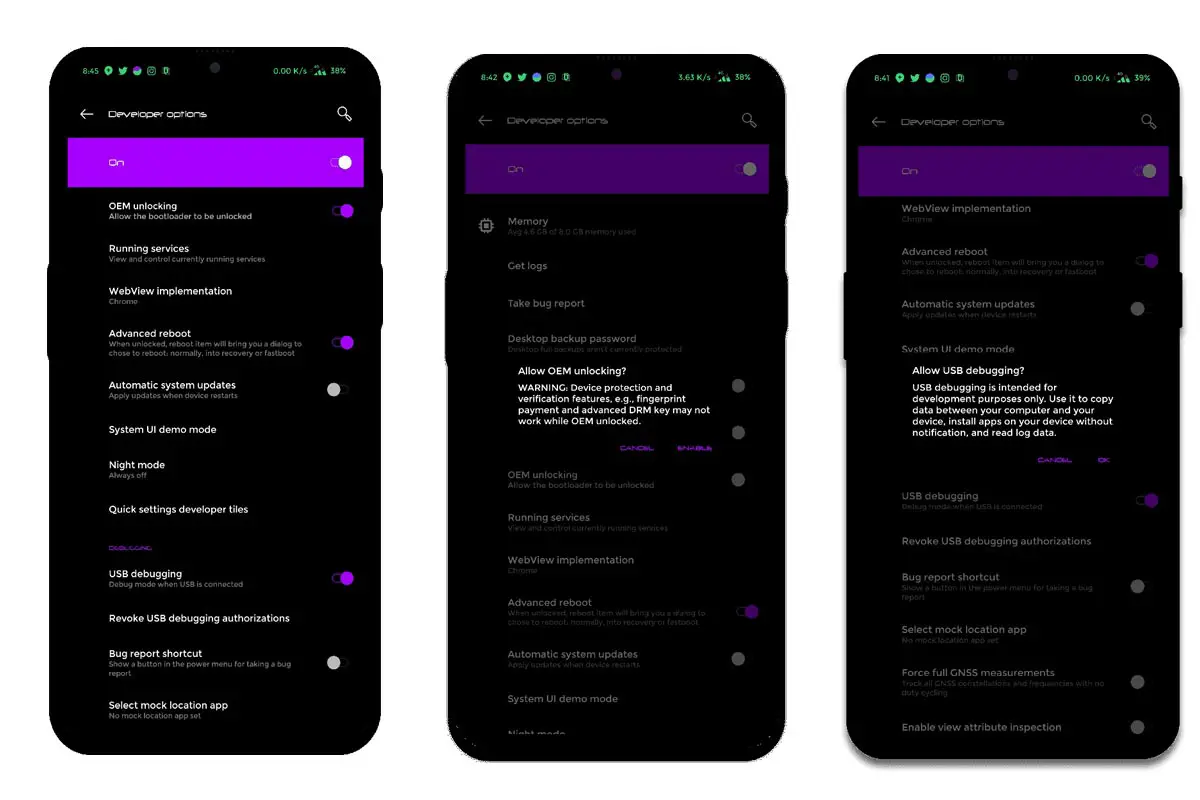
-
Enable USB Debugging Mode and OEM Unlock on your mobile. To do this, go to settings >>> about >>> Tap on the “Build Num” er” 7-10 tim”s consistently to enable “Developer” Options,” then go to the “Developer” Options” and enable USB Debugging Mode, OEM Unlock. After this process, connect your mobile device to a PC/laptop. Unlock the screen unlock.
Install Minimal ADB in Windows
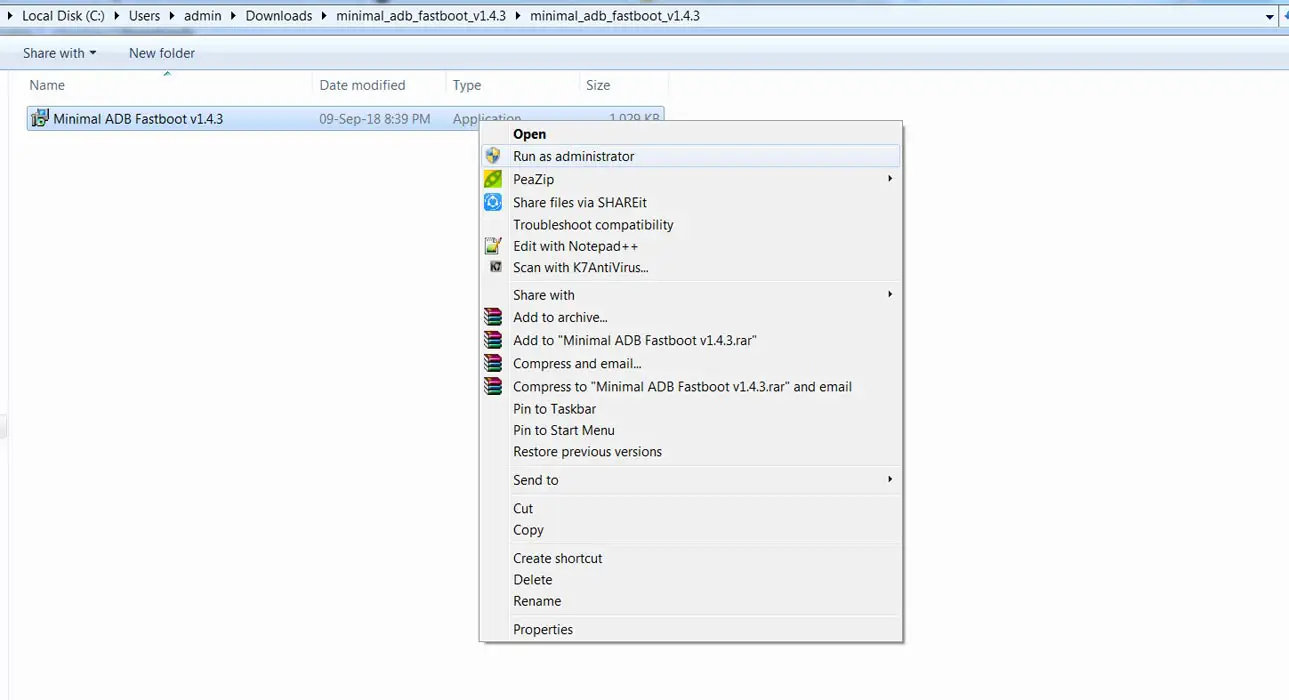
- Download and extract the files. Select the ADB setup file and run it as Administrator.
- After selecting the Run, It will Pop up with the usual Installation Window like other software. Select Next.
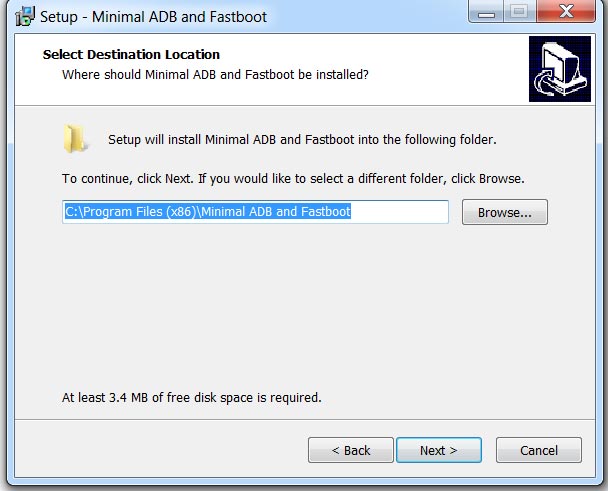
- In the Next step, It will ask where you want to install the files. Select Local Disk C or Where you installed your OS. There will be no permission issues when we install the data in the OS directory.
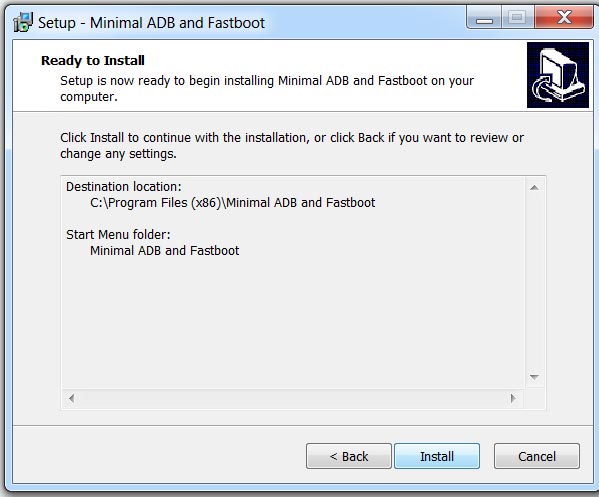
- After the successful installation, the adb and fastboot command prompt window will open with the installed directory path.
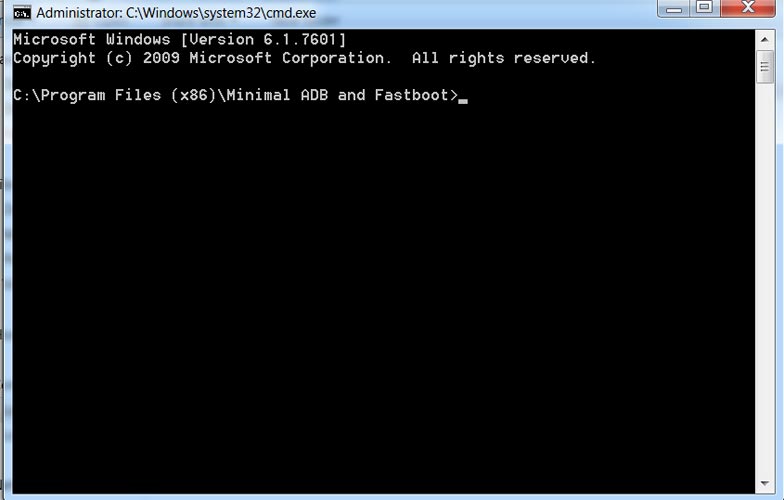
- fastboot commands can only check on your mobile fastboot mode. We want to check whether the drivers are correctly installed or not. We can use ADB Commands for that.
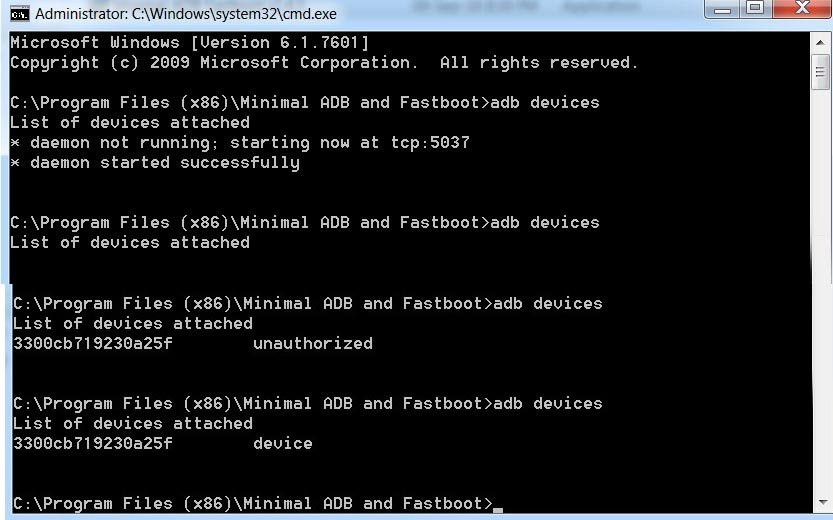
- When the first command is checked, It wants to create local hots, So It will ask for Internet permission If you use Protection programs. Allow permission.
- Type the command “adb devices”s.” You should get the list of attached devices. If you get “Unauthori” ed,” allow US” debugging permission on your mobile.
Install ADB on Mac OS
- Download the driver from the above download links and extract the files.
- Open the terminal and type the following command.
- cd /path/to/extracted/folder/ (Example: cd /Users/Selva/Desktop/platform-tools/)
- Connect your mobile. When the first command is checked, It wants to create local hots, So It will ask for Internet permission If you use Protection programs. Allow permission.
- Type the command “adb devices”s.” You should get the list of attached devices. If you get “Unauthori” ed,” allow US” debugging permission on your mobile.
ADB on Linux
- Download the driver from the above download links and extract the files.
- Open the terminal and type the following command.
- cd /path/to/extracted/folder/ (Example: cd /Users/Selva/Desktop/platform-tools/)
- You can also use the direct command to install the fastboot files. Type the below command to install the file.
- Sudo apt install android-tools-fast boot
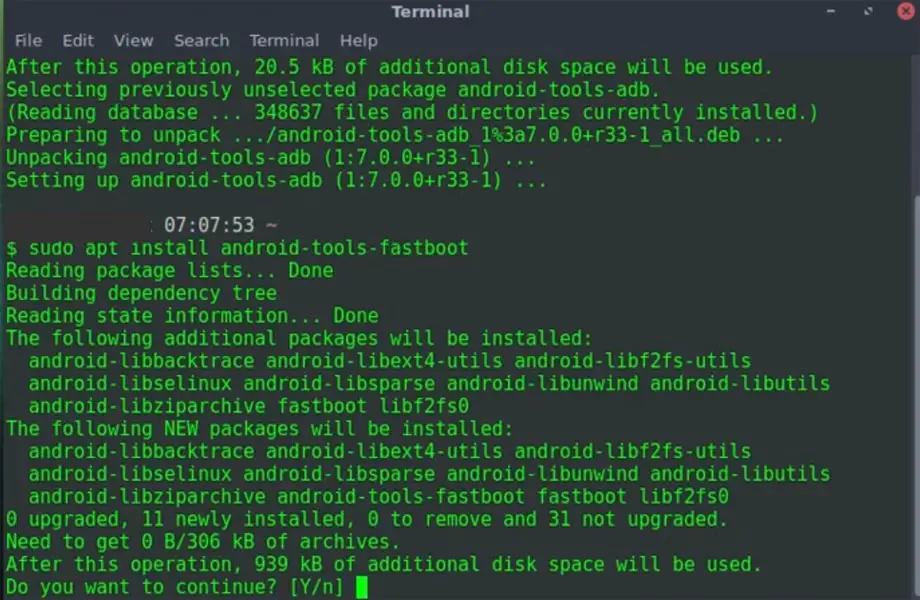
- Connect your mobile. When the first command is checked, It wants to create local hots, So It will ask for Internet permission If you use Protection programs. Allow permission.
- Type the command “adb devices”s.” You should get the list of attached devices. If you get “Unauthori” ed,” allow US” debugging permission on your mobile.
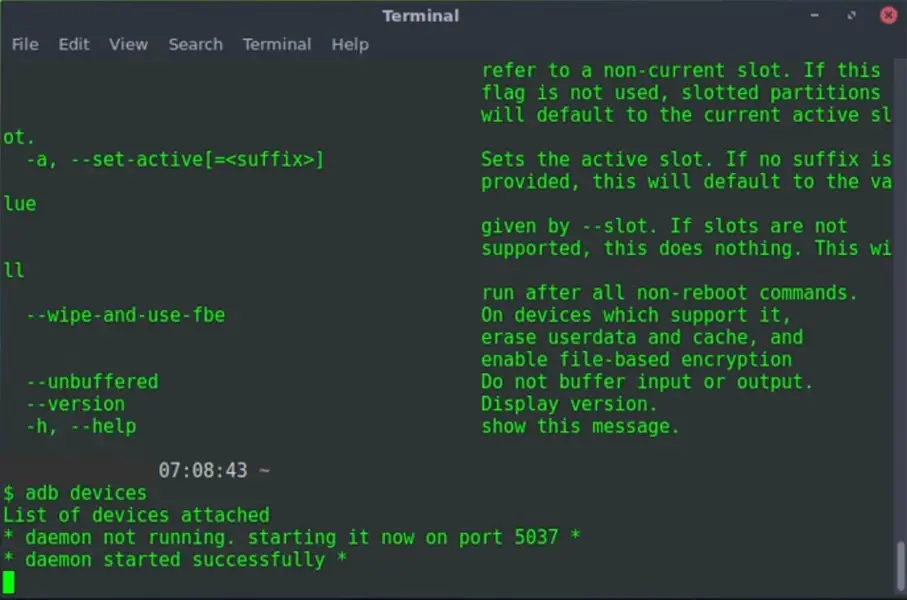
All ADB Commands
You can do various things with ADB; this tool supports many commands to trigger most functions. Most of them deal with the recovery mode. I try to cover some essential commands.
Note: you must activate “Developer” Options” on the d”vice and turn on “USB Debugging” on the A”droid device before running ADB commands.
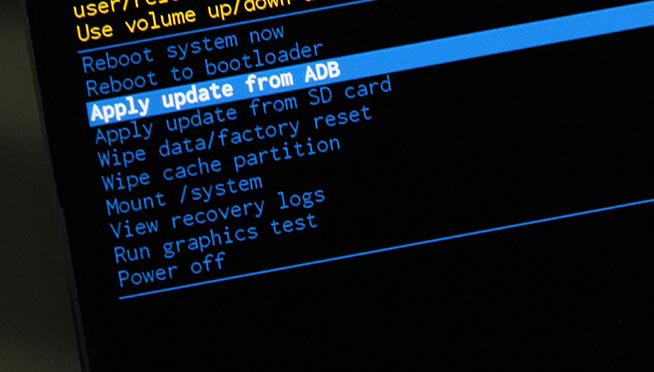
Commands List
When you want to execute these commands on the terminal, Add adb before every command. Example- reboot> adb reboot.
- reboot bootloader – Reboots Android device in bootloader mode
- reboot – Reboots Android phone in normal mode
- push – Move a file from the local system to an Android phone’s phone’s
- devices – Displays all connected ADB-compatible devices
- pull – Moves a file from Android to your PC
- install – Installs an app from your system’s .system’s location to your Android device
- connect – Use ADB commands over Wi-Fi Network
- backup – Backs up the Android device
- shell screencap – Captures a screenshot of the device
- sideload file – Push the file to your mobile device and Install it.
Launching ADB requires you to know about CMD – Command Prompt. You need to start CMD and use commands to access the folder where you extracted the Platform Tools and launch adb.exe.
All Fastboot commands
Fastboot installs alongside ADB when you extract the ZIP file. Fastboot allows you to run commands on an Android device in bootloader mode. There are, however, other ways to use an Android device in bootloader mode, but using Fastboot is the best option. Also, unlocking an Android device bootloader using Fastboot to install a custom system file is possible.
However, before Fastboot commands can work on an Android device, you must activate “Developer” Options” on the d”vice and turn on “USB Debugging.” Fastboot” commands will work only in your mobile fastboot mode. The key combinations to boot your mobile into Fastboot may vary depending on the manufacturer.
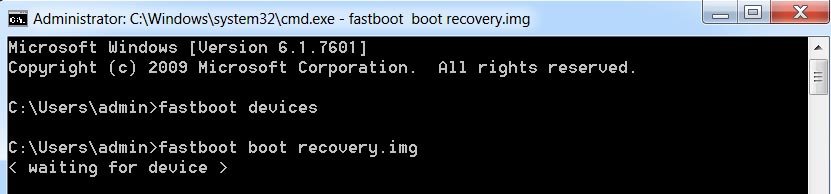
Commands list
When you want to execute these commands on the terminal, Add a fast boot before every command. Example- devices> fastboot devices.
- OEM lock – re-locks the bootloader of an unlocked device
- devices – Shows the serial number of a connected Android device
- flash recovery (filename) – Flash the file from the PC
- boot recovery (filename) – Boot the data from PC
- OEM unlock – Unlock the bootloader of the connected Android device
Wrap Up
You can do a lot of things with the adb and fastboot commands. When we want to perform powerful rootless tasks, we can remove Bloatware apps from Samsung. We can use Soli Without Restrictions in Pixel 4. From my knowledge, I gave only a limited amount of commands. Consider this as a starter. Based on your knowledge and experience, you can explore many ideas using these commands. If I missed any crucial points, or If you know helpful adb task commands, comment below.

Selva Ganesh is a Computer Science Engineer, Android Developer, and Tech Enthusiast. As the Chief Editor of this blog, he brings over 10 years of experience in Android development and professional blogging. He has completed multiple courses under the Google News Initiative, enhancing his expertise in digital journalism and content accuracy. Selva also manages Android Infotech, a globally recognized platform known for its practical, solution-focused articles that help users resolve Android-related issues.