
Even if Stadia available on most of the platforms, there is no official method that fully works on iOS devices. There are some compatibility issues with the Stadia app, and the browser version doesn’t work properly with the iPhone. So, People begin to use third-party apps like Stadium to play Stadia games on iOS. After many requests from the users, Google finally rolled out the Official Google Stadia Web app for iOS. So, Hereafter you won’t face any compatibility issues. Most of the Stadi apps features are available in the web app version. But the on-screen controls are not working that much better. It is best if you use controllers.
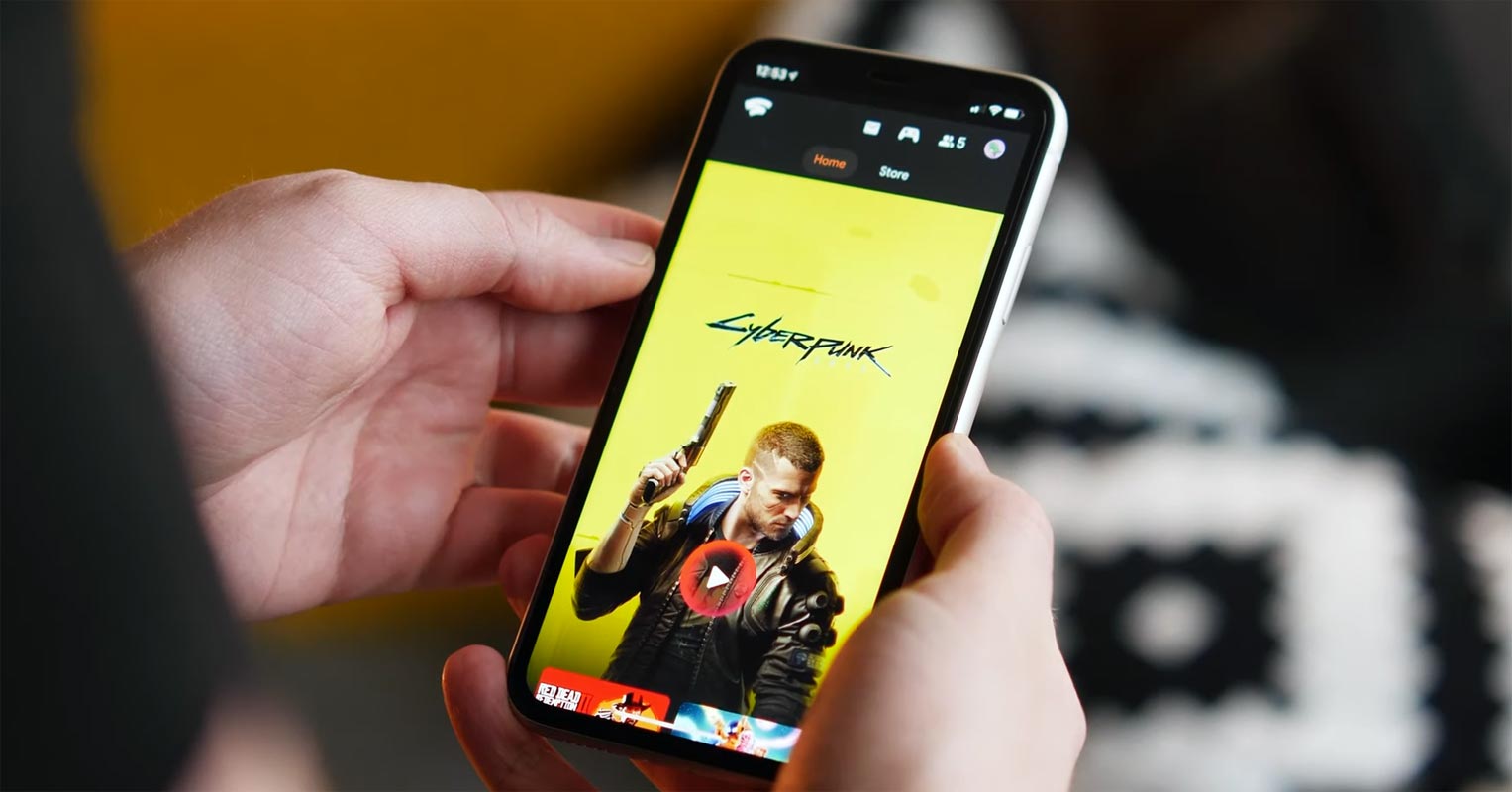
Google Stadia Web app for iOS
The stadia app in the Apple app store has to face a lot of restrictions from Apple. Because it is game-related, and Apple has a policy of in-game purchase cut, Google has to pay a massive amount. But the Stadia business model is different, and the app version didn’t work well with Apple policies. Also, you can’t enjoy the Stadia app at its full potential due to some permission restrictions. That’s why apps like Stadium are introduced where you can play Stadia with the browser version by tuning some browser settings. Now with the official Stadia Web app, You can use Stadia with full compatibility. Since it is a PWA based app, You can inherit the app with the link.
How to use the Google Stadia Web app in iOS(iPhone, iPad)?
Since it is a web browser-based, You don’t need many requirements. But you should meet the following minimal requirements.

Requirements
- Latest Safari Browser.
- iOS 14.3 and above.
- Working Stadia Account- Can be Pro or Free with purchased games.
- Stable Wi-Fi connection with a minimum speed of 10 Mbps (If you prefer 720p).
- Supportable Controller (Recommended).
Steps
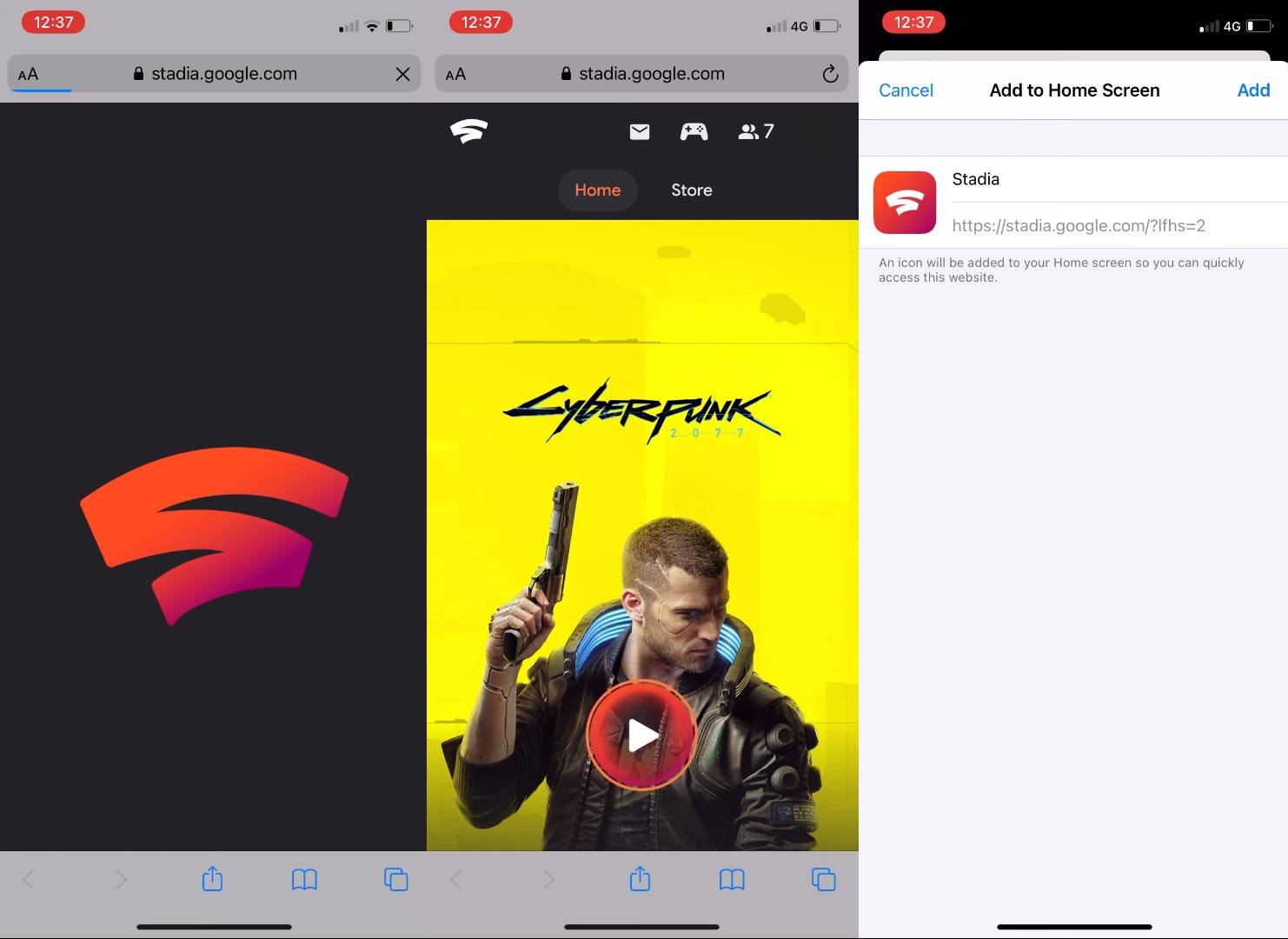
- Open Safari browser and go to https://stadia.google.com/?lfhs=2. Log in with your Stadia Account.
- Choose your favorite game in your purchased game. Now you can play your game. It will be comfortable when you use any supportive controllers compared with the keyboard and touchpad.
- You can also add shortcuts to your home screen. When you add the shortcut, It will act fully like an app.
How to setup controllers with the Stadia Web app in iOS?
When you have Stadia Controller, You have to link it with the Stadia App and update it to the latest version. When you have PS4 Dual Shock or Xbox controller, You have to connect it with Bluetooth. Wired Controllers currently doesn’t work with the Web app.
Wrap Up
It is a better way to provide PWA alternatives to users. Because Apple blocking most of the cloud stream gaming services. But Google always comes with a new idea with fully functional. That’s what now available as a Stadia Web app. Cyberpunk 2077 is already working better in Stadia compare with old consoles. So, When you already purchased or pre-ordered your Cyberpunk 2077 in Stadia, then you can enjoy your game with the new Stadai web app.
Unlike other games, The early release of Cyberpunk 2077 working better in a Cloud-based gaming platform like Stadia. It is because the consoles we are using is years old with the hardware. The latest PS5 version of Cyberpunk 2077 is to be released in 2021. When you already have Consoles, you should wait for some patch updates from the Cyberpunk team for optimal performance. But when you didn’t bough any consoles and want to try Cyberpunk 2077, you can play it already on existing devices with Stadia’s help. Based on your preference, Stadia Games won’t consume much data. Share your thoughts on playing experience with Cyberpunk 2077 on the iOS Stadia web app.

Selva Ganesh is a Computer Science Engineer, Android Developer, and Tech Enthusiast. As the Chief Editor of this blog, he brings over 10 years of experience in Android development and professional blogging. He has completed multiple courses under the Google News Initiative, enhancing his expertise in digital journalism and content accuracy. Selva also manages Android Infotech, a globally recognized platform known for its practical, solution-focused articles that help users resolve Android-related issues.