
When we have the latest mobile versions, we have a lot of new features. But, Also some of the features are removed to manage RAM and Battery. Even if Mobile manufacturers add useful things when they release new Os versions, they removed a lot of convenient options in the latest versions to maintain security and power efficiency. Thus, We can’t hear the audio-only on Youtube when we play videos in the apps and Browsers. You have to use the Root method to configure the background process, or you have to purchase Youtube Premium. When your purpose is listening to free Youtube songs, also, you don’t want to drain your battery you can Play Youtube Videos using the below method with the Mobile screen off.
Like Youtube Premium, Youtube has a separate platform called Youtube Red for audio. Now they merged these two into one. But, In some regions, Youtube Red is still available. Youtube Premium is excellent in a lot of ways. You can view exclusive content. This method will be useful when you are working and want to listen to the songs. We can say this in a simple way where you don’t want to view your mobile screen but want to listen to the audio like audiobooks. Below I will explain how to do this without using third-party apps and Root methods.
How to Play Youtube Videos with the Mobile screen off using Simple Setting in Android Mobile Browsers?
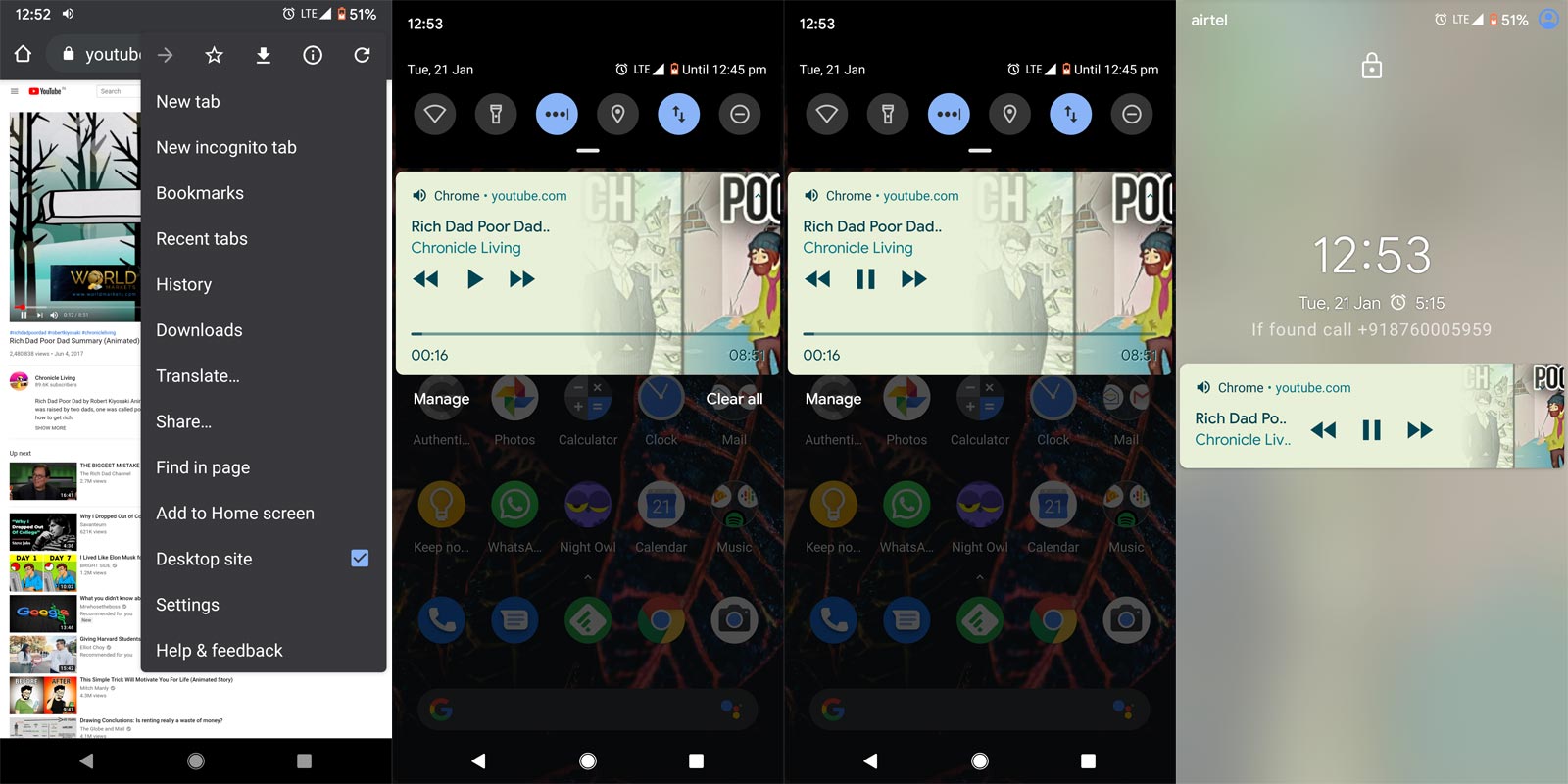

- Open your mobile browser. You can choose any browser- Google Chrome, Mozilla Firefox, or Opera.
- Open Youtube.com in your browser. It will open the mobile version of Youtube.
- Now, select the three dot-icon on your browser. You will receive the browser menu. Select “Request Desktop Site.” It will trigger the Desktop version of Youtube.
- Play your favorite video. Without pause or stop, press the home button on your mobile. If you didn’t have physical keys, Use Gestures to return home.
- You can see the Video playing notification in the Notification bar if it paused, press play again.
- Now it will play the audio even if you lock and off the screen. To stop the sound, Unlock your mobile. Swipe the notification bar and press pause. Swipe right in the Audio control notification to close the video. Without pausing, you won’t close the video.
- That’s all. We played the Youtube video on our mobile at a screen off stage.
Play Youtube Videos in the Background on iOS(iPhones and iPads)
- Install different browsers (Google Chrome, Opera) other than the Safari browser.
- Open m.youtube.com in your browser. It will open the mobile version of Youtube.
- Play your favorite video. Stay in the browser. You should not close the browser.
- The closing of the browser and opening another app will close the Youtube video. So, don’t do that.
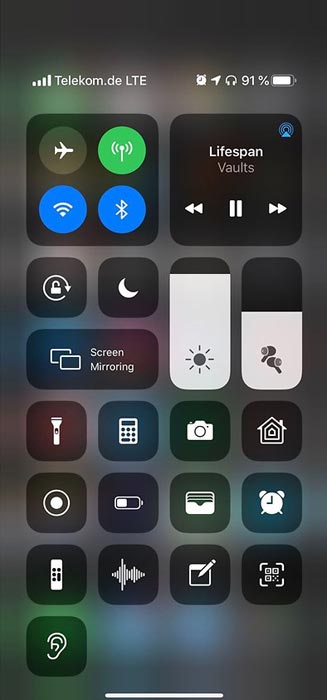
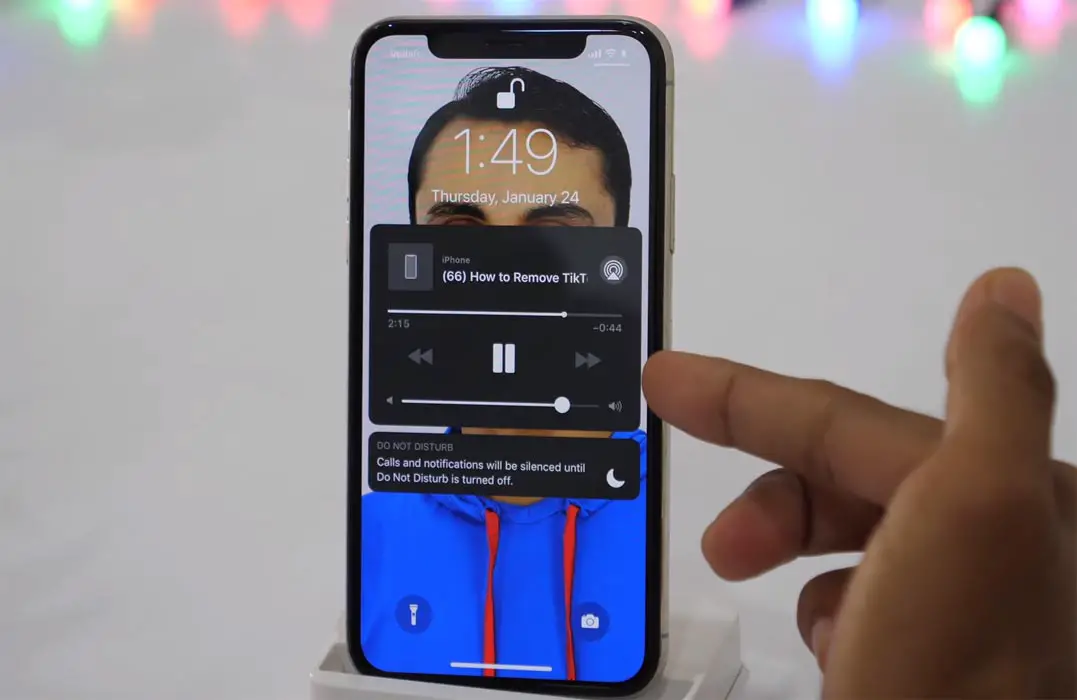
- Swipe to the music player and select “Play on Audio controls.” Now the video will play in the background like Music player apps even if you off the screen.
Wrap Up
Don’t directly compare Youtube Premium or Youtube Red with this only feature. You will get what you pay for with a lot of exclusive content. Don’t install any third-party apps that support the Audio only Youtube. Most of these apps can harm your mobile. You know when the app is not in the Play Store. It is not wise to download those apps unless you are familiar with or trust in the app. If we begin to install the apps for simple features, we have to install a ton of apps. With the above simple tweaks, You can Play Youtube Videos with the Mobile screen off or Screen lock. Don’t Root your mobile to get these simple tweaks. When you are already using simple methods like this to play Youtube in screen off stage, comment below.

Selva Ganesh is a Computer Science Engineer, Android Developer, and Tech Enthusiast. As the Chief Editor of this blog, he brings over 10 years of experience in Android development and professional blogging. He has completed multiple courses under the Google News Initiative, enhancing his expertise in digital journalism and content accuracy. Selva also manages Android Infotech, a globally recognized platform known for its practical, solution-focused articles that help users resolve Android-related issues.