
Finally, RCS Messaging is available in All Android mobiles and Carriers in the USA Officially. Before this, there are some tricks to enable this feature. But, Google Now rolling out the RCS to all carriers. To use this feature, all you have to do is download the Google Messages app and Carrier services from the Play Store. It moreover like iMessages. Google intends to create a platform like iMessages. In this Roadmap, RCS messaging is a significant milestone. I think they succeed. In Warm usage, there may raise some issues that can happen. It may not feel like an alternative to iMessage. But, It can be a better messaging service for Android.
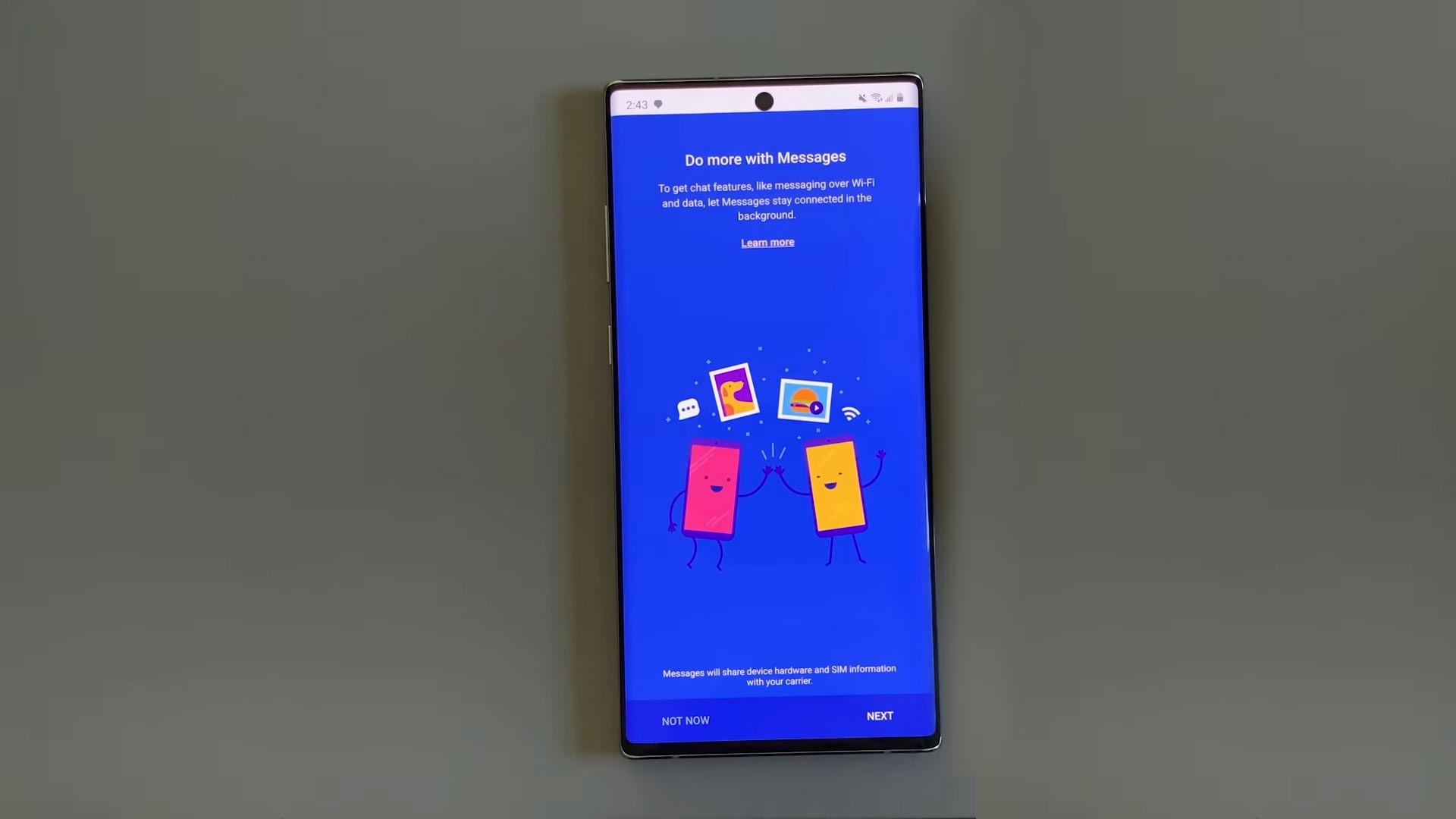
When RCS Messaging Will Available to the USA?
Google is working on the Worldwide rollout. But, the process also depends on the carriers. Slowly It will be available in other countries too. The announcement from Sanaz(Sr.Director Google Lead Communication Suite) is the feature that will be available from 12 December 2019. And It will be available for All Android Mobiles and Carriers. In all other countries, the method is like a Trick or some options adjustment. There is no full official Roll out. But, Modifying some settings and with the help of a third-party app, You can Use RCS in All Android mobiles and carriers. In India, the official method works well with the Airtel carrier.
How to Activate Official RCS Messaging?
Requirements
- Android Mobile that can support Google Messages and Carrier services.
- RCS Messaging Support Carrier
Steps
Before going and activate some non-official tricks. Indeed with this conventional method. It may work If your carrier supports RCS messaging.

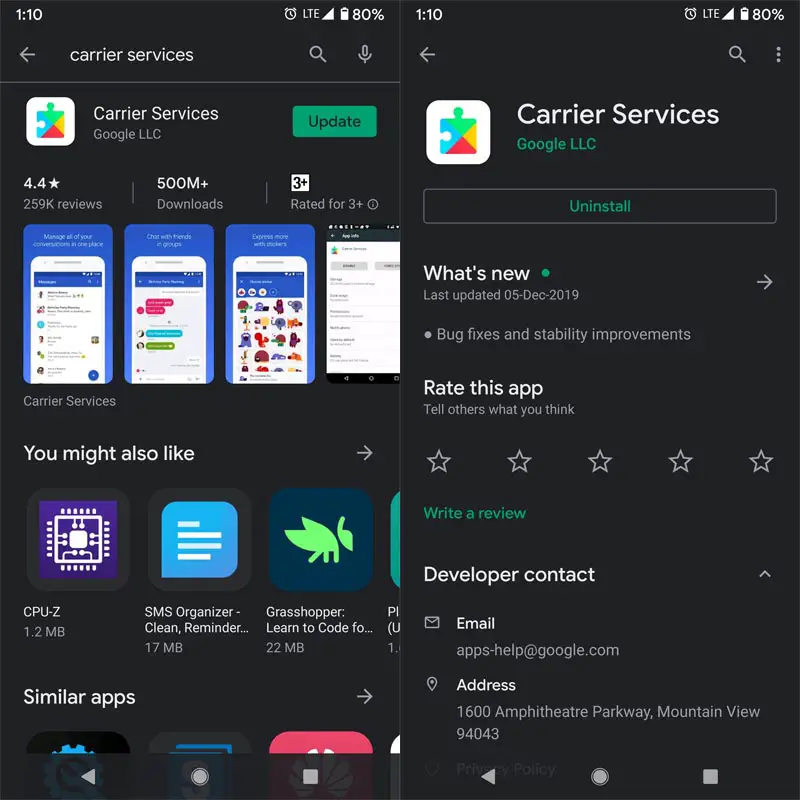
- Download Google Messages and Carrier Services From Play Store. If you already have Google messages, update the app to the latest version.
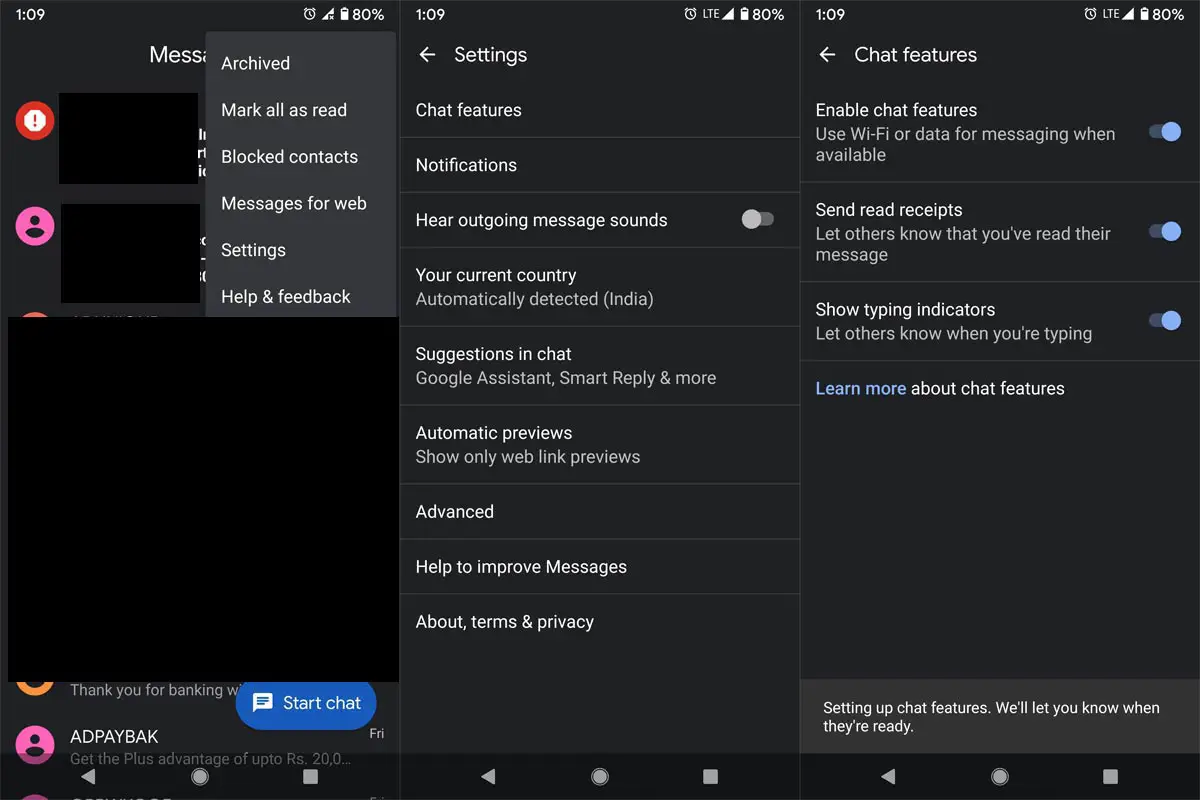
- After the Installation, Go to Settings>Chat Features> Enable Chat Features.
- Close the app from the Task Manager, Enable Mobile Data. Open the messages app again. You will be prompted to enter your mobile number.
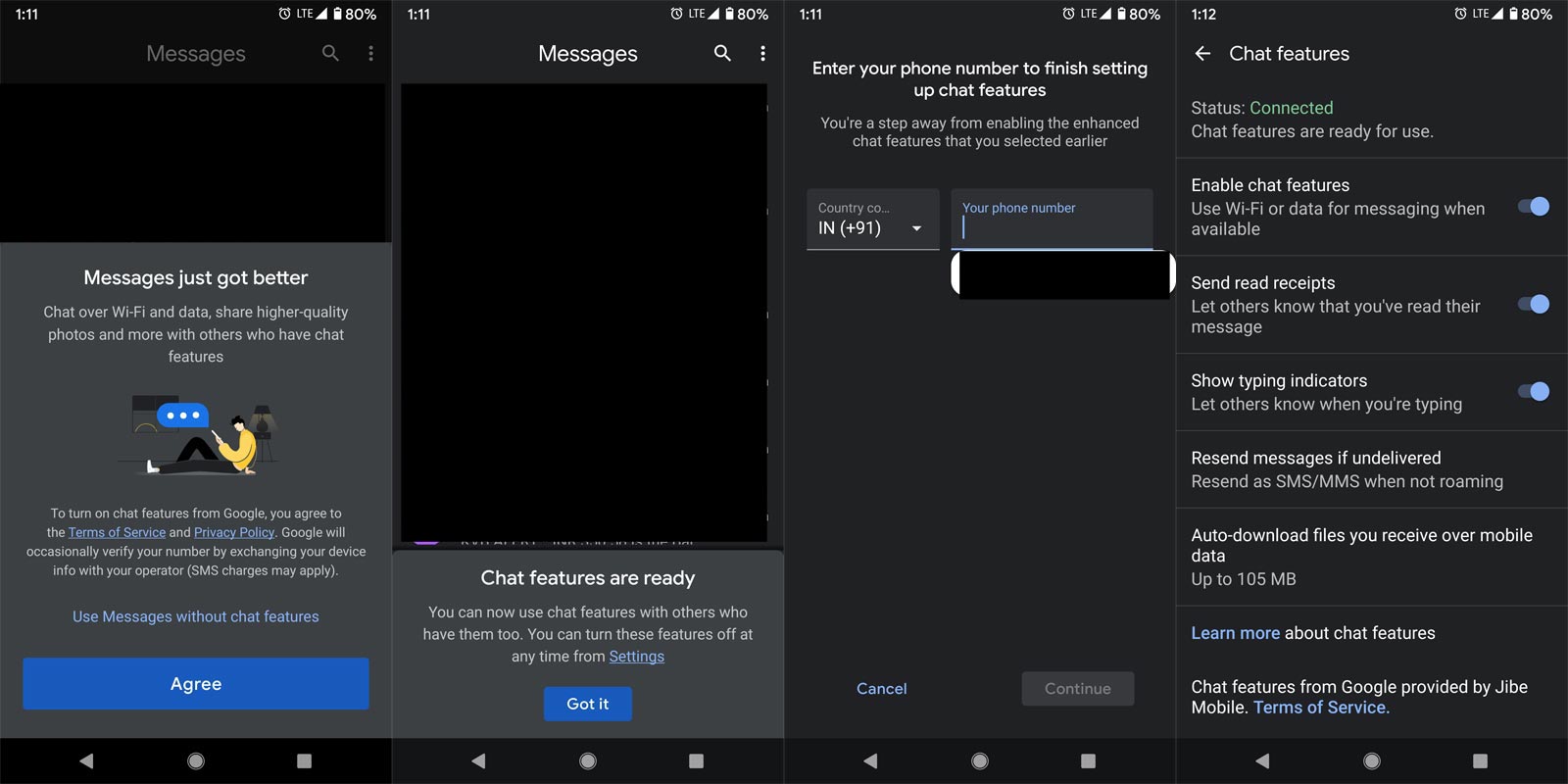
- Enter your Mobile Number, and It will verify with the background Data. After the verification, You will get the success message of New Messaging Feature.
- If you get the connected green signal in the Chat features, It means you are successfully connected to RCS, and you can use the service without any issues. You can set up further options like Whatsapp settings.
Features
- You can send Multimedia files like Photos and Videos. But, You can make Video Calls using Duo.
- You can also send messages to Non-RCS phones. That will be based on the recipient limit. If they can access only 160 Characters, you can send only 160 Characters per message. When you and the receiver, both using RCS messaging means, you can access full features.
Wrap Up
After releasing of Messaging Apps, Android begins to utilize the feature as native. Also, the carriers are using those features to enhance the user experience. The List is growing with VoLTE, Wi-Fi Calling, and Now RCS messaging. The Default 160 Characters may not be useful in a lot of time. RCS like combine of SMS, MMS, and other Data messaging services. The App will utilize when Data or Wi-Fi available rather than the SMS Charge method. Don’t install any third-party app other than Play Store. Non-Trusted sites may add some codes in that app. That may transfer your data to servers. Did you try RCS? What are your thoughts and issues? Comment below.

Selva Ganesh is a Computer Science Engineer, Android Developer, and Tech Enthusiast. As the Chief Editor of this blog, he brings over 10 years of experience in Android development and professional blogging. He has completed multiple courses under the Google News Initiative, enhancing his expertise in digital journalism and content accuracy. Selva also manages Android Infotech, a globally recognized platform known for its practical, solution-focused articles that help users resolve Android-related issues.