
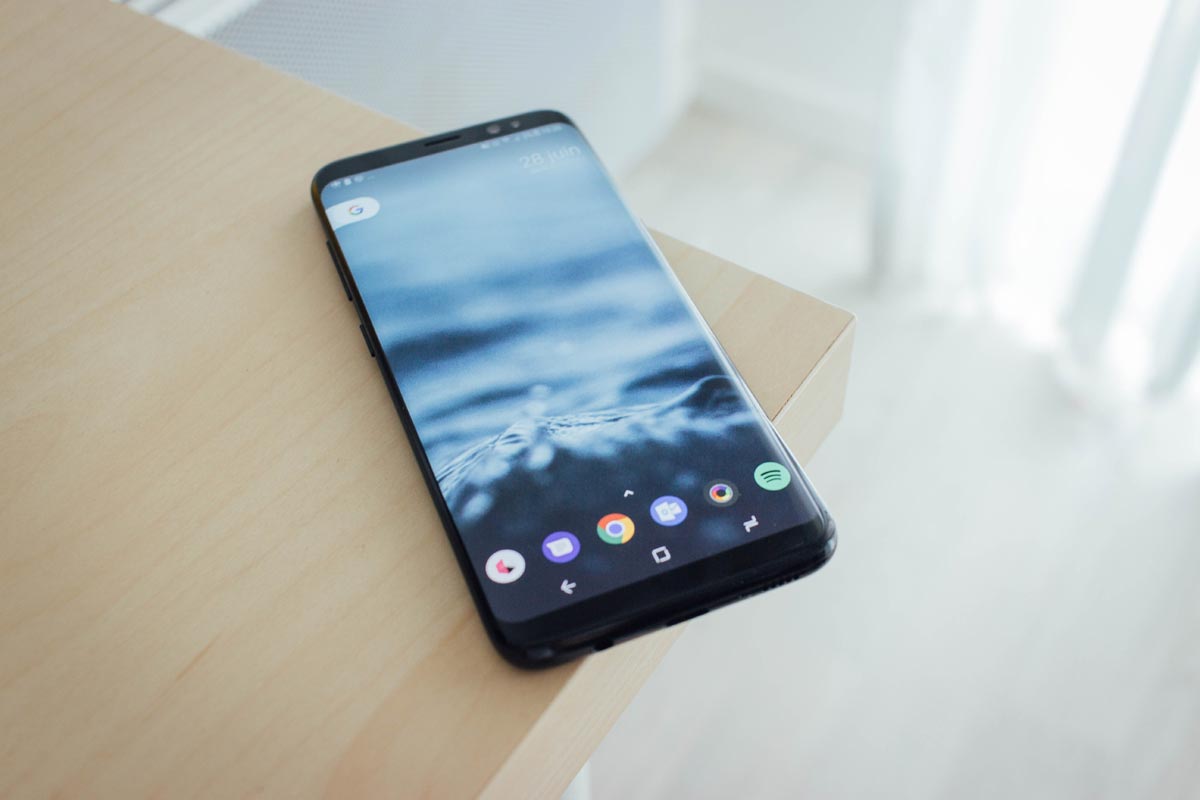
“Don’t hurt me”- Bixby key. What is your purpose, I need More…:)For anyone who is making use of any phone that ranges from the Samsung Galaxy S8 and above, you will be surprised when you get to lay your hand on an extra button which is located directly below the volume rocker. Mind you, this button is not for the camera neither is it for power; it is there for another reason. This is the button that launches the new Samsung galaxy’s digital assistant called Bixby. This button will activate Bixby, and you can speak to it and give any commands of your choice.
Why we Need to Remap Bixby Key
Bixby and the Google assistant perform almost the same functions; furthermore, it is well optimized for Samsung. There are just a few added abilities that Bixby has. These abilities include;

- Bixby vision.
- Looking for images in your gallery.
- Setting a reminder.
- Taking a screenshot.
- Acquiring full control of the settings in your Smartphone.
Even with all these features in play, this intelligent assistant is still disliked by many people like me, and most want it to be replaced with Google assistant. If you do not like me, Bixby and its functions, you can re-program it to suit your style and make it do something more useful with it. This article is designed to serve as a guide and to offer you detailed information about the processes involved in remapping the Bixby key on your Samsung Galaxy device to the Google assistant.
Why is Rooting a Considering factor in this process?
Rooting is said to be a process whereby smartphones, tablets and other devices making use of the Android mobile operating system are programmed to gain privileged control over different android subsystems — rooting an Android means that the user of the Smartphone will be able to gain root access of the phone. Some functions that were not available before will be available to use. Android uses Linux kernel; administrative permissions will be accessed when an Android is rooted.
A reason why rooting is performed is to bypass all restrictions and limitations put in many devices by their manufacturers. With rooting you will be able to complete the following;
- To change system applications and settings
- Launch and run particular applications, which require administrator-level permissions to function properly.
- Operations that can’t be accessed by a typical Android user will be performed.
Rooting is capable of enhancing the total removal and replacement of an operating system in a device.
Some people believe that you need to have full access of your phone by rooting it before you will be able to perform functions like remapping the Bixby key to the Google assistant. If you dislike Bixby and want Google assistant on your galaxy phone instead, it can be done without considering rooting.
To do this, you do not need to root your Samsung Galaxy Smartphone. Yes, it doesn’t have to be done. Some might not know what rooting is even though they have done it to their phones before, but this is a favorite thing that is done mobile phones.
At first, you need to ensure that the following are in check before you start the process. They are as follows;
- Ensure that you have a working internet connection
- Your battery level should be above 50%
- Make sure you had launched Bixby before and configured it to make the process easier
Steps to Remap the Bixby Key Using an App
- Visit the play store and place “Bixby remapper” in the search box.
- There are many apps available. Look for Bixby button remapper in the options provided, download and install it. You can select any app based on the ratings, Here I selected the “Bixby Button Remapper” as an example.
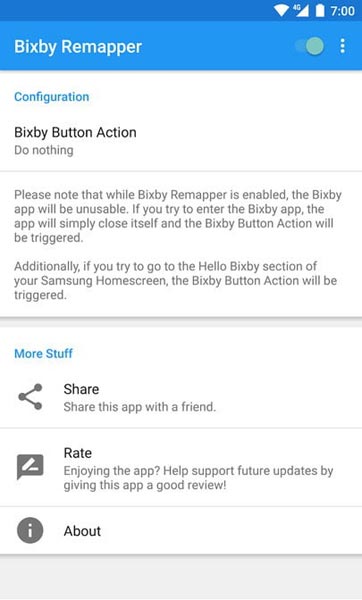
- After installation, launch the app, then press the sliding toggle at the top right corner of the screen to turn on the feature.
- You will be warned by the app not to make use of any other remapping software at this time.
- After turning on the feature, look for the three dots at the top and tap it.
- Choose Go to accessibility.
- You will find two options that control the app when you look under services here.
- They are named “more delay” and “less delay.” Choose less delay and slide the toggle to turn on.
- Once it has been put on, choose Bixby button action.
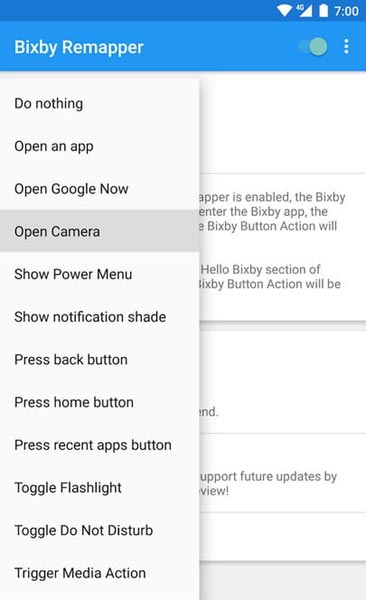
- This will provide options for you to choose from. Here you will be able to decide what you want the Bixby button to do for you whenever you press it.
- Select Open Google now.
- Once you have done that, you can exit the app and check if it works by pressing the Bixby button.
- If it opens Google now an app, you will be able to make use of the Google assistant, and so, therefore, the procedure was a success.
What will you lose after this remap?
You should be aware that the process of remapping will lead to Bixby been disabled- The motto of the whole process is this, so it is essential you are sure that you do not require the services of Bixby anymore because it will be the last time you will be able to enjoy its features. Most people go through the stress of rooting their phones to configure what they want to use the Bixby button for, but this is a much easier way which can be quickly done by anyone as long as you follow the instructions correctly and avoid skipping any one of them in the process.
Conclusion
After completing the above steps, you can comfortably make use of the Google assistant in the performance of your various Smartphone operations. The Bixby will give way to the Google assistant. I strongly suggest you look at the features of Bixby and go through it properly before considering its removal from your phone. All factors need to be found to avoid regret in the future.

Selva Ganesh is a Computer Science Engineer, Android Developer, and Tech Enthusiast. As the Chief Editor of this blog, he brings over 10 years of experience in Android development and professional blogging. He has completed multiple courses under the Google News Initiative, enhancing his expertise in digital journalism and content accuracy. Selva also manages Android Infotech, a globally recognized platform known for its practical, solution-focused articles that help users resolve Android-related issues.