
Using the below method, you can Remove the Password from PDF using Google Chrome. Removing Passwords from PDFs is helpful for regular usage when you share the PDF with others. PDF (Portable Document Format) is a widely used file format that is popular for its ability to preserve the original formatting and layout of a document, regardless of the device or software used to open it. This makes it an ideal choice for sharing documents with others, as recipients can view the document strictly as it was intended to be seen. You can protect PDFs with passwords, which adds an extra layer of security for sensitive information.

PDF files are widely used for storing and sharing vital information, including personal and financial details. With the increase in cybercrime, protecting sensitive data stored in PDF files from unauthorized access is imperative. This is where password protection comes in handy. In this article, we will discuss what password-protected PDF files are, how to create and open them, and the benefits of using password protection.
What is Password Protected PDF Files?
Password-protected PDF files are documents that are encrypted with a password, making them secure from unauthorized access. The password is a barrier, preventing others from opening or modifying the file without your consent.

Benefits of Using Password Protection for PDF Files
There are several benefits of using password protection for PDF files, including:
- Data Security: Password protection helps secure sensitive information stored in PDF files from unauthorized access. This protects confidential information and reduces the risk of data breaches.
- Confidentiality: By password-protecting your PDF files, you ensure that only those with the password can access the information. This helps maintain the confidentiality of your sensitive information.
- Legal Compliance: To comply with regulations and laws such as GDPR and HIPAA, password protection of confidential information is mandatory in specific industries.
Remove Password from PDF using Google Chrome
Note that this method only works if you know the password to unlock the PDF. If you don’t remember the password, you’ll need to use a different tool or method to remove the password protection.
- Open Google Chrome.
- Drag and Drop the Password Protected file.
- Type your PDF Password and enter.
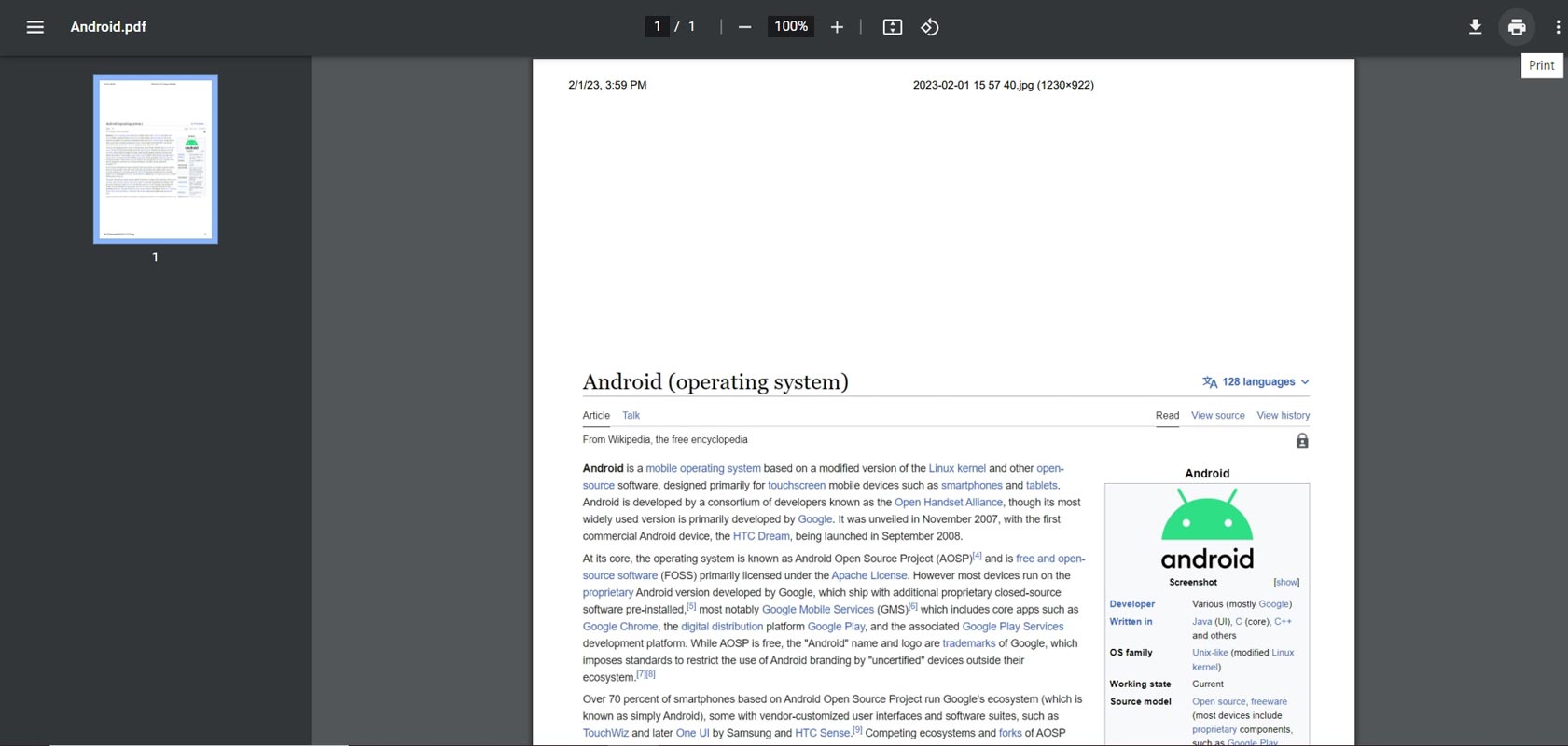
- After opening the PDF file, Press CTRL+F or choose Print Icon.
- In Destination, Choose Save as PDF.
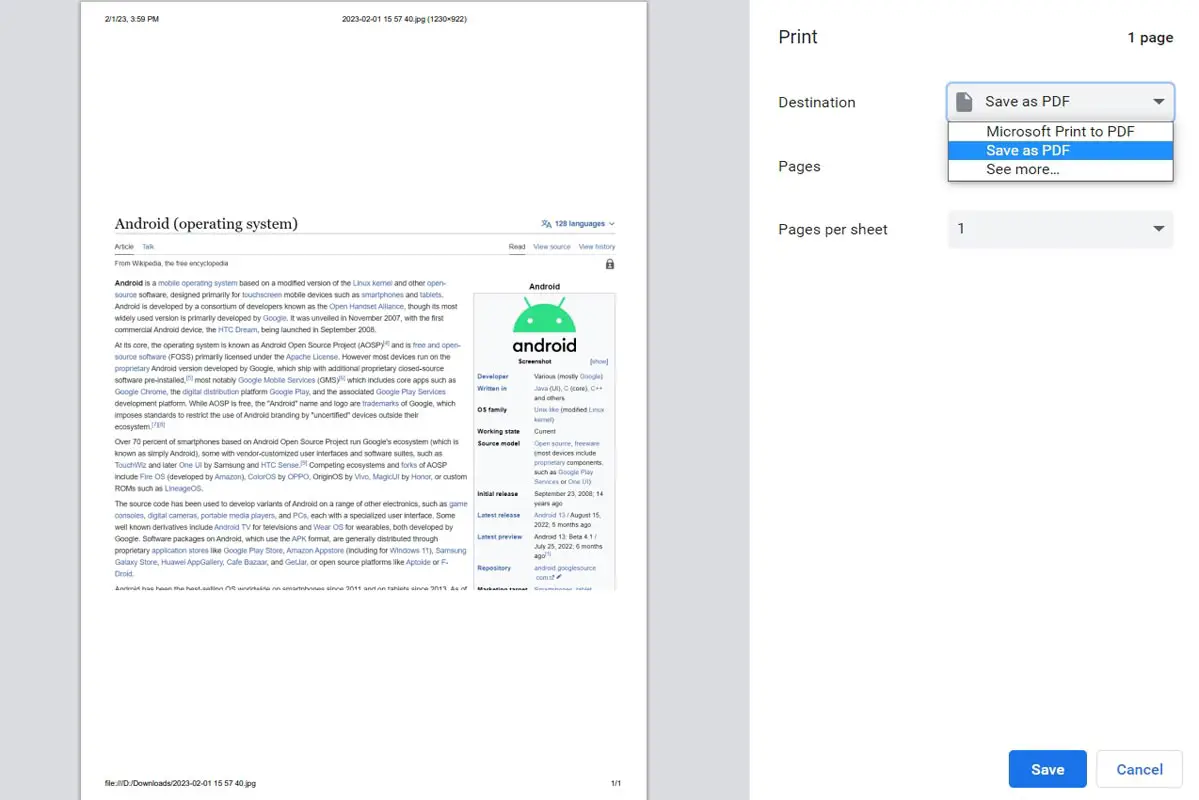
- Choose Save and Give your PDF the proper file name.
- Now you can share your unprotected PDF file with others.

Other Methods
There are several methods for removing passwords from PDF files, including:
- Adobe Acrobat: Adobe Acrobat is a PDF editor that allows you to remove passwords from PDF files. To do this, open the PDF file, go to the File menu, and select “Properties.” Select the “Security” tab from the Properties dialog box and click “Remove Security.”
- Online PDF Tools: Online PDF tools, such as SmallPDF, provide an easy way to remove passwords from PDF files without needing additional software. Upload the PDF file and select “Unlock PDF” to remove the password.
- Password Recovery Tools: If you have forgotten the password, you can use a password recovery tool to remove it from the PDF file. Several online password recovery tools can help you remove passwords from PDF files.
Benefits of Removing Passwords from PDF Files
There are several benefits of removing passwords from PDF files, including:
- Increased Accessibility: You can easily access and edit the content by removing passwords from PDF files. This can be useful if you need to make changes to the document or if you received a password-protected PDF from someone else and need to access the content.
- Improved Collaboration: Removing passwords from PDF files can improve collaboration and allow for more seamless sharing and editing of the content.
- Legal Compliance: To comply with regulations and laws such as GDPR and HIPAA, removing passwords from PDF files is mandatory in specific industries.
Wrap Up
Password-protected PDF files are essential for protecting sensitive information from unauthorized access. By following the steps outlined in this article, you can secure the confidentiality of your data by quickly creating and opening password-protected PDF files. Removing passwords from PDF files is a straightforward process that can increase accessibility, improve collaboration, and help you comply with legal requirements. By following the steps outlined in this article, you can gain full access to the content of PDF files by efficiently removing their passwords.

Selva Ganesh is a Computer Science Engineer, Android Developer, and Tech Enthusiast. As the Chief Editor of this blog, he brings over 10 years of experience in Android development and professional blogging. He has completed multiple courses under the Google News Initiative, enhancing his expertise in digital journalism and content accuracy. Selva also manages Android Infotech, a globally recognized platform known for its practical, solution-focused articles that help users resolve Android-related issues.