
The excitement among Android enthusiasts is palpable as they delve into the new features offered by the recently released beta build of Android 14. However, as is customary with innovation, bugs and issues emerge. A particular concern revolves around compatibility issues experienced by users of widely-used UPI apps such as BHIM, Google Pay, and Paytm. This guide is designed to serve as a helpful companion, providing clear and concise steps to address these compatibility challenges and restore functionality to your UPI apps. By following the outlined steps, users can easily navigate the troubleshooting process, ensuring that their UPI apps regain stability and continue to deliver the seamless experience they are accustomed to in the evolving landscape of Android updates.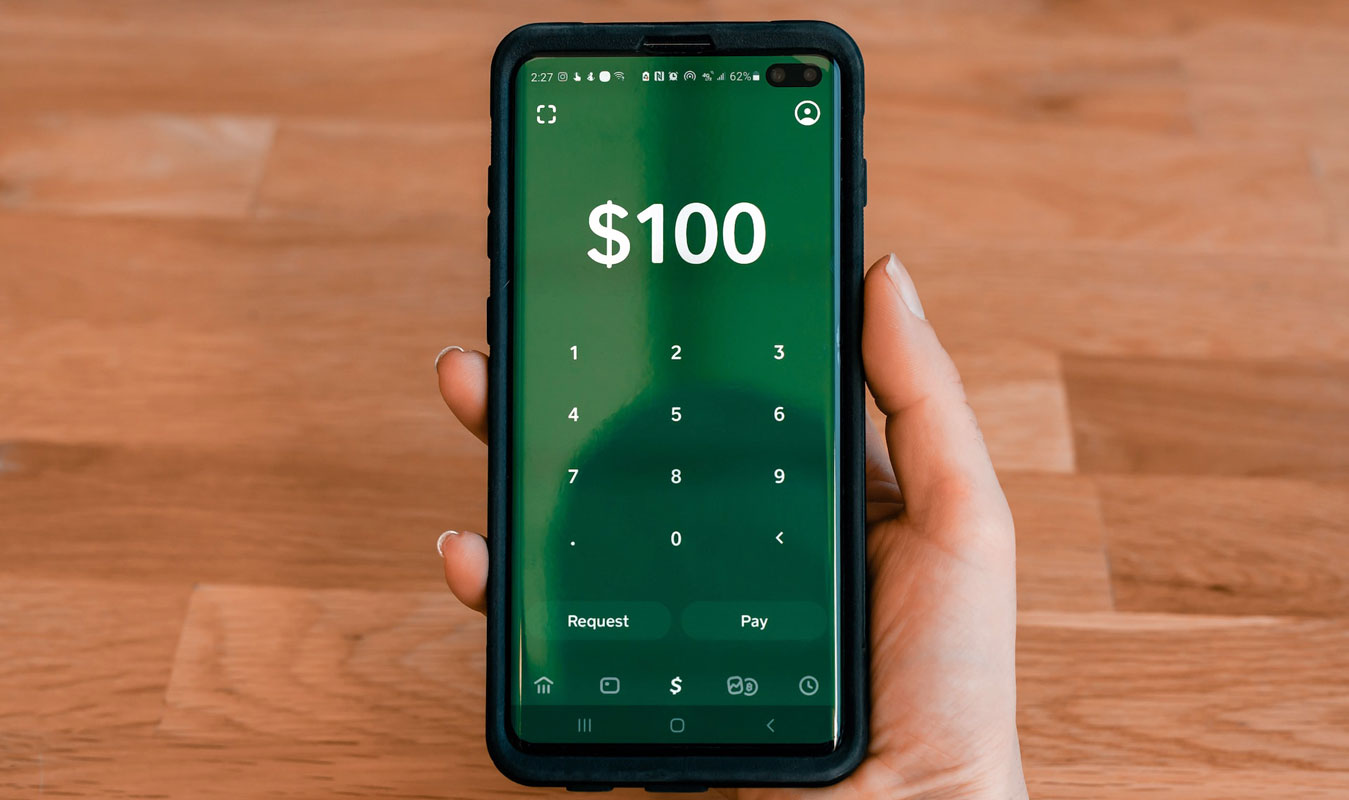
Overview of Android 14 Beta
The beta build of Android 14 promises exciting features and improvements. However, early adopters are encountering various issues, including those affecting UPI apps.
Common Issues Faced by UPI App Users
Users have reported problems related to the com.android.qns process, cellular connectivity, and crashes in wallpaper & style settings.

Understanding Compatibility Issues
- We are delving deeply into the technical intricacies of the com.android.qns process reveals its profound effects on UPI apps.
- Exploring the connectivity issues faced by users, potentially disrupting seamless UPI transactions.
- They understand how the compatibility issues extend to the visual elements of UPI apps.
The Workaround: Deleting App Data
- Locating the settings menu on your Android 14 device.
- Find your UPI app within the device’s app settings.
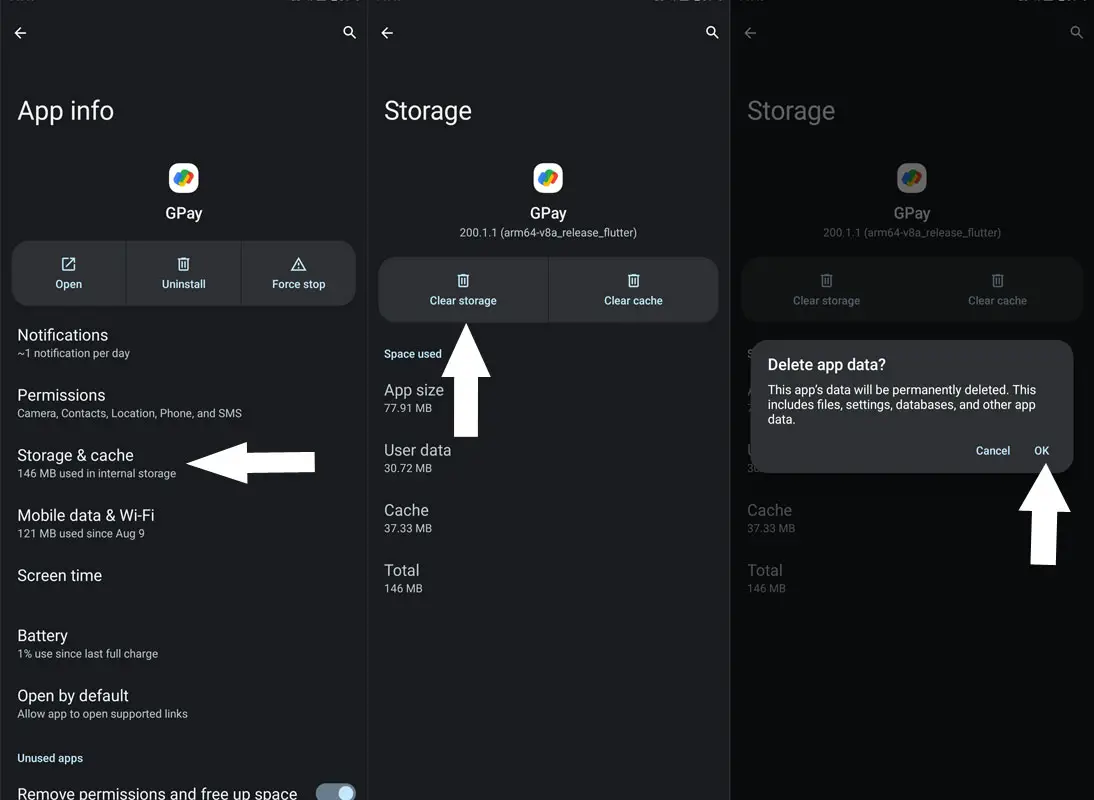
- A step-by-step guide on clearing the app’s storage and cache.
- We are ensuring the successful deletion of data with a confirmation step.
- We are completing the process by relaunching the app and setting it up anew.
User Experience: Testing the Solution
- Demonstrating the application of the workaround in real time.
- Guidance on ascertaining whether the issue has been successfully resolved.
Addressing User Concerns
- We are addressing concerns about possible data loss during the deletion process.
- They provide users with backup options and best practices to safeguard their data.
Preventive Measures
- Highlighting the importance of keeping UPI apps and the Android system updated.
- They encourage users to participate in beta testing responsibly and report issues for a smoother experience.
FAQs
Is it safe to delete app data?
Yes, deleting app data is safe and often resolves compatibility issues. However, ensure you have a backup if necessary.
Will I lose my transaction history by deleting data?
No, your transaction history is usually stored on the server. Deleting app data won’t affect it.
Why does Android 14 have compatibility issues with UPI apps?
Beta builds are prone to bugs. Developers are working to fix these issues before the stable release.
How frequently should I update my UPI apps?
Regular updates are crucial for security and compatibility. Check for updates at least once a week.
Can I downgrade to the previous Android version?
Downgrading can be complex and may lead to data loss. It’s recommended to wait for official updates.
Wrap Up
In summary, while Android 14 introduces thrilling features, users may encounter temporary compatibility challenges with UPI apps such as BHIM, Google Pay, and Paytm. However, by diligently following the suggested workaround and embracing proactive measures, users can navigate and overcome these issues, ensuring a smooth and uninterrupted experience with their favorite UPI applications on the latest Android operating system. The dynamic landscape of beta builds often brings forth unforeseen obstacles. Still, with the provided solutions and a cautious approach, users can optimize their interaction with the new features without compromising their UPI app functionality.
This emphasizes the importance of embracing innovations and being equipped with the knowledge and strategies to address potential hiccups, ultimately enhancing the overall user experience in the evolving realm of mobile technology.

Selva Ganesh is a Computer Science Engineer, Android Developer, and Tech Enthusiast. As the Chief Editor of this blog, he brings over 10 years of experience in Android development and professional blogging. He has completed multiple courses under the Google News Initiative, enhancing his expertise in digital journalism and content accuracy. Selva also manages Android Infotech, a globally recognized platform known for its practical, solution-focused articles that help users resolve Android-related issues.