
Most of the ISPs(Internet service providers) always log our data and sell it to third parties for advertisement purposes. So, Your data is not secure when you didn’t use any Private DNS solutions. Fortunately, there are a lot of free solutions available for protecting your privacy from the ISP. It will not act like a VPNs. But it can protect your data. Unlike VPNs, Private DNS is mostly free and doesn’t have speed limitations. Google is also providing DNS service for years. You can set up the whole configuration for your Android mobiles. But when you don’t want to use the DNS other than the browser, Now you can enable Secure DNS on your Android Google Chrome browser with above version 85.
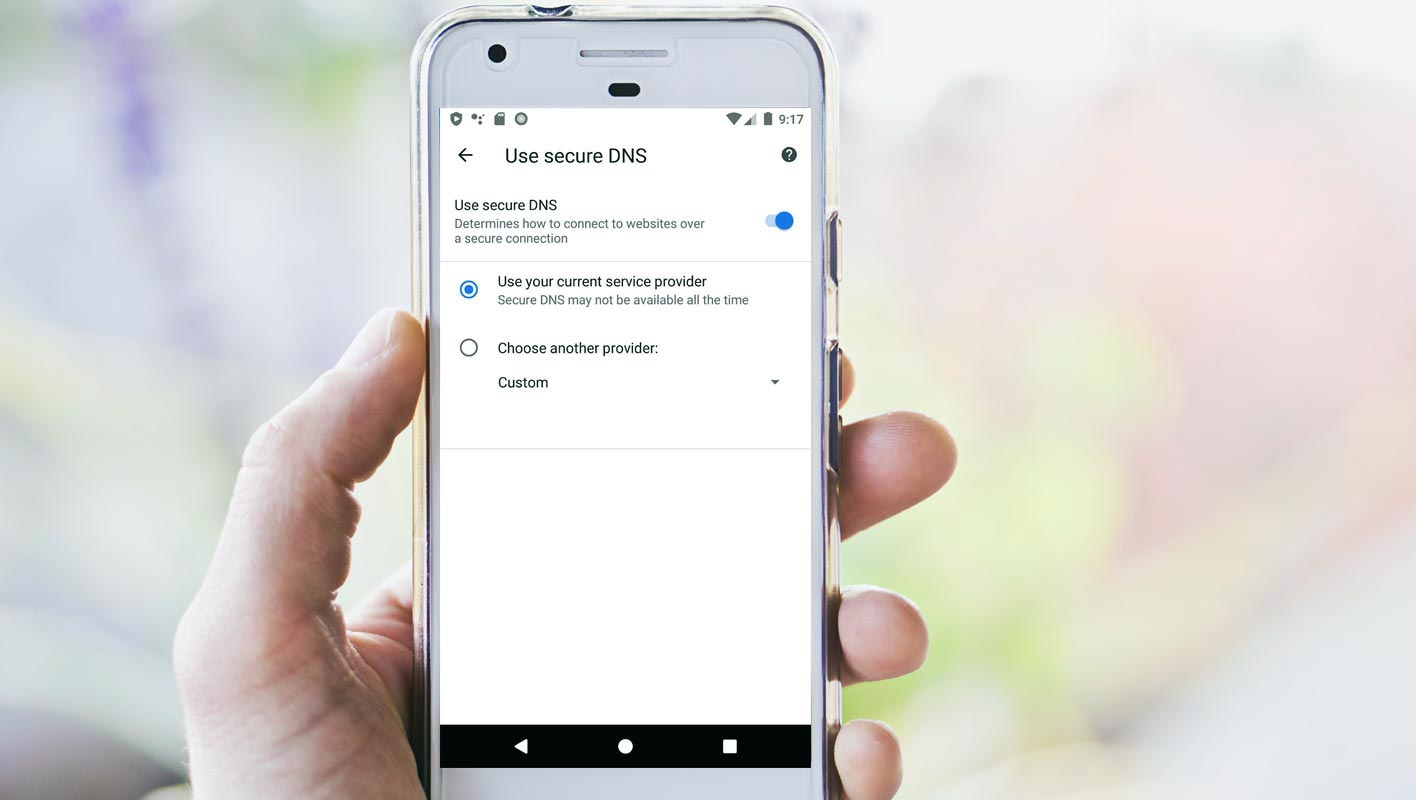
Google is continuously working on chrome 85. After the launch of Chrome 85, Google is pushing the updates regularly. You have received the last update two days earlier, and here is the latest update of chrome 85—the safer browsing on your mobile with DoH (DNS-over-HTTPS).
What is DoH Secure DNS?
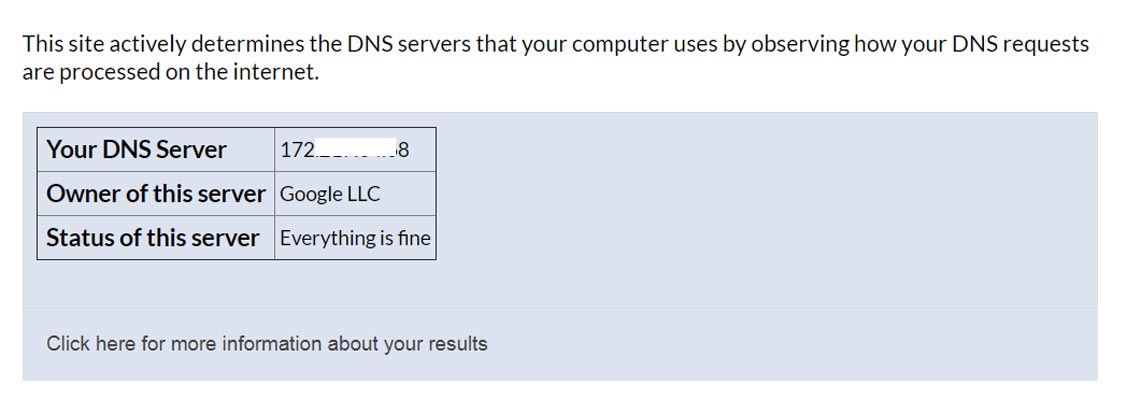

DoH (DNS-over-HTTPS) is, in fact, a security guard that protects your data while surfing on the internet. For your safer internet surfing, DoH uses the HTTPS protocols to protect your data from man-in-the-middle attacks. It encrypts the data from ‘DNS lookup’ to ensure you private and safer browsing experience. You can check your current DNS settings on the whatsmydnsserver.com site.
Secure DNS in Chrome 85, Is it new?
Google has been working on DoH since March 2018 with the Mozilla foundation. Firefox Mozilla browser started encryption of domain names by default in February 2020, and this service was limited to USA users only. Google introduced DoH protocols in chrome 83 in may 2020, but it was limited to the desktop version. And now, Google rolls out this safe browsing for Android users.
How will Secure DNS DoH work?
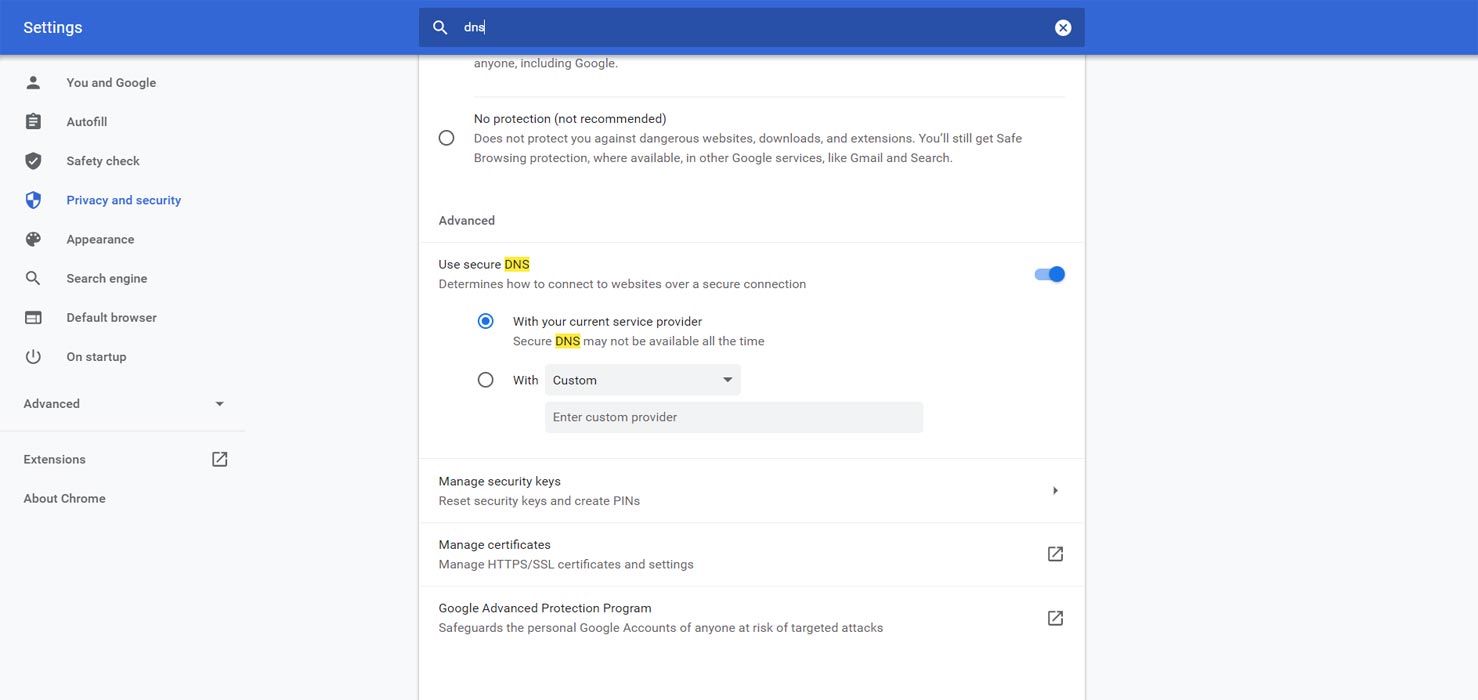
DoH on Android will work the same way as on desktop. Let’s see some of its features.
- If your DNS provider supports DoH, then Chrome will switch your browsing to DoH automatically. The same will apply to DoT (DNS-over-TLS). Your DNS provider might have offered you family-safe-filter; this approach will save the extra services.
- In this auto mode, Chrome will fall back to regular DNS provider service if there generates any interruption, but Chrome will keep trying to shift to DoH transmission.
- In this update, you will have the facility of manual configuration. You can select any specific DoH service provider. Chrome has given the option “Choose another Provider.” Just like this option and add the IP address of the DNS service provider you want to use. Or you can altogether disable this feature. This option will apply to Chrome for Android and not for the whole Android operating system.
- If you belong to an enterprise and manage your system according to your policies of controlling the company’s smartphones, then Chrome will disable the secure DNS. As DoH may conflict, your policies and attackers may get any chance to attack.
- Chrome is offering specific DoH enterprise policies to encourage the managed configuration of secure DNS by the IT administrators.
The early rollout of this DoH feature provides a safe and private browsing experience with peace of mind to Chrome Android users. There will come some issues form mobile operators, internet service providers, and DNS service providers when they will experience this protocol to coordinate with their services.
Secure DNS in Google Chrome 85 Android version
As Google did with the desktop version of Chrome when launched the DoH feature, the DoH will be rolled out progressively to Android users. This roll out in stages will ensure stability and security. This progressive rollout will also help the DoH providers to adjust their services levels, respectively. You can enable Secure DNS using the below steps.
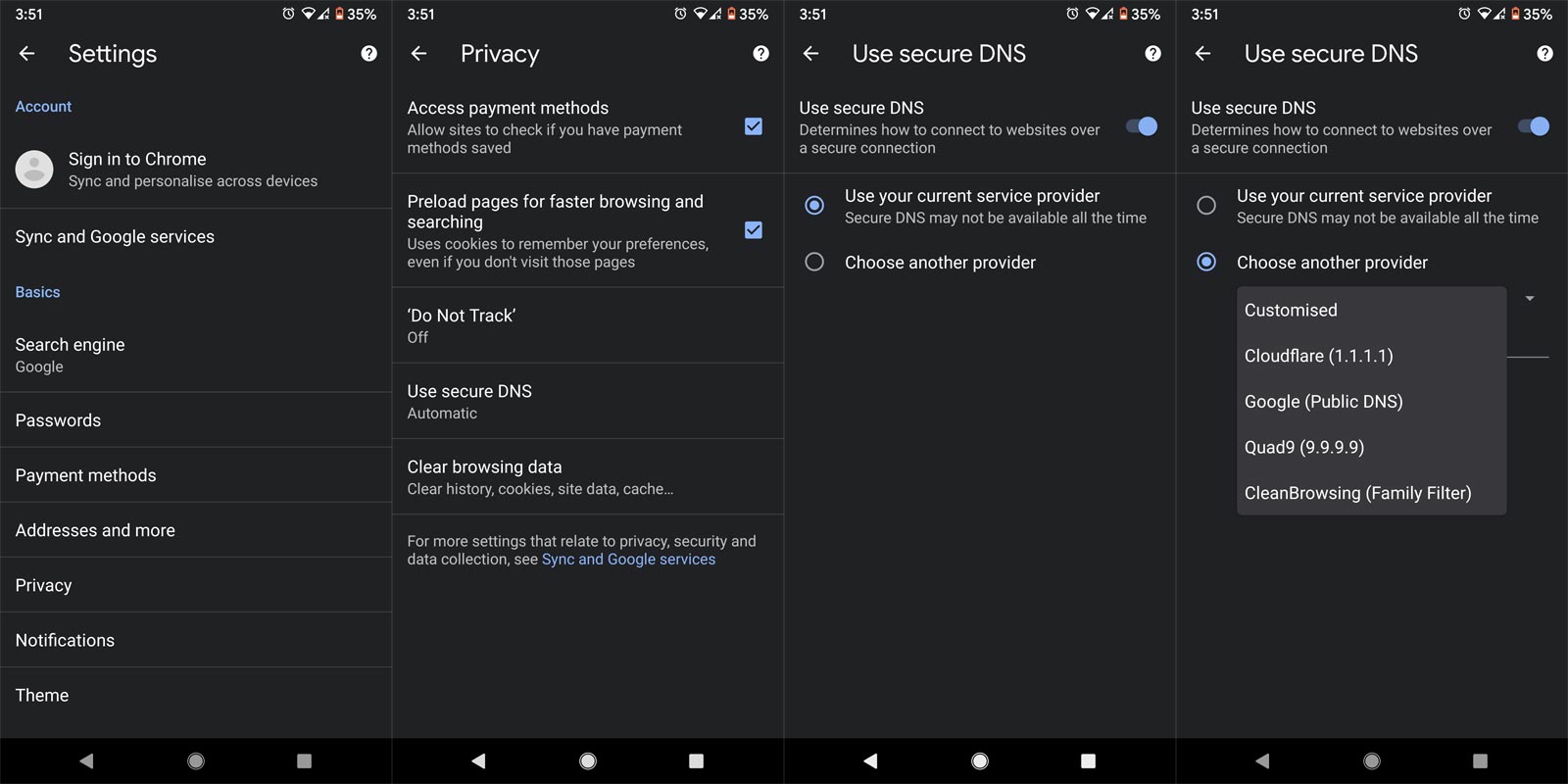
- Open Your updated Google Chrome on Android Mobile.
- Select the three-dot icon and choose “Settings.”
- Open the Privacy option and select “Use secure DNS.”
- Under Secure DNS, You can choose your favorite provider.
Manual full DNS settings in Android
Like in PC, We can manually change our DNS settings on our mobile to avoid our ISP tracking. Most of the time, It will work well. It will protect your overall network traffic; it means all your upload and download logs mostly can’t track by your ISP.
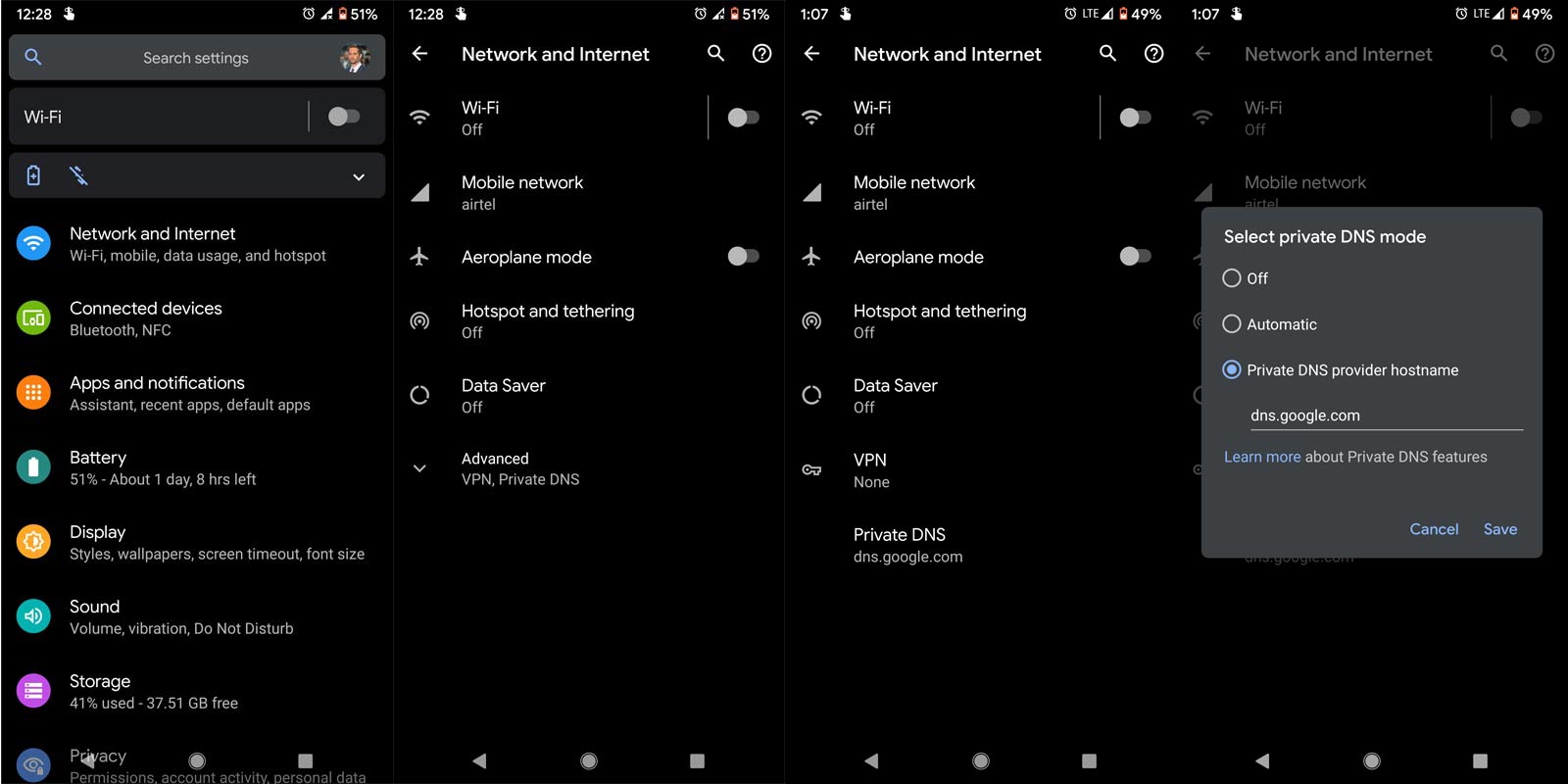
- Go to Settings>Mobile and Network.
- Then Select Mobile Network.
- You will get a lot of Options. Choose Advanced, then “Private DNS.” Select “dns.google.com.” You can also set up different DNS servers.
Wrap up
In the Chrome 85 update, we already received a bunch of useful updates. Secure DNS in Chrome Android is a much-needed feature. This new feature will give you the freedom to experience a private and safe internet surfing. After Chrome 79 update, This version update is a considerable improvement. Google also released Chrome OS 85 updates, which come with useful work from home features. If you haven’t received this update on your mobile phone, don’t worry, Chrome is rolling out it gradually to every Android user. Do tell us about your experience with this feature in the comments below.

Selva Ganesh is a Computer Science Engineer, Android Developer, and Tech Enthusiast. As the Chief Editor of this blog, he brings over 10 years of experience in Android development and professional blogging. He has completed multiple courses under the Google News Initiative, enhancing his expertise in digital journalism and content accuracy. Selva also manages Android Infotech, a globally recognized platform known for its practical, solution-focused articles that help users resolve Android-related issues.