
In the rapidly advancing realm of smartphones, the Samsung Galaxy S24 emerges as a standout with its array of innovative features. One such feature, Live Translate, holds the potential to transform multilingual communication. This article provides a thorough walkthrough on activating and effectively utilizing Live Translate on your Samsung Galaxy S24 device. By harnessing this cutting-edge technology, users can seamlessly bridge language barriers in real time, facilitating smoother interactions and fostering global connectivity. Whether for travel, business, or everyday conversations, Live Translate empowers users to engage with confidence and ease across diverse linguistic landscapes. With the Samsung Galaxy S24 at hand, language will no longer be a barrier but rather a gateway to enhanced communication experiences.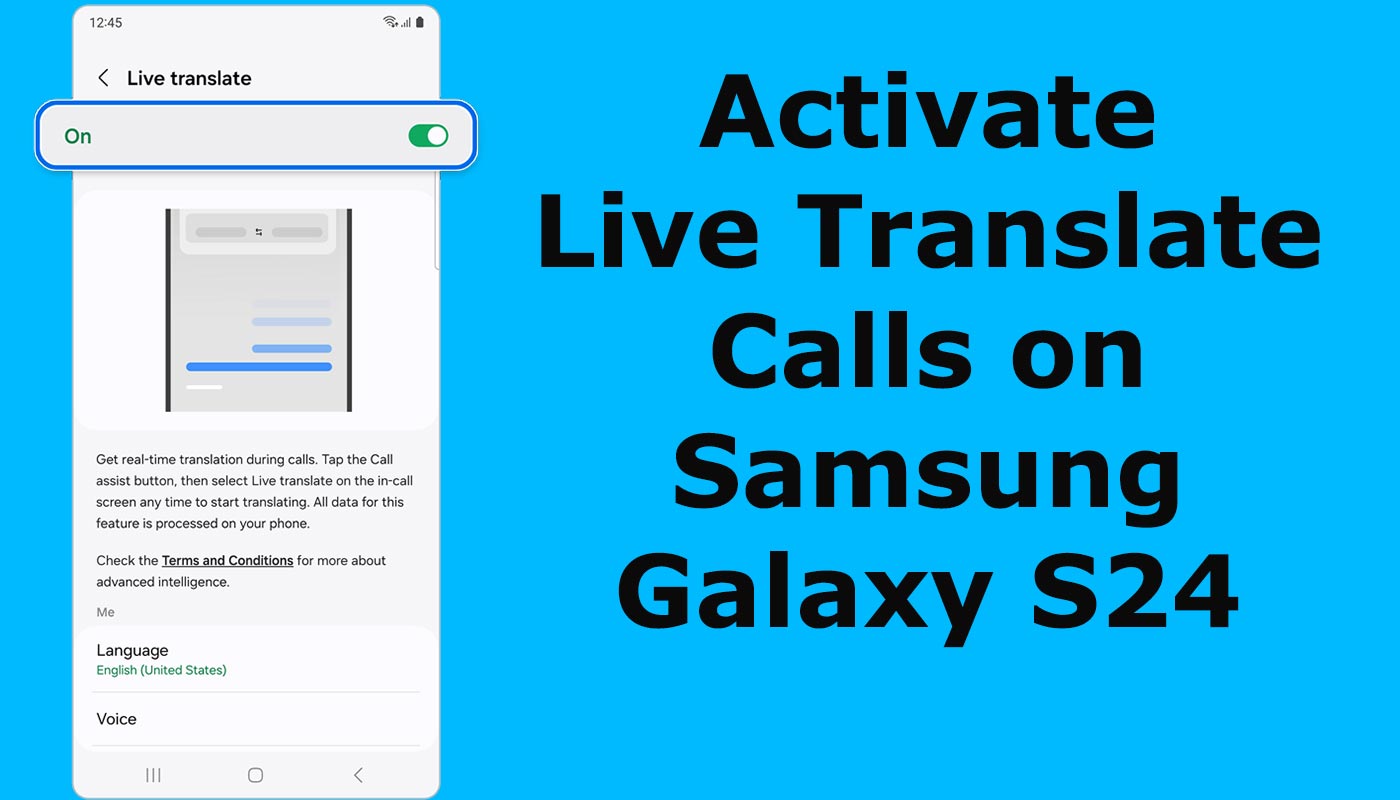
Understanding Live Translate
Live Translate is an AI-powered feature integrated into Samsung Galaxy S24, designed to facilitate real-time translation during phone calls. By harnessing the power of artificial intelligence, this feature transforms your device into a personal translator, bridging language barriers effortlessly.
Supported Languages and Regions
At the time of release, Live Translate supports 13 languages across 17 regions. These include:

- Chinese Simplified
- English (India, United Kingdom, United States)
- French
- German
- Hindi
- Italian
- Japanese
- Korean
- Polish
- Portuguese
- Spanish (Mexico, Spain, United States)
- Thai
- Vietnamese
It’s worth noting that some languages may require downloading language packs for access.
Activating Live Translate
To enable Live Translate on your Samsung Galaxy S24, follow these steps:
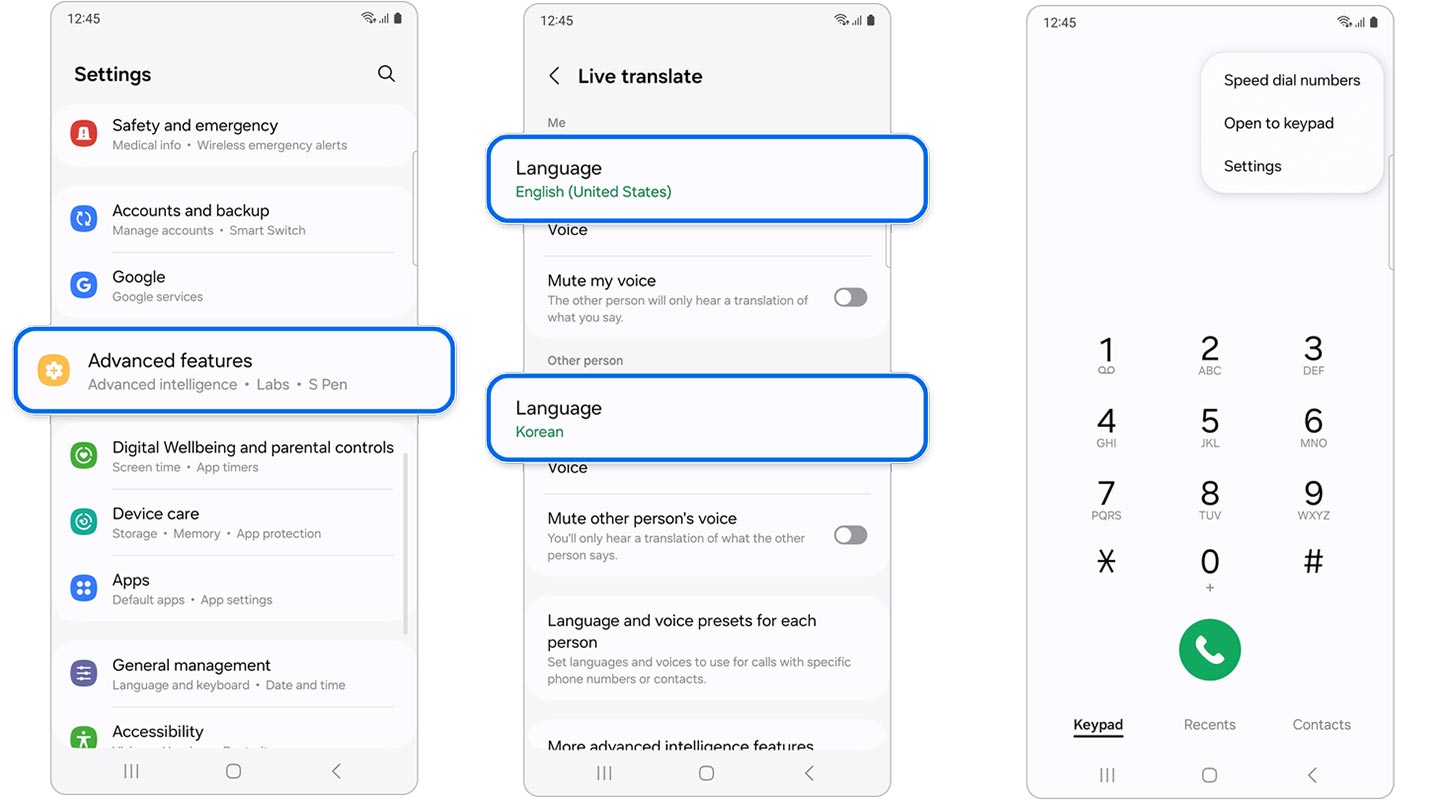
Step 1: Accessing Settings
- Open the Settings app on your device.
- Navigate to “Advanced features.”
Step 2: Enabling Advanced Intelligence
- Within “Advanced features,” select “Advanced intelligence.”
- Choose “Phone.”
Step 3: Activating Live Translate
- Toggle the switch to enable Live Translate.
- If prompted, follow on-screen instructions to complete the activation process.
Step 4: Language Configuration
- Set your preferred language in the “Me” section.
- Choose the language of the other party in the “Other person” section.
- If necessary, download language packs for access.
Alternate Method: Accessing Live Interpretation via Samsung Phone App
- Open the Samsung Phone app.
- Tap the More options icon (three vertical dots).
- Select “Settings” followed by “Live translate.”
Utilizing Live Translate During Calls
Once Live Translate is activated, here’s how to use it during phone calls:
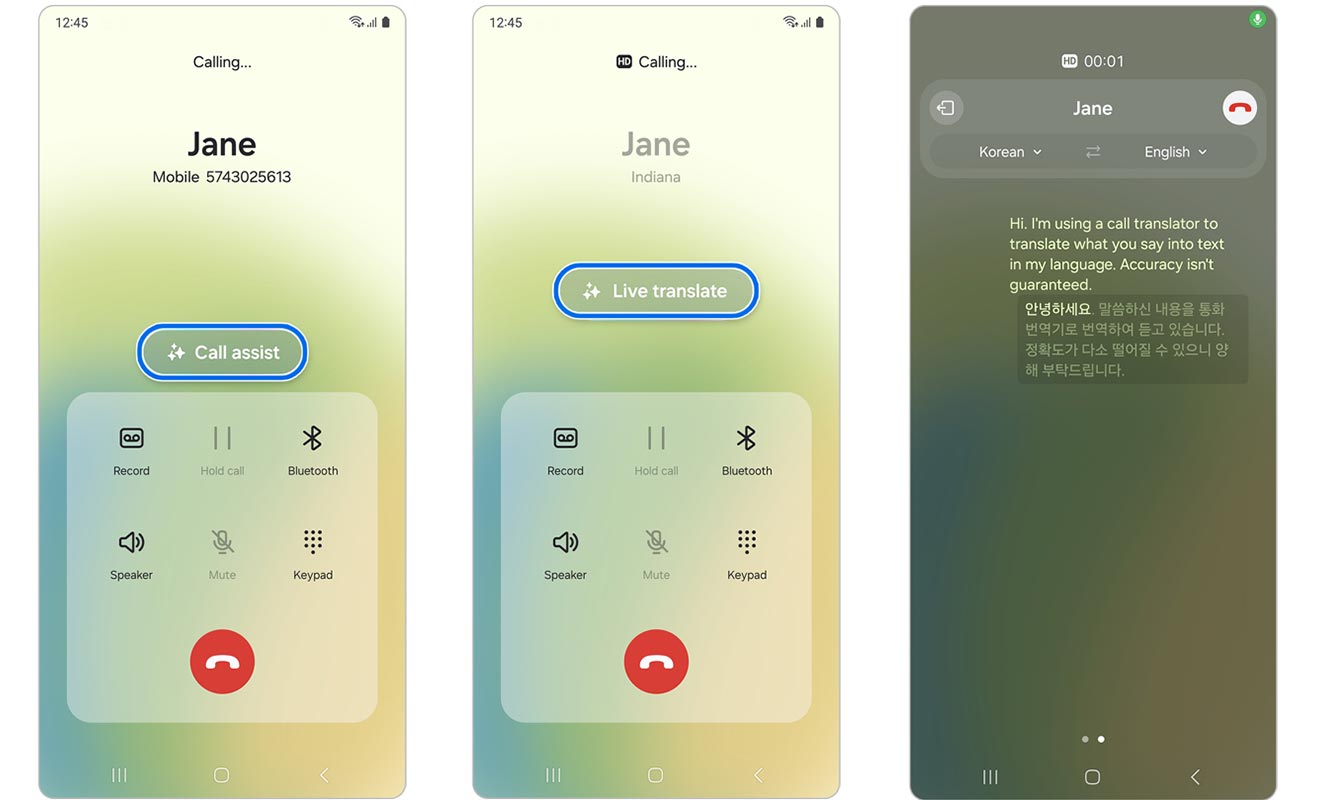
Step 1: Initiating a Call
- Make or receive a call using the native phone app.
- Tap on “Call assist.”
Step 2: Activating Live Translate
- During the ongoing call, tap on “Live translate.”
- Bixby Voice will automatically initiate translation based on the configured languages.
FAQs
Is Live Translate available for all Samsung devices?
No, Live Translate is currently exclusive to Samsung Galaxy S24.
Can I use Live Translate for text messages or only phone calls?
Live Translate is designed explicitly for real-time translation during phone calls.
Are there any additional charges for using Live Translate?
Live Translate is a built-in feature of Samsung Galaxy S24 and does not incur additional charges.
Will Live to Translate work offline?
No, Live Translate requires an active network connection to function.
How accurate is Live Translate in translating languages?
While Live Translate strives for accuracy, it’s essential to understand that translation accuracy may vary depending on factors such as background noise and accentuation.
Wrap Up
In an increasingly interconnected world where communication transcends borders, Live Translate on the Samsung Galaxy S24 emerges as a pivotal game-changer. Through seamless integration of advanced AI technology, Samsung empowers users to bridge language barriers effortlessly. With Live Translate, every interaction becomes an avenue for connection, regardless of linguistic disparities. Whether traveling abroad, conducting business globally, or simply engaging in everyday conversations, this innovative feature facilitates fluid communication, fostering understanding and collaboration across diverse cultures and languages.
The Samsung Galaxy S24 not only redefines the smartphone experience but also catalyzes breaking down barriers and promoting inclusivity on a global scale. With Live Translate at their fingertips, users are equipped with the tools to navigate the complexities of our multicultural world with ease and confidence, facilitating meaningful connections and enriching experiences along the way.

Selva Ganesh is a Computer Science Engineer, Android Developer, and Tech Enthusiast. As the Chief Editor of this blog, he brings over 10 years of experience in Android development and professional blogging. He has completed multiple courses under the Google News Initiative, enhancing his expertise in digital journalism and content accuracy. Selva also manages Android Infotech, a globally recognized platform known for its practical, solution-focused articles that help users resolve Android-related issues.