
Is your Google Nearby Share not working on your Windows 11 PC? Don’t worry. You’re not alone in facing this issue. Google Nearby Share, a convenient file-sharing service, enables wireless transfer of files using Bluetooth and WiFi between devices. While it used to be exclusive to Android devices, it has now extended its reach to the Windows ecosystem. However, some users have encountered roadblocks, leading to Google Nearby Share not functioning as expected on their Windows 11 PCs. This comprehensive guide will walk you through the troubleshooting steps to resolve this issue and ensure smooth file-sharing between your devices.
Google Nearby Share on Windows 11
Google Nearby Share is a remarkable feature that allows users to share files between devices using Bluetooth and WiFi technology effortlessly. This service supports a wide range of file formats, and the transfer process is exceptionally swift, taking mere seconds. While initially restricted to Android devices, Google Nearby Share has expanded its compatibility to include Windows 11 PCs, a significant step towards seamless cross-device file sharing.
Google Nearby Share Not Working on Windows 11
Despite its promising functionality, some Windows 11 users have encountered obstacles when utilizing Google Nearby Share. This has prompted numerous users to voice their concerns about the service not operating as intended on their Windows 11 PCs. The following sections will guide you through the troubleshooting process, enabling you to address these issues and restore the efficient functionality of Google Nearby Share.

Step-by-Step Guide to Fix Google Nearby Share Issues
Download and Install Nearby Share
- Begin by downloading and installing the Google Nearby Share application from its official website.
- This ensures you have the latest version of the application that is optimized for your Windows 11 PC.
Enable WiFi and Bluetooth
- Ensure that WiFi and Bluetooth are enabled on your Windows 11 PC and the device you intend to share files with.
- Make sure that both devices are connected to the same WiFi network to ensure a seamless connection.
Configure Connection Preferences
- On your device, navigate to “Settings,” then “Connected Devices,” followed by “Connection Preferences.
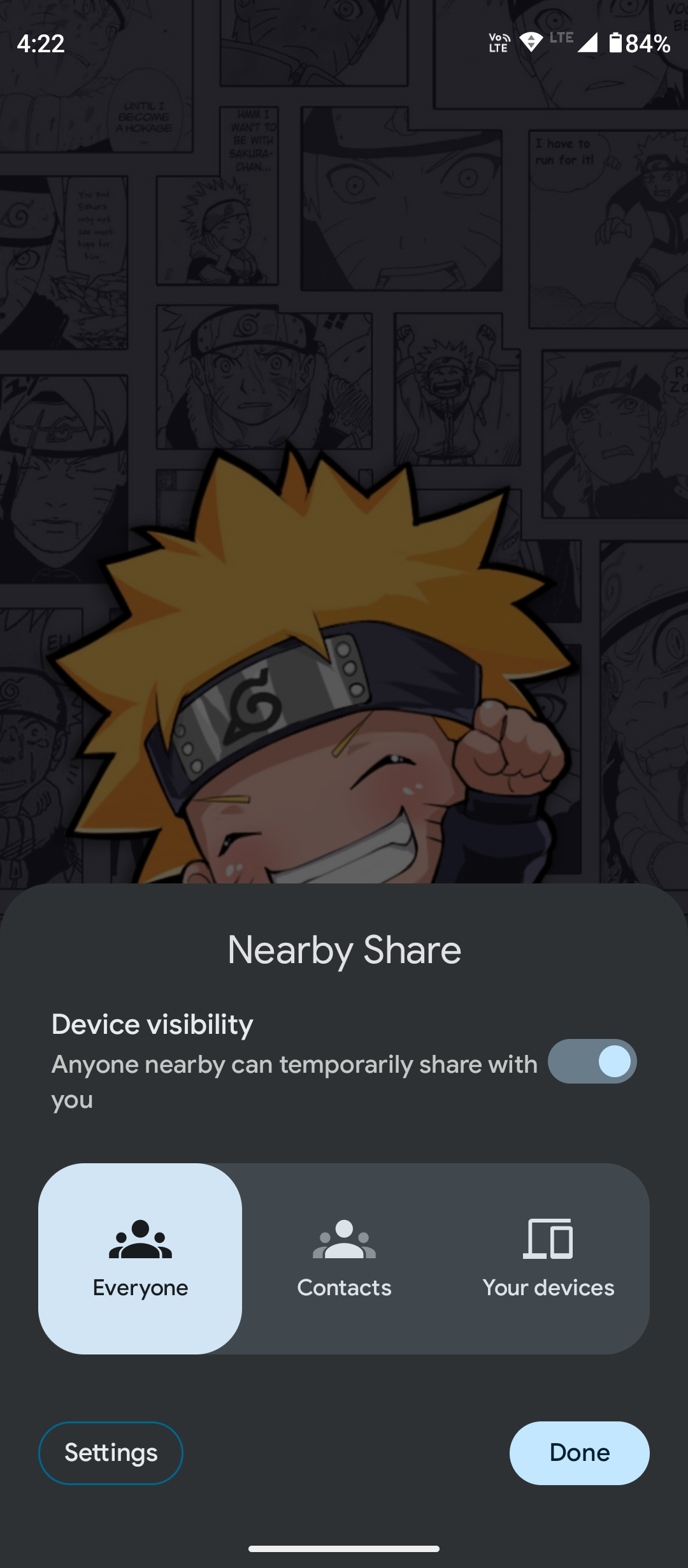
- ” Locate and select “NFC,” and choose “Everyone.
- ” This step is essential for the initial setup process.
Launch Nearby Share on PC
- Launch the Nearby Share application on your Windows 11 PC.
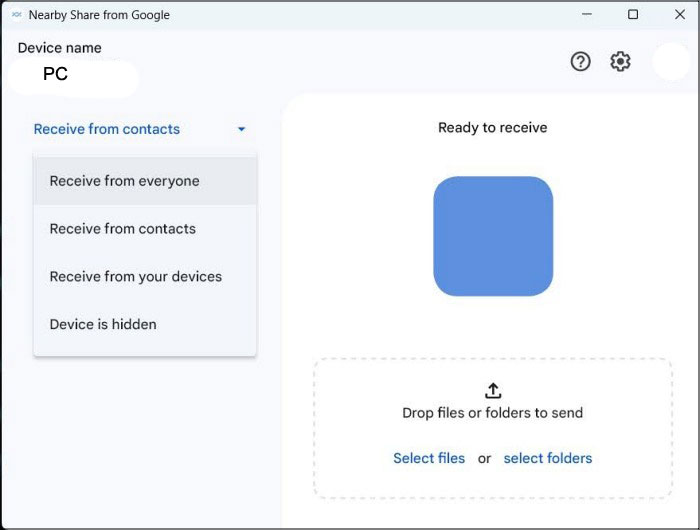
- From the left-hand side of the interface, select “Receive from Everyone.
- ” This step is crucial for the one-time setup process that establishes your PC’s visibility.
Establish Connection
- After completing the previous steps, your PC should be visible on your device.
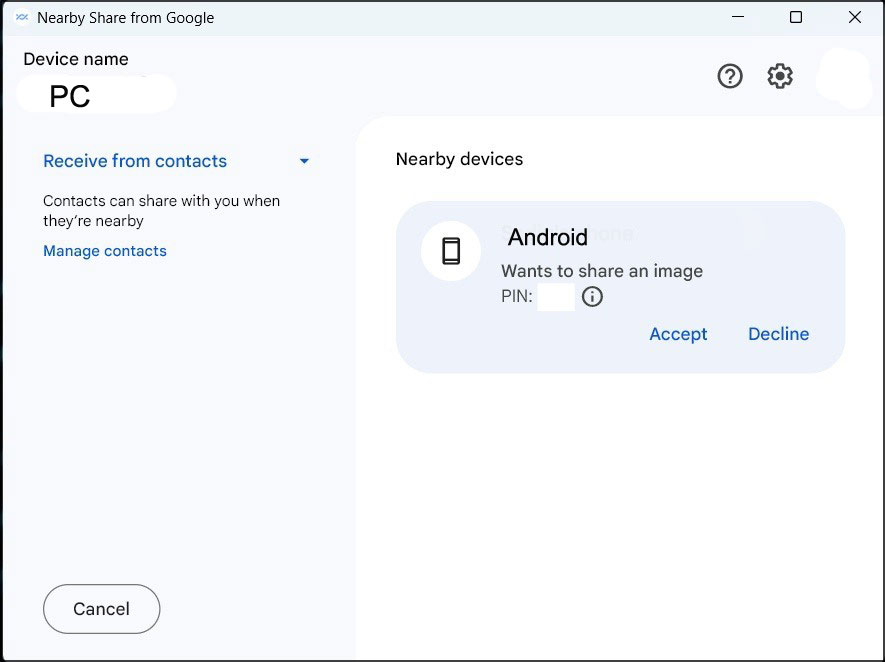
- Select your PC on the device, and you’ll receive a code on your PC’s screen.
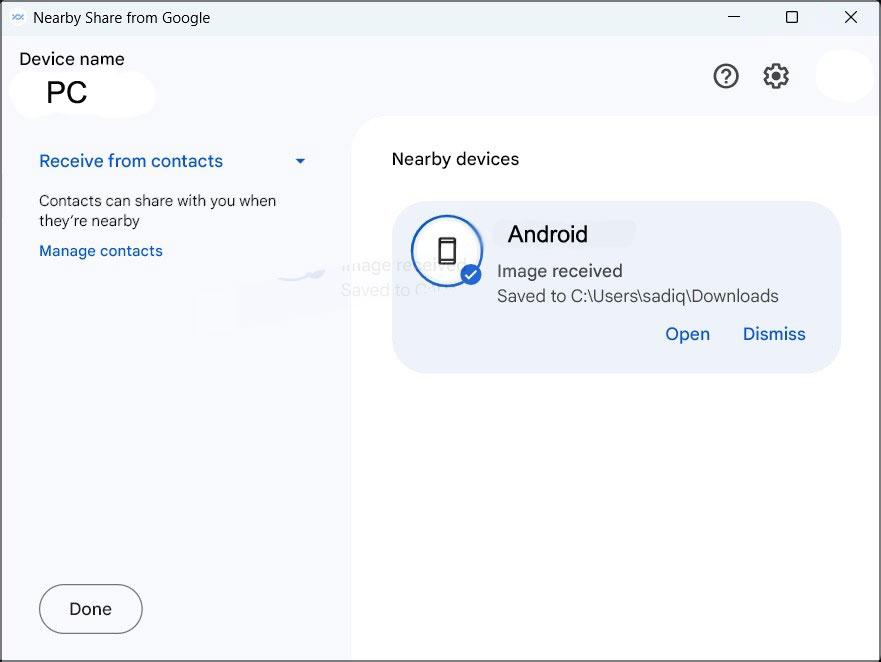
- If the code matches the one on your device, click “Accept,” initiating the file transfer process.
Transfer Files
- Likewise, you can transfer files from your PC to your device.
- In the Nearby Share app on your PC, select your phone, and you’ll receive a code on your device.
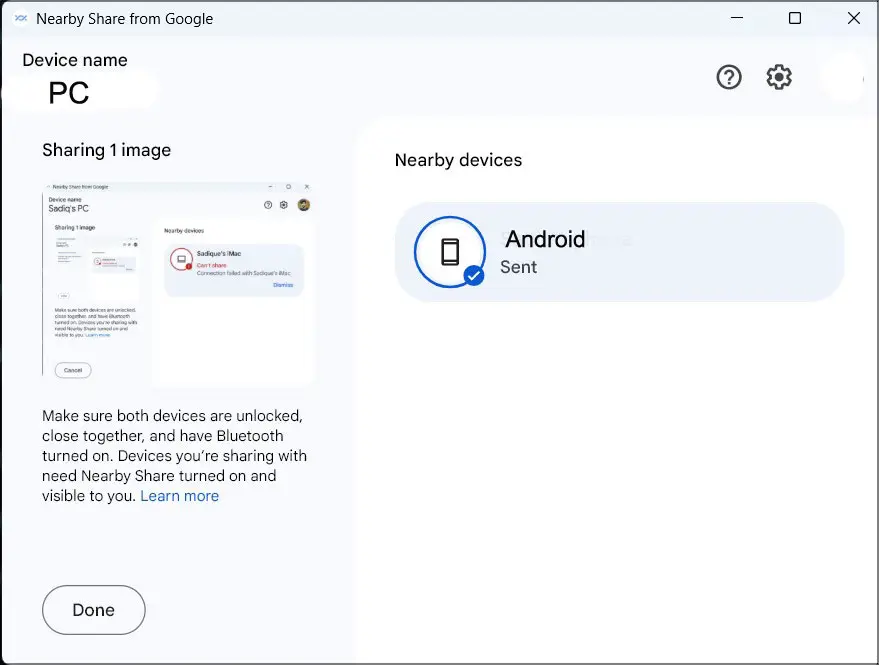
- Accept the transfer on your device if the code matches your PC’s.
Issue Resolved
These steps should rectify the Google Nearby Share issue on your Windows 11 PC. Once the file transfer process is successful, you can rest assured that the problem has been addressed, and you can now enjoy seamless file-sharing between your devices.
Quick Summary: How can I fix Google Nearby Share not working on Windows 11?
To resolve this issue, follow these steps:
- Download and install Nearby Share from the official site.
- Enable WiFi and Bluetooth on your PC and device.
- Configure connection preferences in device settings.
- Launch Nearby Share on your PC and select “Receive from Everyone.”
- Establish a connection by accepting the code on both devices.
- Transfer files between your PC and device using Nearby Share.
FAQs
Why is my Windows 11 PC not visible on Nearby Share?
Ensure both devices are linked to the identical WiFi network and that WiFi and Bluetooth functions are activated. Additionally, ensure you have selected “Everyone” in the NFC settings on your device.
What should I do if the file transfer fails through Google Nearby Share?
If file transfer fails, verify that both devices are within proximity and that their WiFi and Bluetooth function correctly. Restart the machines if necessary and attempt the transfer again.
Can I use Google Nearby Share to transfer files to and from non-Android devices?
While Google Nearby Share was initially limited to Android devices, it has now expanded to include Windows 11 PCs, allowing you to transfer files between them seamlessly.
Is Google Nearby Share secure for file sharing?
Yes, Google Nearby Share is designed with security in mind. Files are transferred directly between devices using a combination of Bluetooth and WiFi, ensuring a secure and efficient transfer process.
Are there any file size limitations for sharing through Google Nearby Share?
Google Nearby Share is optimized for sharing smaller files. While there isn’t an official file size limit, huge files may experience slower transfer speeds or encounter compatibility issues.
Wrap Up
By diligently following the steps in this comprehensive guide, you can adeptly navigate through troubleshooting and rectifying the challenge of Google Nearby Share malfunctioning your Windows 11 system. Embracing these instructions empowers you to effortlessly engage in smooth and efficient file-sharing activities between your Windows 11 PC and other devices that share compatibility.
Bid farewell to any lingering anxieties surrounding file transfer complications and warmly embrace the seamless convenience of the cross-device functionality offered by Google Nearby Share. With this newfound knowledge and implementation, you can confidently overcome any obstacles hindering your file-sharing experience and revel in the seamless interconnectivity between your devices.

Selva Ganesh is a Computer Science Engineer, Android Developer, and Tech Enthusiast. As the Chief Editor of this blog, he brings over 10 years of experience in Android development and professional blogging. He has completed multiple courses under the Google News Initiative, enhancing his expertise in digital journalism and content accuracy. Selva also manages Android Infotech, a globally recognized platform known for its practical, solution-focused articles that help users resolve Android-related issues.