
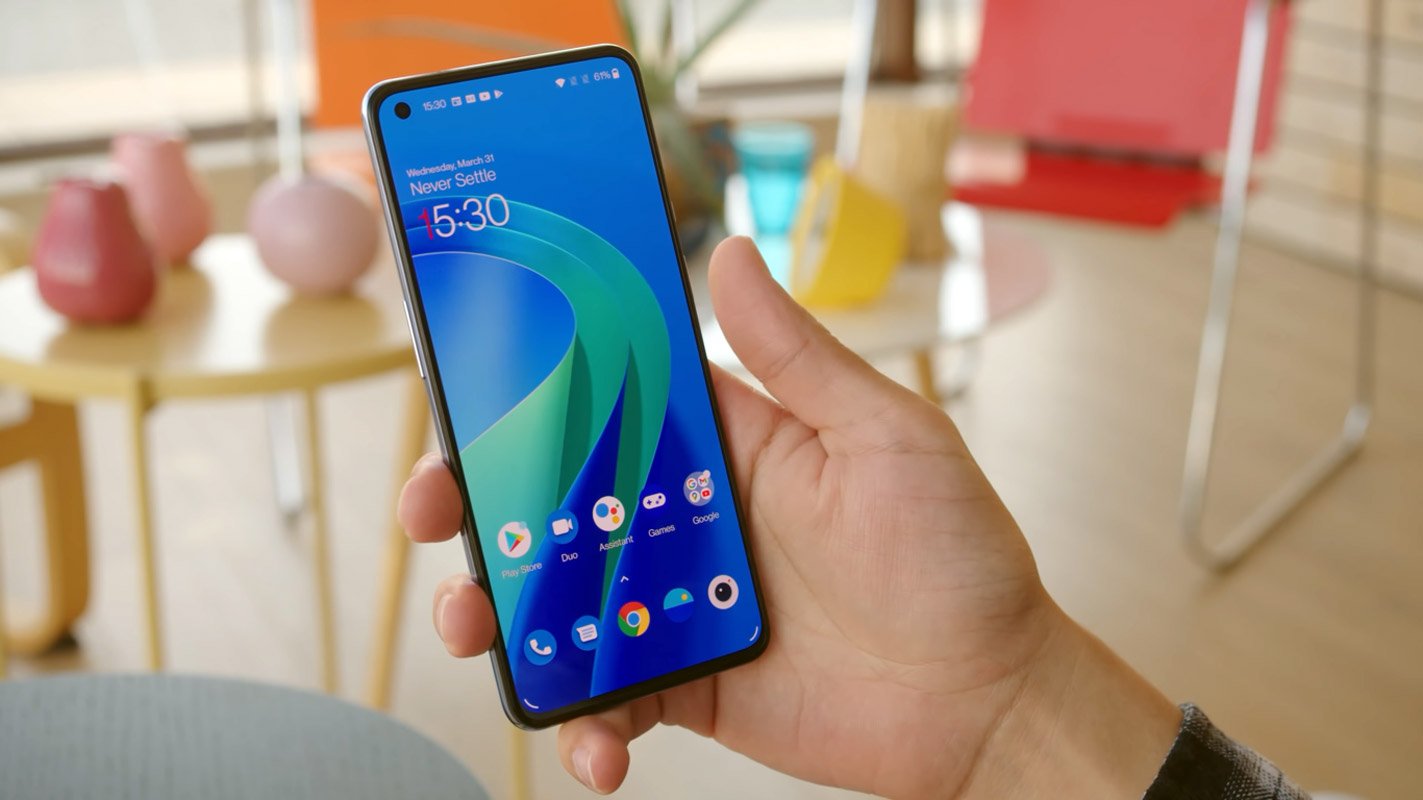
Every year OnePlus reduces the space between them and the leading companies like Samsung. Also, It increases the overall price of the new mobiles. Since they are implementing top-level elements and features, they have to increase the price, which is a fact. They can’t avoid this. The one thing that keeps them top ios is their software experience; Even though the announcement color may disappoint the whole OnePlus user base, Until they do this widely, we can use Oxygen OS. OnePlus is already testing Android 12 on its devices. When you are a Developer or New test user, you can Download and Install the OnePlus 9/9 Pro Oxygen OS Android 12 Open Beta 1 ROM using the below method.
Pre-Requirement Steps
You should perform these steps before starting the process.
Run a backup
You must run a comprehensive backup of all files, documents, and data on the Android device to be worked on. While the action may be done by a professional, we will lose all data on the Mobile if there are any mistakes.

So, to be safe, run a backup before continuing.
Charge the device fully
Many say you should charge the device up to 50% battery or more. We recommend a fully loaded mobile so there won’t be any stories.
Download ADB drivers and ROM
- Yeah, it is essential. You must download and install the ADB drivers on the PC, which you’ll use for this action.
- Download the ADB drivers. Install it on your PC.
- Download Oxygen OS ROM below. Copy this file to ADB Folder.
Sideload OTA Files
Flash Android 12 Firmware Oxygen OS 12 in OnePlus 9/9 Pro devices
Official OTA Sideload Method
- Download the most recent ROM upgrade zip file from the given server.
- We should copy the Upgrade Package onto the phone’s storage.
- Go to Settings > System> System Update. Select the top right Local Install -Find the upgrade package and tap it. Let the installation complete, and then click reboot.
- After the upgrade is completed When the upgrade is completed, select Restart.
- The update is successful.
Manual Method
Extract firmware files from the payload.bin
To use firmware files in the other flash methods, you must extract the ROM using the form below.
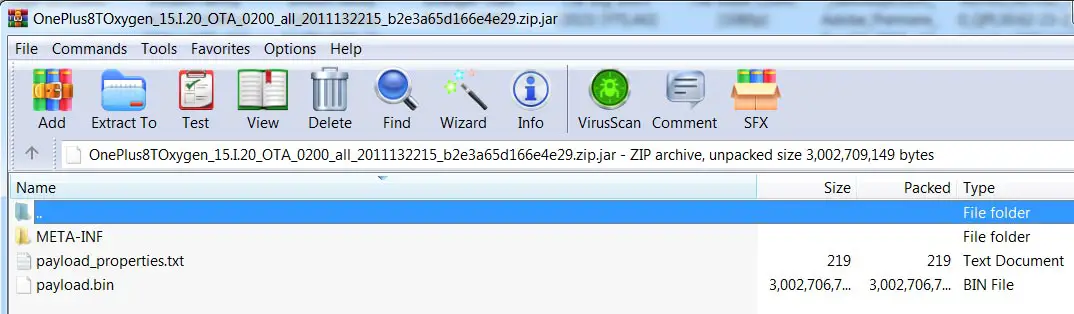
- Download 7Zip-ZS Install on your PC. Extract the files in downloaded firmware using 7Zip-ZS. We can find the payload.bin file in the extracted files. You will get some data.
- You have to download and install Python’s latest version. Also, Download Payload Dumper.zip and extract the files to your PC.
- After extracting Payload Dumper, You will get two folders- payload_input and payload_output. Place the payload.bin file in payload_input, which we extracted from OnePlus ROM.zip.
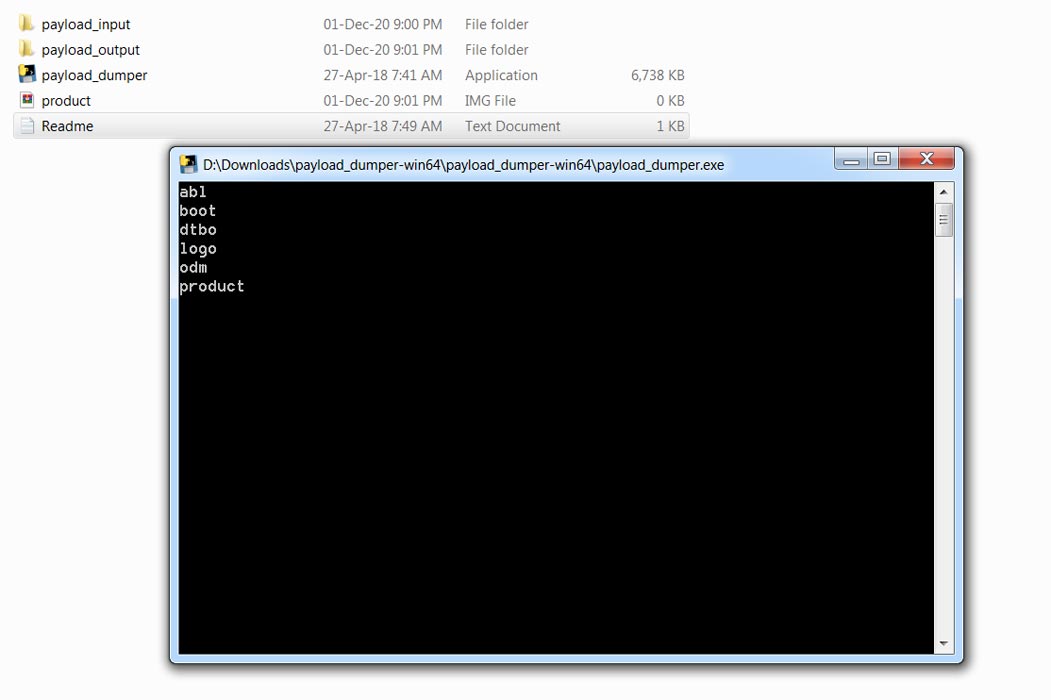
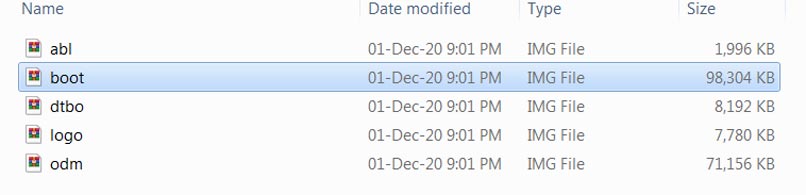
- Now run the Payload Dumper application. It will extract the boot.img file in payload_output.
Using the Stock Recovery Method
- Download firmware from the above link and copy it on your Mobile.
- Switch off your device. Then, enter into Recovery mode. To do this, press and hold down the Volume Down+ Power buttons simultaneously for some time.
-
Press the Volume Down button to continue when you see the warning message.
- Select “Install from internal storage.” select the storage where you downloaded your firmware file.
- Wait for the process to complete. Don’t interrupt your Mobile during the process.
Using the ADB sideload method (OTA Files)
This method requires PC support; You can only use this method If you have Stock Recovery.
- Copy your downloaded firmware to your PC and rename it to firmware.zip. Copy those files to the folder where you installed ADB and Fastboot.
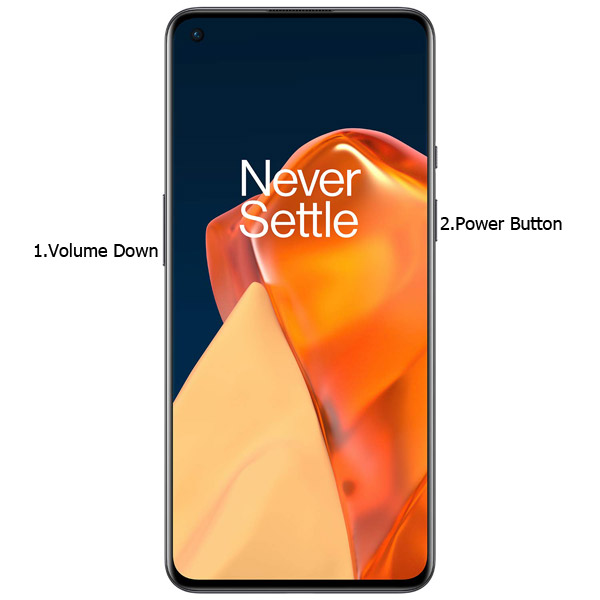
- Switch off your device. Then, enter into the Stock Recovery mode. To do this- Press and hold down the Volume Down + Power buttons simultaneously for some time.
-
Press the Volume Up button to continue when you see the warning message.
-
Connect the OnePlus 9/9 Pro mobile to the computer via USB cable.
- In Your Mobile stock recovery, select “Install from ADB.”
-
Launch the fastboot on your computer. Open a Command prompt on your PC and type the below command.
- fastboot devices
- It should display the connected devices. If you didn’t get the Mobile, restart the command prompt and Disconnect and Connect your Mobile. If you are detected, type the below commands.
- adb sideload firmware.zip
- The command will install all the files. When the process is complete, It will reboot your Mobile.
Using the fastboot commands method (Full ROM Files)
This method requires PC support and an unlocked Bootloader; You can also use this method to flash Stock ROM If you use Custom ROMs.
Unlock Bootloader using ADB and Fastboot
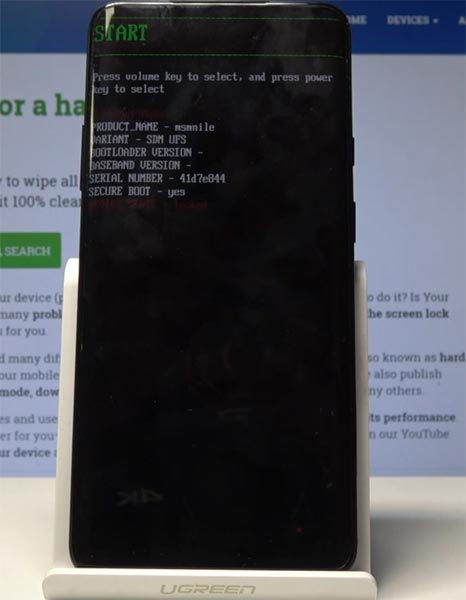
- Switch off your device. Then, enter into Fastboot mode. To do this, For Both Devices- Press and hold down the Volume Down + Power buttons simultaneously for some time.
-
Press the Volume Up button to continue when you see the warning message if it is the first time to boot fastboot, Advanced-> Reboot to Fastboot.
-
Connect the OnePlus 9/9 Pro mobile to the computer via USB cable.
-
Launch the fastboot on your computer. Open a Command prompt on your PC and type the below command.
- fastboot devices
- It should display the connected devices. If you didn’t get the device, restart the command prompt and Disconnect and Connect your Mobile. If you are detected, type the below commands.
- fastboot oem unlock
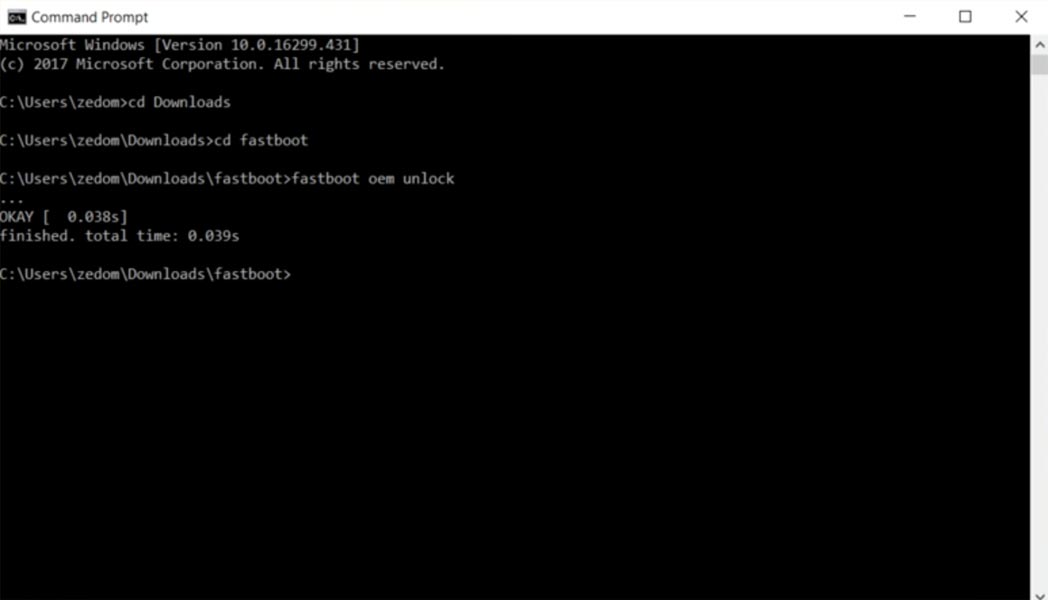
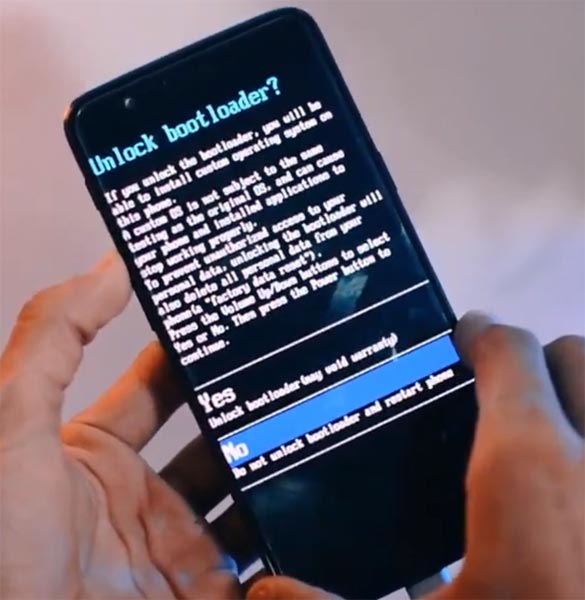
- Hit enter, and you will prompt to select an option on your mobile; select Unlock Bootloader.
-
After the process is complete, It will boot into the regular operation. Now you have an Unlocked Bootloader.
-
Check again to enable “Developer Options,” then go to the “Developer Options” and enable USB Debugging Mode, OEM Unlock and Enable the “Advanced Reboot.” Sometimes they disabled themselves after the boot.
Flash Firmware
- Copy your downloaded firmware to your PC and extract the files. Copy those files to the folder where you installed ADB and Fastboot.
- Switch off your device. Then, enter into the Stock Recovery mode. To do this- Press and hold down the Volume Down + Power buttons simultaneously for some time.
-
Press the Volume Up button to continue when you see the warning message.
-
Connect the OnePlus 9/9 Pro mobile to the computer via USB cable.
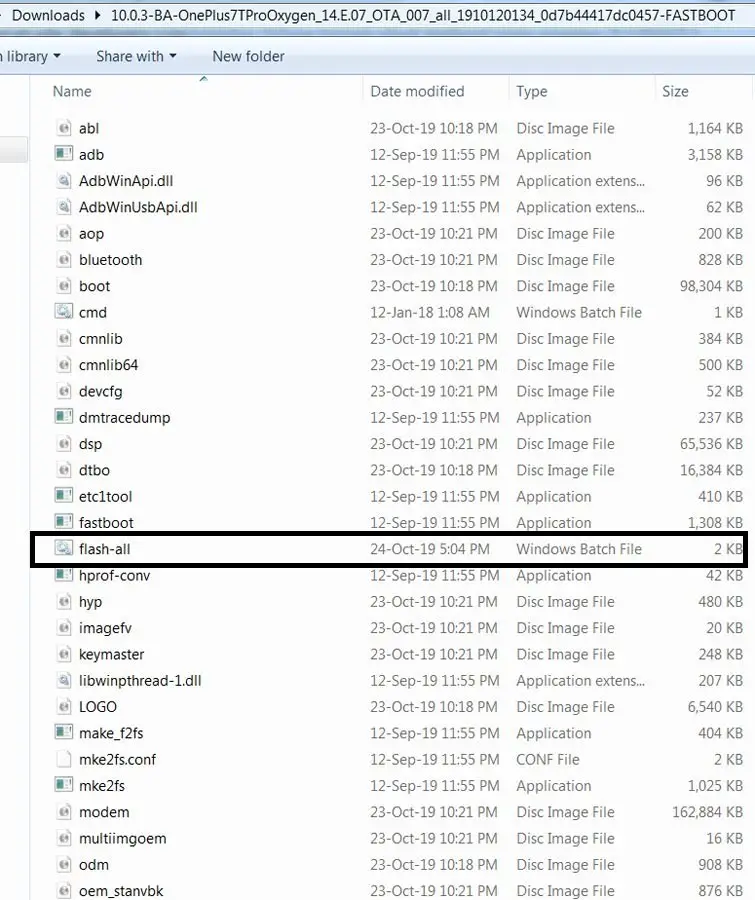
- In Your PC, open the “flash-all.bat” file.
-
It will launch the fastboot on your computer. Type the below command.
- fastboot devices
- It should display the connected devices. If you didn’t get the Mobile, restart the command prompt and Disconnect and Connect your Mobile. If you are detected, type the below commands.
- fastboot -w
- The command will Wipe your current ROM. After that, Download this set of fastboot Commands.txt.
- Paste these commands in the command prompt; We will execute them one by one. After the successful process, your Mobile will boot into the regular OS.
TWRP Recovery Method
This method is for those who are using Custom Recovery. Full TWRP Backup on External storage is necessary. You will lose All Data.
- Download firmware from the above link, Magisk.Zip, and Copy it to your External mobile storage (OTG Cable). Don’t copy it into your Internal Storage. We are going to Wipe the entire mobile Internal memory.
- Switch off your device. Then, enter into TWRP Recovery mode. To do this, press and hold down the Volume Down+ Power buttons simultaneously for some time.
- Select Wipe->Advance Wipe->Select System, Dalvik Cache Data. (Will Wipe all Data, Including user Data)
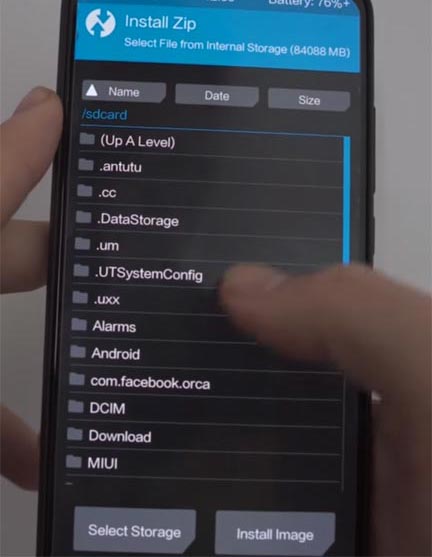
- Return to Home of TWRP and select Install.
- Select firmware.zip.
- After the Installation, Install Magisk.zip.
- Reboot Your Mobile.
Check Firmware
Since you have just flashed new firmware to your OnePlus 9/9 Pro device, you may want to check if the firmware is correctly installed or not. Follow the step below to check your device’s firmware version.
You can check the firmware details >>> settings >>> about >>> version.
OnePlus 9/9 Pro Oxygen OS 12 Android 12 Features
Many features are added in the 12 version, compared with the Pie version. Here I mentioned some important features.
System
- Recently added Smart Battery Engine, a feature that extends the life of your battery based on sophisticated algorithms and biomimetic self-restoration technology.
- Redesigns icons for apps using innovative materials to add more depth and give a more incredible feeling of space and texture to the icons
- Revamps the layout of pages using the principle to reduce visual distraction. It improves how text is presented and colors to help the most important details stand out.
- Improved desktop icons that are optimized with better textures, utilizing new materials, and joining layers and lights
- Improved spam block rules: It also includes management to block MMS messages.
Games
- The HyperBoost stabilizer has been added to the new version. HyperBoost End-to-End Frame Rate Stabilizer
- A new preview of the Voice effect has been added, allowing you to make a recording of your voice effect and examine your voice effect in real-time.
Dark mode
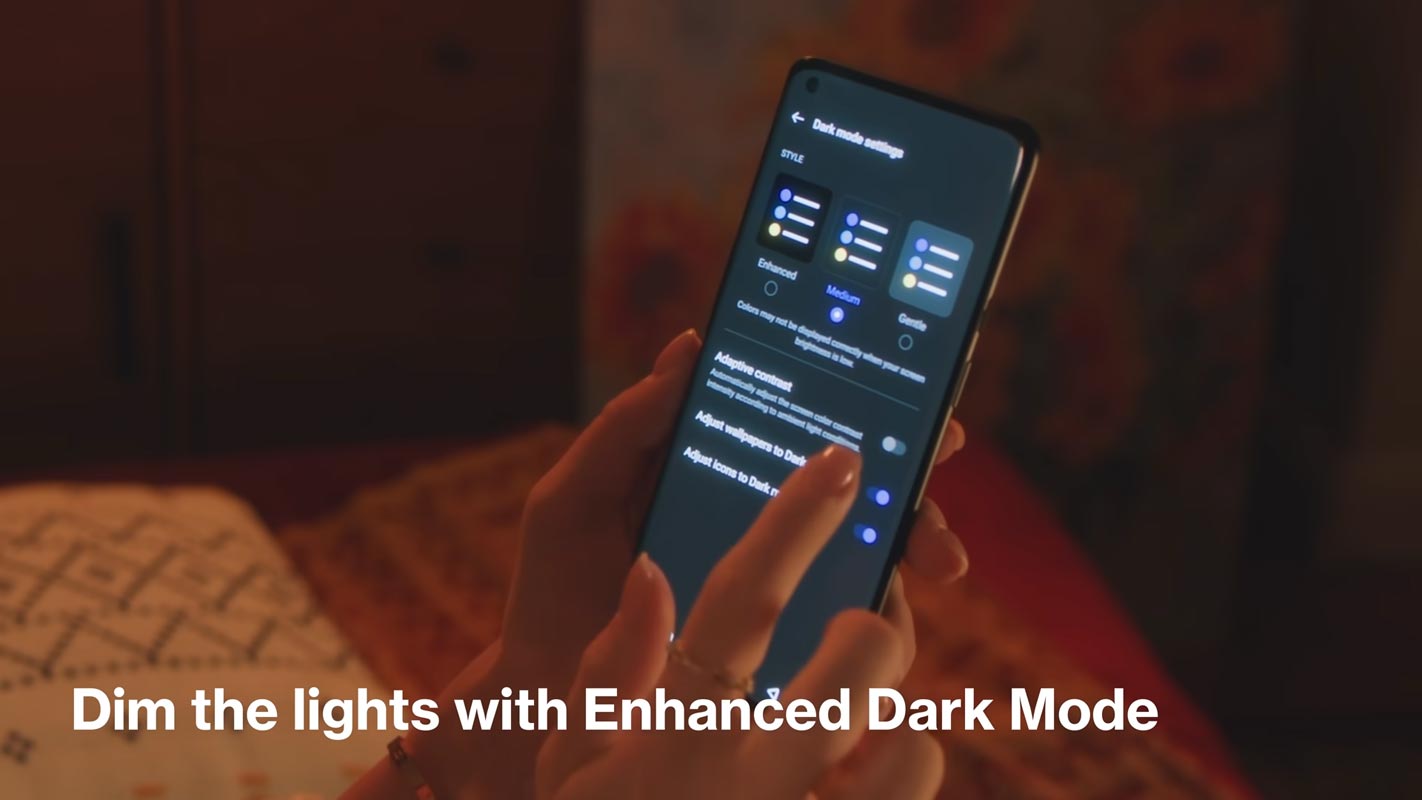
- Dark mode has three levels that can be adjusted, providing an improved and more personalized user experience.
Shelf
- Additional style options are available for Cards, which make data content more visually appealing and easier to understand
- Recently, They added the OnePlus Scout to the OnePlus Scout in Shelf, which lets you search various items on your phone, including Settings, Apps, Media Data, etc.
Work-Life Balance
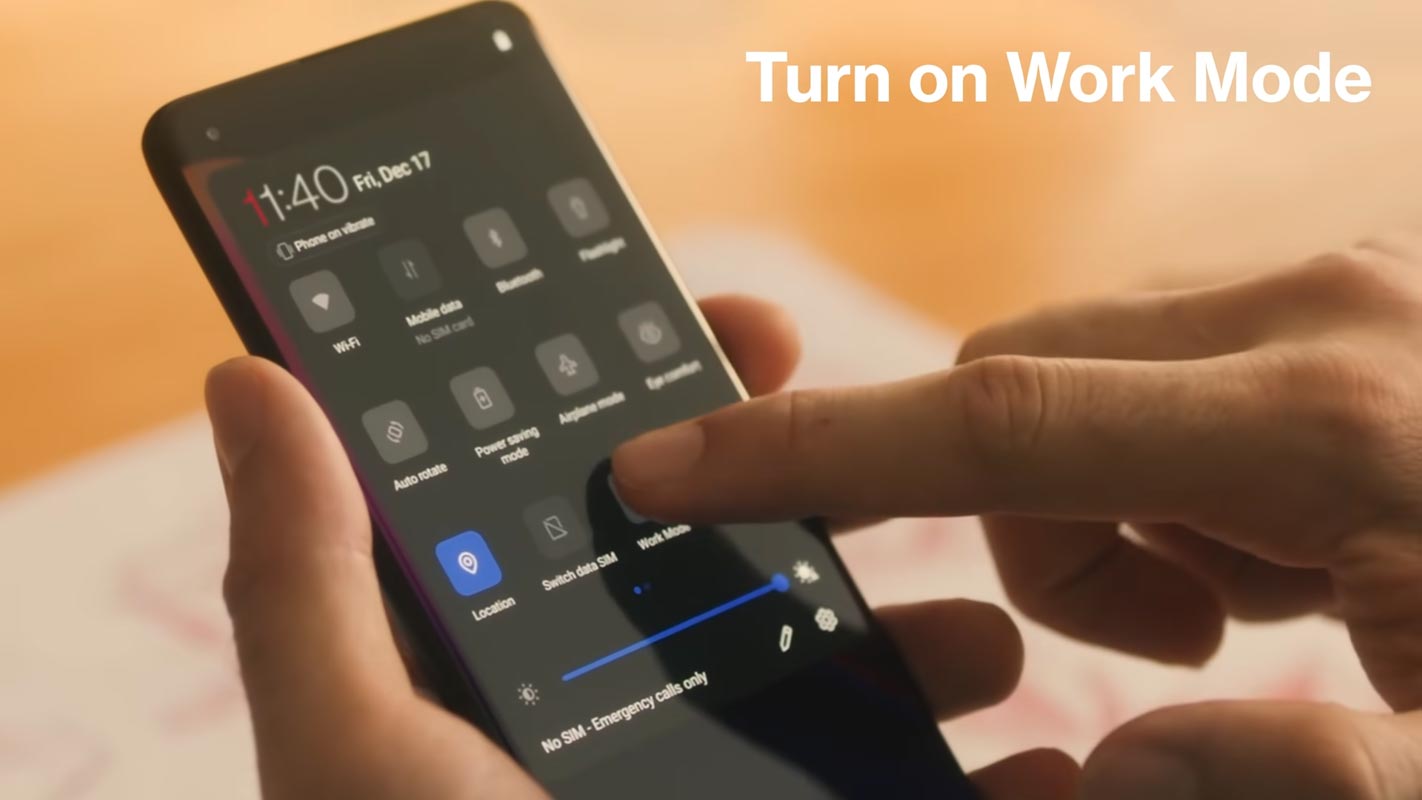
- This work-life Balance option is accessible to everyone, allowing users to seamlessly change from Work and Life modes with simple adjustments.
- WLB 2.0 automatically switches between Work/Life modes by specific locations, Wi-Fi networks, and time and provides custom App notification profiles to the user’s preferences.
Gallery
- The gallery allows you to change layouts using two fingers, intelligently recognizing high-quality images and cropping thumbnails by the content, making the design more attractive.
Canvas AOD
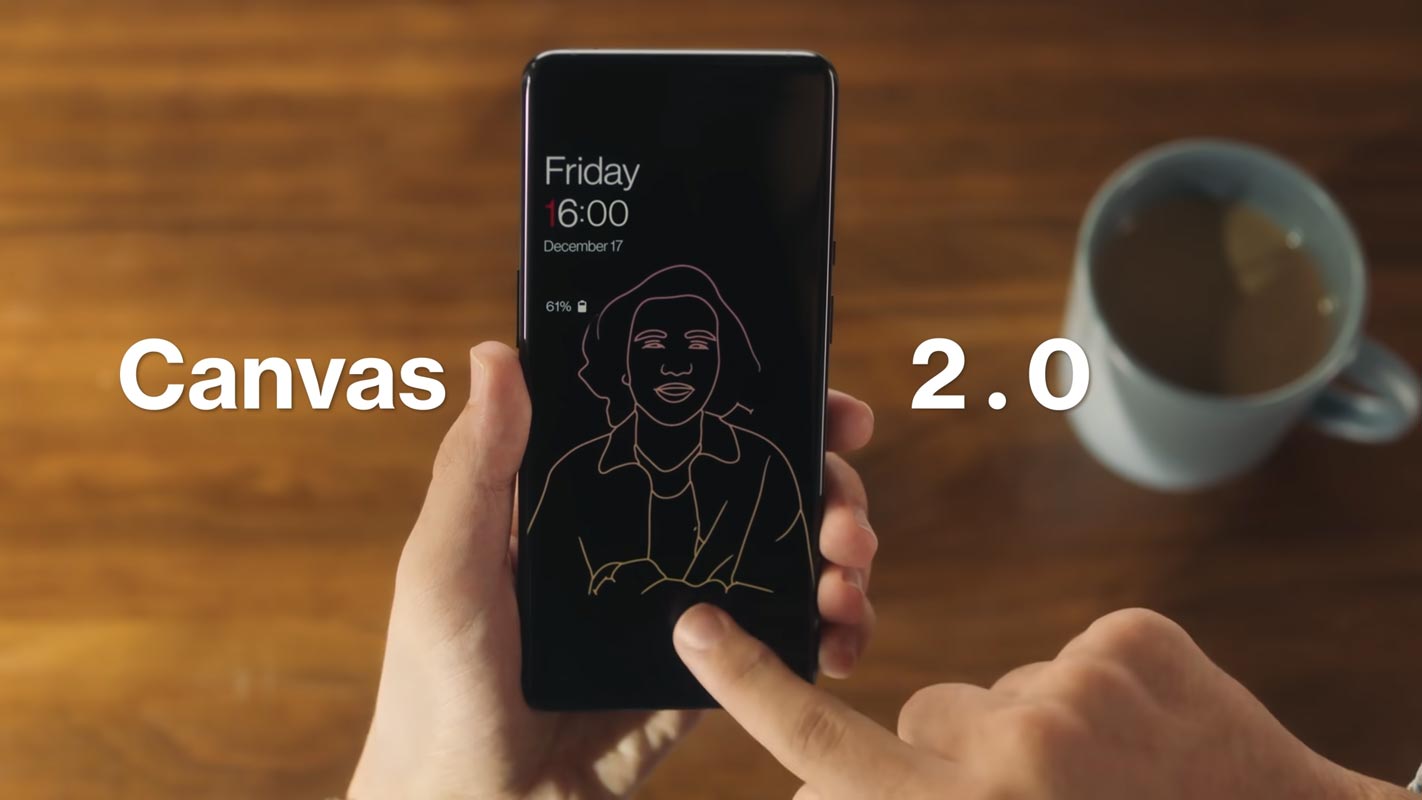
- Canvas AOD brings you new designs of line and color to give you a more personal lock screen experience with inspiring visuals.
- Newly added multiple brushes and strokes and support for color adjustments.
- Improved algorithm for software and optimized facial recognition to recognize the features and color of various figures.
Accessibility
- The improved categorization of functions is achieved by classifying them into hearing, vision, interactive actions, and general.
- TalkBack offers more system applications, including Phones, Photos, Calendars, Mail, and more.
Final Words
If you are in Stock firmware, Use the Internal memory update method. It is comfortable and safe; You can update it like a Regular OTA Update. But if you were already using Rooted devices, You can try TWRP based method. Don’t download any third-party apps; sometimes, it may trigger the updates process. There are a lot of new Gestures available in this update; try them also. I think the OnePlus 9/9 Pro 12 near Stock Android is better than some other Custom Skin OS. So try to use this OS instead of a Custom OS. But the decision is your choice…:)

Selva Ganesh is a Computer Science Engineer, Android Developer, and Tech Enthusiast. As the Chief Editor of this blog, he brings over 10 years of experience in Android development and professional blogging. He has completed multiple courses under the Google News Initiative, enhancing his expertise in digital journalism and content accuracy. Selva also manages Android Infotech, a globally recognized platform known for its practical, solution-focused articles that help users resolve Android-related issues.