
Amidst the dynamic landscape of social media, Meta has unveiled a groundbreaking feature, allowing users to craft multiple profiles on Facebook. This development heralds a new era, offering users many opportunities to engage with diverse interests and audiences. This comprehensive guide will provide a step-by-step walkthrough on seamlessly creating and adeptly managing multiple Facebook profiles. This newfound capability empowers you to sculpt your online presence in a manner that harmonizes with the multifaceted dimensions of your life. From personal to professional spheres, this feature promises a tailored experience that resonates with every facet of your identity. Embrace this innovation and embark on enriched online interaction with Facebook.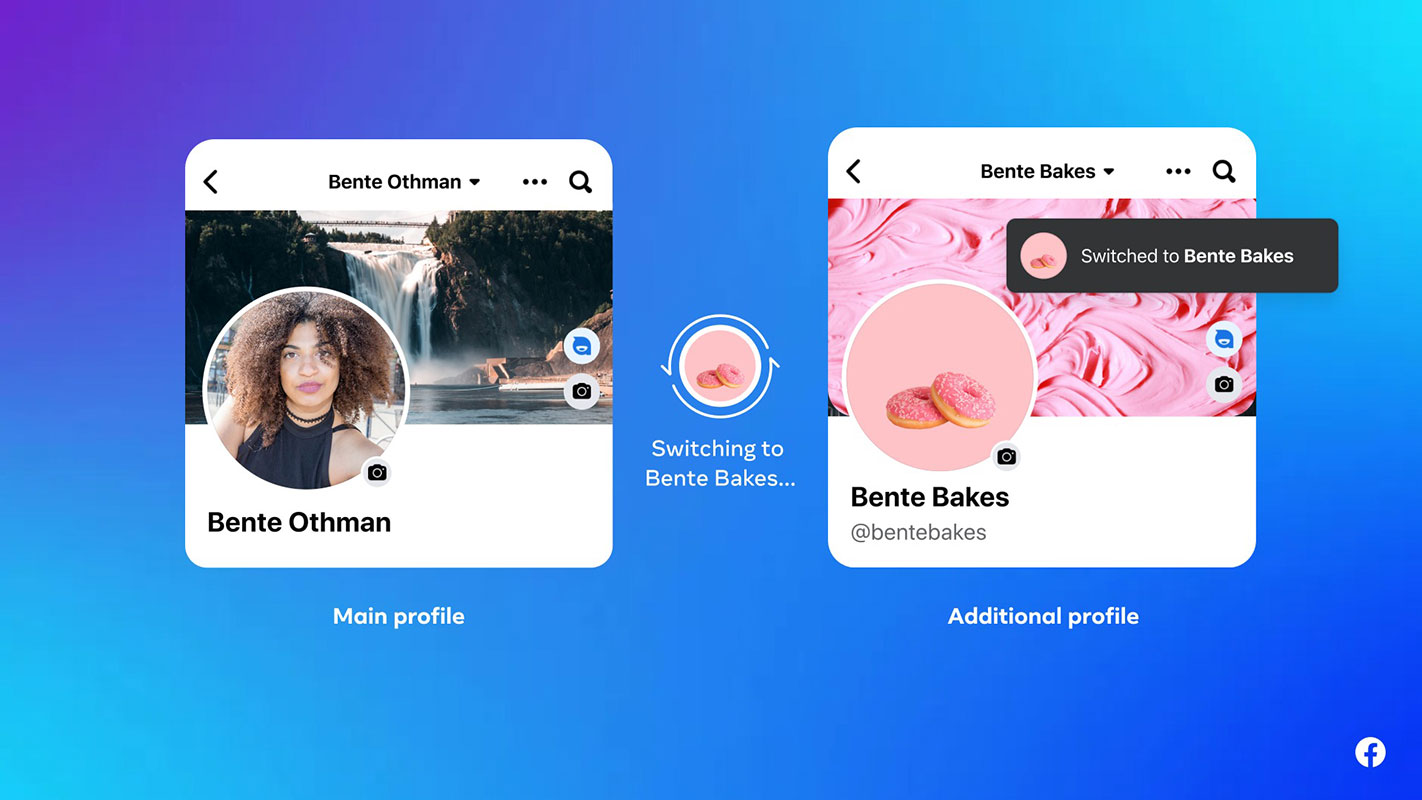
Understanding the Multiple Profile Option in Facebook
Meta’s multi-profile option is designed to provide users with a more tailored experience on Facebook. By creating additional personal profiles, you can segment your interests and connections, ensuring each profile reflects a distinct facet of your life.
Benefits of Multiple Profiles
- More apparent Separation: Keep personal and professional relationships distinct.
- Community Engagement: Connect with specific communities without overlapping content.
- Customized Feeds: Curate content to match the interests of each profile.
Getting Started
To begin, follow these steps:

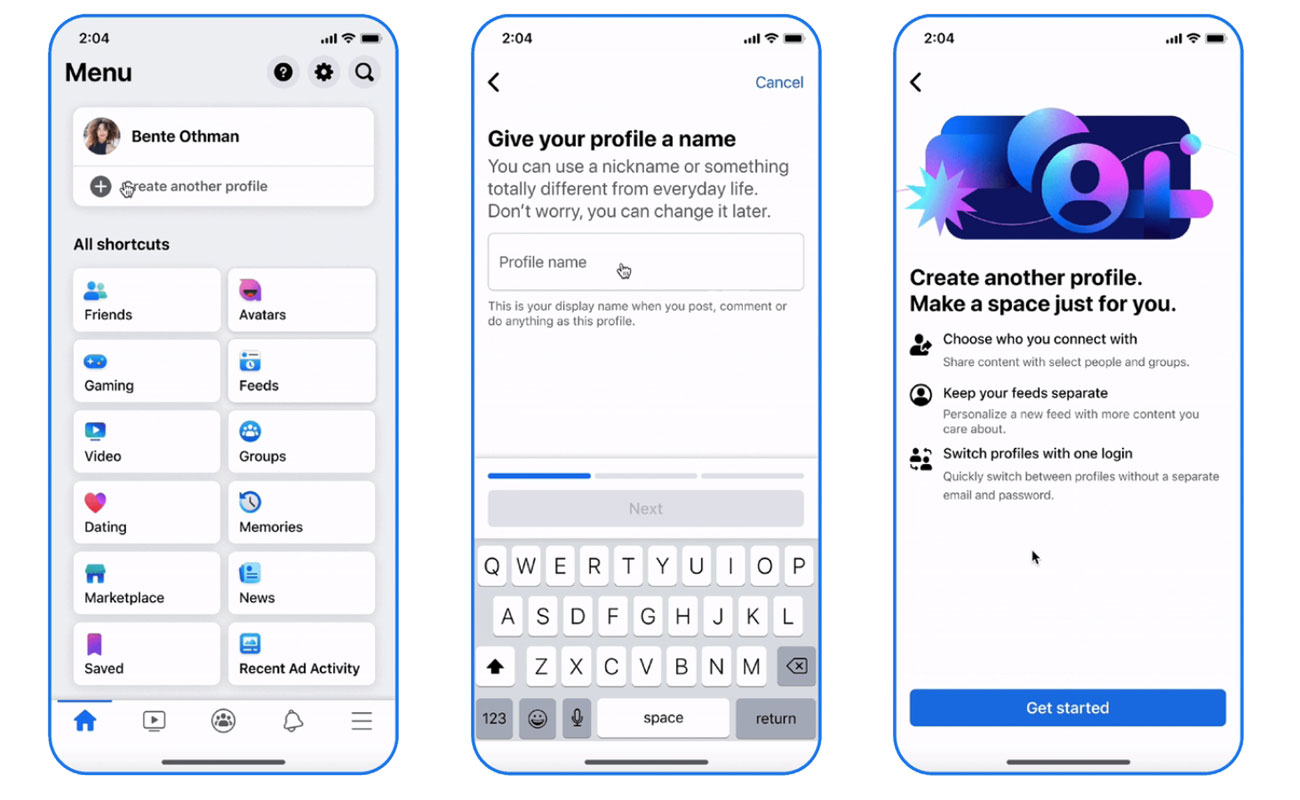
Access Your Account Settings
- Log in to your Facebook account.
- Navigate to the settings menu.
Create a New Profile
- Locate the “Profile Settings” option.
- Select “Create another profile.”
Choose a Name and @Username
- Pick a name that represents the profile’s purpose.
- Select a unique @username.
Connect with Communities
- Find and follow groups and pages relevant to the profile’s focus.
Navigating Multiple Profiles
Once you’ve created additional profiles, switching between them is seamless:
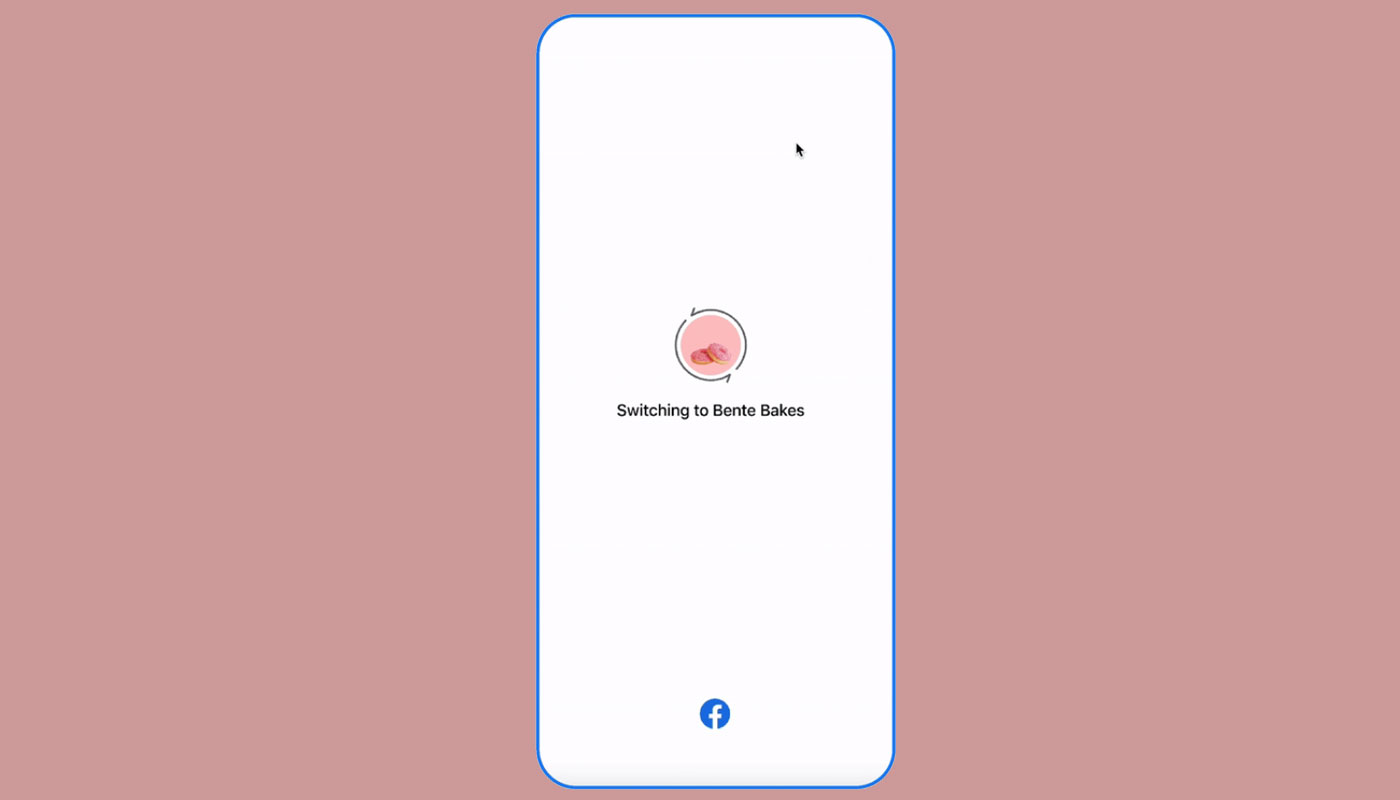
Profile Switching
- Access your profile menu.
- Select the desired profile.
No Login Required
- Switch between profiles without the need for repeated logins.
Feature Limitations
While the multi-profile option offers incredible flexibility, it’s essential to be aware of certain limitations:
- Features like Dating, Marketplace, and Professional Mode are not initially available for additional personal profiles.
- Expanded Messenger support for different profiles is planned for the future.
- The option for an extra personal profile is limited to eligible adult accounts.
Privacy and Settings
Each profile operates independently:
- Default settings apply to each new profile.
- Manage settings like post visibility and friend requests separately.
- Regularly review and update privacy preferences for each profile.
Maintaining Authenticity
Meta upholds its commitment to authenticity:
- Your main profile must reflect your everyday identity.
- Additional profiles can have any name except for the main profile.
- Impersonation and misrepresentation are strictly prohibited.
Community Standards and Accountability
All profiles must adhere to Facebook’s Community Standards:
- Violations may result in profile restrictions or account suspension.
FAQs
How many additional profiles can I create?
You can create up to four additional personal profiles.
Can I switch between profiles on the same device?
Yes, profile switching is seamless and doesn’t require repeated logins.
Are there any limitations to features on additional profiles?
Some features like Dating and Marketplace are unavailable initially, but Meta plans to expand functionality.
What privacy considerations should I keep in mind?
Each profile has its privacy settings. Please review and update them regularly to suit your preferences.
What happens if I violate Facebook’s Community Standards with an additional profile?
Violations may lead to restrictions on the profile or even account suspension.
Wrap Up
Meta’s groundbreaking multi-profile option transforms the Facebook experience. Through creating distinct profiles, users gain the power to classify different facets of their lives, fostering a sense of clarity and authenticity. This innovation allows for a more personalized and tailored interaction with the platform, enabling users to engage more focused and meaningfully with their interests, communities, and connections.
Whether separating personal and professional relationships or delving into specific communities, the multi-profile feature provides a level of customization previously unseen. Embracing this functionality opens up a new realm of possibilities for users, empowering them to curate their online presence that truly reflects their diverse interests and identities. Explore this feature and unlock a whole new dimension of engagement on Facebook.

Selva Ganesh is a Computer Science Engineer, Android Developer, and Tech Enthusiast. As the Chief Editor of this blog, he brings over 10 years of experience in Android development and professional blogging. He has completed multiple courses under the Google News Initiative, enhancing his expertise in digital journalism and content accuracy. Selva also manages Android Infotech, a globally recognized platform known for its practical, solution-focused articles that help users resolve Android-related issues.