
Using the below method, You can Enable Call Recording on Samsung Galaxy S23/Plus/Ultra Without Root. Call recording is a valuable feature for anyone who wants to keep track of meaningful conversations, whether for business or personal reasons. This can be particularly useful for those who need to refer back to conversations with clients or other important contacts. However, enabling call recording on a Samsung Galaxy S23/Plus/Ultra without root can be tricky. While the option to enable call recording directly may not be available, there are some workarounds that you can use to get the job done. In this article, we’ll explore some methods you can use to enable call recording on your Samsung Galaxy S23/Plus/Ultra without root access.
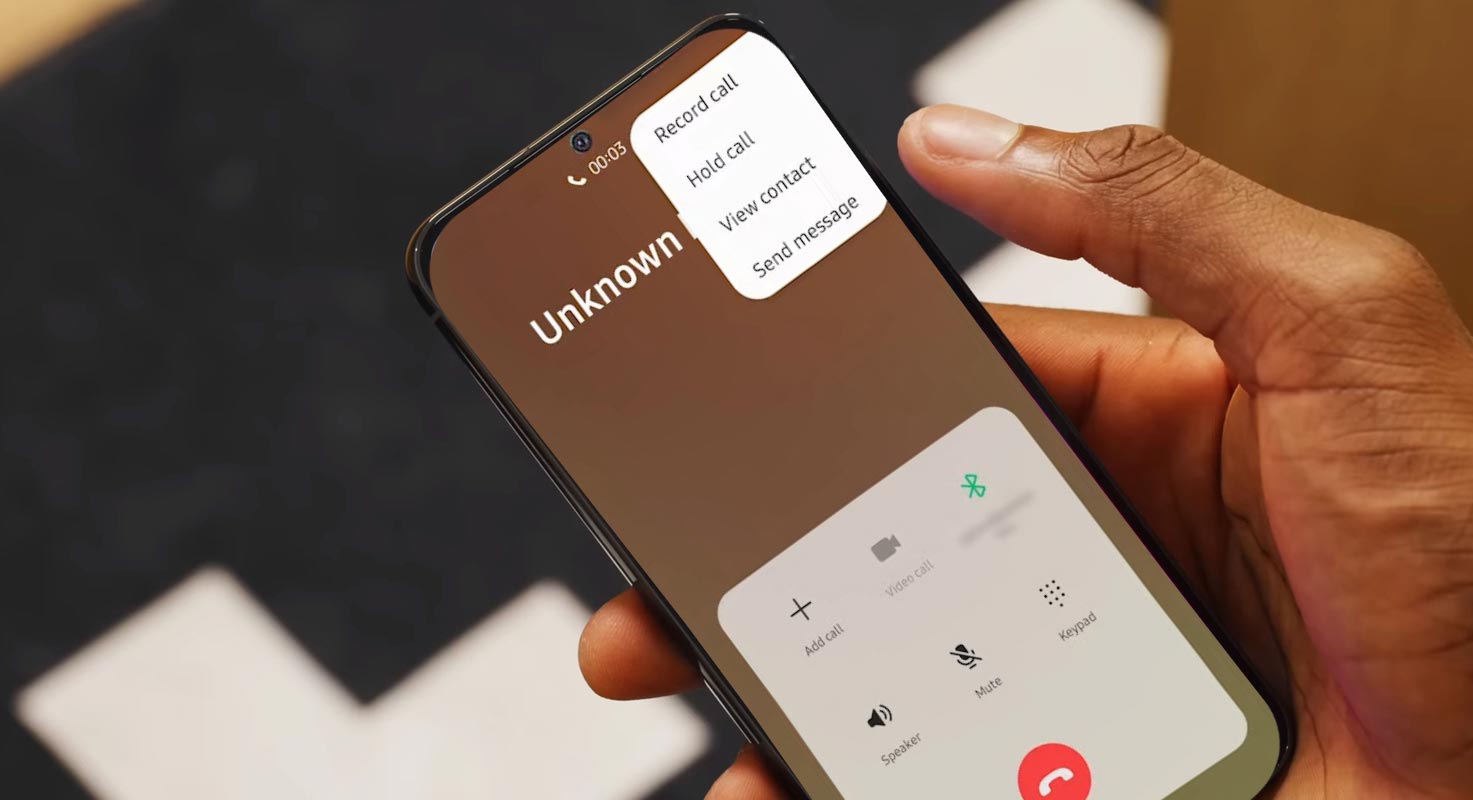
Call Recording on Samsung Galaxy S23/Plus/Ultra
The Samsung Galaxy S23/Plus/Ultra is the newest addition to the Samsung family, and it has already caught the attention of many. The Galaxy S series has always been known for its excellent camera, build quality and specifications, and the S23 is no exception. However, one feature that is only available in certain regions is call recording. This article will show you how to activate this feature on your device without rooting it.
What is CSC, and How Does it Affect Call Recording on Galaxy S23/Plus/Ultra?
CSC stands for “Consumer Software Customization” and is a region-specific code that determines which features are available on your device. For instance, the CSC code for India is INU, while for Ukraine, it is SEK. These CSC codes have advantages and disadvantages regarding call recording on Galaxy S23/Plus/Ultra.

SEK CSC has a working call recorder but is missing Samsung Pay and Call ID. However, all the watch features work well. On the other hand, the INU CSC has a working call recorder, Samsung Pay, and Call ID, but some watch features, such as BP and ECG, do not work.
So, which CSC code should you choose? The answer depends on your requirements.
- If you want to use Samsung Pay and Call ID without using BP and ECG on your watch, then INU is the better choice.
- On the other hand, if you want all the watch features to work and are willing to forgo Samsung Pay and Call ID, then SEK is the right choice.
How to Change CSC on Galaxy S23/Plus/Ultra?
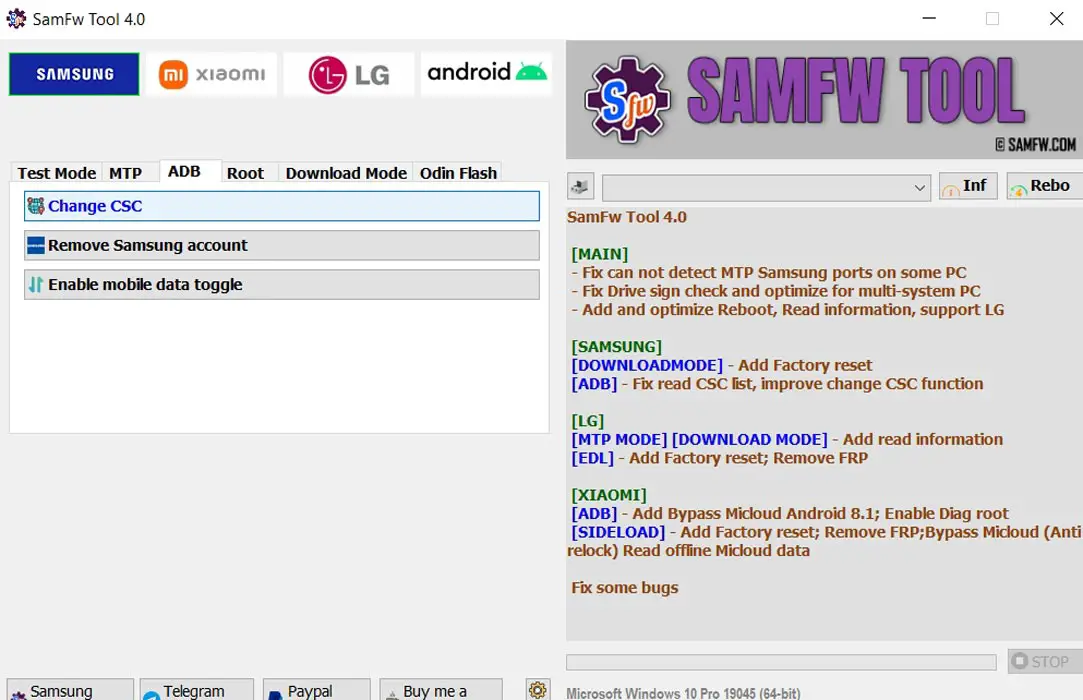
Changing the CSC code on your Galaxy S23/Plus/Ultra is straightforward. You can use either the free SamFW tool or the paid SamKey tool. This article will show you how to use the SamFW tool. Here’s what you need to do:
Download and Install SamFW
- Download and install SamFW on your PC.
Enable Developer Options and USB Debugging
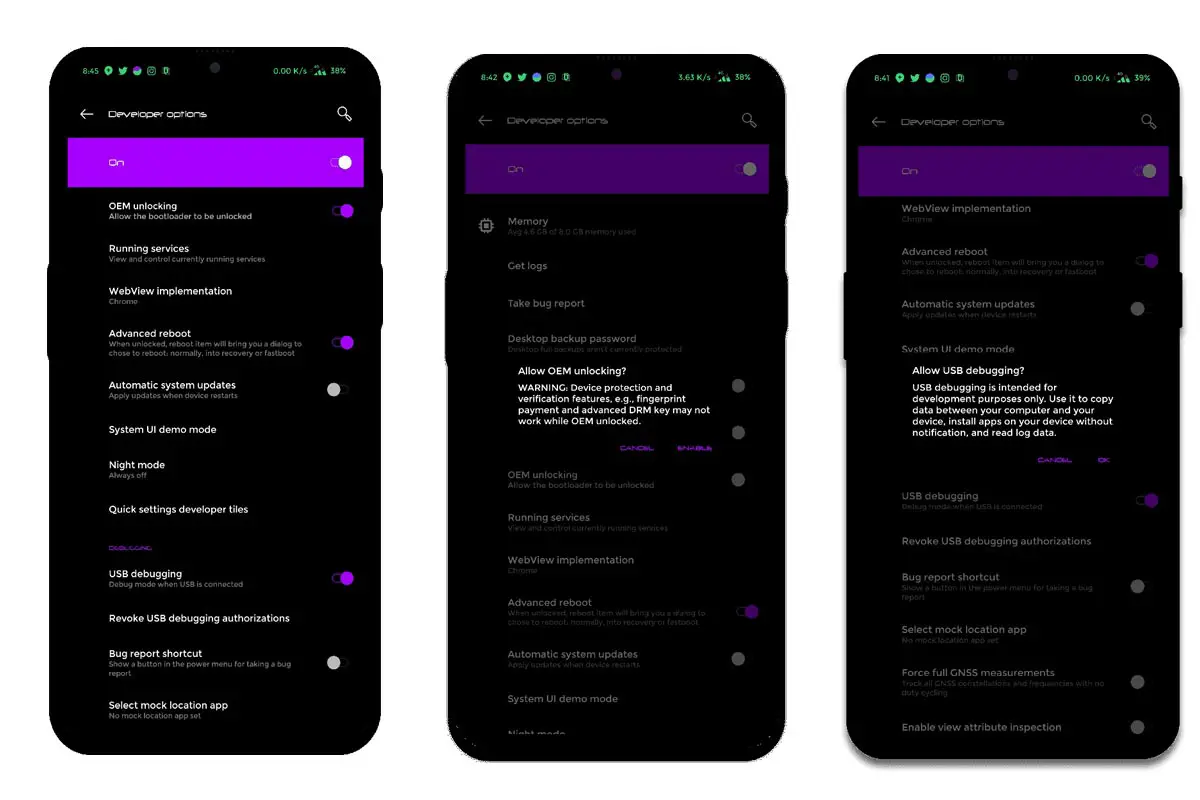
Enable Developer Options and USB Debugging on your Galaxy S23/Plus/Ultra. To do this, go to Settings > About Phone and tap “Build Number” seven times. Now go back to the Settings menu, and you will see the Developer Options menu. Tap on it and turn on USB Debugging.
Connect Your Device to Your PC
- You should Connect your Galaxy S23/Plus/Ultra to your PC via a USB cable.
Dial the Code
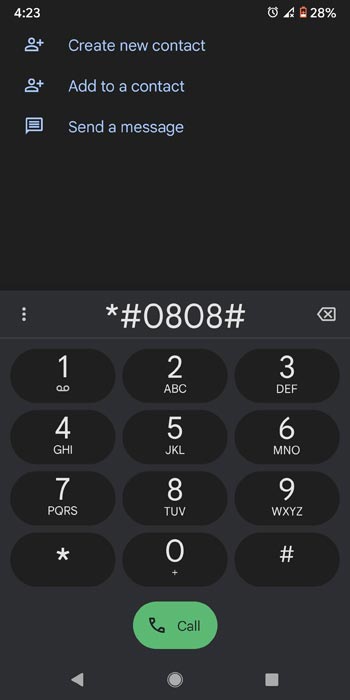
- Open the dialer app on your Galaxy S23/Plus/Ultra and type in the following code: *#0808#.
Select the Latest Option and Wait
- Choose the latest option on the screen and wait for a few seconds.
Select MTP+ADB
- Select the second option, which is MTP+ADB.
Allow ADB Connection
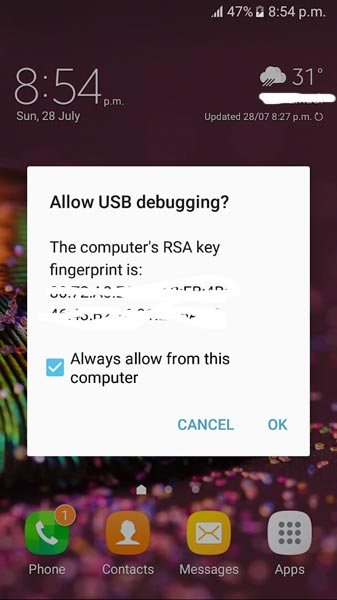
- You will now get a prompt asking you to allow an ADB connection on your device. Click “Allow.”
Change CSC
- Once you have allowed the ADB connection, you can change the CSC code via the SamFW tool.
How to Activate Call Recording in Samsung Galaxy S23/Plus/Ultra After Changing CSC?
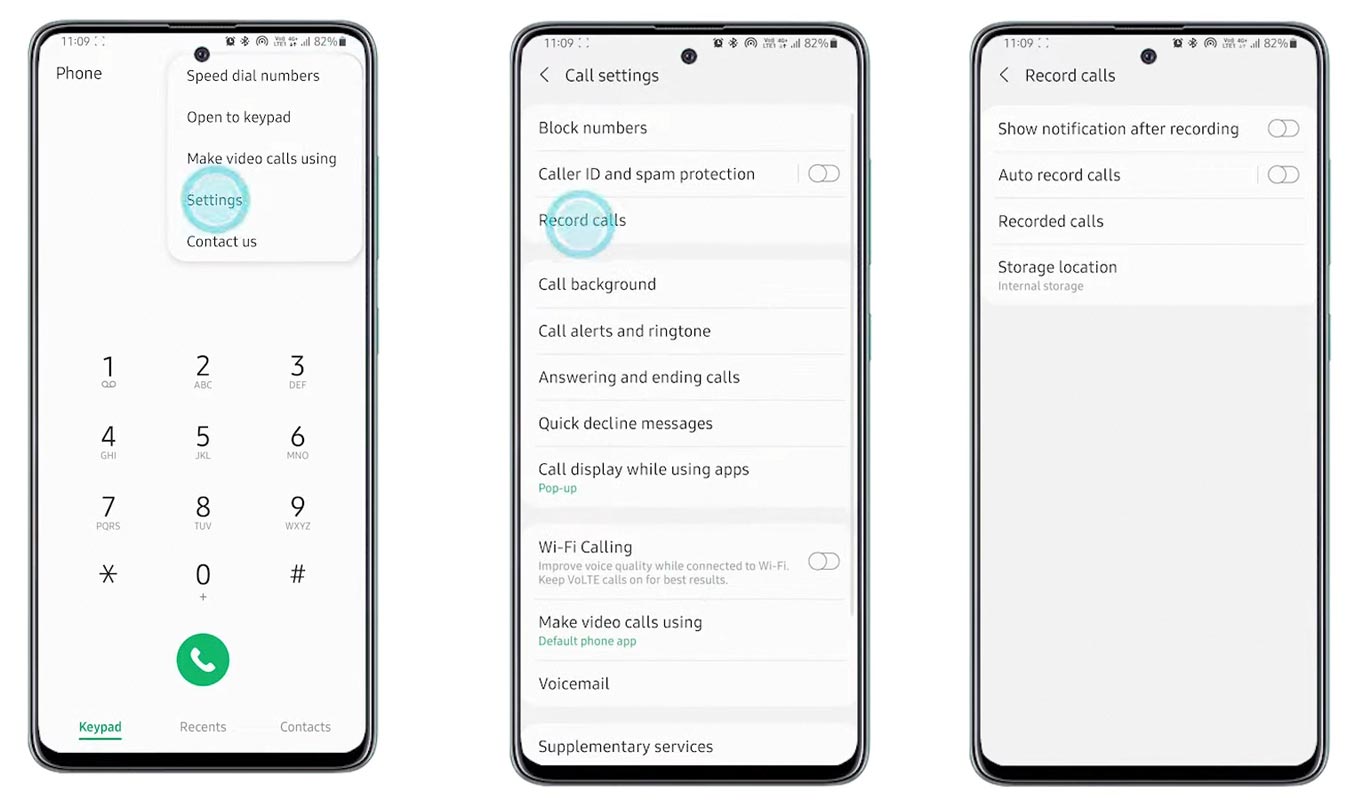
- Open Mobile Dialer App.
- Select Settings.
- Choose Record Calls.
- Choose one of your Preferred methods. (Auto, Notification).

FAQs
Will changing the CSC void my warranty?
No, changing the CSC region on your device does not void your warranty.
Will my data be erased after changing the CSC?
No, changing the CSC region does not erase your data. However, it is always recommended to back up your important data before making any changes to your device.
Conclusion
Activating call recording on your Galaxy S23/Plus/Ultra is a simple process requiring changing your device’s CSC code. However, choosing the correct CSC code based on your requirements is essential. Following the steps outlined in this article, you can easily bypass the software-side restriction and activate this functionality on your device without rooting it.

Selva Ganesh is a Computer Science Engineer, Android Developer, and Tech Enthusiast. As the Chief Editor of this blog, he brings over 10 years of experience in Android development and professional blogging. He has completed multiple courses under the Google News Initiative, enhancing his expertise in digital journalism and content accuracy. Selva also manages Android Infotech, a globally recognized platform known for its practical, solution-focused articles that help users resolve Android-related issues.