
Google keeps adding entertaining features into its app. Recently they released Google AR 3D animals in the Googe search. Now they added Art convert feature in the Google Arts & Culture Android app. The feature is doesn’t like just transfer your photos into some random arts. The Art style is based on the Old paintings of famous artists. You can choose and get information about the particular Art Style. Currently, there are 23 styles available. Google may add more styles. To use this Google Art feature, all you have to do is install the Google Arts & Culture app and convert your favorite pictures. Google picked those styles from world-famous Arts So that everyone knows what Style they are going to transfer their image. Also, In the small information icon in every form, they provided full details about the Art.
How to Use Google Art Transfer feature?
You can use both realtime Camera pictures and your galley pictures. Follow the below steps to convert your regular photos into Art.
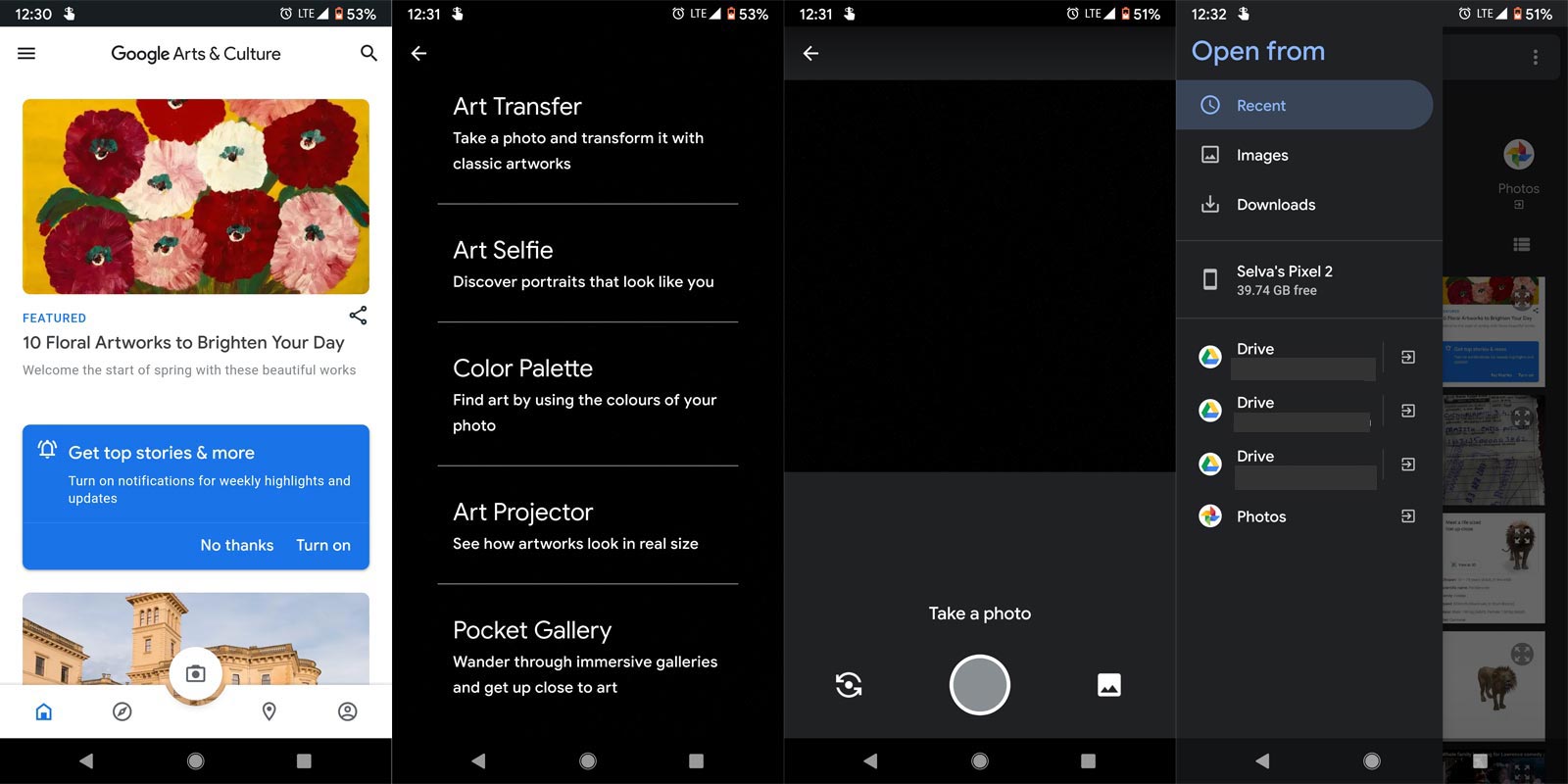

- Download Google Arts & Culture App from Play Store.
- Open the app and choose the camera icon.
- Then choose Art Transfer. You can either take a photo or choose from the Gallery. After opening the Gallery, select the photo on Internal Storage/Google Drive or Google Photos. The storage options may vary based on your default file manager.
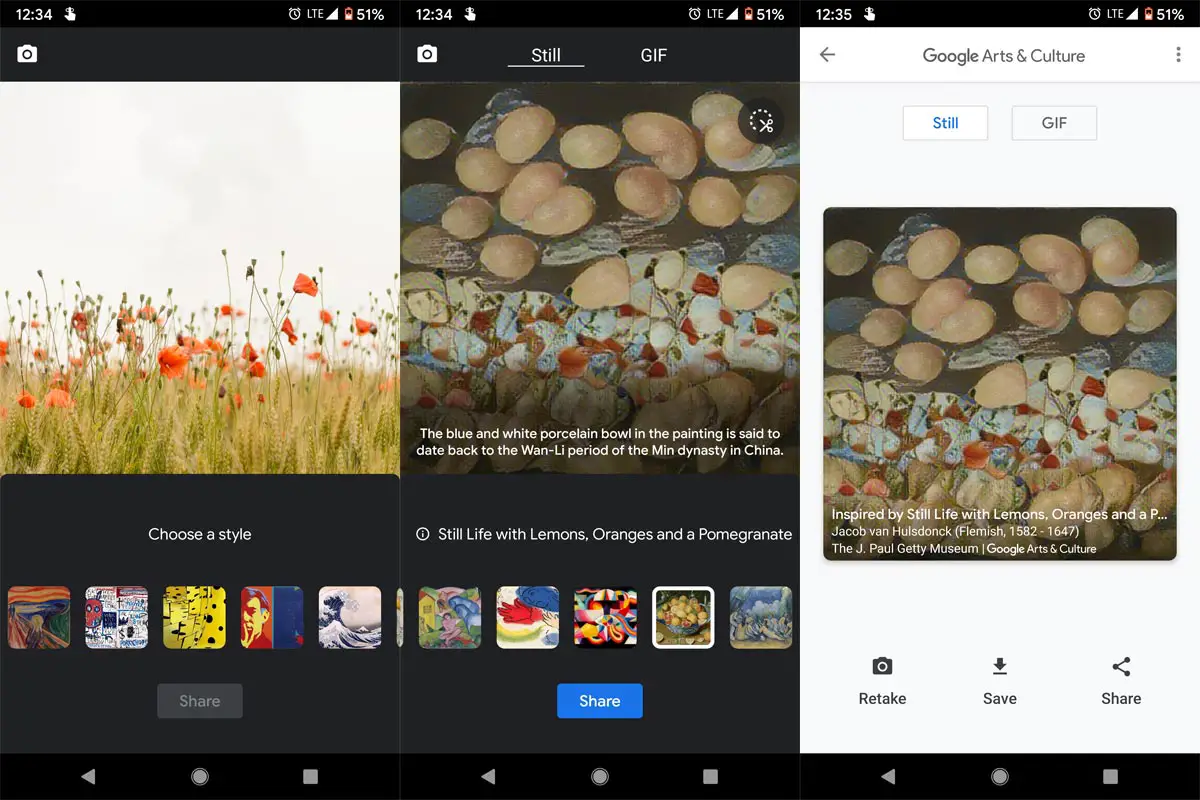
- After selecting the photos, choose your style.
- You can choose the GIF or Standard style. The GIF style is simply a transition between the original image and the converted art.
Available Google Art Transfer Styles
The following Art styles are currently available to convert your image. Google uses its AI technology to transfer the replica style of the original image style. You can also view the Original Art of the Artist.
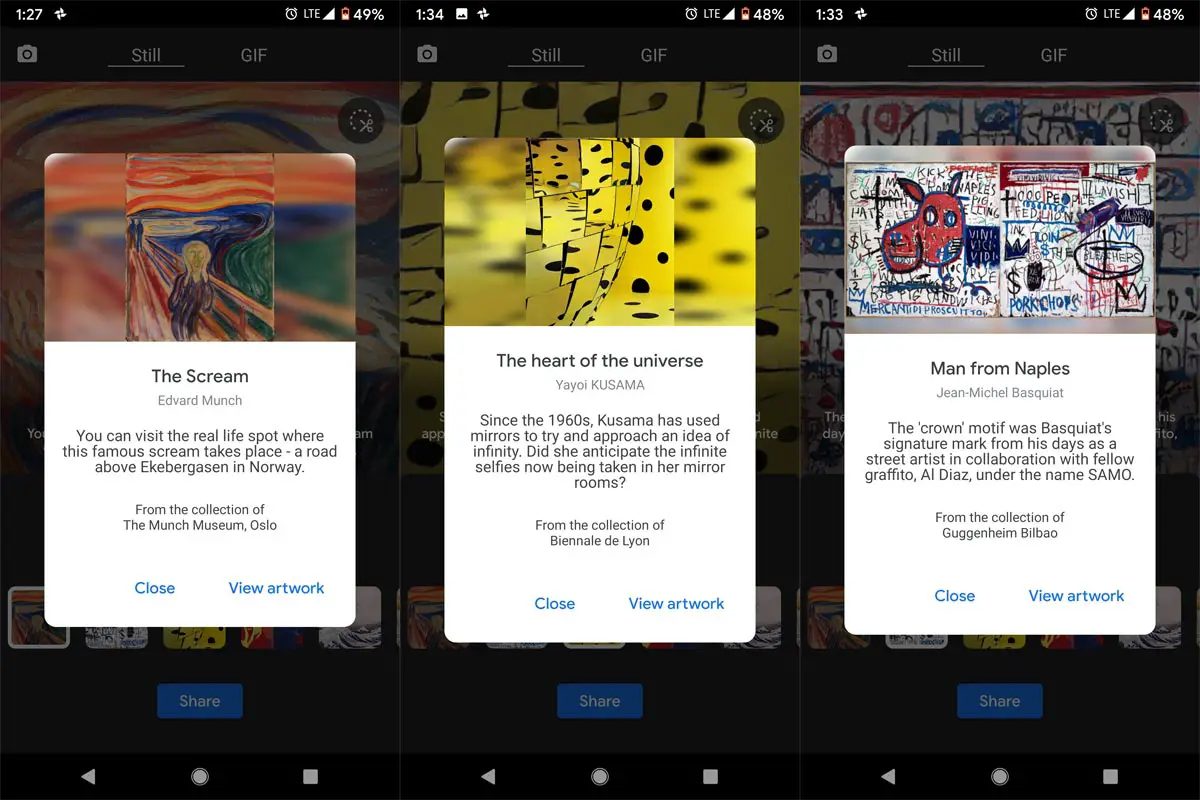
- The Scream, Edvard Munch- The Much Museum, Oslo.
- Man from Naples, Jean-Michel Basquiat- Hugeenheim Bilbao.
- The heart of the universe, Yayoi KUSAMA- Biennale de Lyon.
- Self Portrait, Andy Warhol- Detroit Institute of Arts.
- The Great Wave off Kanagawa, from the Thirty-six Views of Mt.Fuji, Katsushika Hokusai- MOA(Museum of Art).
- Self Portrait, Vincent van Gogh- Detroit Institute of Arts.
- Improvisation 26 (Rowing), Wassily Kandinsky- Stadtische Galerie I’m Lenbachhaus and Kunstbau.
- Free South Africa, Keith Harling- Inter American Development Bank.
- Composition of Circles and Overlapping Angles, Sophie Taeuber-Arp – MoMA The Museum of Modern Art.
- Sound of Tsuzumi, Shoen Uemura- Shohaku Art Museum.
- Self-portrait with thorn necklace and hummingbird, Frida Kahlo- Harry Center
- The Fall of the Rebel Angels, Pieter Bruegel the Elder- Royal Museums of Fine Arts of Belgium
- Ninfee Rosa, Claude Monet- La Galleria Nazionale
- Lee Krasner, 1946- Barbican Canter
- Portrait of Lisa Gherardini, wife of Francesco del Giocondo, Leonardo di ser Piero DA VINCI, Paris- Rmn-Grand Palais
- Red Barn, Roy Lichtenstein- Huntington Museum of Art
- Self Portrait, Amrita Sher-Gil- National Gallery of Modern Art
- Antibes.Morning, Paul Signac- The National Museum in Warsaw
- The Dream, Franz Marc- Museo Nacional Thyssen-Bornemisza
- Cana de Circo, Mac Chagall- Museu Nacional de Belas Artes
- Remed and Okuda London 2014, Okuda, NOBULO
- Still Life with Lemons, Oranges and a Pomegranate, Jacob van Hulsdonck- The J.Paul Getty Museum
- Bathers (Les Grandes Baigneuses), Paul Cezanne, The National Gallery, London.
Wrap Up
Google always differ with unique features. You may find a lot of filter camera apps that can do different styles for your photos. But, When you can transfer your modern pictures into some unique historical arts using Google Arts feature is different. In these situations, we stay home, and the companies want us to some entertainment activities to pass the time. Google already rolled out the AR 3D Animals in their Google Search. After that feature success, Google released this unique feature. I hope it will surely entertain you. Try with different styles for a single picture, Who knows some times the filters may do the magic and converted image looks better and you may want to fix the photo in the wall. Did you try any styles? What style looks better in real-time? Comment below.

Selva Ganesh is a Computer Science Engineer, Android Developer, and Tech Enthusiast. As the Chief Editor of this blog, he brings over 10 years of experience in Android development and professional blogging. He has completed multiple courses under the Google News Initiative, enhancing his expertise in digital journalism and content accuracy. Selva also manages Android Infotech, a globally recognized platform known for its practical, solution-focused articles that help users resolve Android-related issues.