
In the dynamic landscape of mobile communication, messaging apps are indispensable tools. This article delves into an in-depth exploration, comparing two influential Android messaging platforms: Google Messages and Verizon Messages+. Formerly known as Android Messages, Google Messages, developed by Google in 2014, supports SMS, RCS, and instant messaging, offering advanced features like rich chat functionalities and efficient search capabilities. On the other hand, Messages+, formerly Verizon Messages, is designed to synchronize text conversations across diverse devices and introduces features such as group chats, Yelp integration, location sharing, eGifts, and a driving mode. This analysis aims to provide users with valuable insights, enabling them to make informed decisions based on their communication preferences and needs.
Overview of Google Messages
Formerly known as Android Messages, Google Messages is the default messaging app developed by Google for Android devices. Launched in 2014, it has evolved to support SMS, RCS (Rich Communication Services), and instant messaging.
Features of Google Messages
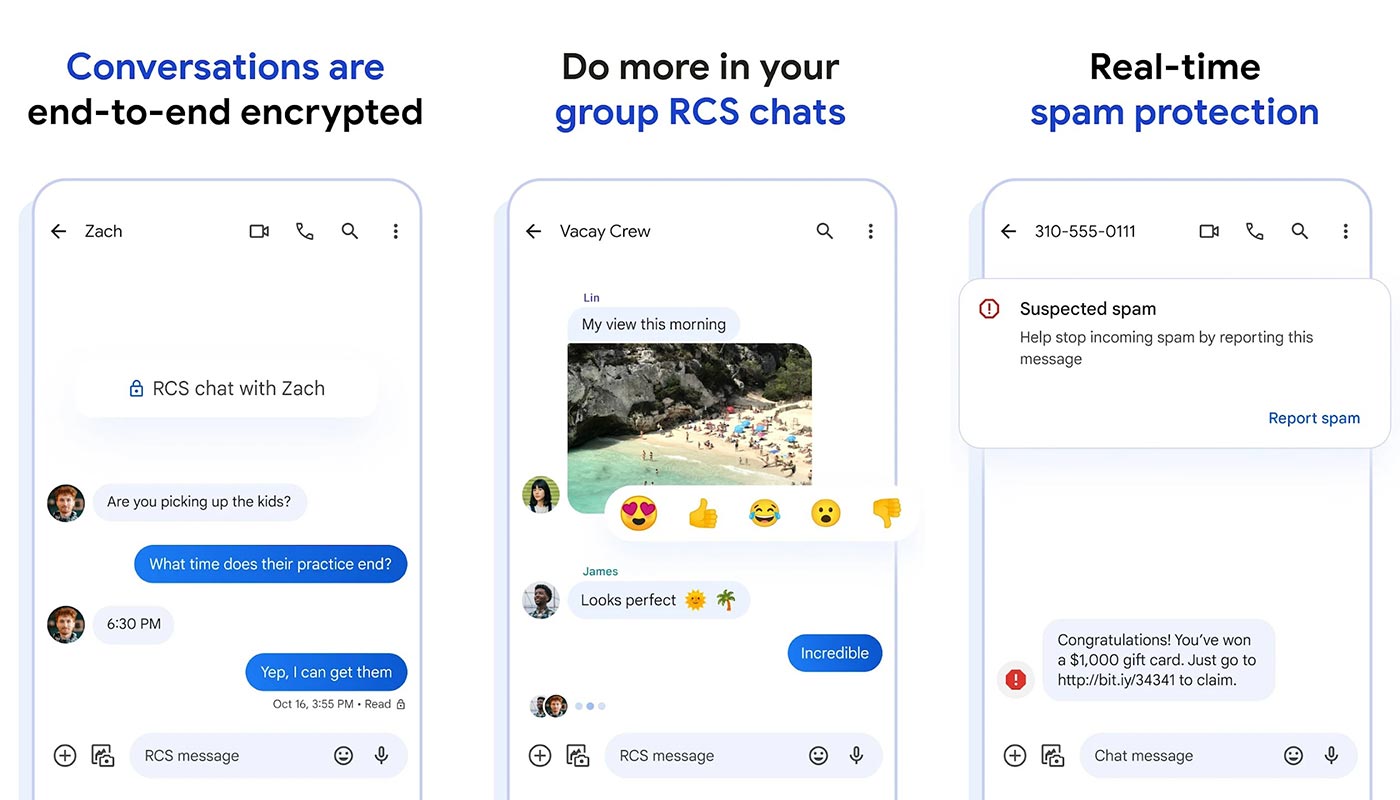

Chat features (RCS)
One of the standout features is the support for RCS, offering users advanced functionalities like seeing when others are typing, exchanging high-quality photos and videos, and more.
Design and User Interface
Google Messages boasts a simple, intuitive design with features like dark mode for low-light conditions, instant notifications, and smart replies.
Simplified Sharing
Sharing multimedia content is seamless, allowing users to send photos, movies, and audio messages and even make Google Pay payments directly within the app.
Conversations with More Depth
The app facilitates deeper conversations with features like emojis, stickers, audio messages, and the ability to access shared content through an efficient search function.
Efficient Search
An efficient search feature enables users to access their entire messaging history with a contact, making finding specific content shared in conversations easy.
Pros and Cons of Google Messages
Pros
- Rich Chat features (RCS)
- Simple, intuitive design
- Easy sharing of multimedia content
- Conversational depth with various features
- Efficient search function
Cons
- Lack of Full Support for Multimedia messages.
Overview of Verizon Messages+
Formerly known as Verizon Messages, Messages+ is an Android messaging app designed to sync text conversations across various devices, even allowing tablet calls.
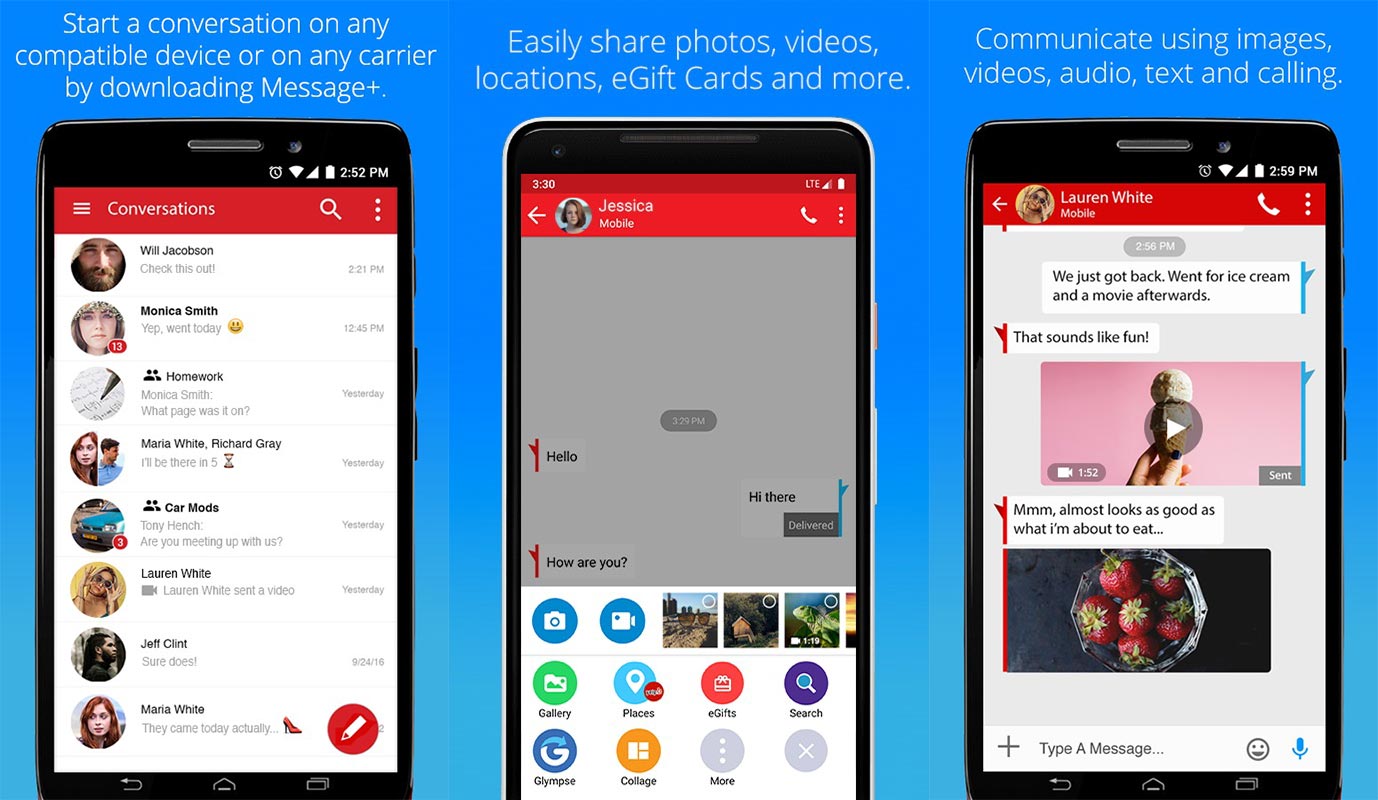
Features of Verizon Messages+
Group Chats
Messages+ supports larger group conversations with up to 250 members, offering customization options like avatars and backgrounds.
Yelp Integration
Integration with Yelp enables users to access restaurant information, entertainment, and directions directly within the app.
Location Sharing, eGifts, and Driving Mode
Users can share their location through Glympse, send gift cards, and enable driving mode for a distraction-free experience while on the road.
Pros and Cons of Messages+
Pros
- Group chats with customization
- Yelp integration for seamless planning
- Location sharing and eGift options
- Driving mode for safe driving
Cons
- Works only with a valid US number
Key Differences Between Google Messages and Verizon Messages+
When choosing between the two, it’s crucial to consider factors like compatibility, user experience, additional features, and customization options.
Choosing the Right Messaging App for You
Understanding your preferences and requirements will help you decide which messaging app aligns better with your needs.
Compatibility and Availability
Both apps cater to Android users, but device compatibility and availability differences may arise based on location.
User Experience and Interface
The design and interface of each app play a significant role in the overall user experience. Consider which aligns better with your preferences.
Additional Features and Customization
Evaluate the additional features each app offers and the customization level they provide for a personalized messaging experience.
Syncing Across Devices
Syncing messages across multiple devices is a key feature. Evaluate how seamlessly each app accomplishes this task.
FAQs
Can I use Google Messages on non-Android devices?
Google Messages is primarily designed for Android but can be accessed via the web on a computer.
Does Messages+ work internationally?
Messages+ functionality may be limited outside the United States due to its requirement for a valid US number.
Can I use Google Messages for group video calls?
As of now, Google Messages primarily focuses on text and multimedia messaging. Video calls are better suited for Google Duo.
Is there a limit to the number of members in a group chat on Messages+?
Messages+ supports group chats with up to 250 members.
Do both apps offer end-to-end encryption for messages?
Google and Messages+ prioritize user privacy, offering secure communication with end-to-end encryption.
Wrap Up
Google Messages and Verizon Messages+ are distinctive players in Android messaging, each bringing unique features to the table. The decision between the two hinges on individual preferences and communication requirements. Google Messages, formerly Android Messages, is Google’s default messaging app, renowned for its simple design, rich chat features like RCS, and efficient search functionality. On the other hand, Verizon Messages+, formerly known as Verizon Messages, emphasizes synchronization across devices, enabling larger group chats, Yelp integration, location sharing, eGift options, and a driving mode.
The choice ultimately rests on the user’s priorities. If seamless integration with Google services, advanced chat features, and a straightforward design are paramount, Google Messages is the ideal choice. Conversely, if synchronization across devices, extensive group chat options, and additional features like Yelp integration appeal more, Verizon Messages+ might be preferred. It’s about aligning the app’s offerings with individual communication preferences for an optimal messaging experience.

Selva Ganesh is a Computer Science Engineer, Android Developer, and Tech Enthusiast. As the Chief Editor of this blog, he brings over 10 years of experience in Android development and professional blogging. He has completed multiple courses under the Google News Initiative, enhancing his expertise in digital journalism and content accuracy. Selva also manages Android Infotech, a globally recognized platform known for its practical, solution-focused articles that help users resolve Android-related issues.