
In today’s digitally driven age, the alarming proliferation of spam, phishing emails, and robocalls presents a significant challenge for users navigating the telecommunication landscape. Among these, Verizon customers often find themselves targeted by phishing attempts through SMS, mainly from 49869. Understanding and effectively addressing these deceitful endeavors is pivotal in protecting personal information and upholding digital security. The digital sphere has witnessed an exponential rise in fraudulent activities, notably in phishing attempts spanning various communication platforms such as SMS, emails, and phone calls. Customers subscribed to Verizon services have reported receiving misleading messages from 49869, purporting to offer enticing deals or convey urgent alerts.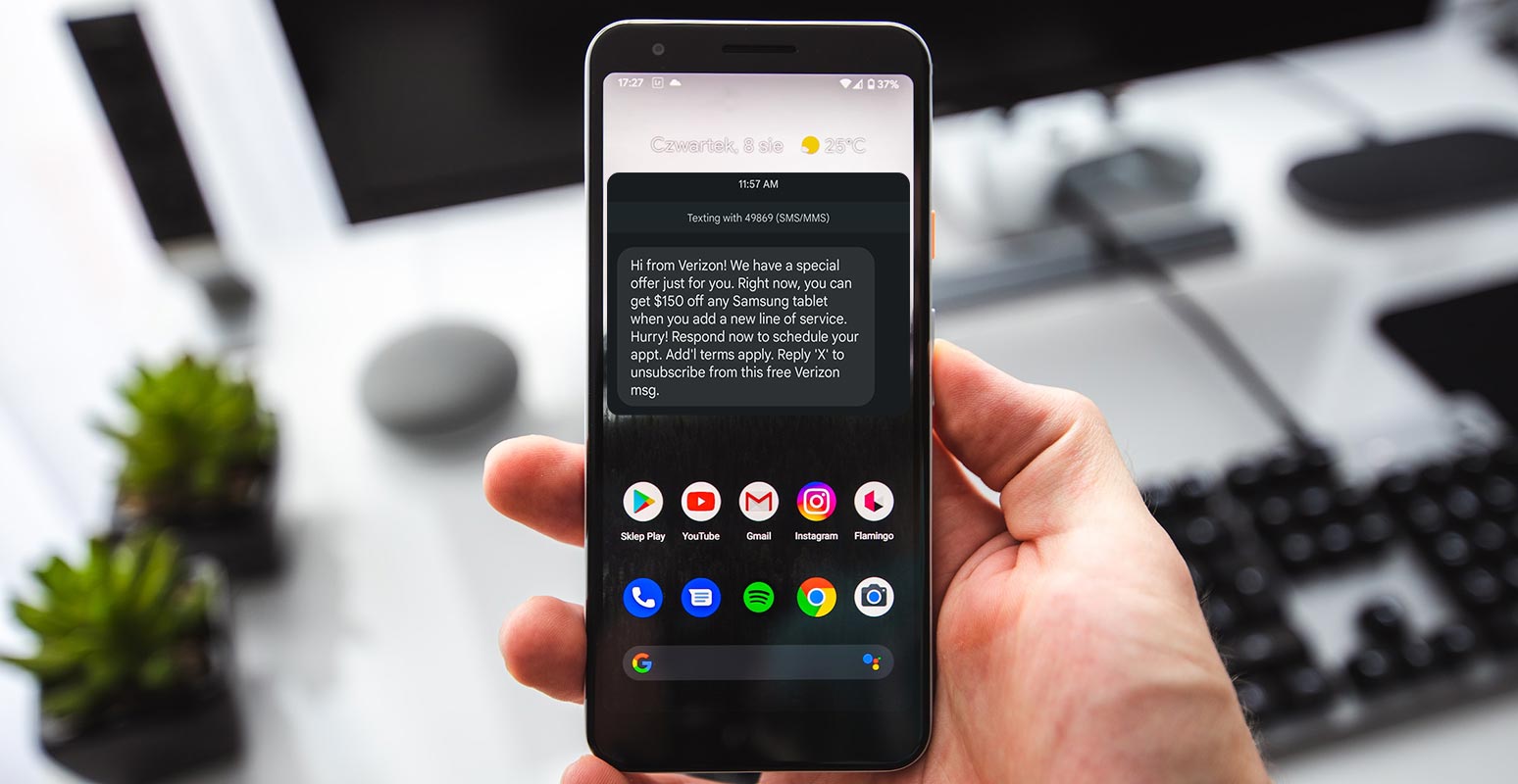
Understanding Verizon 49869 SMS Phishing
What is 49869 (SMS/MMS)?
The numerical identifier 49869, utilized for SMS/MMS communication, has been exploited by malicious entities masquerading as Verizon representatives. These messages commonly showcase exclusive offers or urgent notifications designed to prompt immediate action from the recipients.
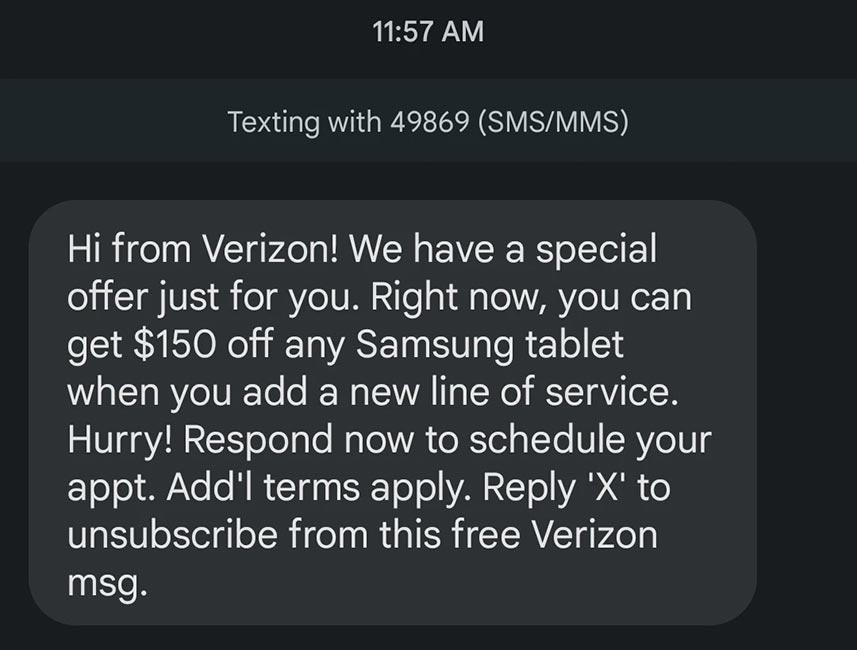

The Typical Scam Message
Messages from 49869 often feature promises of special offers, discounts, or demands for immediate action concerning a purported Verizon service. For instance, a prevalent message might claim a $150 discount on Samsung tablets upon adding a new service line.
Identifying Phishing Scams
Recognizing these phishing attempts is fundamental for users’ safety:
Characteristics of Suspicious Messages
- Messages often adopt an urgent or aggressive tone, demanding an immediate response.
- They might request personal information such as account details or passwords.
- Unusual links or attachments are included, urging recipients to click or download immediately.
Verizon’s Official Communication Methods
Verizon emphasizes never soliciting personal or account information through SMS or email. Official communications from Verizon typically involve the My Verizon App or direct interactions on their official website.
Actions to Avoid Verizon 49869 SMS Phishing
Do’s and Don’ts When Receiving Such Messages
- DO NOT respond to suspicious messages in any form.
- DO NOT click any links or open attachments.
- DO NOT provide any personal data to mentioned websites.
- DO forward suspicious messages to Verizon at S-P-A-M (7726) and delete them immediately.
Steps After Receiving a Suspicious Message
If accidental engagement occurs:
- Contact Verizon promptly to secure your account.
- Alert relevant financial institutions or services if any personal information was shared.
Verizon’s Response to Phishing
Verizon provides avenues to report phishing attempts:
- Forward suspicious texts to S-P-A-M (7726).
- Email suspicious emails to phishing@verizon.com, including personal details for assistance.
Verizon recommends utilizing the My Verizon App for added account security and safe communications.
FAQs
How can I differentiate between a legitimate Verizon message and a phishing attempt from 49869?
Differentiating between legitimate Verizon messages and phishing attempts can be challenging. However, legitimate messages from Verizon usually come through official channels such as the My Verizon App or the official Verizon website. They typically don’t request sensitive information like passwords or account details via text. If you receive a message from 49869 requesting personal information or offering deals that seem too good to be true, it’s likely a phishing attempt.
If I accidentally provided personal information, what immediate steps should I take?
If you’ve mistakenly shared personal information in response to a suspicious message, it’s crucial to act swiftly. Contact Verizon immediately to secure your account. Additionally, inform any relevant financial institutions or services that might be impacted by the information shared. Timely action can help minimize potential risks.
Are there specific red flags to identify a phishing attempt via SMS or email from Verizon?
Yes, several red flags can signal a potential phishing attempt. Look out for urgent or threatening language demanding immediate action. Phishing messages often request sensitive information like passwords or account details. They might contain unusual links or attachments and may not address you by name. Official Verizon communications generally avoid these characteristics.
Can forwarding suspicious messages to Verizon prevent further security risks?
Forwarding suspicious messages to Verizon by texting S-P-A-M (7726) or emailing phishing@verizon.com helps their security teams identify and act against phishing attempts. While it might not eliminate security risks, reporting such messages assists in their efforts to protect users and enhance security measures.
Is it safe to download the My Verizon App for additional security measures?
Yes, downloading and using the official My Verizon App for Android and iOS devices can significantly enhance your account’s security. The app provides additional security features and enables secure communication with Verizon. Always download the app from official stores to avoid counterfeit or malicious versions.
Wrap Up
Remaining vigilant against phishing attempts, especially those that mimic Verizon, greatly protects personal data. Avoiding interaction with suspicious messages and promptly notifying Verizon about such attempts significantly bolsters digital security. Users are pivotal in enhancing safety by abstaining from these deceptive communications. This proactive approach helps thwart potential threats and safeguards sensitive information from falling into the hands of cybercriminals.
Vigilance acts as a shield, preventing the compromise of personal details and minimizing the risks associated with fraudulent activities. Individuals actively contribute to creating a safer online environment through this conscientious behavior and quick response mechanism. Embracing this mindset of caution and immediate action not only safeguards one’s data but also aids in fortifying the digital defenses of the broader user community against malicious phishing endeavors.

Selva Ganesh is a Computer Science Engineer, Android Developer, and Tech Enthusiast. As the Chief Editor of this blog, he brings over 10 years of experience in Android development and professional blogging. He has completed multiple courses under the Google News Initiative, enhancing his expertise in digital journalism and content accuracy. Selva also manages Android Infotech, a globally recognized platform known for its practical, solution-focused articles that help users resolve Android-related issues.