
If you’re interested in testing the latest Android 14 Beta 1 firmware image on your Google Pixel 4a 5G, it’s now available for download. However, it’s important to note that beta versions are typically quite buggy and unstable, so installing this on your regular, everyday usage mobile device is not recommended. Unless you’re willing to take on the risks associated with experimenting with beta software, waiting for a stable release to become available is best.
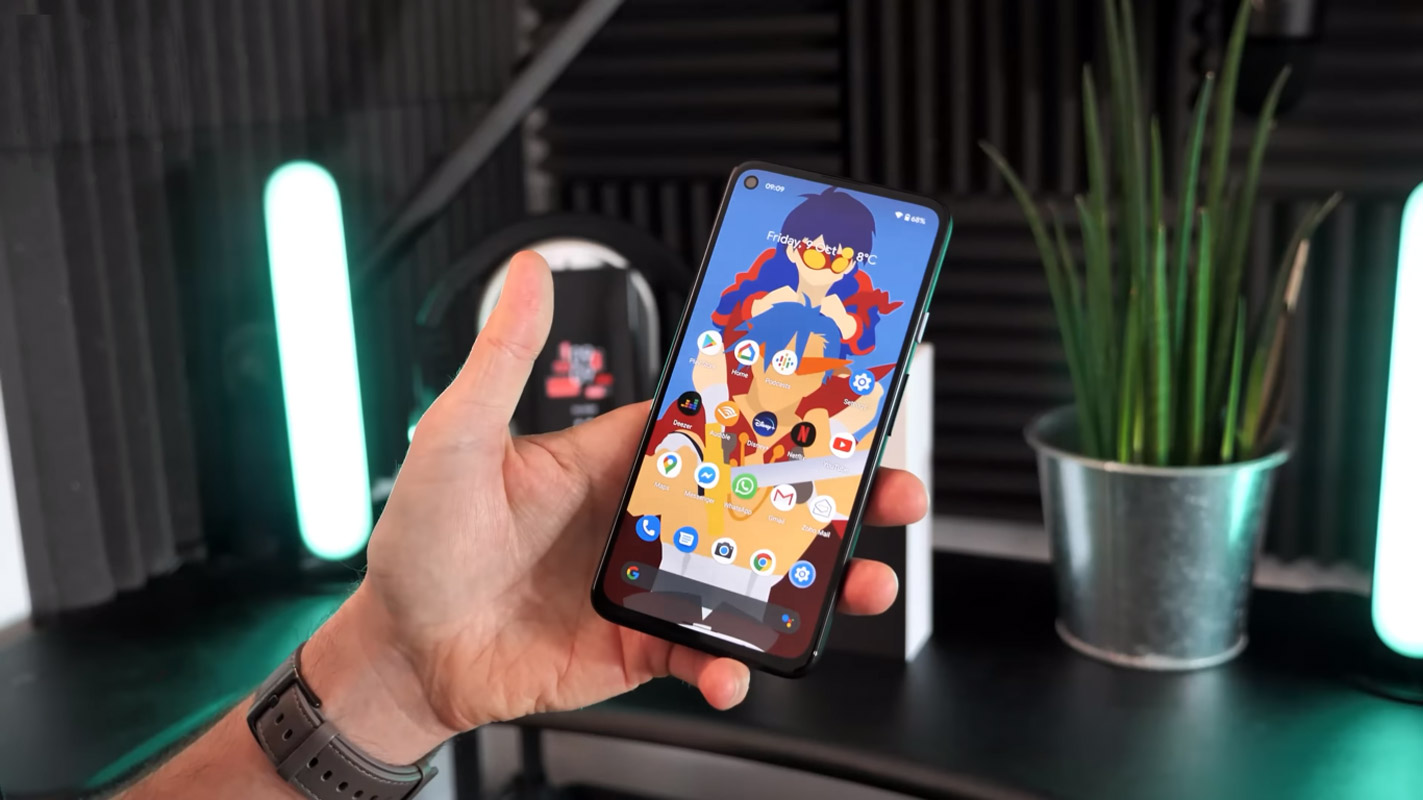 Download and Install Google Pixel 4a 5G Android 14 Beta 1 Firmware Image.
This article will be divided into two steps/parts; the first will treat how you can unlock the bootloader of Google Pixel and Nexus devices. Then, the second will handle how to flash the firmware to the devices you unlocked.
Nevertheless, there are things you should know before going on to do any of these actions.

Supporting Versions
- Google Pixel 4a 5G.
Note
-
The battery level of the proposed Pixel/Nexus device should be above 80 percent
-
In case of data loss, please back up the device so you can quickly restore the previous files and settings.
-
This method is purely for Google Pixel or Nexus devices only.
Install ADB Drivers- Essential Step
- You can use minimal adb and fastboot drivers when using Windows OS.
Part One (1): Unlocking Bootloader in Google Pixel 4a 5G
Before firmware can be flashed to any device, the device’s bootloader must be unlocked. You cannot flash the firmware to that device unless you unlock a bootloader. However, do not worry; we also included how to unlock the bootloader in Google Pixel/Nexus mobile devices.
Unlocking the bootloader in Google Nexus and Pixel smartphones is quite comfortable. This also implies that it is easy to flash the firmware or install custom kernels/ROM on these Google devices. So, if you’ve got a Google device, either Pixel or Nexus, irrespective of the model, you can unlock the bootloader and flash a new firmware to the device.
First, you must unlock the device’s bootloader (i.e., if the device has not been previously unlocked). On the other hand, if the device has been unlocked, flash it following the procedures listed in part two of this article.
Note: This will automatically factory reset your device, so that is why we advised you to run a backup before engaging in this action
Steps
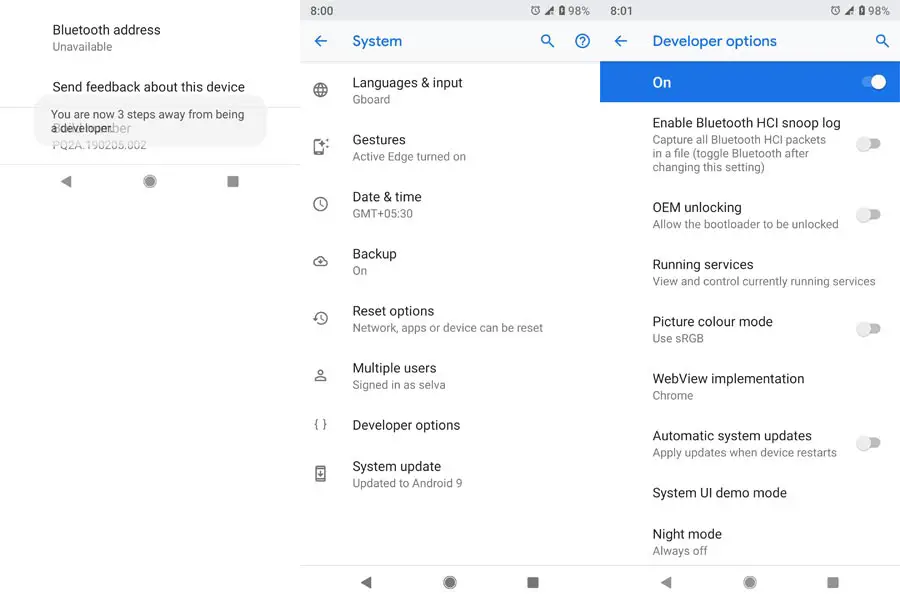
- On your Mobile, Go to Settings>>About>>Tap 7-10 times on Build number to enable the developer options>>Developer options>Enable Oem Unlock.
- Attach your mobile device to your laptop using USB.
- The device should be started in fastboot mode.
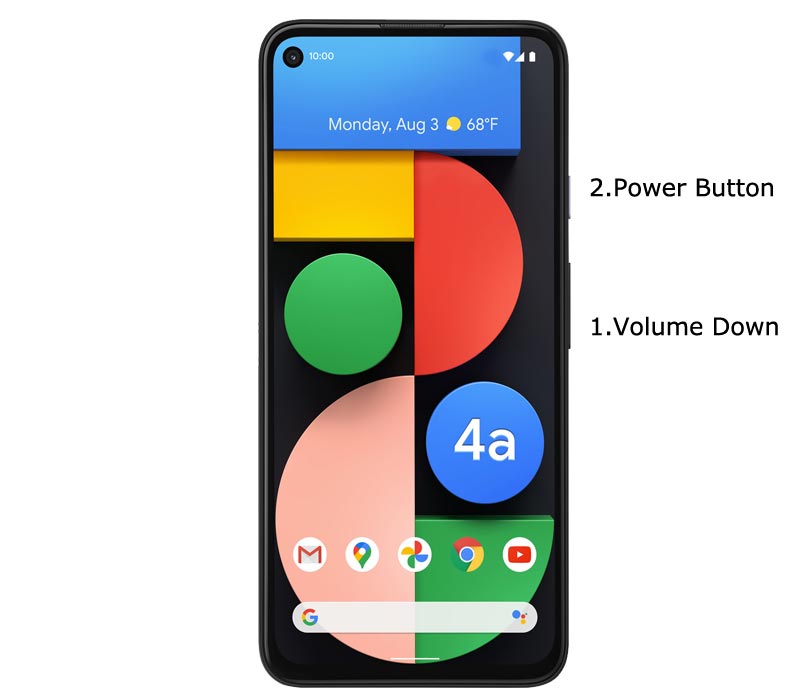
- Switch off your device. Then, enter Bootloader mode. To do this, press and hold the Volume Down + Power buttons simultaneously for some time.
-
Press the Volume Up button to continue when you see the warning message.
-
Connect the Pixel 4a 5G Mobile to the computer via a USB cable.
-
Launch the fastboot on your computer. Next, open a Command prompt on your PC and type the below command.
- fastboot devices
- If you didn’t get the mobile phone, restart the command prompt, Disconnect, and Connect your Pixel 4a 5G. It should display the connected devices. If you are detected, type the below commands.
- When the fastboot devices command doesn’t work, You can use the adb devices command.
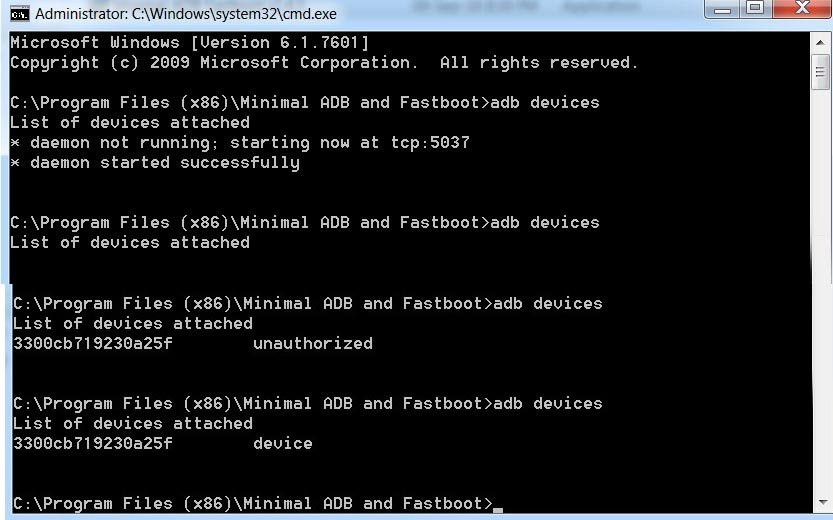
- Utilizing the adb tools, If the device is switched on, perform the following:
- flashing fastboot unlock
- Wait for the process to complete. After the process is complete, Your mobile will restart.
Part Two (2): Flash Google Pixel 4a 5G Android 14 Beta 1 Firmware Image (bramble)
After unlocking the bootloader, here are the steps to flash the firmware on Google Pixels or Nexus devices.
Steps
-
Download the respective ADB drivers and install them on your system. (Windows / Mac )
-
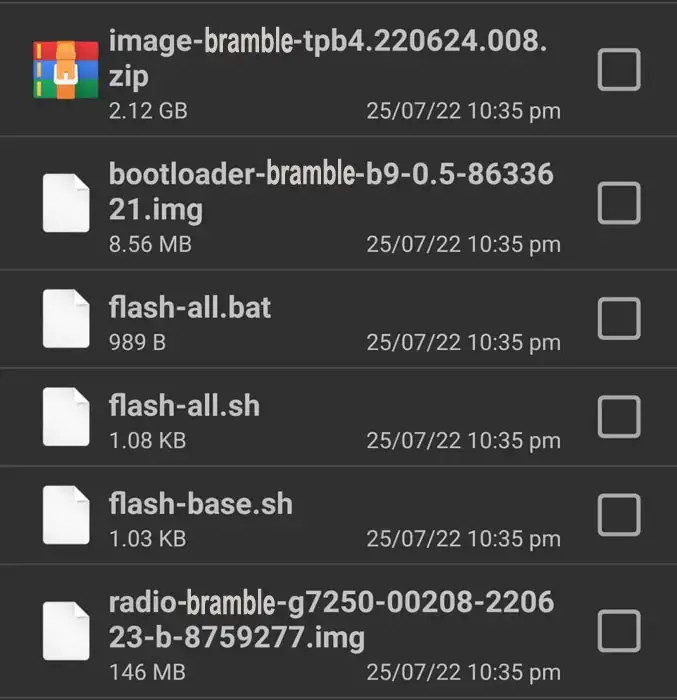
Download the Google Pixel 4a 5G Android 14 Beta 1 Firmware file/ AFH Mirror and copy the files to your Desktop Google folder (Create one folder in the Desktop). Extract the firmware file. All the extracted files should be in the Desktop/Google folder. Please don’t put it in a separate folder inside the Google Folder.
- Pixel 4a 5G Android 14 Beta Firmware.zip
-
Launch the Command prompt in the folder and enter the following code – cd/Username/Desktop/Google.
-
Now, connect the Android mobile using a suitable USB cable.
-
On the Pixel 4a 5G device, turn on USB Debugging and OEM Unlocking; go to device settings >>> developer options >>> enable OEM unlocking. After allowing OEM Unlocking, power off the device.
-
Make sure your mobile is detected by the system you’re using for this action, then type the following command
-
fastboot -(Windows)
-
./fastboot-(Mac)
-
You’d see the device ID if the system detected the mobile device. However, if you didn’t get the device IS, retry again.
- Power the device into bootloader mode, and follow the guide below.
-
Press and hold down the Volume Down button for about 2 – 3 seconds
-
While holding the “volume down” button, press the “Power key” and hold on to it for some seconds.
-
Now, release all the keys/buttons.
-
Use any Volume keys to switch from START to Fastboot Option. You’ll receive a warning message, but you have to ignore the warning and continue below.
-
Press and hold the Power Key, then the Volume Up button. The mobile device will load to Fastboot mode.
-
After that, enter the below comments in Command Prompt.
-
flash-all.bat-(Windows)
-
./flash-all.sh-(Mac)
After entering the above command, the new firmware will be flashed on your Pixel 4a 5G device. Reboot and start using.
Wrap Up
You have just learned to unlock the Google Pixel 4a 5G bootloader and flash the Android 14 Beta 1 firmware. Since the Stable Android 14 comes only after September 2022, You can use the Beta versions. Ensure you observe the warning we shared to avoid bricking the device due to carelessness. Also, this tutorial is only for Google Pixels devices; other Android devices have their ways of unlocking their bootloader. Furthermore, use the tools listed here and download the correct firmware for the specified device. If you cannot do these independently, visit an Android technician to handle them. Your comments are appreciated; hence, we hope to see what you say about this tutorial; share them below.

Selva Ganesh is a Computer Science Engineer, Android Developer, and Tech Enthusiast. As the Chief Editor of this blog, he brings over 10 years of experience in Android development and professional blogging. He has completed multiple courses under the Google News Initiative, enhancing his expertise in digital journalism and content accuracy. Selva also manages Android Infotech, a globally recognized platform known for its practical, solution-focused articles that help users resolve Android-related issues.