
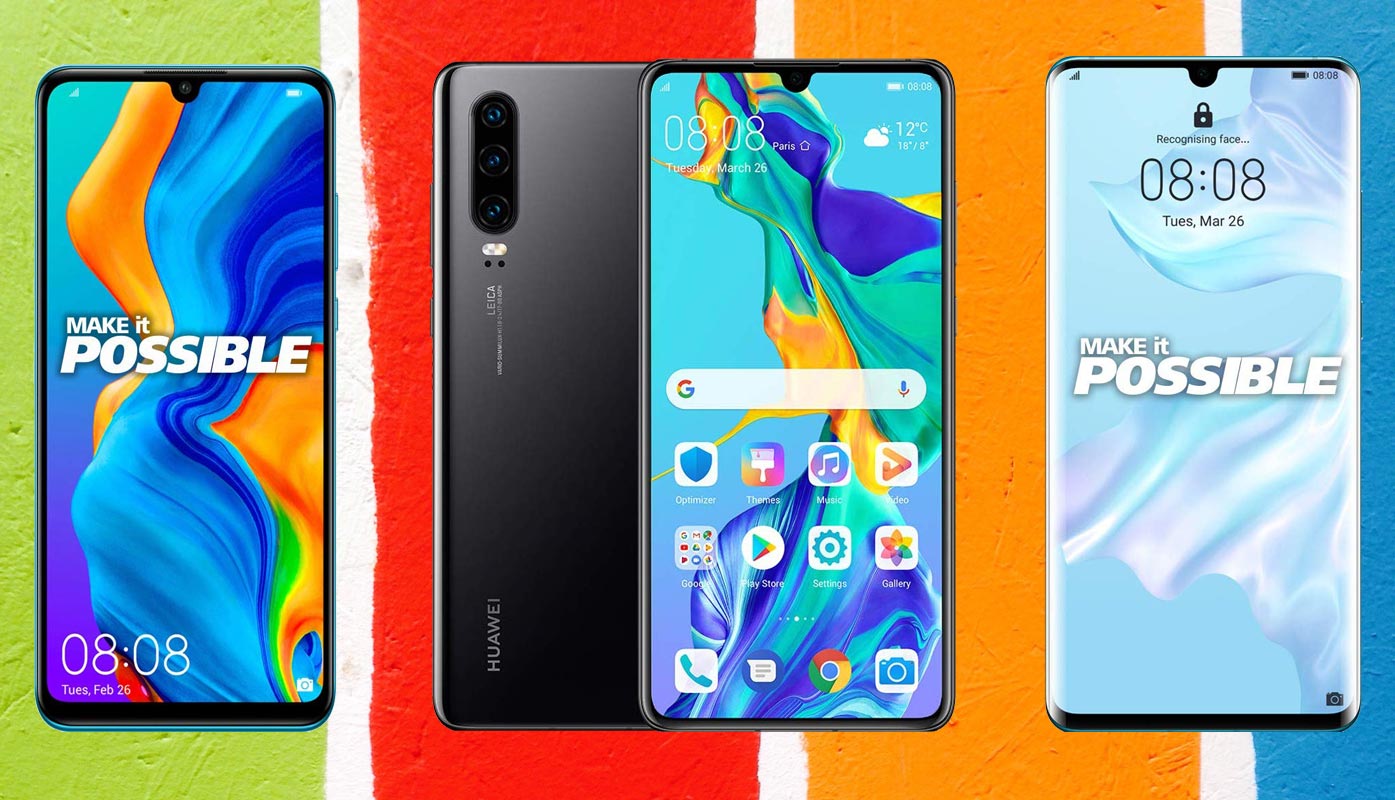
Huawei P30 comes in three variants, regular version, Lite, and Pro version. All these three mobiles mainly focused on the Camera. Even If the EMUI is highly customized skin OS, they have some unique features built-in. P30 and Pro version comes with HiSilicon Kirin 980, which is moreover equal to Snapdragon 845 processor. Lite version has Hisilicon Kirin 710 processor. Coming to software updates, you can always update your mobile using the default OTA setting. When you can’t to that Auto-update, you can do the following manual methods to upgrade your mobile. Each Variant has different models and respective regions.
Don’t flash different model’s firmware. It may not work correctly. We try to short the options to avoid confusion. All the firmware can work well with their mobile. If you have rooted mobile, you should flash using TWRP and Magisk. Don’t forget to flash Magisk after the firmware, Or Else you will lose root access.
Pie 9.0 Firmware Flash- Huawei P30/Lite/Pro
Official OTA Method
If you want to update a security patch to the current month. Don’t go for a manual method. Before that method, try this OTA Method.

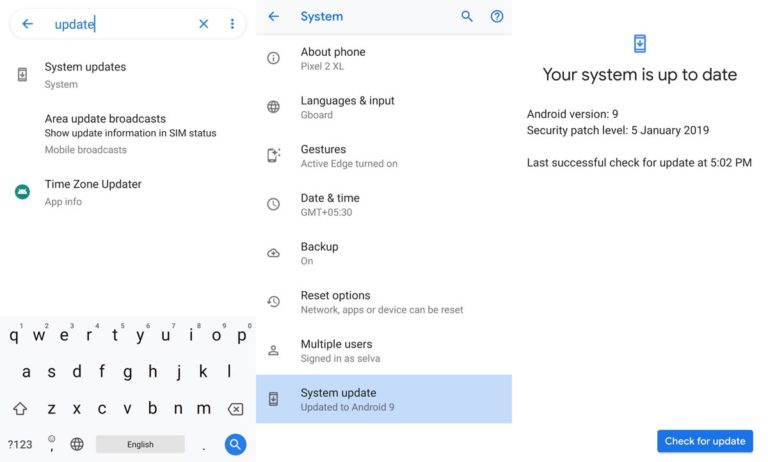
The process is straightforward and straightforward;
-
Go to your device setting menu and scroll down to the bottom
-
Tap on “Software Update”
-
You may have to refresh the page to start the OTA upgrade process.
Manual Method – Huawei P30, Lite, and Pro version
Download Firmware
Huawei P30
- ELE-L29 (Europe)
- ELE-L04 (Global)
Lite
-
MAR-LX1 (Europe)
- MAR-LX3 (Latin America)
- MAR-LX2 (Singapore)
- MAR-LX1M (Russia)
Pro
- VOG-L04 (Global)
- VOG-L29 (Europe)
Note
- Check Your Device Mobile No. If you flash Different model number, you will lose some features based on your region.
- Battery Percentage Above 50.
- Backup Your Device.
Using Update.zip Method
- Download Firmware For Huawei P30 Pie 9.0 Firmware.
- Create the folder dload in the Root Storage of your Mobile (Internal Memory).
- Copy the Downloaded Firmware files-update.zip to the Folder dload.
- Now go to your mobile Settings->Update.
- Select Local Update.
- It Will Show Update.zip file in your Mobile.
- Choose the update.zip file.
- Wait for the Process to Complete.
- After the Process completion, your Mobile is now updated to the latest Android version.
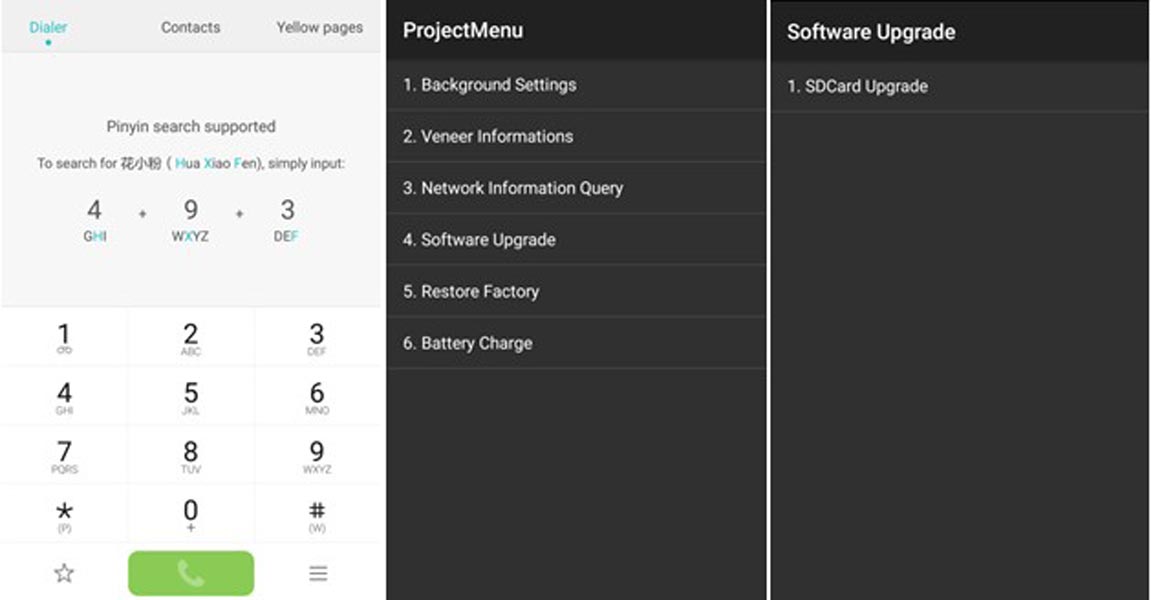
- If you copied firmware in your SD Card, Go to Dialpad Dial *#*#2846579#*#* >>> ProjectMenu >>> Software Upgrade >>> SDCard Upgrade >>> OK
Using EMUI Flashtool Method
- If you can’t update using the above simple method, you can use the below method. This method requires PC usage.
-
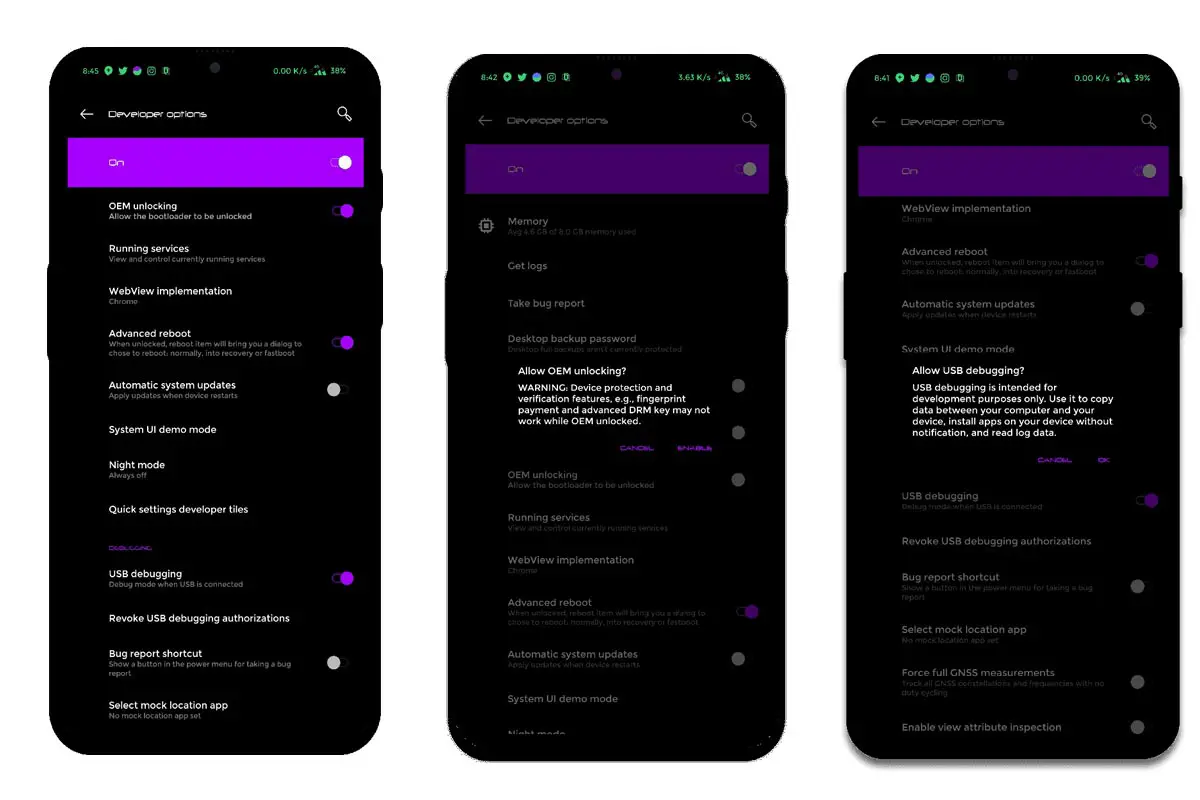
Enable USB Debugging Mode and OEM Unlock; you’ll find these options at Settings >>> Developer options. If you didn’t see the developer options on your settings menu, then go to about >>> build number; click on the “Build Number” row for about ten times regularly to activate “Developer Option” on your device.
- Download Huawei USB driver and install it on your PC.
- We are using third party software flashing. Download EMUI Flashtool and install this also on your PC.
- Download Firmware For Huawei P30 from firmware links and copy it into your PC.
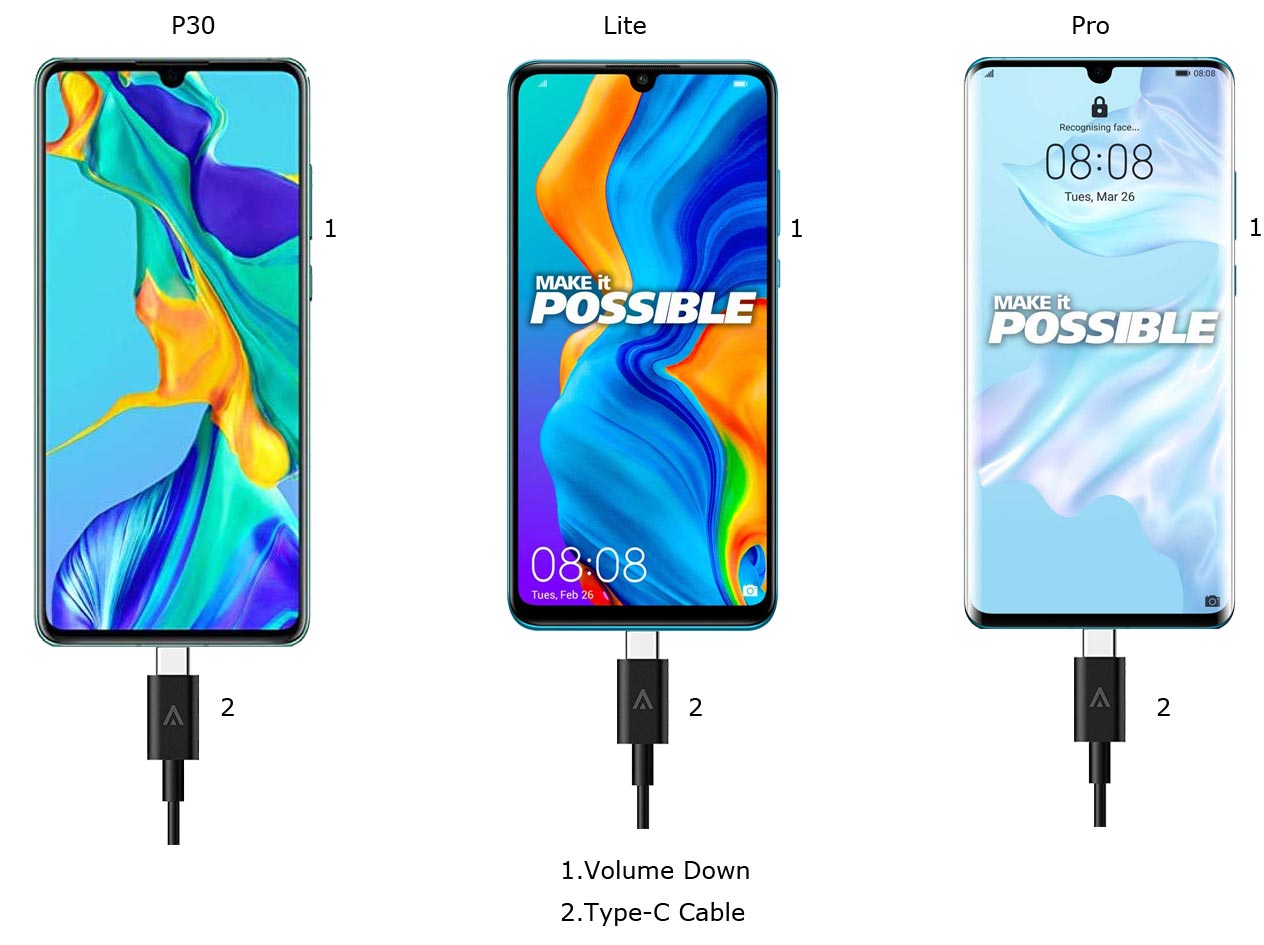
- Switch off your Mobile. Enter into Fastboot mode->Volume Down Button and Connect Your Mobile To PC via USB Cable.
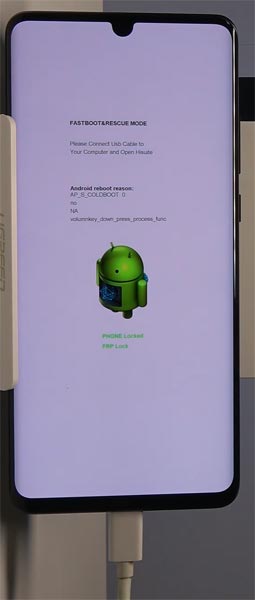
- After Warning Screen Logo Appear, Release all keys.
- Launch Flashtool Application.
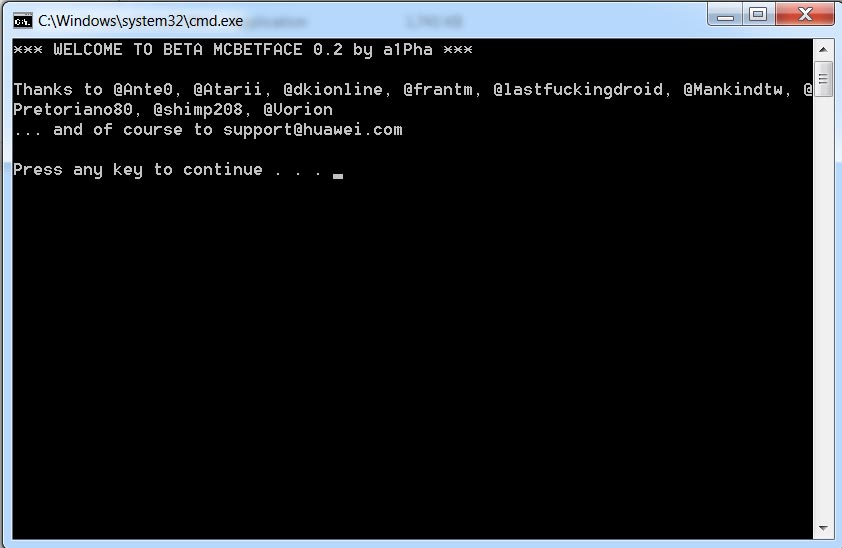
- Copy your downloaded update.zip file into the ZIPS Here folder.
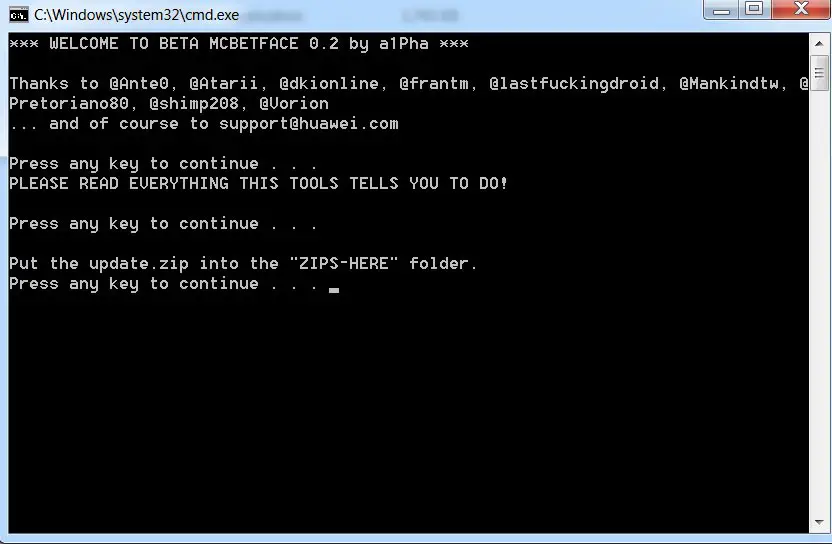
- Rename update.zip file into update_all_hw.zip.
- Now press any key and follow On-Screen instructions. After the process completes, your device will reboot to the standard OS.
- You can Check the Firmware Details->Settings->About->Version.
Huawei Pie 9.0 EMUI 9 Features
This firmware update updates your mobile to EMUI 9 with a lot of upgrade features compared with old EMUI Version.
Performance
- The EMUI 9.0 optimizes your mobile operations with AI prediction technology. You can expect response speed by 25.8%.
- Application startup Speed/Response is shortened by 102 ms, and overall system response is increased by 12.9%.
Spotlight Reel
- New Video editing app added in your device, now you can edit not only photos, but you can edit videos also.
HiVision

- Like Google Assistant, It can measure Food calories, Translate, and More.
Wireless Projecting
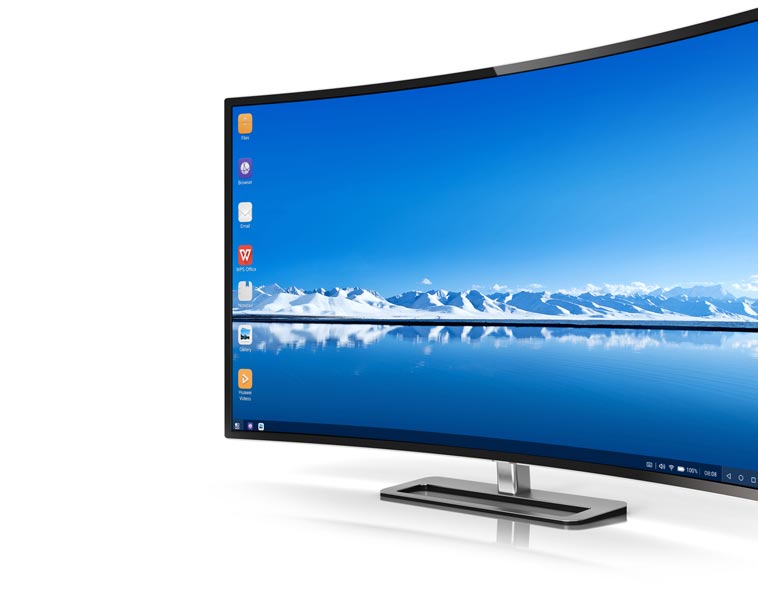
- Using this feature, you can project your Ideas to Big Screen; the extra functionality is you can hide calls and Messages in Big Screen.
Huawei Share
- Printing cloud and other devices’ collaboration are added.
New Gesture Navigation
- As you already know, the Pie 9.0 Special Gesture features added.
Password Vault
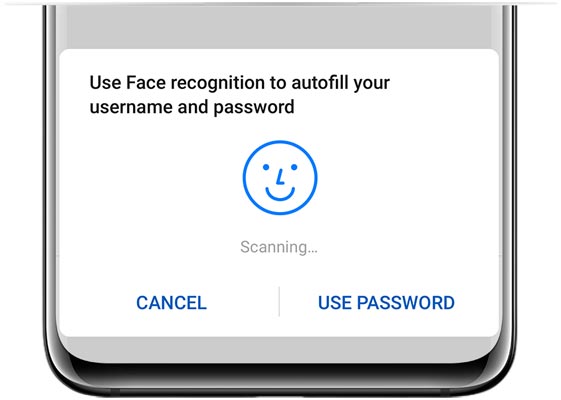
- Like Lastpass and Dashlane, Inbuilt Password Manager added in new EMUI Version.
Wrap Up
Selecting correct firmware is the Major step in this process. If you follow all steps correctly, you can quickly flash firmware in your Huawei P30. Always prefer Automatic OTA and update.zip method. If you have rooted the device or using a Custom OS, Choose a flash method. If you moved to another region, and can’t get the update, You can try VPN and change it to your Purchased Region and try to get the update in settings. Most of the time, this method will work. There are plenty of free VPNs for Android are available. Don’t download any third-party apps; sometimes, it may trigger the updates process. If you face any problem or if you need any additional mirrors comment below.

Selva Ganesh is a Computer Science Engineer, Android Developer, and Tech Enthusiast. As the Chief Editor of this blog, he brings over 10 years of experience in Android development and professional blogging. He has completed multiple courses under the Google News Initiative, enhancing his expertise in digital journalism and content accuracy. Selva also manages Android Infotech, a globally recognized platform known for its practical, solution-focused articles that help users resolve Android-related issues.