
Up to this moment, there is no official way to get iMessages on Android devices but thanks to technology, mechanization, and recreation you can now have iMessage on your Android device by using an ultimate App called weMessage.This App is said to be unofficial to access iMessages on Android. The problem is you need macOS to access this. But if you want to use this feature in some situations, it can be more useful.
As you already know, iMessage is an Apple’s instant messenger App that allows users to exchange texts, documents, photos, contacts, and group messages over Wi-Fi at the expense of SMS/MMS. It’s exceptionally convenient— and user-friendly. One of the more exciting reasons to use an iPhone or iPad is the iMessages. Most of the people stick with the iPhone because of iMessage. After forsaking my iPhone for an Android to enjoy the features that Android offers it was one of the main features Oh, I Didn’t tell, the majority of my contacts used iOS. iMessage comes with amazing and unique features that make it stand out from all other messaging apps. 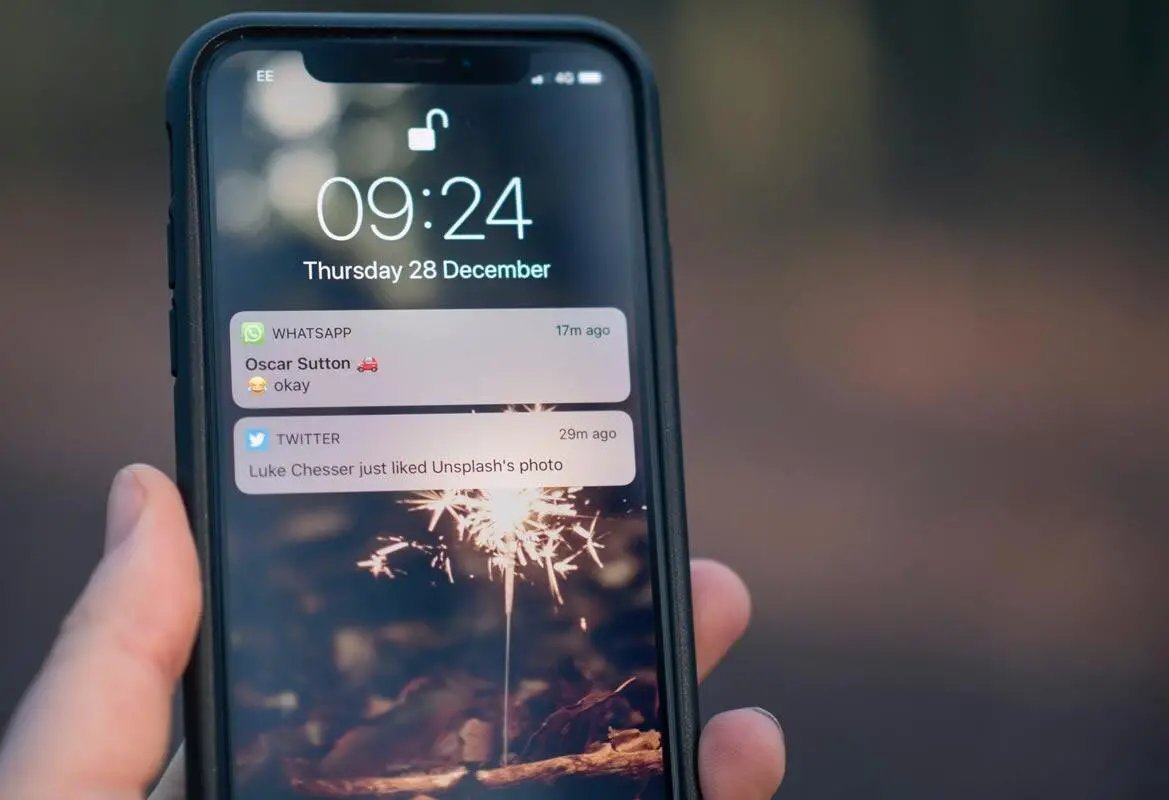
Why macOS Need For this process?
iMessage offers an end-to-end encryption security feature as well as group messages and messaging effect. With the support of weMessage, you will enjoy all the features of iMessage on your Android devices and smartphones. weMessage help you smoothly run iMessage on your android device without having any issues. This instant messaging App cannot be used in android because of end-to-end encryption that sent through Apple servers which can only be decrypted by Apple devices. So, We need additional macOS setup.

Setup iMessage in Android
There are two steps in the setup
- Setup weserver in your macOS
- Installation Android application your Android mobile.
Requirements
- an active iMessage Account
- macOS 10.10 or higher version
- install Java 7 or Higher version on your macOS
- Your smartphone Android operating system must be 0.5 or higher weMessage
Setup weserver
STEP 1: To use weserver you must have Java on your Mac (JDK 9.0.1). You can check this by hitting utility bottom, launching the Terminal app which is pre-installed and then Checks for Java and then return. If you didn’t have JDK, download and install JDK on the official site of Java.
STEP 2: Download and install weserver, check the weserver location folder, and Lunch the app on your Mac.
To successfully configure weMessage you must change the general tap on your security and privacy to open anyway and allow the accessibility feature on Mac via the system reference.
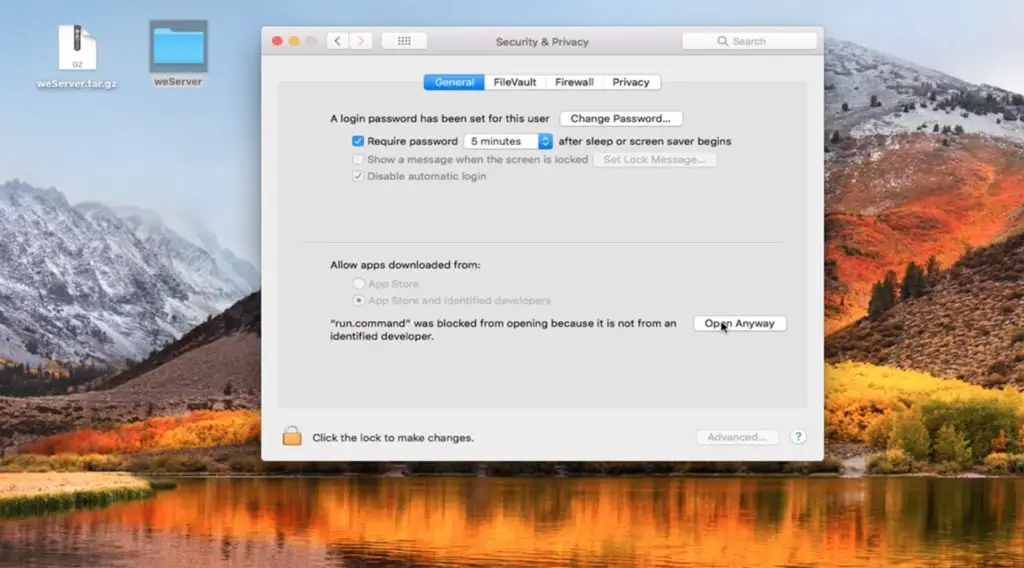
STEP 3: Then you can click on lock icon on the bottom left to unlock the settings and then enter the password to log in to Mac.
STEP 4: Click on + then go to Applications later on Utilities.
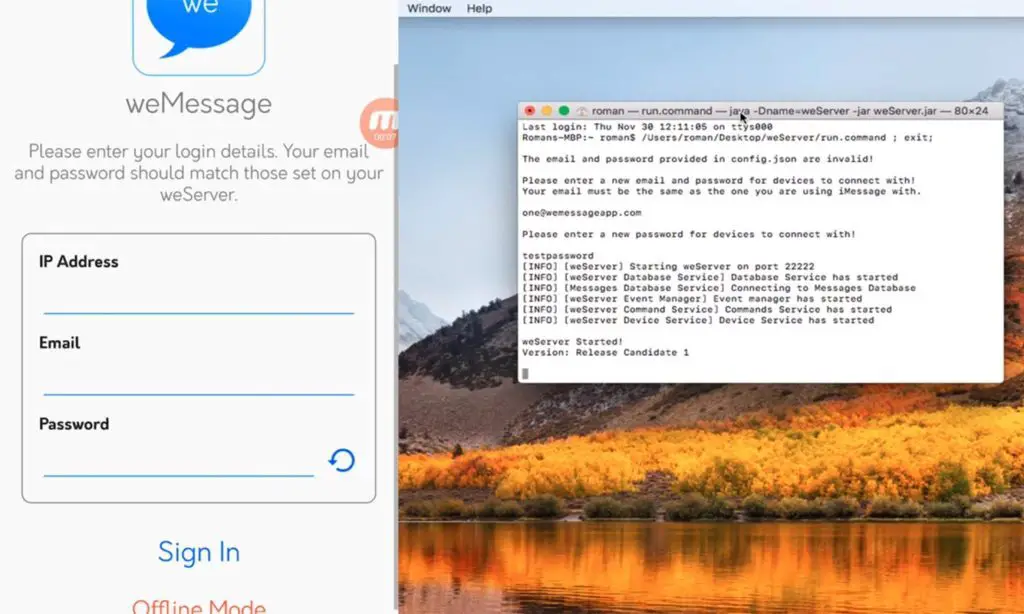
STEP 5: Then click on Terminal and Open run. Command file from the weserver folder. After which you can double click on the run bottom to open the program.
STEP 6: After that enter the email address with a password for iMessage. Don’t off your Mac device.
Setup weMessage in Android Mobile
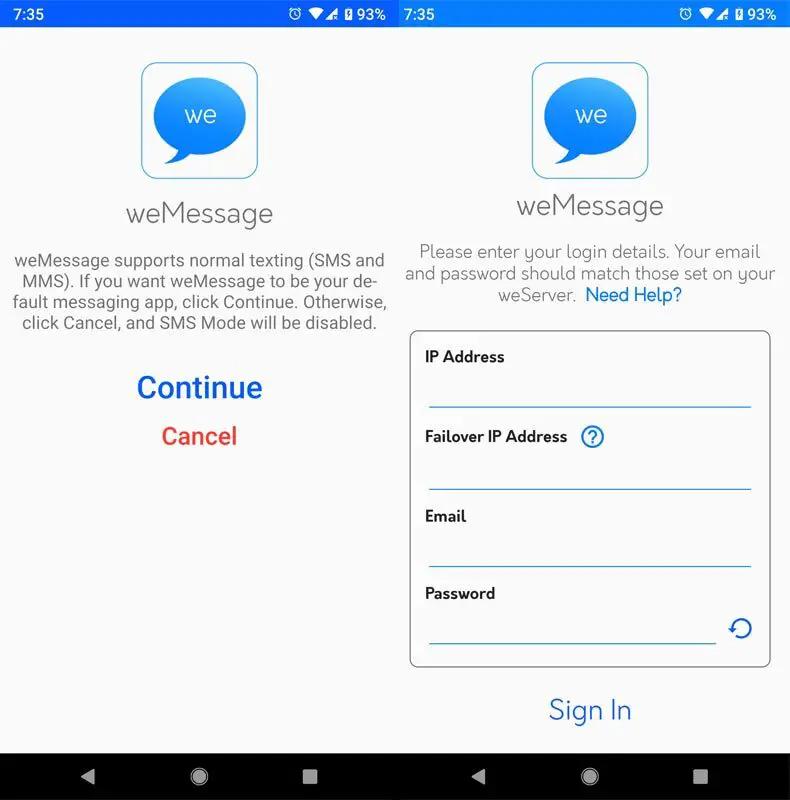
STEP 1: Download the weMessage app on your Android device.
STEP 2: If you can’t install the app, you need to go for the modification of the Security and Privacy settings after which you can install the app.
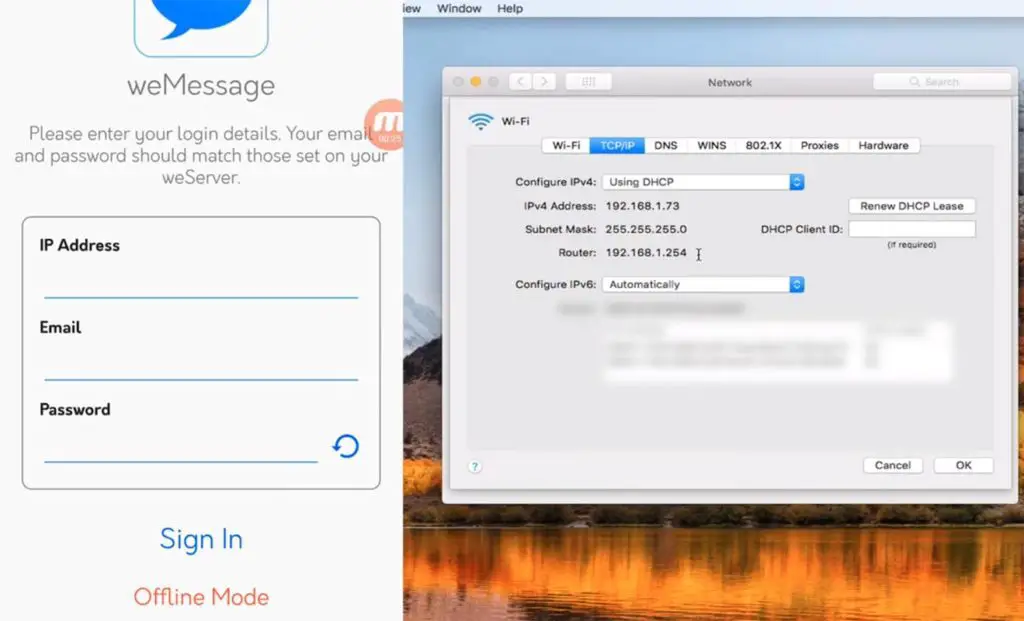
STEP 3: After installing this on your Mac, you can open the weMessage app on your Android device. You can sign in using the IP Address of your Mac, email ID, and password.
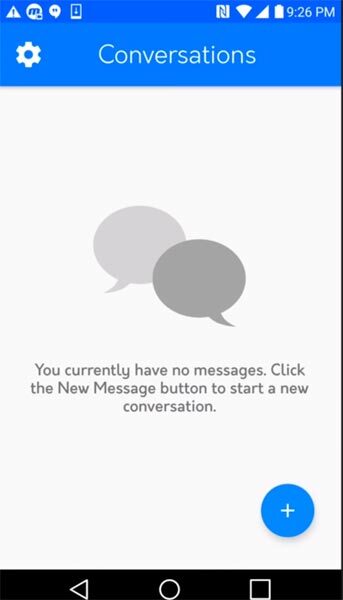
STEP 4: After hitting the sign in button, you can find the Conversation screen on your Android phone.
Limitations
- Not for regular daily usage. Yes, Your server should run to get the messages, means your Mac OS device should run in the background.
- iMessage has some shortcomings; the app has been a bit of a frustration for many. iOS 11 and iOS 11.3 after all to this devices iMessage don’t seem to be very attractive and user-friendly.
- It restricts messaging that already works, and you barely notice that it’s happening.
Pros
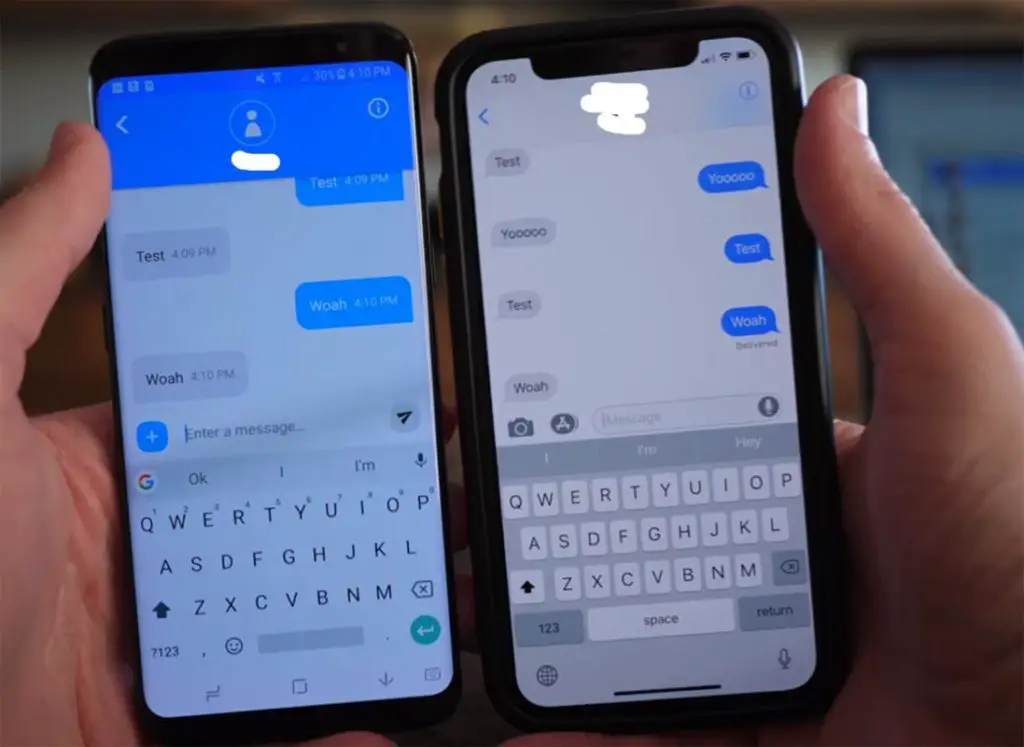
- The iMessaging feature works best for group conversations and sending/receiving messages to iPad
- It is fantastic to work with when you are in a location that has no wireless connection as you can send iMessages over Wi-Fi.
- iMessages is like a giveaway to post/receive text messages for those that don’t subscribe to a data plan.
- iMessage Read Receipts option
- Currently, online features that will let you see if the person is now online.
- Ability to build into iOS and make it a default messenger App for thousands of users
- You can send and receive multiple iOS by using multiple accounts.
- Freedom to chat with your preferred or close friend, you can block whoever is not in your contact list or group them differently.
- iMessages sent through the service get spread too far.
- Nonstop ability to receive and send a message
Cons
- There is no delivery report on iMessage, Whenever a message fails to deliver, there is no failure to provide a report, and you hardly recognized the message you did not respond to.
- iMessage has no online features even after changing your smartphone or closed your device for long the App still keeps your family friends message in suspense.
Conclusion
As I already said, if you want to use this daily, you can’t. Because the server needs to be run in the background. But, if you want this for Limited usage, Yes this is for you. But, if you have macOS, you should have iPhone, that’s how it works…:)

Selva Ganesh is a Computer Science Engineer, Android Developer, and Tech Enthusiast. As the Chief Editor of this blog, he brings over 10 years of experience in Android development and professional blogging. He has completed multiple courses under the Google News Initiative, enhancing his expertise in digital journalism and content accuracy. Selva also manages Android Infotech, a globally recognized platform known for its practical, solution-focused articles that help users resolve Android-related issues.