
When Windows realized they couldn’t get over the handheld devices with its OS, They began to adapt their Android apps and platforms. Samsung always wants to make unique custom skin OS. So that it will not look like Android, they want to standalone from other device manufacturers. So, Moreover, Windows and Samsung fall into the same category. All Samsung mobiles will work better features with Windows. Your Phone App is a bridge between Android mobiles and your Windows-based devices. They always release a bunch of features that are useful to access the phone from a PC. Now Microsoft Your Phone App can run multiple Android Apps simultaneously from your mobile.
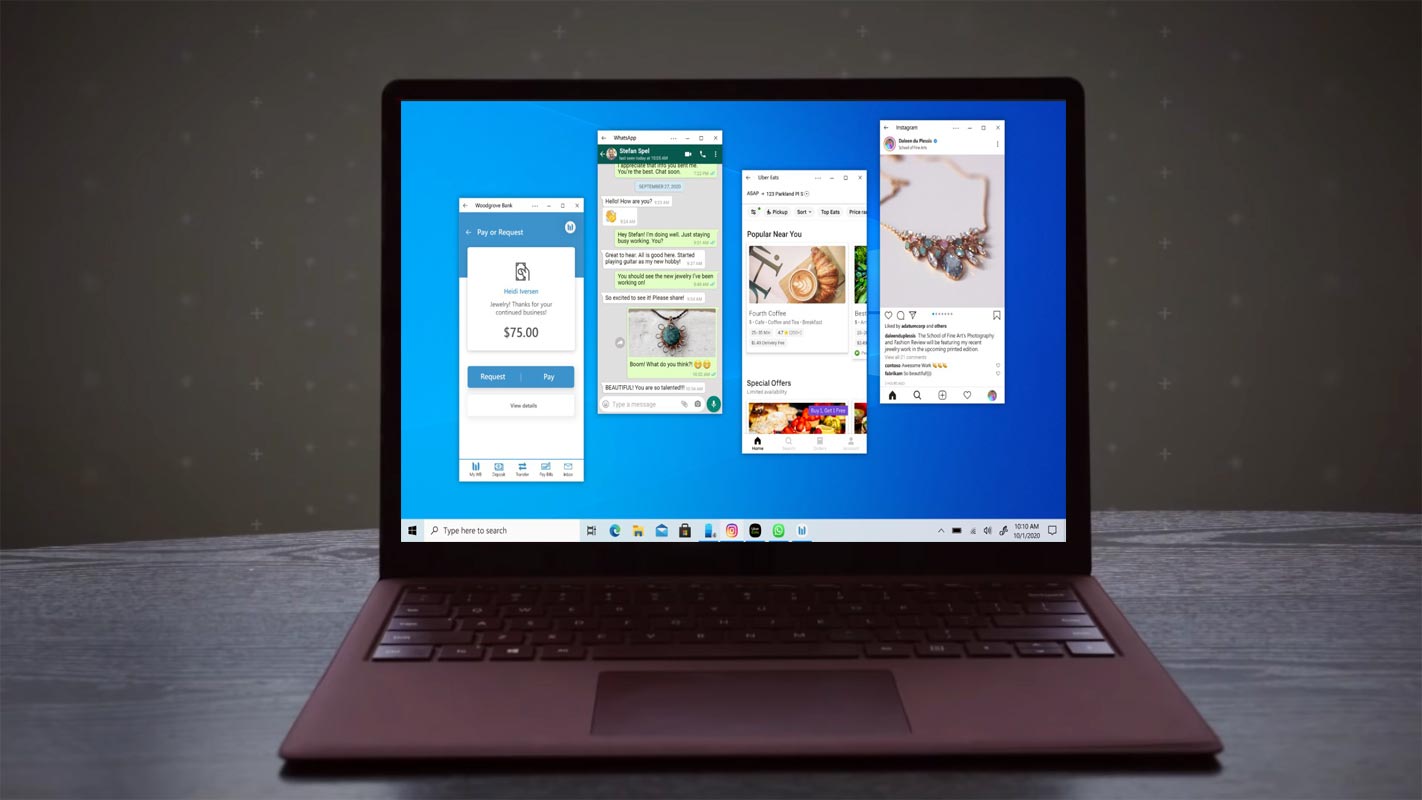
Microsoft today announced another feature for its Your Phone App. The new rollout feature can run multiple apps simultaneously in Your Phone App through selected Samsung handsets on PCs running Windows 10 insider latest version. They keep releasing a bunch of useful features. You can also make mobile calls from your Windows PC directly.
Microsoft Your Phone App Multiple Android Apps run feature.
Microsoft launched Your Phone App on October 2, 2018, to access your Android phone through your PC or laptop. Since then, Microsoft is working on Your Phone App to get more popularity among Android users. Earlier this August, Microsoft rolled out the feature in Your Phone App to run Your Android Application right on your PC.

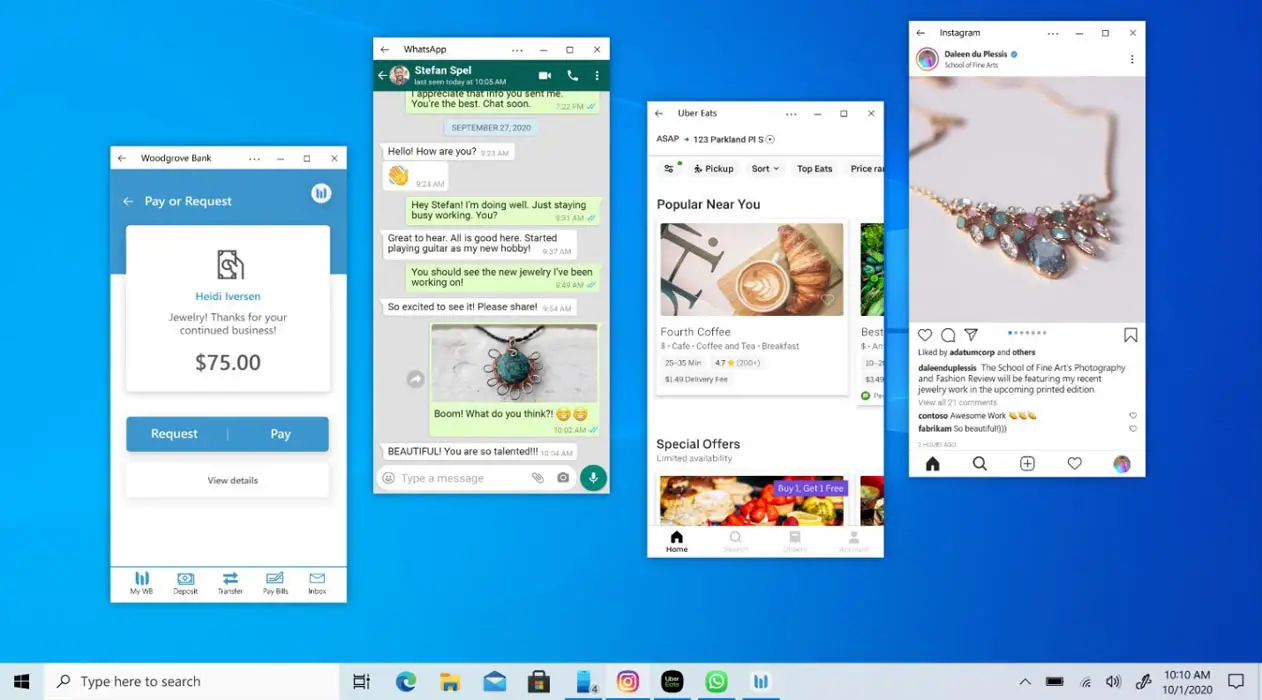
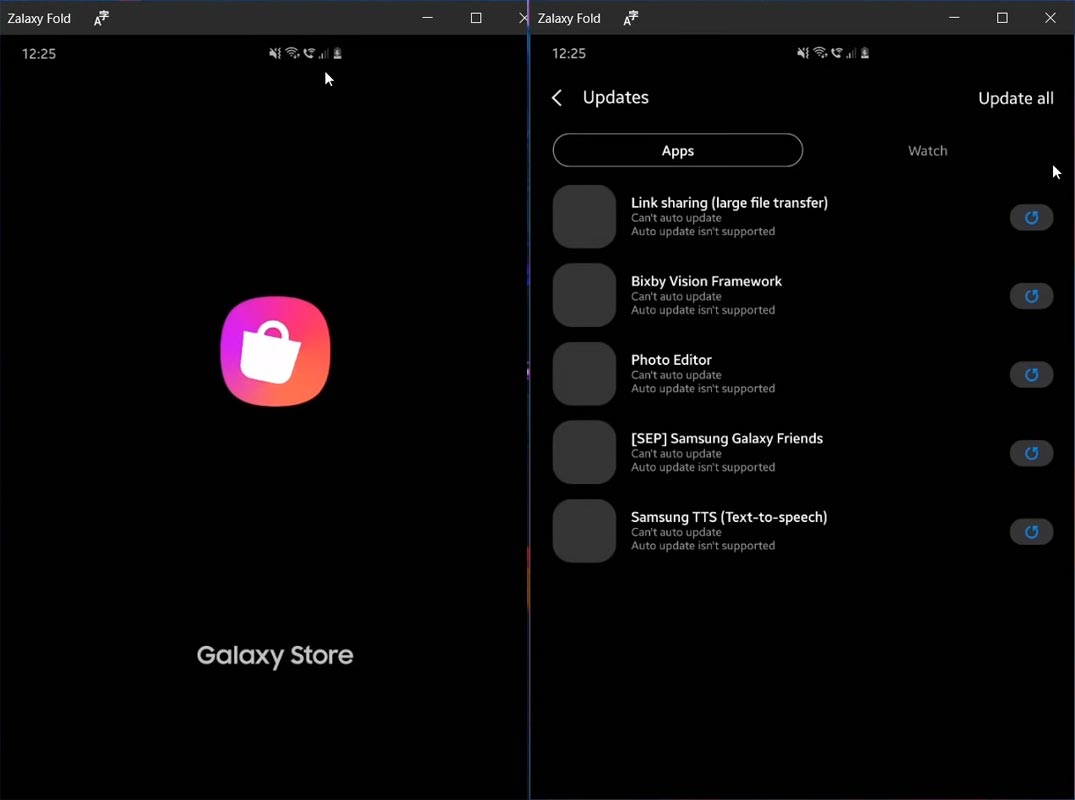
It was a fabulous roll out to use your Android apps on your laptop big screen. With the latest rollout feature, Microsoft allows you to run multiple Android apps on the laptop, just like you do on your Android mobile phones. This new feature streams the multiple Android apps on your laptop using Your Phone App. These Android apps run in a stand-alone window, and you can easily pin these apps to the taskbar as you do with your regular Windows programs.
What are the Pre-Requirements for running Multiple Android Apps on Windows?
There are some requirements for your PC and your mobile phone to use this new feature. Here are these:
- Your Phone App must have version 1.20102.132.0 or higher. If not, you can update it from Microsoft Store.
- Your phone Companion app must have version 1.20102.133.0 or higher. If not, you can update it from Google Play Store.
- The “Link to Windows” version must be 1.05.2 or newer. If you don’t have the latest version, you can update it from Galaxy Store.
- The multiple app feature requires the Windows May 10, 2020 Update or later. To check the Windows version, select Settings> Update & Security> Check for update.
- The same Wi-Fi network must be used by your mobile phone and the PC to stream your Android apps.
- Multiple apps are available on selected Samsung.
1. Setup PC- Install Your Phone Companion
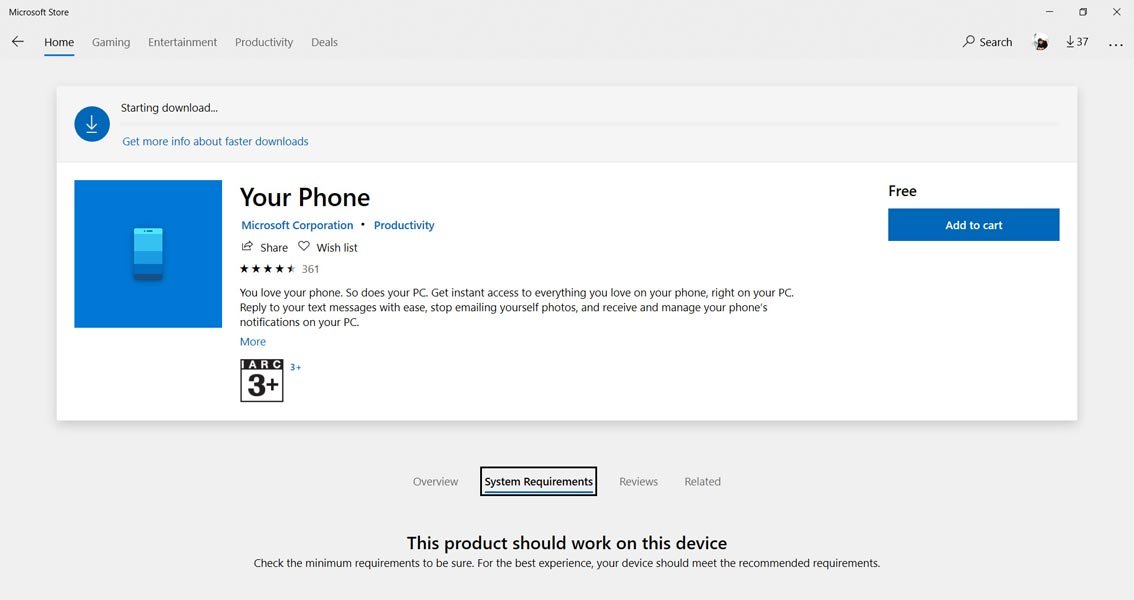
- Install Your Phone app from Microsoft Store.
- Open App and Log in with your Microsoft account. The Account should be the same as the mobile phone Microsoft account that we will log in to.
- After login with your Microsoft Account, Allow necessary permissions.
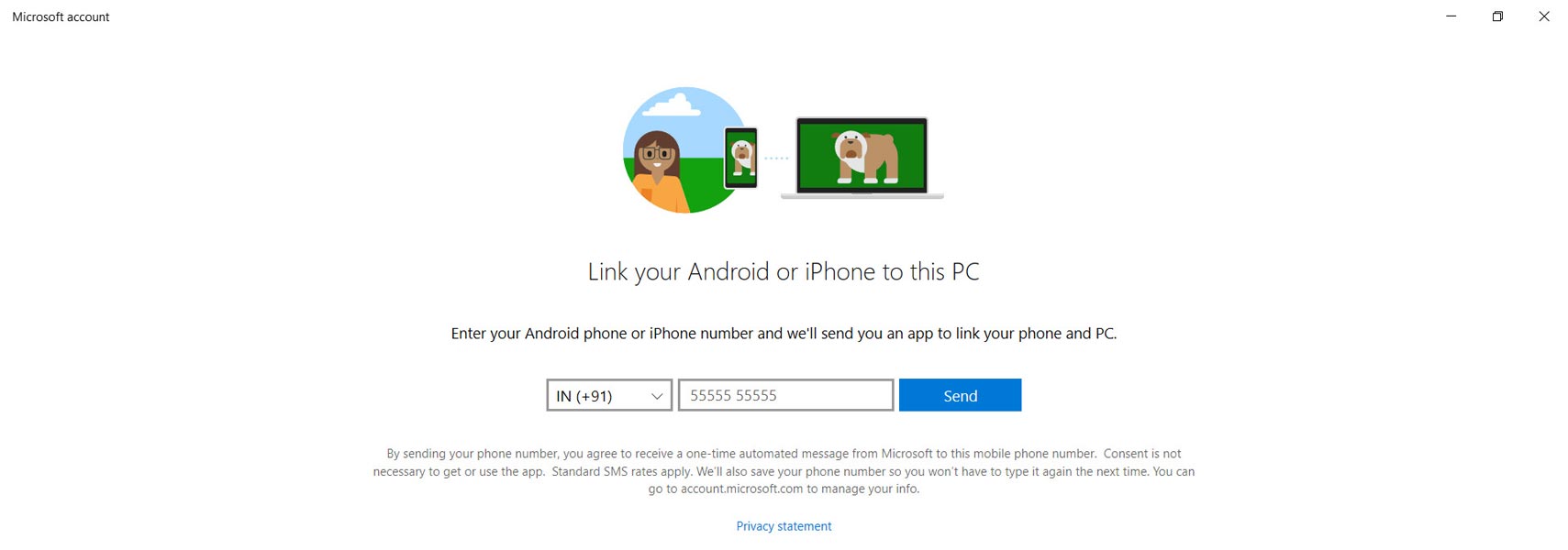
- Open the app and enter your mobile number. You will get the Installation link to your mobile via message.
2. Setup Mobile- Install Your Phone Companion
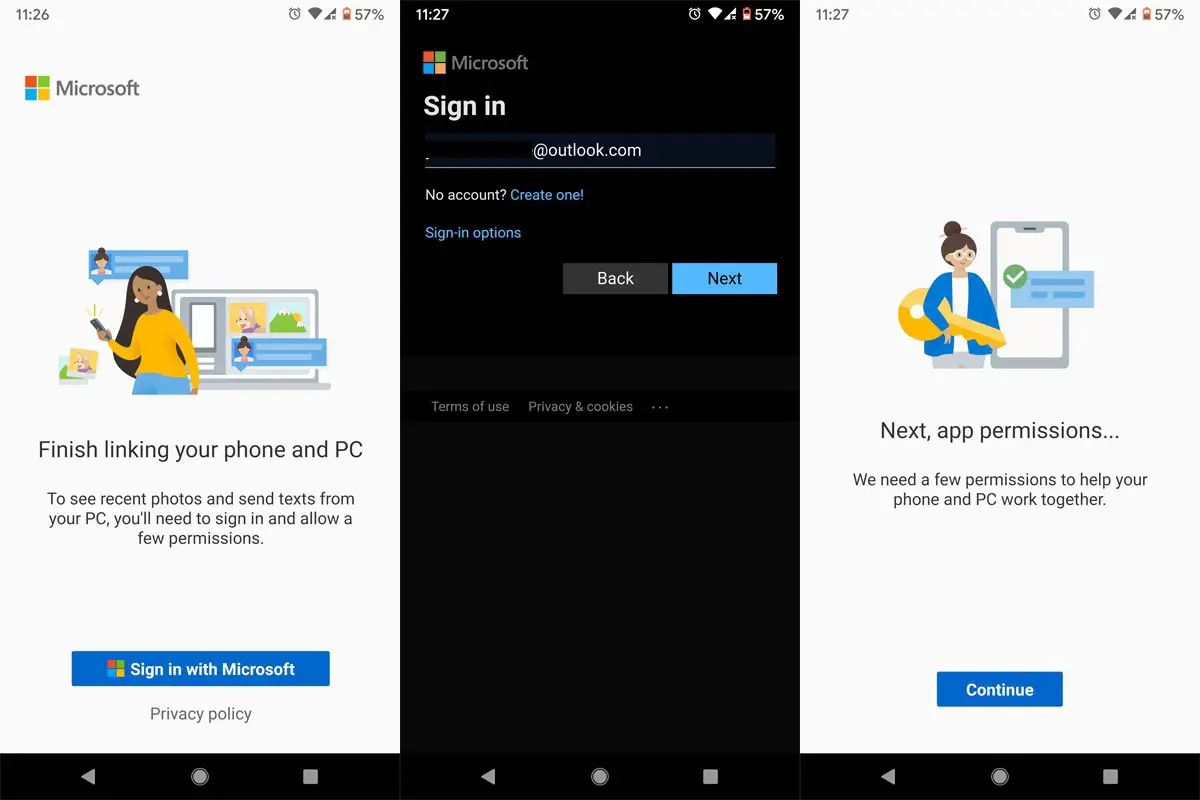
- You can download the app from the link you received in the message or Install Your Phone Companion app from Playstore.
- Open App and Log in with your Microsoft account. The Account should be the same as the Windows 10 logged in Account.
- After login with your Microsoft Account, Allow necessary permissions.
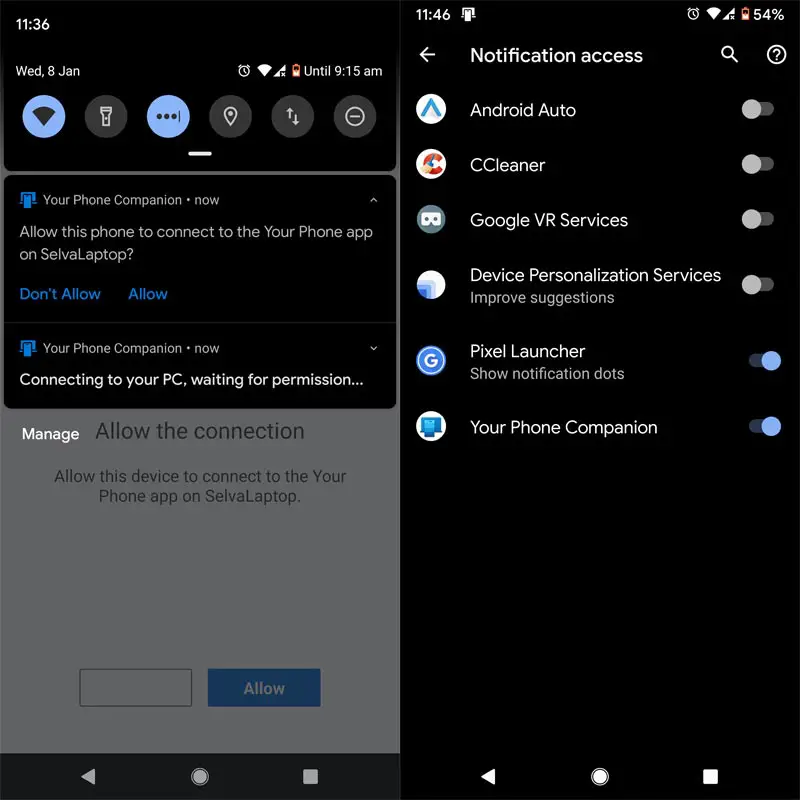
- On your PC, Select connect your mobile and allow connectivity on your mobile. To get the notifications properly, allow Your Phone Companion app in the Notification Access.
Multiple Apps run Supporting Samsung Phones.
The following Samsung devices using Android 10 with Link to Windows integration are eligible to run the new rollout feature of multiple apps.
- Samsung Galaxy Note 20 (5G, Ultra 5G)
- Galaxy Z Flip/ Z Flip 5G
- Samsung Galaxy Z Fold2 5G
These Samsung devices enrolled in the Beta program of Samsung One UI 3.0 running Android 11 with Link to Windows integration are eligible for multiple app features.
- Samsung Galaxy S20 5G
- Samsung Galaxy S20+ 5G
- S20 Ultra 5G
How to run Multiple Android Apps in your Windows 10 PC from Samsung Galaxy Mobiles using Your Phone App?
- After setup, the Windows PC and your mobile, connect your mobile with Your Phone app by linking the same Wi-Fi and Bluetooth connection.
- Your phone details will appear in the Windows Your Phone app.
- On the left side, you can find a few options like Messages, calls, and Apps. Choose apps.
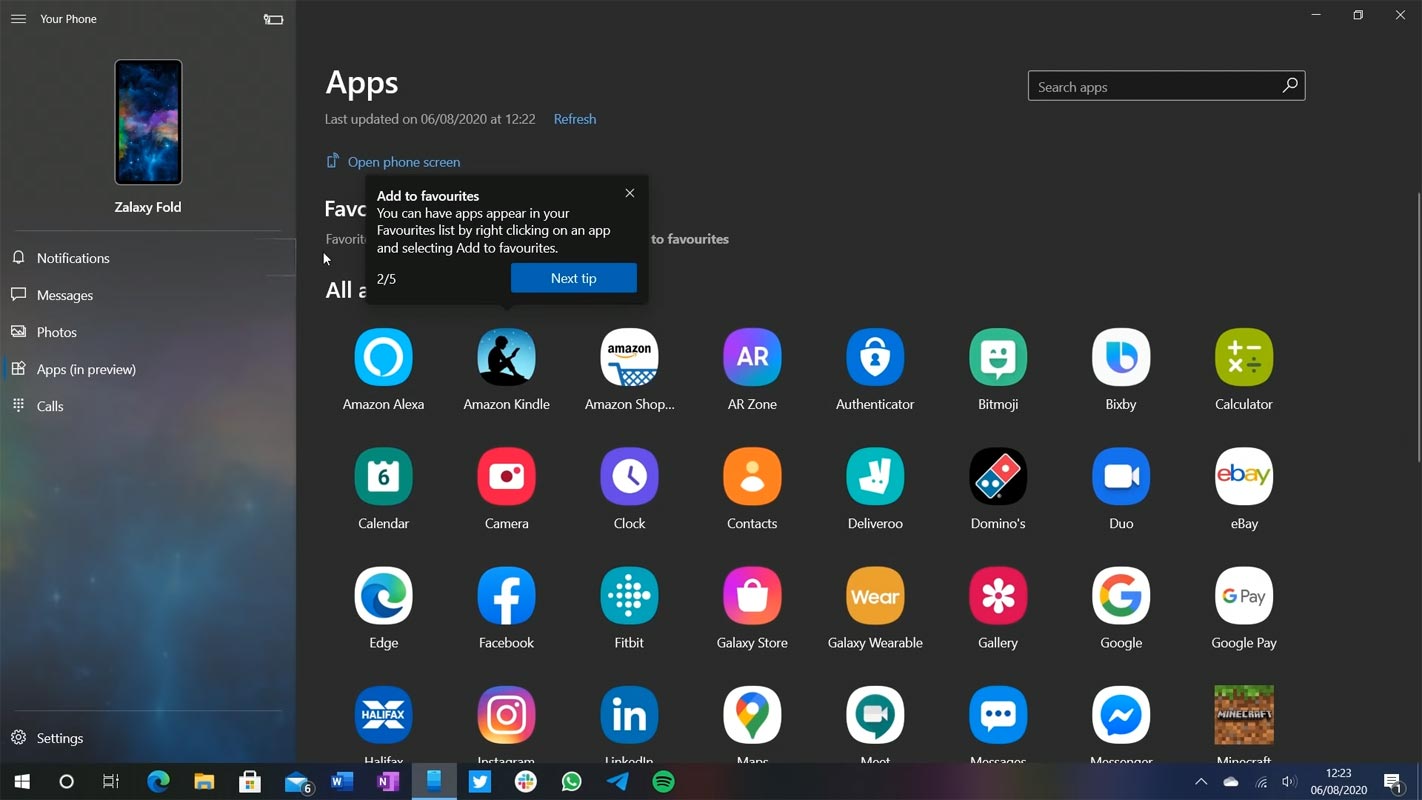
- Open your favorite app and begin to work as you do on your mobile. Whatever you do on the PC will reflect on your mobile. Most of the apps, including system apps, can be accessed through this new feature. You can also Pin apps in your Windows PC taskbar. You can pin multiple apps in your PC app.
Limitations
- You can view the streaming Android app on your laptop screen, but the voice will not be streamed on your PC. The voice will be played on your mobile phone. Bad for game players.
- Some games cannot be played with a mouse or keyboard, and you have to use the touch screen laptop to play such games.
- Some apps can be not cast on another screen, so you will see a black screen when ill stream those apps on your laptop.
- The phone and the PC must use the same Wi-Fi to stream your apps on the laptop.
Availability
Microsoft has launched it gradually, so you have to wait for a little to come to Your Phone App. If you don’t have any of the selected Samsung devices, then no words when it arrives at you.
Wrap Up
Running multiple apps is an add-on feature of Android Apps access from Samsung Galaxy Mobiles in PC. Even if Android is a rival of Windows, It is better to adapt and release new apps and features to utilize the huge platform’s users. That’s what Microsoft is doing. In recent days they made huge decisions like shutting down physical stores. Compare with those decisions; apps release is not that much leap jump. It is great fun to run your favorite Android apps on your laptop big screen. Everyone loves to do this. But it is not clear why Microsoft offers this feature only to Samsung handsets. What are your views about this selection? Do tell us your view in the comments below.

Selva Ganesh is a Computer Science Engineer, Android Developer, and Tech Enthusiast. As the Chief Editor of this blog, he brings over 10 years of experience in Android development and professional blogging. He has completed multiple courses under the Google News Initiative, enhancing his expertise in digital journalism and content accuracy. Selva also manages Android Infotech, a globally recognized platform known for its practical, solution-focused articles that help users resolve Android-related issues.