
Yes, Literally, We can play the Same Full version of the Cyberpunk 2077 game on our already existing devices. There is no need to purchase high configured gaming PC or Consoles. With the help of recent cloud gaming platforms like Google Stadia and Nvidia Geforce Now, We can play Cyberpunk 2077 on almost any existing phones, Smart TVs and Mac. Compare with other cloud platforms; Stadia works better in terms of a smooth and flawless experience. All You need is Google Stadia Subscription and Cyberpunk 2077 purchase. Compare with consoles and PC configuration, The cost is low, and it is future proof, unlike Console investments.
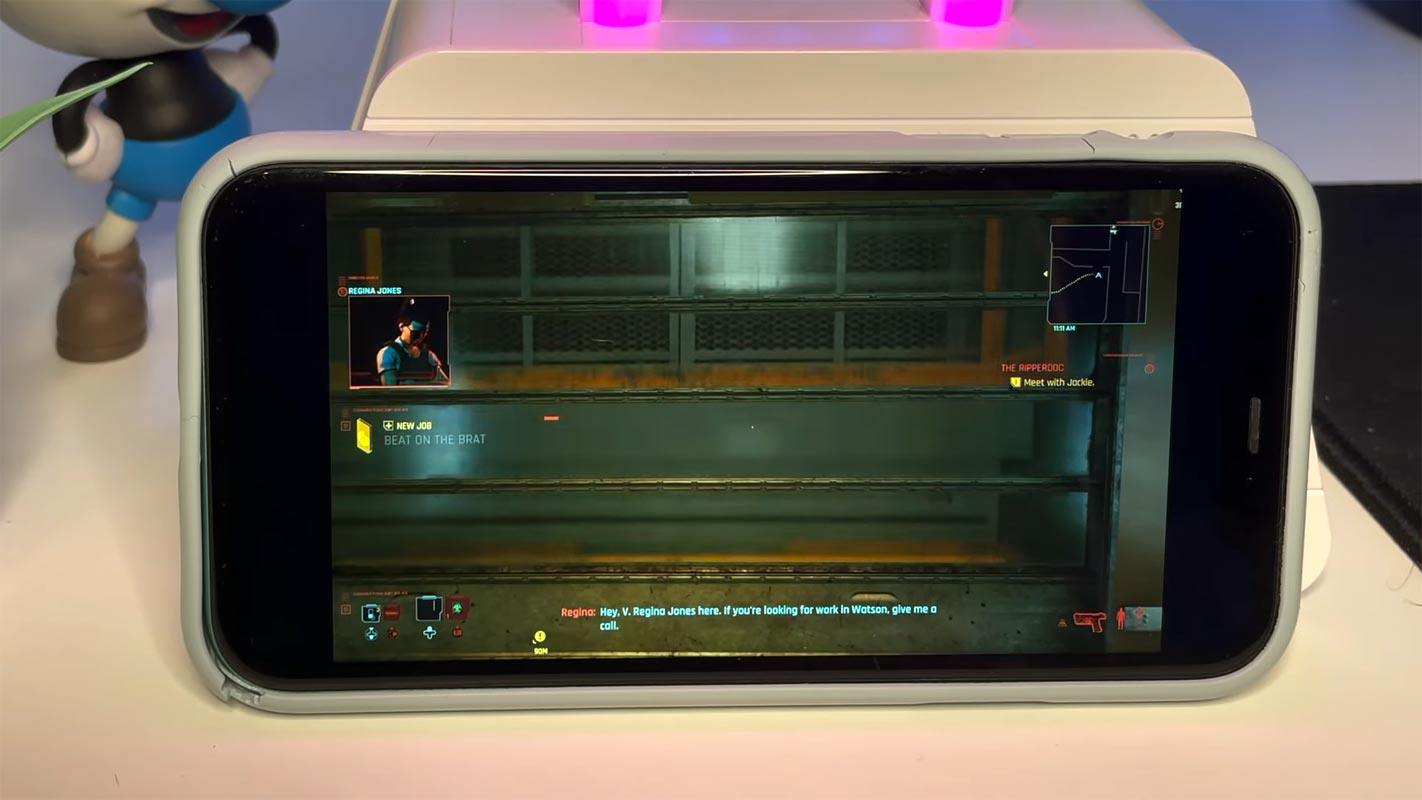
After 8 years of wait, Cyberpunk, 2077 released on December 10th and Exclusively in Google Stadia. When you already Pre-Order the game in Stadia, You will get Stadia Premiere Edition free along with the Cyberpunk 2077 game purchase.
Supporting Consoles for Cyberpunk 2077
Cyberpunk, the action role-playing game developed and published by CD Projekt, launch on multiple platforms for the first time simultaneously. The supporting platforms include Microsoft Windows, Google Stadia, PlayStation 4, and Xbox One. The supporting versions for PlayStation 5 and Xbox Series X / S will be released in 2021.

Cyberpunk 2077 Gaming Experience feedback on Various Consoles
Cyberpunk 2077 is a massive game that requires huge graphics assets to play. As far as size is concerned, it has 63 GB size for PS4 and 70 GB size for PC. To run on a PC, you need a high-end PC that supports 1080p, 1440p, and 4K resolution. In fact, Cyberpunk 2077 is a hardware test whether you run it on PS5 or PC loaded with AMD and Nvidia graphics.
It is a great job for developers to introduce such a demanding game, but on the other hand, it has shown difficulty for gaming hardware to handle it properly. After 24 hours of its release, the old Consoles and low graphic hardware showed their hands up to play this massive game.
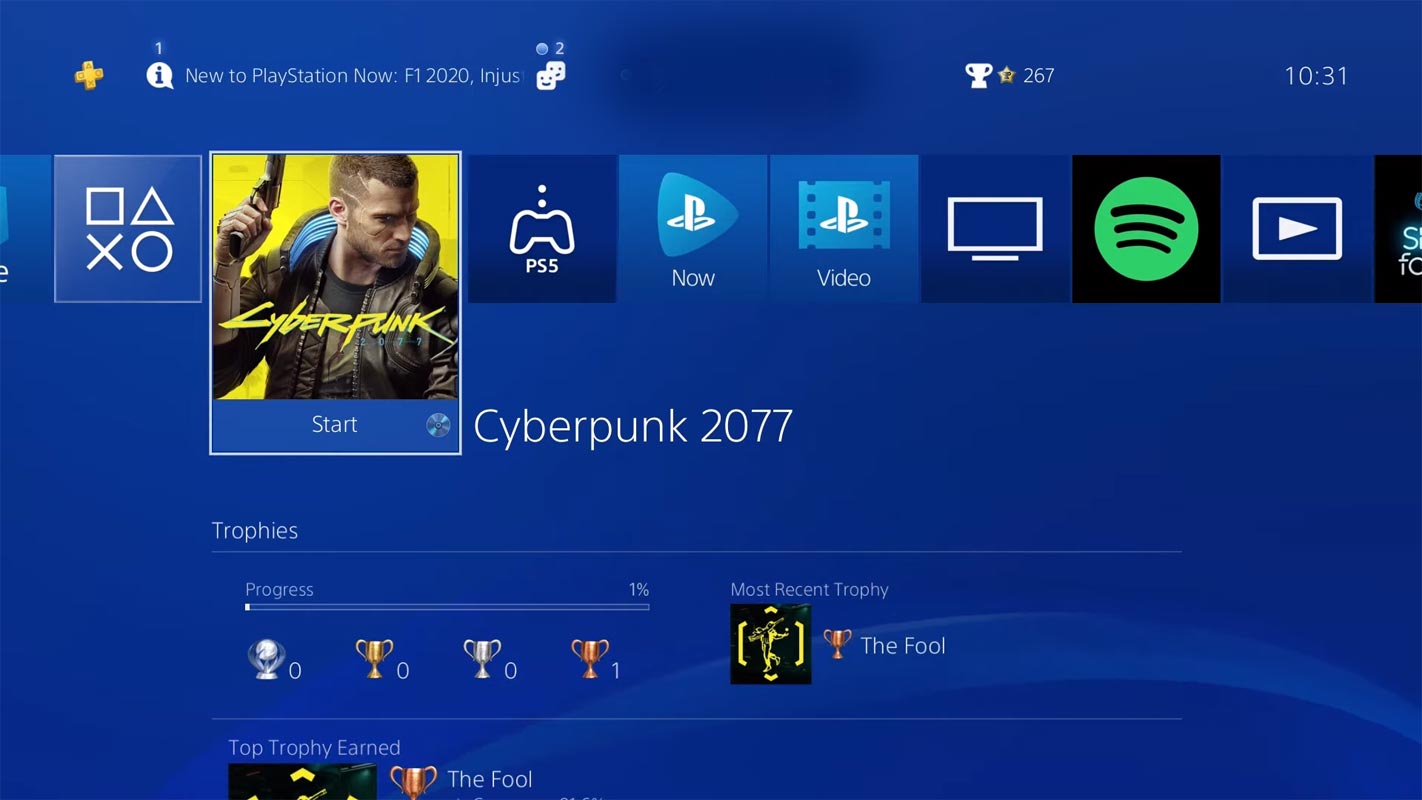
With the initial launch of any game, some bugs are found and fixed over time with different patches. This initial version gives just acceptable results on upgrades PS4 Pro and Xbox One X Consoles besides the bugs. A game player from Washington Post declared as the not great performance of the Xbox Series S.
Here is the player’s consensus about the Console performance playing with Cyberpunk 2077.
- PS4 base Console: Pretty Bad with blur graphics
- Xbox One base Console: Pretty bad with choppy framerates.
- PS4 Pro: Playable but Not great.
- Xbox Series S: Playing experience is Not great.
- Xbox One X: Playable with patience.
- PS5: Playable with Relatively okay playing experience. (The real PS5 version of Cyberpunk 2077 not yet available, It is like Playing PS4 Pro)
- Xbox Series X: Good playing experience.
- Google Stadia: Good and pleasant playing experience.
- PC (a good configured gaming PC): Best playing experience.
How to Play Cyberpunk 2077 in All Android Mobiles?
Google Stadia now have an experimental option that allows you to install and play games in Any Android Mobiles. You don’t need to have Stadia supporting mobiles to play games. Even if it enables you to play games on any Android mobile, you should still have requirements. Before this roll out if you want to play Stadia games, you need to have a rooted mobile if your device is not supported. But this method will work on most Android mobiles. Also, it doesn’t require root.
Pre-requisites
- Google Stadia app
- Requires Android 6.0 (marshmallow) or any newer version (7.0, 8.0, 9.0, and 10.0)
- Working Stadia Account- Can be Pro or Free with purchased games.
- Stable Wi-Fi connection. Currently, Stadia Works on a Stable Mobile Data connection also.
Steps
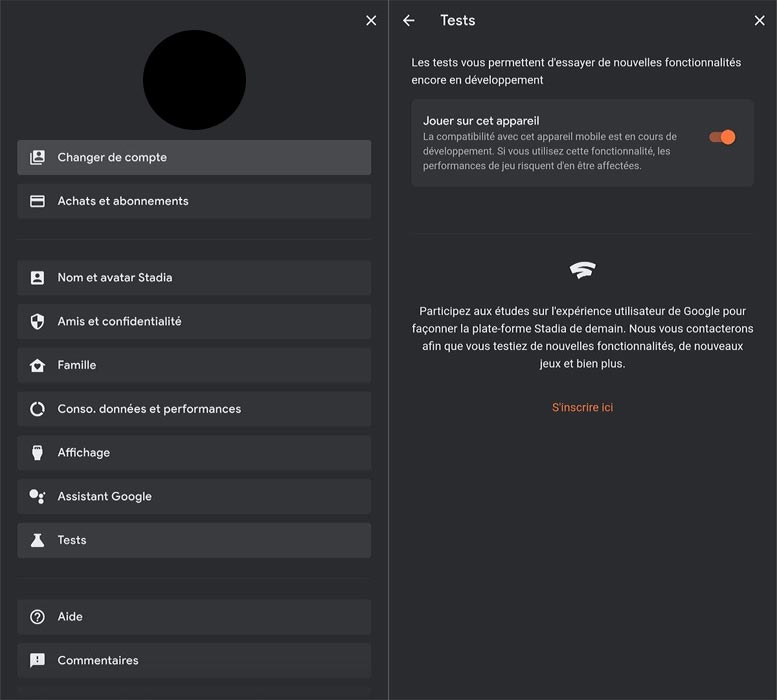
- Install the Google Stadia app from Play Store and log in with your Stadia account.
- Open the app and choose your profile.
- Enable the Experiment option under test. That’s all now; you can play the Cyberpunk 2077 Stadia game when you have must-have requirements.
Play Cyberpunk 2077 on Mac
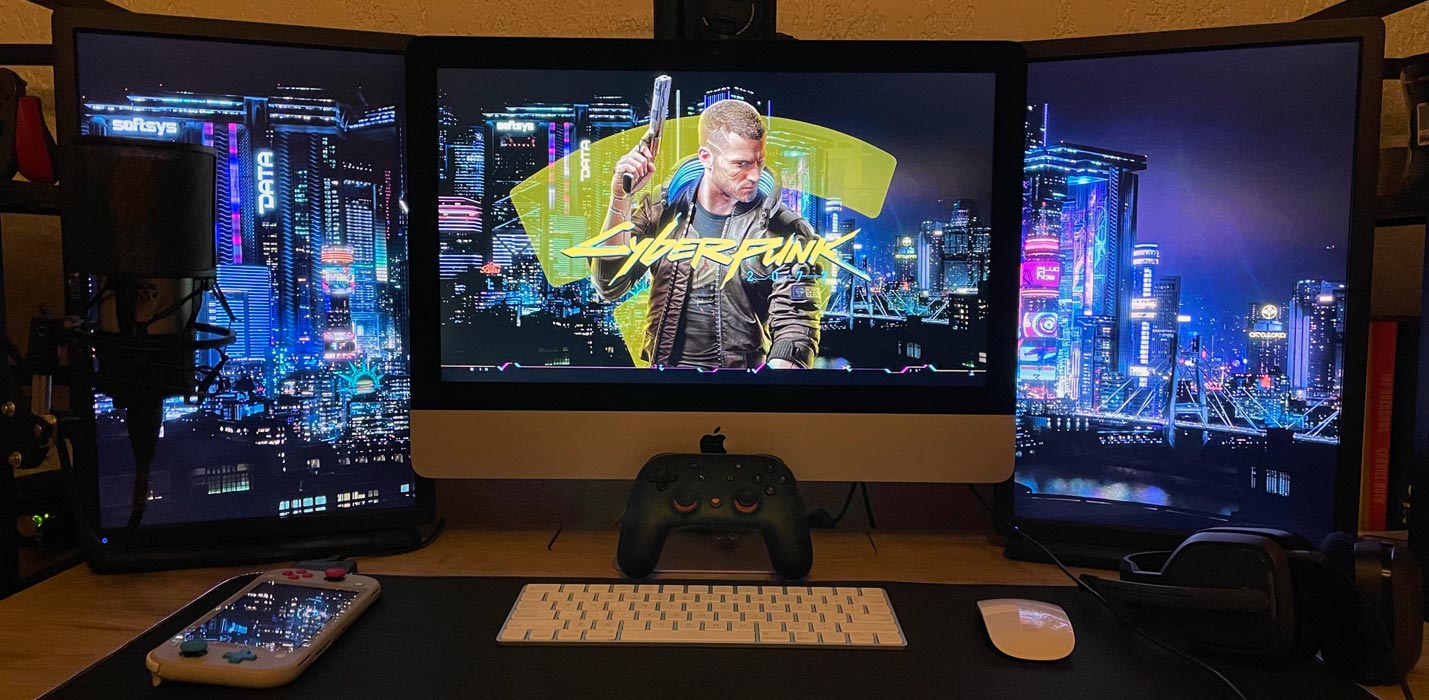
Stadia works well with the Google Chrome browser. So, When you have a Stadia plan and purchased the game, You play a Stadia Games up to 1440p resolution within the browser.
Pre-requisites
- The latest version of Google Chrome Browser.
- Working Stadia Account- Can be Pro or Free with purchased games.
- Stable Wi-Fi connection with a speed of 35 Mbps (If you prefer 1440p).
- Supportable Controller (Optional).
Steps
- Open Google Chrome and go to stadia.google.com. Log in with your Stadia Account.
- Choose Cyberpunk 2077 in your purchased game. Now you can play your game. It will be comfortable when you use any supportive controllers compared with the keyboard and touchpad.
Cyberpunk 2077 with iPhone, iPad
You can play Cyberpunk 2077 with the help of the Official Stadia app or Stadium Browser. Both of them works better. In some cases, the Stadium Browser works better than the app. So, The preference is your choice.
Pre-requisites
- Google Stadia app
- Requires iOS 11.0 or greater.
- Working Stadia Account- Can be Pro or Free with purchased games.
- Stable Wi-Fi connection. Currently, Stadia Works on a Stable Mobile Data connection also.
Steps- Official App
- Install the Google Stadia app from Apple Store and log in with your Stadia account.
- Open the app and choose your profile.
- Choose Cyberpunk 2077 from your purchased games list. That’s all now; you can play the Cyberpunk 2077 Stadia game when you have must-have requirements.
Steps- Stadium Browser
- Install the Stadium Browser app from Apple Store and log in with your Stadia account.
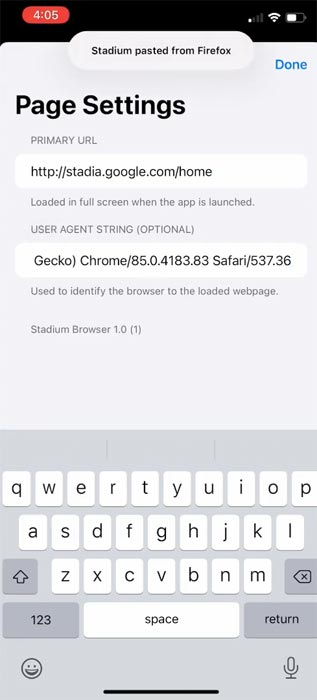
- Open the app and set the primary URL as “https://stadia.google.com/home.”
- Set user agent as “Mozilla/5.0 (Macintosh; Intel Mac OS X 10_15_5) AppleWebKit/537.36 (KHTML, like Gecko) Chrome/85.0.4183.83 Safari/537.36“.
- Select the three-dot icon and authenticate with your Google account. Tap on Done and select “Go Home.”
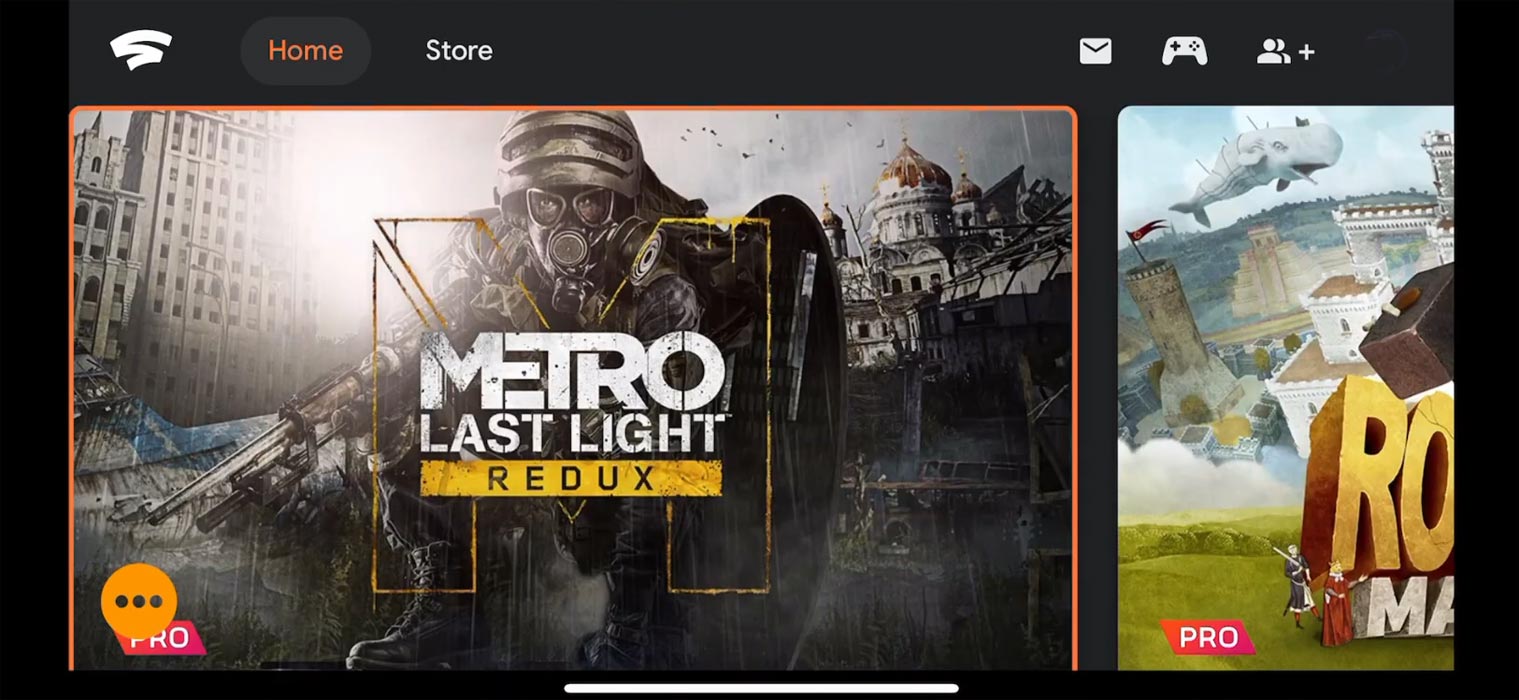
- That’s all now; every time you open the Stadium browser, you can play the Cyberpunk 2077 Stadia game.
Cyberpunk 2077 Play with Smart TVs
When you have Android TV and Bluetooth connection, You can install the Stadia app from Play Store and Play Games with Supportive controllers. Direct Wi-Fi control only works with Stadia Controller. All other regular Smart TVs need Chromecast Ultra and Stadia Controller to play Stadia Games.
Pre-requisites
- Google Stadia app/ Chromecast Ultra (For regular TVs).
- Requires Android 6.0 or greater (Android TV).
- Working Stadia Account- Can be Pro or Free with purchased games.
- Stable Wi-Fi connection. Currently, Stadia Works on a Stable Mobile Data connection also.
Steps
- Install the Google Stadia app from Play Store and log in with your Stadia account. When you have Chromecast Ultra, set up the account in the Google Home app.
- Open the Stadia app and choose your profile. Choose Cyberpunk 2077 in purchased games.
- That’s all now; you can play the Cyberpunk 2077 Stadia game when you have must-have requirements.
Using Chromecast Built-in
The latest Android TVs come with Chromecast built-in feature. When you feel your laptop is hard to see with a small screen, You can cast your Gaming using Chromecast Built-in with Google Chrome browser. You won’t notice any lag issues when you have a good stable internet connection. It would be best if you kept the Stadia tab open in your browser. All devices, including your laptop and Android TV, should be on the same wi-fi connection.
- Open Google Chrome and go to stadia.google.com. Log in with your Stadia Account.
- Choose Cyberpunk 2077 in your purchased game. Now you can play your game.
- Open the three-dot icon in the Chrome browser, Select cast, and choose your TV.
Wrap Up
Unlike other games, The early release of Cyberpunk 2077 working better in a Cloud-based gaming platform like Stadia. It is because the consoles we are using is years old with the hardware. The latest PS5 version of Cyberpunk 2077 is to be released in 2021. When you already have Consoles, you should wait for some patch updates from the Cyberpunk team for optimal performance. But when you didn’t bough any consoles and want to try Cyberpunk 2077, you can play it already on existing devices with Stadia’s help. Based on your preference, Stadia Games won’t consume much data. Share your thoughts on playing experience with Cyberpunk 2077 on different devices.

Selva Ganesh is a Computer Science Engineer, Android Developer, and Tech Enthusiast. As the Chief Editor of this blog, he brings over 10 years of experience in Android development and professional blogging. He has completed multiple courses under the Google News Initiative, enhancing his expertise in digital journalism and content accuracy. Selva also manages Android Infotech, a globally recognized platform known for its practical, solution-focused articles that help users resolve Android-related issues.