
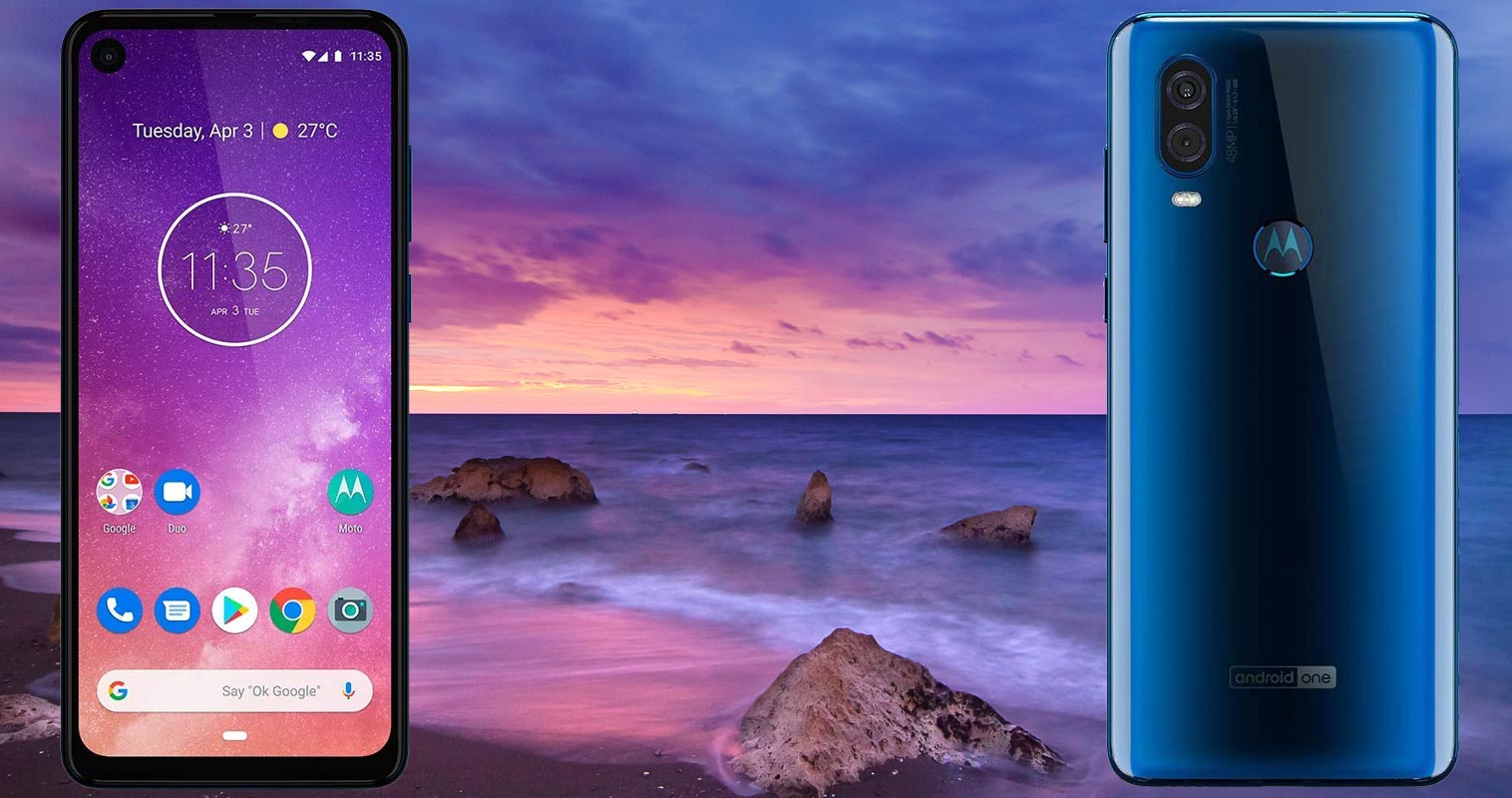
Motorola One Vision is an Android One based mobile and comes with Pie 9.0 version as a default OS. The Rooting idea will come to your mind when you are not comfortable with your Manufacturer Custom Skin OS. But, You have Near Stock Android OS. Your device is Mostly Bloatware free. You can easily Uninstall few Official Manufacturer apps. If you are a Regular user, Don’t Root your device unless you want to use Root required apps. After Root, You will not receive updates From Google, Due to some security triggers. You have a Powerful Samsung processor. We can say It is above the Snapdragon Process 835 processor and Below 845 Processor. You don’t need further Optimization from your side. If you are a Developer or regular root apps user, you can follow the below guide to achieve root on your mobile.
Why should you Root Motorola One Vision?
We thank XDA Developers- topjohnwu, ilia3367 (Who successfully tested this method) Without their hard work, We can’t make this method. Coming to root, you should have a proper reason, and you know what you are doing. Yes, with a minimum of 4 GB RAM, Exynos 9609 processor. Yes, Samsung’s Exynos Processor..:) You can use this mobile for basic tasks without root for 2-3 Years If you use it correctly. Software is better compared with other manufacturers, Custom skin OS. Don’t root because everybody is saying when root your mobile it can become the fastest. No. Rooting is to extract some performance from the device. But, you already have Powerful specs and software. So, If you are addicted to some root apps, you can root. But, if you want to test, I won’t recommend it.
How to Root Motorola One Vision Pie 9.0 (International Variants)
Motorola One Vision International Variants comes with a flexible bootloader other than some carrier locked devices. This means that different smartphone variants can be easily rooted. Also, the device can accept to install TWRP recovery or any other custom recovery file/app alike.

TWRP recovery is a custom recovery file that must be installed on your devices because you can root them successfully. In this article, we explained the easiest method to follow and install TWRP recovery on Moto One Vision. However, the tool required for rooting this device is the Magisk App.
With the help of TWRP Recovery, you can quickly flash the latest version of Magisk into your One Vision to gain root access. Before sharing the tutorial, you may want to know that, with the TWRP recovery present on your device, you can easily install any custom ROM or firmware. Does it seem complicated? Relax, everything will be explained succinctly in bullets.
Things to check out for;
-
Make sure your device battery is charged above 50%
-
Backup your current files and data, full data loss process (save them on external storage).
Pre-Requirement Steps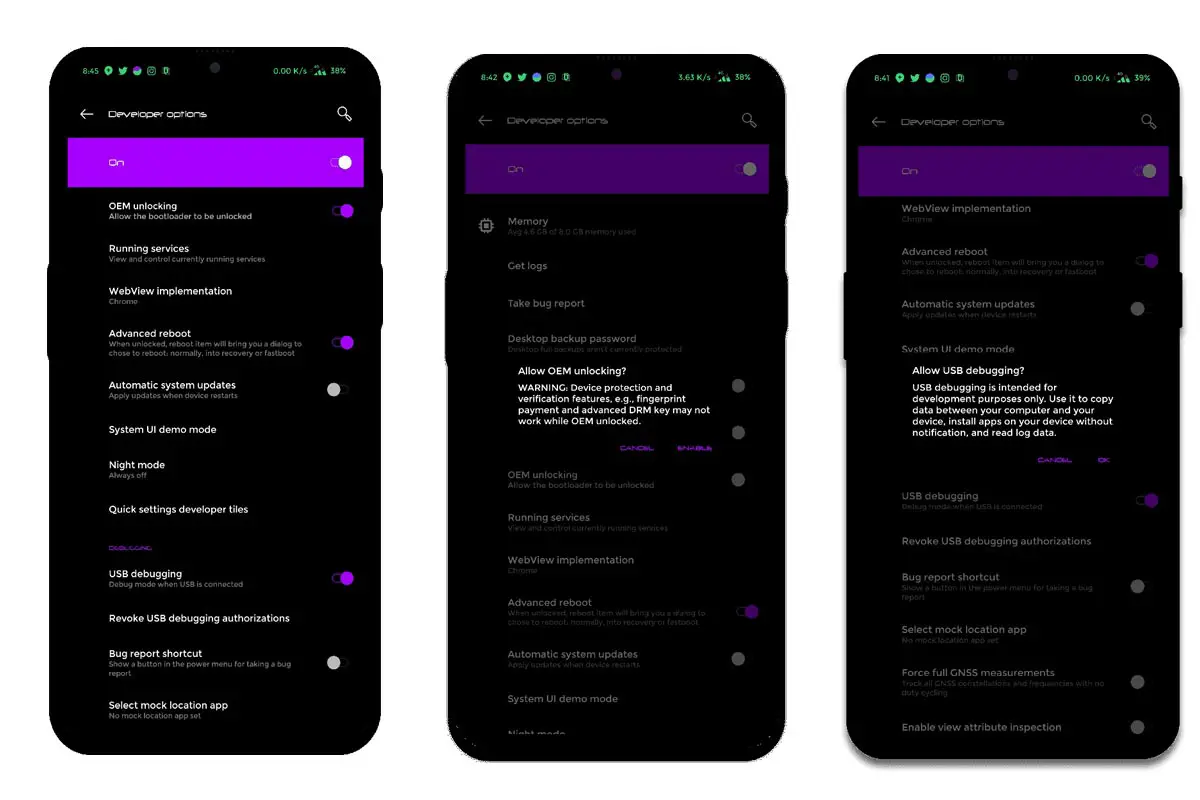
-
Enable USB Debugging Mode and OEM Unlock on your mobile. To do this; go to settings >>> about >>> Tap on the “Build Number” 7-10 times consistently to enable “Developer Options,” then go to the “Developer Options” and enable USB Debugging Mode, OEM Unlock. There is no complicated process in Motorola One Vision.
-
Download and install the Moto USB driver to your computer system.
-
Also, download the ADB drivers. Install it on your PC.
- Download Magisk.Zip and Magisk.APK (Latest Version) and Copy it to Your Phone SD Card.
-
Download, below ZIP file and TWRP, and copy all these files to ADB and Fastboot installed folder. You should extract the Script file.
- You will get the following files.
- Download, below TWRP Installer file, and Encrypt the file and copy these files in your mobile SD Card.
Unlock Bootloader using ADB and Fastboot
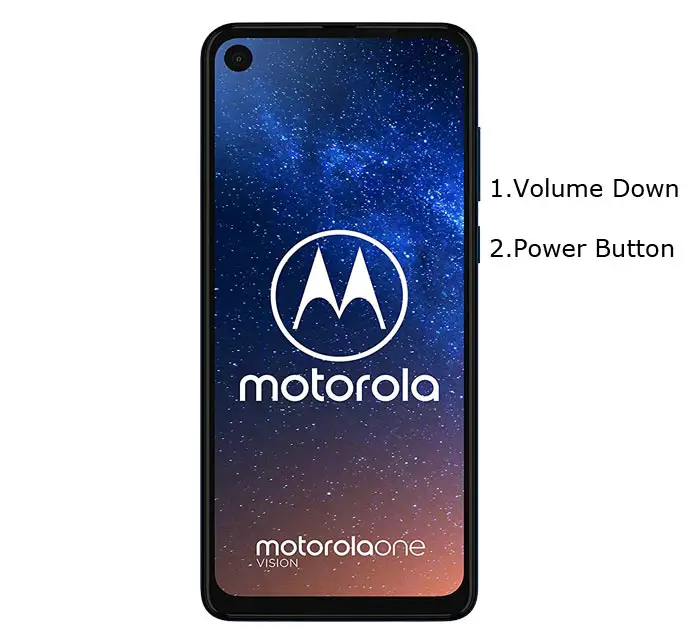
- Switch off your device. Then, enter into Fastboot mode. To do this- Press and hold down the Volume Down + Power buttons at the same time for some time.
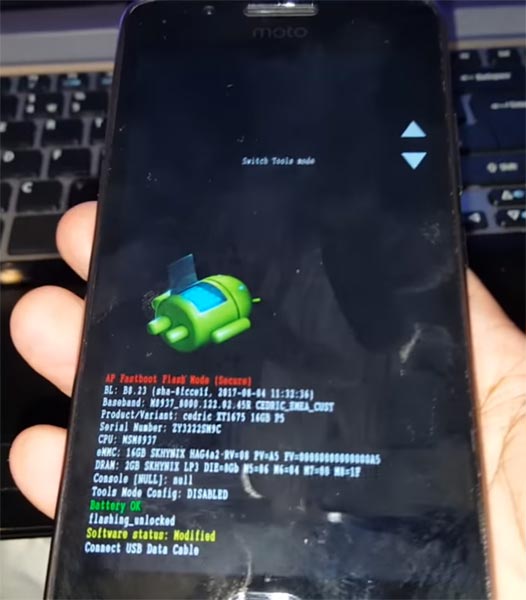
-
Press the Volume Up button to continue when you see the warning message.
-
Now, connect the Motorola One Vision mobile to the computer via USB cable.
-
Launch the fastboot on your computer. Open a Command prompt on your PC and type below command.
- fastboot devices
- It should display the connected devices. If you didn’t get the device, restart the command prompt and Disconnect and Connect your Motorola One Vision. If you are detected, type below commands.
- fastboot oem get_unlock_data
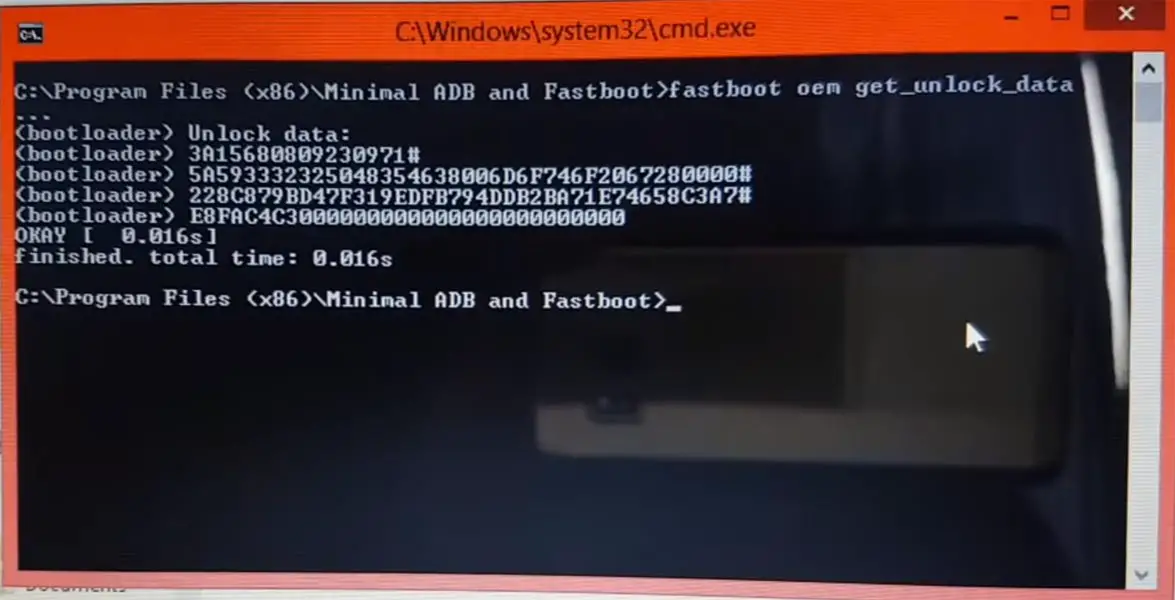
- Hit enter, you will get some unlock data. Copy those codes and remove <bootloader> Prefix from those lines and copy them into one single line.
- Go to Official Moto Unlock Page. Log in with your moto account and in the Box, Paste those codes and Check the unlock Bootloader Status. If you get, Yes you can unlock, You can request unlock Key from Moto.
-
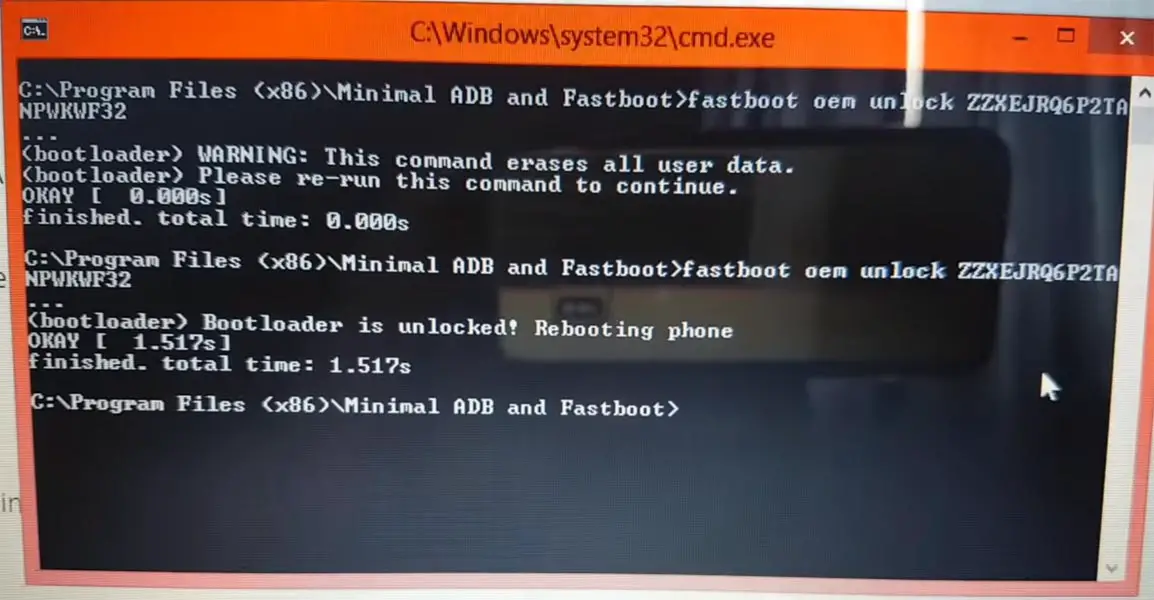
After the process completes, you will get 20 Digit to unlock the key in your email. Now type the following command to unlock bootloader on your device.
- fastboot oem unlock UNIQUE CODE
-
You should type this code two times and Hit enter to unlock your device successfully. After the successful unlock, your device will automatically reboot to the standard OS.
- Check again enable “Developer Options,” then go to the “Developer Options” and enable USB Debugging Mode, OEM Unlock. Sometimes they disabled themselves after the boot. You can also use a fastboot oem unlock process since It is an Android One Device.
Flash TWRP
- Switch off your device. Then, enter into Fastboot mode. To do this, press and hold down the Volume Down+ Power buttons after Android Logo Appears Still press the Power button and press Volume Up Button.
-
Now, connect the Motorola One Vision to the computer via USB cable.
- Launch the KANE Flash Script on your computer. It will Boot your mobile into Bootloader mode. At the end of the flash, It will Boot into TWRP. Go to Wipe-> Format data for Encryption-> “Yes”. Navigate to the Main menu and Reboot to Bootloader.
- After Entering into Bootloader, Type below command.
- fastboot boot recovery.img
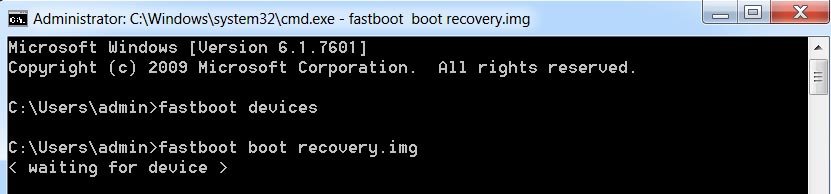
- After the process complete, It will boot into the temporary TWRP. Don’t Boot into standard OS until we flash magisk.
Install TWRP Installer, Magisk and Encryption file in your Motorola One Vision using TWRP
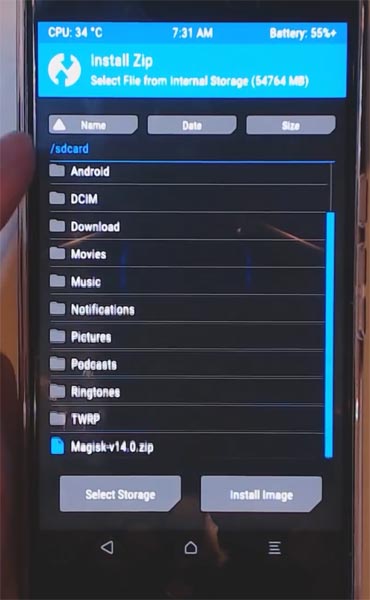
- Select Wipe->Advance Wipe->Select Cache Data.
- Return to Home of TWRP select Install.
- Select TWRP Installer.Zip.
- Again Return to Home of TWRP select Install.
- Select Magisk.Zip. The same process goes for Encryption.zip.
- After the Installation Reboot Your Mobile. You should set up your mobile like New.
- Install Magisk Manager in your Mobile Applications If you can’t find it in the App Drawer. Install Root Checker to check your mobile root status.
What More?
In my opinion, you don’t need rooting. If you are a regular user, if you thought you could Improve Performance By root; With the Exynos 9609 Octa-Core processor and 4 GB RAM, your device can perform well. If you don’t know how much RAM you need, You will never use this much RAM. You should not Boot into Normal OS Booting after TWRP Flash. If you boot, you will lose TWRP. You have to repeat the steps from “Flash TWRP.” Don’t Install any apps other than trusted sites on rooted devices. Third-party site apps can contain some background codes. So, Check twice before installing those apps. When you follow the above guide step by step, The success rate is always High. If you accidentally bricked your mobile, you can flash Motorola One Vision Firmware to repair your device. If you face any problem, comment below.

Selva Ganesh is a Computer Science Engineer, Android Developer, and Tech Enthusiast. As the Chief Editor of this blog, he brings over 10 years of experience in Android development and professional blogging. He has completed multiple courses under the Google News Initiative, enhancing his expertise in digital journalism and content accuracy. Selva also manages Android Infotech, a globally recognized platform known for its practical, solution-focused articles that help users resolve Android-related issues.