
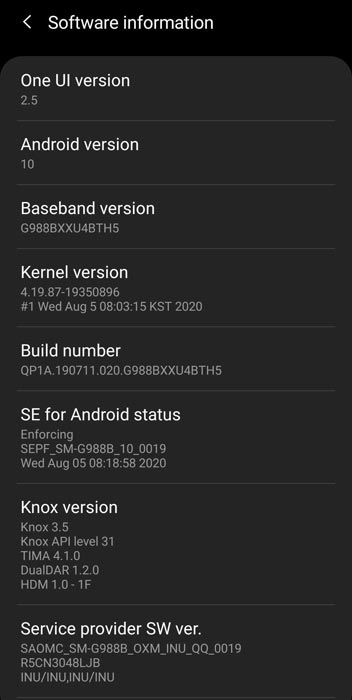
After Pie 9.0 version, Samsung named its UI as One UI 1.0. So, Android 10 is called One UI 2.0. So from their order, we can clearly understand the significant number represents the successor Android versions. In between the One UI 2.0 and One UI 3.0, Samsung is working on major small upgrade features. This version is called as One UI 2.5; the update is not for all Samsung mobiles. Samsung is focusing only on significant Flagship devices. Instead of simple tweaks, One UI 2.5 comes as a bundle of changes. Also, they officially announced which mobiles are getting One UI 2.5. Below I mentioned which Samsung Galaxy mobiles are going to get One UI 2.5 version. Samsung doesn’t mention the new add-ons. But from their side, we think they stick this half successor version with Flagship mobiles only.
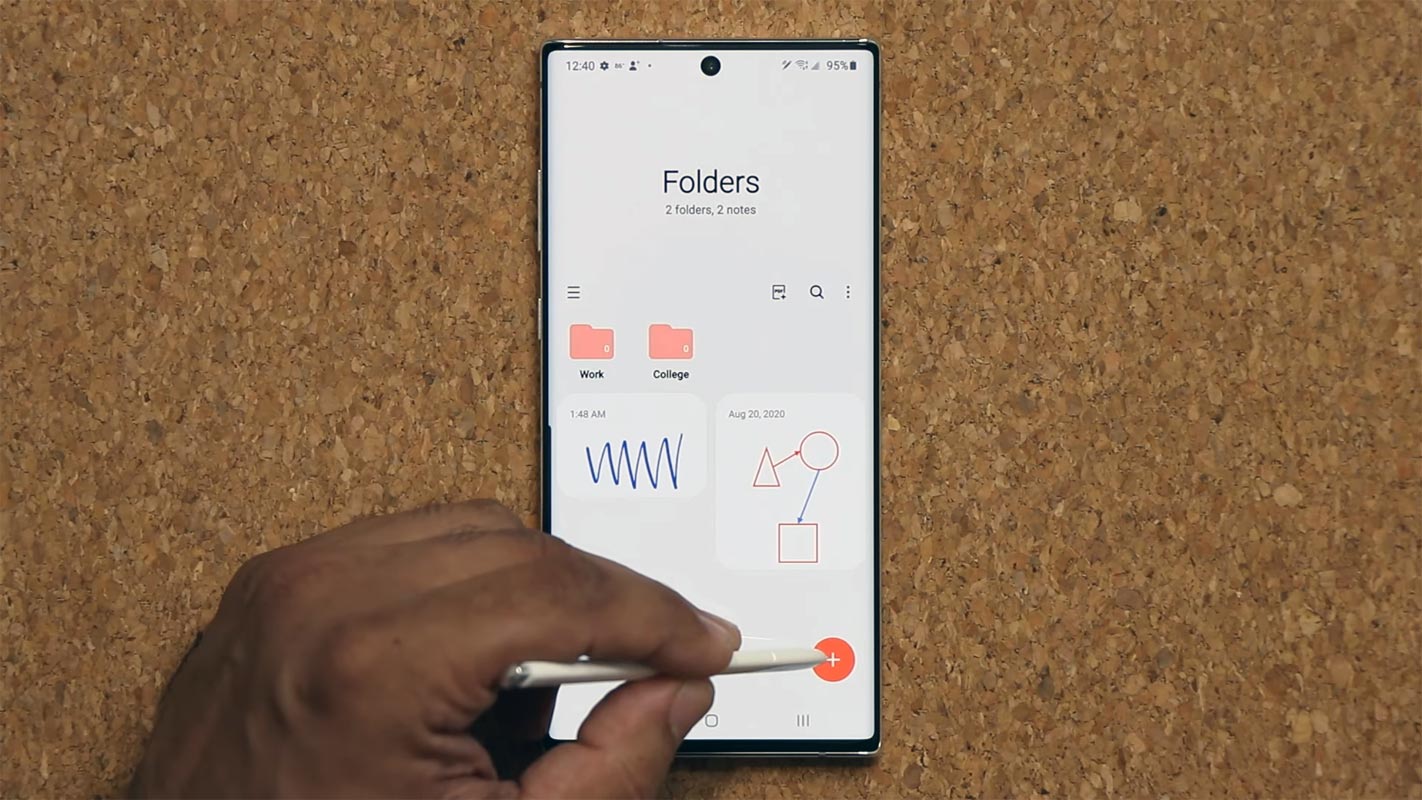
Samsung Galaxy One UI 2.5 getting mobiles list
Initially, Samsung added only Top-Tier Mobiles and Flagship mobiles. In the future, they may add some mid-range mobiles. But update confirmation is purely Samsung’s choice. Samsung officially announces the following mobile list for providing Three Major OS upgrades.
Samsung “S” Series- Flagship mobiles
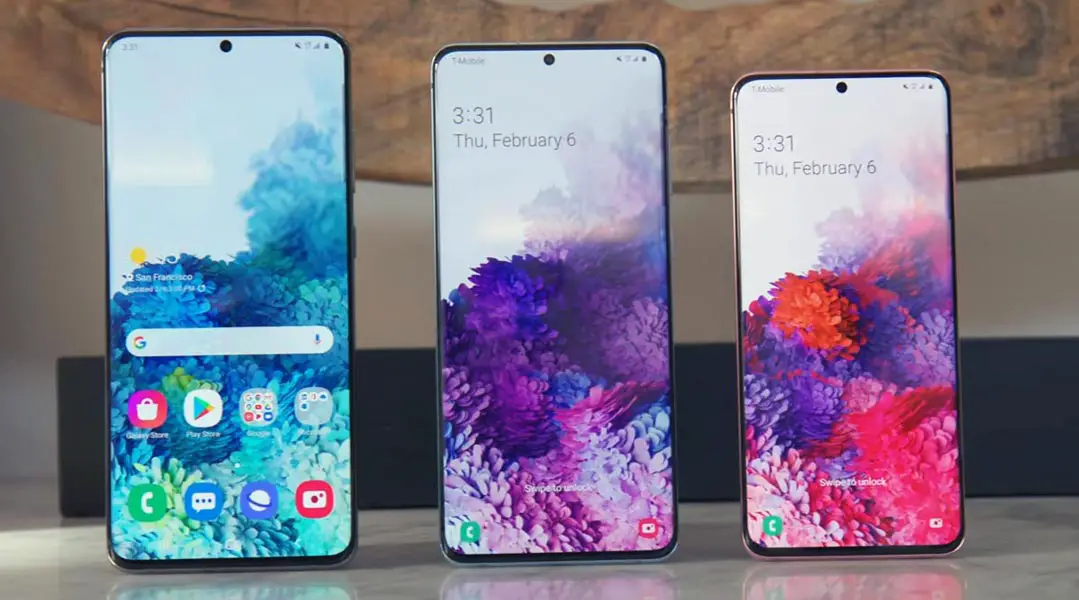

- Galaxy S20 Ultra 5G (SM-G988)
- S20 Ultra LTE (SM-G988)
- Galaxy S20+ 5G (SM-G986)
- S20+ LTE (SM-G985)
- Galaxy S20 5G (SM-G981)
- S20 (SM-G980)
- Galaxy S10 5G (SM-G977)
- S10+ (SM-G975)
- Galaxy S10 (SM-G973)
- S10e (SM-G970)
- Galaxy S10 Lite (SM-G770)
- S9 (SM-G960)
- S9 Plus (SM-G965)
Note Series- Flagship mobiles
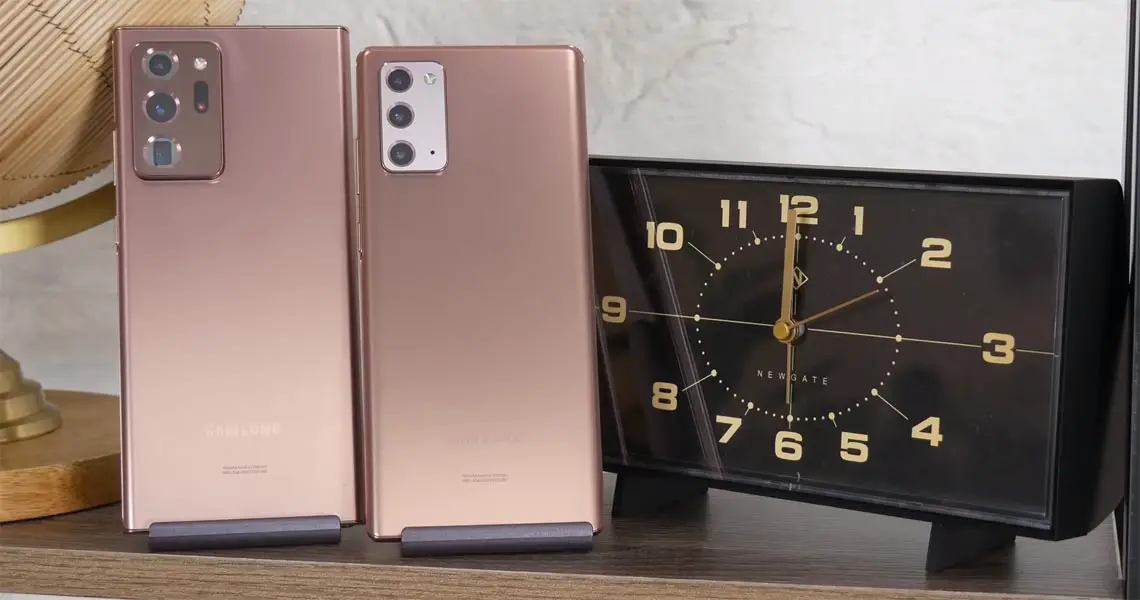
- Samsung Galaxy Note 20 Ultra 5G (SM-N986)
- Note 20 Ultra (SM-N985)
- Galaxy Note 20 5G (SM-N981)
- Note 20 (SM-N981)
- Galaxy Note 10+ 5G (SM-N976)
- Samsung Note 10+ (SM-N986)
- Galaxy Note 10 5G
- Note 10 (SM-N970)
- Galaxy Note 10 Lite (SM-N770)
- Note 9 (SM-N960)
Galaxy Foldable Series- Flagship mobiles
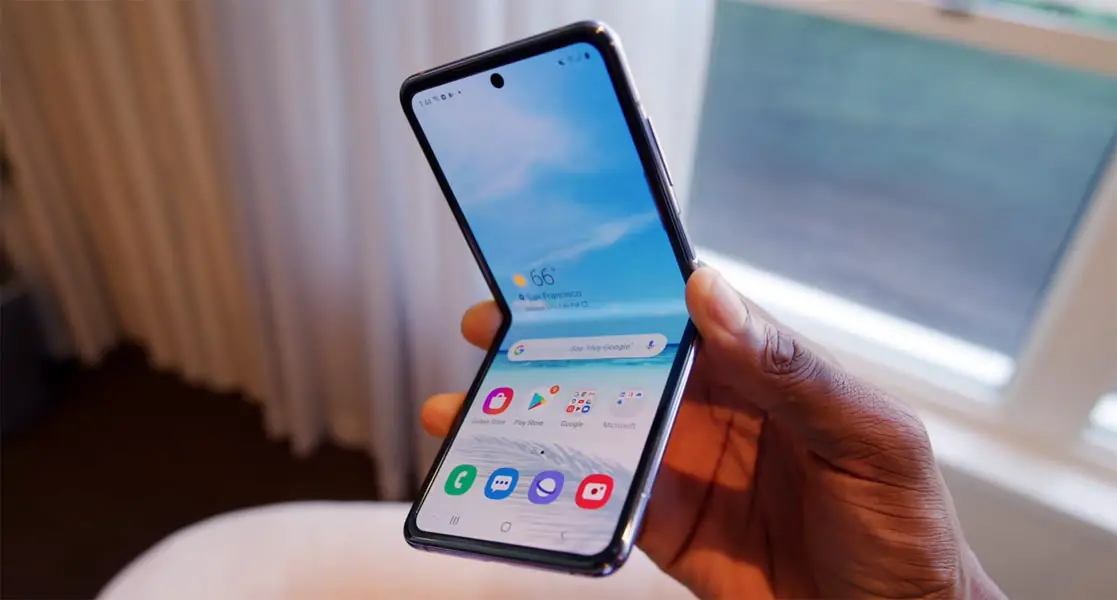
- Z Fold2 5G
- Z Fold2
- Galaxy Z Flip 5G (SM-F707)
- Z Flip (SM-F700)
- Fold 5G (SM-F907)
- Fold (SM-F900) and upcoming Z series devices
Update your Samsung Mobile to One UI 2.5 using Official OTA method
When you have a supportive model, you can update your mobile using the below method.
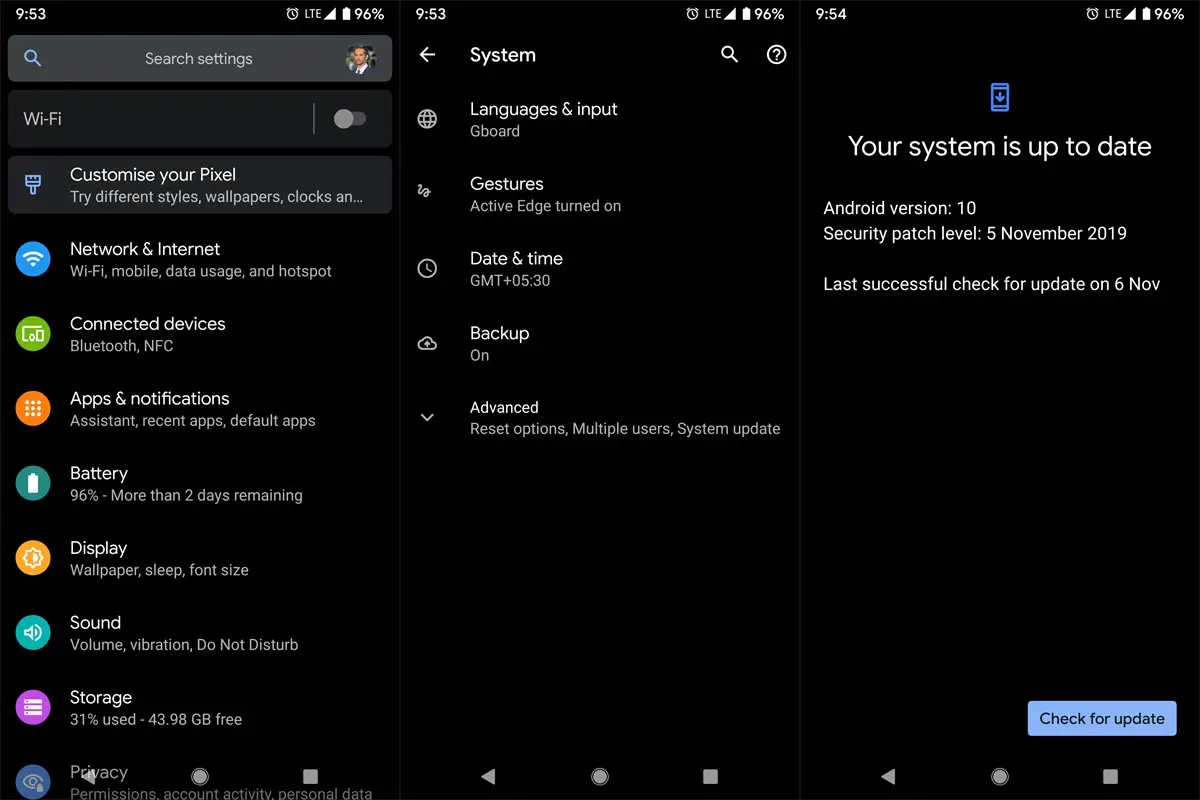
The process is straightforward and simple;
-
Go to your device setting menu and scroll down to the bottom
-
Tap on “Software Update”
-
You may have to refresh the page to start the OTA upgrade process.
Samsung Galaxy Android 10 One UI 2.0 Features
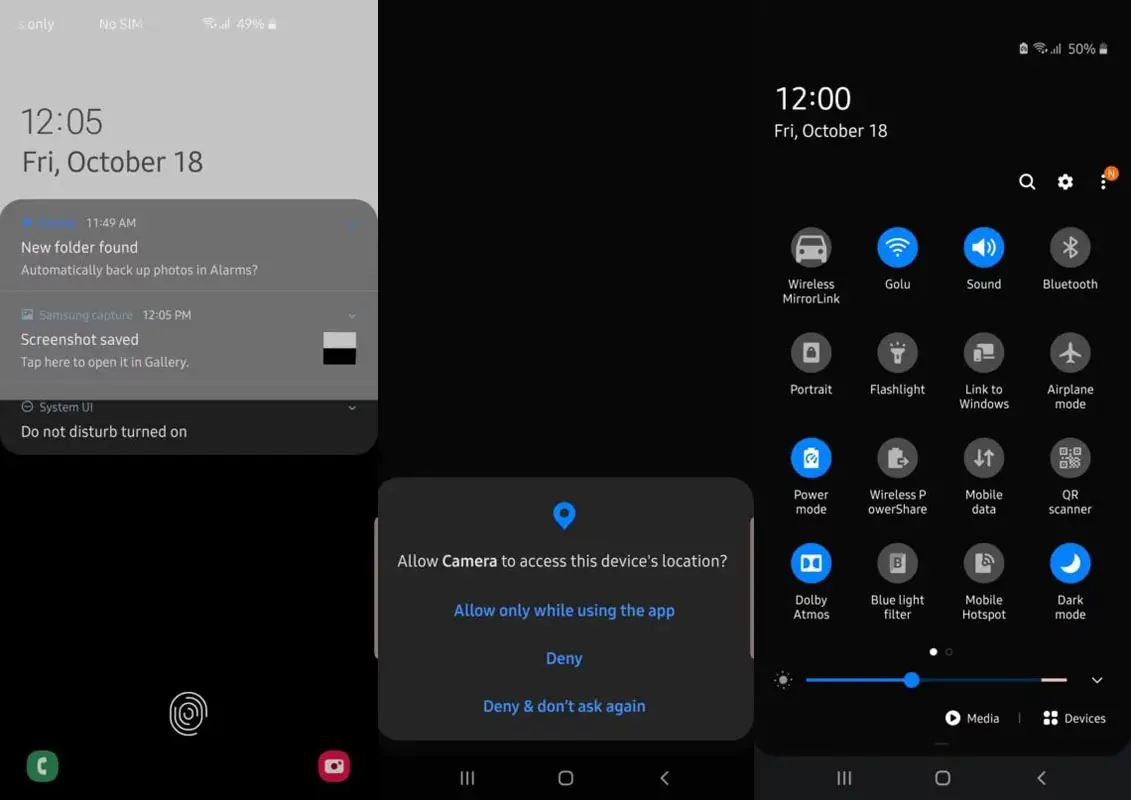
Before going with the One UI 2.5, We have to know what features are already available in One UI 2.0 So, that we can differentiate new features. One UI 2.0 is created based on Android 10. Samsung Always Add extra features on the OS. I listed Both Regular Android 10 Features and Some Exclusive One UI Features. We already covered Exclusive One UI 2.0 features that only available in Samsung Devices.
Live Caption
-
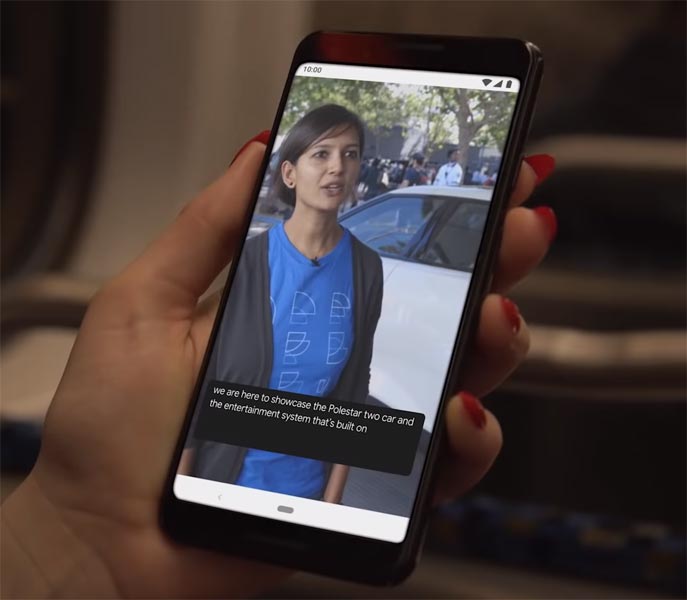
You know this already, If you turn on Subtitles in the Youtube, It will auto-generate the captions. The Same functionality can be work on all over your device videos. It Doesn’t require Wi-Fi/ Data. This feature not yet available. But, It will be rolling out soon.
-
Currently, limited languages are available as per Google Data.
Smart Reply
-
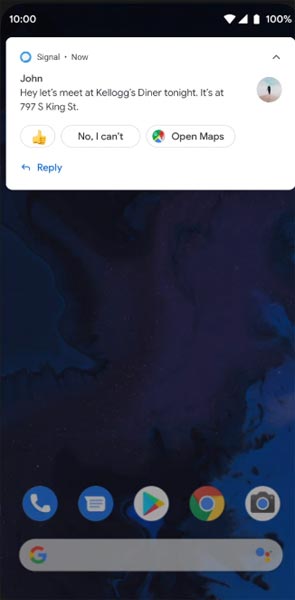
It is already available in the Pie version. But it is limited. Now you can explore more actions when you get the messages. You can Open Links, Open Apps based on the notes.
Sound Amplifier
-
We always do this using Third-party apps. Now we can adjust the Volume and Tune, Equalize using the in-built feature. You can do a lot of things like Reduce noise, Enhance the Tune like that.
Enhanced Gesture Navigation
-
The True Gesture Navigation has finally arrived. It may not be best compare with OnePlus devices, But It is way better than the Pie 9.0 version. If you swipe From Left to Right, It goes forward. Right to Left goes Backward. Home button work as usual. You can access recently used apps By Swiping Quarter Screen to the Top. Simple Navigation to avoid confusion.
Dark Mode
-
It is not like Night Mode. It didn’t add a filter on display. If you have OLED Display, It will surely save your battery power from 5-30% based on your usage.
Privacy
-
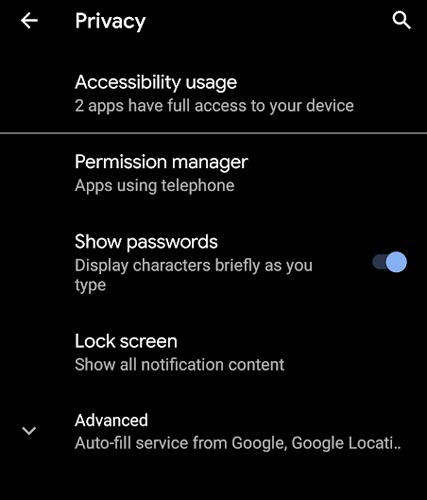
Google always added enhanced Privacy features in every Android version. In the 10th version, You can handle your Privacy lot better. It will always tell you when your installed apps access your location in the background so that you can manage whether you need that permission on Always or During the app usage.
Direct System Updates
-
Unlike regular OTA updates from your Manufacturers, the regular patch updates will be handled by Google After you updated to Android 10 version. This update happens using your Google Play App. If you have Custom Skin OS from your Manufacturer, Google will not change the UI. They will handle only Patch updates. It is one of the most critical steps taken from their side. It will help all the users who are tired of their manufacturer Late updates.
Focus Mode
-
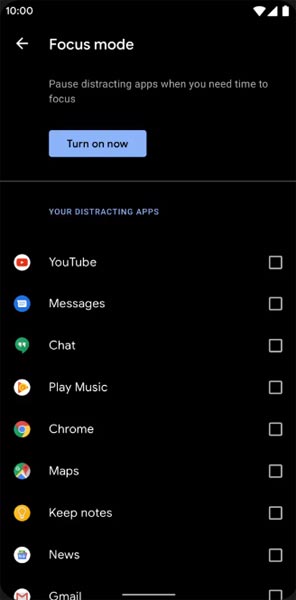
It can be an additional function of Digital Wellbeing. Now you can Pause some apps to avoid the Notifications For a short time or a Long time. Some mobiles are made based on this scenario. To avoid distractions and get focused on what you are doing. Think you are Studying, and Single Whatsapp message can redirect you. With the help of this feature, you can use only Study apps during your Study time.
Family Link
-
It is like Parental Control. You can control the App Timings within your Added Google Accounts.
One UI 1.0, 1.5 vs. 2.0
There are plenty of optimizations done. I will cover some Important tweaks that we want.
-
Options moved to the Bottom position so that you can use comfortably in one hand.
-
Night Mode available to reduce eye stress.
- Digital Wellbeing is available.
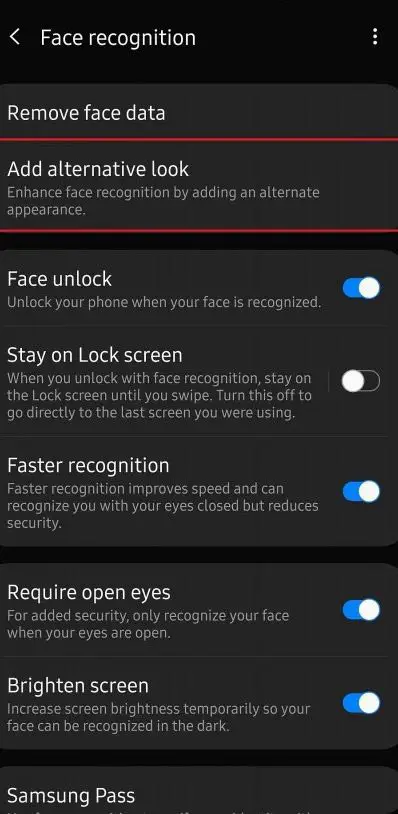
- Alternative Look added in Face Unlock. It allows us to combine different appearances like Glass, Without Glass, Cap, and Without Cap like that. Most of the time, your mobile will recognize this default. But when you face issues, you can use this feature.
Notifications
- Notification Date and Time Size are reduced. Now you can access more Toggles in the Notification bar.
-
You can quickly reply to messages within the notification bar.
-
Image thumbnails are available.
Samsung Keyboard
-
A new emojis suggestion is available. You can allow or disable this. Based on your conversation, your keyboard will suggest the emojis.
-
The floating keyboard is available in all apps; it will be handy when using your mobile in landscape mode.
-
You can now set a custom touch and hold delay.
Always On Display
-
It has New clock styles. Charging Information is also available.
Settings
-
Re-organized Menus to find every essential and frequent usage easily.
Bixby
-
Smart Things Interactions are added to the Bixby with the latest OTA.
Phone
-
Call History increased to Above 2000 entries.
Contacts
-
Now you can manage contacts from various accounts with a new drawer menu.
Camera
-
Enhanced features are available now with AI Features.
- Samsung redesigned the Settings menu with accessible zoom functions.
Gallery
-
Photo Editor App Available.
My Files
-
New Storage Analysis Tool is available to Monitor Storage and RAM Usage.
Samsung Health
-
Samsung Health Steps counter available in the Notification Bar.
Other improvements and changes
-
Access Kids Home Available in the quick panel.
-
They removed Call stickers.
-
HEIF images support in Gallery and other apps.
- New Set of Emoji.
- Enhanced Adaptive Battery Improvements compare with the Pie version.
- Contaminant Detection- If any moistures are in your USB Ports, your mobile will alert you.
Samsung Galaxy One UI 2.5 Features
We already covered what features are different from Stock Android 10 and One UI 2.0. The following features are different from One UI 2.0 and only exclusive for One UI 2.5 mobiles.
Pro Video Feature
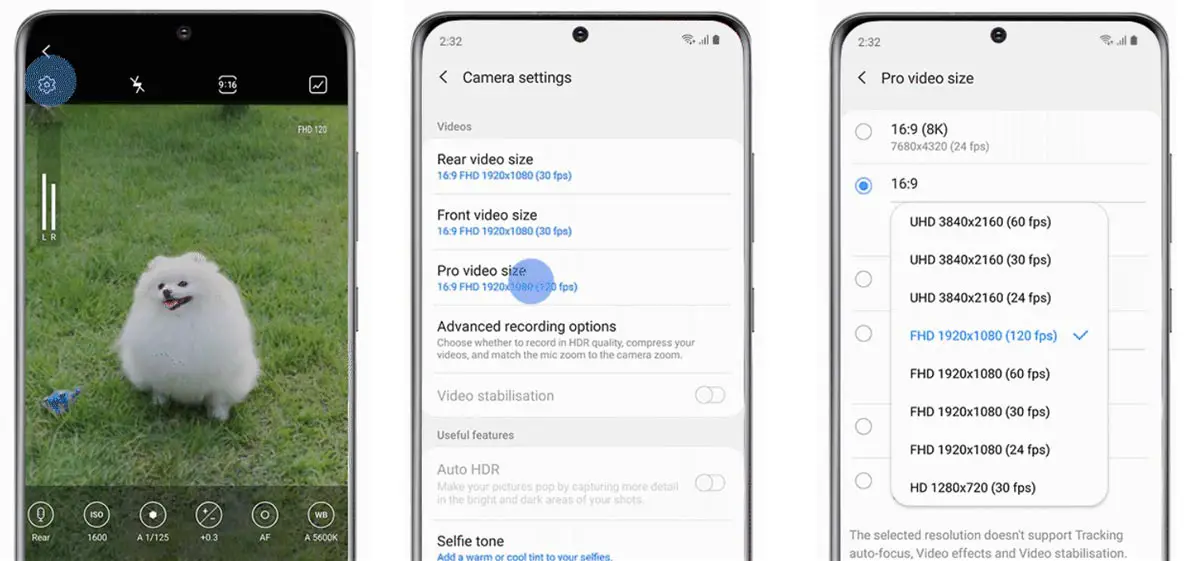
With the help of Pro video feature, You can shoot 21:9 ratio 8K footage with 24fps. It will give you a real cinematic experience. When you play a recorded video in the compatible display, you can notice real cinematic video experience without an expensive individual camera.
Audio Bookmark
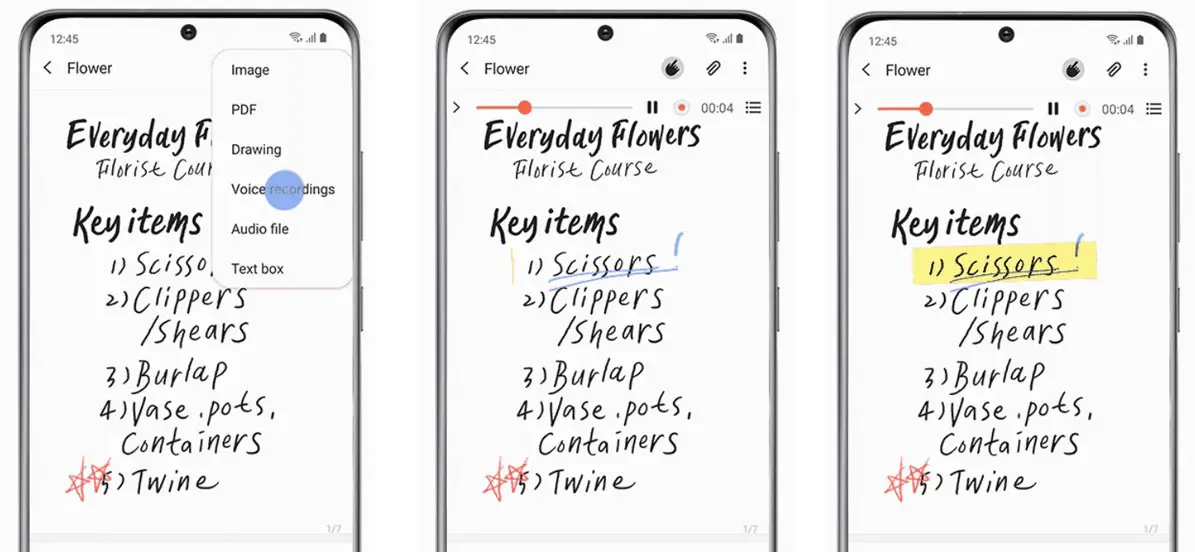
With the help of the Audio Bookmark feature, You can take audio notes and write simultaneously. When you want to hack the word you write in the notes in the audio, You can get the exact seconds where the words appear. Simultaneously, You can stop the audio and check the word in the notes. It is like a Google Audio transcript. The feature needs hardware support. Some of the Samsung apps need firmware support. Thus, Samsung added this feature with the help of One UI 2.5.
Write on PDF
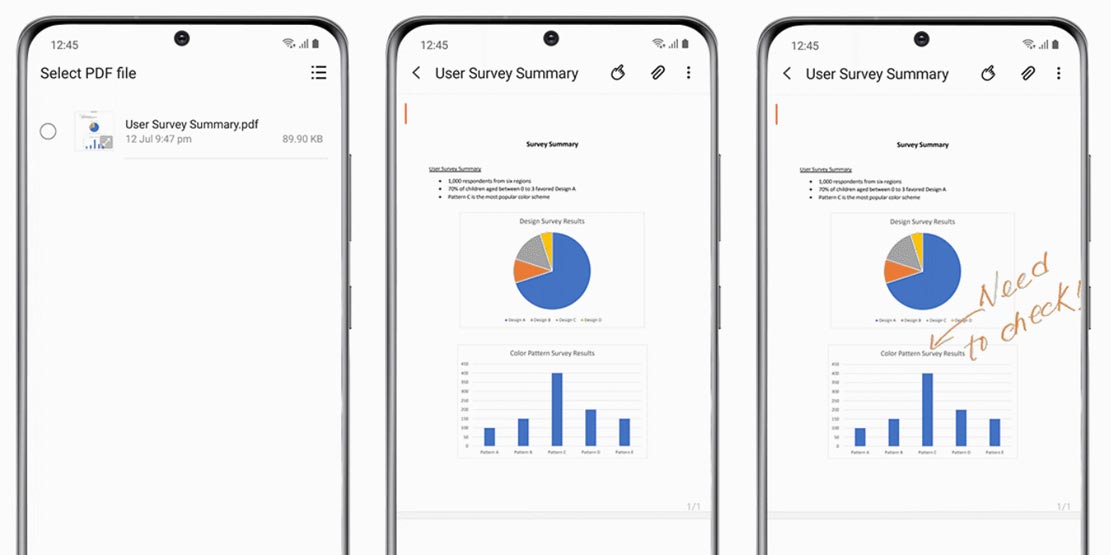
This feature allows you to import and write essential notes on the PDF Files. All You need to do is import the PDF from your file storage in Notes and add your notes on the top of the PDF file.
Samsung Dex Wireless Connection
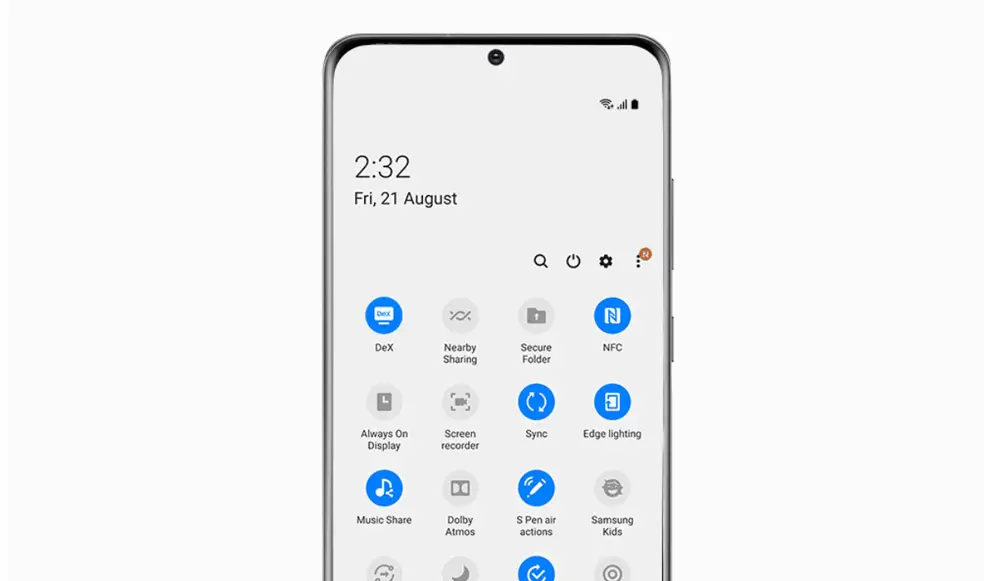
Samsung always tries to use its mobile like a workstation. Link to Windows feature allows you to use your mobile as a PC. With the help of One UI 2.5, When you have compatible Smart Display available within your same Wi-Fi network, You can use the Wireless Dex feature. You don’t need additional HDMI cables or Dex station.
Advance Wi-Fi Connectivity feature
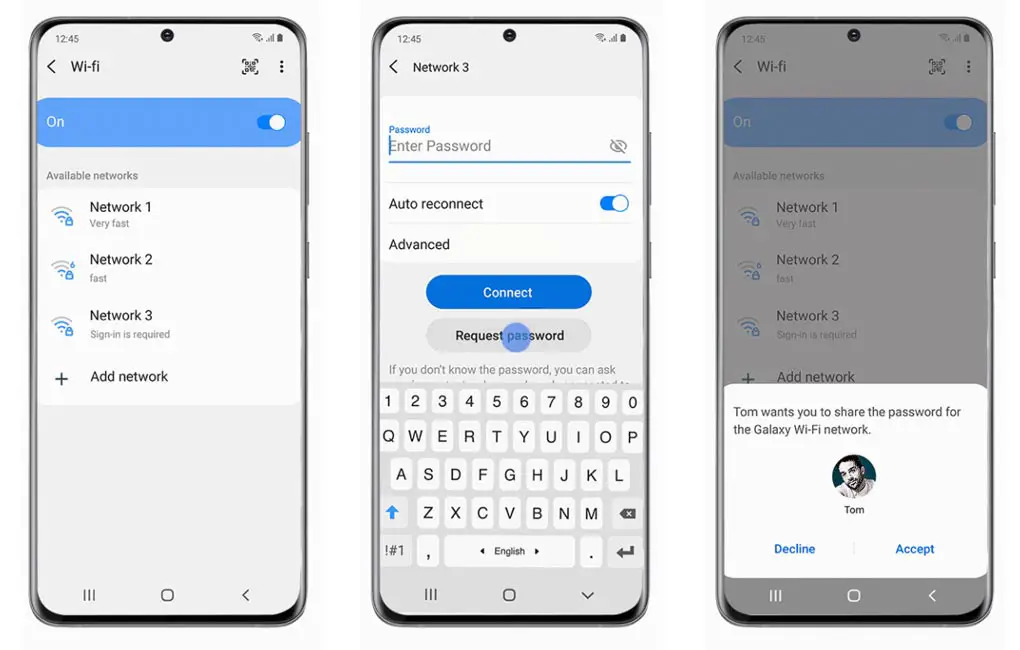
With a new Wi-Fi connectivity feature, You can request and Share Wi-Fi passwords with nearby trusted Samsung Mobiles. Also, You can use the speed indication So that you can select the perfect network for you.
Wrap Up
The one thing Samsung is behind with other companies is software updates. But Samsung has its way to represent new features. Most of the latest Android features are already implemented in Samsung Custom skin OS. They realized how much important is the software updates and patch updates. That’s why they announced some Flagship mobiles and Upcoming upper mid-range Samsung Mobiles would get three major OS upgrades. Google ways put the features in-app way. Samsung mostly releases the whole bundle. That’s what happens with One UI 2.5. If you have supported mobile, update your mobile to the latest version and tell us what new features we missed in the comments section.

Selva Ganesh is a Computer Science Engineer, Android Developer, and Tech Enthusiast. As the Chief Editor of this blog, he brings over 10 years of experience in Android development and professional blogging. He has completed multiple courses under the Google News Initiative, enhancing his expertise in digital journalism and content accuracy. Selva also manages Android Infotech, a globally recognized platform known for its practical, solution-focused articles that help users resolve Android-related issues.