
Samsung Galaxy S5 comes with the KitKat version. Samsung has a habit of releasing two major upgrades for Flagship phones. So, they also released Marshmallow 6.0.1 for All variants. You can easily update using the OTA method. But, If you have a rooted device, and collapsed some system apps you can retrieve your device to normal using ODIN Flash method. If you accidentally brick your device, or you didn’t receive some features, due to Country restrictions, you can also use the below process.
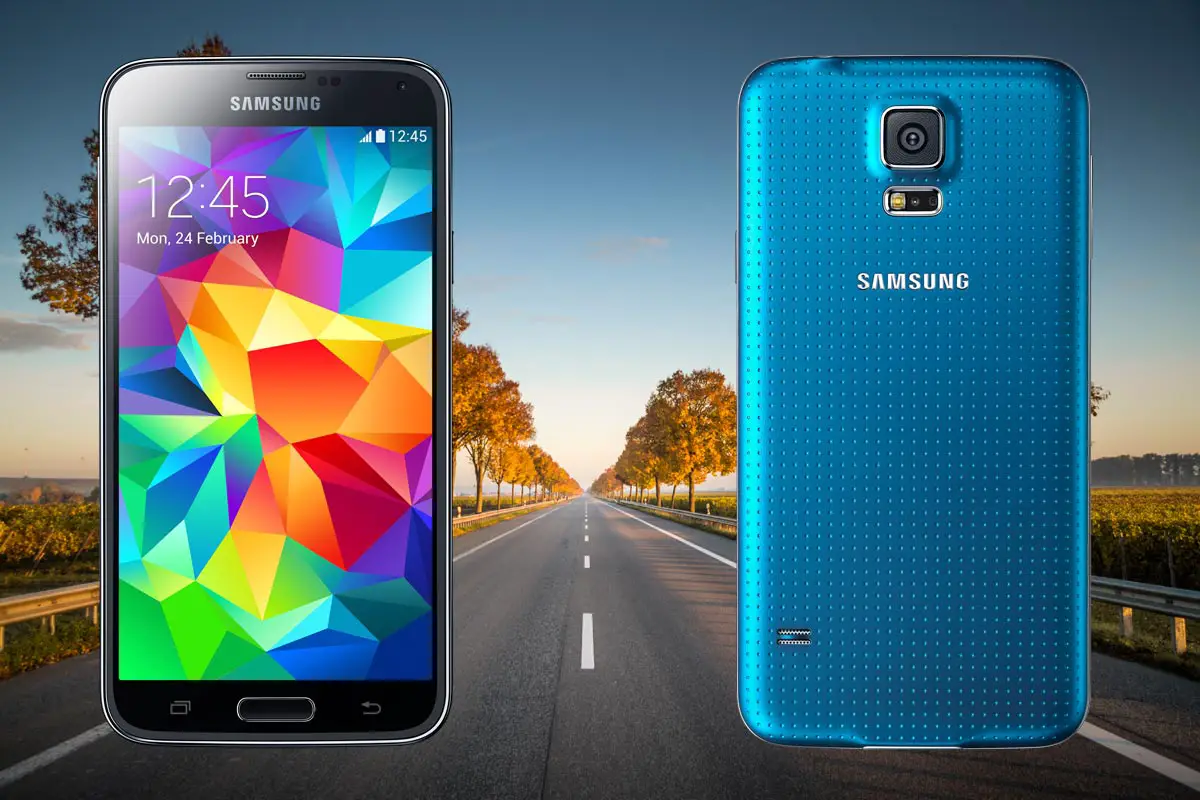
Marshmallow 6.0.1 Firmware Flash- Samsung Galaxy S5
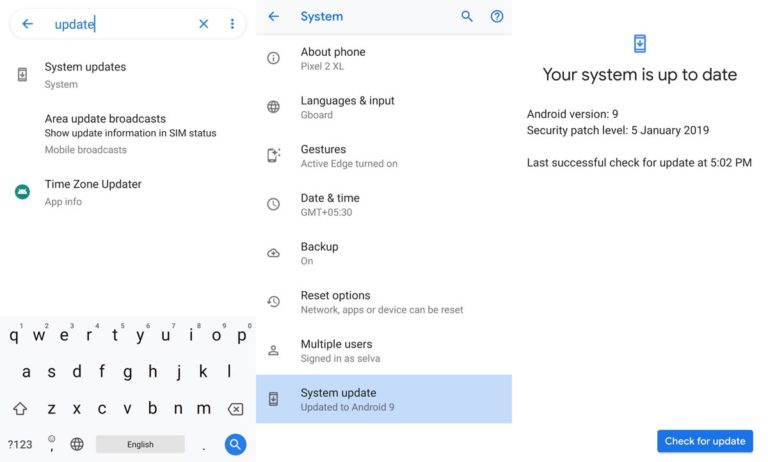
Official OTA Method
If you want to update a security patch to the current month. Don’t go for manual method. Before that method, try this OTA Method.
The process is simple and straightforward;

-
Go to your device setting menu and scroll down to the bottom
-
Tap on “Software Update”
-
You may have to refresh the page to start the OTA upgrade process.
Manual Method ( International, T-Mobile, Sprint, US-cellular, Canada )
Note
- Check Your Device Mobile No. If you flash Different model number, you will lose some features based on your region.
- Battery Percentage Above 50.
- Backup Your Device.
Using ODIN Method
-
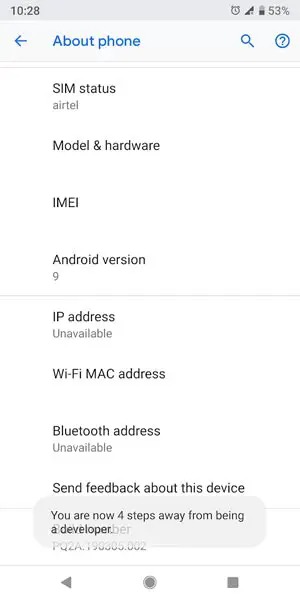
Enable USB Debugging Mode and OEM Unlock; you’ll find these options at Settings >>> Developer options. If you didn’t see the developer options on your settings menu, then go to about >>> build number; click on the “Build Number” row for about ten times constantly to activate “Developer Option” on your device.
- Download Samsung USB driver and install it in your PC.
- We are using third party software flashing. Download ODIN and install this also in your PC. In version select above Marshmallow supporting version ODIN.
- Download Firmware For Samsung Galaxy S5 Official Firmware. Select recent firmware. When selecting firmware refer- How to choose correct firmware.
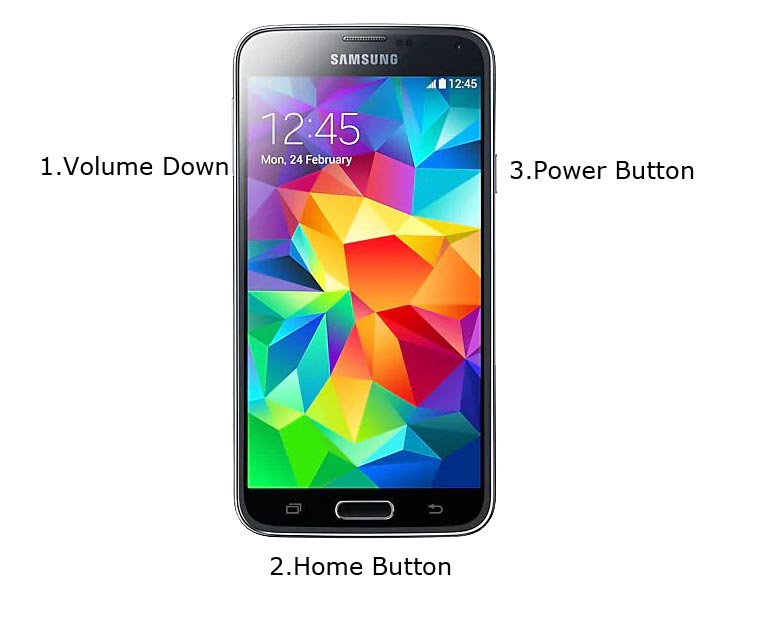
- Switch off your Mobile. Enter into Download mode->Volume Down+Volume Up Buttons. Connect Your Mobile To PC via USB Cable, After Samsung Logo Appear, Release all keys.
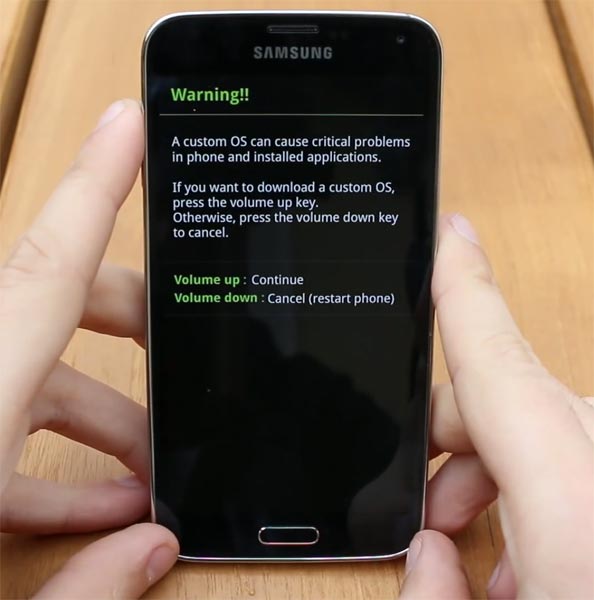
- After entering into Download Mode, it will say Warning Press Volume Up button to continue.
- Launch Odin Application.
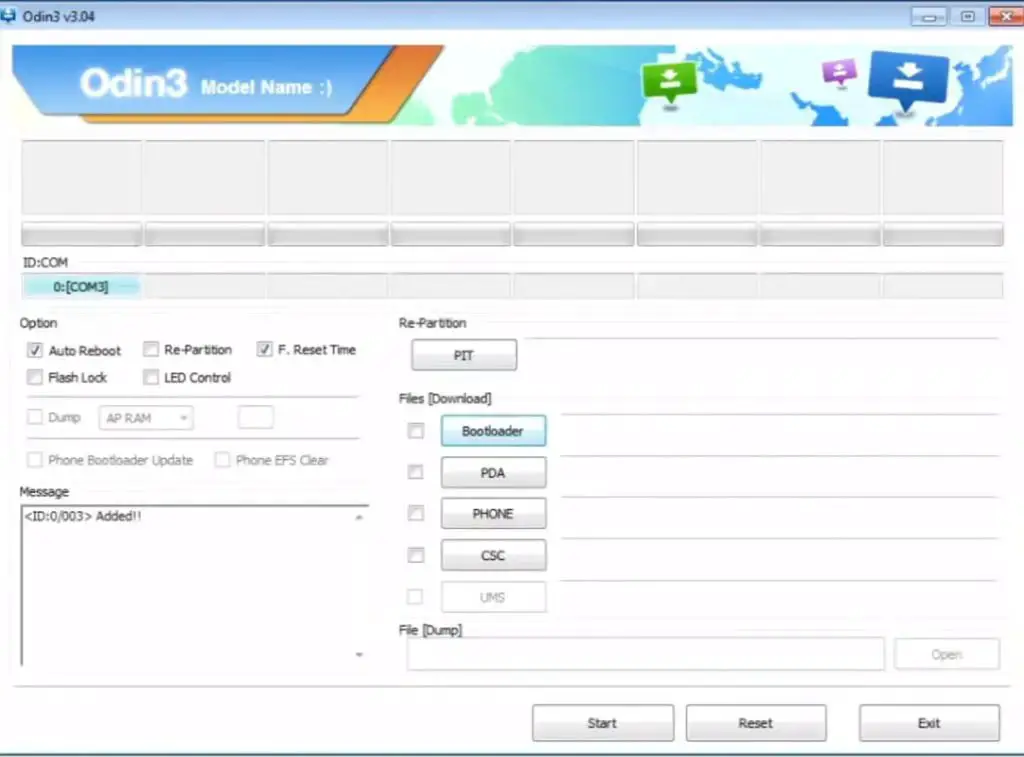
- It Will Show the message added.
- If you did not get this message Repeat the above steps.
- After Getting Added Message Select, AP/PDA Button then Browse for the Firmware file selects it. Tick the Auto Reboot.
- Press Start wait for the tasks to complete. It will automatically reboot after the process complete.
- You can Check the Firmware Details->Settings->About->Version.
Samsung Galaxy Marshmallow 6.0.1
This firmware update updates your mobile to marshmallow 6.0.1 with a lot of upgrade features compared with Lollipop 5.1.1.
Settings Shortcuts
- You can create shortcuts to access particular Action in settings.
Lock Screen
- Locks screen is same as Lollipop version, But you can expand the notifications within the Lock screen. If you didn’t hide information in lock screen.
Home Screen
- Google Search bar added with some enhanced Voice command Features.
App Drawer
- Now you can list the apps based on Alphabetical Ascending or Descending Order. It helps you to select the apps quickly.
Notifications and Quick Settings
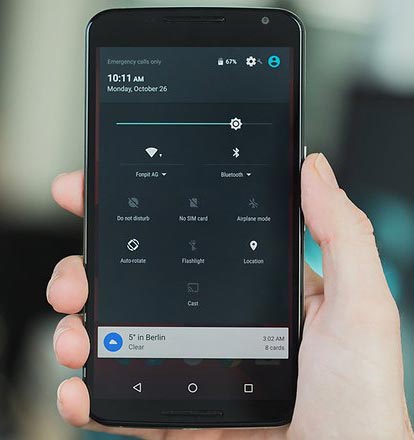
- Single Swipe will expand the notifications; Double Swipe will reveal the Quick settings menu.
Animations
- You can customize app open close transition, Swipe transition and More.
200 New Emoji
- There is plenty of new emoji added in emoji set. Where you can use them any text area.
Android Pay and Samsung Pay
- Android Pay added to work seamlessly with your device NFC. Samsung pay can work on selected check out.
Battery Management
- You can Monitor your Battery life based on the usage. Where you can also check when you charged 100% When your battery drains off like that.
Use SD Card as an Internal Storage- Adaptive Storage
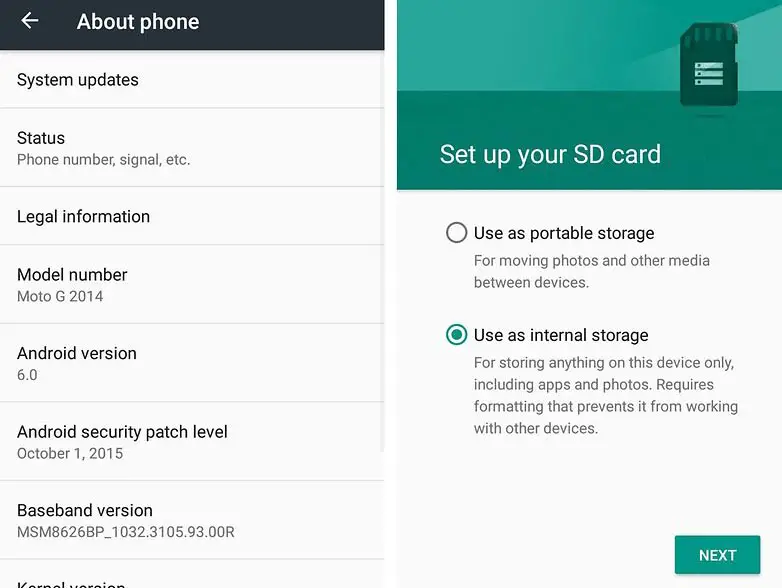
- SD cards can be used as an Internal Storage, But they may be slow compared with the actual Internal Storage.
App Permissions
- View which your App uses permissions. If the app looks suspicious or using additional permissions, you can analyze using this feature.
Text Selection
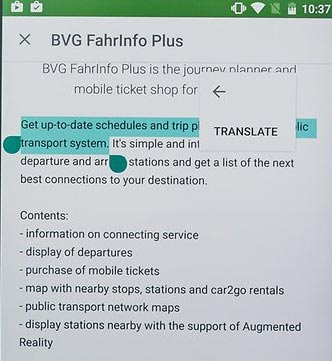
- A lot of features added within Text selection- Copy, Paste, Select All, Search, Translate.
Benefits of Stock Firmware
There are Plenty of benefits using stock firmware. Below I Mention Major two.
- Security- Yes, you will receive regular security patch updates, directly from your Manufacturer.
- Hassle free usage- In Rare cases, if you misuse rooted devices, It may lead to some lag in usage or Random Restarts like that. In those situations, you can recover your mobile by Flashing Stock firmware.
Wrap Up
Selecting correct firmware is the Major step in this process. If you follow all steps correctly, you can quickly flash firmware in your Samsung Galaxy S5. If you face any problem or if you need any additional mirrors comment below.

Selva Ganesh is a Computer Science Engineer, Android Developer, and Tech Enthusiast. As the Chief Editor of this blog, he brings over 10 years of experience in Android development and professional blogging. He has completed multiple courses under the Google News Initiative, enhancing his expertise in digital journalism and content accuracy. Selva also manages Android Infotech, a globally recognized platform known for its practical, solution-focused articles that help users resolve Android-related issues.