
This comprehensive guide will walk you through customizing ringtones for individual contacts on your Pixel device. This invaluable customization allows you to swiftly discern incoming calls, empowering you to decide whether to answer promptly. By assigning distinct ringtones, you’ll eliminate the need to constantly check your screen when a call comes in, saving you precious time and effort. This user-friendly feature enhances your mobile experience, ensuring you stay connected in an efficient and personalized way. With a glance at your device, you’ll know exactly who’s trying to reach you, streamlining your communication process like never before.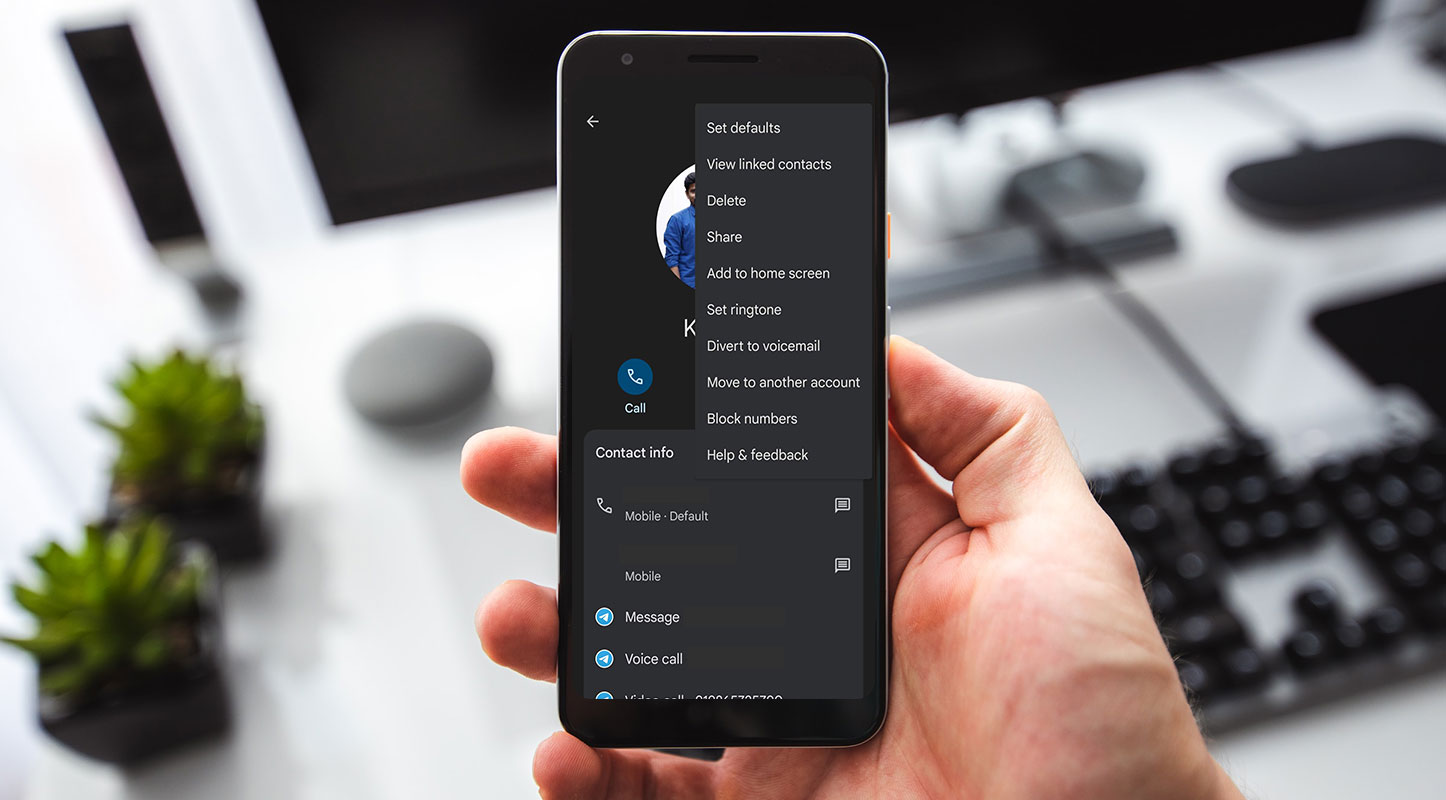
Setup Individual Ringtone on Google Pixel Mobiles
However, with each iteration of the OS, things are becoming more complex, and this holds even for basic tweaks like setting different ringtones for different contacts on your Pixel device. If you are in a similar situation, we’ve got you covered! Follow along for the instructions.
Individual Ringtone on Google Pixel Mobiles
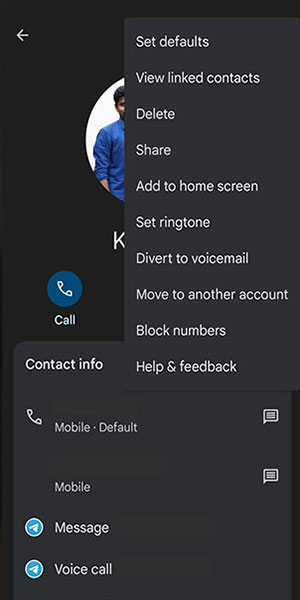

- Launch the Contacts App: Begin by opening the Contacts app on your Pixel device.
- Select the Desired Contact: Choose the contact you want to set a specific ringtone.
- Tap the Overflow Icon: Look for the overflow icon at the top right corner and tap on it.
- Choose “Set Ringtone”: Among the options presented, select “Set Ringtone.”
- Select Ringtone Picker App: A list of available ringtone picker apps will appear. Choose the one you prefer.
- Choose the Desired Tone: In the selected app, pick the tone you want to set for this contact.
The Pixel Sounds App
Android 12 and 13 have simplified setting a custom ringtone through the Pixel Sounds app. Previously, you had to move the file to the correct location manually and hope your device recognized it. The Pixel Sounds app eliminates this hassle. Here’s how to do it:
- Access Pixel Sounds: Open the Pixel Sounds app from your settings.
- Select Your Ringtone: Browse through your downloads to choose the desired ringtone.
- Set as Default: Your chosen ringtone will now be available in the options for both phone ringtones and default notification sounds.
Setting Tones per Contact
If you want to assign specific ringtones to individual contacts, follow these steps:
- Complete the Initial Steps: First, ensure you’ve set a default ringtone using the above process.
- Open Contacts App: Launch the Contacts app on your Pixel device.
- Select the Contact: Find the specific contact you want to set a unique ringtone for.
- Access Settings: Tap on the three-dot menu in the contact card.
- Choose “Set Ringtone”: Among the options, select “Set Ringtone.”
- Select the Preferred Ringtone: Pick the tone you want to associate with this contact.
By following these steps, you can customize your Pixel device to play specific ringtones for different callers, allowing you to identify them without looking at your phone.
FAQs
Can I use any audio file as a ringtone on my Pixel device?
Yes, most audio files are compatible. However, it’s recommended to use standard formats like MP3.
Are there any apps available for setting custom ringtones?
Several third-party apps are available on the Play Store for this purpose.
Can I assign different notification sounds to contacts as well?
Yes, the same process can be applied to set custom notification sounds.
Do these steps apply to all Google Pixel models?
Yes, the process remains consistent, mainly across various Pixel models.
Can I revert to the default ringtone later if I change my mind?
You can always go back to the default settings in the Sounds app.
Wrap Up
Customizing ringtones for specific contacts on your Google Pixel is a minor adjustment that can make a substantial difference in managing your calls. This straightforward yet impactful customization provides a tailored experience that saves time and significantly streamlines your communication flow. Imagine instantly knowing who’s calling without even looking at your phone, allowing you to prioritize your responses accordingly.
It adds a personal touch to your device, making it uniquely yours. You can instantly identify them with their designated ringtone, whether a close friend, a family member, or a colleague. This level of customization makes your Pixel more functional and enhances its usability in your daily life. It’s a simple tweak that goes a long way in optimizing your mobile experience.

Selva Ganesh is a Computer Science Engineer, Android Developer, and Tech Enthusiast. As the Chief Editor of this blog, he brings over 10 years of experience in Android development and professional blogging. He has completed multiple courses under the Google News Initiative, enhancing his expertise in digital journalism and content accuracy. Selva also manages Android Infotech, a globally recognized platform known for its practical, solution-focused articles that help users resolve Android-related issues.