
Compared with regular mobile, Companies always pt some unique features in Both hardware and software for flagship mobiles. Also, the OTA rollout phase will get priority when it is a flagship mobile. Xiaomi 12S Pro is a flagship mobile with 8-12 GB of RAM and Qualcomm SM8475 Snapdragon 8+ Gen 1 processor. Since Xiaomi 12S Pro comes with Android 12-based MIUI 13.0, We don’t have to m manually update your mobile. But for some reason, when you have difficulty in an update using the OTA method, then you can use one of the below methods to update your mobile.
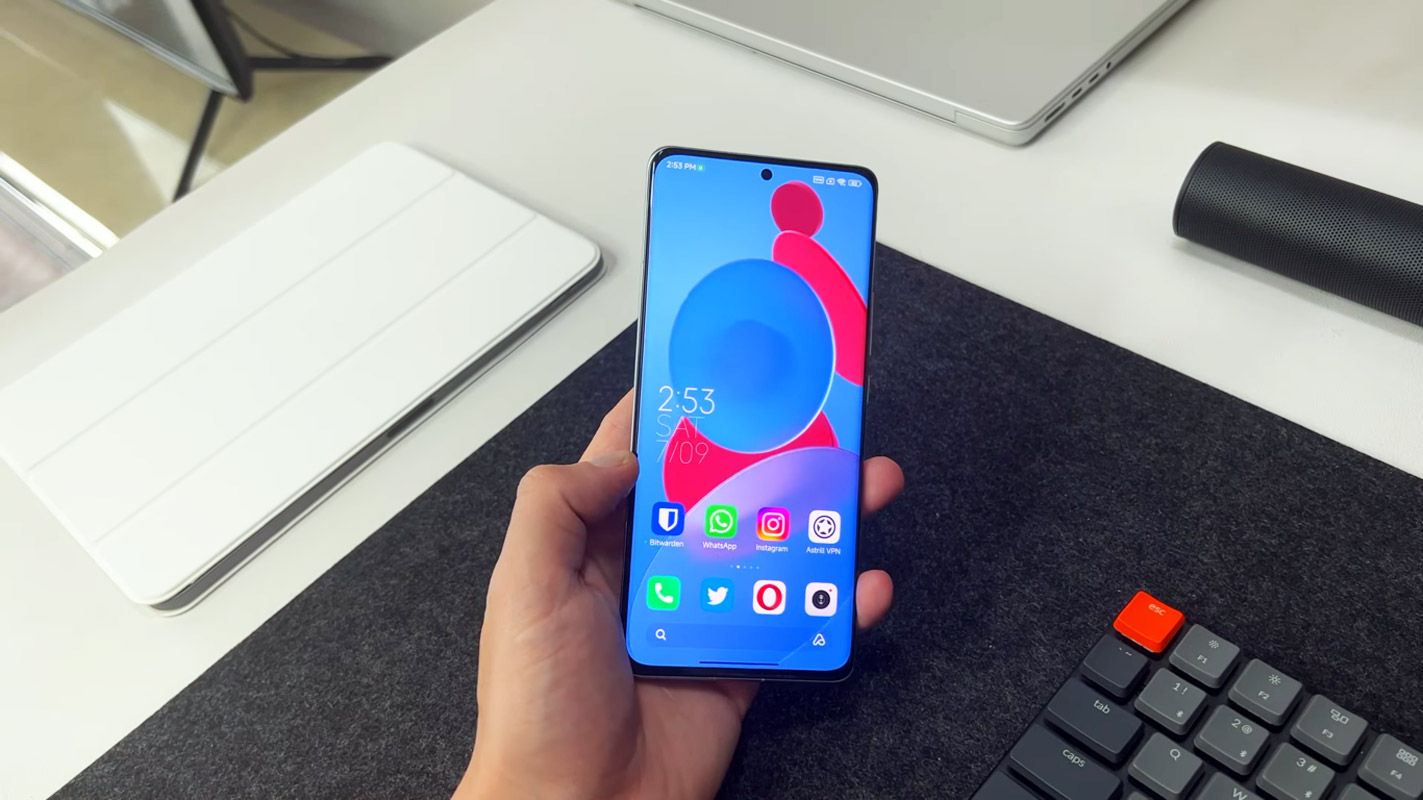
Xiaomi 12S Pro MIUI 13.0 Android 12 ROM Firmware Flash (unicorn)
Official OTA Method
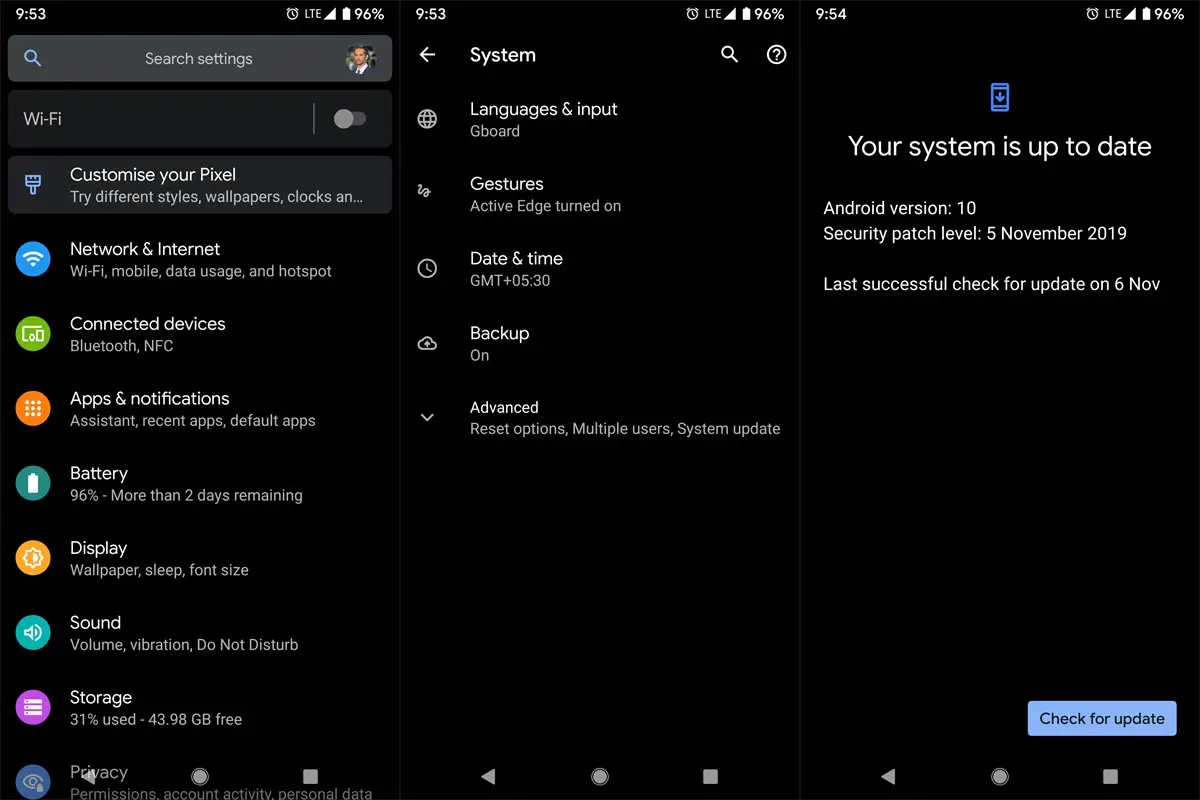
If you’re going to update a security patch to the current month, don’t go for the manual method. Try this Automatic method.
The process is straightforward;

-
Go to your device setting menu and scroll down to the bottom.
-
Tap on “Software Update”
-
You may have to refresh the page to start the OTA upgrade process.
Xiaomi 12S Pro MIUI 13.0 Android 12 ROM Flash Manual Method (International Variants)
Note
- Check Your Device Mobile No. If you flash a Different model number, you will lose some features based on your region.
- Battery Percentage Above 50.
- Backup Your Device.
Download Firmware
Using Internal Memory Method
This method doesn’t require PC support, download, and installs within your mobile, and it will work only with Stock firmware installed on your mobile. If you are already using Custom OS, move to the following method.
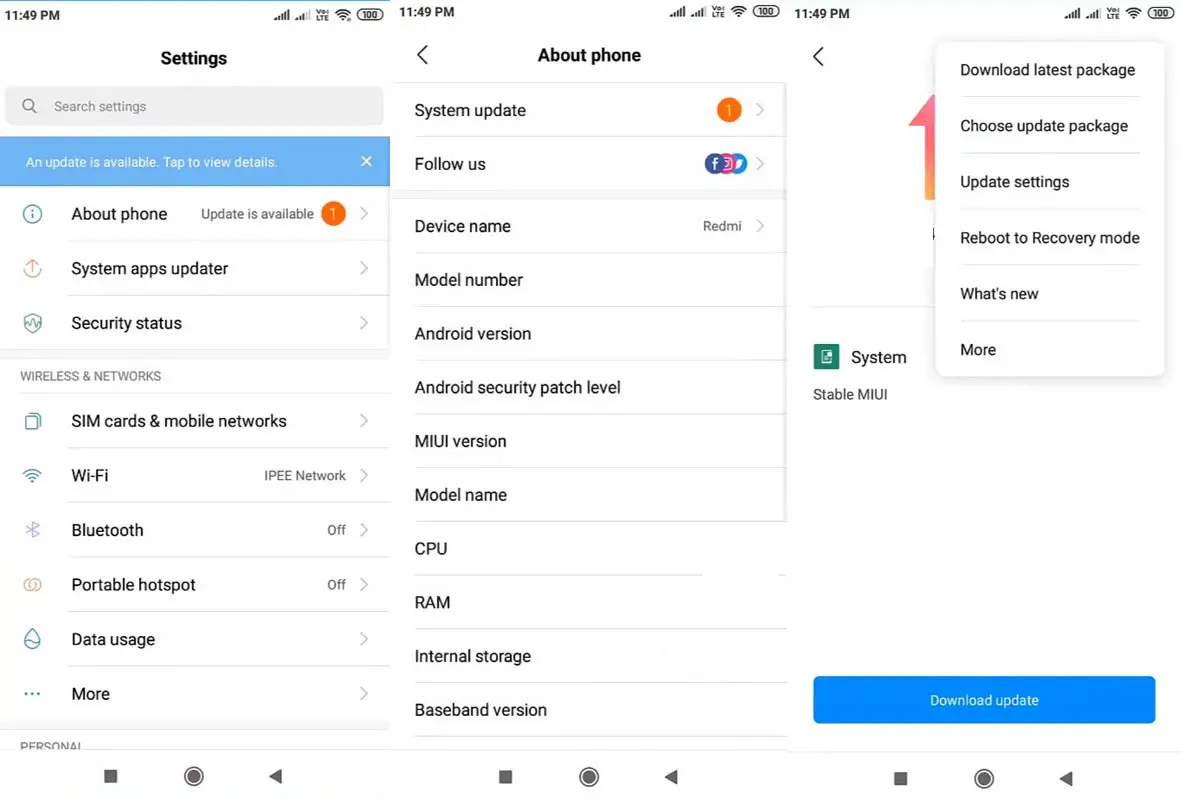
- Copy downloaded firmware to your mobile and copy it to your Internal Root Memory. Copy>> Internal memory. Please don’t put it in any folder, and Don’t change the file’s name.
- Now Go to settings >> About Phone >> System Update.
- Select the three-dot icon and select the “Choose update package.”
-
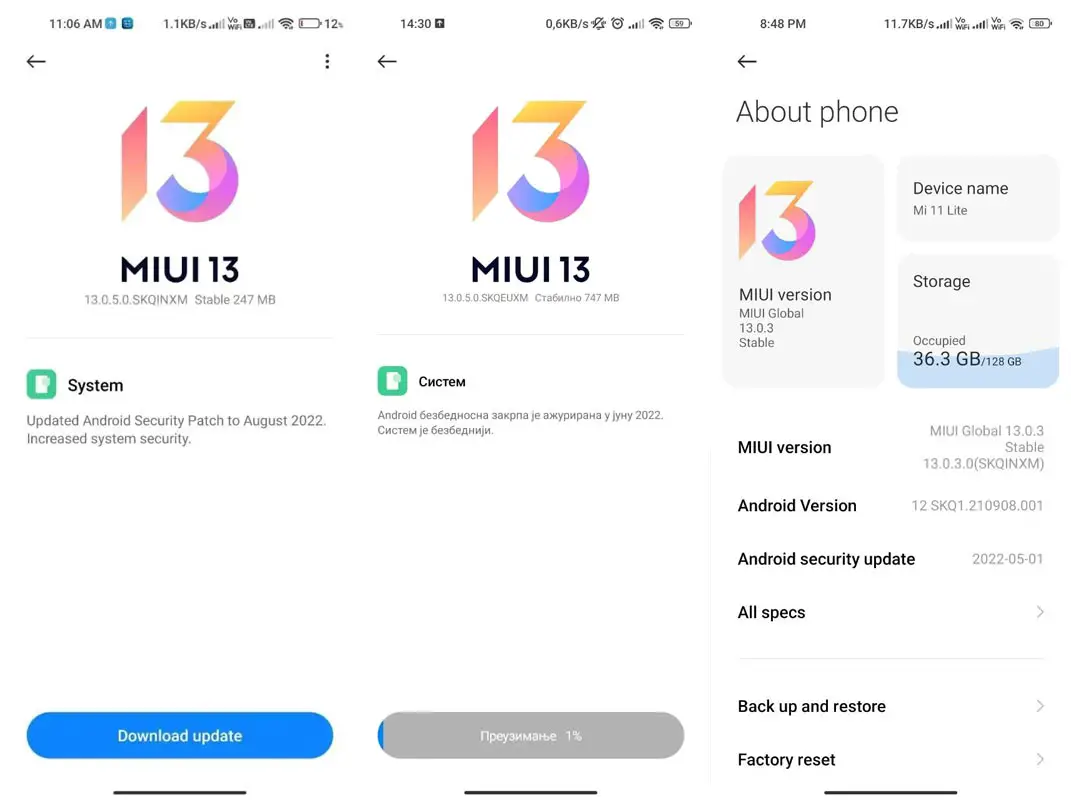
Select the firmware file from your file, select it and update it.
-
The file will automatically install once the decryption process is over.
-
Your mobile will reboot automatically and do the update process. Instead of downloading from Server, this update process will update from your Internal memory.
Stock Recovery Method
- Download firmware from the above link and copy it on your mobile.
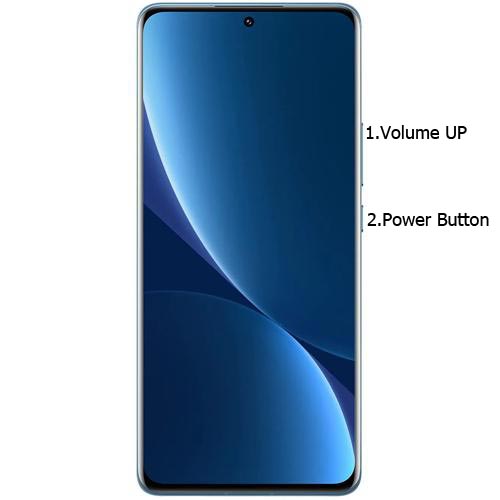
- Switch off your device. Then, enter into Recovery mode. To do this, press and hold down the Volume Up+ Power buttons simultaneously for some time.
-
Press the Volume Down button to continue when you see the warning message.
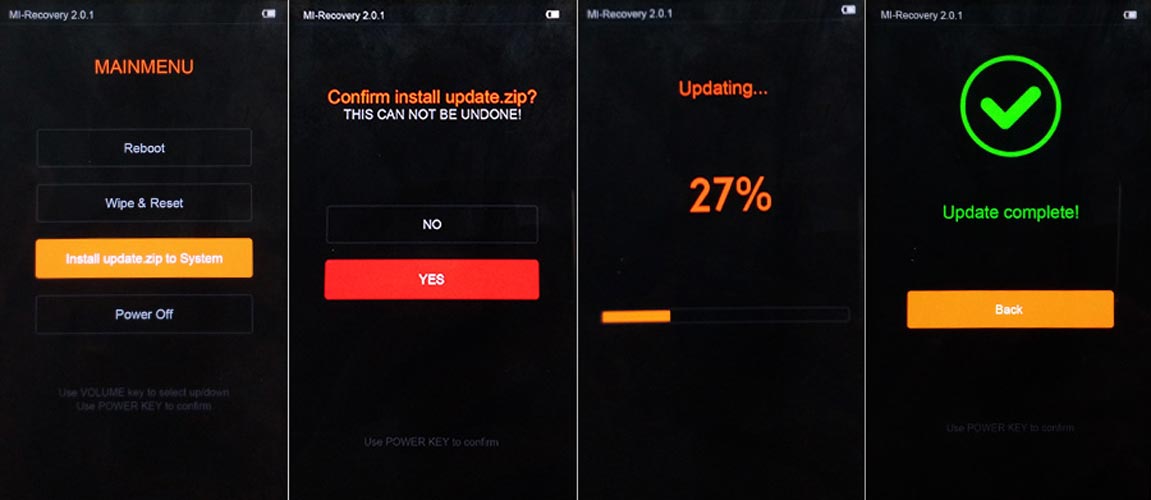
- Select “Install update.zip to the system.” select the storage where you downloaded your firmware file.
- Wait for the process to complete. Don’t interrupt your mobile during the process.
Xiaomi 12S Pro MIUI 13.0 Android 12- Xiaomi Flash Tool Method
We can use the following method to flash firmware if you use Custom ROM or a rooted device. It would be best if you had a PC for this process. Your bootloader is unlocked if you are rooted or have Custom OS. But if you relocked your bootloader, you should open the bootloader. After unlocking, Follow the below steps one by one carefully.
Xiaomi 12S Pro Bootloader using ADB and Fastboot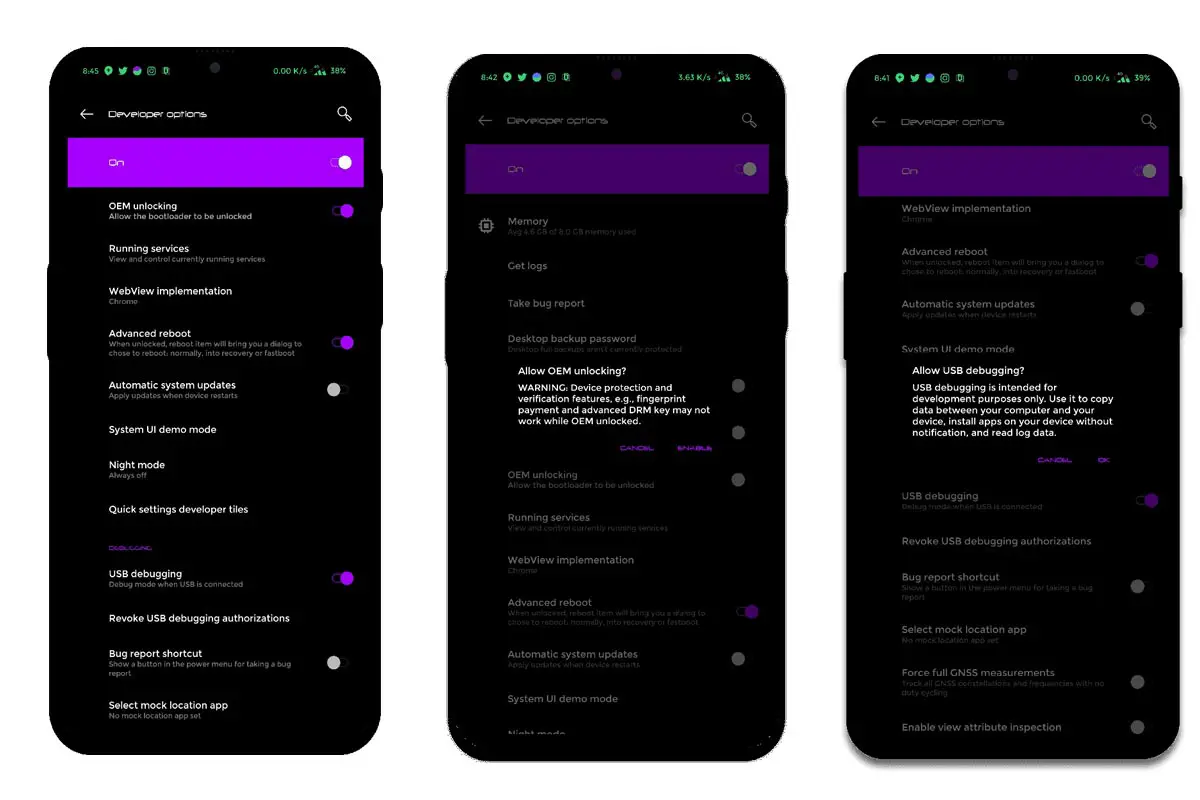
-
Enable USB Debugging Mode and OEM Unlock on your mobile. To do this, go to settings >>> about >>> Tap on the “Build Number” 7-10 times consistently to enable “Developer Options,” then go to the “Developer Options” and enable USB Debugging Mode, OEM Unlock. There is no complicated process in the Xiaomi 12S Pro.
-
Also, download the ADB drivers. Install it on your PC.
- Go to the official Mi Bootloader Unlock website and log in with your Mi Account.
- Enter your Mobile details like phone number, IMEI, and reason. You will get the confirmation code on your mobile. Enter the confirmation code on the Mi website and request for unlocking. You will receive a confirmation mail after the approval in 2-10 Days.
-
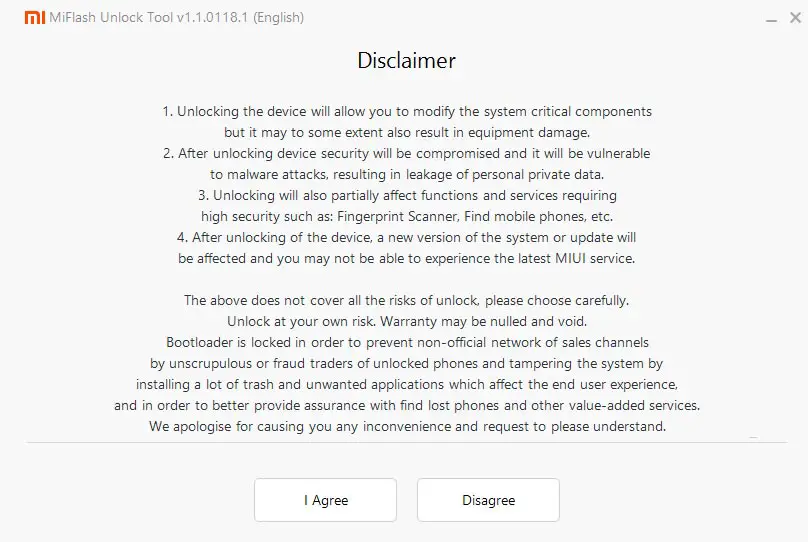
Install the Mi Flash Tool in the received mail. Log in with your Same Mi Account, which is used to get the software.
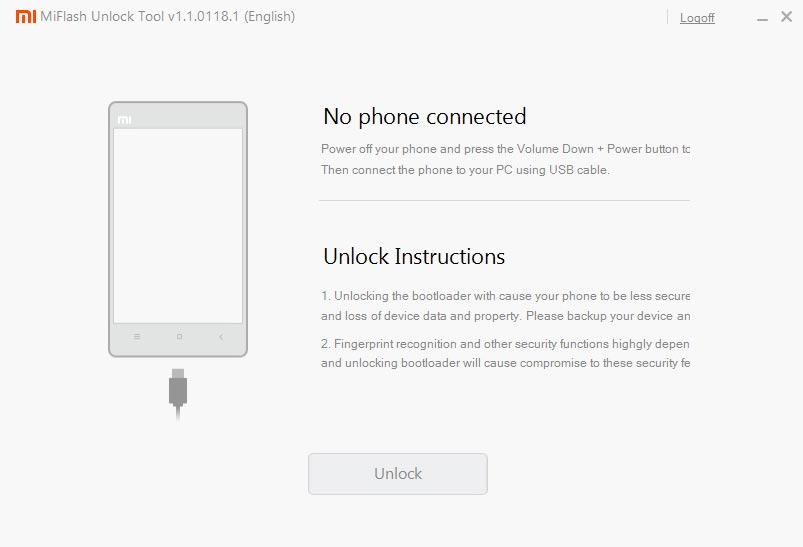
- Switch off your device. Connect your mobile to the PC. Then, enter into Fastboot mode. To do this, press and hold down the Volume Down + Power buttons simultaneously for some time, and it will boot your mobile into Fastboot mode.
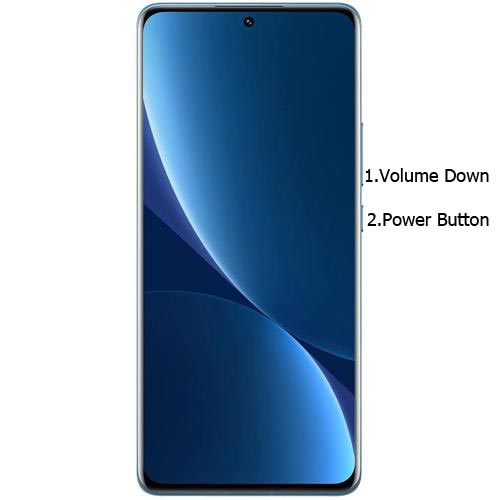
-
After you successfully boot into Fastboot mode, Select Unlock. It will take 2-3 minutes to finish the process. After the successful process completion, Reboot your mobile.
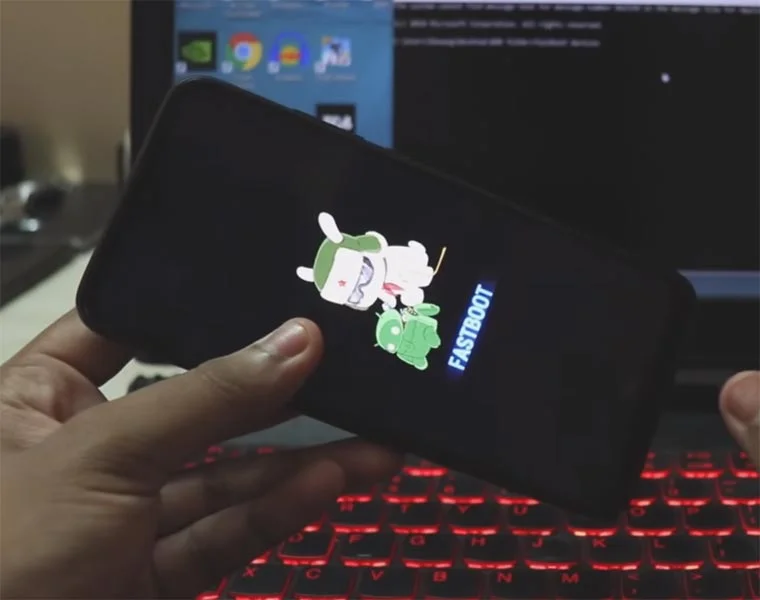
-
Check again to enable “Developer Options,” then go to the “Developer Options” and enable USB Debugging Mode, OEM Unlock. Sometimes they disabled themselves after the boot.
Flash Xiaomi 12S Pro Android 12 Firmware using Xiaomi Flash Tool
- Download the Xiaomi Flash tool.
- Extract the files from the Zip.
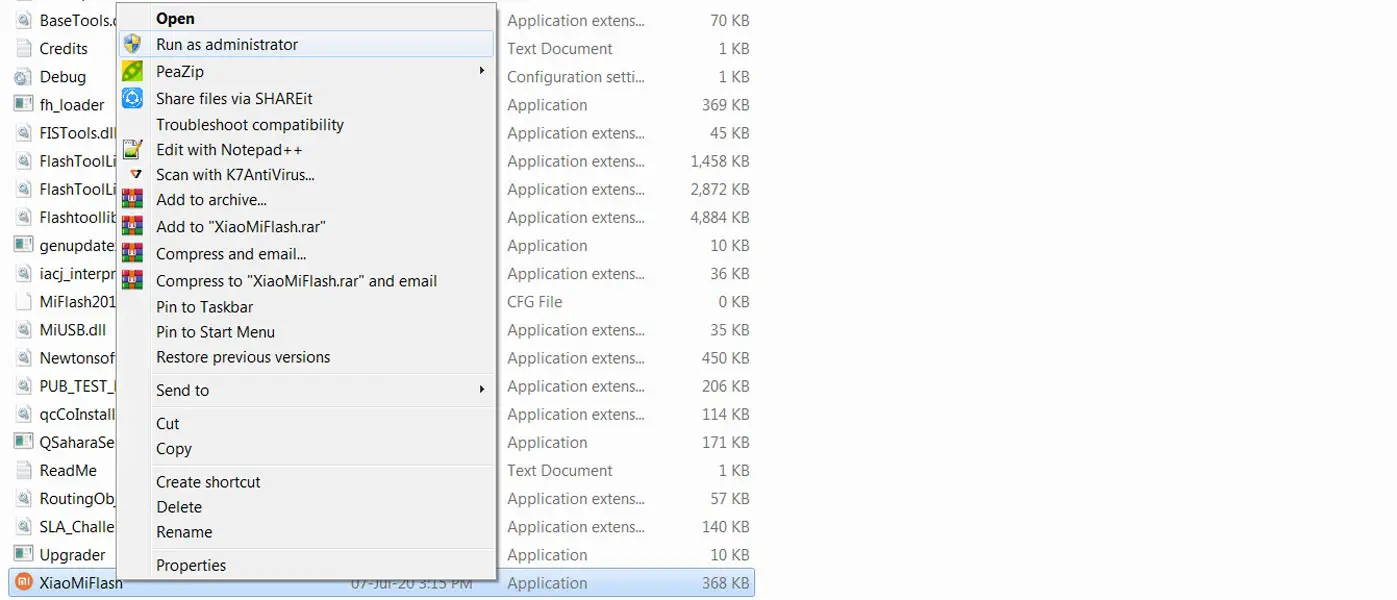
- After the extraction, Right-click on the “XiaoMiFlash” software on your PC and choose “Run as Administrator.”
- We use Administrator Because the USB driver should have General access to access everywhere without any folder restrictions. You may know these issues if you have already installed the ADB drivers.
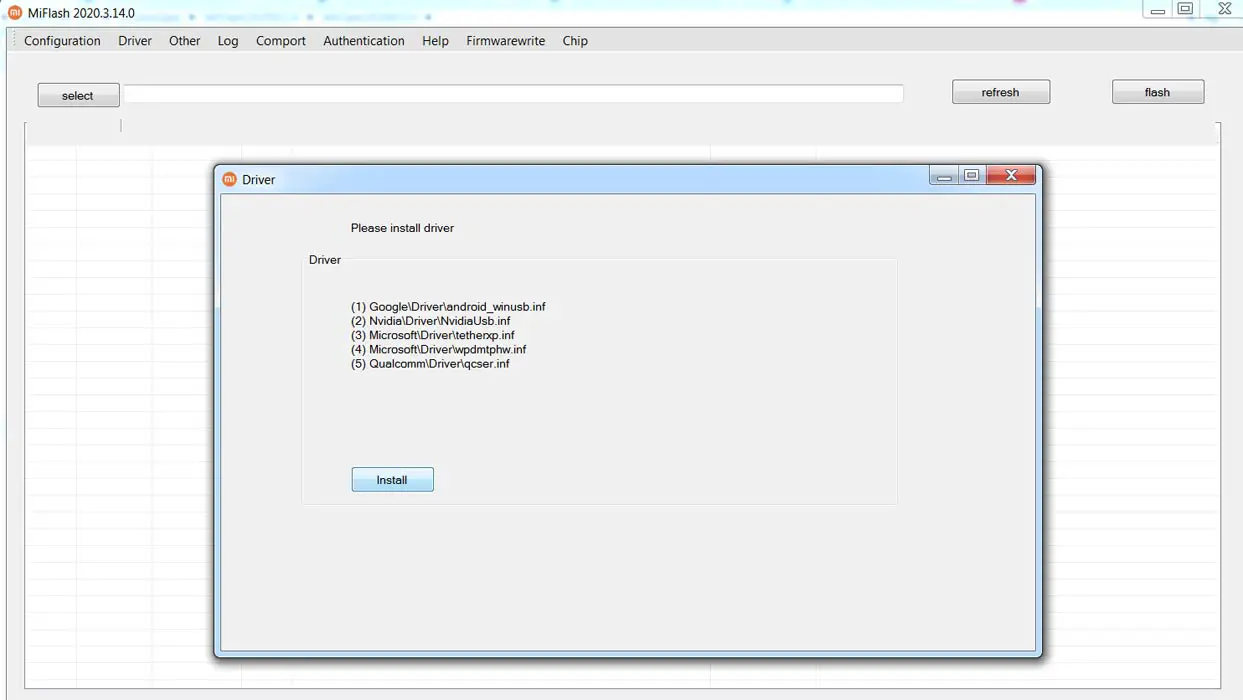
- Navigate to “Driver” and Install all the necessary Driver files.
- Download the necessary firmware for your mobile and copy it to your PC.
- Switch off your device. Then, enter into Fastboot mode. To do this, press and hold down the Volume Down + Power buttons simultaneously for some time.
-
Press the Volume Up button to continue when you see the warning message.
-
Connect the Xiaomi 12S Pro mobile to the USB cable computer.
- Select “Refresh” in the app; you will get the device ID in the list.
- When you don’t get the device, Repeat the above steps.
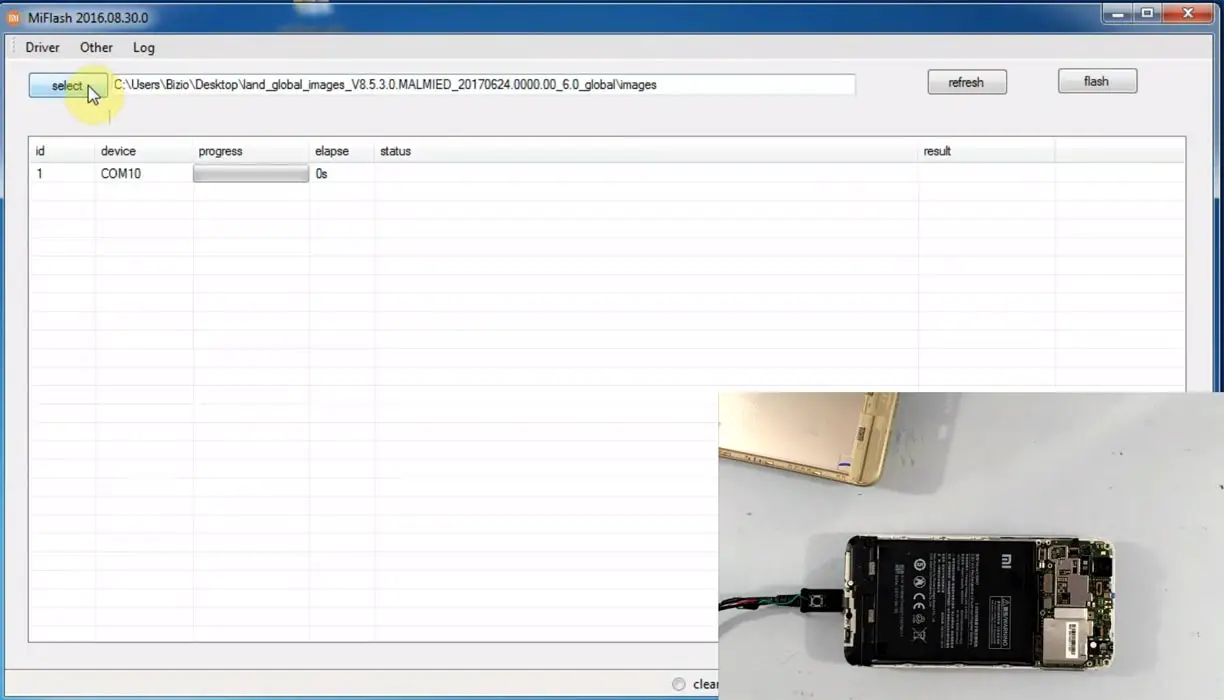
- After getting your mobile ID, Choose firmware using the “select” tab.
- Choose “save user data” in the bottom dot options.
- Now select “Flash.” The software will flash the firmware to your mobile.
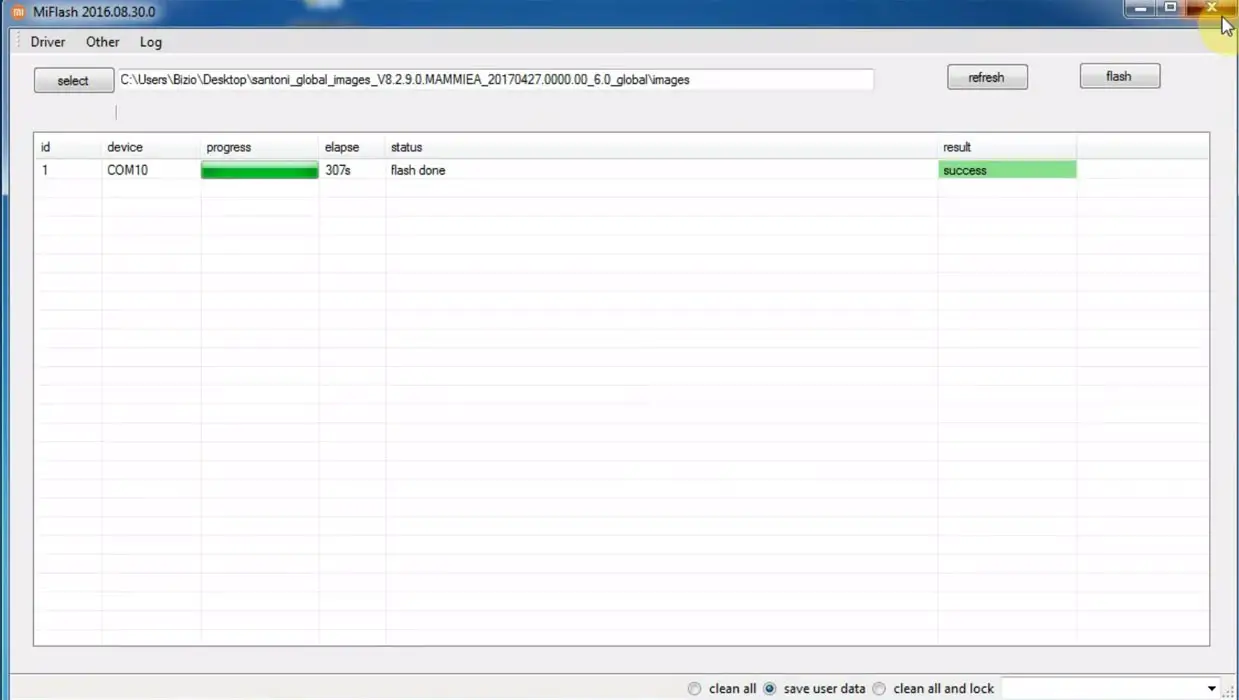
- You will get the “Success” message once the flash firmware is done.
- After completing the process, you must press the Volume Up+ Power button to exit Fastboot mode.
- You can Check the Firmware Details->Settings->About->Version.
Xiaomi 12S Pro MIUI 13.0 Android 12 Features
Many features are added in the Android 12-based MIUI 13.0 version compared with the Old MIUI version. I mentioned some essential features here, and MIUI 13.0 comes with exclusive Xiaomi and Android 12 general features.
Here I will mention only features not available in other mobile manufacturers’ Android 12 versions, which are exclusive to Xiaomi mobiles.
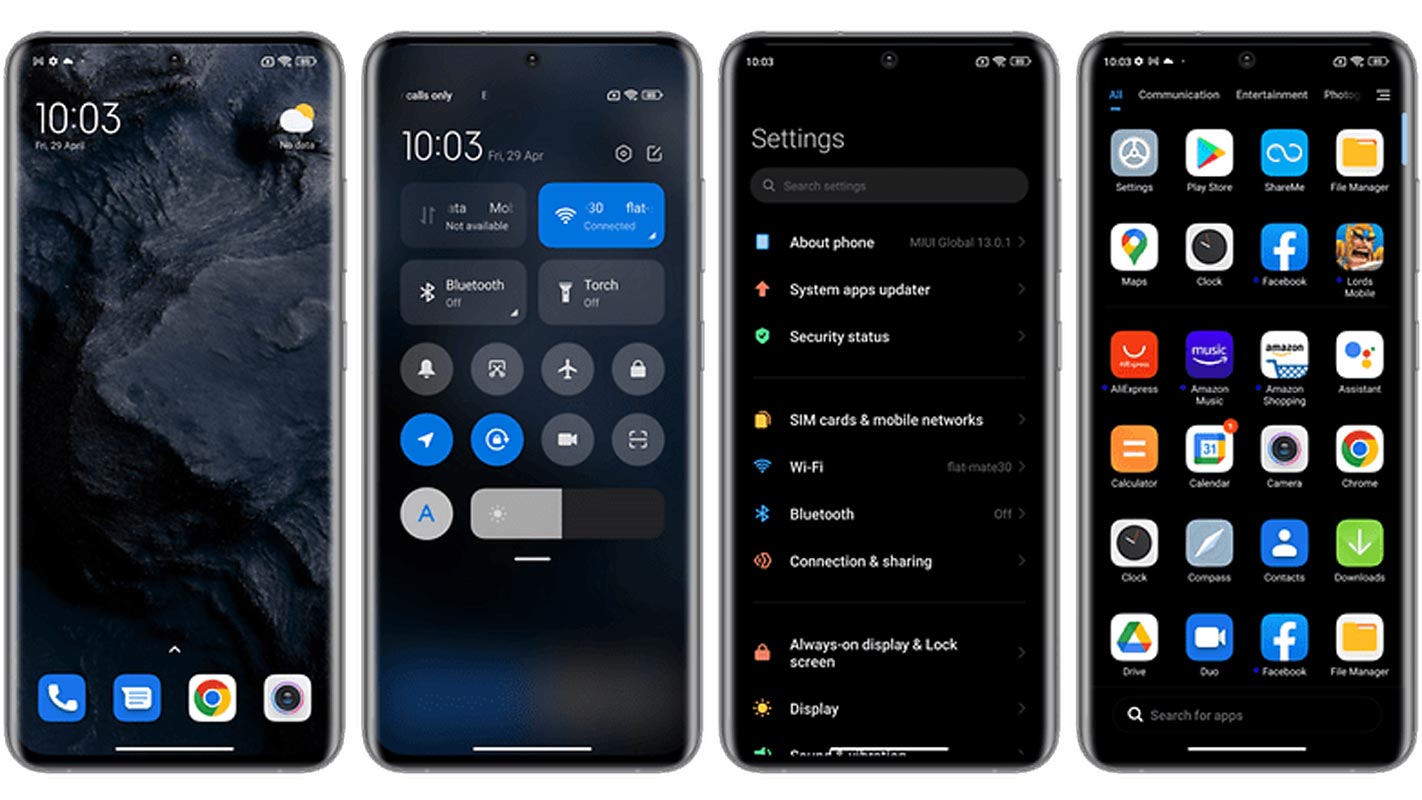
The New Color of Accent
User interfaces of Android 12 have a bluish tint that appears in both dark and light themes. This light blue color can be observed in the System UI of System apps, like Settings. As shown in leaked images of Android 12, the developer preview confirms UI modifications to the background using customized colors.
Notifications
Google has changed the transparency of the background and replaced it with an opaque beige background. The distinction between the “conversations” area and other notifications appears identical, while the rounded corners of every notification now stand out more.
Quick Settings
The default order of Quick Settings tiles is now altered. Android 12 adds the DND and Battery Saver toggles on the first card by shifting the toggle for mobile data on the other card. In addition, it has changed the color of non-active Quick Settings tiles, which now display light blue instead of gray.
Lock Screen
With Android 12, the lock screen is now an opaque layer on the background that appears like the Notifications shade. Additionally, the unlock animation of the pattern lock has been made slightly bouncier.
Image support for AVIF
Android 12 introduces platform support for AV1 Image File Format (AVIF), providing higher-quality images and more efficient compression. The AVIF utilizes the intra-frame encoded video content that comes from video compression, similar to the other formats for images.
Foreground optimization of services
In this new version of Android, Google will be blocking the foreground service in the background for applications aimed at the new platform to provide an improved service for its users.
Rich content insertion
For easy inserting and moving videos, images, and other types of content into applications, Google brings a new unifying API that allows you to take content from any source, including a clipboard keyboard and drag-and-drop.
Haptic-coupled audio effect
In Android 12, applications can offer audio-coupled haptic feedback through vibrations generated by the devices. The frequency and strength of the vibration are derived from an audio recording, allowing developers to design more immersive games and provide an audio-based experience.
Improved API for Immersive Mode for gesture navigation
Google has simplified its immersive mode to make gesture navigation more accessible and consistent when watching a film, reading a book, or playing games. Furthermore, Google will continue to protect apps from accidental movements when playing full-screen games. Gaming.
One Handed Mode
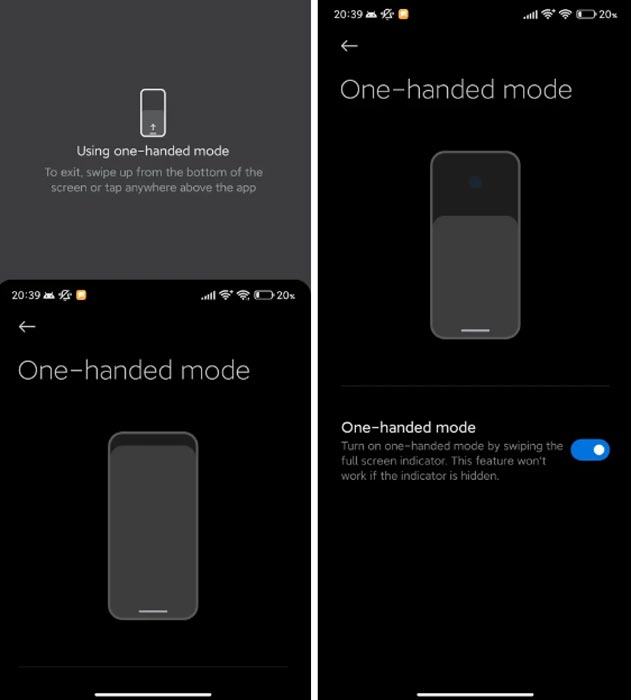
The single-handed mode available in earlier MIUI versions was no longer available when MIUI 8 was released. MIUI 8. The one-handed mode in Android 12 has been added to MIUI again. If we drag the bar to the left of the screen, the display will be reduced to the halfway point, making it much easier to operate it with just one hand.
Extra Dim Features
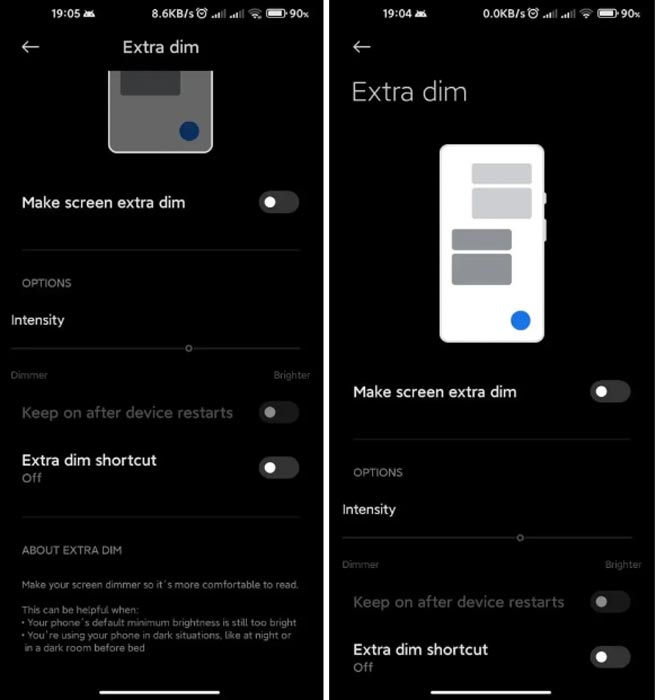
A feature similar to that of Dark Mode 2.0 was added in MIUI 12 in the past. This feature has now been reinstated by Google, ported to MIUI, and works quickly. In sync and with the Android system, it will remove the issue of putting a black screen display when taking an image before taking. Google has added it to Android 12.
New Splash Animation
The new splash animation introduced to Android 12 is now integrated into MIUI 12.5. It is possible to view animated splash screens when using supported applications. When we launch the application, it will show a more optimized animation. Additionally, the anticipated time the application will be launched can be quickly synchronized through an animation of the application’s logo.
New Contact Widget
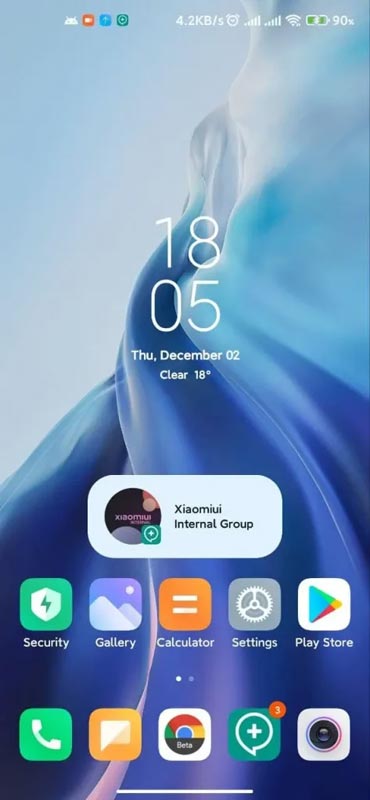
The latest contact widget was introduced to Android 12 AOSP and is now available in MIUI 12.5 Android 12. You can now add every conversation as a widget to enable more efficient communications.
New Notifications, Improvements, and Enhancements
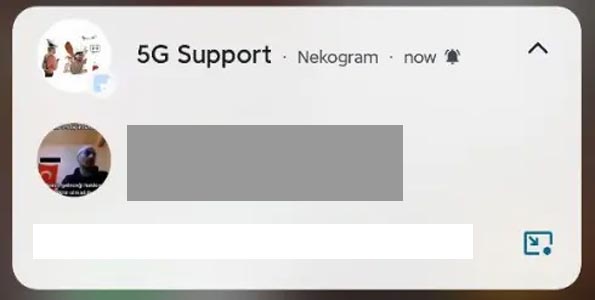
The icon in the upper left corner of new notifications has changed. Although it was an app icon, now there are photos of the people who are part of the conversation or a group photo. Additionally, adaptive notifications have been added to make them better compatible with MIUI.
Bold Statusbar Clock
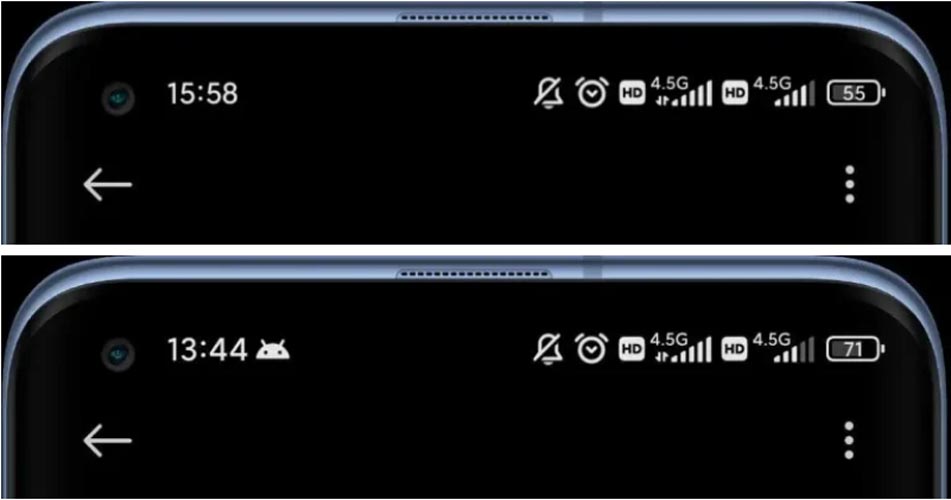
The clock on the Statusbar is now more prominent and is tuned more clearly.
A new format for date formats
The date format has been reduced to conserve space and make its appearance more appealing. Additionally, this feature gives excellent space for notifications and lets us manage more notifications.
Final Words
If you are in Stock firmware, Use the Internal memory or Stock recovery-based method. It is comfortable and safe; You can update it like a Regular OTA Update. But if you were already using Rooted devices, You can try TWRP based method. Don’t download any third-party apps; sometimes, it may trigger the updates process. There are a lot of new Gestures available in this update; try them also. In my opinion, When you hate MIUI, You can try to root your Xiaomi 12S Pro Android 12 and install custom ROMs. They are better compared with some other Custom Skin OS. But the new MIUI is better. So try to use this OS instead of a Custom OS. But the decision is your choice…:)

Selva Ganesh is a Computer Science Engineer, Android Developer, and Tech Enthusiast. As the Chief Editor of this blog, he brings over 10 years of experience in Android development and professional blogging. He has completed multiple courses under the Google News Initiative, enhancing his expertise in digital journalism and content accuracy. Selva also manages Android Infotech, a globally recognized platform known for its practical, solution-focused articles that help users resolve Android-related issues.