
You can Download and Install Android 11 on your Xiaomi Poco X2 using the below method. Xiaomi Poco X2 is a popular mid-range smartphone with advanced features, such as a 6.67-inch IPS LCD, a Snapdragon 730G chipset, 6GB of RAM, and a powerful 4500mAh battery. The phone originally ran on Android 10 with MIUI 12, which delivered a smooth and responsive user experience. However, Xiaomi has recently released the Android 11-based MIUI 12.5 update for the Poco X2, which brings in several new features and improvements. If you are a Poco X2 user and want to update your phone to the latest version, you can download the MIUI 12.5 Android 11 ROM from the official Xiaomi website. The ROM is easy to install and will bring several new features and optimizations to your device.
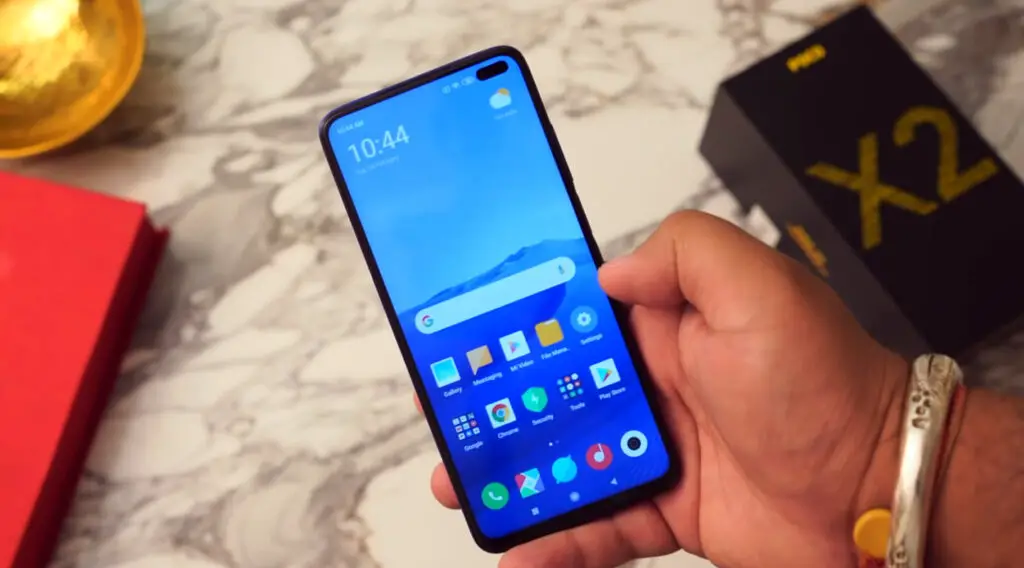
Xiaomi Poco X2 MIUI 12.5 Android 11 ROM Firmware Flash (phoenixin)
Official OTA Method
Don’t use the manual method if you update a security patch to the current month. Try this Automatic method.
The process is straightforward;

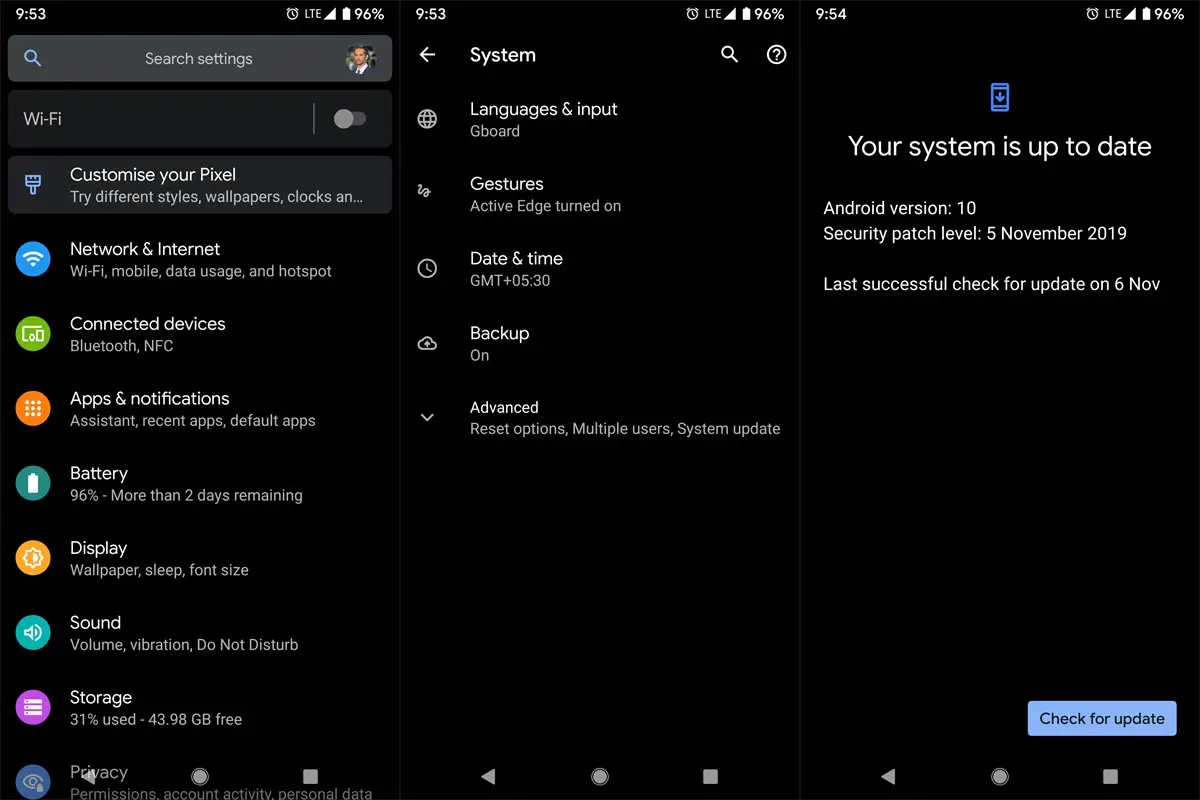
-
Go to your device setting menu and scroll down to the bottom.
-
Tap on “Software Update”
-
You may have to refresh the page to start the OTA upgrade process.
Xiaomi Poco X2 MIUI 12.5 Android 11 ROM Flash Manual Method (International Variants)
Note
- Check Your Device Mobile No. If you flash a Different model number, you will lose some features based on your region.
- Battery Percentage Above 50.
- Backup Your Device.
Download Firmware
Using the Internal Memory Method
This method doesn’t require PC support, download, and installs within your mobile; it will work only with Stock firmware installed on your mobile. If you are already using Custom OS, move to the following method.
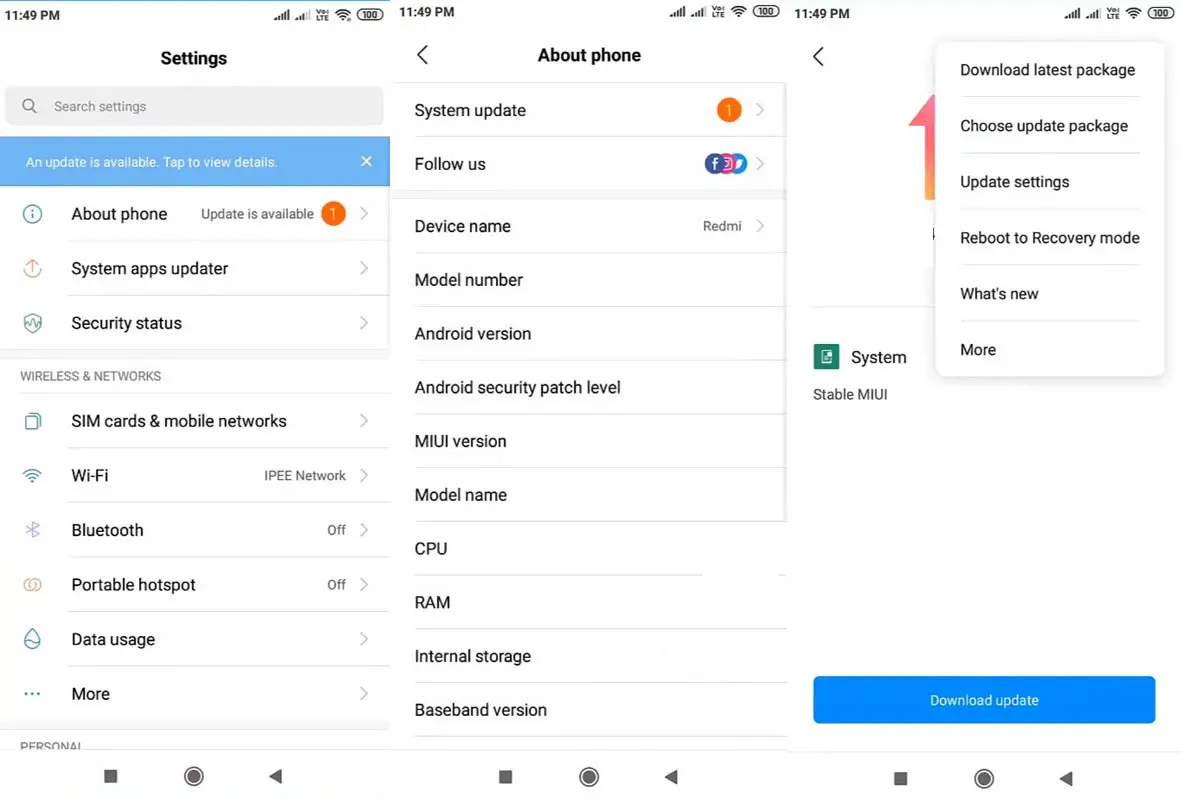
- Copy the downloaded firmware to your mobile and copy it to your Internal Root Memory. Copy>> Internal memory. Please don’t put it in any folder or change the file name.
- Now Go to settings >> About Phone >> System Update.
- Select the three-dot icon and select the “Choose update package.”
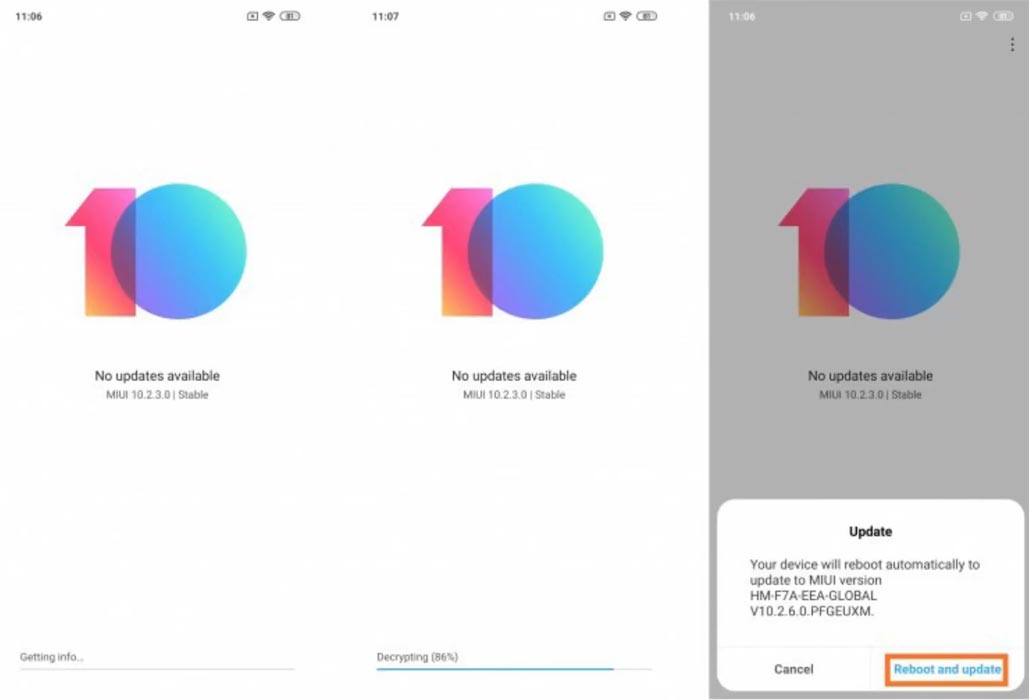
-
Select the firmware file from your file and select it and update it.
-
The file will automatically install once the decryption process is over.
-
Your mobile will reboot automatically and do the update process. Instead of downloading from the Server, this update process will update from your Internal memory.
Stock Recovery Method
- Download firmware from the above link and copy it on your mobile.
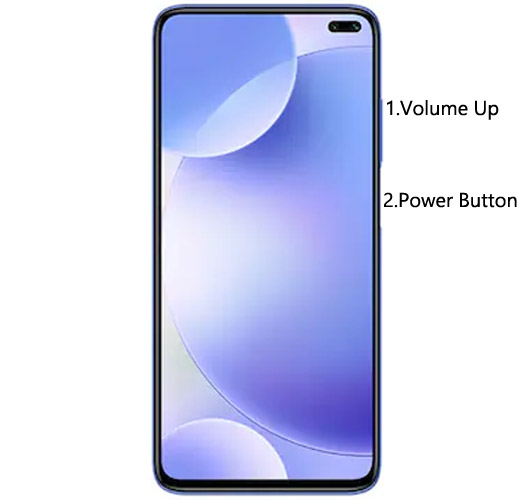
- Switch off your device. Then, enter into Recovery mode. To do this, Press and hold down the Volume Up+ Power buttons simultaneously for some time.
-
Press the Volume Down button to continue when you see the warning message.
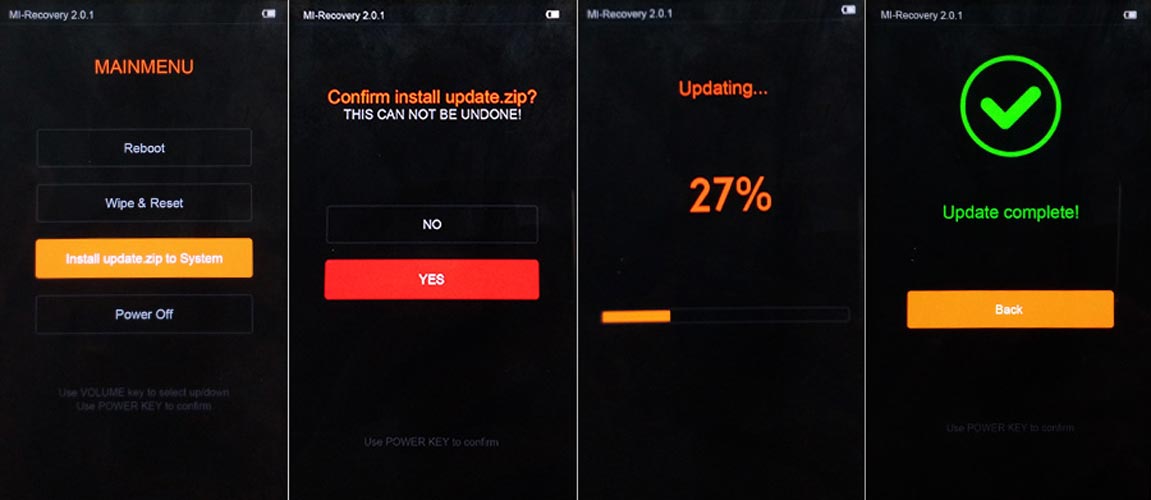
- Select “Install update.zip to the system.” select the storage where you downloaded your firmware file.
- Wait for the process to complete. Don’t interrupt your mobile during the process.
Xiaomi Poco X2 MIUI 12.5 Android 11- Xiaomi Flash Tool Method
We can use the following method to flash firmware if you use Custom ROM or a rooted device. It would be best if you had a PC for this process. Your bootloader is unlocked if you are rooted or have Custom OS. But if you relocked your bootloader, you should open the bootloader. After unlocking, Follow the below steps one by one carefully.
Xiaomi Poco X2 Bootloader using ADB and Fastboot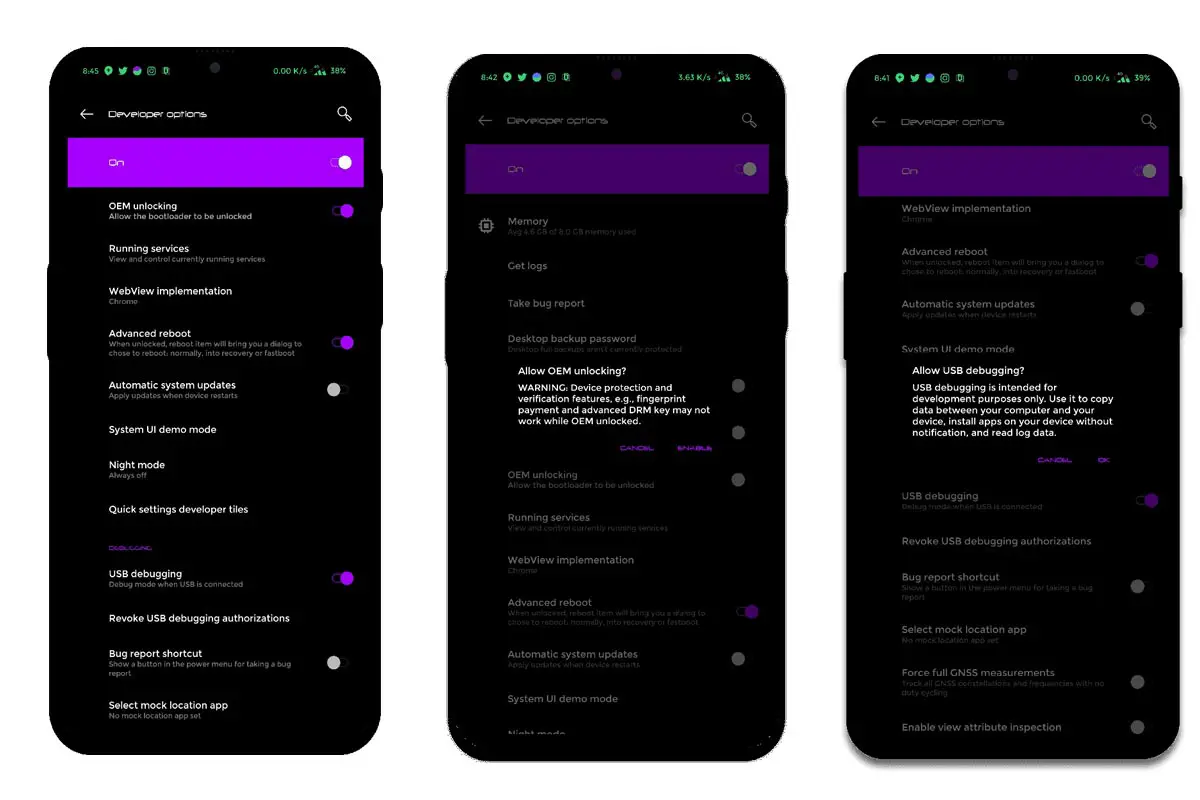
-
Enable USB Debugging Mode and OEM Unlock on your mobile. To do this, go to settings >>> about >>> Tap on the “Build Number” 7-10 times consistently to enable “Developer Options,” then go to the “Developer Options” and enable USB Debugging Mode, OEM Unlock. There is no complicated process in Xiaomi Poco X2.
-
Also, download the ADB drivers. Install it on your PC.
- Go to the official Mi Bootloader Unlock website and log in with your Mi Account.
- Enter your Mobile details like phone number, IMEI, and reason. You will get the confirmation code on your mobile. Enter the confirmation code on the Mi website and request for unlocking. You will receive a confirmation mail after the approval in 2-10 Days.
-
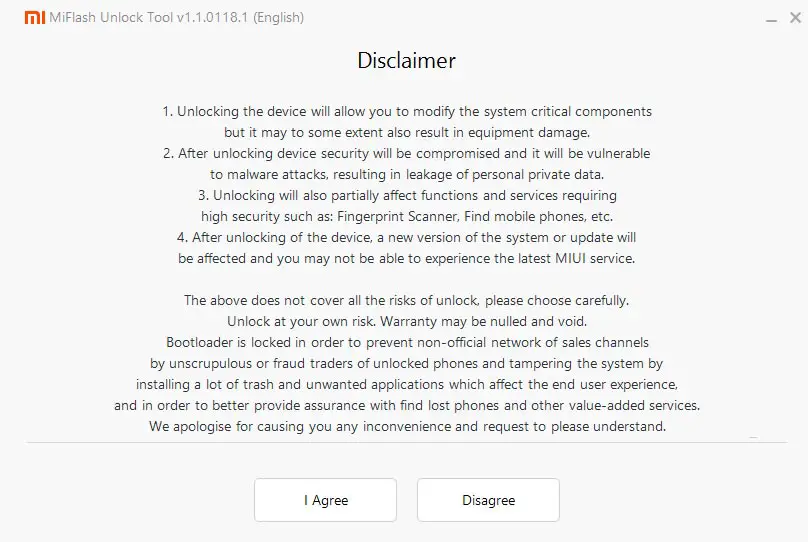
Install the Mi Flash Tool in the received mail. Log in with your Same Mi Account, which is used to get the software.
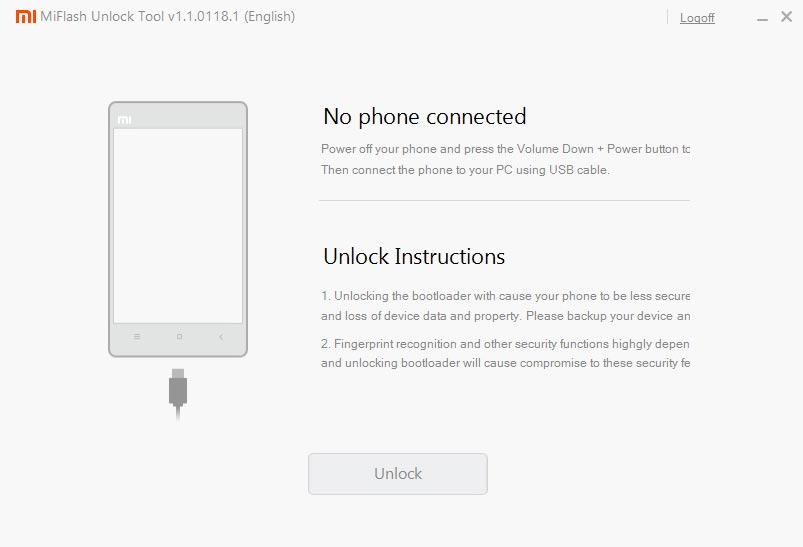
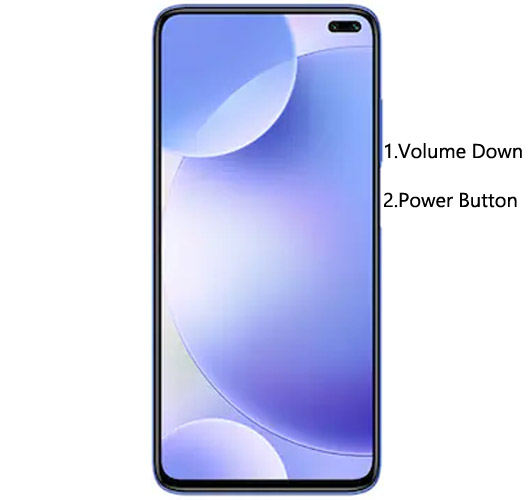
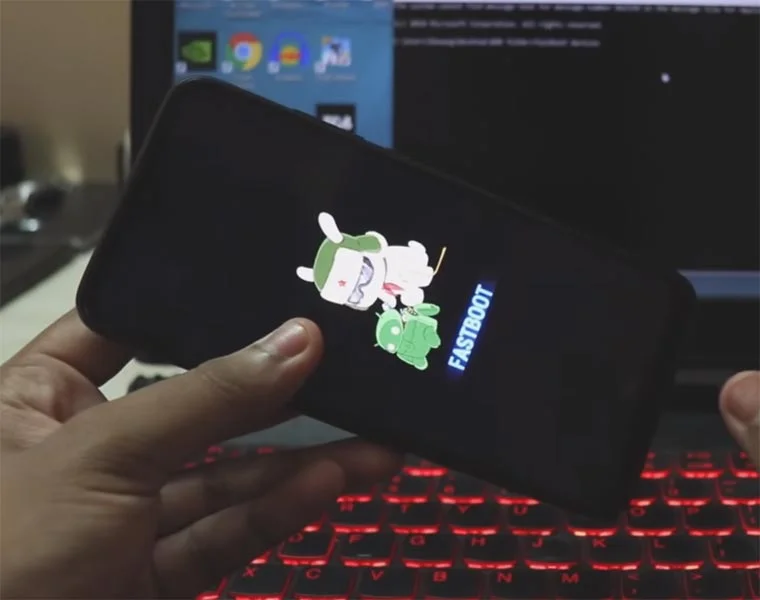
- Switch off your device. Connect your mobile to the PC. Then, enter Fastboot mode. To do this, Press and hold down the Volume Down + Power buttons simultaneously for some time, and it will boot your mobile into Fastboot mode.
-
After you successfully boot into Fastboot mode, Select Unlock. It will take 2-3 minutes to finish the process. After the successful process completion, Reboot your mobile.
-
Check again to enable “Developer Options,” then go to the “Developer Options” and enable USB Debugging Mode, OEM Unlock. Sometimes they disabled themselves after the boot.
Flash Xiaomi Poco X2 Android 11 Firmware using Xiaomi Flash Tool
- Download the Xiaomi Flash tool.
- Extract the files from the Zip.
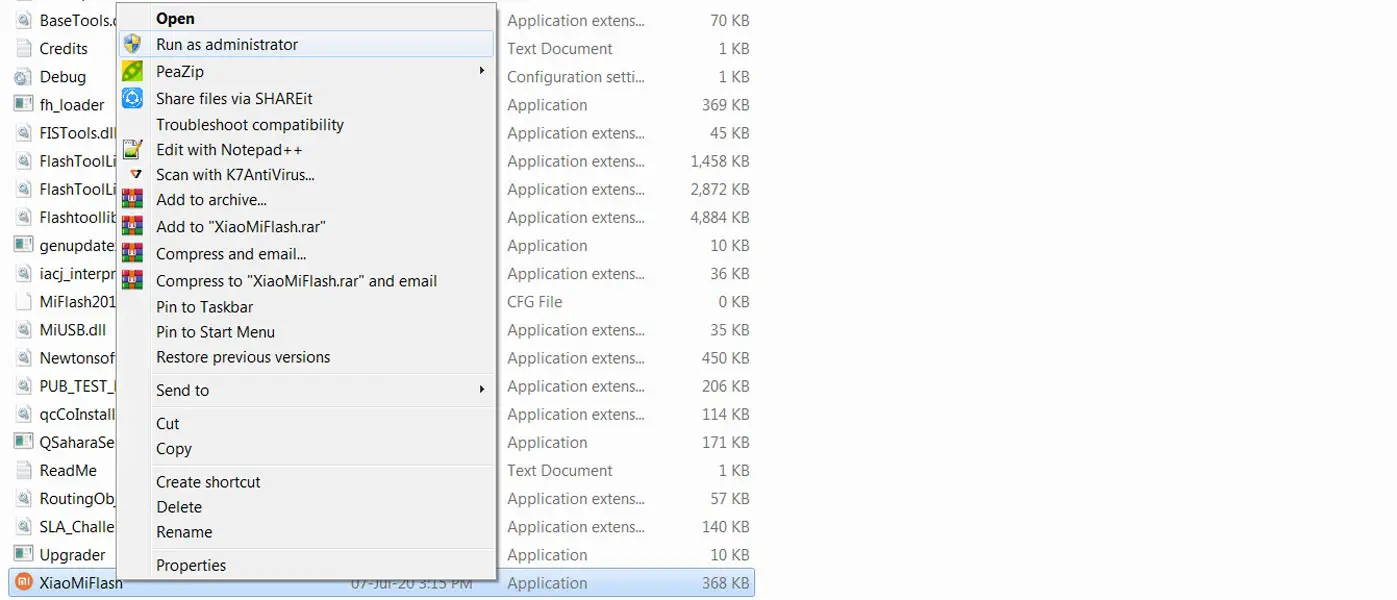
- After the extraction, Right-click on your PC’s “XiaoMiFlash” software and choose “Run as Administrator.”
- We use Administrator Because the USB driver should have General access to access everywhere without folder restrictions. You may know these issues if you have already installed the ADB drivers.
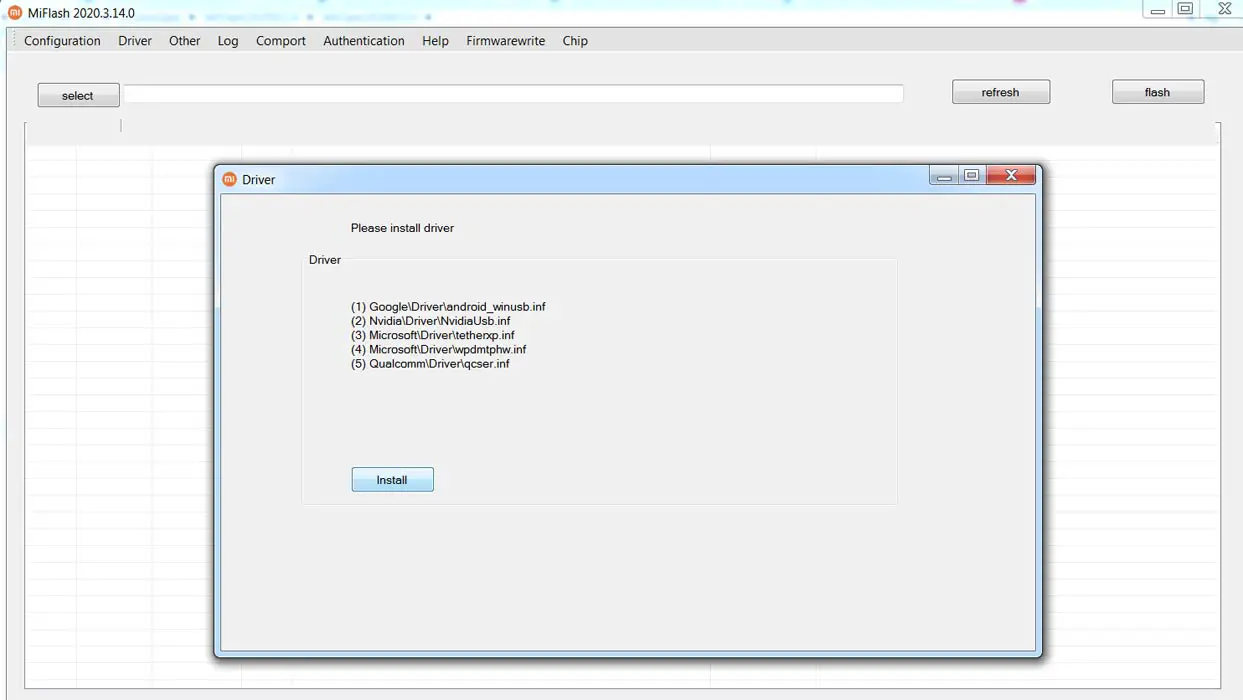
- Navigate to “Driver” and Install all the necessary Driver files.
- Download the necessary firmware for your mobile and copy it to your PC.
- Switch off your device. Then, enter Fastboot mode. To do this, Press and hold the Volume Down + Power buttons simultaneously for some time.
-
Press the Volume Up button to continue when you see the warning message.
-
Now, connect the Xiaomi Poco X2 mobile to the USB cable computer.
- Select “Refresh” in the app to get the device ID in the list.
- When you don’t get the device, Repeat the above steps.
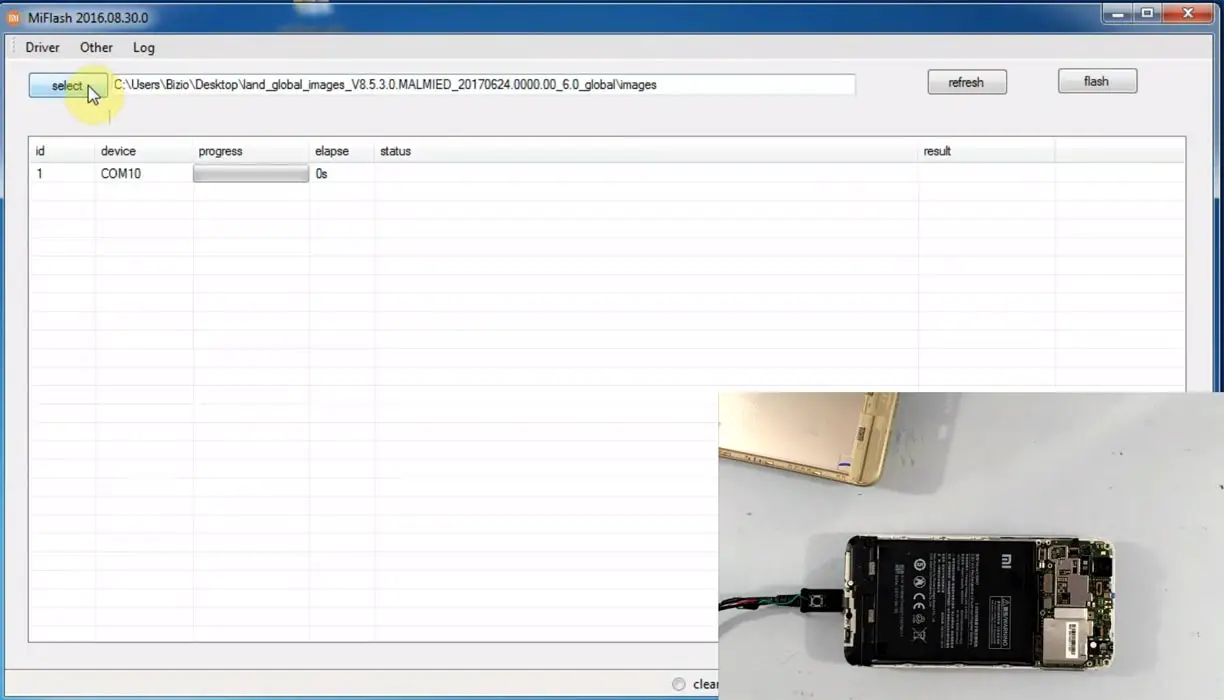
- After getting your mobile ID, Choose firmware using the “select” tab.
- Choose “save user data” in the bottom dot options.
- Now select “Flash.” The software will flash the firmware to your mobile.
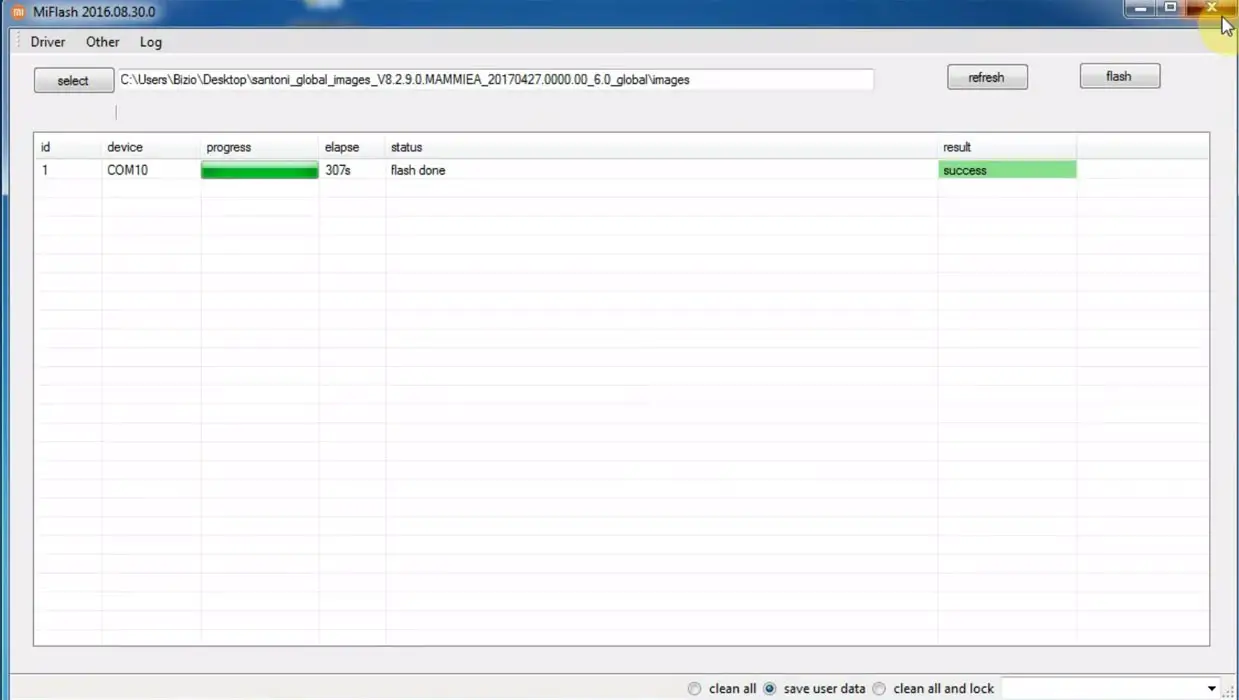
- You will get the “Success” message once the flash firmware is done.
- After completing the process, press the Volume Up+ Power button to exit Fastboot mode.
- You can Check the Firmware Details->Settings->About->Version.
Xiaomi Poco X2 MIUI 12.5 Android 11 Features
Many features are added in the Android 11-based MIUI 12.5 version compared with the Old MIUI version. I mentioned some essential features here, and MIUI 12.5 comes with exclusive Xiaomi and Android 11 general features.
Here I will mention only features not available in other mobile manufacturers’ Android 11 versions, and it is exclusive to Xiaomi mobiles.
System
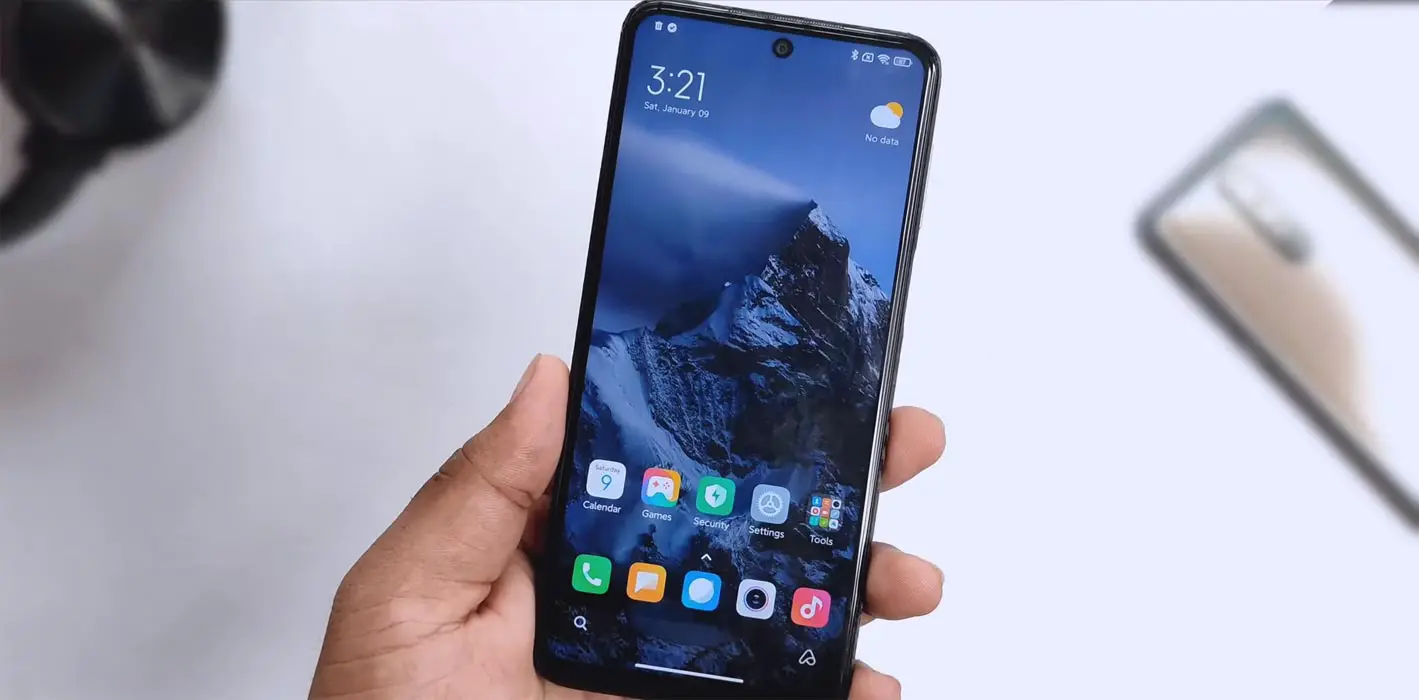
- Enhanced Gesture Respond time.
- 20 times better-Rendering power based on the GPU. So, UI animations and games will work better.
- Lightweight UI that can make the mobile work faster by utilizing reduced resources.
- Realistic Animation framework.
- Focused visualization makes interaction more realistic in usage.
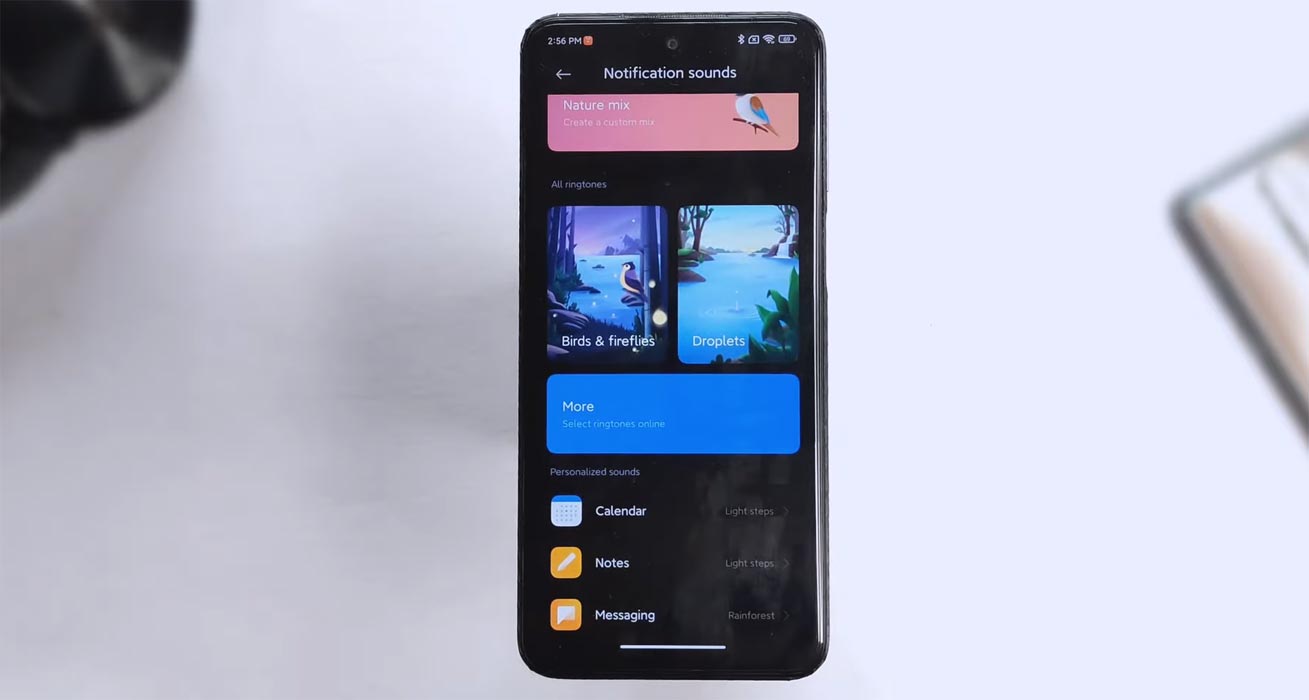
- You can create your notification sounds, and the available System sounds with Nature Mix.
- New Stereo system sounds.
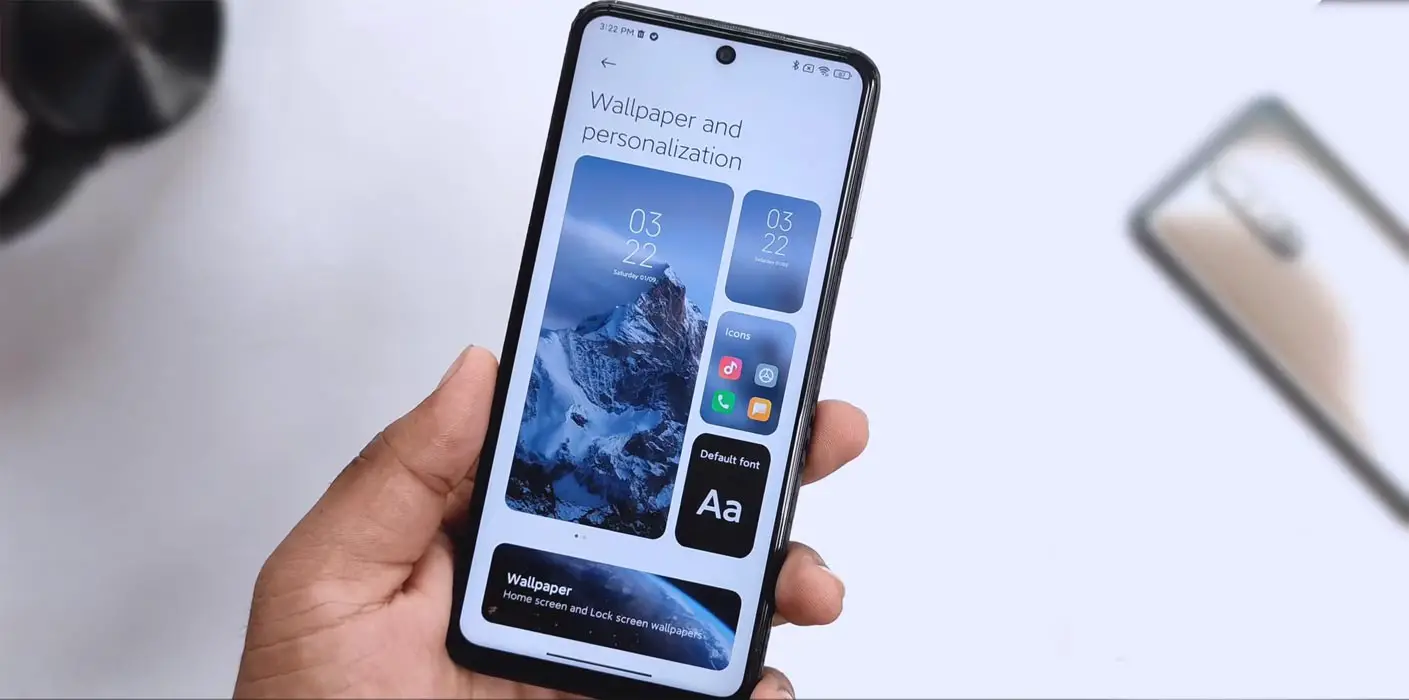
- New Mount Siguniang wallpaper is available.
Privacy Protection
- Now you can view which apps access your clipboard and other primary control access.
- Instead of an actual location, Your mobile will add an approximate location to enhance privacy. You can adjust the location when you need an exact precise location.
- Now you can block unwanted web pages from accessing your data.
- Additionally, You can control which apps can track your online behavior.
- New Privacy risk scanner available.
- You will get Notifications when the apps try to access your high-sensitivity information like call logs.
- A new Privacy Protection page is available.
Notes
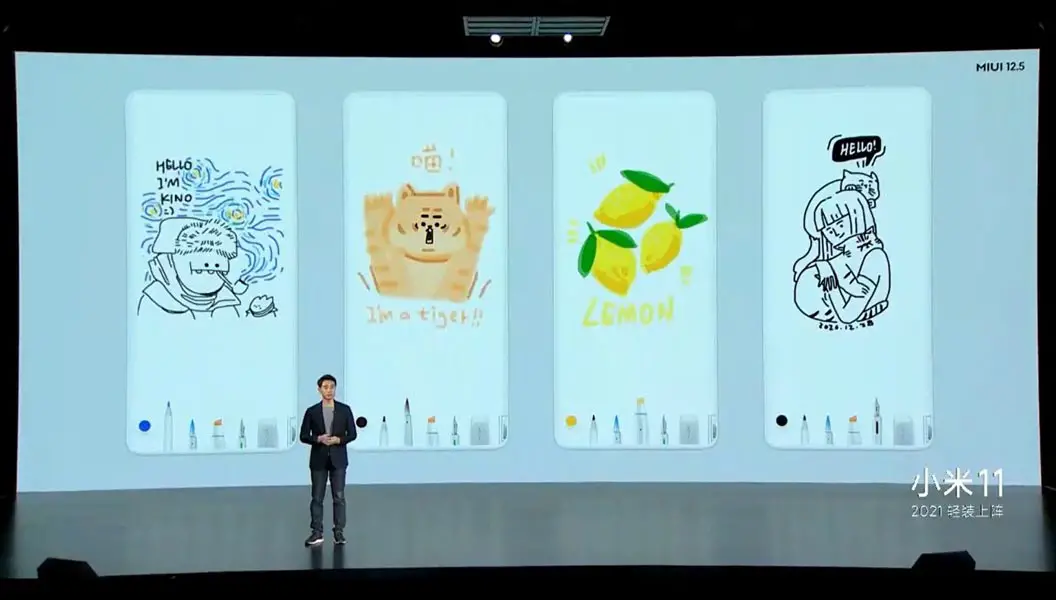
- You can compose mind maps even if it is a complex structures.
- New tools are available for doodling and sketching.
- With the new Gesture, You can create notes anywhere.
- Dynamic layouts for taking typography to a new level.
MIUI+
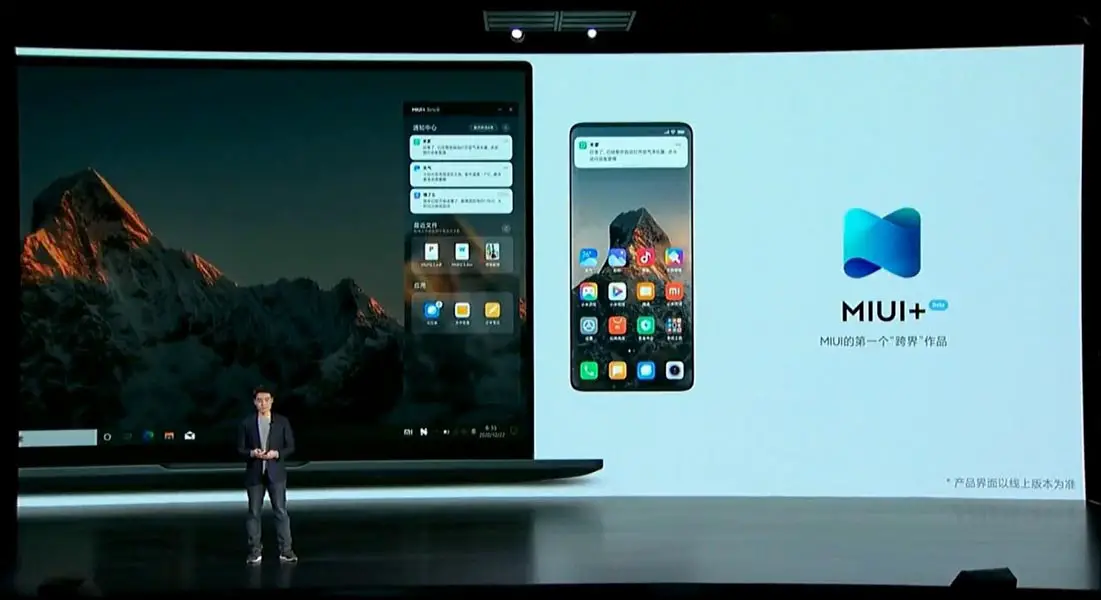
- With the new MIUI+, You can combine your mobile and PC into a single working station.
- You can get your mobile notifications on the Desktop.
- All your apps are available, and you can use them like on your mobile.
- You can drag or copy from your mobile to PC or PC to mobile.
- We can open and use web pages from mobile to PC or PC to mobile.
- New File Manager available for PC usage.
Floating Windows
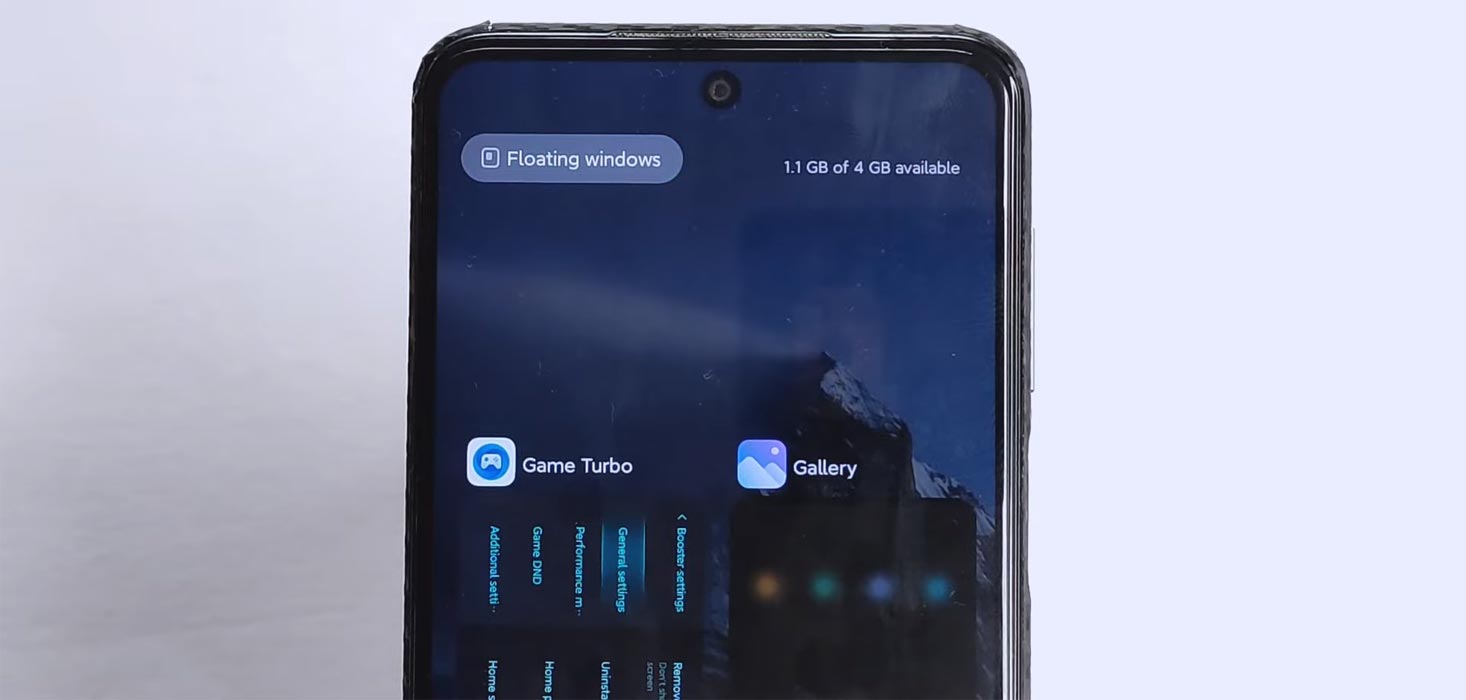
- You can use Instant Messengers in Floating Windows.
- You can use Full-Screen apps when you need them.
- With the App Flashcards, you can view which apps use Floating Windows.
Xiaomi Health
- With a Camera, you can measure your heart rate.
- New free workout classes are available for running, walking, and cycling.
Home Screen
- When Downloading, you can see the “Ripples” animation.
- During uninstalling apps, you can see the “Burst” animation.
- App folders got a new design.
- Vertical layout for recent apps.
Casting
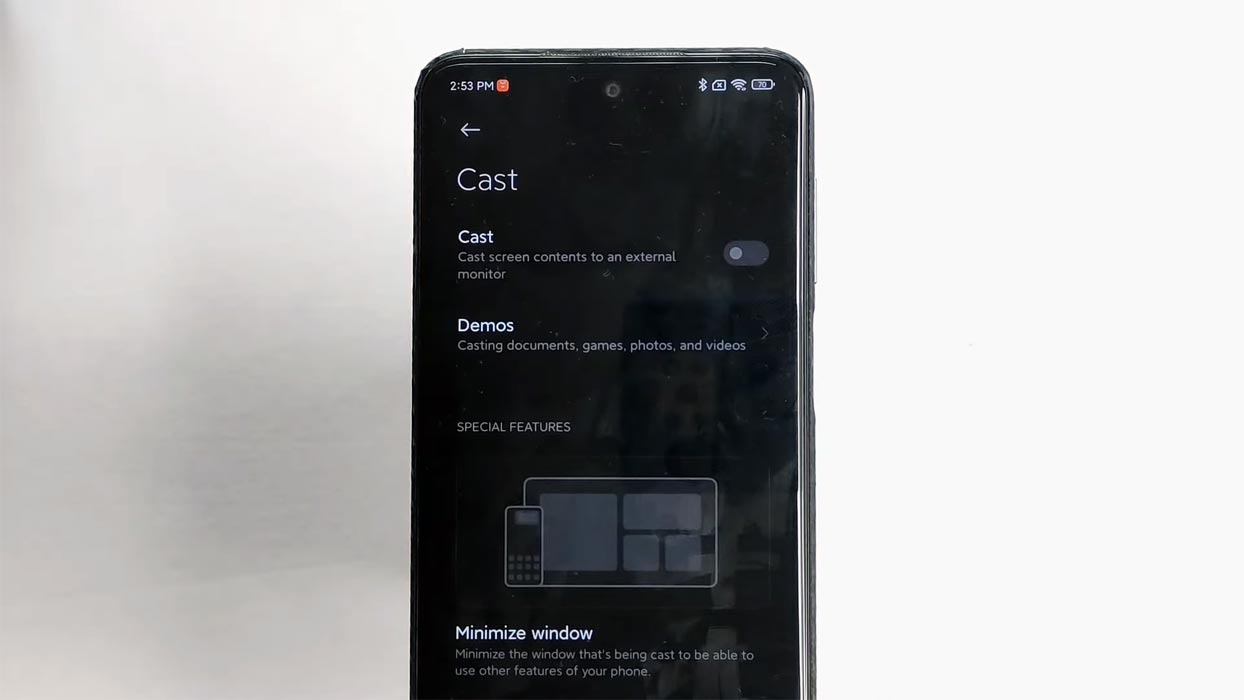
- The aspect ratio will adjust itself automatically when you cast to Big screens.
- The audio casting will differ from the other audio playing on the mobile. You can cast various media and use different media on mobile.
Xiaomi Cloud
- With the new Password Manager, You can store your passwords in the cloud.
- You can share your location in the Family group.
- Now you can convert images to PDF.
Mi carrier services
- It allows you to manage multiple carriers.
IME
- You can move the cursor with the scrollbar.
- You can access more features when you press and hold the function buttons.
Themes
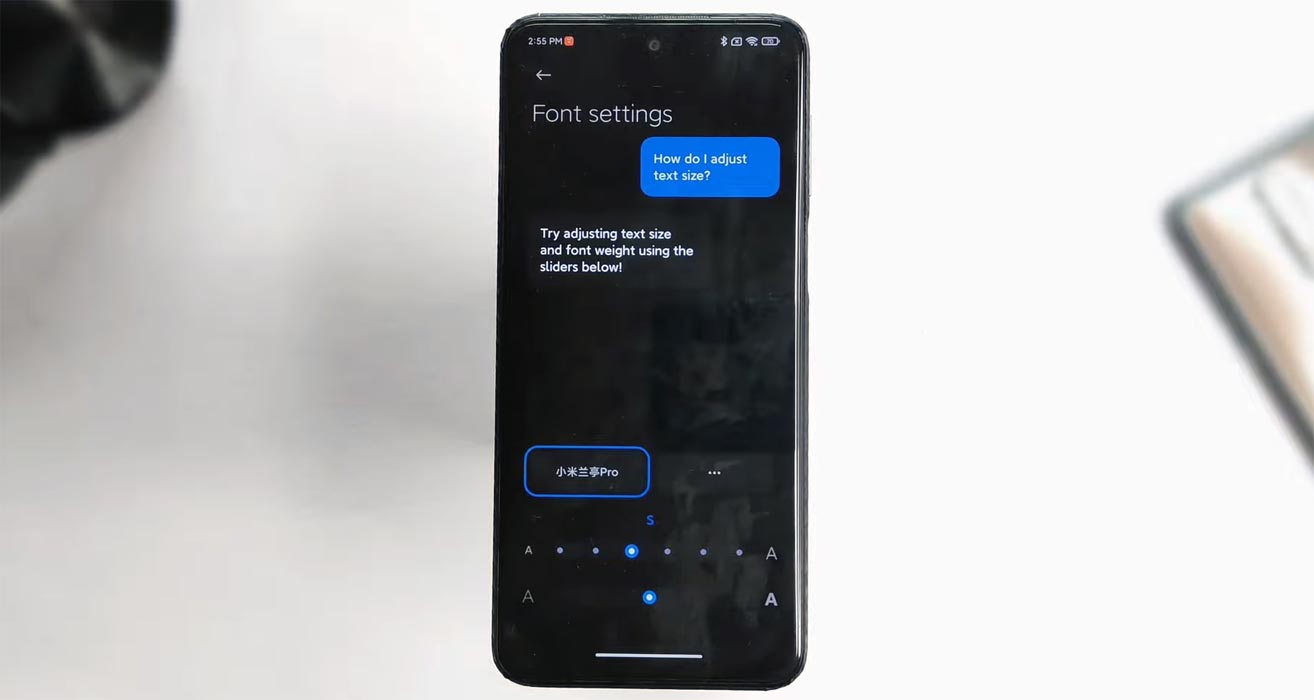
- Font weight adjustment is available when you use third-party fonts.
- Personalization features for system wallpapers and animations.
Browser
- Wallpaper customization is available.
- Pages will load faster compared with the previous OS version.
MI Family
- The revamped control center, and You can manage multiple SIMs.
Search
- Local search available within your mobile is sorted out automatically.
Final Words
Use the Internal memory or Stock recovery-based method in Stock firmware. It is comfortable and safe; You can update it like a Regular OTA Update. But if you were already using Rooted devices, You can try TWRP based method. Don’t download third-party apps; sometimes, it may trigger the updates process. There are a lot of new Gestures available in this update; try them also. In my opinion, When you hate MIUI, You can try to root your Xiaomi Poco X2 Android 11 and install custom ROMs. They are better compared with some other Custom Skin OS. But the new MIUI is better. So try to use this OS instead of a Custom OS. But the decision is your choice…:)

Selva Ganesh is a Computer Science Engineer, Android Developer, and Tech Enthusiast. As the Chief Editor of this blog, he brings over 10 years of experience in Android development and professional blogging. He has completed multiple courses under the Google News Initiative, enhancing his expertise in digital journalism and content accuracy. Selva also manages Android Infotech, a globally recognized platform known for its practical, solution-focused articles that help users resolve Android-related issues.