
The problem with the Custom Skin Android Mobiles with the Activated Carriers is Bloatware. The manufacturer installs a bunch of useless Bloatware apps on our mobile devices. In addition to this, our Carrier also introduces a lot of apps. The Apps don’t bother us If We have a high-ram mobile. But When we have Mid-Range mobiles, the Manufacturer Apps can take up a lot of space, which stops us from using Important apps. Like other Carriers, Sprint also Installs some Bloatware Android Apps like Sprint Hub. Unfortunately, we can’t uninstall this app like Playstore apps. You have to use other methods to disable and delete those Applications. Below, I will explain some ways With Root and Without Root. Based on your current mobile state, you can choose the appropriate one.
Disable and Remove Sprint Mobile Carrier Bloatware Apps in your Android Mobile
Carriers always put out a bunch of apps that can help us use the Carrier efficiently. But when they exceed the limit and try to fill our mobile with their apps. That is the place where we have to remove those apps. Below, I mentioned the required Start, Mid, and Root levels. Based on your comfort, choose the best one.
Note

Some profiles and apps will work directly with your network signal. If you use e-SIM, You have to consult with your Operator before Installing the Apps. If you accidentally delete or turn off the Network profile Application, You may not get the Network Coverage.
Method 1- Disable the Sprint Apps Using Default App Settings
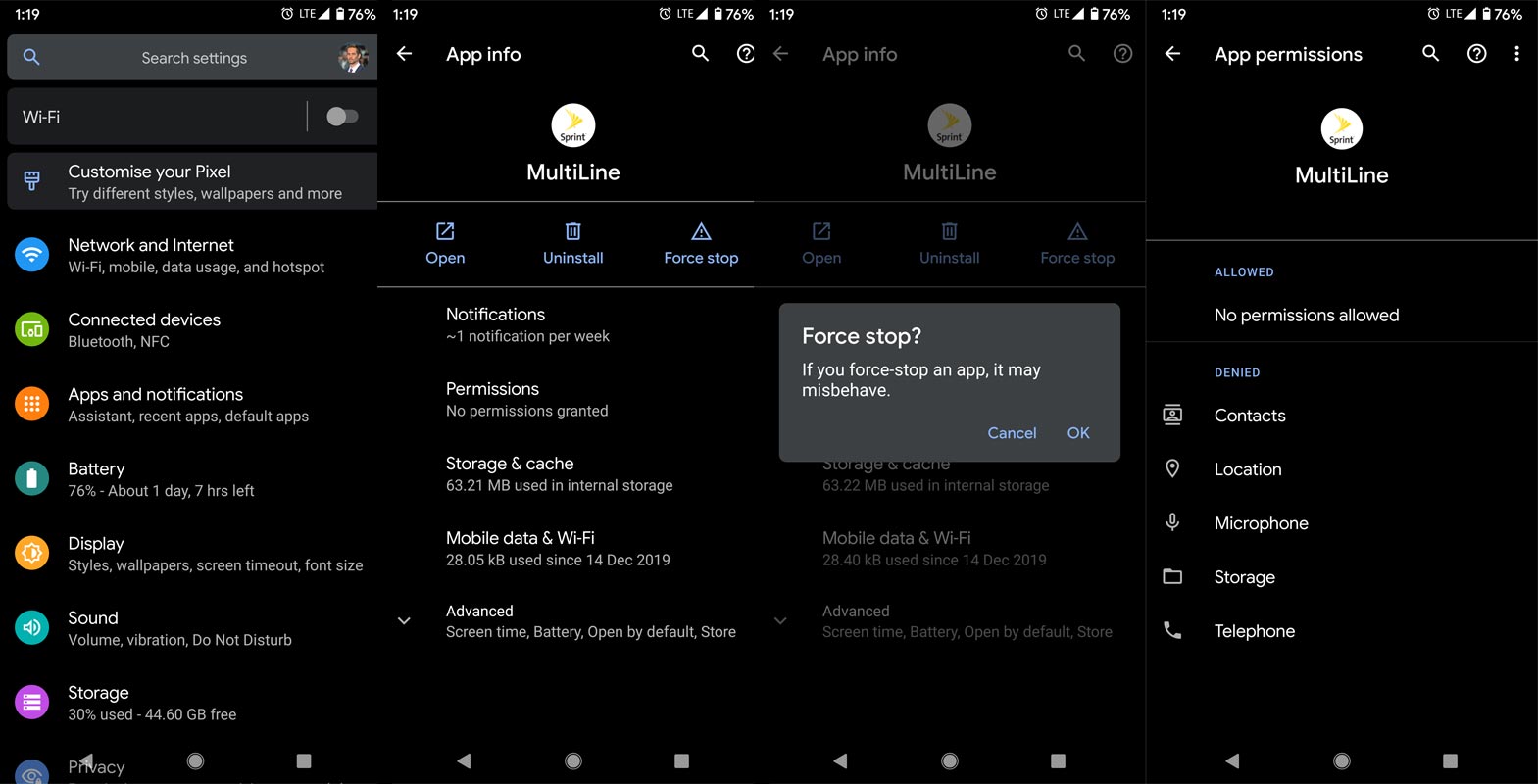
- Go to Settings> Select Apps and Notifications.
- You will get the Installed Applications list. From the menu, select the Sprint Bloatware app.
- You Can’t Un-Install the App. Force Stop the app and Disable all permissions. The problem with this method is that it will start again if you accidentally open the app. You have to Force-stop the app again from Settings.
Method 2- Using ADB Commands, Disable Sprint Apps
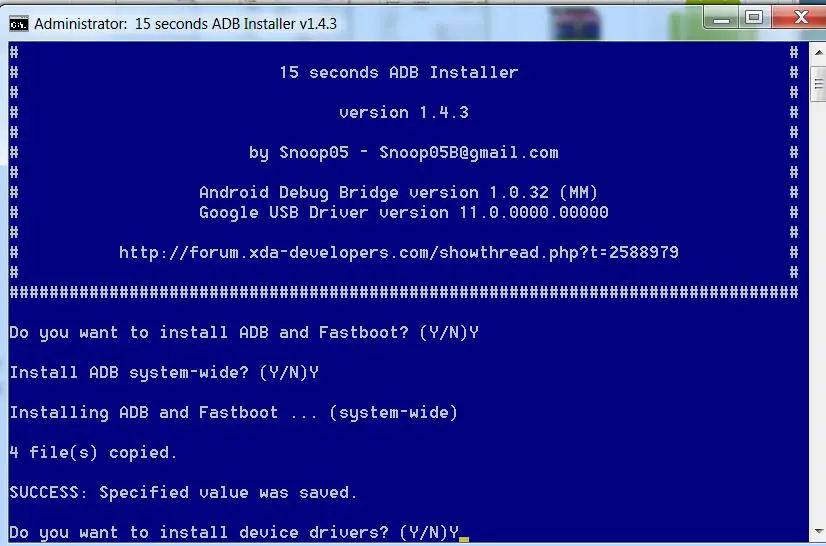
- Download the ADB drivers. Install it on your PC.
- Enable USB Debugging Mode and OEM Unlock; you’ll find these options at Settings >>> Developer options. If you didn’t see the developer options on your settings menu, go to about >>> build number. Click on the “Build Number” row about ten times regularly to activate “the Developer Option” on your device.
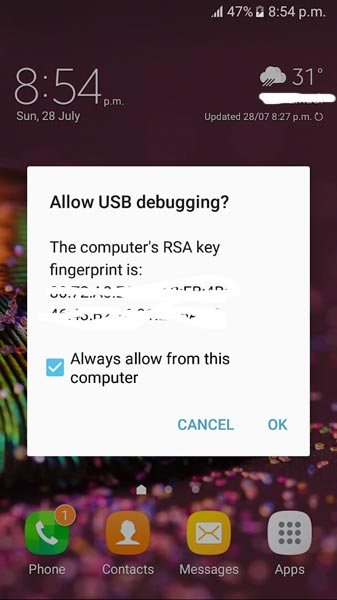
- Connect your mobile with your PC and unlock your mobile (Screen Lock).
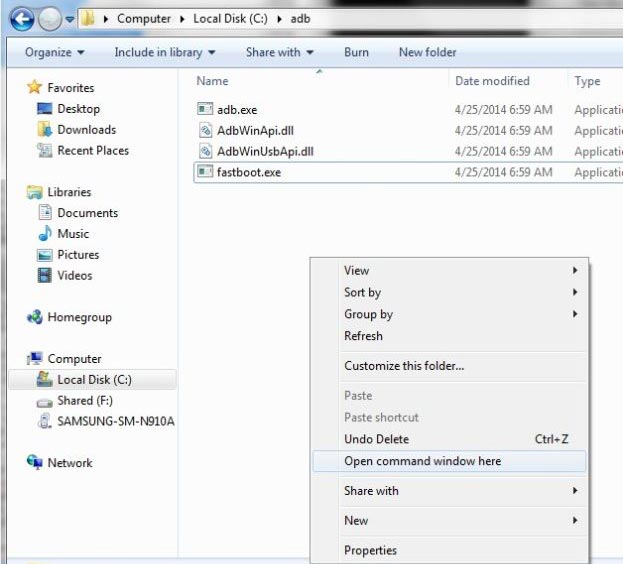
- Open a command prompt as Administrator and type the below command to check the ADB status.
- adb devices
- The above command will display some code for device detection. If you don’t receive any response, check with the USB cable. If you get a response, move to the below commands.
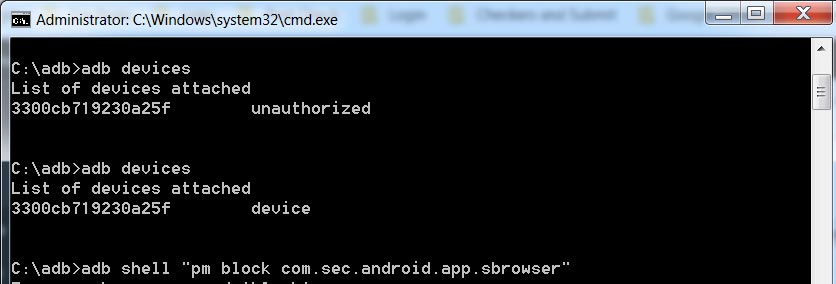
- You can enter the commands individually Or All commands and Hit Enter.
- am force-stop com.sprint.w.installer
pm disable-user com.sprint.w.installer
- You can use the block command if you use Samsung mobile and the disable command doesn’t work. I already covered the topic of Disable Knox and Samsung Bloatware Apps.
- You can turn off the apps based on their adb package name. You can find these package names using the below command.
- adb shell pm list packages
- Based on the title, you can exclude the Sprint apps. After that, use the am force-stop and pm turn-off commands with the Application package name.
Method 3- Using Root Un-Installer
This technique should be your last choice. Before this way, try the ideas mentioned above. This method will require Root Access. Rooting your mobile is unnecessary because you want to Uninstall only Sprint Apps. If you already Rooted your mobile, You know the Limits and What you can do.
Note
It would be best to be careful when using this app since it deals with system apps. I advise you to take the complete backup before this process. You should be completely aware of the app Before Uninstalling it.
Steps
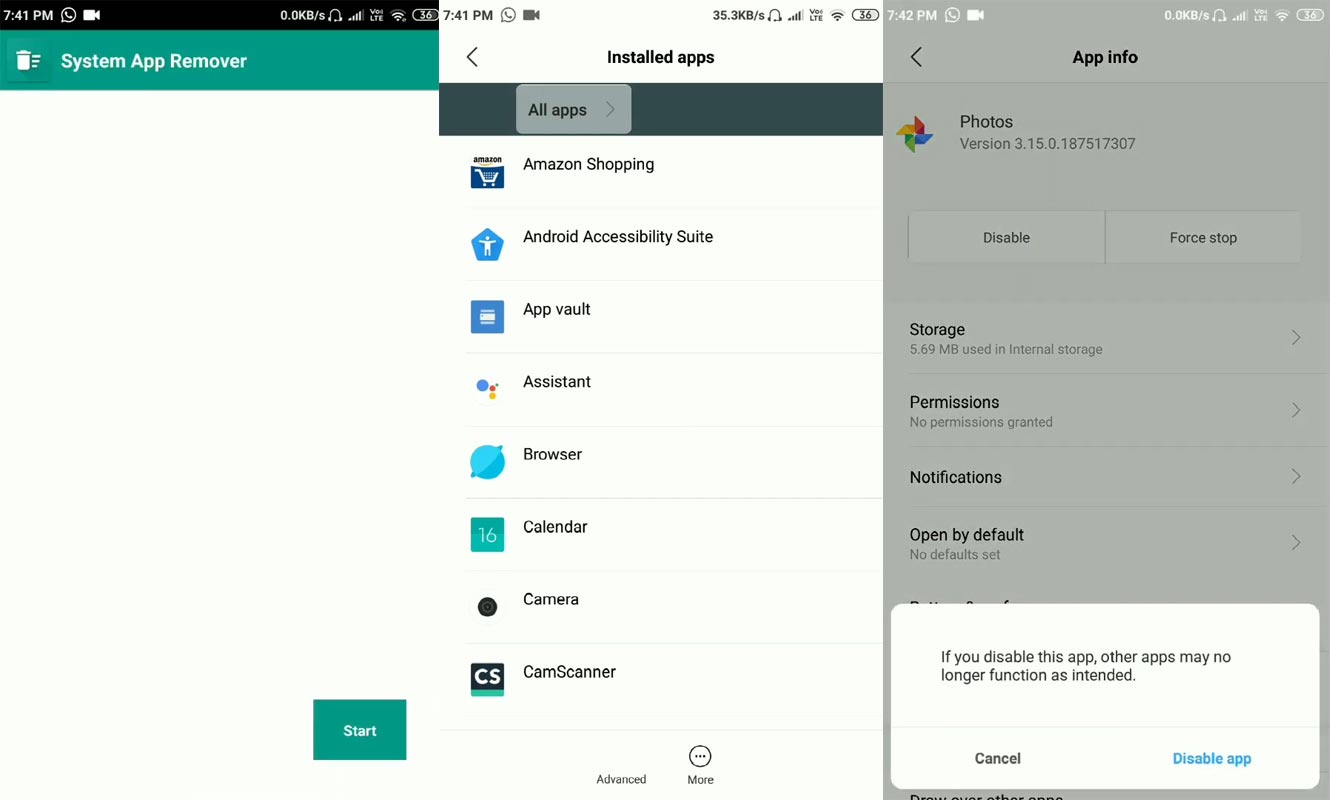
- Download System App Remover.
- Open this app and give Root Access using Super User. You can use Magisk or SuperSU to control the Permissions. You will get the list of all installed apps on your mobile.
- Please search for the Sprint apps, select them individually, and select Uninstall.
Disable Sprint Notifications on your Android Mobile
Another Problem with your Carrier is Message 0 or Push Notifications message. Fortunately, we can turn off this setting without using any unique methods.
Steps
- Dial *2 in your mobile Dialpad and Press the call button.
- You will receive the USSD menu.
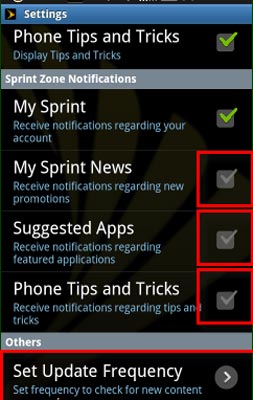
- In Sprint Zone Notifications, Disable News, Suggested Apps, and Phone Tips and Tricks. Don’t Disable the “My Sprint.” You will not receive your account-based details if you turn off this option.
- In the Others Option,> Set Frequency>Every Week/Month, Based on your Wish.
Wrap Up
Other than the Root method, You can’t Completely uninstall the Sprint Bloatware apps. Nowadays, we have to deal with a lot of Notifications. Manufacturers like Xiaomi are Already showing Ads in their System Applications. Realme planned to Show Ads. Additionally, If Our carriers push unwanted Notifications and Ads in the name of suggestions, We hate using our mobile. We can’t deal with all Notifications. But We can disable them using some methods. I hope the above techniques will help you eliminate unwanted apps. When you find other ways efficiently than the mentioned methods, comment below.

Selva Ganesh is a Computer Science Engineer, Android Developer, and Tech Enthusiast. As the Chief Editor of this blog, he brings over 10 years of experience in Android development and professional blogging. He has completed multiple courses under the Google News Initiative, enhancing his expertise in digital journalism and content accuracy. Selva also manages Android Infotech, a globally recognized platform known for its practical, solution-focused articles that help users resolve Android-related issues.