
In today’s competitive social media landscape, understanding audience behavior is crucial to success. With Instagram Reels dominating short-form video content, creators, marketers, and brands continually seek more profound insights into performance metrics. The latest update from Edits App has revolutionized the analytics landscape by introducing a new and powerful feature — the Instagram Reels Skip Rate. This feature provides creators with actionable data on how viewers interact with their Reels, helping to improve engagement, retention, and overall reach.
What Is Instagram Reels Skip Rate?
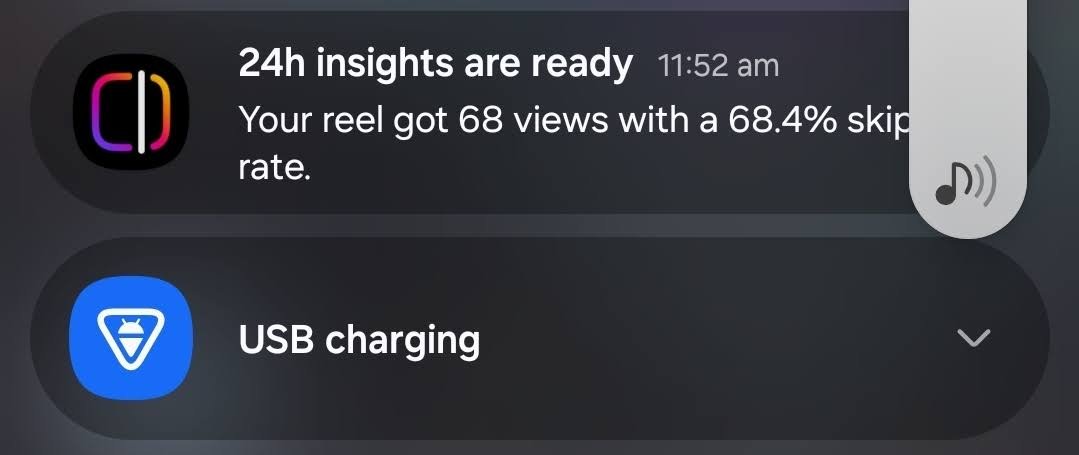
The Skip Rate represents the percentage of users who scroll past your Reel before it finishes playing. It tells you how often viewers lose interest or skip to the next video before your content ends.
For example, if 40% of users scroll away halfway through your Reel, that means your skip rate is 40% — a clear indication that your content might not be holding attention effectively.

Knowing your skip rate helps identify where and why engagement drops, allowing creators to refine video structure, pacing, and hooks.
How Edits App Measures Instagram Reels Skip Rate
The Edits App utilizes advanced engagement tracking, integrated with Instagram’s data analytics system, to accurately calculate the Reel Skip Rate.
Here’s how it works:
- Data Synchronization: Once you link your Instagram account, the app automatically gathers performance data from your Reels.
- Viewer Retention Tracking: It measures how long users stay on your video before scrolling.
- Skip Percentage Calculation: Based on viewer duration and total views, Edits calculates a precise skip rate percentage.
- Visual Reports: The app presents this data in easy-to-understand graphs and trend lines, allowing you to track performance over time.
This level of insight extends beyond likes, comments, and shares, providing creators with a deeper understanding of audience behavior.
Why Skip Rate Matters for Instagram Creators
While traditional metrics like reach and engagement are useful, skip rate is the ultimate indicator of viewer retention.
Here’s why it’s critical:
- Audience Interest: A low skip rate indicates that your content effectively holds attention.
- Content Quality: It reflects how engaging your first few seconds are — the hook that determines whether someone continues watching.
- Algorithm Boost: Instagram prioritizes videos that maintain user attention. A lower skip rate often leads to better visibility and higher placement on the Explore Page.
- Optimization Insight: Experiment with different video styles, intros, and durations to determine the most effective approach.
In essence, your skip rate directly impacts the success and discoverability of your Reel.
Key Insights You Can Gain from Edits App’s Skip Rate Feature
With this update, Edits App empowers creators with data-driven storytelling tools. Here are some valuable insights you can extract:
- Identify Drop-Off Points: See at which second most viewers skip your video.
- Test Hooks and Intros: Compare how different opening scenes affect viewer retention.
- Track Long-Term Trends: Observe whether your skip rate improves as your content evolves and matures.
- Segment Analysis: Analyze skip rates across different content categories, hashtags, or topics.
- Audience Behavior Patterns: Understand how various demographics react to your Reels.
These insights empower you to refine your content strategy for optimal engagement.
How to Access Skip Rate in the Edits App
Getting started with this new feature is simple. Follow these steps:
- Update to the Latest Version: Ensure your Edits App is up to date with the latest release.
- Connect Your Instagram Account: Navigate to settings and authorize Edits to access your Instagram analytics.
- Open Analytics Dashboard: Go to the “Reels Analytics” section.
- View Skip Rate Data: You’ll find the skip rate metric alongside retention and engagement data.
- Analyze and Compare: Use filters to compare different Reels and see what works best.
Within minutes, you’ll have a clear understanding of your Reel performance, powered by real-time data.
How to Reduce Skip Rate and Boost Reel Engagement
Now that you can track your skip rate, the next step is to optimize your content to keep viewers engaged. Here are expert-proven strategies:
1. Hook Viewers in the First 2 Seconds
Your opening shot is everything. Start with action, bold visuals, or intriguing statements to instantly capture attention.
2. Keep It Short and Punchy
Although Instagram allows longer Reels, most users prefer quick and impactful content. Aim for 15–20 seconds for maximum retention.
3. Use Captions and On-Screen Text
Many users watch Reels without sound. Captions ensure your message lands, even in silent viewing mode.
4. Maintain Consistent Energy
A sudden drop in pace or tone can cause viewers to skip. Maintain a consistent and visually engaging energy throughout.
5. Add Transitions and Effects Strategically
Smooth transitions can maintain viewer curiosity, while overusing effects can be distracting. Strike the right balance.
6. End Strong
A firm conclusion — such as a call to action or satisfying visual payoff — can reduce skip rate and encourage replays.
By following these methods, you can significantly decrease your skip rate and improve your overall reach on Instagram.
The Competitive Edge: Why Edits App Is a Game-Changer
Most third-party analytics tools only show basic metrics. The Edits App, however, goes further by offering behavioral insights that truly matter.
Here’s what sets it apart:
- Real-Time Data Updates
- AI-Powered Insights
- Customizable Reports
- Deep Integration with Instagram
- Trend Forecasting Based on Viewer Behavior
These features give creators, brands, and influencers a competitive advantage in understanding what content resonates best with their audience.
How Skip Rate Affects Instagram Algorithm Performance
The Instagram algorithm rewards videos that keep users engaged on the platform for extended periods. When your skip rate is low, it signals to Instagram that your content is engaging and likely to be viewed.
As a result:
- Your Reels are shown to more users in the Explore feed.
- Your content appears more frequently in recommendations.
- You gain organic growth and increased visibility.
Skip rate serves as a retention signal that helps the algorithm determine which Reels deserve promotion.
Future of Instagram Analytics: What’s Next for Edits App
The addition of skip rate tracking is just the beginning. Edits App is continuously evolving to provide deeper, AI-driven insights. Future updates may include:
- Emotion Detection from Viewer Reactions
- Predictive Engagement Scores
- Content Heatmaps showing attention focus areas
- Trend-Based Suggestions for viral potential
These advancements will make Edits App an essential tool for professional creators who want to stay ahead of Instagram’s algorithmic curve.
Final Thoughts
The Edits App’s new Skip Rate feature marks a significant leap forward for Instagram analytics. By giving creators precise data on where they lose audience attention, it enables more intelligent content optimization and stronger engagement.
Whether you’re a brand, influencer, or social media strategist, this feature is the missing link between creating content and understanding its actual impact.
With Edits App, you can now not only see who’s watching — but understand why they stay or skip.

AITeam is the dedicated editorial team of Android Infotech, consisting of experts and enthusiasts specialized in Android-related topics, including app development, software updates, and the latest tech trends. With a passion for technology and years of experience, our team aims to provide accurate, insightful, and up-to-date information to help developers, tech enthusiasts, and readers stay ahead in the Android ecosystem.
For more about our team, visit our About Us page.