
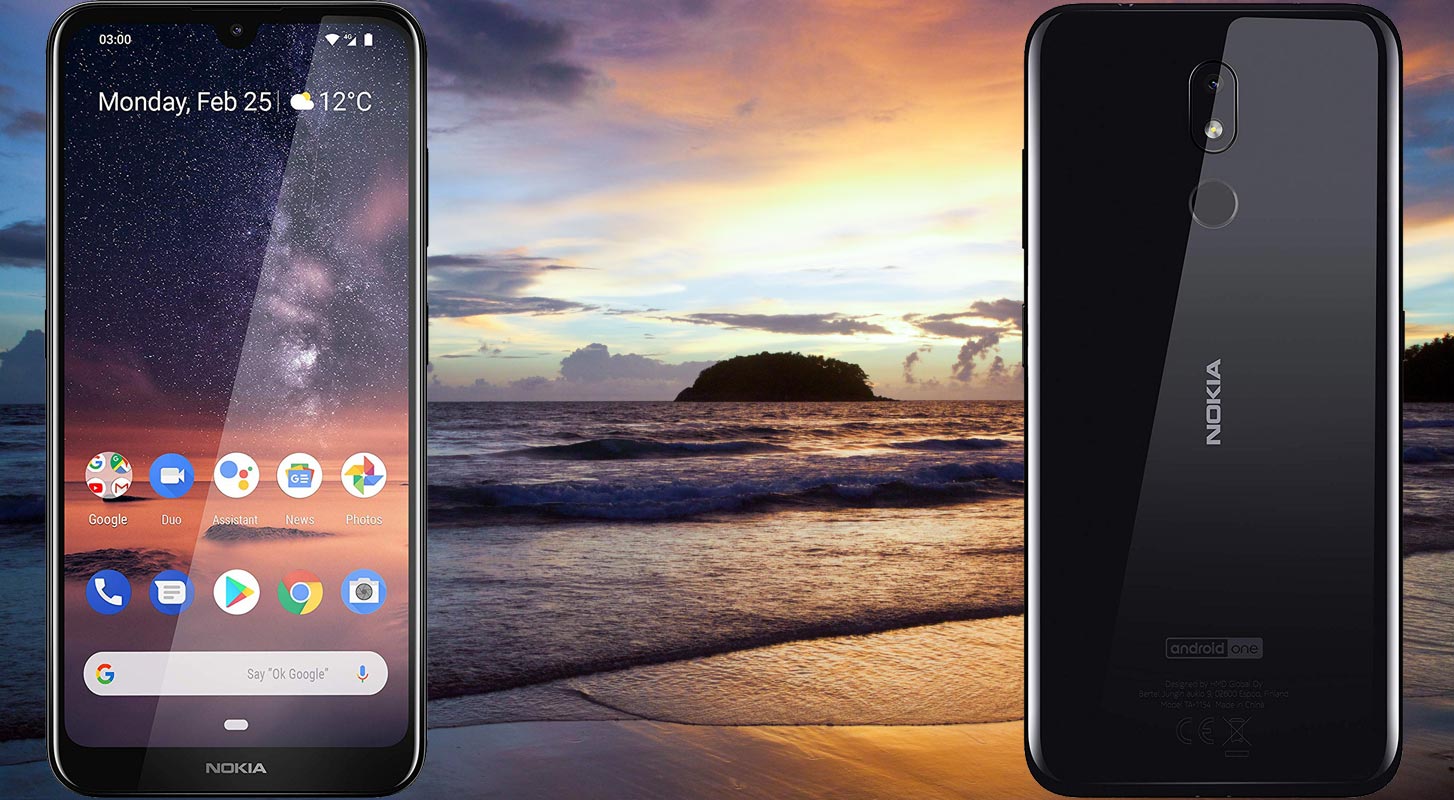
Nokia 3.2 comes with Android Pie 9.0 version as a default OS. The os is under Android One Program. Means you will receive guaranteed two years of a regular patch updates and Major upgrades. You can always check and update your mobile using the OTA method, by Software update option in settings. When you can’t do that Automatically, you can try this manual method. This will help when you accidentally bricked your mobile. You can root your mobile using the magisk patched method. When you did that and want to return to the unrooted environment, you can make complete clean Installation using one of the below two ways. Qualcomm’s method succeeds most of the time. When this method is not working, you can move to the OST method.
Pre-Requirement Steps
You should perform these steps before starting the process.
Run a backup
Always and always, you must run a comprehensive backup of all files, documents, and data on the Android device to be worked on. While the action may be done by a professional, if there be any mistakes, all data on the Mobile will be lost.

So, to be on the safe side, do run a backup first before continuing.
Charge the device fully
A lot of people will say you should charge the device up to 50% battery percentage or more. We recommend a fully loaded mobile so that there won’t be any stories.
Download ADB, Qualcomm drivers, and ROM
- Yeah, it is essential. You must download and install the Qualcomm drivers on the PC, which you’ll be using for this action.
- Download the ADB drivers, Qualcomm Drivers Install it on your PC.
- Download Nokia 3.2 ROM from below.
Flash Firmware Pie 9.0 in Nokia 3.2 devices
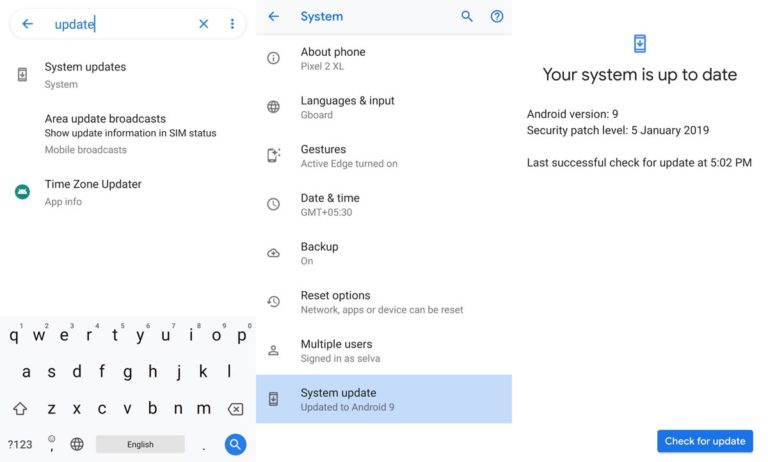
Official OTA Method
If you want to update a security patch to the current month. Don’t go for the manual method. Try this Automatic method.
The process is straightforward and simple;
-
Go to your device setting menu and scroll down to the bottom
-
Tap on “Software Update”
-
You may have to refresh the page to start the OTA upgrade process.
Manual Method
Using Qualcomm Flash Image Loader Tool
This method requires PC support; You can also use this method to use Stock ROM If you are using Custom ROMs.
- Download Qualcomm Flash Image Loader Tool.rar and install this file on your PC.
- Copy your downloaded firmware to PC and extract the file. You will get the flashable file.
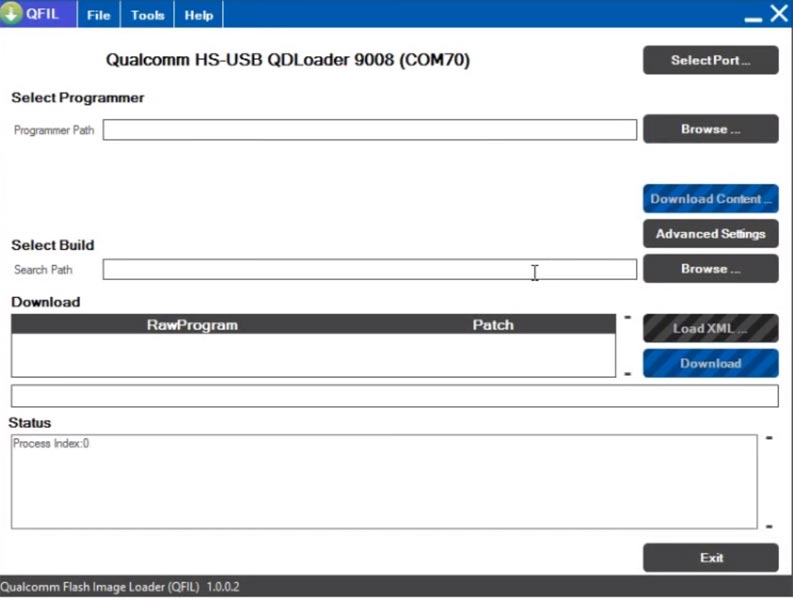
- Open the Qualcomm tool. You will get No Port message.
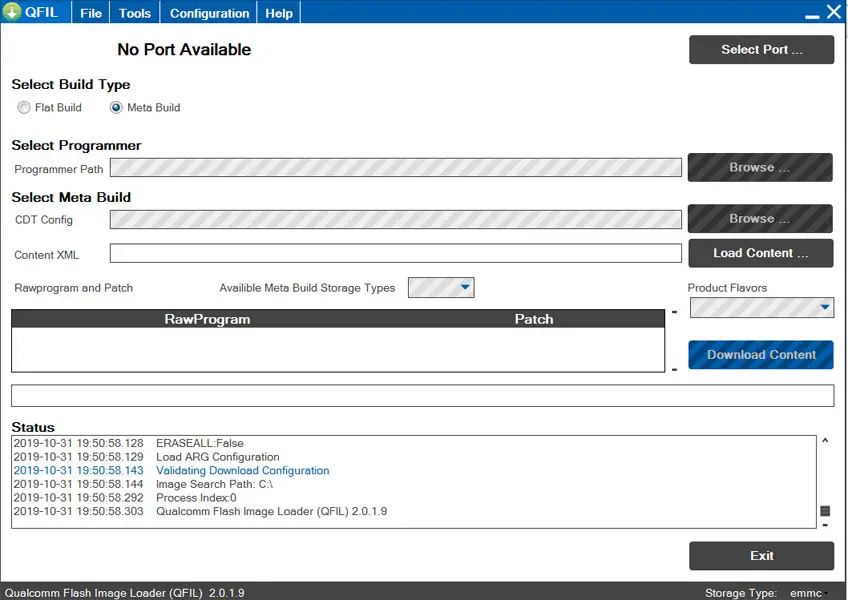
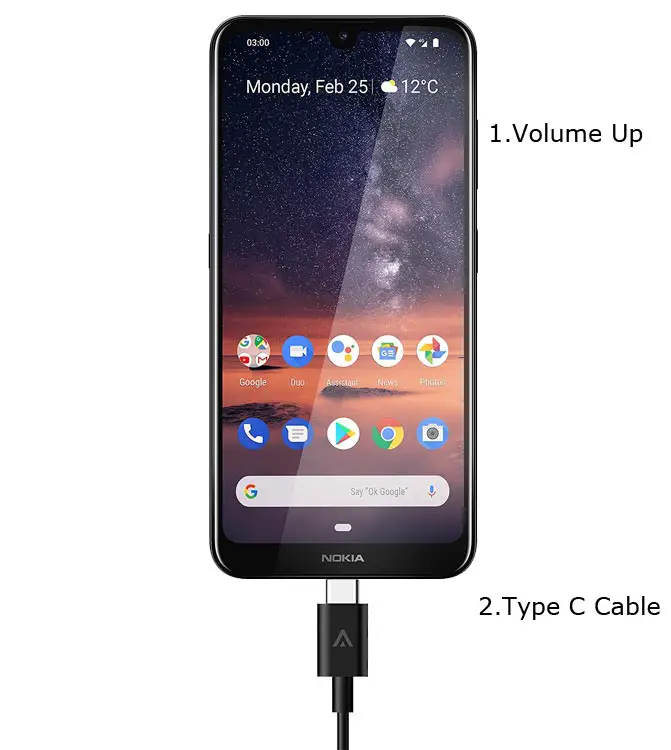
- Switch off your device. Then, enter into the Download mode. To do this- Press and hold down the Volume Up button and connect your mobile with PC.
-
You will get a Device value on the screen.
-
Now, Select Build and Browse for the firmware folder. You should select the Complete folder.
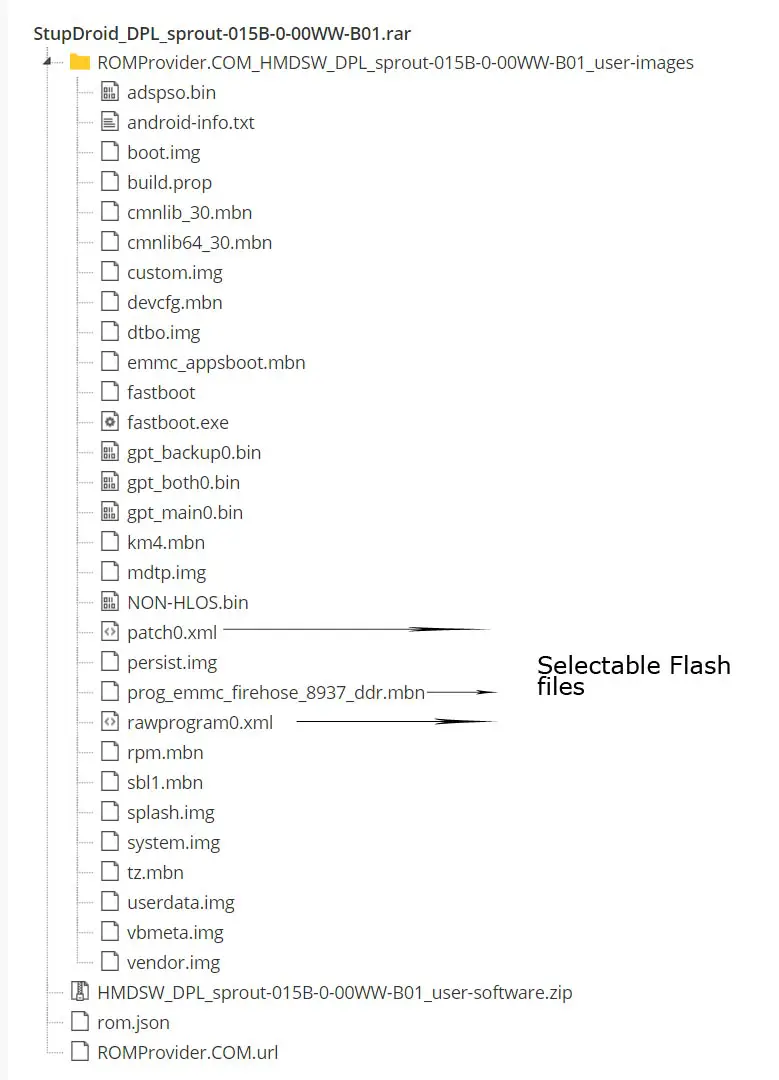
- In Load XML, Select RAW file.XML. When It asks for the patch file, select the patch file. Most of the time, It will detect those files automatically. To Better Understand, I attached the extracted firmware files below.
-
Select the programmer path and select firehose.mbn file.
- Now select the Download button to flash the firmware on your mobile.
- The command will install all the files. When the process complete, It will reboot your mobile.
Using OST Tool
This method also requires PC support; You can also use this method to use Stock ROM If you are using Custom ROMs.
- Download OST Tool.rar/ Mirror and install this file on your PC. Further Installation Instructions are attached within the .rar file.
- Copy your downloaded firmware to PC and extract the file. You will get the flashable file.
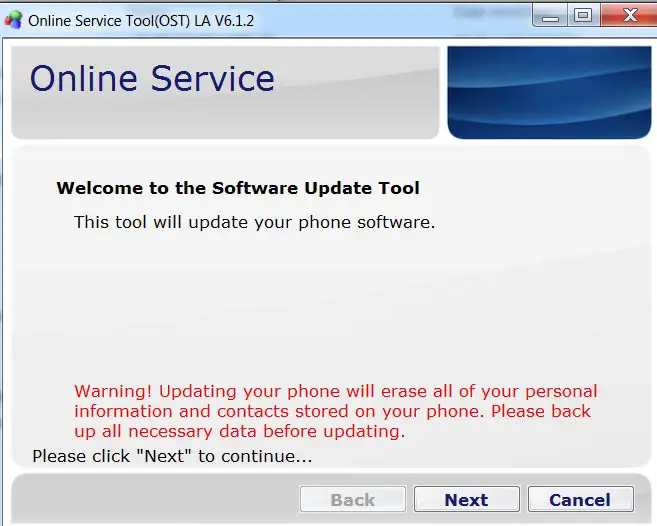
- Open the OST tool. Select Next. Select the three-dot icon and navigate the firmware file (.nb0).
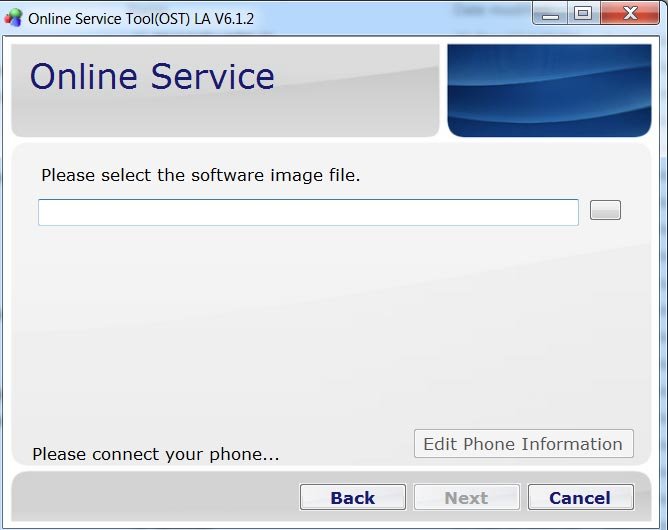
- Switch off your device. Then, enter into the Download mode. To do this- Press and hold down the Volume Up button and connect your mobile with PC. You will get enabled “Edit Phone Information.”
-
You will get an Error message. Ignore that message and select “Next.”
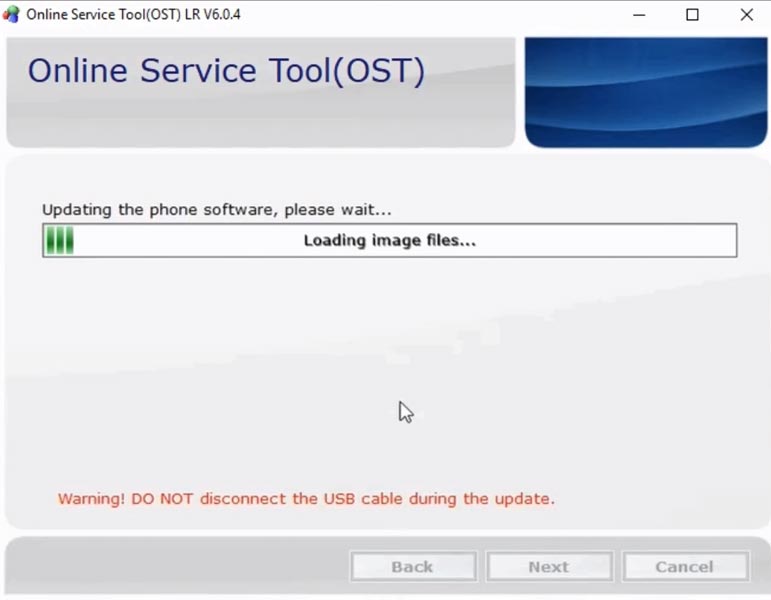
- This process will install all the files. When the process complete, It will reboot your mobile.
Check Firmware
Since you have just flashed new firmware to your Nokia 3.2 device, you may want to check if the firmware is correctly installed or not. Follow the step below to check your device firmware version.
You can check the firmware details >>> settings >>> about >>> version.
Nokia 3.2 Pie 9.0 Features
There are plenty of features added in the Android Pie 9.0 version, compare with the Nougat, Oreo versions. Here I mentioned some important features.
Gesture Features
- Swipe up for recent apps
- Swipe tray up for the app tray
- Single tap to return home
- Long press to activate Google Assistant
- Swipe left to go back
- Swipe right to flip between the last two apps. You can refer to a lot of Gestures.
Notifications
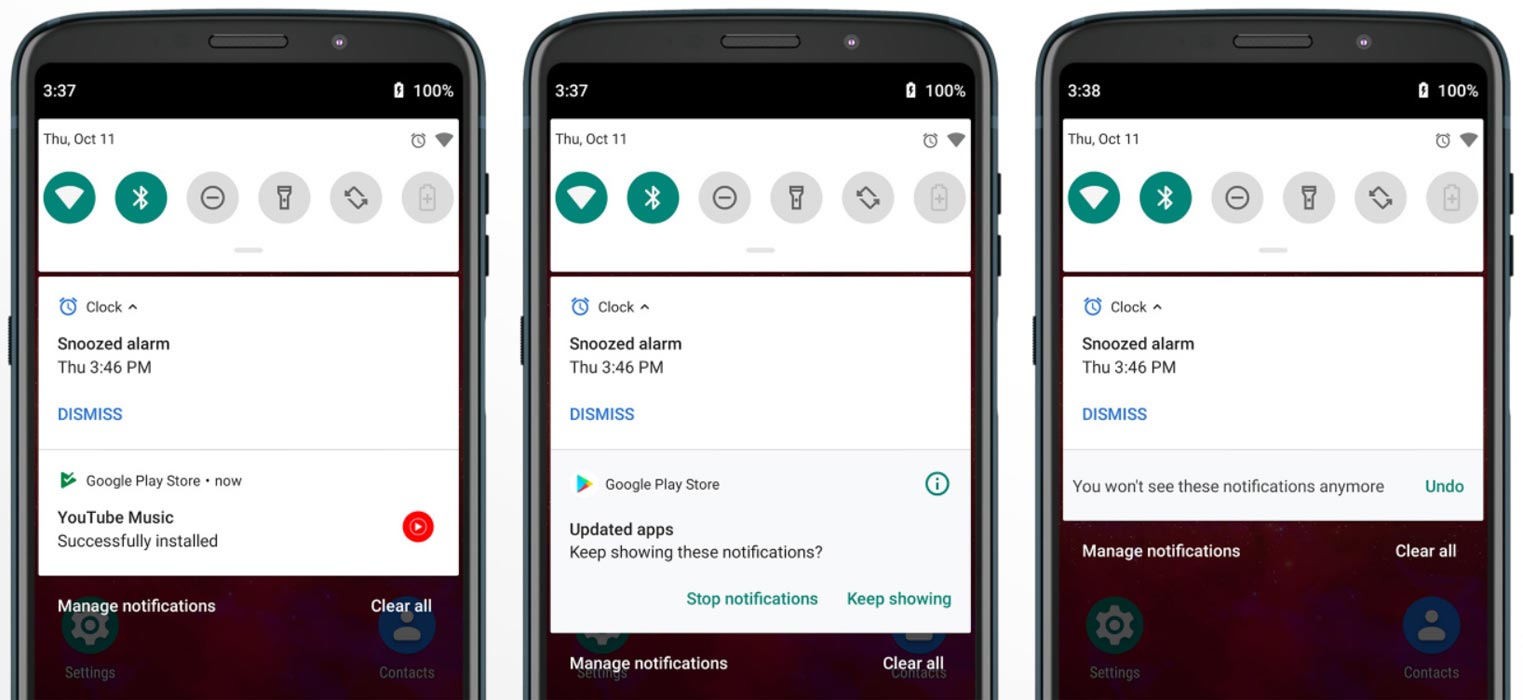
- Now you can disable some unwanted notifications based on your explicit frequent. If you clear notifications without reading for some specific apps, based on your usage, the system will ask to disable for the separate app.
Adaptive Brightness
- Based on the environment, your device can automatically adjust the Brightness. To enable this go to Settings >> Display >> Adaptive Brightness
Battery Manager
- If you enable the Battery manager, you can restrict apps that use unwanted power in the background.
Always On Display
-
New clock styles have been added, Charging Information is also available.
Settings
-
Menus have been reorganized to find every essential and frequent usage easily.
Phone
-
Call History increased.
Contacts
-
Now you can manage contacts from various accounts with a new drawer menu.
Camera
-
Enhanced features are available now with AI Features.
Gallery
-
Photo Editor App Available.
Easy Screenshot in Power Button
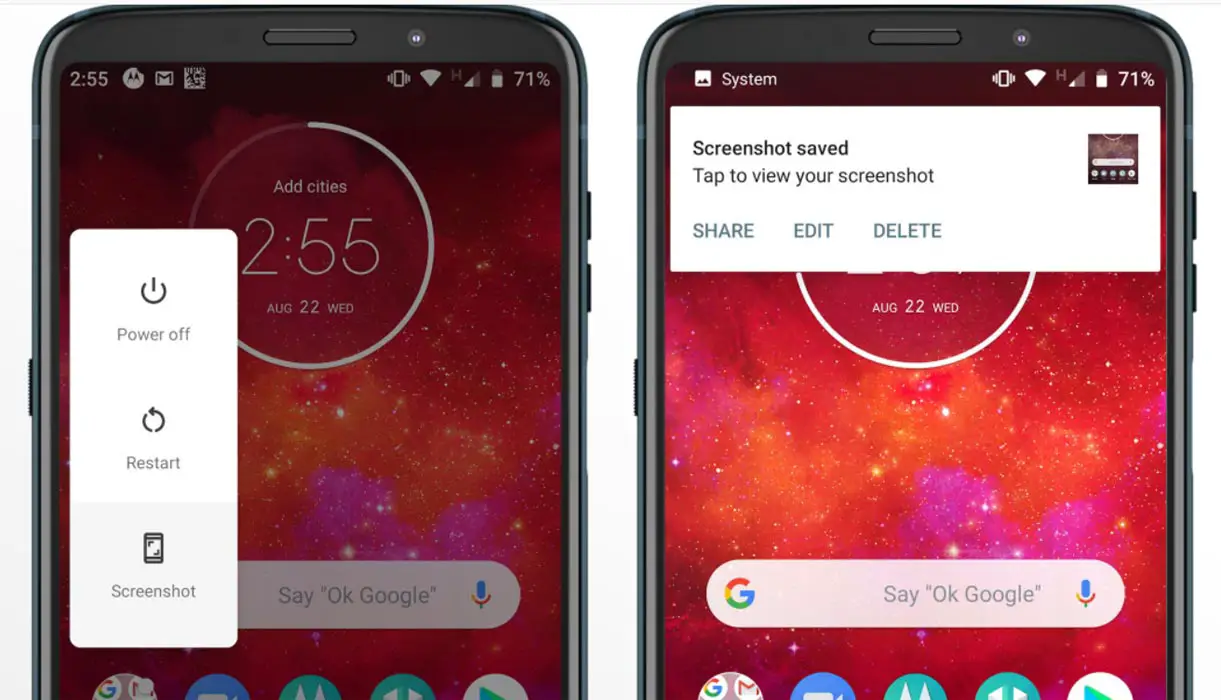
- Now you can easily take a screenshot using Power Button. Press Power Button >> Screenshot.
Other Features
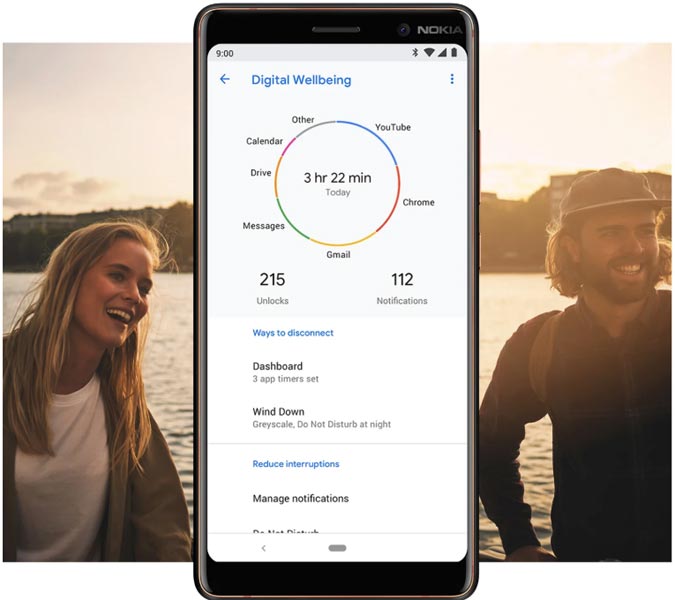
- Digital Wellbeing and Enhanced DND modes.
- Added extended VoLTE feature
- Added Panorama feature for the camera
- Some Camera improvements
- Easy Volume Controls
Final Words
If you are in Stock firmware, Use the sideload based method. It is comfortable and safe; You can update like a Regular OTA Update. But if you were already using Rooted devices, You can try these methods. Don’t download any third-party apps; sometimes, it may trigger the updates process. There are a lot of new Gestures available in this Update, try them also. In my opinion, Nokia 3.2 near Stock Android is better to compare with some other Custom Skin OS. So try to use this OS instead of a Custom OS. But the decision is your choice…:)

Selva Ganesh is a Computer Science Engineer, Android Developer, and Tech Enthusiast. As the Chief Editor of this blog, he brings over 10 years of experience in Android development and professional blogging. He has completed multiple courses under the Google News Initiative, enhancing his expertise in digital journalism and content accuracy. Selva also manages Android Infotech, a globally recognized platform known for its practical, solution-focused articles that help users resolve Android-related issues.