
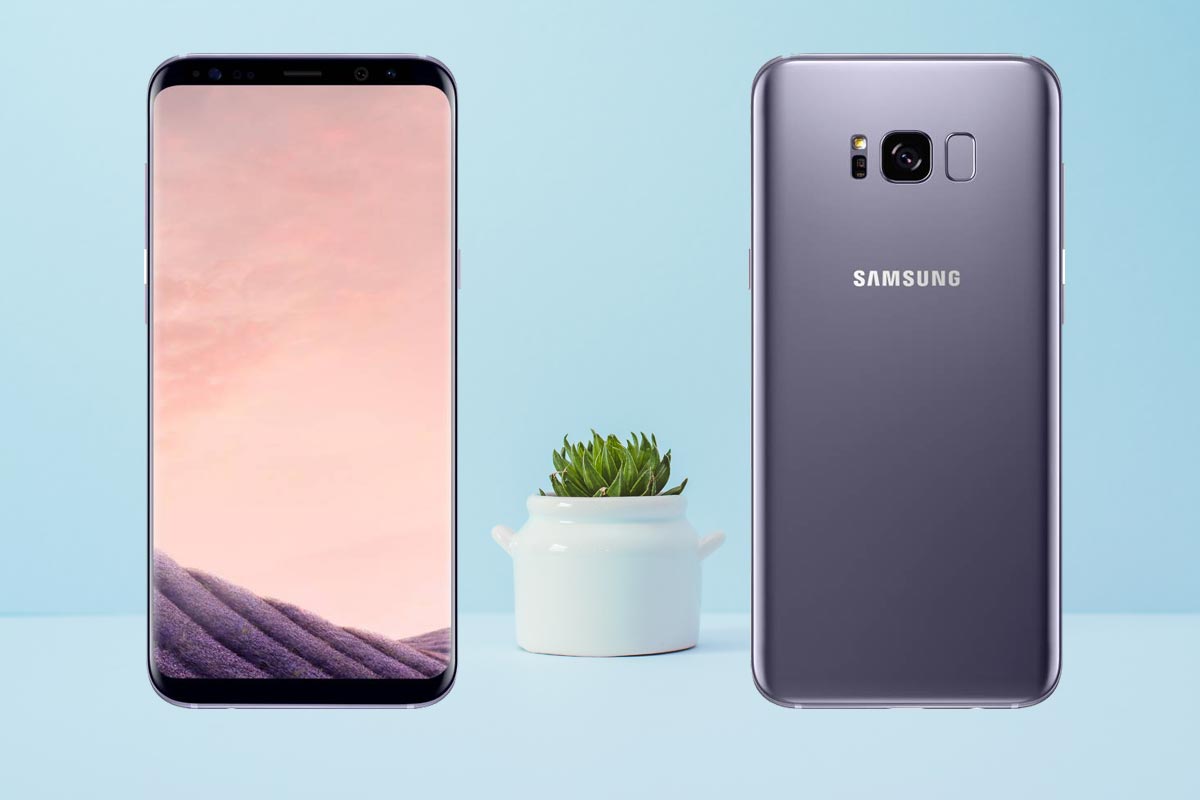
Samsung Galaxy S8 Plus received One UI Pie 9.0 Update. So, the OS is pretty good and better than Old OS UI. But, If you are not satisfied with the UI, or you need root access to use some Root required apps, you can now root your device using the below methods. In My opinion, with this OS, Snapdragon 835 processor and 6 GB RAM are more than enough to manage High resource required tasks. And Also the Pie update is well optimized with a lot of features. If you have a good reason and you know what you are doing, follow the below steps, to achieve root on your device.
Why should you Root Samsung Galaxy S8 Plus?
You should have a strong reason for rooting. Samsung Already released One UI 9.0 Pie and is already optimized. You have Enough 6 GB RAM to use daily apps without Lag. But beyond, you are addicted to some root apps, or you are a frequent user of some Custom OS, you can proceed further. But if you want to root because everybody is doing, I advise you, don’t root If you didn’t have any experience.
How to Root Samsung Galaxy S8 Plus SM-G955F Pie 9.0
Samsung Galaxy S8 Plus International variants come with a flexible bootloader. This means that the smartphone can be easily rooted. Also, the device can accept to install TWRP recovery or any other custom recovery file/app alike. Don’t try with Snapdragon US Variants like Verizon devices. They come with locked Bootloader.

TWRP recovery is a custom recovery file which must be installed on Samsung Galaxy devices because you can root them successfully. In this article, we explained the easiest method to follow and install TWRP recovery on Samsung Galaxy S8 Plus. However, the tool required for rooting this device is the Magisk App.
With the help of TWRP Recovery, you can quickly flash the latest version of Magisk into your S8 Plus to gain root access. Before sharing the tutorial, you may want to know that, with the TWRP recovery present on your device, you can easily install any custom ROM or firmware. Does it seem complicated? Relax, everything will be explained succinctly in bullets.
Things to check out for;
-
Check your device model number.
- Select TWRP Based on the mobile model number.
-
Make sure your device battery is charged above 50%
-
Backup your current files and data, just in case (save them on external storage).
Pre-Requirement Steps
-
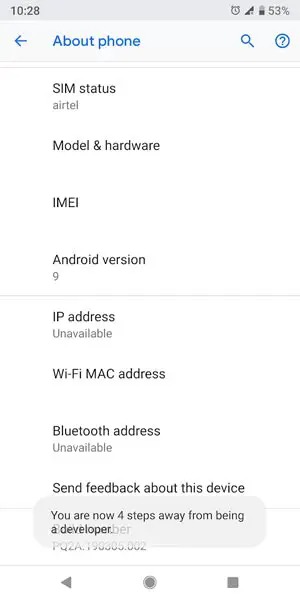
Enable USB Debugging Mode and OEM Unlock in your mobile. To do this; go to settings >>> about >>> Tap on the “Build Number” 7-10 times consistently to enable “Developer Options,” then go to the “Developer Options” and enable USB Debugging Mode and OEM Unlock. There is no complicated process in the Samsung Galaxy S8 Plus.
-
Download and install the Samsung USB driver to your computer system.
-
Also, download the ODIN software. Select the above Oreo version in the ODIN list. Install ODIN on your PC.
- Download Magisk.Zip (Download Latest version), no-verity-opt-encrypt (Latest version) and RMM State Bypass, Copy it to Your External SD Card Storage Memory. We Need to flash RMM State to avoid OEM Lock automatically in the future after the Root process.
-
Download and save the TWRP File. Select the Correct TWRP file from Below. This TWRP can support Up to Pie 9.0. Choose the latest .tar file.
Flash TWRP using ODIN
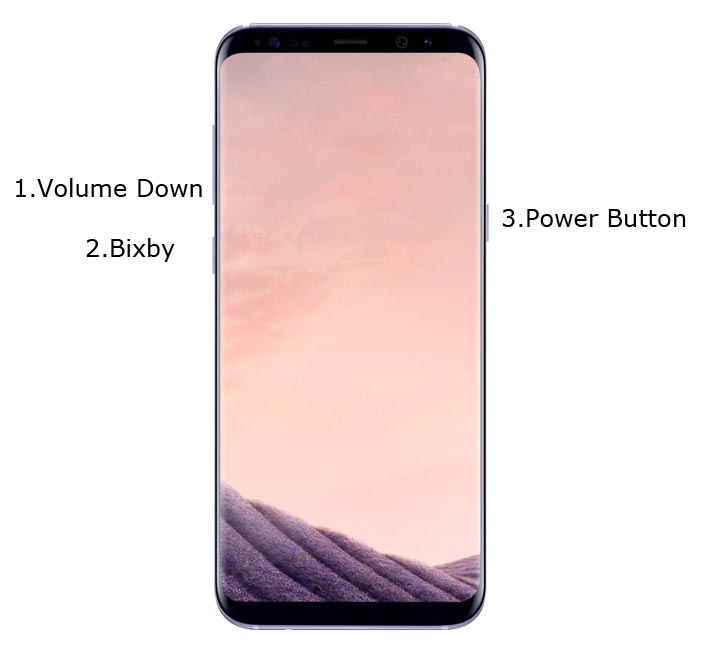
- Connect your USB Cable with PC. Switch off your device. Then, enter into Download mode. To do this; press and hold down the Volume Down + Bixby + Power Buttons buttons and connect your Type-C USB Cable.
-
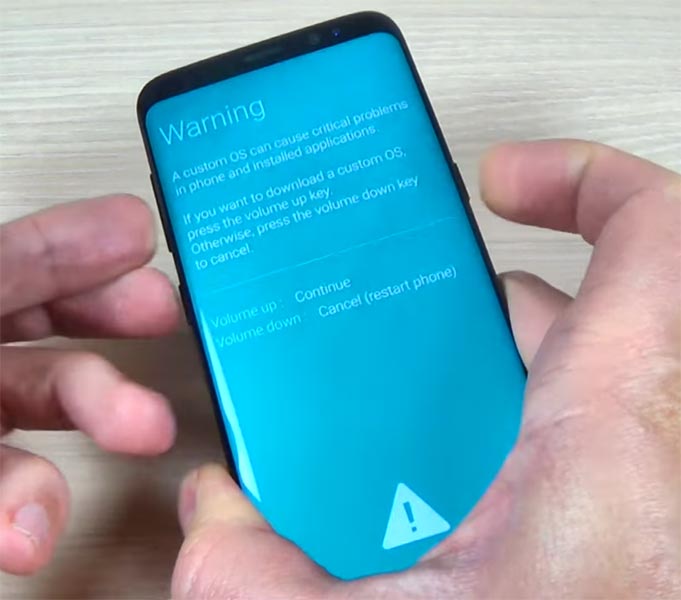
Press the Volume Up button to continue when you see the warning message.
-
Now, connect the Samsung Galaxy S8 Plus mobile to the computer via USB cable.
-
Launch the Odin app on your computer. If the device is detected by this app (Odin), it will show you a message that reads – added!!!
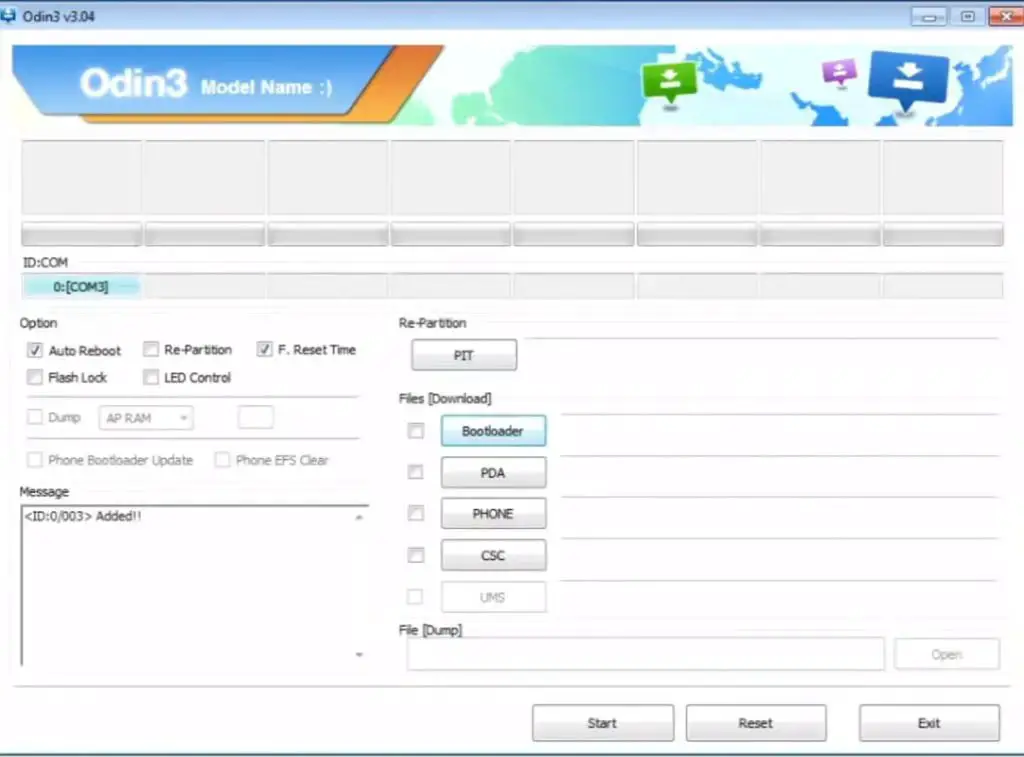
However, if the device is not correctly connected to the PC, you won’t see this message. So, you have to check the USB cable if it is reasonable and reconnect the device.
-
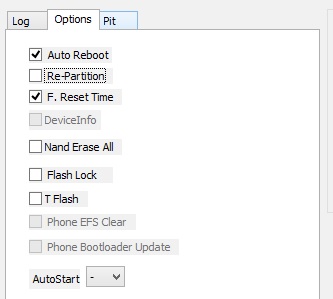
After connecting the Samsung device, click on the PDA/PA button to browse/search and get the TWRP from where you saved it on your PC. Also, navigate to “options” and tick the Auto Reboot.
-
Click on “Start”
-
Once the file is loaded into the device, reboot your device.
-
Kudos, you have just Installed the TWRP on your Samsung Galaxy S8 Plus. If you installed TWRP, Don’t turn on your mobile. Immediately, move to Magisk Installation steps.
Install Magisk, no-verity-opt-encrypt and RMM State in your Samsung Galaxy S8 Plus using TWRP
- Boot it Into recovery mode->Volume Up + Power Button.
- Now it Will Boot into TWRP Recovery Mode.
- Select Wipe->Advance Wipe->Select Cache Data.
- Return to Home of TWRP select Install. Select Magisk.Zip.
- After Installation again Navigate to Home select Install. Select RMM State Bypass.
- Now again Return to Home of TWRP select Install and navigate to no-verity and install .zip file.
- After the Installation Reboot Your Mobile.
- You can also install Magisk.apk in your Mobile Applications. RMM State is used to avoid OEM Lock after rooting.
What More?
You should not Boot into Normal OS Booting, after TWRP. After TWRP Flash, Immediately Boot into Recovery or Else you will get Warning message FRP Lock. If you accidentally urged and boot frequently, Don’t panic, flash official S8 plus stock firmware to get back into stock OS. If you root your device, because of the battery drain issues, you can optimize your battery without root.

Selva Ganesh is a Computer Science Engineer, Android Developer, and Tech Enthusiast. As the Chief Editor of this blog, he brings over 10 years of experience in Android development and professional blogging. He has completed multiple courses under the Google News Initiative, enhancing his expertise in digital journalism and content accuracy. Selva also manages Android Infotech, a globally recognized platform known for its practical, solution-focused articles that help users resolve Android-related issues.