
Usually, for other regions, including India, Xioami always releases the Poco version mobile every year. It acts as a separate child company from Xiaomi. The Poco F1 got hit because of its flagship-level specs for an affordable price. After the success, there is a delay in Poco F2 for various reasons. In the meantime, Redmi K30 released. Xiaomi released the same mobile in the name of Poco X2 in other regions. It comes with Android 10 with upper mid-range mobile specs. Most of the Xiaomi users prefer to use Custom ROMs. It required custom Recoveries like TWRP and Root. Below we guide you to how you can root your Xiaomi Poco X2 Android 10 using TWRP and Install Magisk. The method is based on TWRP. So, there are no root restrictions like the patched boot image method.
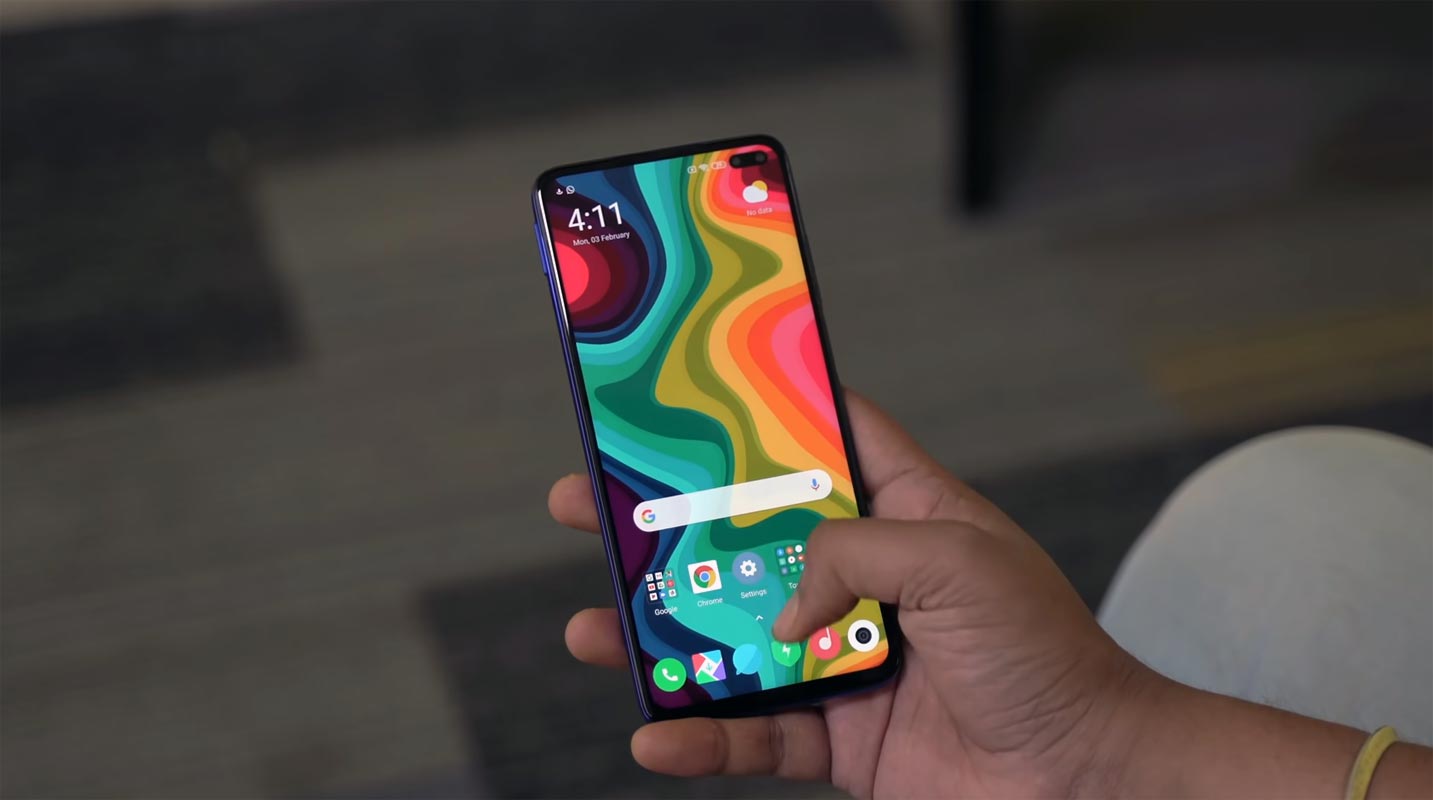
Why should you Root Xiaomi Poco X2 Android 10?
We thank the TWRP team, TWRP Developer- Wzsx150, and XDA Developer-Christina (Found TWRP Link). Without the TWRP developer’s work, this process can’t happen. If you want to root your mobile, you should have a proper reason, and you know what you are doing. Yes, with a minimum of 6-8 GB RAM, Qualcomm SDM730 Snapdragon 730G processor (Poco X2), You can use this mobile without root for 2-3 Years If you use correctly. Don’t root because everybody is saying when root your mobile it can become fastest. No. Rooting is to extract some performance from the device. But, you already have Powerful specs and software. So, If you are addicted to some root apps, you can root. But, if you want to test, I won’t recommend it.
How to Root Xiaomi Poco X2 Android 10
Xiaomi Poco X2 and regular version International Variants come with a flexible bootloader other than some locked devices. Example- In Samsung, Verizon mobiles come with locked Bootloader. It means that different smartphone variants can be easily rooted. Also, the device can accept to install TWRP recovery or any other custom recovery file/app alike.

TWRP recovery is a custom recovery file that must be installed on your devices because you can root them successfully. In this article, we explained the easiest method to follow and install TWRP recovery on Xiaomi Poco X2. However, the tool required for rooting this device is the Magisk App.
With the help of TWRP Recovery, you can quickly flash the latest version of Magisk into your Xiaomi Poco X2 to gain root access. Before sharing the tutorial, you may want to know that, with the TWRP recovery present on your device, you can easily install any custom ROM or firmware. Does it seem complicated? Relax, everything will be explained succinctly in bullets.
Things to check out for;
-
Make sure your device battery is charged above 50%
-
You should Backup your current files and data, full data loss process (save them on external storage).
Pre-Requirement Steps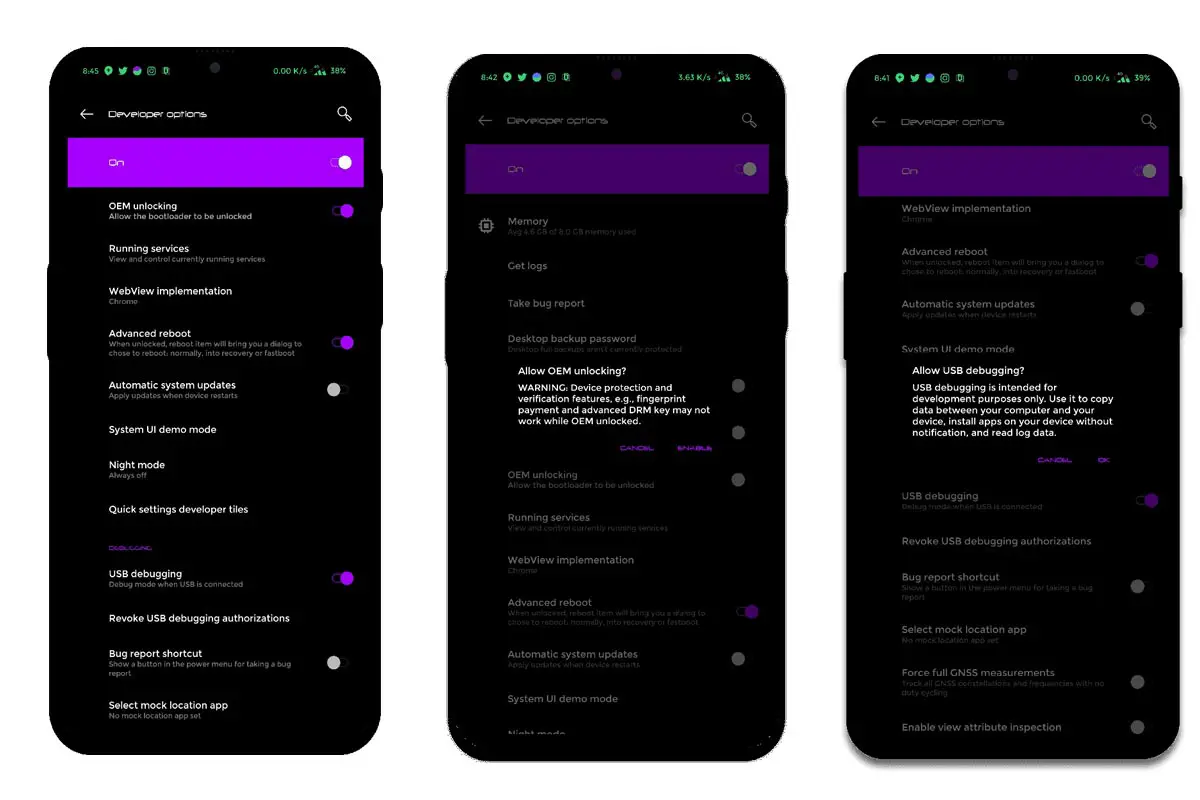
-
Enable USB Debugging Mode and OEM Unlock on your mobile. To do this; go to settings >>> about >>> Tap on the “Build Number” 7-10 times consistently to enable “Developer Options,” then go to the “Developer Options” and enable USB Debugging Mode, OEM Unlock. There is no complicated process in Xiaomi Poco X2.
-
Also, download the ADB drivers. Install it on your PC.
- Download Magisk.Zip (Latest Version) and Copy it to Your external Memory.
- Download Disable_Dm-Verity_ForceEncrypt.zip and Save it in your SD card or OTG storage.
- You should download below the TWRP package bundle and follow steps after unlocking the Bootloader.
- TWRP-3.4.0B-0209-REDMI_K30-CN-wzsx150-fastboot.zip (Redmi K30 4G version TWRP will work with Poco X2)
Unlock Bootloader using ADB and Fastboot
- Go to the official Mi Bootloader Unlock website and log in with your Mi Account.
- Enter your Mobile details like phone number, IMEI, reason. You will get the confirmation code on your mobile. Enter the confirmation code on the Mi website and request for unlocking. You will receive a confirmation mail after the approval in 2-10 Days.
-
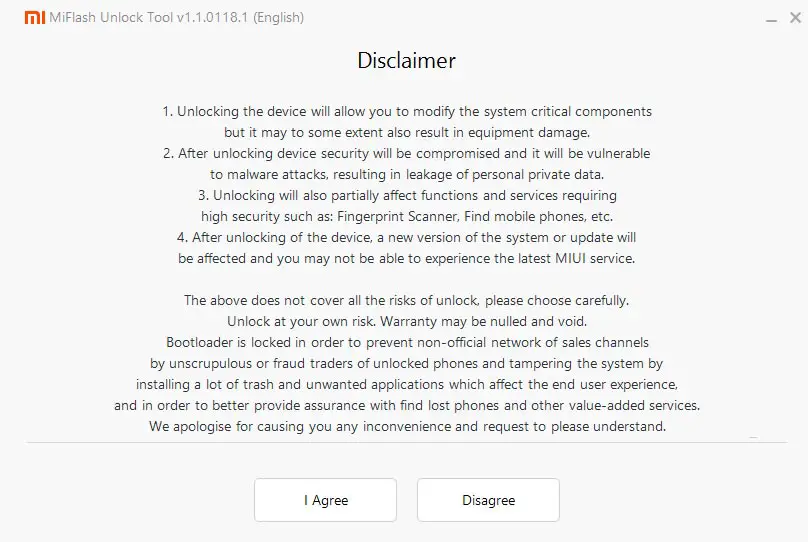
Install the Mi Flash Tool in the received mail. Log in with your Same Mi Account, which used to get the software.
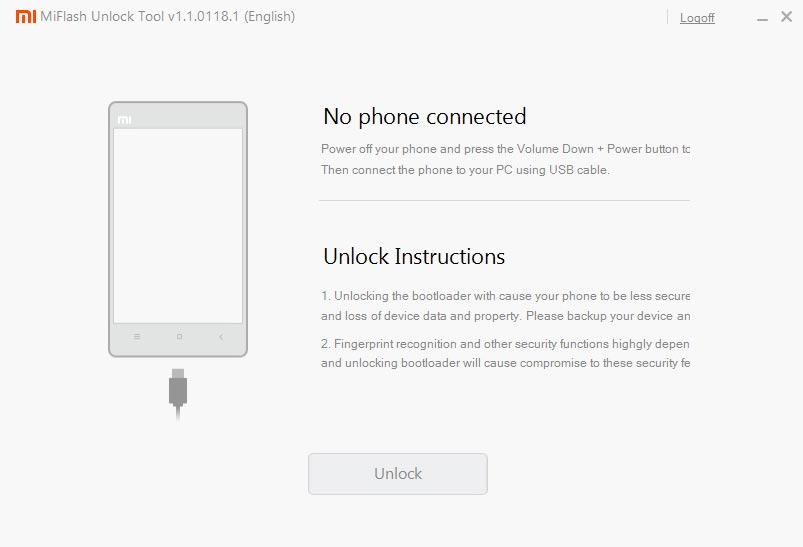
- Switch off your device. Connect your mobile to the PC. Then, enter into Fastboot mode. To do this; Press and hold down the Volume Down + Power buttons at the same time for some time. It will boot your mobile into Fastboot mode.
-
After you successfully boot into Fastboot mode, Select Unlock. It will take 2-3 minutes to finish the process. After the successful process completion, Reboot your mobile.
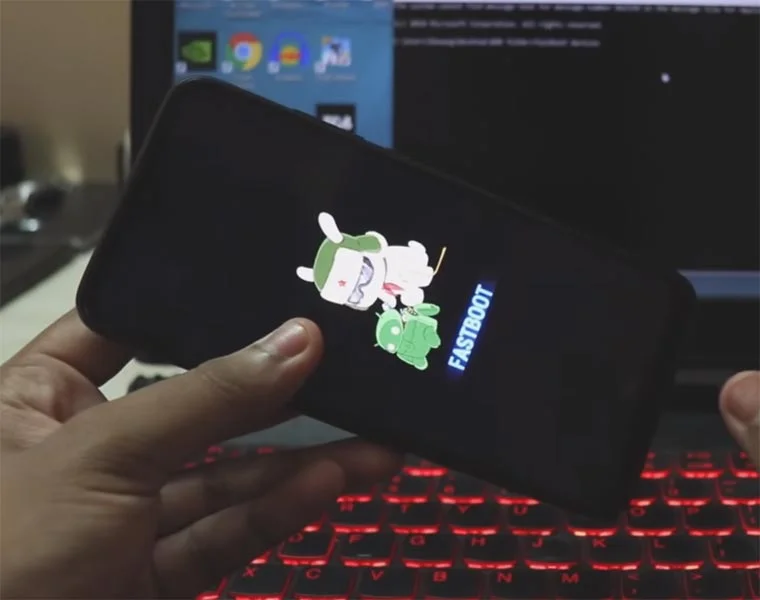
-
Check again enable “Developer Options,” then go to the “Developer Options” and enable USB Debugging Mode, OEM Unlock. Sometimes they disabled themselves after the boot.
Flash TWRP on Xiaomi Poco X2
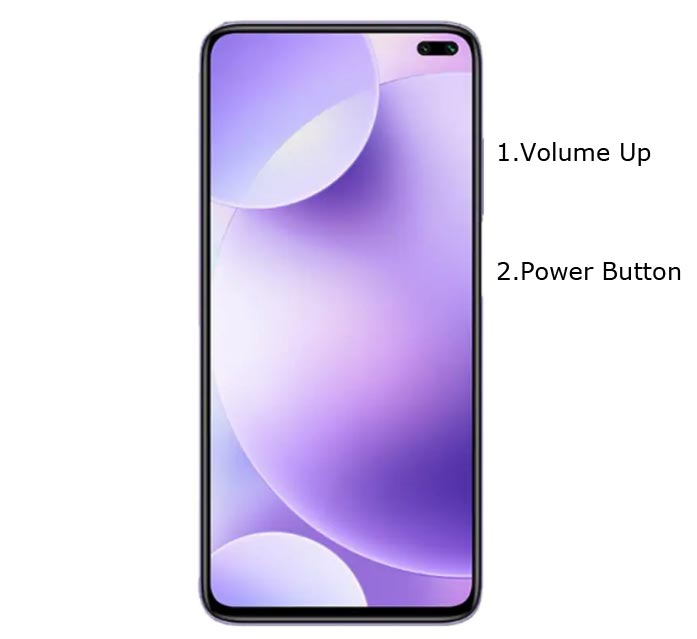
- Switch off your device. Connect your Bootloader unlocked mobile with PC. Then, enter into Fastboot mode. To do this; Press and hold down the Volume Down + Power buttons at the same time for some time. It will boot your mobile into Fastboot mode.
-
Now, connect the Xiaomi Poco X2 mobile to the computer via USB cable.
-
Launch the fastboot on your computer. Open a Command prompt on your PC and type below command.
- fastboot devices
- It should display the connected devices. If you didn’t get the mobile, restart the command prompt and Disconnect and Connect your mobile. If you are detected, proceed to below steps.
-
Extract the downloaded .zip file, and you will find ADB and Fastboot drivers along with TWRP, .bat file.
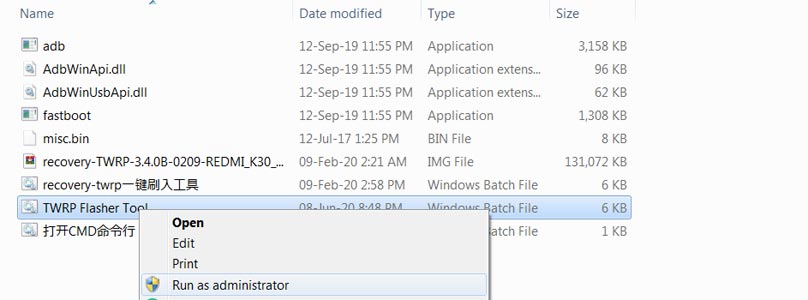
- Run TWRP Flasher Tool.bat as Administrator. You will get the command window press any key to continue.
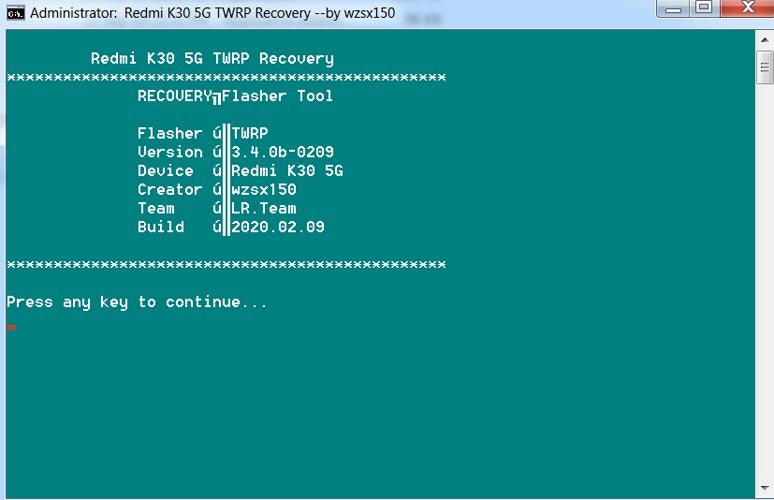
- It will show you some options. We are already in fastboot mode. So skip the first choice and type “2” and hit enter.
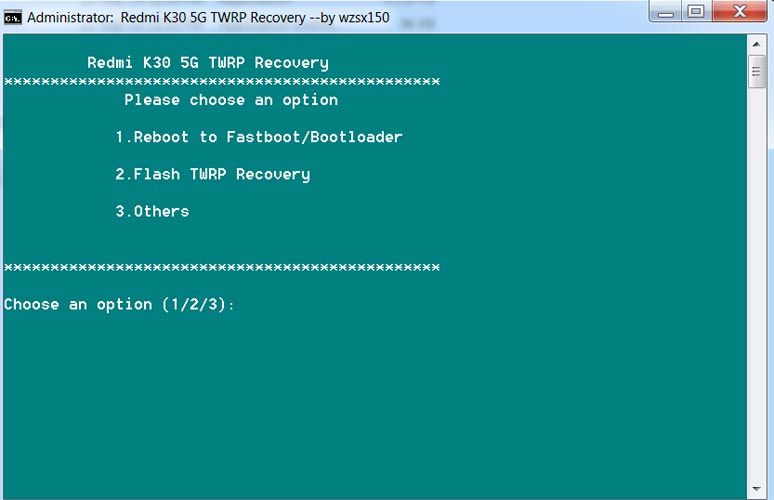
- After the selection, the script will ask you to confirm the USB debugging, ADB driver, and Bootloader unlocked status. We already do those requirements. Press any key to continue to the next page.
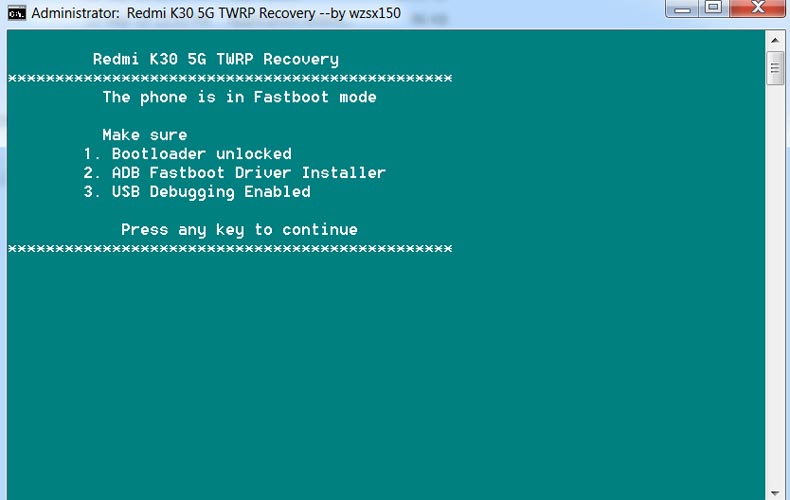
- The final page again asks you to check about the connection and mobile fastboot mode status. After the confirmation, it will flash TWRP on your mobile.
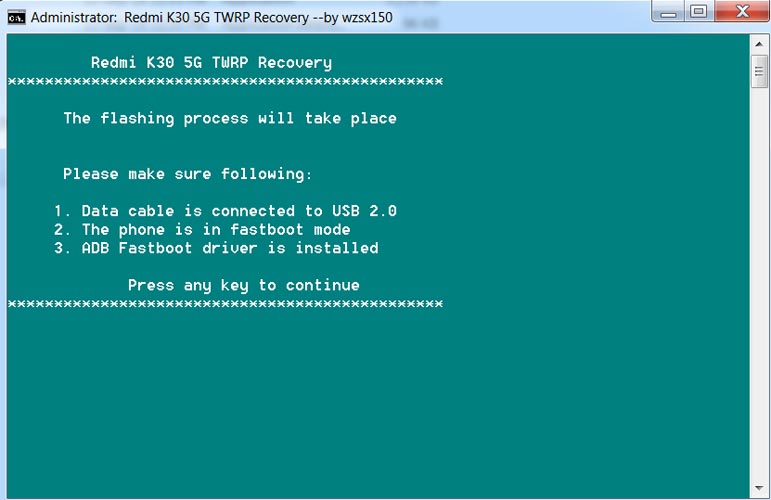
- After the flash move, press the Volume Up+Power button. It will boot your mobile into recovery mode.
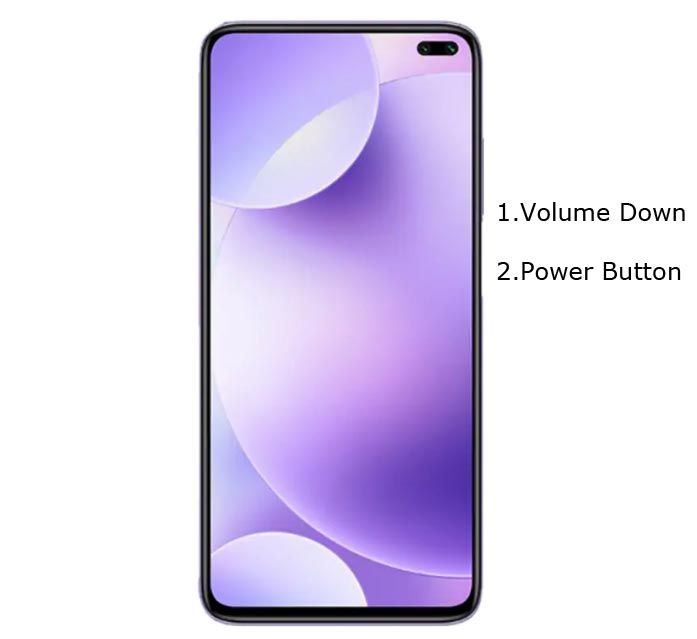
Install Magisk and Disable Dm-Verity-ForceEncrypt in your Xiaomi Poco X2 using TWRP
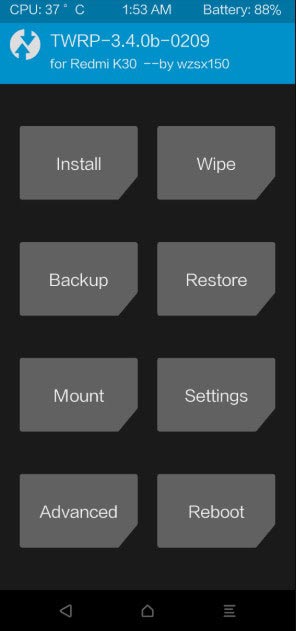
- Select Wipe->Advance Wipe->Select Cache Data.
- Return to Home of TWRP select Install.
- Select Disable Dm-Verity-ForceEncrypt.Zip.
- After the installation, Again, navigates to Home and Select Install.
- Select Magisk.Zip. After the successful installation, Reboot your mobile.
- You can also install Magisk Manager in your Mobile Applications. Install a Root checker to verify your Root Status.
What More?
Xiaomi Poco X2 versions have a minimum of 6-8 GB RAM of RAM. It is a Good Mid-Range phone with a reasonable price; If you feel you have not sufficient RAM, Refer- How much RAM you need. There are Major regular updates and monthly updates from Xiaomi for a long duration. If you compare it with Old devices, they are still receiving updates. So, you know what you are doing and the real purpose, you can root your device. If you want to disable Ads, you can use other methods, which doesn’t require root. Xiaomi promised to optimize these Ads in the upcoming versions.

Selva Ganesh is a Computer Science Engineer, Android Developer, and Tech Enthusiast. As the Chief Editor of this blog, he brings over 10 years of experience in Android development and professional blogging. He has completed multiple courses under the Google News Initiative, enhancing his expertise in digital journalism and content accuracy. Selva also manages Android Infotech, a globally recognized platform known for its practical, solution-focused articles that help users resolve Android-related issues.