
Even if Google already rolled out native dark Mode feature in Android 10, Every app that is available in the Play Store has to adapt the Dark Mode manually. Because it is not like a filter where you can change the color space and pretend to have a dark background, Dark Mode can save you battery when it is correctly optimized. Since Zoom is a video conference app, We can’t get much battery backup juice from the settings. But When you are chat or making fewer audio messages, It can save some battery for you. The mode is roll out as native. So, To Get Dark Mode in the Zoom app, you have to enable Dark Mode in settings of your mobile.
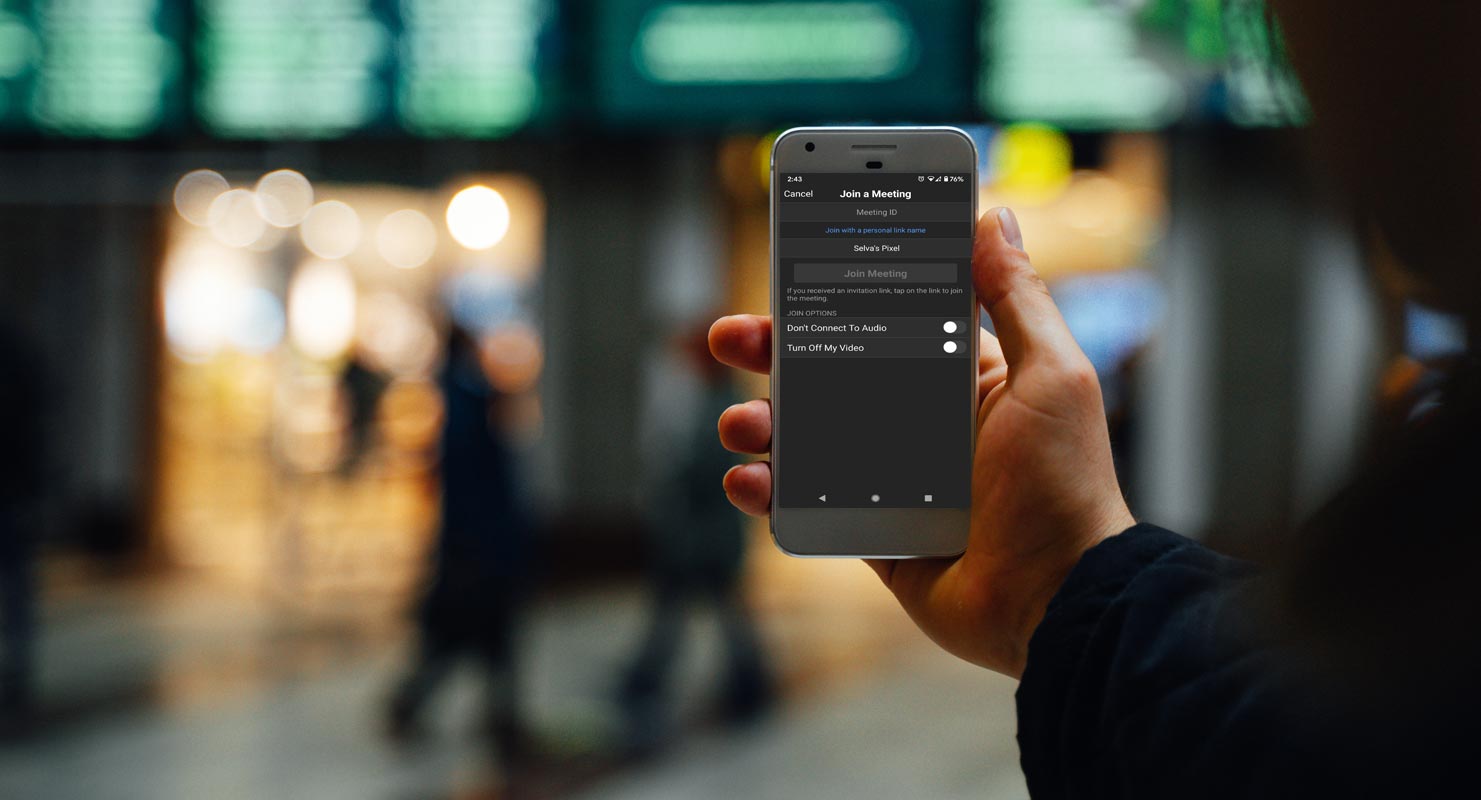
Video conferencing has become the most used feature in new health situations worldwide. The current severe conditions proved a blessing for video conference offering companies. Zoom is one of the leading companies providing video conferencing, which earned a $ 328 million revenue in the Feb-Aug 2020 session. That’s why all tech companies compete in video conference solutions now. Facebook added 50 people support in Messenger and Google planning to integrate Google Meet into Gmail.
Why Dark Mode in Zoom Android App?
The screen usage time is increasing these days, so users are demanding Dark mode in every app. Zoom users were facing the eye-blinding white screen for a long time. Although Zoom already has the Dark Mode for its desktop app and now it introduced this Dark mode for Android users too. The new rolled out update of Zoom includes Dark mode support, some Reactions, and some other tweaks for Android users. Rolling our Dark Mode is important among popular apps. After a long time, Instagram rolls out Dark Mode.

Zoom Android 5.2.0 update- Dark Mode and other Features
In this update, there are some changes in the existing features, and some new features added. Let’s take a look at new features of this update.
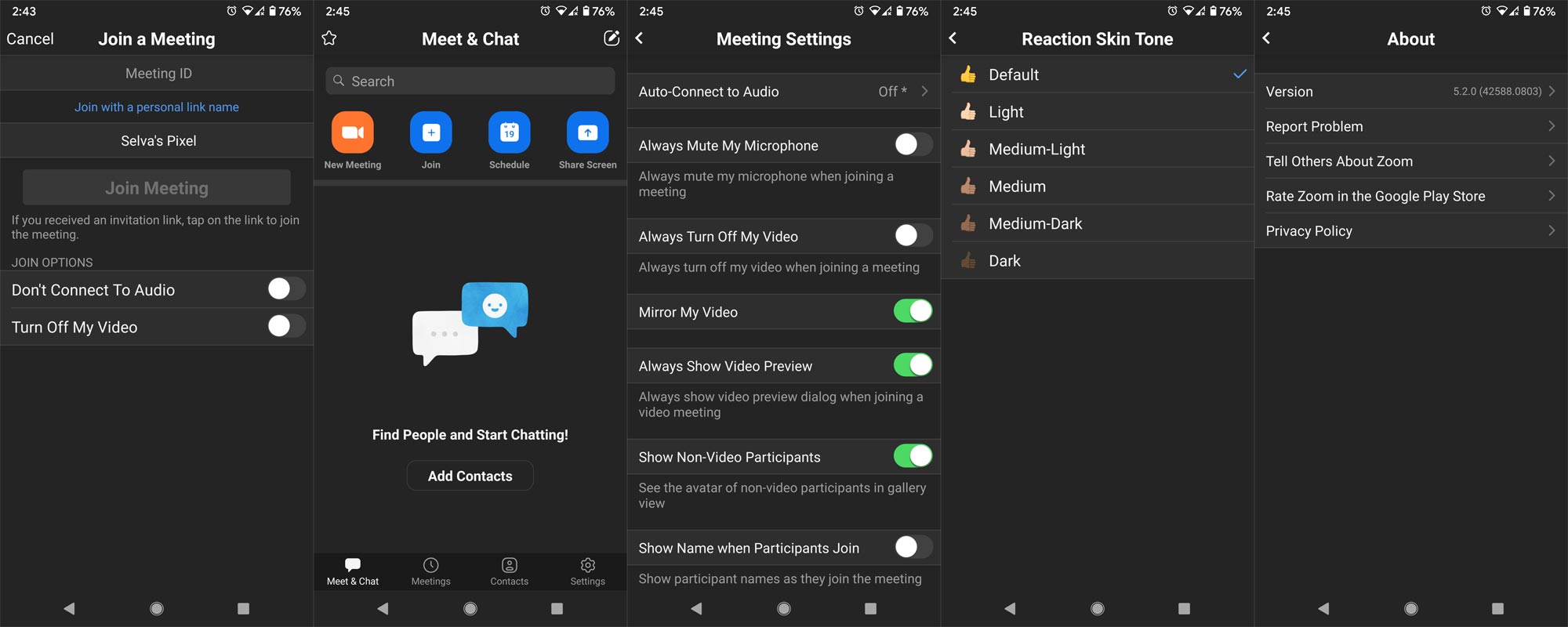
- The aspect ratio for videos- Now you have two options for the video feeds, one is Fit to Scale, and the other is the Original ratio. Now you can better view the attendee during a video call.
- Waiting Room notifications- Now, you will receive information from the attendee, entering the meeting, during the screen sharing, and when Zoom is minimized or hidden.
- New Reactions- Earlier participants can only have clapped and thumb up reactions. Now the participants can react with a heart, a laughing face, a surprise face, and party emoji.
- Invitation to members by group or organization- It is now easy for group chat admin to invite the members by selecting an existing group. Also, the group admin can invite the whole organization to a group chat.
- Microsoft file storage integration- It will be easy for users to download or upload any file from Microsoft SharePoint.
- Mute channel notifications- By hovering over the channel name and clicking the downward arrow, users can mute the group chat notifications.
- Typing indicator- It is a useful feature to indicate that the other party is typing something or uploading any file or image.
- Call Transfer- It is the most demanding feature. Now you can transfer an active call to any meeting or group chat.
- View call recordings- You can now view the transcript of automatic call recording during the playback of recordings.
- Chat user interface- Now, you can swipe away in-meeting chat messages. Also, you can mute in-meeting chat.
- Video and content sharing- Improved video quality, improved text quality and decrease of CPU usage will enhance the content sharing.
- Bugs are fixing- Some of the minor bugs also fixed in this update to run Zoom smoothly.
- Dark Mode Support- It is the most awaited feature. You can now enjoy the Zoom Dark Mode by enabling a Dark theme on your mobile device. There is no toggle button for switching Dark mode. It depends upon the system theme of your phone. If you have selected the Dark Theme in your System, then the Zoom window will appear in Dark Mode.
How to access/activate the Dark Mode in Zoom on Android?
No particular action is needed to activate this Dark Mode, and You don’t have to enable Dark Mode in every app. This intelligent feature follows the system settings. Or a more comfortable way is to turn on the dark theme in your main theme settings. You should have Android 10 in Android mobiles to activate Dark Mode.
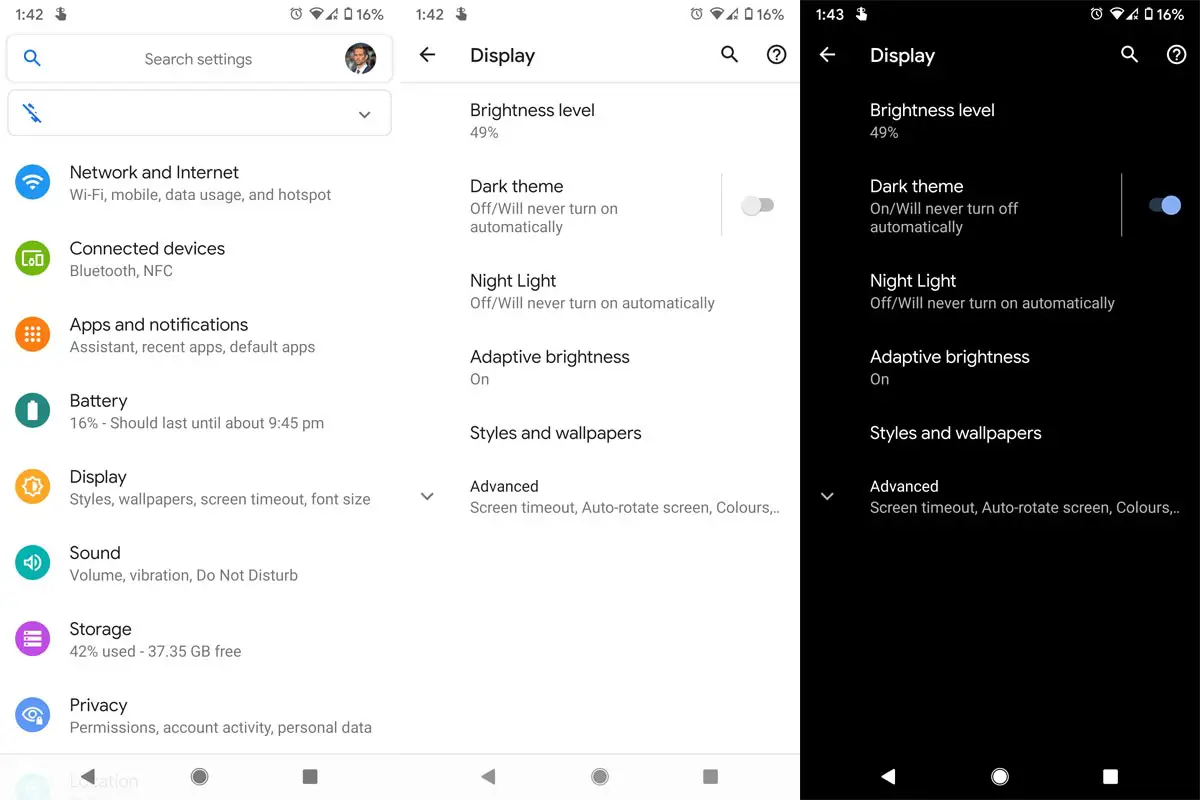
If you want to toggle between light and dark themes, you can do it independently in the Zoom app. After an independent setting, Zoom will follow its settings regardless of the System’s topic. For settings, got to Menu> Settings > Theme > and select Dark in all apps. When you can’t activate Dark Mode in a system-wide method, you can use the below process.
Availability
The above features are available in the current release on August 4, 2020, version 5.2.0 (42588.0803). You can download it from the Google Play Store as usual. If you can not find it there, then you can download it from APK Mirror via this link ZOOM Cloud Meetings 5.2.42588.0803.
What is Dark Mode or theme?
The Dark Mode is a light-on-dark color scheme. It is also known as Dark mode, dark theme, or night mode. It changes the app background or entire desktop to Dark and leaves the written small chunks in a light color.
Dark Mode/Theme and Filters are different
Yes. Dark Mode and Night light filters are entirely different. You may ask I am using Night mode filters on my mobile. So, Why it looks hard on the Apps. When you use Filters, The App overlay the above apps, and it doesn’t save or change the content colors. I will explain for both Android and iOS devices. There are some mobile manufacturers like Samsung that have a Native Dark Mode feature. Means, the mobile can force the app to the Dark based theme natively even if the app doesn’t support Dark Mode.
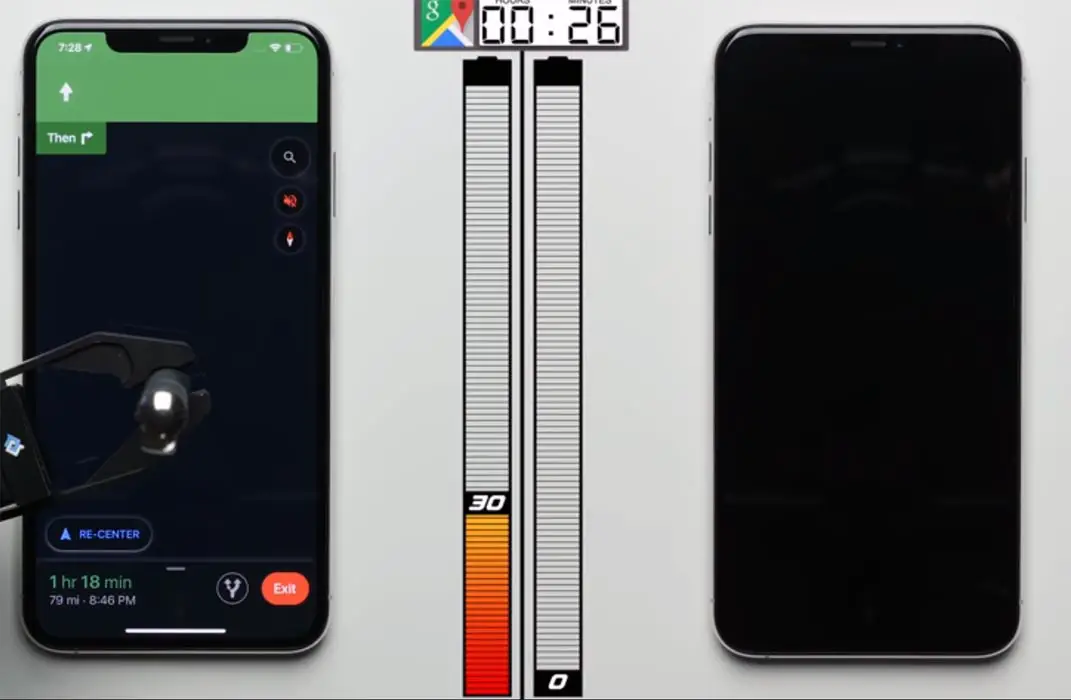
Instead of using third-party apps when your need is to enable Dark Mode only in the browser, you can use the below methods to activate with options. Also, Dark Mode can help you to save battery, which filters don’t do that. As per some real-world tests, Dark Mode can save you 10-40% of battery based on your usage.
Why is the Dark theme so much trendy?
There is a various reason behind the popularity of Dark mode, some of which are:
Bright light emitting from the screen is annoying and causes heavy strain on your eyes, especially if you have to work for long hours, staring at your screen. The dark theme introduced by Google is an intelligent feature which adjusts the product interface, and the user-generated content in an efficient way to use the low light environment, resulting in better battery timings. In Dark Mode, the background turns Dark while the information/content turns white. It causes less strain on your eyes and keeps you active and pain-free for prolonged use of your devices. Also, it helps you to focus on the light-colored front items better.
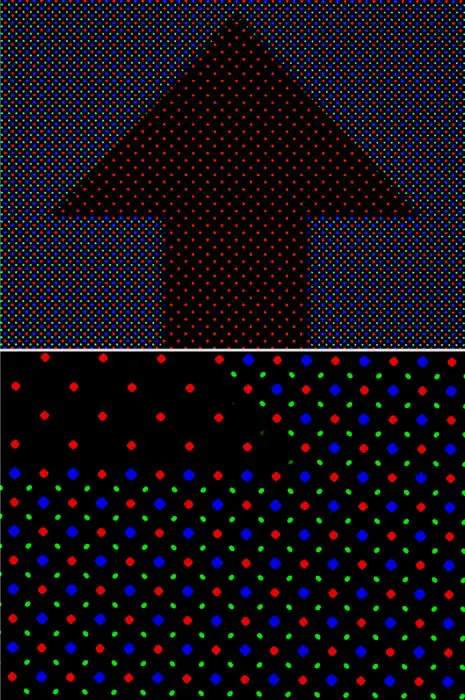
Another reason is the OLED screens, which is the new screen technology. It enables you to light up any pixel on the screen and set the degree of brightness just as you need. This Dark Mode helps the designer to design the most effective display with less effort and saving time.
Battery saving is one of the significant features of using Dark mode. Phonebuff, a renowned company, revealed in a recent test that Dark mode could extend your battery life by 30%. An analysis conducted on both Android and iOS phones gave similar results.
Wrap up
The rolled out most of the features are business-related, but Dark mode is the one that everyone loves. Dark mode will somewhat relax those employees who work from home and engage with the Zoom screen for hours. Rolling out Dark Mode is a must need a feature these days. That’s why even if social networks like Twitter rolled out Dark Mode. Google is also working in Google Chrome to force Dark Web pages, But they keep adding on removing in beta channels. The Dark Mode is the long-awaited feature by most of the users. What do you think about the black Zoom? Do tell us in the comments below.

Selva Ganesh is a Computer Science Engineer, Android Developer, and Tech Enthusiast. As the Chief Editor of this blog, he brings over 10 years of experience in Android development and professional blogging. He has completed multiple courses under the Google News Initiative, enhancing his expertise in digital journalism and content accuracy. Selva also manages Android Infotech, a globally recognized platform known for its practical, solution-focused articles that help users resolve Android-related issues.