
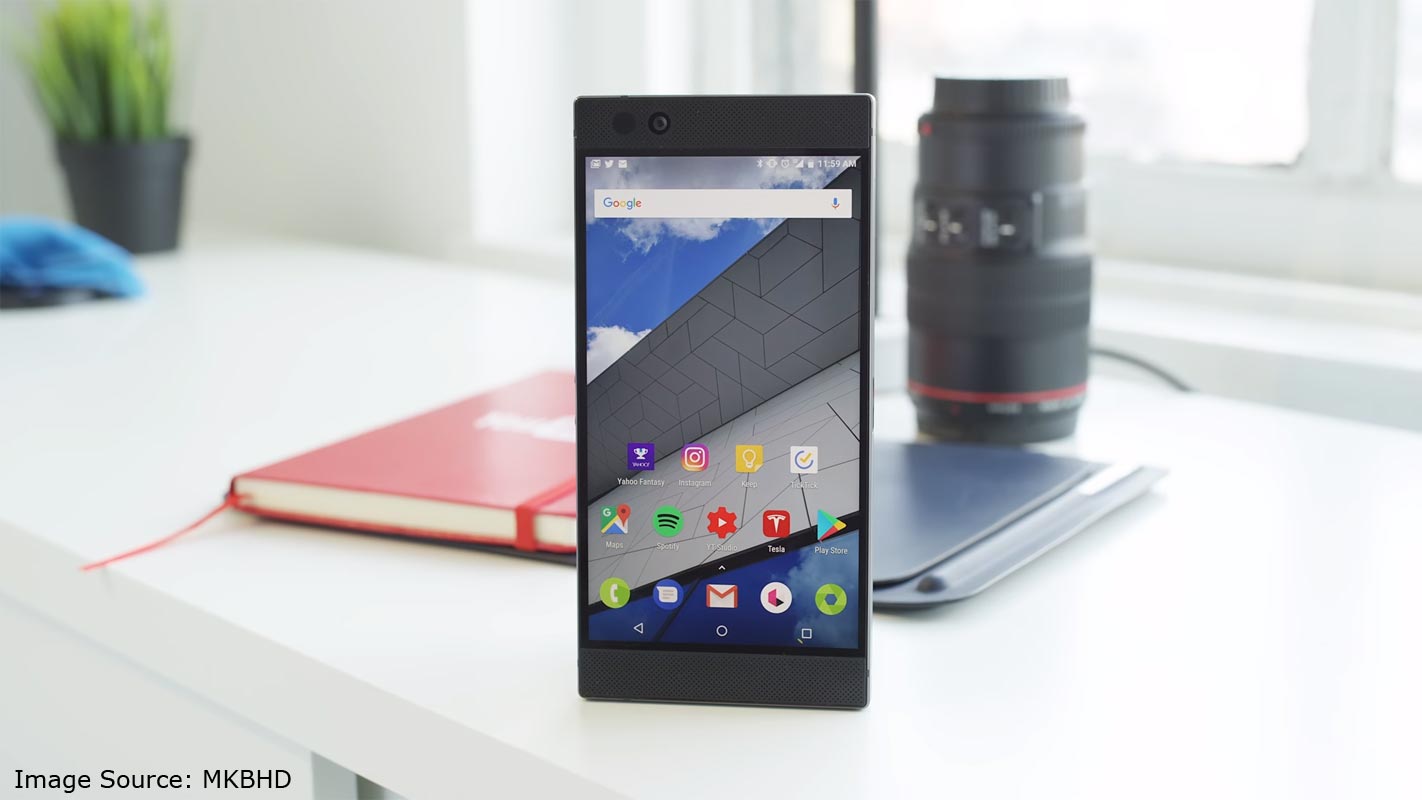
After some are rolling out and rollback of Pie 9.0 version Razer finally released the stable update for Razer Phone 1st Gen. Here, I mentioned the Installation steps for both Regular and TWRP users. When you get the update, you can hit the software update option in Settings. Most of the time, It will work smoothly. But, in some situations, you may not get the update. Before this method, If you are moved to different regions compare with your purchased area, try with VPN and adjust the Region. You will surely get the update. If you can’t get the update in this method, move to the below ways. TWRP users must flash Magisk, after the ROM flash. Or Else, you will lose root access. There are plenty of features like Adaptive Brightness, Adaptive Battery, and Systemwide Dark Mode are added in this ROM.
Pre-Requirement Steps
You should perform these steps before starting the process.
Run a backup
Always and always, you must run a comprehensive backup of all files, documents, and data on the Android device to be worked on. While the action may be done by a professional, if there be any mistakes, all data on the Mobile will be lost.

So, to be on the safe side, do run a backup first before continuing.
Charge the device fully
A lot of people will say you should charge the device up to 50% battery percentage or more. We recommend a fully loaded device so that there won’t be any stories.
Download Razer Phone USB drivers, ADB drivers, and ROM
- Yeah, it is essential. You must download and install Razer Phone USB driver on the PC, which you’ll be using for this action.
- Download the ADB drivers. Install it on your PC.
- Download Razer Phone ROM. Copy this file to ADB Folder.
Unlock Bootloader
Bootloader unlock is a necessary step for flashing firmware in your Razer Phone devices. Some International versions can be unlocked quickly by enabling OEM to unlock in Developer settings. But, some US Variant Devices need to be unlocked using Device ID and some fastboot steps. Before everything, Please enable OEM to unlock in settings.
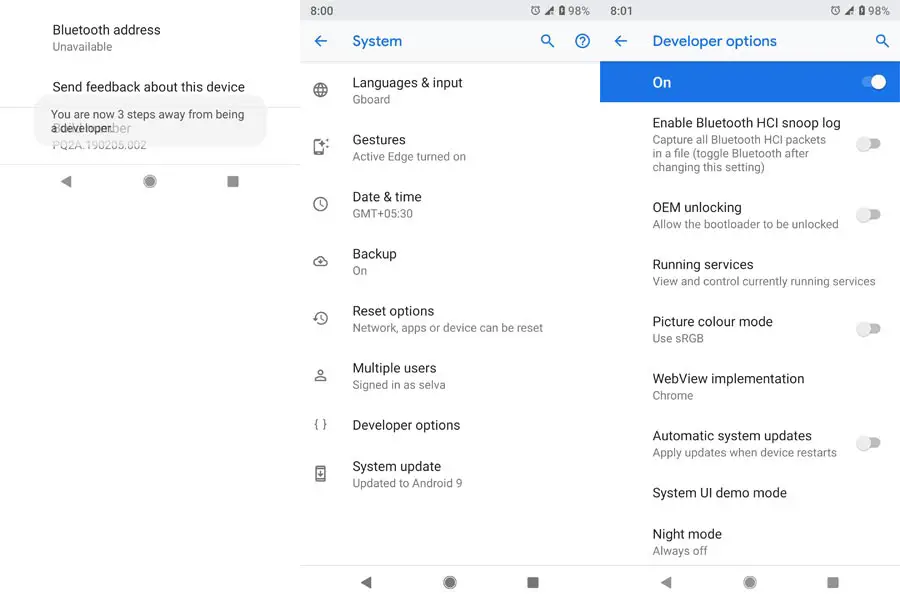
- Go to settings >>> about >>> Tap on the “Build Number” 7-10 times consistently to enable “Developer Options,” then go to the “Developer Options” and enable USB Debugging Mode and OEM Unlock.
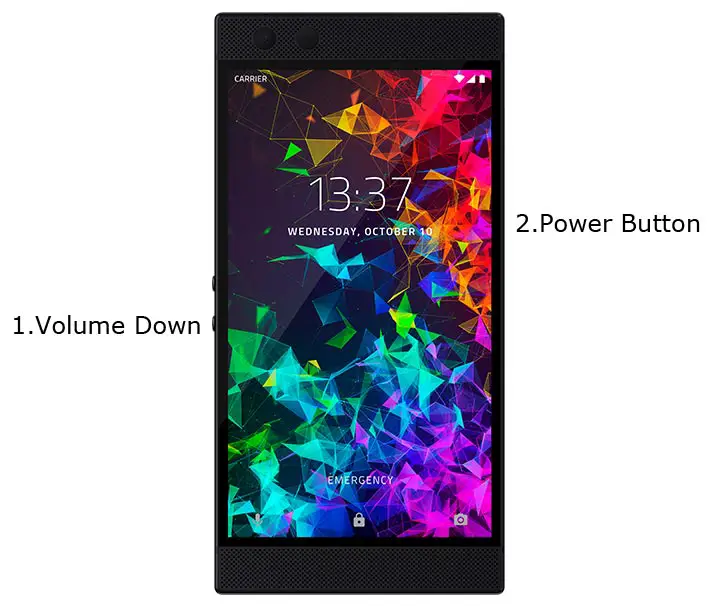
- Switch off your device. Connect your mobile to the PC. Then, enter into Download mode. To do this; Press and hold down the Volume Down + Power buttons at the same time for some time. It will boot your mobile into Fastboot mode.
-
Now, connect the Razer Phone mobile to the computer via USB cable.
-
Launch the fastboot on your computer. Open a Command prompt on your PC and type below command.
- fastboot devices
- It should display the connected devices. If you didn’t get the device, restart the command prompt and Disconnect, and Connect your mobile. If you are detected, type below commands.
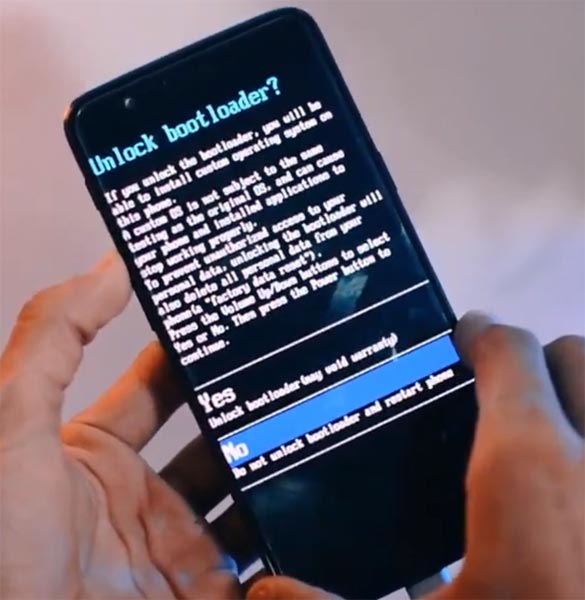
- fastboot flashing unlock
-
Your phone will ask for the Unlock permission Press volume keys to confirm the action.
- After the process completes, your mobile will reboot. You should recheck the OEM Unlock status; Sometimes It may lock again.
Flash Firmware Pie 9.0 in Razer Phone devices
Official OTA Method
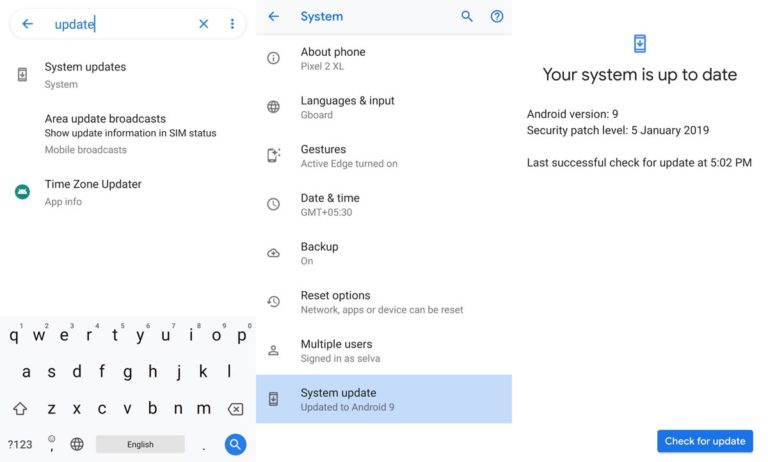
If you want to update a security patch to the current month. Don’t go for the manual method. Try this Automatic method.
The process is straightforward and simple;
-
Go to your device setting menu and scroll down to the bottom
-
Tap on “Software Update”
-
You may have to refresh the page to start the OTA upgrade process.
Manual Method
Using ADB and Fastboot method (Stock Recovery)
This method requires PC support; You can also use this method to use Stock ROM If you are using Custom ROMs.
- Copy your downloaded firmware to PC and rename it to firmware.zip. Copy those files to the folder where you installed ADB and Fastboot.
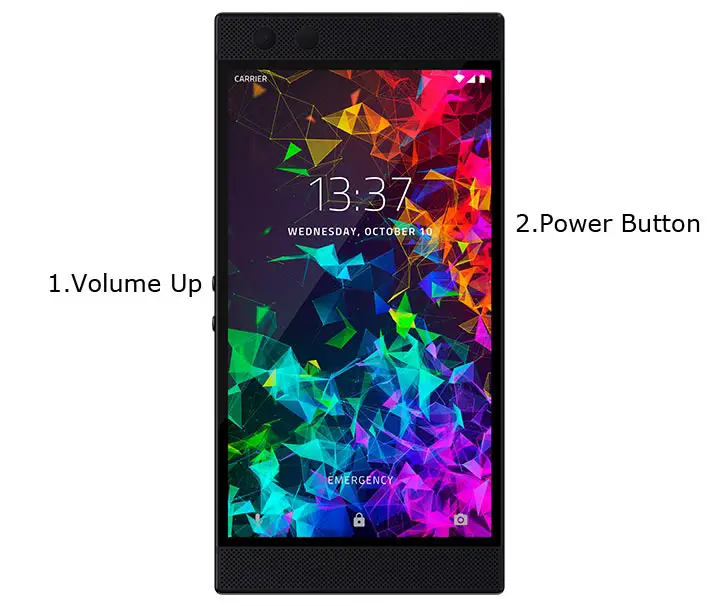
- Switch off your device. Then, enter into the Stock Recovery mode. To do this- Press and hold down the Volume Up + Power buttons at the same time for some time.
-
Press the Volume Up button to continue when you see the warning message.
-
Now, connect the Razer Phone mobile to the computer via USB cable.
- In Your Mobile stock recovery, select “Apply Update from ADB.”
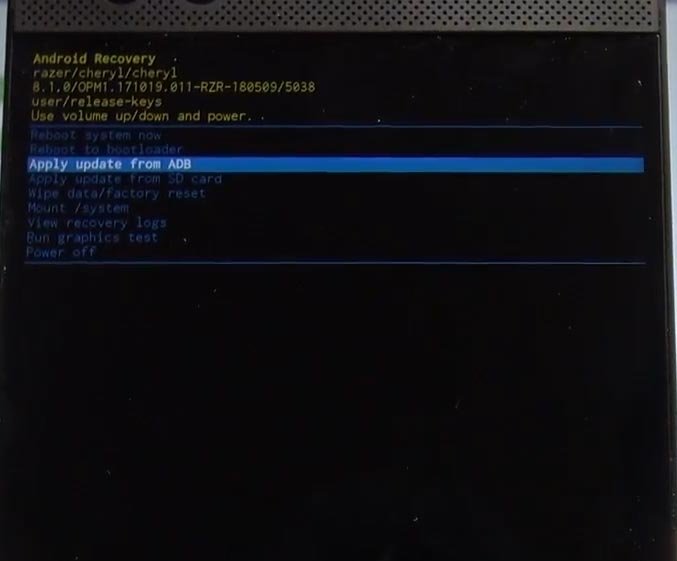
-
Launch the fastboot on your computer. Open a Command prompt on your PC and type below command.
- fastboot devices
- It should display the connected devices. If you didn’t get the Mobile, restart the command prompt and Disconnect, and Connect your mobile. If you are detected, type below commands.
- adb sideload firmware.zip
- The command will install all the files. When the process complete, It will reboot your mobile. You can lock your Bootloader after this process. If you planned to Root, don’t relock your bootloader.
TWRP Custom recovery Users
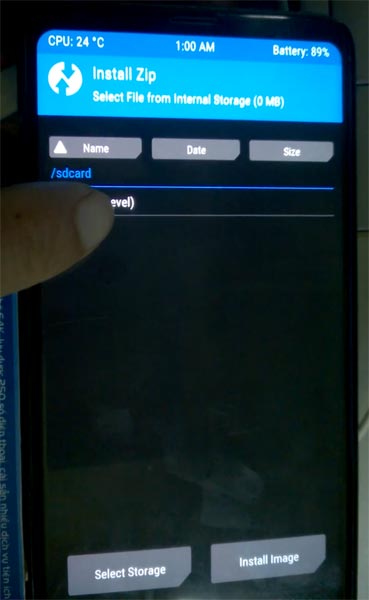
- You should have Stock Firmware on your mobile to do this. It won’t work If you are using TWRP on Custom ROM.
- You already have respective firmware from the above steps.
- Download Magisk.Zip (Latest Version), Razer Phone ROM and no-verity-opt-encrypt, Copy all the files to Your Mobile external memory.
- Switch off your device. Then, enter into Recovery mode. To do this press, hold down the Volume Up + Power button.
- In TWRP, Make a full Backup on External SD Card or Pendrive using OTG Cable.
- Select Wipe->Advance Wipe->Select Wipe Dalvik / ART Cache, Cache Data.
- Return to Home of TWRP select Install. Select the firmware file.
- Return to Home of TWRP select Install, Select Magisk.Zip. The Same way installs no-verity-opt-encrypt. Return to Home and reboot to Bootloader again.
- After the above steps again, Select Wipe->Advance Wipe->Select Cache Data. Flash Magisk still to ensure the Pie version will not remove the Magisk. After this process, reboot your mobile.
Check Firmware
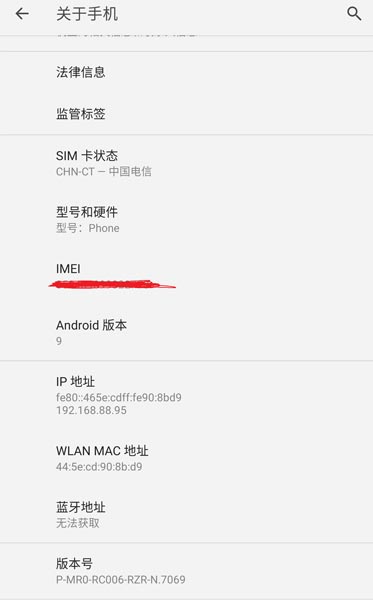
Since you have just flashed new firmware to your Razer phone device, you may want to check if the firmware is correctly installed or not. Follow the step below to check your device firmware version.
You can check the firmware details >>> settings >>> about >>> version.
Razer Phone Pie 9.0 Features
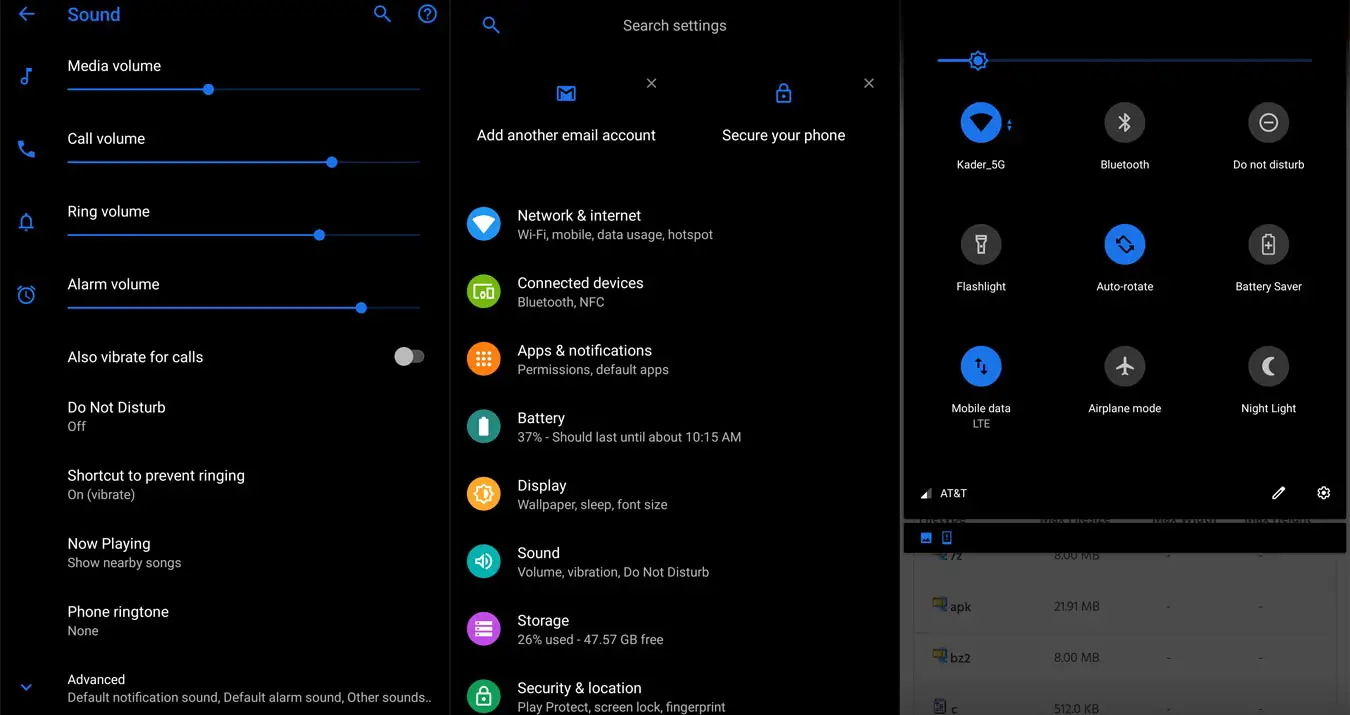
There are plenty of features added in the Pie 9.0 version, compare with the Oreo version. Here I mentioned some important features.
UI Enhancements
-
Content, settings, and every option are modified to use mobile in handy.
-
Options moved to the Bottom position so that you can use comfortably in one hand.
-
Night Mode available to reduce eye stress.
Notifications
-
You can quickly reply to messages within the notification bar.
-
Image thumbnails are available.
Always On Display
-
New clock styles have been added, Charging Information is also available.
Settings
-
Menus have been reorganized to find every essential and frequent usage easily.
Phone
-
Call History increased.
Contacts
-
Now you can manage contacts from various accounts with a new drawer menu.
Camera
-
Enhanced features are available now with AI Features.
Gallery
-
Photo Editor App Available.
My Files
-
New Storage Analysis Tool is available to Monitor Storage and RAM Usage.
Other improvements and changes
- Adaptive Battery- Better Battery optimization.
- Digital Wellbeing- Optimize your time with Social Network interaction.
- 4k60FPS added for smooth Video Recording experience.
- Special Pie 9.0 Gestures added.
Final Words
If you are in Stock firmware, Use the ADB based method. It is comfortable and safe; You can update like a Regular OTA Update. But if you were already using Rooted devices, You can try TWRP based Method. Don’t download any third party apps; sometimes, it may trigger the updates process. There are a lot of new Gestures available in this Update, try them also. In my opinion, Razer Phone near Stock Android is better to compare with some other Custom Skin OS. So try to use this OS instead of a Custom OS. But the decision is your choice…:)

Selva Ganesh is a Computer Science Engineer, Android Developer, and Tech Enthusiast. As the Chief Editor of this blog, he brings over 10 years of experience in Android development and professional blogging. He has completed multiple courses under the Google News Initiative, enhancing his expertise in digital journalism and content accuracy. Selva also manages Android Infotech, a globally recognized platform known for its practical, solution-focused articles that help users resolve Android-related issues.