
How to Create Original Music Tracks Using Google’s Lyria 3 in Gemini – In the modern era of digital transformation, the intersection of artificial intelligence and artistic creativity has opened doors that were once reserved only for professional studio engineers. We are witnessing a monumental shift in how original music production is handled, thanks to the introduction of Google’s Lyria 3. Integrated seamlessly within the Gemini ecosystem, Lyria 3 is not just a tool for tech enthusiasts; it is a powerful, intuitive platform designed for non-technical creators, hobbyists, and anyone with a passion for sound.
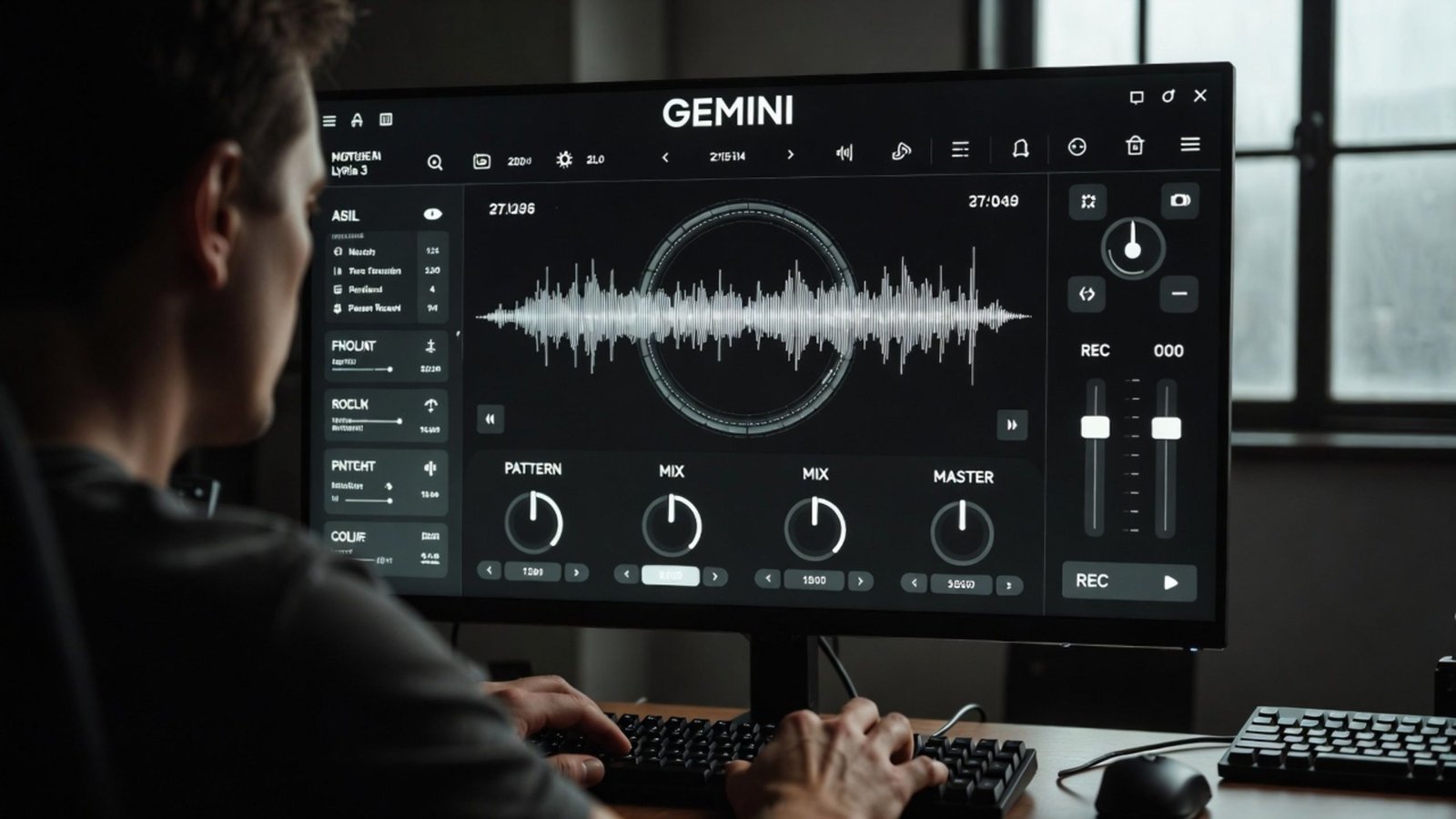
In this comprehensive guide, we will explore how you can harness the power of Lyria 3 to generate high-quality audio tracks, even if you have never touched a musical instrument or a digital audio workstation (DAW) in your life.
Understanding Lyria 3: The New Frontier of AI Music
Before we dive into the “how-to,” it is essential to understand what makes this technology unique. Lyria 3 is Google’s most advanced AI music generation model to date. Developed by the experts at Google DeepMind, it excels at capturing the nuances of rhythm, melody, and harmony. Unlike earlier iterations of AI audio, Lyria 3 understands the emotional arc of a song, allowing for transitions between verses and choruses that feel natural and human-led.
For the average user, this means you no longer need to understand complex concepts like MIDI mapping, frequency modulation, or compression. You simply need an idea, and Gemini acts as your personal virtual composer.
Setting Up Your Workspace in Gemini
To begin your journey into AI-driven music creation, you must first access the Gemini interface. Since Lyria 3 is an integrated model, you do not need to download heavy software or install third-party plugins.
-
Access Gemini: Log into your Google account and navigate to the Gemini app or web interface.
-
Ensure Updates: Verify that you are using the latest version of the platform, as Lyria 3 features are rolled out as part of the premium Gemini Advanced suite and specific experimental modules.
-
Prepare Your Concept: Think about the genre, mood, and tempo of the track you wish to create. Having a clear vision will help the AI produce a more accurate result.
The Art of the Prompt: Communicating Your Musical Vision
The secret to outranking standard AI compositions lies in the quality of your prompt. Because Lyria 3 is built on a large language model framework, it interprets your text descriptions and translates them into acoustic waveforms.
When we craft a prompt for music, we should be as descriptive as possible without using overly technical jargon. Instead of saying “write a song,” we recommend using a structured approach:
-
Define the Mood: Use words like “uplifting,” “melancholic,” “energetic,” or “cinematic.”
-
Specify the Instruments: Even if you aren’t a musician, you can ask for “acoustic guitar,” “soft piano,” or “heavy drum beats.”
-
Set the Scene: Lyria 3 responds incredibly well to situational context. For example, “Create a track that sounds like a sunny morning in a Parisian café” provides the AI with a wealth of stylistic data points.
Example of an Effective Prompt:
“We want to create a lo-fi hip-hop track with a mellow atmosphere, featuring a smooth saxophone lead and gentle rain sounds in the background. The tempo should be relaxed and slow, perfect for studying.”
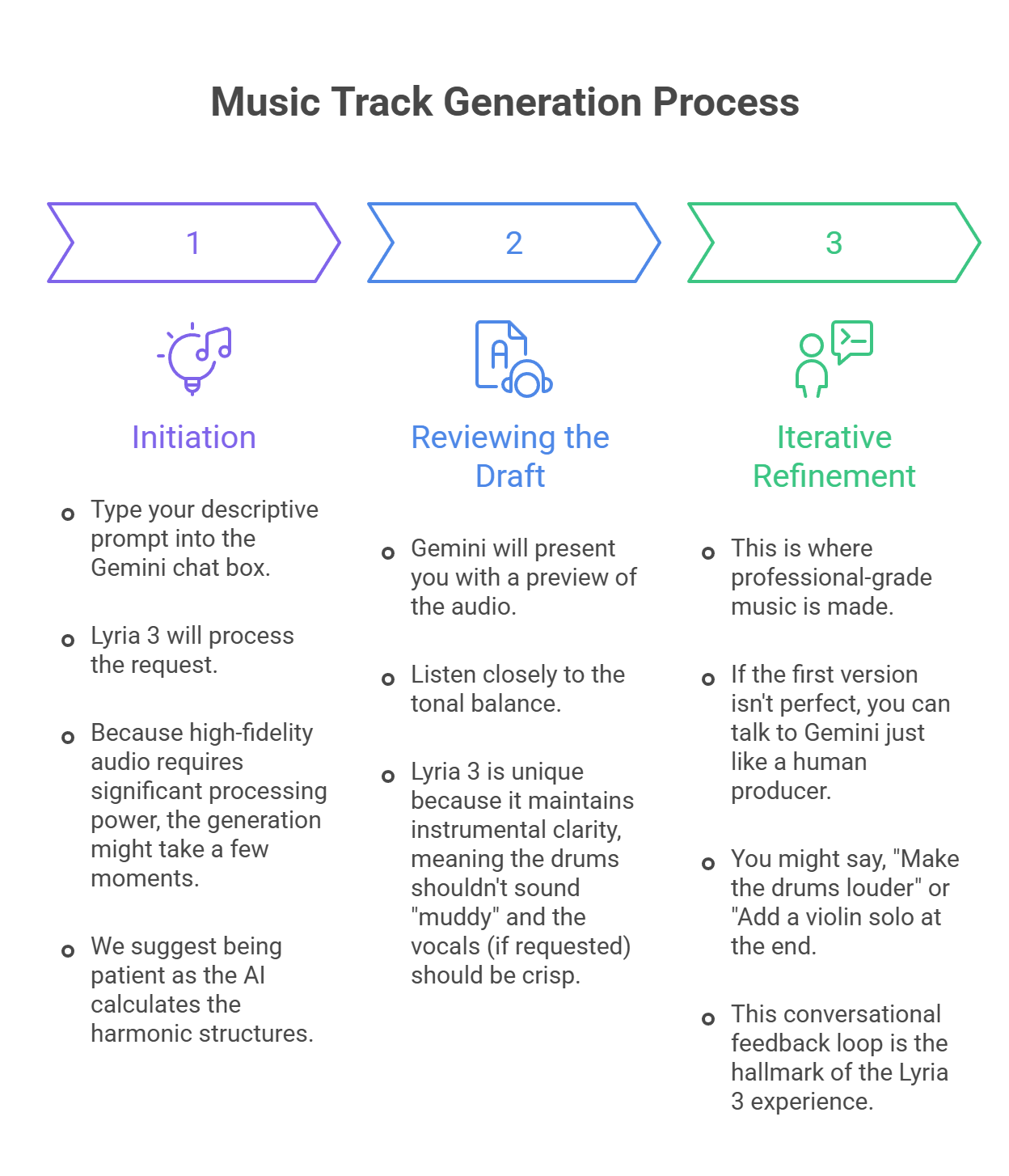
Step-by-Step Guide to Generating Your First Track
Advanced Features for Non-Tech Users
While we want to avoid technical jargon, there are three features in Lyria 3 that every user should know about to maximize their creative output:
Style Transfer and Transformation
If you have a basic hum or a simple melody you’ve recorded on your phone, you can often use Lyria 3 to transform that audio. You can take a simple whistled tune and ask the AI to “re-imagine this as an 80s synth-pop anthem.” This allows for a high level of originality and personalization.
Extended Track Lengths
Many AI tools only create 15-second clips. Lyria 3 is designed to handle longer compositions. We can guide the AI to build full-length tracks by asking it to expand on specific sections, ensuring a consistent musical theme throughout the duration.
SynthID Watermarking
Safety and intellectual property are paramount. Google has integrated SynthID into Lyria 3. This is an imperceptible watermark embedded into the audio. It doesn’t affect the sound quality, but it allows the file to be identified as AI-generated, ensuring transparency and ethical AI usage in the creative community.
Best Practices for High-Ranking Music Production
To ensure your music stands out, whether for a YouTube video, a podcast, or a personal project, follow these strategic tips:
-
Layer Your Descriptions: Don’t just settle for one genre. Combine them. Ask for “Cyberpunk meets Classical Orchestra” to get a unique sonic signature.
-
Focus on Emotional Resonance: Music is about feeling. Always include an emotional keyword in your Gemini prompt.
-
Use High-Quality Playback: When reviewing your tracks, use studio headphones or high-quality speakers. This allows you to hear the depth of the Lyria 3 model and make better refinement decisions.
The Benefits of Lyria 3 for Content Creators
Why should we choose Lyria 3 in Gemini over traditional stock music?
-
Zero Copyright Issues: Since the track is generated from scratch, you don’t have to worry about “Content ID” strikes on social media platforms. You are creating original intellectual property.
-
Cost Efficiency: Hiring a composer can cost thousands. Lyria 3 provides professional-sounding results as part of your existing ecosystem.
-
Infinite Variety: You can generate a hundred versions of the same idea until you find the one that fits your brand identity perfectly.
The Future of Music: Empowerment Through AI
We believe that the launch of Lyria 3 represents a democratization of art. It removes the “gatekeeping” of technical skill and replaces it with the power of imagination. Whether you are a small business owner looking for background music or a storyteller wanting to add cinematic flair to your narratives, Google Gemini and Lyria 3 provide the ultimate toolkit.
By following the steps outlined in this guide, you are not just “using a tool”—you are becoming a conductor of digital sound. The nuances of acoustic modeling and neural synthesis are handled behind the scenes, leaving you free to focus on what matters most: the creative vision.
Conclusion: Start Your Musical Journey Today
The transition from a simple text prompt to a symphonic masterpiece is now a reality. We encourage you to experiment with different vocal textures, rhythmic patterns, and atmospheric layers. As Google continues to update the Lyria 3 architecture, the boundaries between AI-generated audio and human-composed music will continue to blur, offering even more sophisticated tools for the non-technical creator.
Embrace the future of sound design. Open Gemini, prompt Lyria 3, and create something truly original today. Your next viral soundtrack is only a few words away.

AITeam is the dedicated editorial team of Android Infotech, consisting of experts and enthusiasts specialized in Android-related topics, including app development, software updates, and the latest tech trends. With a passion for technology and years of experience, our team aims to provide accurate, insightful, and up-to-date information to help developers, tech enthusiasts, and readers stay ahead in the Android ecosystem.
For more about our team, visit our About Us page.




Leave a Reply