
Among any Google Platforms, Google Translate helps many people in reality. Most people rely on Google Translate when they Travel to unknown language countries. Instead of getting Guides and other locals to help People, The conversation Translate helps both understand the different languages. Google has already implemented the History feature based on the medium you are using. When you use Browser, The History will save in the browser, and The app history will stay in the app. But, Now, with new improvements, Google Translate gets Account Level History and Backup Features. Like the My Activity Synchronization, The History will sync with our Account; later, We can get the details. It will be helpful when you ask for directions or future catchup details.
Google Translate Account Level History and Backup
A pop-up message has been displayed that appears on the Google Translate website the feature of history within Translate will soon be available only to users registered with Google accounts. Users can save their entire history of translations over time when the new feature is available and manage this feature via their My Activity portal.
There will be no Local History Save
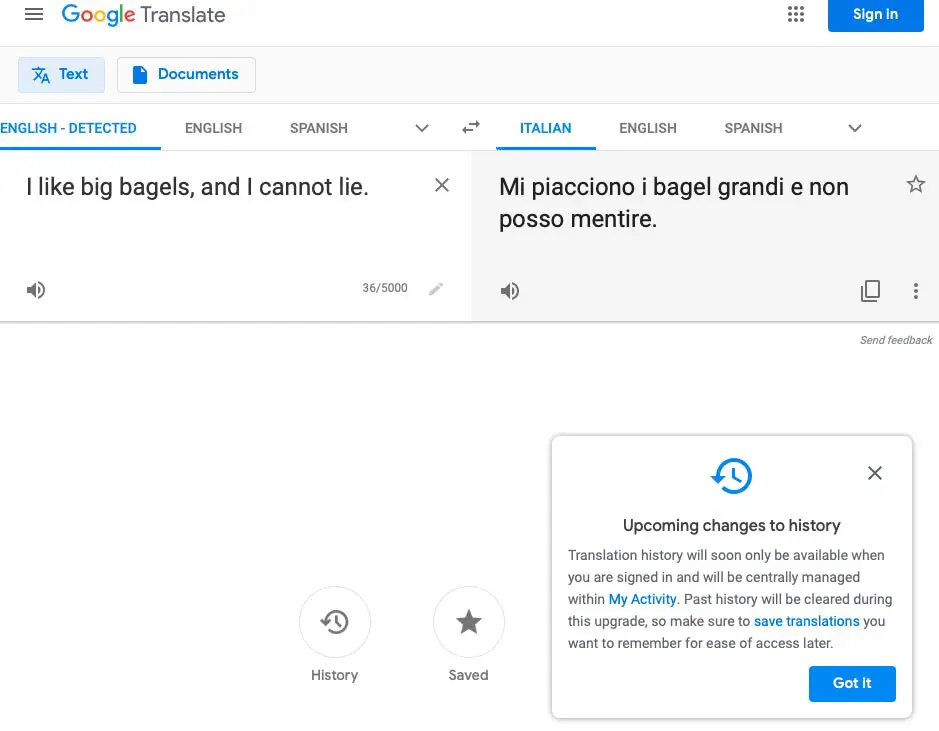
There’s no official confirmation about when the change will be made available however it is likely to happen soon, and Google is now flashing warning pop-ups. Google also warns users that any current history of translations you’ve stored on the device is erased when the update goes live. If you wish to preserve any data, you must do it by hand now.
How to Setup Backup and Auto Delete for Google Translate?
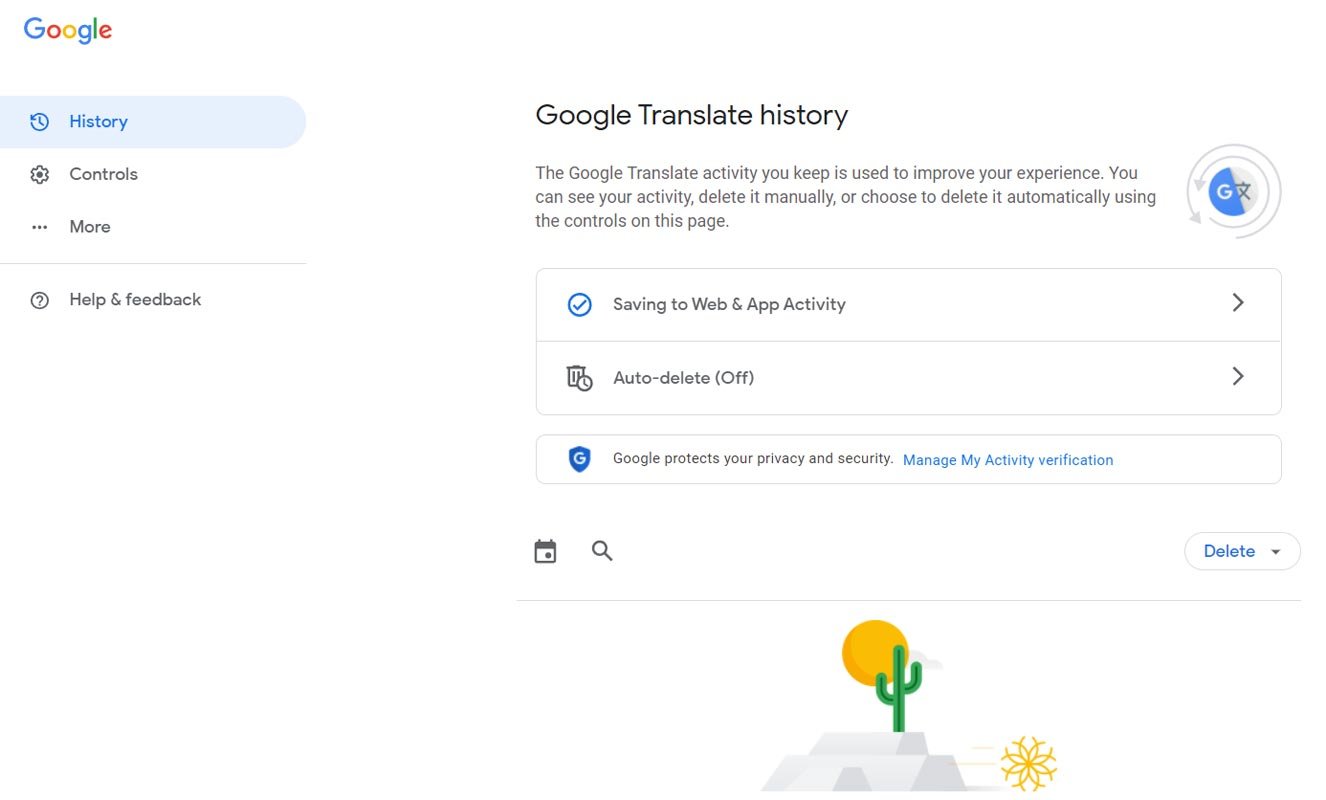
- You can access the Google Translate History feature in My Activity or using the History Link.
- You can see “Saving to Web and App Activity.” Turn on the feature. It will automatically sync the Google Translate History with your Log-in Account.
- We can also set up the Auto-Delete feature to Delete the History in a particular period. It Starts from Don’t delete to 3, 18, and 36 Months.
How to Access Google Translate History in your Account?
- You can access the Google Translate History feature in My Activity or using the History Link.
- We can view the activity at the bottom of the screen after the Auto Deletion feature. You can search the word, Month with other additional search filters.
Wrap Up
Google History is a much-needed feature, and Google has already rollout. But, It uses local save, which means that the history is temporary and can be wiped with a clear record. But with the help of the new Account level sync, All of our Web and App History can be synced in one place. We can access them whenever we want. Did you set up the Google Translate History? What are your experiences with this new feature? Share your thoughts below.

Selva Ganesh is a Computer Science Engineer, Android Developer, and Tech Enthusiast. As the Chief Editor of this blog, he brings over 10 years of experience in Android development and professional blogging. He has completed multiple courses under the Google News Initiative, enhancing his expertise in digital journalism and content accuracy. Selva also manages Android Infotech, a globally recognized platform known for its practical, solution-focused articles that help users resolve Android-related issues.




Leave a Reply