
Install OpenClaw AI in Raspberry Pi– In the evolving landscape of edge computing and decentralized artificial intelligence, the ability to run sophisticated AI agents on low-power hardware has become a cornerstone for developers and hobbyists alike. OpenClaw, an emerging powerhouse in the open-source AI agent ecosystem, provides a robust framework for automation, task execution, and cognitive processing.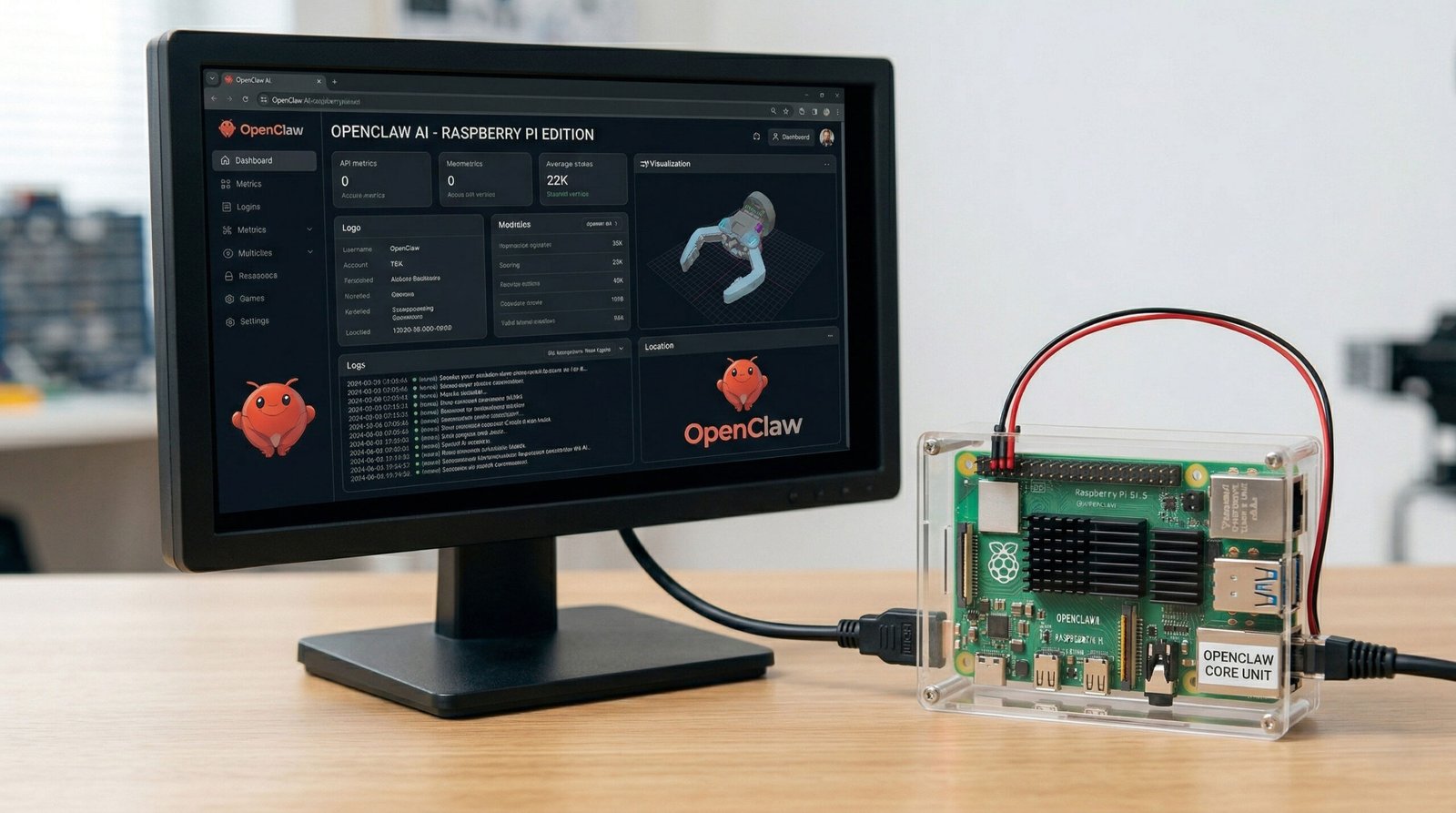
We have developed this comprehensive technical manual to ensure you can successfully deploy OpenClaw on a Raspberry Pi. While basic guides offer a cursory overview, we provide the deep-dive optimizations, dependency management, and performance tuning required to transform a standard SBC into a high-functioning AI node.
Hardware Architecture and System Prerequisites
To ensure optimal latency and system stability, the hardware choice is critical. While OpenClaw can technically run on older models, we recommend the Raspberry Pi 5 (8GB RAM) or the Raspberry Pi 4 Model B (4GB or 8GB RAM). The ARM Cortex-A76 architecture of the Pi 5 offers significantly better integer and floating-point performance, which is vital for the token processing and asynchronous operations OpenClaw performs.

Mandatory Specifications
- Operating System: Raspberry Pi OS (64-bit) is non-negotiable. The 64-bit kernel allows for better memory addressing and is required for many modern Python wheels and Node.js binaries.
- Storage: A High-Endurance MicroSD card (Class 10, U3) or, ideally, an NVMe SSD via the Pi 5’s PCIe interface to prevent I/O bottlenecks.
- Power Supply: An official 5V 5A power supply to prevent under-voltage throttling during intensive AI computations.
Phase 1: Environment Hardening and System Preparation
Before introducing the OpenClaw codebase, we must ensure the underlying Debian-based environment is fully patched and equipped with the necessary compilation tools.
System Refresh and Core Utilities
Begin by synchronizing the package index and upgrading the distribution. This ensures that OpenSSL, LibSSL, and other security-critical libraries are current.
sudo apt update && sudo apt full-upgrade -y
sudo apt install -y build-essential target-binutils python3-dev python3-pip git ffmpeg libffi-dev libssl-dev
Optimizing Node.js Runtime
OpenClaw leverages Node.js for specific web-scraping and interface modules. Rather than using the outdated versions in the default repositories, we utilize the NodeSource binary distribution to pull Version 20.x (LTS).
curl -fsSL https://deb.nodesource.com/setup_20.x | sudo -E bash -
sudo apt install -y nodejs
Verify the installation to confirm the V8 engine is ready:
node -v && npm -v
Phase 2: Repository Acquisition and Dependency Management
The OpenClaw architecture relies on a complex web of Python dependencies. To prevent dependency hell and conflicts with system-level packages, we implement a Python Virtual Environment (venv).
Cloning the Source Code
Navigate to your preferred directory (usually /home/pi/) and clone the official OpenClaw repository.
git clone https://github.com/OpenClawAI/OpenClaw.git
cd OpenClaw
Virtual Environment Isolation
Creating an isolated environment ensures that the Pip requirements do not interfere with the OS-level Python modules.
python3 -m venv openclaw-env
source openclaw-env/bin/activate
Once the environment is active, upgrade Pip, Setuptools, and Wheel to ensure that C-extensions in the AI libraries compile correctly on the ARM64 architecture.
pip install --upgrade pip setuptools wheel
pip install -r requirements.txt
Phase 3: Configuration and API Integration
OpenClaw operates as a bridge between your local environment and Large Language Models (LLMs). Proper configuration of the .env file is the difference between a functional agent and a runtime error.
Environment Variable Setup
Create the configuration file using the Nano editor:
cp .env.example .env
nano .env
Inside the file, you must define your LLM provider. While OpenClaw supports local models via Ollama for the Raspberry Pi, we recommend using Cloud APIs to preserve local CPU cycles.
- OPENAI_API_KEY: Essential for GPT-4o/GPT-4o-mini integration.
- ANTHROPIC_API_KEY: If you prefer the Claude 3.5 Sonnet reasoning capabilities.
- BASE_URL: If you are using a proxy or a local LiteLLM server.
Phase 4: Advanced Performance Tuning for Edge AI
A standard installation is often plagued by RAM exhaustion (OOM). To turn your Raspberry Pi into a reliable AI server, we must implement Advanced Memory Management.
Expanding the Linux Swapfile
The default 100MB swap on Raspberry Pi OS is insufficient for multi-threaded AI tasks. We recommend increasing this to 2GB or 4GB.
sudo nano /etc/dphys-swapfile
Change CONF_SWAPSIZE=100 to CONF_SWAPSIZE=4096.
Save and restart the swap service:
sudo /etc/init.d/dphys-swapfile stop
sudo /etc/init.d/dphys-swapfile start
CPU Governor Optimization
By default, the Pi scales its clock speed to save power. For AI agents requiring immediate response times, we switch the governor to performance mode.
echo performance | sudo tee /sys/devices/system/cpu/cpu*/cpufreq/scaling_governor
Phase 5: Launching and Validating OpenClaw
With the environment tuned and dependencies satisfied, we initiate the OpenClaw core.
python3 main.py
Monitoring Logs and Connectivity
Upon execution, monitor the terminal output for:
- WebSocket Initialization: Confirms the agent can communicate with the browser or UI.
- API Validation: Confirms the OpenAI/Anthropic keys are authenticated.
- Memory Usage: Run htop in a separate terminal to ensure RAM utilization stays within the 70-80% threshold.
Optimizing OpenClaw for Local Model Inference (Optional)
If you wish to run local LLMs (e.g., Llama 3 8B or Mistral) alongside OpenClaw on the same Pi, you must utilize 4-bit Quantization via the GGUF format.
- Install Ollama: The most efficient way to serve local models on ARM.
- Model Selection: Stick to models under 3 billion parameters (like Phi-3 Mini) if you are on a 4GB Pi.
- Integration: Update the OpenClaw .env to point to http://localhost:11434/v1.
Troubleshooting Common Installation Errors
1. “Failed to build wheel for Multi-Dict.”
This usually indicates missing Python headers. Ensure you have installed python3-dev.
2. “Illegal Instruction.”
This occurs when a 32-bit OS tries to run 64-bit binaries. Verify your OS architecture using uname -m. It must return aarch64.
3. SSL Certificate Verify Failed
Common when the System Clock is out of sync. Ensure your Pi is connected to the internet to sync via NTP or set it manually:
sudo date -s “2024-XX-XX XX:XX:XX”
Summary of Best Practices for OpenClaw Deployment
To maintain a high-uptime AI agent, adhere to the following table of configurations:
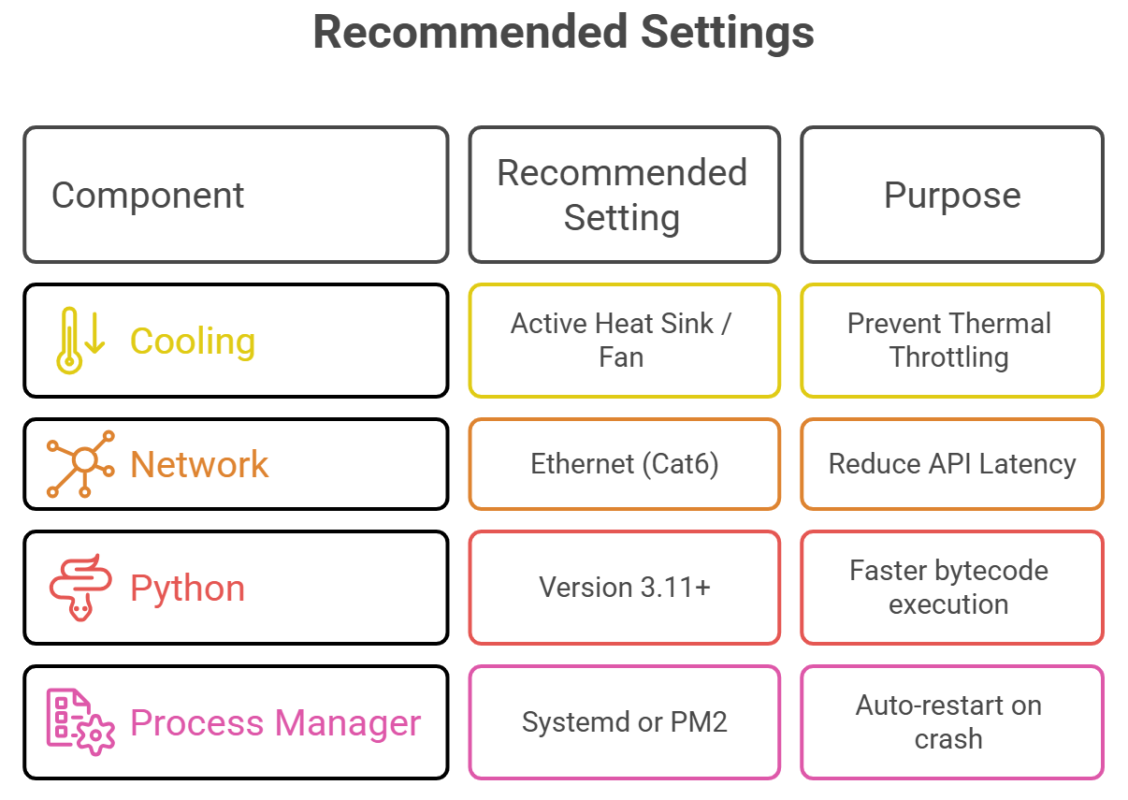
By following this technical blueprint, we have moved beyond a simple installation and into the realm of enterprise-grade edge AI. Your Raspberry Pi is now a fully capable host for OpenClaw, ready to handle autonomous tasks with maximum efficiency and minimal downtime.

Selva Ganesh is a Computer Science Engineer, Android Developer, and Tech Enthusiast. As the Chief Editor of this blog, he brings over 10 years of experience in Android development and professional blogging. He has completed multiple courses under the Google News Initiative, enhancing his expertise in digital journalism and content accuracy. Selva also manages Android Infotech, a globally recognized platform known for its practical, solution-focused articles that help users resolve Android-related issues.





Leave a Reply