
When Samsung Good Lock launched, Many of the Samsung users are happy with the customization. But, they stopped the support due to many reasons. After the Long interval, It’s back in Mid 2018. Well, this is an app released by Samsung to allow its Galaxy device users to customize the look of their smartphone screens. The app isn’t familiar with Android users who don’t own Samsung Galaxy smartphones. This app is a hub with so many tools that enable you to customize how your recent apps should appear, your notifications panel, and so many other flexible tools for customizing the look and feel of your compatible Galaxy smartphone.
However, the app isn’t compatible with Samsung devices running on Android versions older than Marshmallow (6.0). So, if you have a Samsung mobile that runs on Lollipop (5.0), KitKat, Jellybean, or other older versions, this app won’t work on your device. Also, asides Samsung devices, smartphones from other brands won’t be able to run this app.
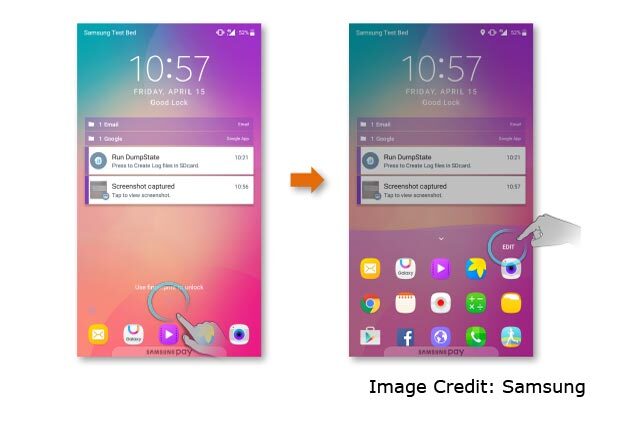

Compatible Samsung devices (older models) include Galaxy S10, S10 Plus, S10e, S9+, S9, S8, S8+, S7, S7 edge, S6, S6 edge, S6 edge+, S6 Active, Galaxy Note 5.
What are available in this app?
There is quite an array of built-in apps packed into this app; as said earlier, it is like a hub that houses many other apps. Nevertheless, all the tools or perhaps apps you’ll find on the Good lock app are solely to customize your Galaxy device.

Some apps you’ll find on Good lock include Lockstar, Nice Catch, Recent, Quickstar, Task Changer, Clock face, Routines, EdgeLighting9+, and other. Even, Samsung has rolled out a newer version of this app just this year, and it comes with more features for customization.

Download Samsung Good Lock Links
Pie Version
For Oreo versions
For Marshmallow
How to use
Previously, it is difficult to get the Good lock app work on certain Galaxy devices. However, recent updates to the app have fixed all the compatibility issues, and now, Samsung Galaxy users (compatible devices) can use this app seamlessly.
To use this app, you have to download it from the Galaxy App Store or download it from below links. After installing it on your device, the following processes to customize your Galaxy smartphone is intuitive. Click on any of the options and start customizing the look of your phone.
Multi-Window Update Multistar Option
- Hit the Good Lock App and Navigate to Multi star Option.
- There Should Be Two Options, Moving and Stable; You Know What is the Meaning of that.
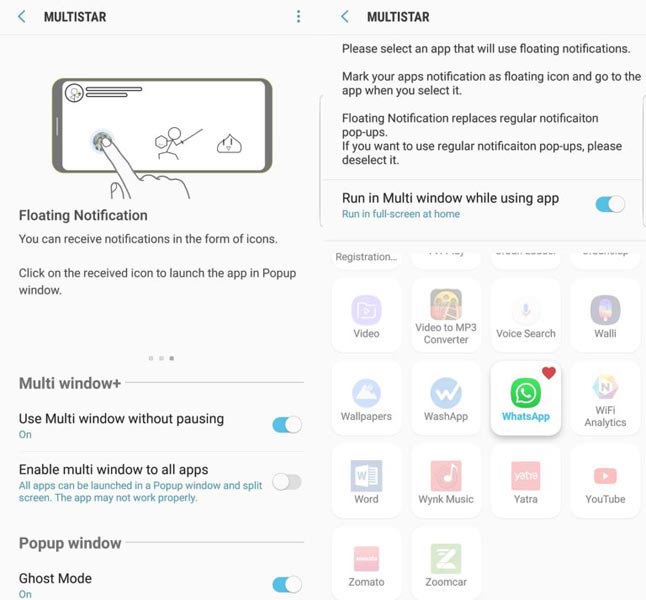
- The Above Option Depend on You If You are Playing Pokemon Go With Walkthrough that Should Be Useful, For Other Games, That is Unnecessary.
- You Can Exclude and Include Apps Using the Option Called Enable Multi Window Without Pausing to All Apps.
- You Can Even Enable Pop-up Window and is Very Useful During Gaming.
- That’s it the Highlight Features. Download and Enjoy the Next Level App From Samsung..:)

Selva Ganesh is a Computer Science Engineer, Android Developer, and Tech Enthusiast. As the Chief Editor of this blog, he brings over 10 years of experience in Android development and professional blogging. He has completed multiple courses under the Google News Initiative, enhancing his expertise in digital journalism and content accuracy. Selva also manages Android Infotech, a globally recognized platform known for its practical, solution-focused articles that help users resolve Android-related issues.




Leave a Reply